
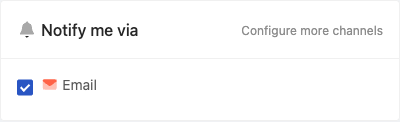
Email is the default notification channel in PageCrawl. It is enabled on all plans and requires no additional setup. As soon as you add a page to monitor, you will receive email notifications whenever changes are detected.
What's Included in Email Notifications
Every change notification email includes:
- Summary - A plain-language explanation of what changed on the page
- Importance - A score from 0 to 100 so you can quickly assess relevance
- Text diff with highlighting - Changed content is highlighted so you can see exactly what was added, removed, or modified
- Keyword matches - If you have keyword rules configured, matching keywords are highlighted in the notification
Email Attachments
Email notifications can include several attachments to give you a complete picture of the change:
- Page screenshot - A full-page screenshot of the page at the time of the change (enabled by default)
- Changes marked in red - A screenshot of the page with the parts that changed marked in red
- Before and after - Screenshots of the page before and after the change, side by side. When the change can be found on the page, the image focuses on it and outlines it.
- Highlighted changes - An image of what changed, with removed and added words highlighted
- Text file - The page's captured text as a plain text file (CSV monitors always attach their CSV)
You can configure which attachments are included at Settings > Workspace > Notifications. Email is enabled as a notification channel by default in the page editor.
Additional Recipients
On paid plans, you can add additional recipients to your change notifications:
- CC - Add email addresses to receive a copy of every notification
- BCC - Add email addresses to receive a blind copy
This is useful for keeping team members, clients, or stakeholders informed without requiring them to have a PageCrawl account.
Notification Frequency
Email notification frequency is configured at Settings > Workspace > Alerts & Reports. You have two options:
- Off - Email notifications are disabled
- Send instant notification for every change - You receive an email as soon as a change is detected
Scheduled Summary Reports
If you prefer to receive changes in batches (daily, weekly, or monthly digests), use the Scheduled Summary Reports feature. You can find it under the Digests tab in the same Settings > Workspace > Alerts & Reports area. Scheduled summary reports let you bundle changes across multiple monitors into a single consolidated email delivered on the schedule you choose.
Diff Display Options
You can customize how text differences are displayed in your email notifications:
- Highlight mode - Choose between highlighting by lines, by words, or both
- Content filter - Show everything, changed content only, added content only, or removed content only
These options let you focus on the type of changes that matter most to you.
Domain-Based Grouping
When you are monitoring 5 or more pages on the same domain, PageCrawl can group notifications by domain. To enable this, turn on the Group emails by domain setting in your workspace notification preferences. Once enabled, changes from the same domain are bundled into a single email, keeping your inbox organized and making it easier to review related changes together.
AI Feedback
Each email notification includes feedback links that let you mark a change as Important or Noise. PageCrawl's AI learns from your feedback and uses it to improve future importance scoring, so over time you receive fewer irrelevant notifications.
Other Supported Notification Channels
PageCrawl supports several other notification channels to suit your preferences: