
Your monitors, right in your browser
Start monitoring the page you are browsing. Catch up on changes, see what matters and open the details, all from your PageCrawl toolbar.
- Add a monitor without copying and pasting a link.
- Follow changes across your workspace.
- Filter your timeline by importance score.
- Keep monitoring when your browser is closed.
Using Edge or Brave? Install the Chrome version.
Want your monitors on your phone? Get the mobile app.
Sign in with your PageCrawl account. Your monitors and workspaces are already there. Available on every plan, including Free.
Browsing it? Start monitoring it.
A product, a job listing, a policy page. Turn the tab you have open into a monitor.
Open PageCrawl in your toolbar
Click the extension icon, then Track New Page. The page address and title are already filled in.
Choose what to track
Follow the page text, a price or a specific area. You can also draw an area to watch for visual changes.
Make it your monitor
Describe what matters, choose where alerts go and set a check frequency. Click Start monitoring.
Need more settings? More options opens the full form in PageCrawl with your choices filled in. Feed and Restock appear when the page supports them.
Read the extension guide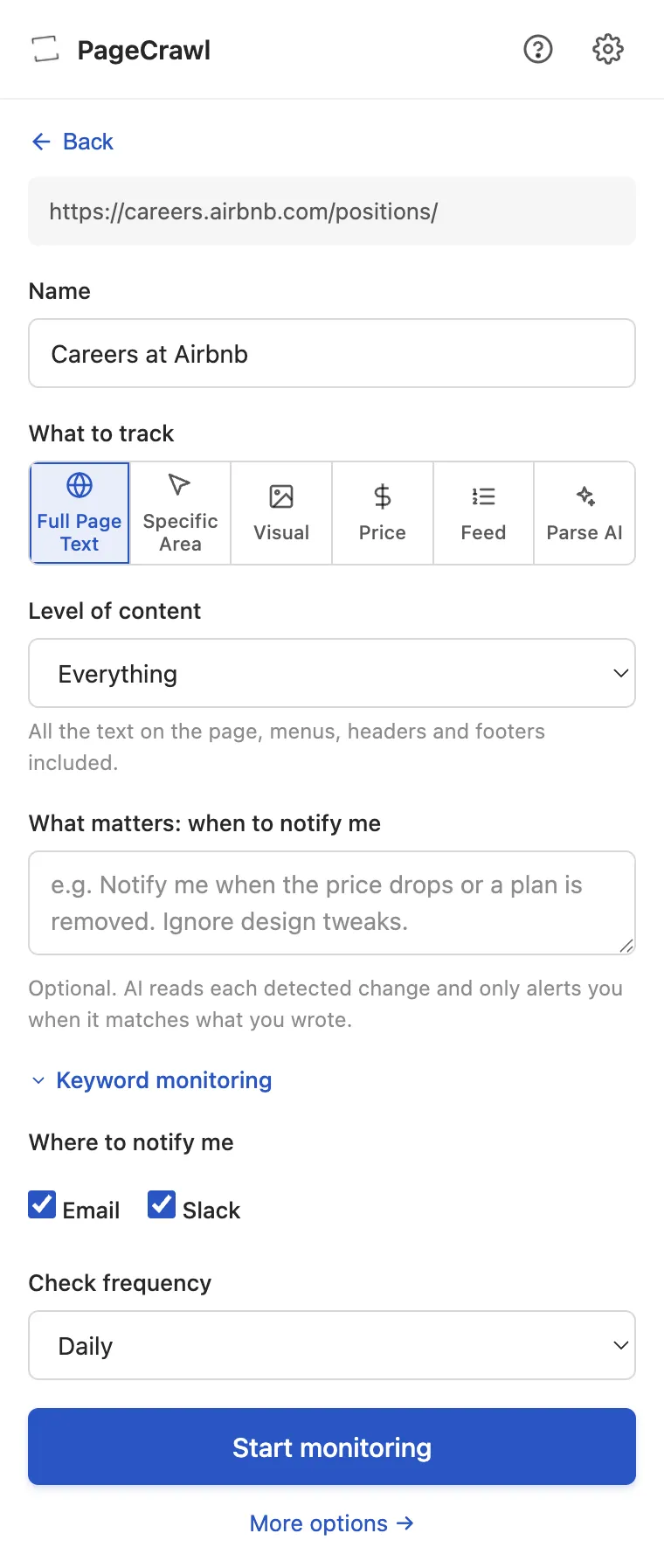
The page you are on. Its history, at a glance.
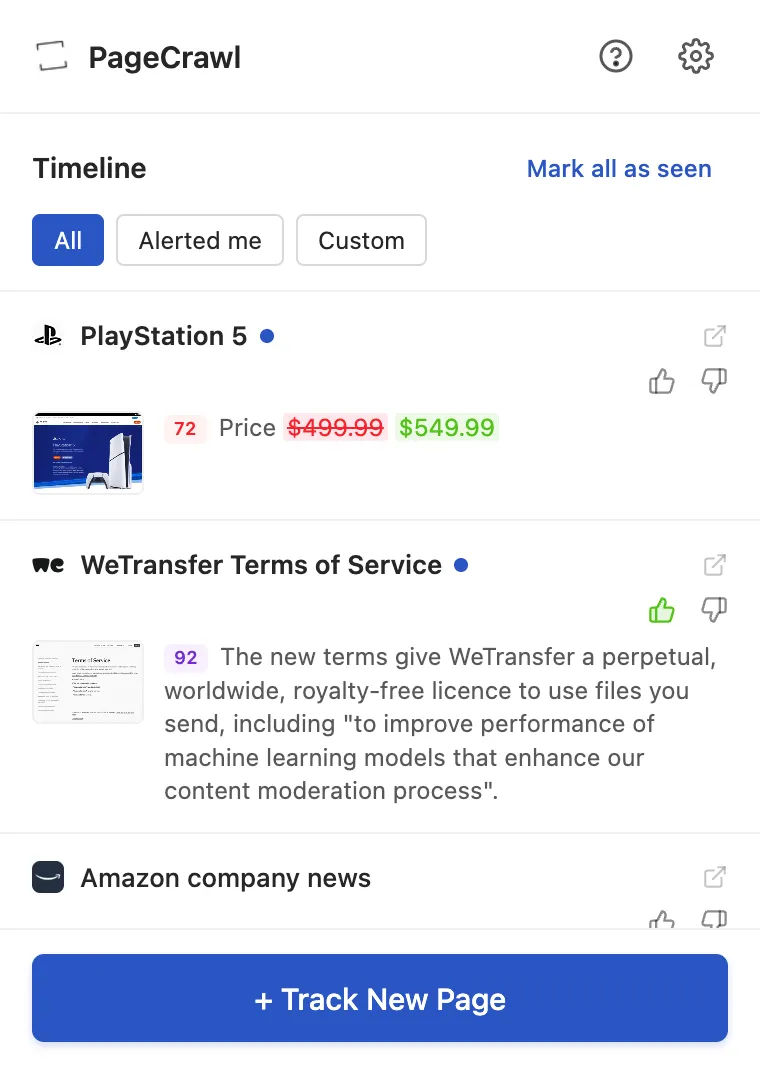
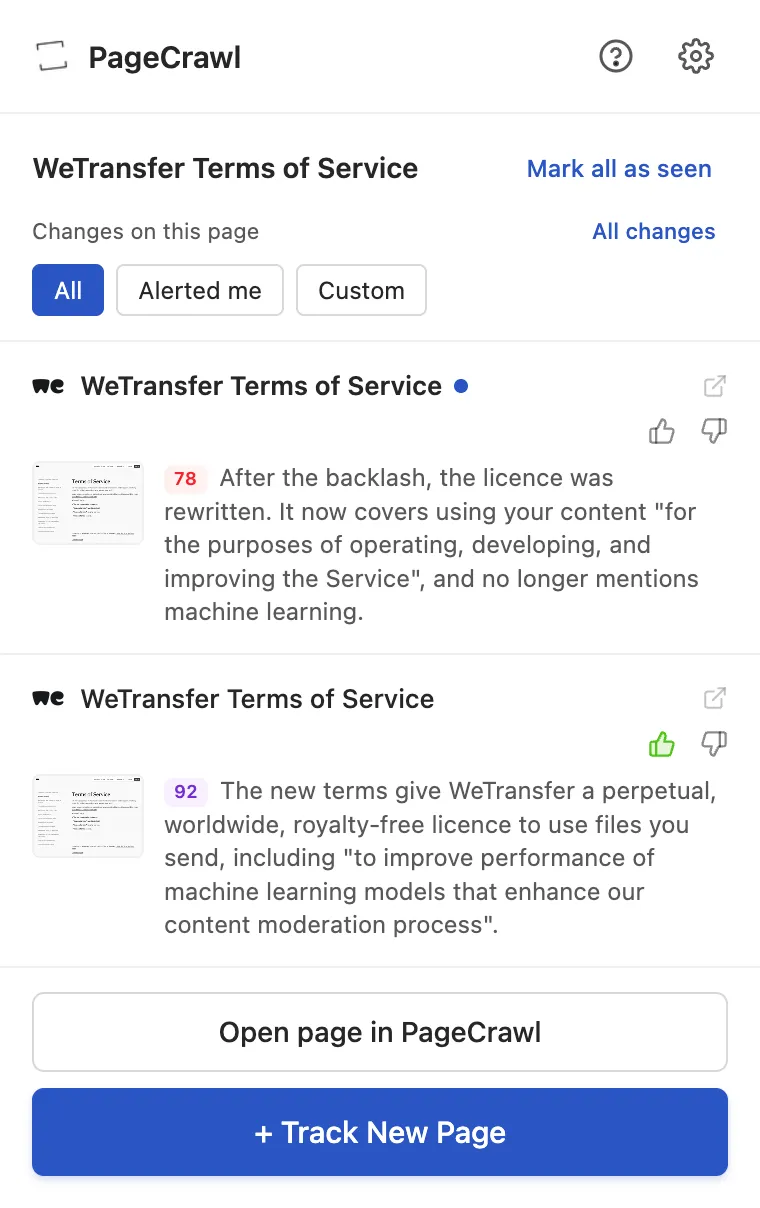
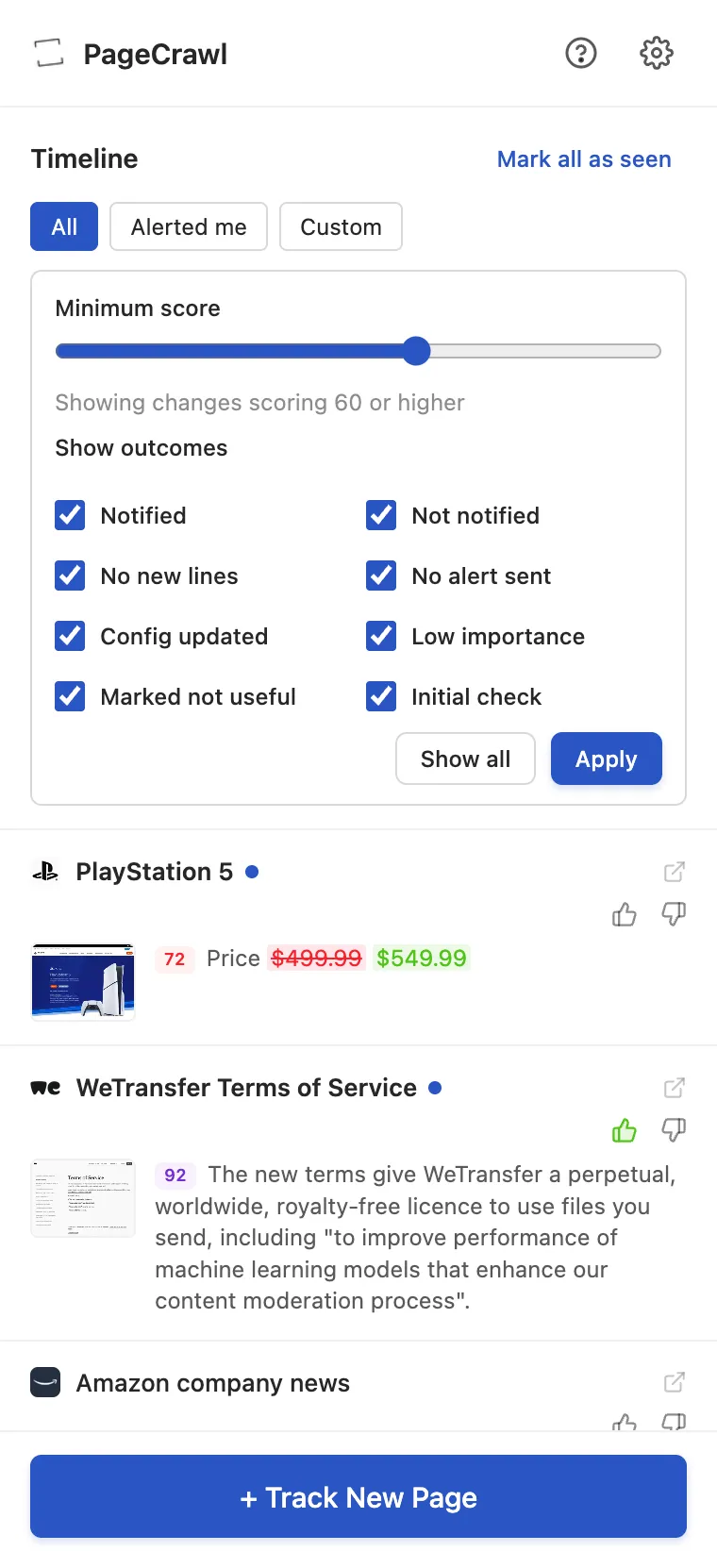
Open the extension on a page you already monitor and its timeline shows that page's changes. Read the available summaries, see the importance scores and open a change for the full details in PageCrawl.
Choose All changes to return to your workspace timeline. Switch to Alerted me when you want to catch up on changes that sent a notification.
A shortcut from any page
Right-click a webpage and choose Open in PageCrawl. If you already monitor it, you go to its history. Otherwise, the setup form opens with the address filled in.
Focus on the changes that matter.
Open Custom in the timeline to set a minimum importance score and choose which notification outcomes to show. The extension remembers your filters for the next time you open it.
Mark what was useful
Give a change a thumbs up or down to tell PageCrawl whether it mattered to you. Your feedback is shared with the web app and mobile app.
Available summaries and scores depend on your monitor and workspace settings. Timeline filters change what you see, not your alert rules.
One account. A shorter path to your monitors.
Install the extension, pin PageCrawl to your toolbar and choose Log in to PageCrawl. Sign in and authorize the connection to get started.
- Your workspaces
- Switch between workspaces to review changes and add monitors in the right place.
- Checks keep running
- PageCrawl checks on your monitor's schedule, even when the browser is closed.
- Every plan, including Free
- Your usual monitor limits and check frequency apply. There is no separate extension subscription.
Chrome and Firefox, plus Edge and Brave through the Chrome Web Store. Using Safari? Try the PageCrawl bookmarklet.