
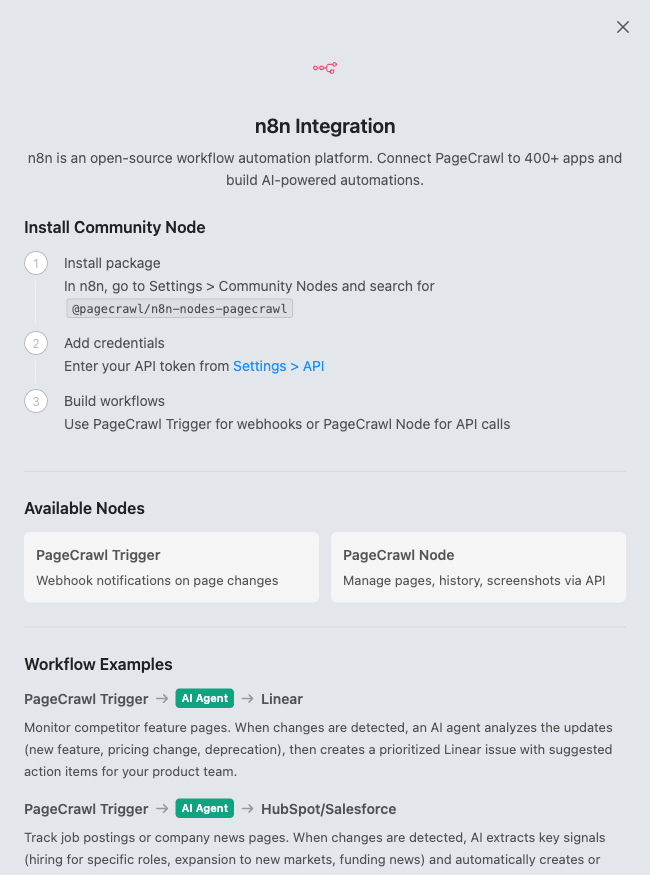
PageCrawl.io provides dedicated n8n community nodes that integrate directly into your n8n instance. With the PageCrawl Trigger and PageCrawl nodes, you can trigger workflows when changes are detected and interact with the PageCrawl.io API to manage pages, retrieve diffs, and download screenshots, all from within n8n's visual workflow editor.
Why integrate PageCrawl.io with n8n?
n8n is a workflow automation tool that you can self-host or run in the cloud. By connecting PageCrawl.io to n8n, you can:
- Keep data on your infrastructure: Run workflows on your own servers, keeping sensitive change data within your network.
- Build complex workflows visually: Use n8n's visual editor to chain together multiple steps, add conditional logic, and connect to hundreds of services.
- Avoid per-task pricing: Unlike hosted automation platforms, self-hosted n8n has no limits on the number of workflow executions.
- Connect to developer tools: Integrate directly with databases, APIs, Git repositories, and internal services that hosted platforms may not support.
Available nodes
PageCrawl.io provides two n8n nodes:
PageCrawl Trigger
The trigger node starts your workflow automatically when something happens on a monitored page. Supported events:
- Change Detected: Fires when a monitored page's content changes.
- Error: Fires when a page check fails (timeout, blocked, etc.).
You can filter triggers by workspace and by specific page, or listen for changes across all pages in a workspace. The node automatically registers and cleans up webhooks with the PageCrawl.io API.
PageCrawl (Action node)
The action node lets you interact with the PageCrawl.io API within your workflows. Available resources and operations:
Page operations
- Get: Retrieve details about a monitored page including recent check history.
- Quick Create: Add a new page to monitor with just a URL (auto-detects settings).
- Create (Advanced): Add a page with full control over elements, actions, conditions, frequency, location, device, and more.
- Update: Modify settings on an existing monitored page.
- Delete: Remove a page from monitoring.
- Run Check Now: Trigger an immediate check on a page.
Check operations
- Get History: Retrieve check history for a page with change diffs.
- Get Diff Image: Download a visual diff image showing what changed.
- Get Diff HTML: Get the change diff as HTML markup.
- Get Diff Markdown: Get the change diff as Markdown text.
Screenshot operations
- Get Screenshot: Download the latest (or previous) screenshot of a page.
- Get Screenshot Diff: Download a screenshot with the changed areas marked in red.
Setting up the integration
Step 1: Install the PageCrawl community node
- Open your n8n instance and go to Settings > Community Nodes.
- Click Install a community node.
- Enter
@pagecrawl/n8n-nodes-pagecrawlas the package name. - Click Install and confirm the installation.
- Restart n8n if prompted.
Step 2: Add your API credentials
- In your PageCrawl.io account, go to Settings > API and copy your API key.
- In n8n, go to Credentials and create a new PageCrawl API credential.
- Paste your API key and save.
Step 3: Create a workflow with the trigger
- Create a new workflow in n8n.
- Add the PageCrawl Trigger node.
- Select your workspace and (optionally) a specific page to monitor.
- Choose which events to listen for: change detected, error, or both.
- Click Listen for Test Event to verify the connection. The node will automatically send a test event so you can see the data format.
Step 4: Add workflow actions
With the trigger in place, add any n8n nodes to define what happens when a change is detected. Some examples:
- Store changes in a database using the PostgreSQL, MySQL, or MongoDB nodes.
- Create a GitHub or GitLab issue for your team to review the change.
- Summarize the change with AI using the OpenAI or Anthropic nodes.
- Send a notification to Matrix, Mattermost, or any platform with an API.
- Trigger an incident in PagerDuty or Opsgenie for critical page changes.
You can also add the PageCrawl action node mid-workflow to fetch additional data, such as downloading a diff image to attach to a notification or retrieving the full page details.
Step 5: Activate
Once your workflow is tested and working, activate it so it runs automatically whenever changes are detected.
Example workflow ideas
- Compliance monitoring: When a vendor's terms of service change, use the PageCrawl node to get the diff as Markdown, store it in a database, create a Jira ticket for legal review, and notify the compliance team on Slack.
- Competitor intelligence: When a competitor updates their pricing page, get the diff HTML, summarize the key changes with OpenAI, log them in a spreadsheet, and send a summary to your sales channel.
- Visual regression tracking: When a page changes, download the screenshot diff image, attach it to a GitHub issue, and alert the design team for review.
- Uptime and integrity checks: Listen for error events, trigger a PagerDuty incident, and post an alert to your ops channel when a critical page becomes unreachable.