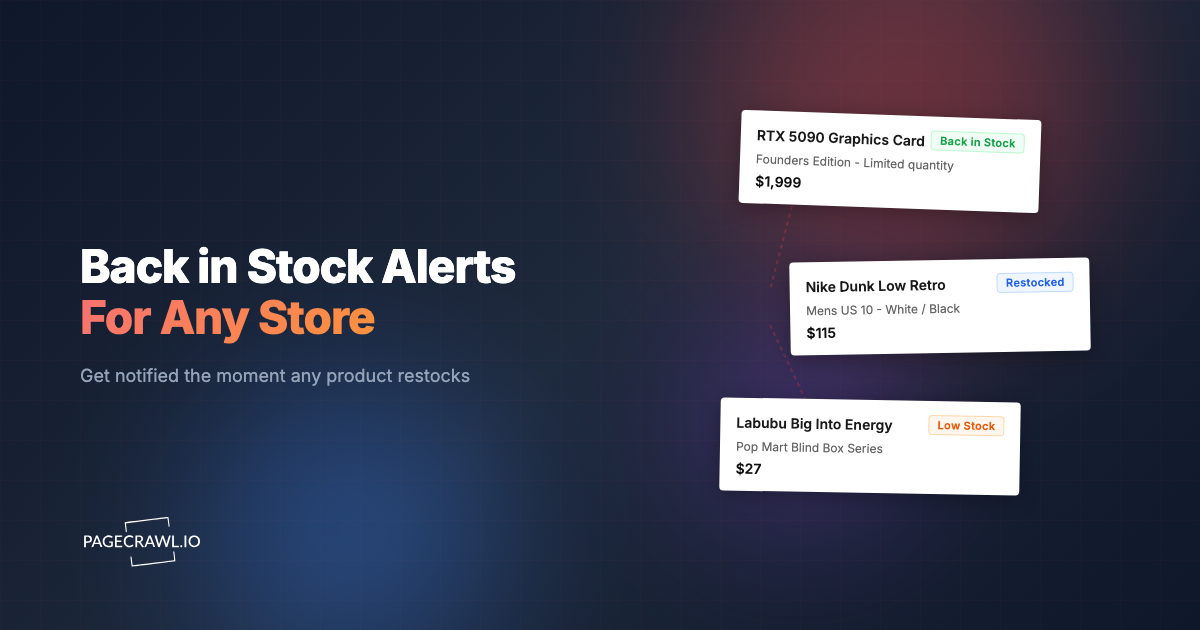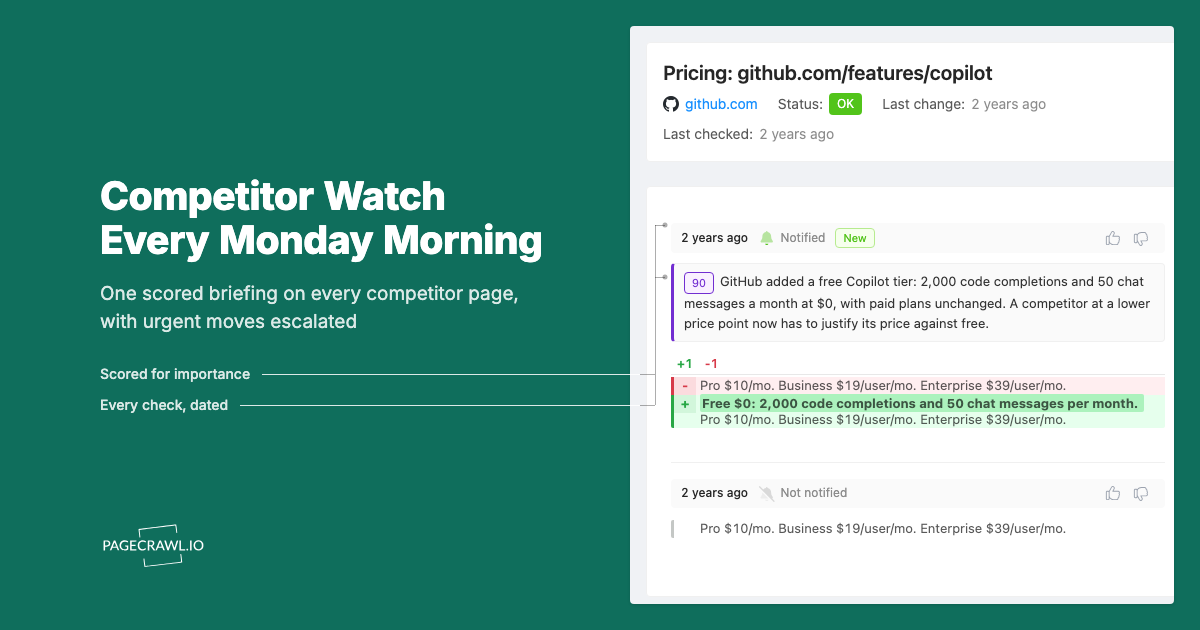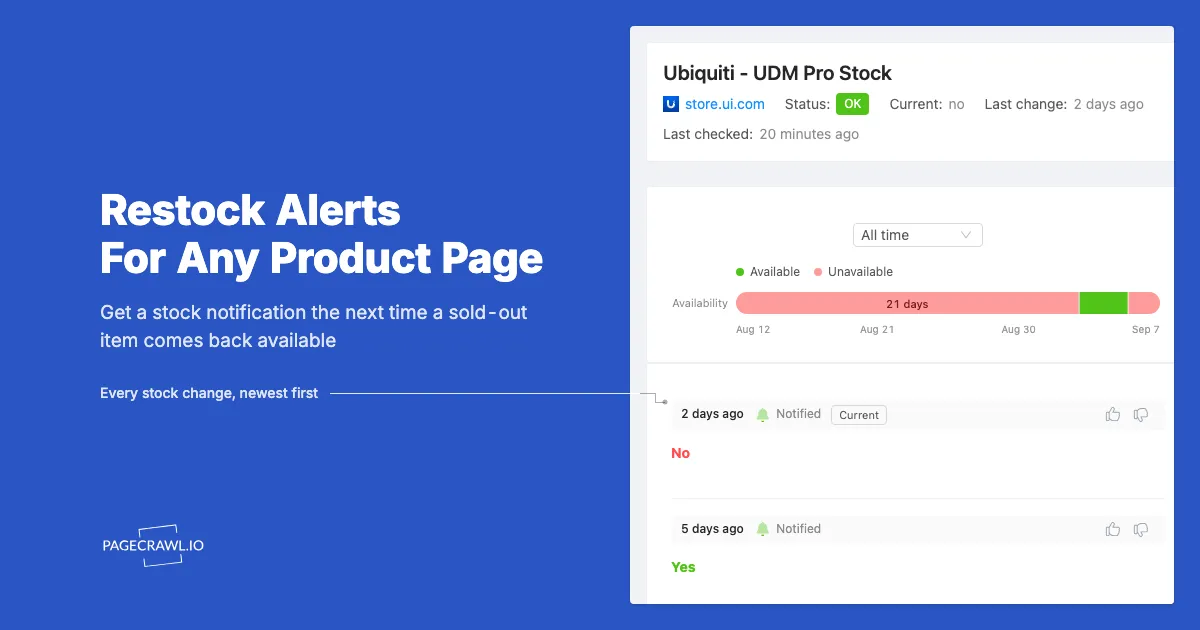
Get fast stock alerts for any product on any website. No coding required. Works with Ubiquiti, NVIDIA, PlayStation, Best Buy, Amazon, Shopify stores, and thousands more.
Why do you need a stock alert tool?
You need one because restocks are unannounced, short, and often overnight, and a monitor is the only thing watching the page while you are not. It checks on a schedule and alerts you as soon as a check sees availability flip, which is the difference between buying at retail and paying resale.
You know the drill. Ubiquiti drops a new Dream Machine, and it sells out in hours. NVIDIA restocks the RTX 5090 at random times with no announcement. That limited PS5 bundle appears for 3 minutes and vanishes before you even see the tweet about it. If you're not watching at exactly the right moment, you miss out, and then you're back to waiting weeks or months for the next restock.
Manually refreshing product pages doesn't scale. You can't sit there hitting F5 all day, and even if you could, you'd still miss restocks that happen at 3am or while you're in a meeting. Browser extensions promise to help, but most get blocked by modern anti-bot protection. Those "notify me when back in stock" email lists that retailers offer? They're either broken, delayed by hours, or notify you after everything has already sold out. By the time that email hits your inbox, the item is gone again.
How do PageCrawl stock alerts work?
PageCrawl monitors product pages for stock availability and sends you a notification when a scheduled check finds that inventory status has changed. You paste a URL, and the system automatically detects whether the product is in stock and what the current price is. No configuration needed, it reads the page the same way you would, understanding structured product data, price formats, and availability indicators across different websites and languages.
Unlike browser extensions or simple scrapers, PageCrawl renders pages the way a real browser does. This means it handles JavaScript-heavy sites where stock status loads dynamically, pages with lazy-loaded pricing, and even sites that show different content to automated tools. When a site uses bot protection, PageCrawl handles it automatically.
Supported sites include:
- Ubiquiti Store - Their site blocks most monitoring tools. PageCrawl works.
- NVIDIA GeForce Store - Heavy bot protection and aggressive blocking. PageCrawl works.
- Best Buy, Amazon, Target, Walmart - All major US retailers
- PlayStation Direct, Xbox Store - Console drops
- Shopify stores - Supreme, Kith, limited drops, boutiques
- EU/UK retailers - Scan, Overclockers, Currys, regional electronics shops
- Japanese sites - Rakuten, Yahoo Japan, specialty importers
- Camera retailers - B&H, Adorama, specialty Leica/Fujifilm dealers
No CSS selectors. No XPath. No technical setup. Just paste the URL.
Setting Up Restock Alerts (2 Minutes)
- Add the product URL to PageCrawl
- The system auto-detects price and availability status
- Choose your notification channels
- Set check frequency (depends on your plan, see below)
You'll see a live preview right away:
Detected Price:  $199.99 ✓
Available:       Yes ✓
When a check finds the status has changed from "No" to "Yes," you get notified.
What can you monitor with stock alerts?
Anything with a public product page: networking gear, GPUs, consoles, sneaker drops, camera bodies and lenses, and ordinary retail listings. The pattern is the same in every case, and only the sensible check frequency changes, from 15 minutes for competitive drops to daily for slow-moving specialty stock.
Ubiquiti Stock Alerts
The UniFi community knows the pain. Dream Machines, Cloud Gateways, access points, PoE switches, they sell out fast and restock at completely random times. Ubiquiti doesn't announce restocks, and their store uses aggressive anti-bot protection that blocks most monitoring tools. The subreddit and Discord servers are full of people who've been waiting months for a UDM-Pro or a specific switch model.

PageCrawl handles the Ubiquiti store reliably. Set up monitors for each product variant you're interested in, the UDM-SE often restocks separately from the UDM-Pro, and specific PoE switch models come in at different times. With 15-minute check intervals and Discord or Telegram notifications, you'll know within minutes when something becomes available instead of finding out hours later from a Reddit post.
GPU Restock Notifications
NVIDIA RTX and AMD Radeon drops are chaos. Bots and scalpers have automated systems that purchase inventory within seconds of it appearing, leaving regular buyers with nothing. The NVIDIA GeForce Store uses heavy bot protection, Best Buy has purchase queues that fill instantly, and Amazon listings get sniped by scripts before you can even add to cart.
For GPUs, you need to monitor the exact product page, not category listings or search results. Category pages often lag behind actual availability. Use 15-minute checks at minimum, and consider webhook notifications if you have automation set up to help with the purchase process. Some users chain PageCrawl webhooks to browser automation that opens the cart page automatically when stock appears.
PlayStation & Xbox Console Alerts
PlayStation Direct and Xbox store restocks sell out in minutes. These aren't hour-long windows, when inventory appears, it's gone fast. The stores themselves are often slow and crash under load, making every second count.
Set up 15-minute monitoring for console drops. Telegram notifications hit your phone faster than email, and you can keep Telegram open on your computer for desktop alerts too. If you're watching for bundles, combine availability monitoring with price tracking, some bundles are overpriced with games or accessories you don't want, and you can filter those out with price conditions.
Sneaker Drop Alerts
Nike SNKRS, Adidas Confirmed, and Shopify-based boutique drops are notoriously hard to monitor. These sites use sophisticated bot detection, and many releases require being logged in or entering raffles. Shopify stores in particular have gotten aggressive about blocking monitoring tools.
PageCrawl handles Shopify stores that block conventional monitors. For international drops, you can monitor EU or Asian sites where availability might be different than your local market. If a site uses unusual "sold out" text (some boutiques get creative with their messaging), you can add custom keywords to ensure accurate detection.
Camera Gear Inventory Alerts
Leica cameras, the Fujifilm X100VI, popular Sony lenses like the 35mm GM, these items can stay backordered for six months or more. Unlike GPU or console drops, camera gear doesn't require split-second timing. When a Leica Q3 comes back in stock, it might stay available for a few hours or even days.
For camera equipment, daily or even weekly checks are usually sufficient. Email notifications work fine since you don't need to race to checkout. The value here is knowing when items reappear without having to remember to check B&H or Adorama every week. Some photographers monitor multiple retailers to catch whichever one restocks first.
Network Equipment Stock Tracking
Mikrotik routers, TP-Link Omada gear, Aruba Instant On, if you're building out network infrastructure, you've probably run into the same supply issues that plague Ubiquiti. Specific switch models, certain access points, or particular router configurations go out of stock and take months to return.
The good news is that non-Ubiquiti network gear is generally less competitive to purchase. You don't need to race bots to checkout. But you still want to know when items become available rather than checking manually every week. Monitor specific models across multiple retailers (Amazon, the manufacturer's store, specialty networking shops) to catch restocks wherever they happen first.
Price Drop Alerts + Stock Monitoring Combined
Tracking availability alone isn't always enough. Sometimes items restock at inflated prices, third-party sellers on Amazon charging 30% over MSRP, or bundles that include $100 worth of accessories you don't want. Other times, you're willing to wait for a sale rather than buying at full price.
PageCrawl lets you track prices and product availability on the same page simultaneously. You can set conditions like "notify me when this item is in stock AND the price is under $500" or "alert me when the price drops by 10% or more, regardless of stock status." This combination is powerful for deal hunters who want to maximize value, not just availability.
For competitive products like GPUs or consoles, combining these conditions prevents the frustrating experience of rushing to buy something only to discover it's overpriced. For less time-sensitive items like bikes and cycling components, you can wait for the right combination of availability and pricing before making a purchase.
If you are tracking the same product across multiple stores, you can set up one monitor per retailer page and view their prices together in your dashboard. PageCrawl's cross-retailer comparison view, which automatically shows you which retailer has the best price at any moment, is a custom capability you can ask us to enable, so when an item comes back in stock at one store you can quickly check whether another retailer has it cheaper.
How to Get Faster Restock Notifications
Every channel fires from the same event: the check that detects the change. So the first lever is check frequency, and the second is which channel actually reaches you. Push-style channels land on a device you are carrying, while email can sit in a mail queue for minutes.
| Channel | Speed | Best For |
|---|---|---|
| Web Push | Fast | Browser notifications on any device |
| Telegram | Fast | Mobile push, time-sensitive restocks |
| Discord | Fast | Personal alerts, community servers |
| Slack | Fast | Team and work notifications |
| Webhook | Fast | n8n, Zapier, custom automation |
| Slower | Non-urgent, keeps a record | |
| Microsoft Teams | Fast | Corporate environments |
For competitive drops (GPUs, consoles, Ubiquiti gear, and Apple product launches), use Web Push or Telegram. Email is too slow. The help centre covers enabling web push notifications on desktop and mobile.
Automation with n8n and Zapier
Stock alerts are just the beginning. The real power comes from connecting PageCrawl to your existing automation workflows, turning a notification into an action.
With n8n (self-hosted): If you run n8n for automation, PageCrawl integrates directly via webhooks or the dedicated n8n node. When stock status changes, n8n can trigger follow-up actions, send a custom notification to a private Slack channel, update a Google Sheet tracking inventory across multiple products, or even kick off browser automation that attempts to add the item to your cart. Some users build elaborate flows that check price, verify the product variant, and only proceed if all conditions are met.
With Zapier: For those who prefer managed automation, Zapier connects via webhook to thousands of apps. Push restock alerts to Google Sheets or Airtable for tracking, trigger SMS or phone call notifications through Twilio, create tasks in Notion or Todoist, or post updates to private Discord servers. The webhook payload includes all the relevant data, product URL, current price, availability status, so your Zaps can make intelligent decisions.
A common power-user workflow: Stock alert triggers a webhook → n8n checks if price is under budget → If yes, browser automation opens the product page and attempts checkout → If successful, send confirmation to Telegram. This kind of end-to-end automation gives you the best possible chance at competitive drops.
Monitoring Sites That Require Login
Some of the best drops happen behind login walls. Member-only releases, loyalty program exclusives, early access for newsletter subscribers, regional store restrictions, these pages show "please log in" to monitoring tools that can't authenticate.
PageCrawl has built-in login authentication that handles this seamlessly. You enter your credentials once, and the system maintains your authenticated session across all checks; the help centre walks through monitoring password-protected pages step by step. This means you can monitor member-only pages on Nike, exclusive drops at apparel brands like American Eagle and Aerie, and regional stores that require account verification.
The authentication system works with standard username/password logins, and it also handles two-factor logins: it reads emailed one-time codes and generates authenticator-app codes (Google Authenticator, Authy, 1Password) from a secret you paste once. Because your signed-in session is saved and reused, the two-factor step only comes up occasionally. You're not manually exporting cookies or dealing with browser extensions, the system handles session management automatically.
Why do other stock trackers fail?
They fail for four reasons: brittle CSS selectors that break on every redesign, bot protection that blocks plain HTTP requests, no JavaScript rendering on pages that load stock status after render, and English-only text matching. Most were built years ago when websites were simpler, and the approach breaks constantly.
First, they require you to find CSS selectors or XPath expressions for the elements you want to track. When the site updates their design, which happens regularly, your selectors break and you stop getting alerts. You often don't realize they're broken until you miss a restock.
Second, they get blocked by modern bot protection. These services are designed to stop automated requests. Most monitoring tools can't get past them, which means they never see the actual product availability.
Third, they can't handle JavaScript. Modern e-commerce sites load content dynamically, the stock status might come from an API call that runs after the page loads. Simple HTTP scrapers see an empty placeholder where the availability should be.
Fourth, most tools only work in English. If you're monitoring Japanese, German, or other non-English sites, they can't recognize the local "sold out" or "out of stock" phrases.
PageCrawl avoids these problems with built-in bot protection handling, automatic content detection (no selectors needed), and multi-language understanding.
Advanced Stock Alert Features
Multi-Language Availability Detection
Global shopping means monitoring sites in languages other than English. Japanese electronics retailers, German camera shops, French fashion boutiques, each uses their own terminology for "sold out" or "out of stock." Most monitoring tools only understand English, leaving international shoppers without coverage.
PageCrawl automatically recognizes availability status in 19+ languages without any configuration.
For sites with unusual or creative phrasing (some boutiques use things like "coming soon" or "join the waitlist" instead of "sold out"), you can add custom keywords. Enter them comma-separated, and PageCrawl will recognize those phrases as out-of-stock indicators alongside the built-in detection.
Price Threshold Filtering
E-commerce sites often display multiple prices on a page, shipping estimates, activation fees, accessory prices, or promotional pricing for related items. Without filtering, a monitoring tool might report a $5 shipping estimate as the "product price" and send you confusing alerts.
PageCrawl lets you set a minimum price threshold to filter out noise. If you set the minimum to $50, the system ignores any detected prices below that value and only tracks the primary product price. This is especially useful for sites with complex pricing displays or those that show tax and shipping separately from the product cost.
Conditional Notifications
Not every stock change deserves an alert. Maybe you only want to know when an item comes BACK in stock, not when it sells out. Maybe you're tracking competitor inventory and want alerts when they run out of stock. Maybe you only care about restocks at specific price points.
Conditional notifications let you define exactly when you want to be notified. You can set rules like "alert only when status changes from unavailable to available" (ignoring the reverse), "notify only when in stock AND price is under $X," or "alert on any availability change for competitor monitoring." These conditions reduce notification fatigue and ensure you only hear about the changes that actually matter to you.
Plans & Check Frequency
Check frequency matters because the difference between a 60-minute check and a 15-minute check can mean the difference between getting a GPU and missing it entirely. Here's how the plans break down:
| Plan | Check Frequency | Pages | Best For |
|---|---|---|---|
| Free | Every 60 min | 6 | Trying it out, casual monitoring |
| Standard | Every 15 min | 100-300 | Most users, Ubiquiti/GPU monitoring |
| Enterprise | Every 5 min | 500+ | Competitive drops, resellers |
The Free plan works great for testing the system or monitoring slower-moving inventory like camera gear or specialty items that stay in stock for hours or days when they reappear. Six pages at 60-minute intervals is enough to cover a few priority items without any cost.
The Standard plan is where most users land. Fifteen-minute checks catch the vast majority of restocks, Ubiquiti gear, most GPU drops, console restocks outside of major launch windows. With 100-300 pages, you can monitor multiple variants of products you care about across different retailers.
The Enterprise plan is for serious buyers and resellers who need every possible edge. Five-minute checks mean you're among the first to know about restocks, and the higher page limits support monitoring at scale across hundreds of products or multiple markets.
Common Questions
How often can I check stock?
Check frequency depends on your plan: Free checks every 60 minutes, Standard every 15 minutes, Enterprise every 5 minutes. For competitive drops like GPUs or console releases where inventory sells out in minutes, Standard or Enterprise is recommended. For slower-moving items like camera gear or specialty equipment, the Free plan's 60-minute checks are often sufficient.
Does this work on Amazon?
Yes. PageCrawl monitors Amazon product pages, third-party seller listings, and Amazon-exclusive items. The system handles Amazon's dynamic pricing and availability indicators, which often load via JavaScript after the initial page render. You can monitor specific sellers if you're looking for items at particular price points or from preferred vendors.
Can I monitor international sites?
Absolutely. PageCrawl works with US, UK, EU, Japanese, Australian, and other regional retailers. The system handles different languages (with automatic "sold out" detection in 19+ languages), currencies (displaying prices in their native format), and regional variations in how sites display availability. This is particularly useful for products that might be available in one region but sold out in another.
What about sites with bot protection?
PageCrawl handles bot protection automatically. If you can view the page in a regular browser, PageCrawl can monitor it. For sites with particularly aggressive protection, contact support.
Can I track when something goes OUT of stock?
Yes. While most users want to know when items become available, tracking when products go out of stock is valuable for competitor monitoring and inventory intelligence. Retailers, resellers, and analysts use this to understand competitor stock levels, identify demand patterns, and time their own inventory decisions. You can set conditional notifications to alert only on this specific transition.
Troubleshooting Stock Alerts
Shows "Not Available" but the site shows in stock:
- Enable "Wait for dynamic content" for JavaScript-heavy sites
- Try mobile device emulation, sometimes stock data differs
- Check if the site shows different availability by region
Price not detected:
- Some products require selecting size/color first
- Try mobile view for cleaner page layouts
- Increase wait time for slow-loading sites
Getting blocked:
- Try different proxy locations in settings
- Temporarily reduce check frequency
- Contact support for sites with aggressive bot protection
Recommended Setups
For limited drops (Ubiquiti, GPUs, consoles):
- 15-minute checks
- Telegram + Discord notifications
- Monitor exact product URLs, not search or category pages
For regular restocks (camera gear, specialty items):
- Hourly or daily checks
- Email notifications are fine
- Set price conditions if you're flexible on timing
For competitor monitoring:
- Track when items go out of stock
- Daily frequency is sufficient
- Export data for inventory analysis
Start Monitoring in 2 Minutes
Setting up your first stock alert takes about two minutes, and you don't need any technical knowledge to do it.
Paste your product URL - Copy the URL of the product page you want to monitor and add it to PageCrawl. The system automatically detects the price and availability status.
Choose notification channels - Select how you want to be notified. Telegram and Web Push are fastest for competitive drops. Email works fine for slower-moving inventory.
Set check frequency - Choose how often to check based on your plan and how competitive the product is. Fifteen minutes catches most restocks.
Get notified when it's back in stock - When a check detects that availability has changed, you'll get a notification through your chosen channels with the current price and a link to the product.
No CSS selectors to find. No code to write. No browser extensions that break after updates. Just paste a URL and get alerts when stock status changes.
PageCrawl works on Ubiquiti, NVIDIA, PlayStation Direct, Amazon, Best Buy, Shopify stores, and thousands of other sites, including the ones that actively block other monitoring tools. If you can view it in a browser, you can monitor it.
Choosing your PageCrawl plan
PageCrawl's Free plan lets you monitor 6 pages with 220 checks per month, which is enough to validate the approach on your most critical pages. Most teams graduate to a paid plan once they see the value.
| Plan | Price | Pages | Checks / month | Frequency |
|---|---|---|---|---|
| Free | $0 | 6 | 220 | every 60 min |
| Standard | $8/mo or $80/yr | 100 | 15,000 | every 15 min |
| Enterprise | $30/mo or $300/yr | 500 | 100,000 | every 5 min |
| Ultimate | $99/mo or $999/yr | 1,000 | 100,000 | every 2 min |
Annual billing saves two months across every paid tier. Enterprise and Ultimate scale up to 100x if you need thousands of pages or multi-team access.
Standard at $80/year covers 100 product pages with 15-minute checks. If monitoring catches one restock you would have otherwise missed and lets you buy at retail instead of resale, the plan pays for itself on the first purchase. For operations tracking inventory across multiple retailers or categories, Enterprise at $300/year covers 500 pages, enough to monitor a full product line with availability, price, and shipping changes all in one place.