
Website Change Monitoring
Track any web page and get plain-language summaries of what changed. AI filters out the noise and only notifies you when it matters.
Monitoring for your team? Talk to us about setup, annual contracts, and security reviews.
Trusted by thousands of companies
Since 2018, we've been helping our users monitor and track web content changes. Join thousands of organizations who rely on us for accurate, actionable insights and alerts, helping them stay ahead of competitors, ensure compliance, and never miss critical updates.
Track changes on any website, for any reason.
Whether you're monitoring competitors, tracking prices, archiving content for compliance, or watching government pages for policy updates. From a single page to thousands, from simple checks to complex multi-step setups.
Your monitors, wherever you are
PageCrawl for iOS and Android brings your alerts, change summaries and page history to your phone.
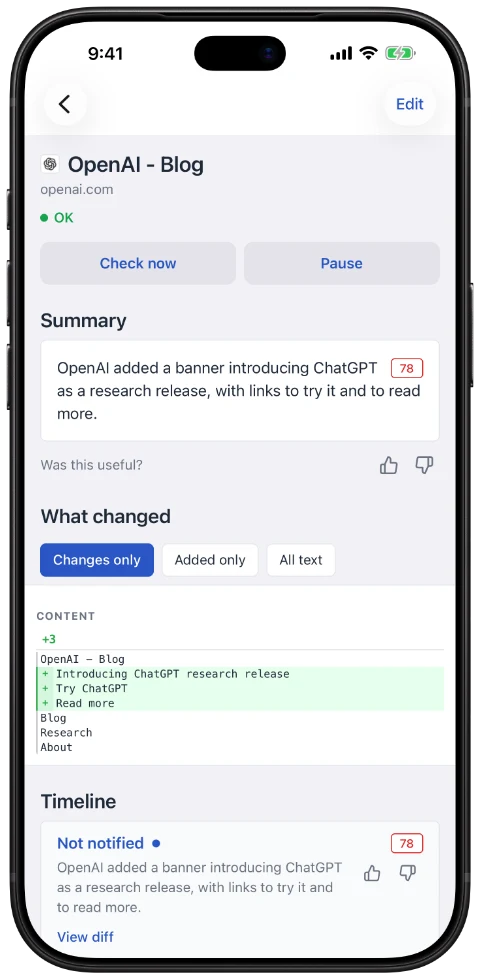
- Open a phone alert and see what changed.
- Browse every change, with diffs and AI summaries designed for mobile.
- Add a page in seconds: share it from Safari or Chrome to PageCrawl.


Open your phone's camera, scan the code, then choose your app store.
Sign in with your PageCrawl account. Your monitors and workspaces are already there.
More about the mobile app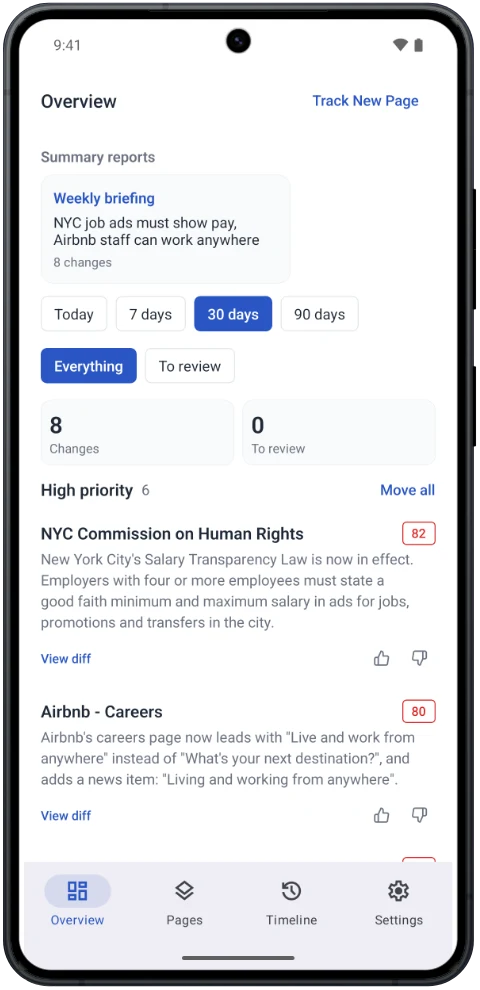
Curated reports for every stakeholder
Per-change alerts flood inboxes until stakeholders mute the channel and stop reading. Marketing wants Monday morning competitor intel, legal wants a monthly compliance roundup, your team wants to be paged when something critical lands. PageCrawl handles all three from the same monitors: AI-written briefings for a tag, folder, domain, or hand-picked monitors, sent on each audience's preferred schedule. Urgent changes still hit your channel of choice.
AI that understands your changes
Every plan includes AI credits. Get plain-language summaries, smart filtering, and pattern learning out of the box.
AI Summaries
Each text change comes with a short summary of what changed, in the alert and in the history.
Noise Filter
AI scores every change from 0-100 by importance.
Pattern Learning
Give a change a thumbs up or a thumbs down and AI adapts to your preferences.
Ask what changed
Ask in plain words what changed this month, in PageCrawl or from AI assistants like Claude and ChatGPT.
Set up with AI
Add a page and AI suggests what to watch, such as a price or a list of items, then fills in the form for you to check.
Custom Instructions
Describe the page and what your team cares about, such as new fees or shorter notice periods, and summaries and scores follow it.

Website monitoring, without the gaps
Over 30% of websites now sit behind a protection service that can turn automated visitors away1Source: W3Techs, share of websites behind a reverse proxy protection service, November 2026, so many monitoring tools miss them. New pages go unnoticed, and many pages sit behind a sign-in or a click. Here is how PageCrawl closes each gap.
Monitor even protected sites
Many shops, ticket sites and portals turn automated visitors away. PageCrawl reliably monitors most of them on Enterprise and Ultimate, and some on Standard.
Learn more →New pages, monitored automatically
New products, articles, and policy pages appear without warning. PageCrawl scans sites and automatically starts monitoring new pages that match your rules.
Learn more →Pages behind a sign-in or a click
Pages that need a click, a search or a choice are checked too. On paid plans, PageCrawl signs in to portals with a login you can test before you rely on it.
Learn more →15+ native integrations
Send changes to the apps you already use: chat, workflow automation, AI agents, spreadsheets and storage.
Chat and alerts
- SlackGet change alerts directly in your Slack channels.
- Microsoft TeamsReceive change alerts in your Teams channels.
- DiscordSend change alerts to your Discord server.
- TelegramGet change alerts in a Telegram chat or group.
- iOS and AndroidPush alerts and your monitors on your phone.


Workflow automation
- ZapierConnect changes to thousands of apps with Zaps.
- MakeTrigger visual scenarios on every detected change.
- n8nRun workflows, including agentic AI ones, on every change.
- Home AssistantBring your monitors into Home Assistant as sensors.


AI agents
- ClaudeAsk Claude to set up monitors and read changes through MCP.
- ChatGPTUse PageCrawl from ChatGPT through the MCP server.
- Microsoft 365 CopilotAdd PageCrawl to a Copilot Studio agent for your organisation.
- Notion agentsLet a Notion custom agent watch pages for you.
- Any MCP clientCursor, Cline, Windsurf, VS Code and any other MCP client.


Data and storage
- Google SheetsSync tracked values to a sheet for analysis.
- NotionSync monitored pages and changes to a Notion database.
- monday.comSync monitored pages and changes to a monday.com board.
- DropboxSave page screenshots to Dropbox when changes are detected.


Developers
- REST APIManage monitors and read changes from your own code.
- WebhooksReceive a signed JSON payload on every change.
- RSS feedsFollow changes in your favourite feed reader.
- Browser extensionAdd monitors from any page in Chrome or Firefox.
- RelayCheck pages through your own connection when a site will not open for us.
Loved by customers worldwide

Monitors pages for you
"Simplicity to setup pages as well as having a granular control on multiple different settings. The combination of ease of use with powerful features makes it perfect for both beginners and advanced users."
Excellent Monitoring Tool
"Tools are easy to learn and very good at monitoring page changes. I use them daily for my business. Customer service is the best I have ever received! On rare occasions, there are issues when setting pages up, but support is very responsive and helpful."
Powerful tool for watching website changes in detail
"Very responsive to enhancement requests, to the point of getting an email reply saying what I needed is now a feature (more than once). Also, very responsive with questions or troubleshooting. Haven't hit a situation it could not help me with at a very reasonable cost."
Great Performance and Support
"Works better than the other services I tried and the customer service is excellent. Can be a little tricky to set up but once you've got it you can rinse and repeat easily."
Easy but powerful tool
"It is clear, easy to understand, many options, many integrations, great support (I like it the most). Maximum efficiency - after trying few tools of a kind, I do not see less advantages than others have."
Pricing
Choose the plan that works for you.
For one person
Get started for free
- Pages: Up to 6
- Checks: Up to 220
- Frequency: Up to 60 min
For simple, personal monitoring
- Pages: Up to 200
- Checks: Up to 30,000
- Frequency: Up to 15 min
For teams
Our team plan: shared workspaces, roles and SSO
- Pages: Up to 500
- Checks: Up to 100,000
- Frequency: Up to 5 min
Our top plan, with more AI credits
- Pages: Up to 1,000
- Checks: Up to 100,000
- Frequency: Up to 1 min
Prices exclude VAT. Applicable taxes will be calculated at checkout.
Key features
Everything you need to monitor any website, all in one platform.
Review Board
Every change lands in To Review. Your team flags it, adds notes and marks it reviewed, so everyone sees what is still open.
When someone asks what was covered, the review report shows the changes found, the important ones and what your team reviewed. The board exports to Excel.

Price and value history
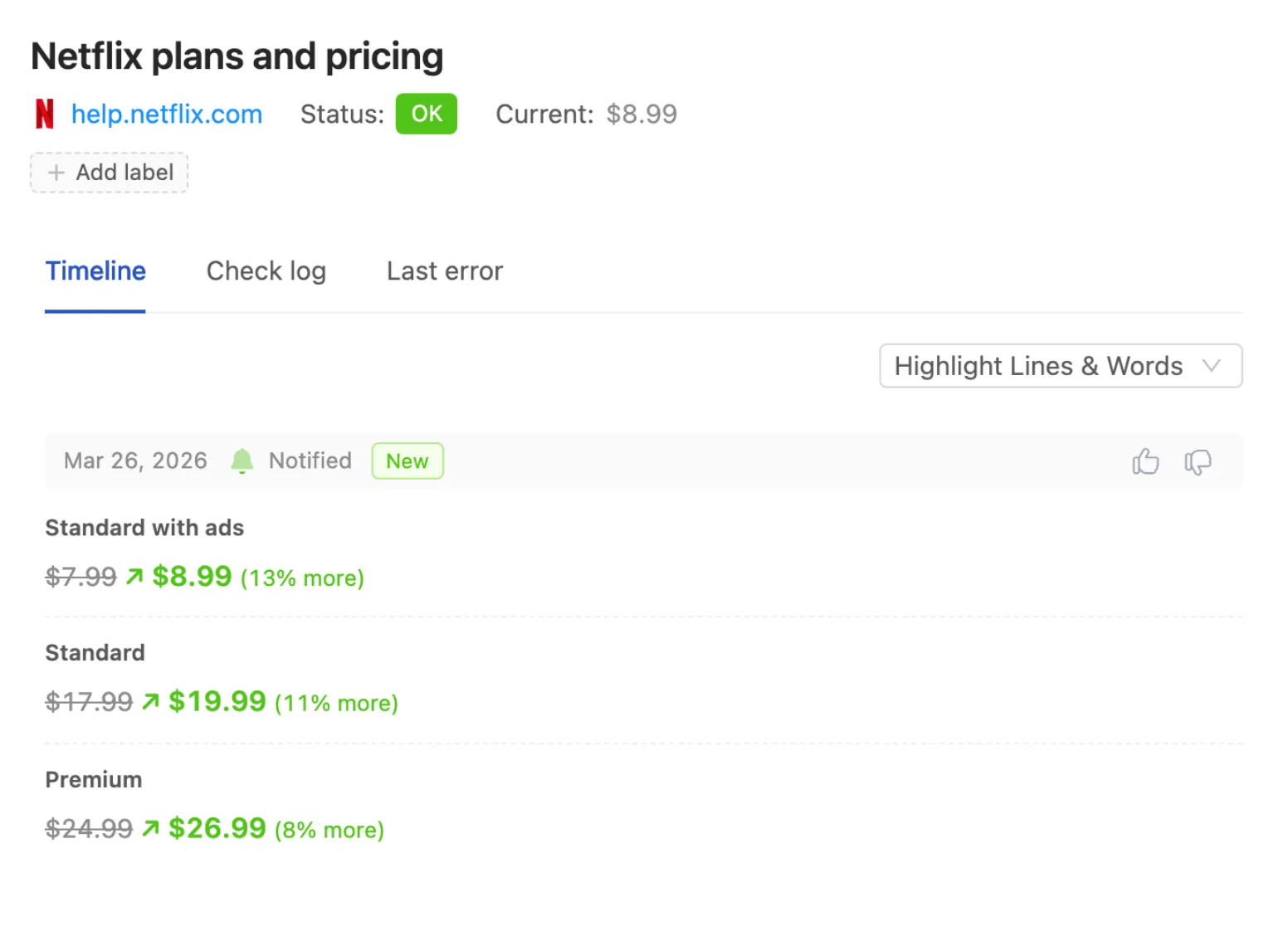
Every price, fee, rate or rating you track gets its own chart, so you see when it moved and by how much.
Add a competitor's price to the same chart to see who moved first. Values are kept for 12 months on Standard and without limit on Enterprise and Ultimate.

Tracking multiple elements
Watch the whole page or click the parts that matter, such as each plan's price, each with its own history.
Alert rules
Get an alert only when a word appears or disappears or a price crosses your limit, and ignore dates that always change.
File tracking
See the words or figures that changed inside PDF, Word, Excel, PowerPoint and CSV files, including ones shared from Google Drive or SharePoint.
Lists and new items
Follow regulator notices, press releases, job openings or listings as items, and get an alert when a new one appears.
Multi-Channel Alerts
Get each change by email, Slack, Microsoft Teams, Discord, Telegram, webhook or the phone app, and chat alerts can show before and after screenshots.
Screenshots
Pick a date to see the page as PageCrawl saved it, and catch image and layout changes the text misses, with the changed area marked.
Labeling the way you want
Sort pages into folders and labels by client, topic or site, filter by them, and on paid plans let AI label changes for you.
Bulk Management
Keep similar pages on one template so one edit updates them all, and add, change or export many pages in one step.
Collaboration features
On Enterprise and Ultimate, give each team or client its own workspace, give colleagues roles such as Viewer, and sign in with your company account.
Flexible Scheduling
Check pages as often as every 2 minutes, depending on plan, and on paid plans only on the days and hours you choose.
Tracking multiple elements
Watch the whole page or click the parts that matter, such as each plan's price, each with its own history.
Alert rules
Get an alert only when a word appears or disappears or a price crosses your limit, and ignore dates that always change.
File tracking
See the words or figures that changed inside PDF, Word, Excel, PowerPoint and CSV files, including ones shared from Google Drive or SharePoint.
Lists and new items
Follow regulator notices, press releases, job openings or listings as items, and get an alert when a new one appears.
Multi-Channel Alerts
Get each change by email, Slack, Microsoft Teams, Discord, Telegram, webhook or the phone app, and chat alerts can show before and after screenshots.
Screenshots
Pick a date to see the page as PageCrawl saved it, and catch image and layout changes the text misses, with the changed area marked.
Labeling the way you want
Sort pages into folders and labels by client, topic or site, filter by them, and on paid plans let AI label changes for you.
Bulk Management
Keep similar pages on one template so one edit updates them all, and add, change or export many pages in one step.
Collaboration features
On Enterprise and Ultimate, give each team or client its own workspace, give colleagues roles such as Viewer, and sign in with your company account.
Flexible Scheduling
Check pages as often as every 2 minutes, depending on plan, and on paid plans only on the days and hours you choose.
Start monitoring with AI today
Every plan includes AI credits. Sign up free and get AI-powered change summaries, importance scoring, and smart noise filtering on your first monitored page, no credit card required.