
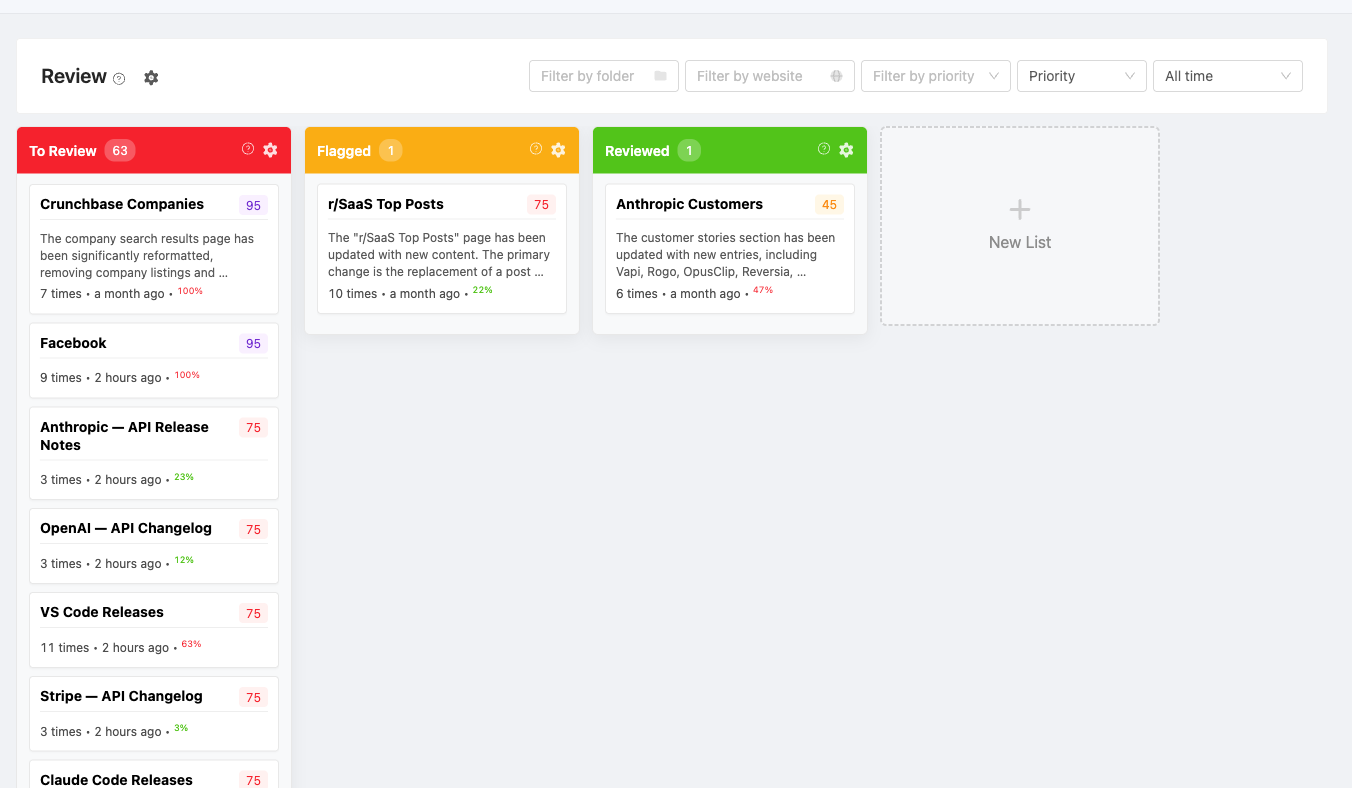
The Review Board is a Kanban-style board that helps you organize and track detected changes across your monitored pages. Instead of reviewing changes one by one, you can drag and drop change cards between customizable lanes to manage your review workflow.
Accessing the Review Board
Navigate to the Review tab in the main sidebar to open the board.
How It Works
Each time PageCrawl detects a change on one of your monitored pages, a card appears on the board. Cards show:
- Page name and URL
- Time since the change was detected
- Visual difference percentage
- AI priority score and importance tag (if AI is enabled)
Click any card to view the full change details, timeline, and AI summary.
Customizing Lanes
By default, the board includes three lanes: To Review, Reviewed, and Flagged. You can customize these to match your workflow:
- Click the + button to add a new lane
- Give the lane a name and pick a color
- Drag lanes to reorder them
- Click the gear icon in the lane header to edit or delete it
Common lane setups:
- New / In Review / Done - Simple three-stage workflow
- New / Important / Needs Action / Archived - Priority-based workflow
- New / Design Team / Dev Team / Resolved - Team-based workflow
Filtering and Sorting
Use the toolbar at the top of the board to filter changes:
- Folders - Show changes from a specific folder
- Tags - Filter by label
- Website - Filter by website domain
- Date range - All time, Today, Yesterday, Last 7 days, Last 30 days, Last 90 days, This week, Last week, This month, Last month, This year, Last year, and Custom range
- Priority - Filter by AI priority score
- Sort - Order cards by most recent, oldest, or priority score
Feedback Auto-Review
When enabled, giving thumbs-up or thumbs-down feedback on a change notification automatically moves the card to your "Reviewed" lane. Enable this from the gear icon menu on the board.
You can configure which lane cards move to after positive or negative feedback.