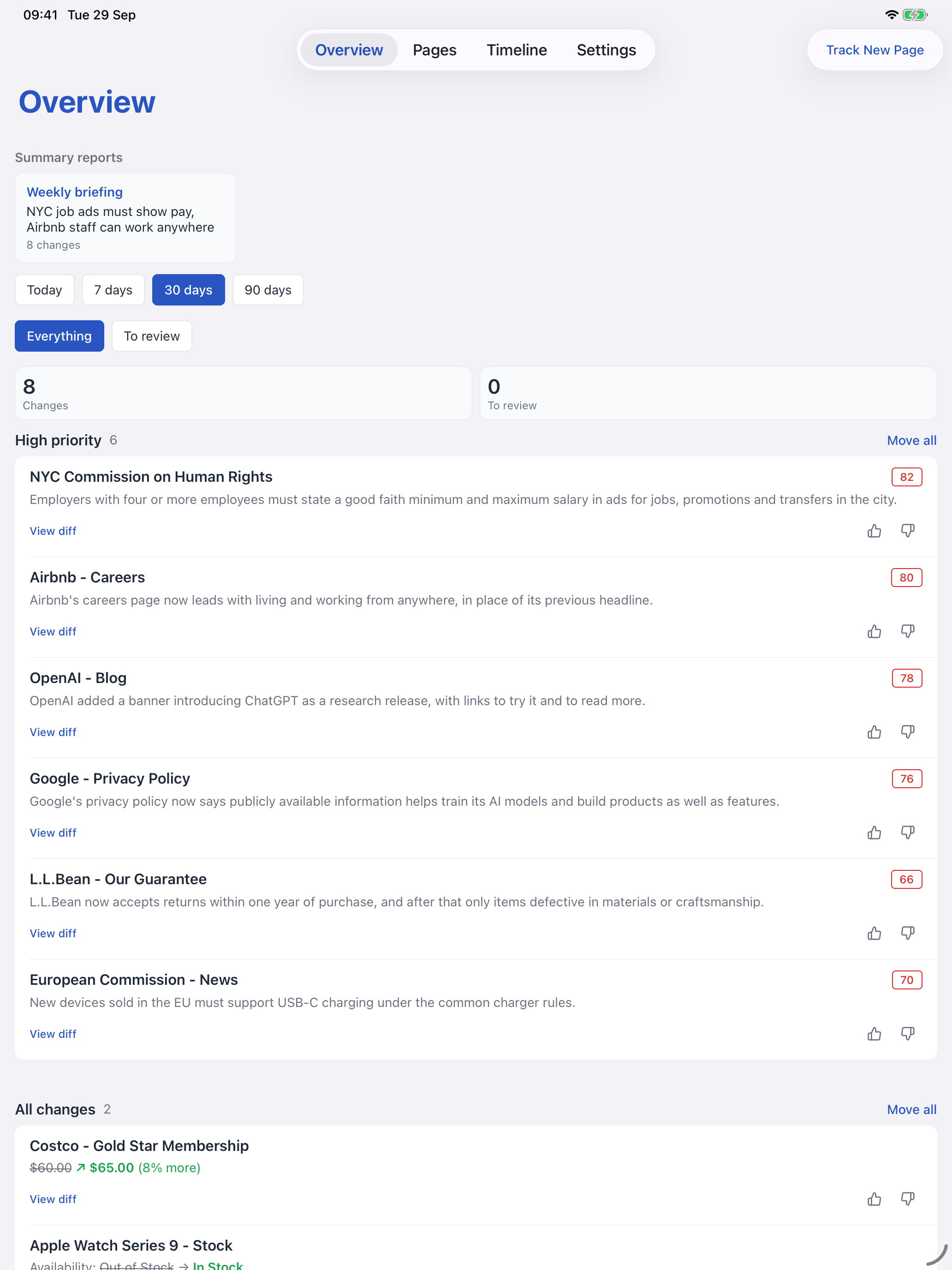
Prices over time
See recorded prices and value history, with the highs, lows and changes across the period.
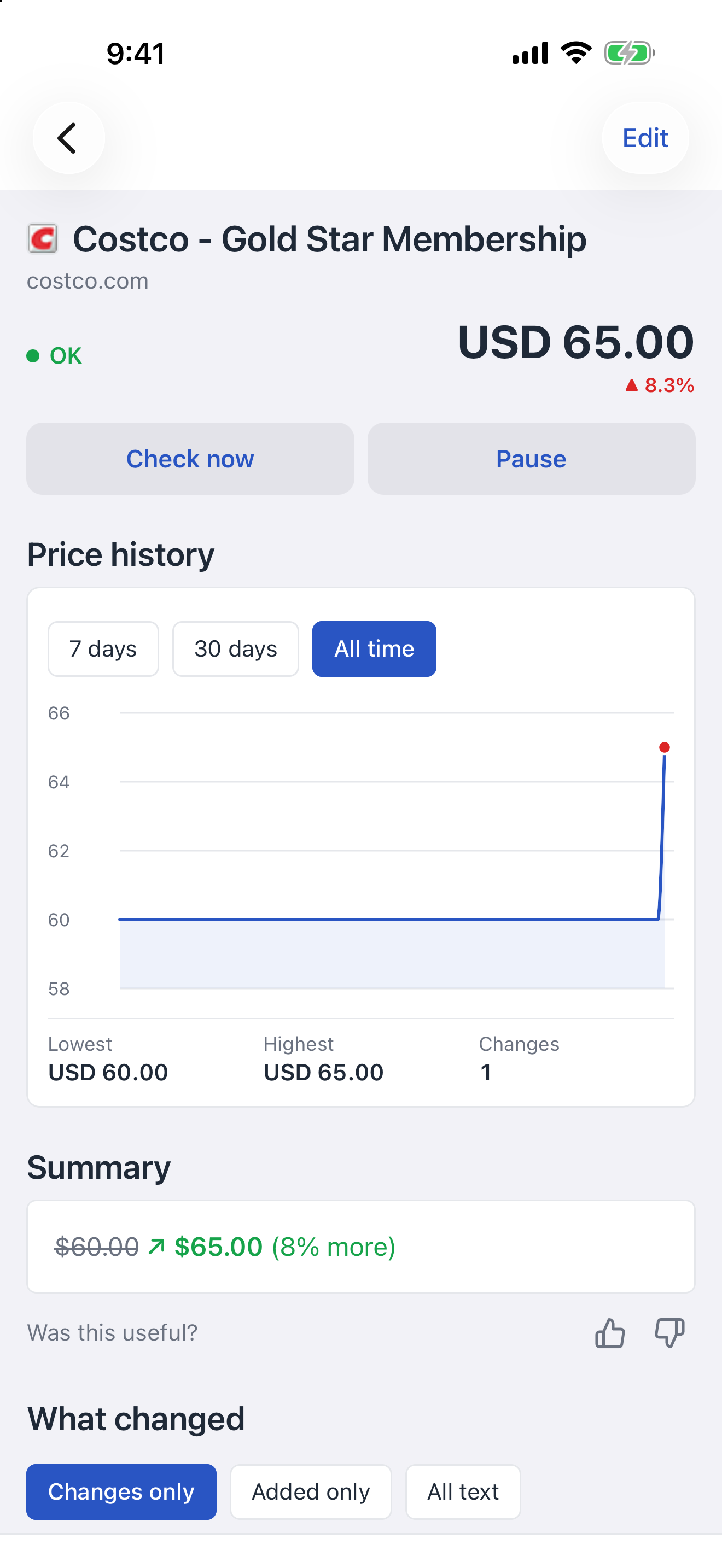
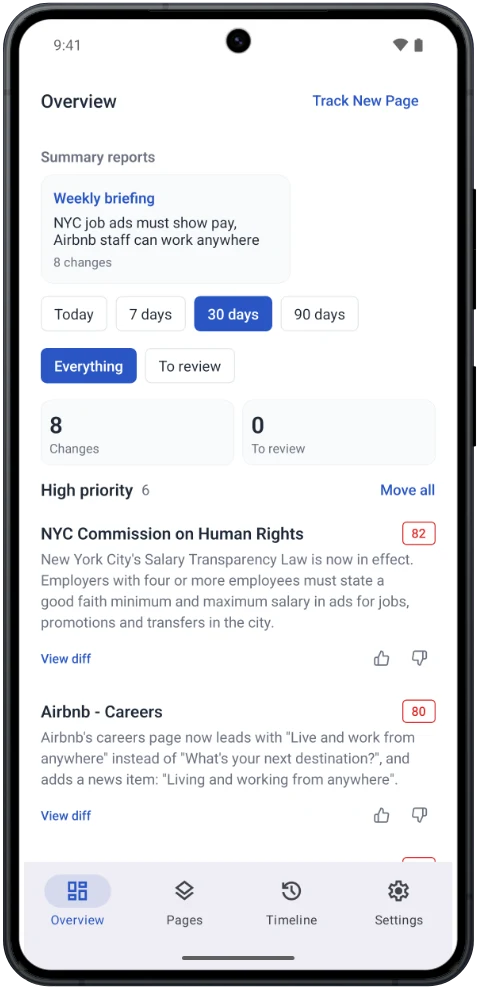
Add monitors, follow your change timeline and choose which alerts reach your phone with PageCrawl for iOS and Android.


Open your phone's camera, scan the code, then choose your app store.
Sign in with your PageCrawl account. Your monitors and workspaces are already there.
Send a page from your phone's browser straight to PageCrawl.
A product, a job listing, a news page. Open your browser's Share menu.
Choose PageCrawl from the sharing menu. The app fills in the page address.
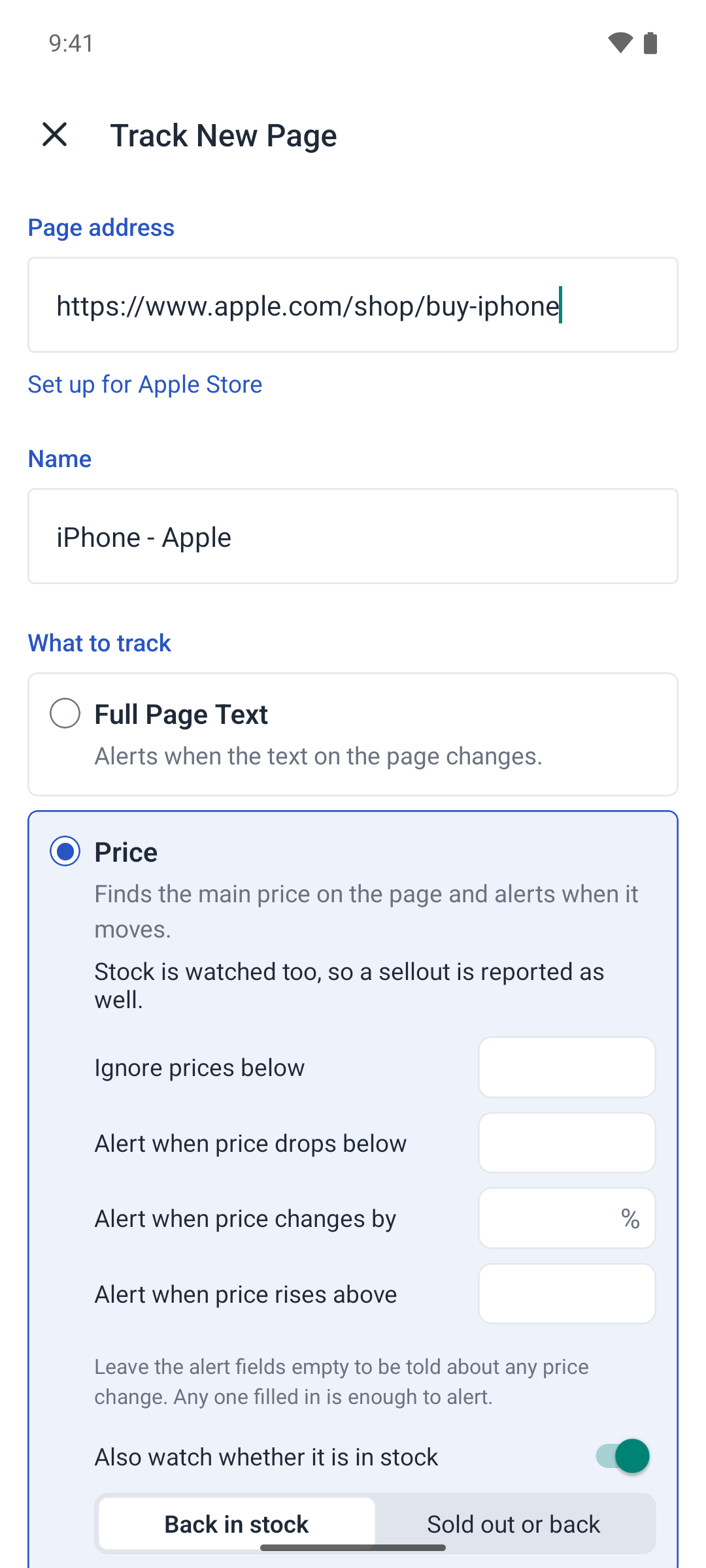
Choose what to track, review your settings and tap Start monitoring.
Install the app and sign in once. In Safari, tap Share, using the page menu if needed. Choose PageCrawl - Share Extension in the app row. Swipe across and tap More if it is not visible.
View the iPhone and iPad guideInstall the app and sign in once. In Chrome, open the three-dot menu, tap Share, then choose PageCrawl. Other browsers work too when they share a web address.
View the Android guideYou can also paste a link into Track New Page. Monitoring keeps running when the app is closed.
Timeline and importance
See changes across your workspace, newest first. Read the available summaries and open a change to inspect the text added or removed. Switch to Alerted me to catch up on changes that triggered a notification.
Open Custom in the Timeline and set Minimum importance to filter by score. You can also filter by notification outcome, including changes that were not sent or were marked not useful.
The score filter appears when workspace scoring is enabled. Changes without a score remain visible. Timeline filters do not change your phone alert settings.
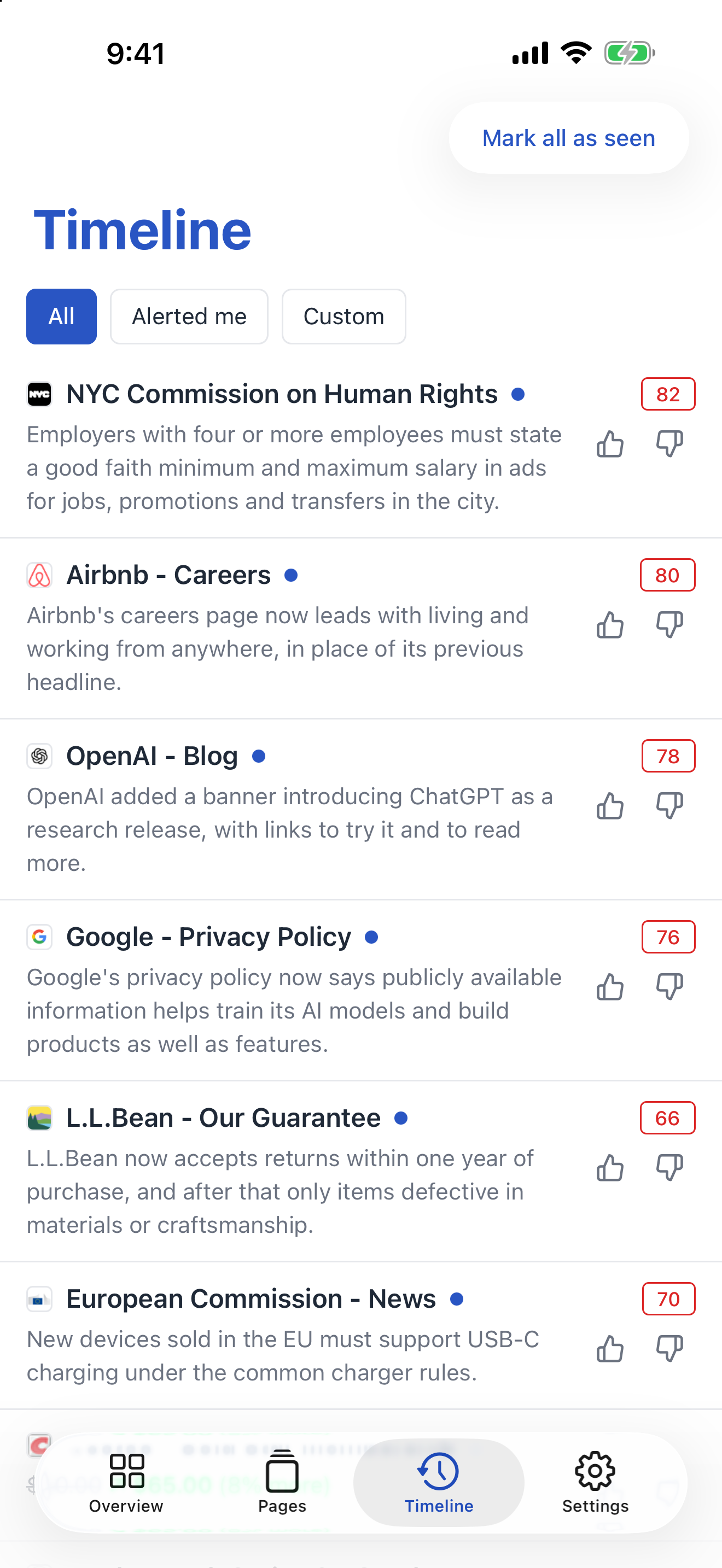
Open it to see what changed. Read the summary, inspect the difference and decide what needs your attention.
In the app, open Settings, then Alerts. Tap Turn on alerts, allow notifications when your phone asks, then send a test notification.
Desktop browser push is still available in Account settings.
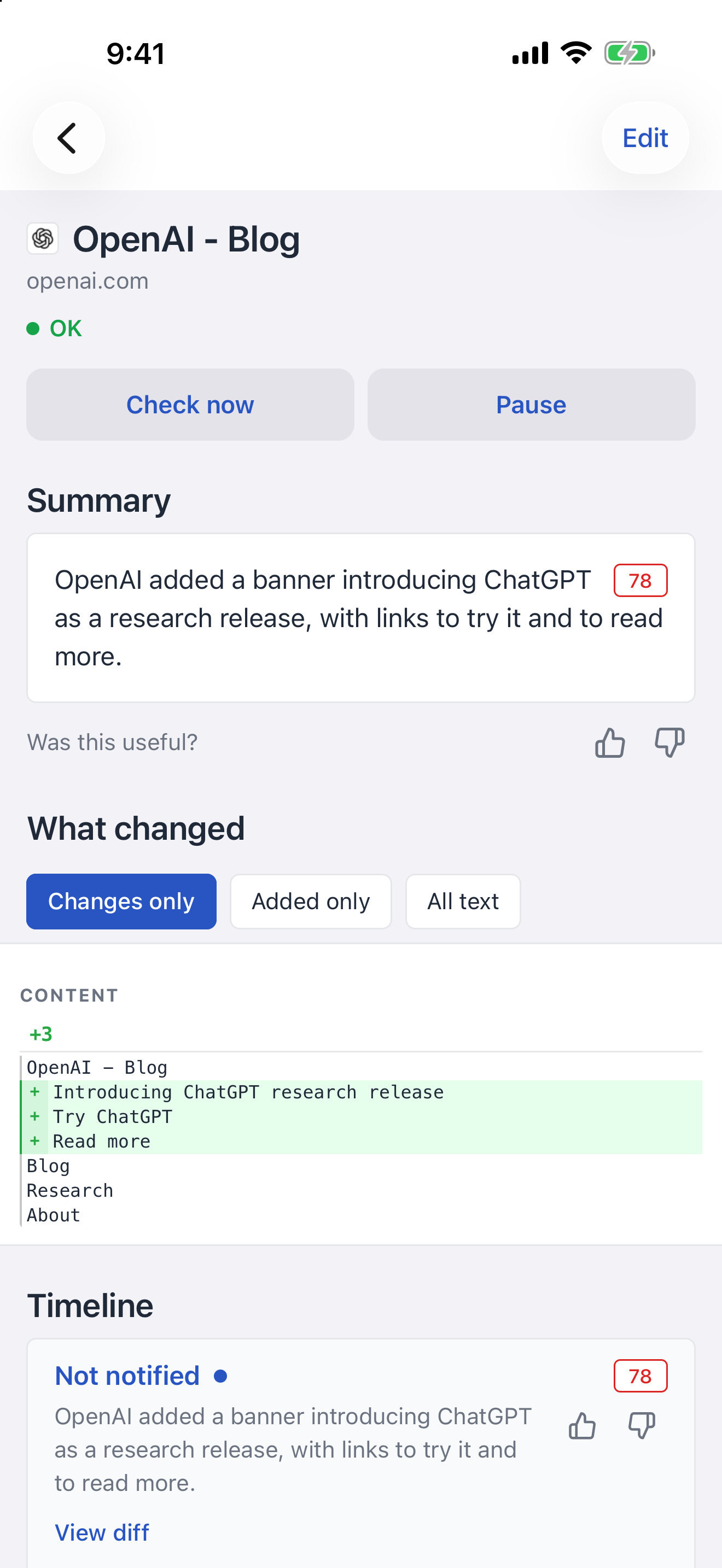
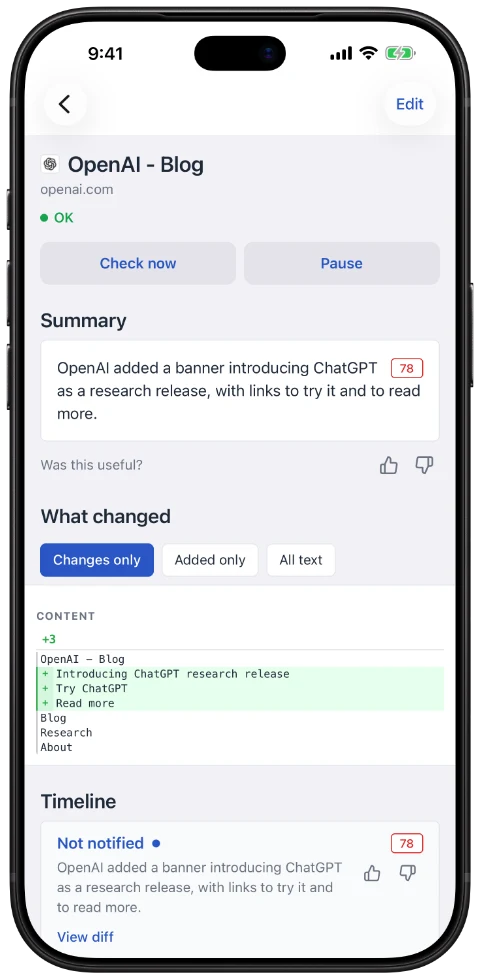
The detail behind each alert
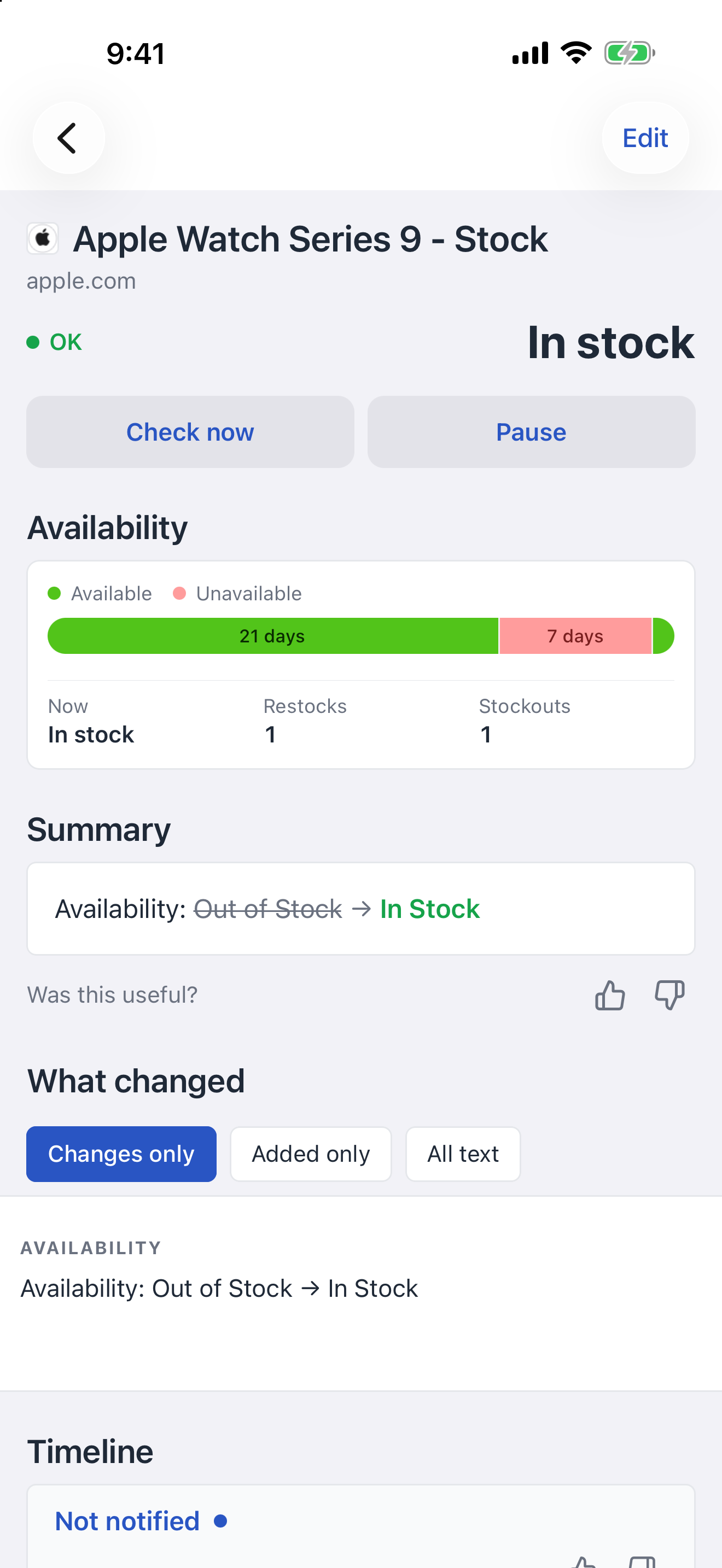
Read text differences, switch between added text and the full view, and give feedback on whether a change was useful. Price, stock and report views help you see the bigger picture.
See recorded prices and value history, with the highs, lows and changes across the period.
Check current availability and the periods when a product was in or out of stock.
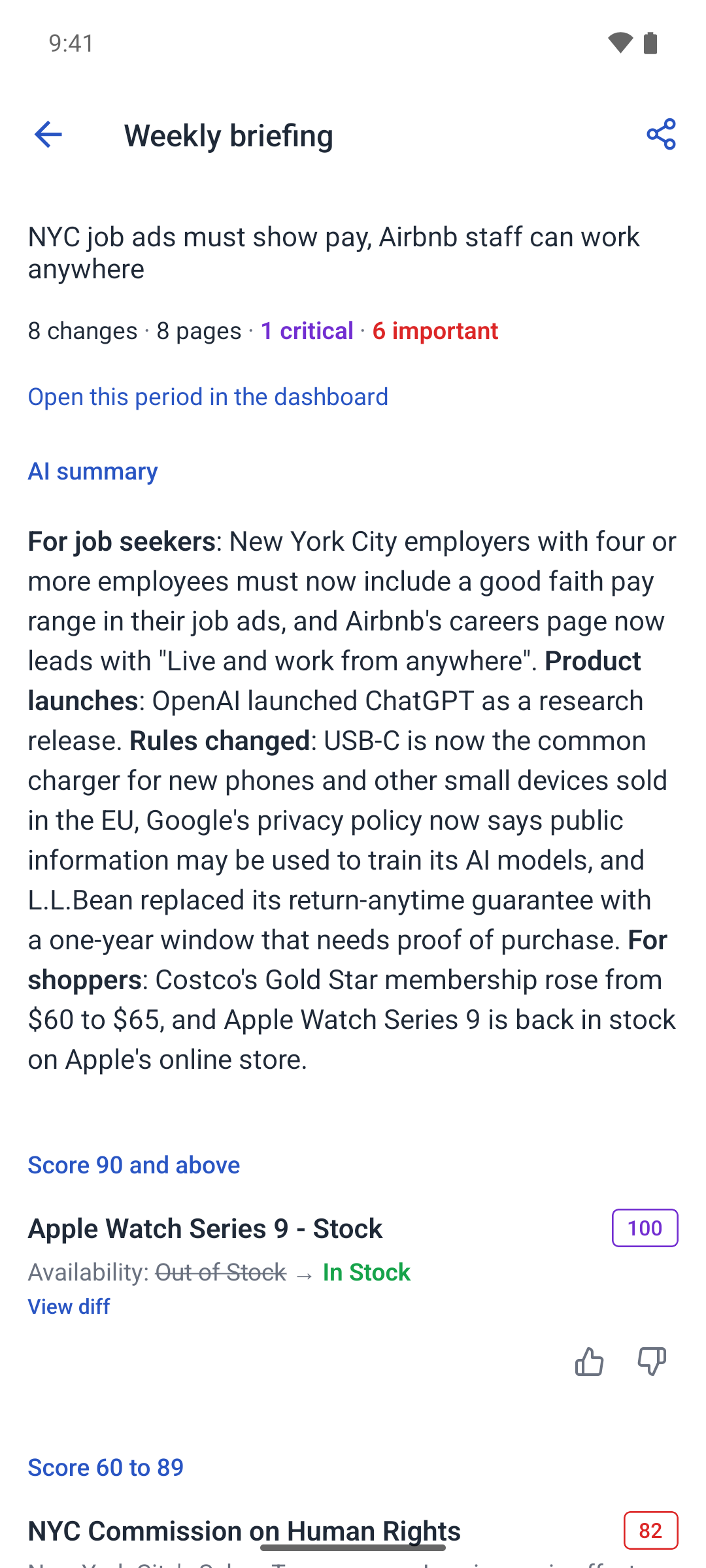
Open a report from Overview to read the summary, review prioritized changes and catch up on comments.
A closer look at PageCrawl on iOS and Android. Available summaries, scores and history depend on what your monitor tracks.
Sign in with your PageCrawl account. Your monitors, history and workspaces are already there, on your phone or tablet.