
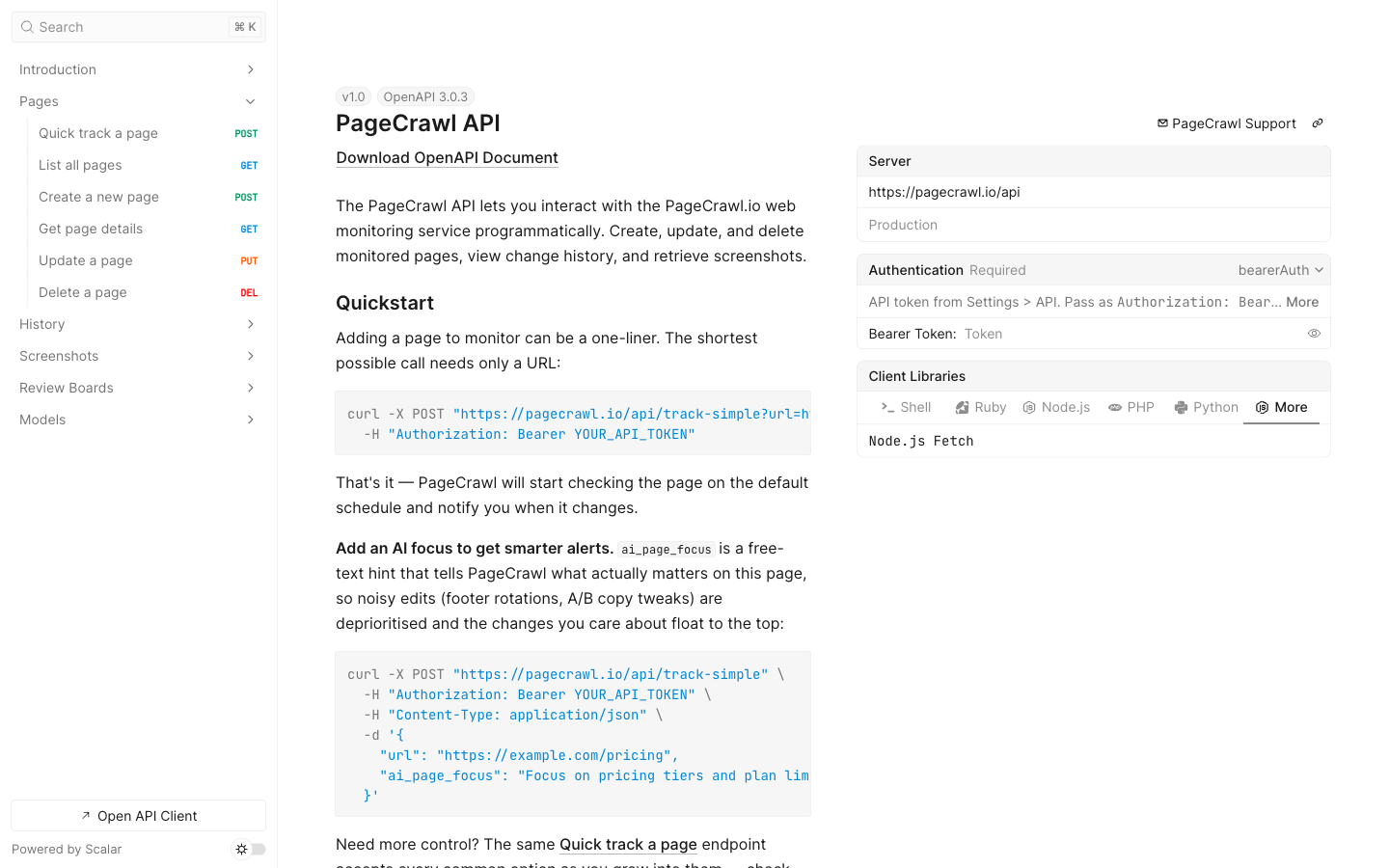
PageCrawl provides three ways to integrate page monitoring into your own applications and workflows: a REST API to manage monitors programmatically, webhooks for real-time change notifications, and RSS feeds for lightweight consumption.
Authentication
All API requests require a Bearer token. Go to Settings > API > API Tokens and click Create Token, then copy it immediately (it is not shown again).
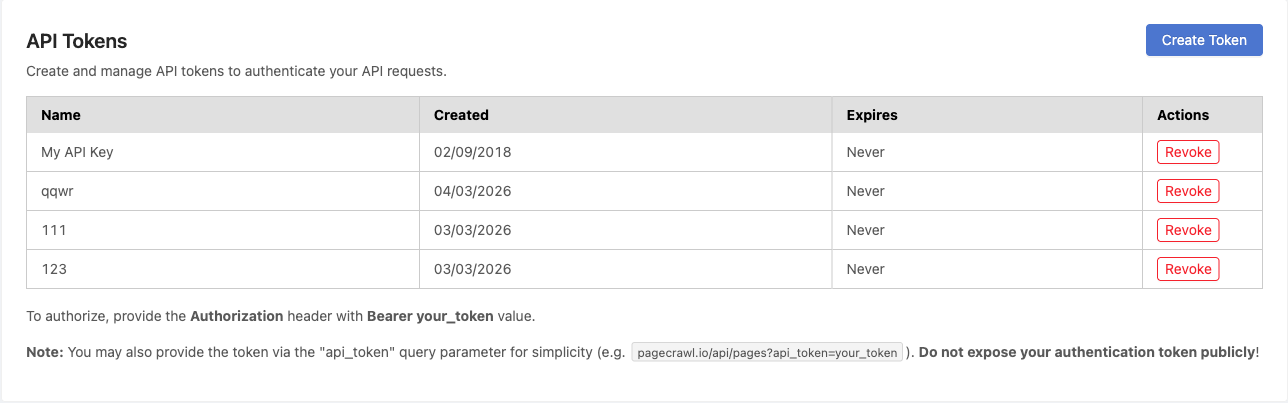
Include the token in the Authorization header on every request:
Authorization: Bearer YOUR_API_TOKENFor the full reference with every endpoint, parameter, and response schema, see pagecrawl.io/developers.
Quick Start
Step 1: Create a monitor
The simplest way to start monitoring is the /api/track-simple endpoint. It only requires a URL.
curl -X POST "https://pagecrawl.io/api/track-simple" \
  -H "Authorization: Bearer YOUR_API_TOKEN" \
  -H "Content-Type: application/json" \
  -d '{
    "url": "https://example.com/pricing",
    "tracking_mode": "fullpage",
    "ai_page_focus": "Alert me if the price drops or the item goes out of stock; skip header, footer, and cookie-banner changes"
  }'
import requests
response = requests.post(
"https://pagecrawl.io/api/track-simple",
headers={"Authorization": "Bearer YOUR_API_TOKEN"},
json={"url": "https://example.com/pricing", "tracking_mode": "fullpage", "ai_page_focus": "Alert me if the price drops or the item goes out of stock; skip header, footer, and cookie-banner changes"},
)
page = response.json()
print(f"Monitoring: {page['name']} (ID: {page['id']})")const response = await fetch("https://pagecrawl.io/api/track-simple", {
method: "POST",
headers: {
"Authorization": "Bearer YOUR_API_TOKEN",
"Content-Type": "application/json",
},
body: JSON.stringify({ url: "https://example.com/pricing", tracking_mode: "fullpage", ai_page_focus: "Alert me if the price drops or the item goes out of stock; skip header, footer, and cookie-banner changes" }),
});
const page = await response.json();
console.log(`Monitoring: ${page.name} (ID: ${page.id})`);Tracking modes: fullpage (all visible text, default), content_only (text without navigation/headers/footers), reader (reader-mode content), price (auto-detect prices), specific_text (requires selector), specific_number (requires selector).
ai_page_focus (optional) is free text telling the AI what matters most on this page, for example "Alert me if the price drops or the item goes out of stock; skip header, footer, and cookie-banner changes". It sharpens change summaries and priority scoring.
Frequency: an optional frequency field (in minutes) controls how often the page is checked: 1440 for daily, 60 for hourly, 15 for every 15 minutes (depends on your plan). When omitted, it defaults to daily.
Step 2: Set up a webhook
curl -X POST "https://pagecrawl.io/api/hooks" \
  -H "Authorization: Bearer YOUR_API_TOKEN" \
  -H "Content-Type: application/json" \
  -d '{
    "target_url": "https://your-server.com/webhook",
    "match_type": "all",
    "events": ["change_detected"]
  }'
Match types: all (every page), monitors, tags, folders, domains.
Events: change_detected, error, price_change_detected.
Step 3: Handle webhook payloads
When a change is detected, PageCrawl POSTs a JSON payload to your endpoint.
from flask import Flask, request

app = Flask(__name__)

@app.route("/webhook", methods=["POST"])
def handle_change():
    data = request.json
    print(f"Change detected: {data['title']}")
    print(f"Difference: {data['human_difference']}")
    if data.get("ai_summary"):
        print(f"AI Summary: {data['ai_summary']}")
    return "", 200
Key payload fields: title, contents (current value), difference (0-100), human_difference, ai_summary, ai_priority_score, markdown_difference, page_screenshot_image.
API Endpoints
| Method | Endpoint | Description |
|---|---|---|
GET |
/api/pages |
List all monitored pages |
POST |
/api/pages |
Create a new monitored page |
GET |
/api/pages/{slug} |
Get page details and latest values |
PUT |
/api/pages/{id} |
Update page settings |
DELETE |
/api/pages/{id} |
Delete a monitored page |
PUT |
/api/pages/{id}/check |
Trigger an immediate check |
PUT |
/api/pages/{id}/status |
Enable or disable a page |
GET |
/api/pages/{id}/history |
Get check history for a page |
GET |
/api/pages/{id}/checks/{checkId}/diff.markdown |
Get a text diff as markdown |
For the complete endpoint list with parameters and schemas, see pagecrawl.io/developers.
Webhooks
Webhooks send HTTP POST requests with a JSON body to your endpoint whenever a page change is detected or an error occurs. Configure them in Settings > Webhooks.
| Setting | Description |
|---|---|
| Target URL | The HTTP endpoint that receives the POST request |
| Event triggers | Change detected, error, or both |
| Page filter | Limit to specific pages, tags, folders, or a domain, or fire for all pages |
| Payload fields | Select which fields to include (all by default) |
Available payload fields include page ID, title, change summary, diff data (markdown and HTML), screenshots, AI summary, AI priority score, and per-element values. See the Webhook Integration guide for the full field reference and example payloads.
Reliable delivery (automatic retries): If your endpoint is briefly unreachable, for example your server was offline for a few minutes or returned a temporary error, PageCrawl automatically retries the webhook with a backoff delay rather than dropping the event. This means a short outage on your side does not cost you the change data: once your server is back online, the queued events are delivered. Return a 2xx status code to acknowledge receipt; any other response (or a timeout) is treated as a failure and scheduled for retry.
RSS Feeds
Prefer to consume changes in an RSS reader or automation tool? PageCrawl can generate an Atom feed of detected changes scoped to all pages, tags, folders, a domain, or specific monitors. See the RSS Feeds guide for setup.
Download the OpenAPI Spec
The full specification is available as an OpenAPI 3.0 file you can import into Postman, Insomnia, or any API client:
https://pagecrawl.io/api/openapi.yamlCommon Use Cases
- Custom dashboards - Pull change data into your own monitoring dashboard via API
- Automation workflows - Trigger actions in n8n, Make, Zapier, or custom scripts via webhooks
- Database logging - Store all detected changes in your own database
- Alerting systems - Forward high-priority changes to PagerDuty, Opsgenie, or similar
Related Articles
- Full API Reference - Interactive OpenAPI reference with every endpoint and schema
- Webhook Integration - Detailed webhook setup, payload reference, and testing
- Advanced Integrations - Copy-paste polling and webhook code in Python, Node.js, and PHP
- Zapier Integration - Connect PageCrawl to 5,000+ apps
- n8n Integration - Open-source workflow automation
- RSS Feeds - Subscribe to changes via RSS