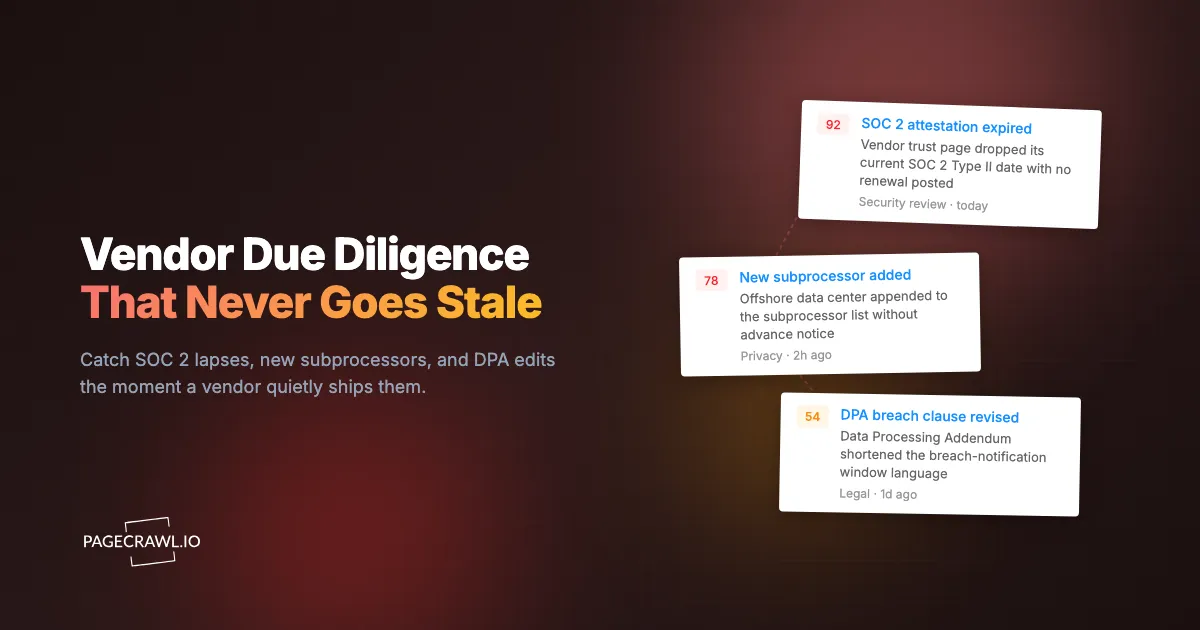
Picture a mid-market fintech that onboards a new data-enrichment vendor after a clean review. The vendor hands over a current SOC 2 Type II report, a signed Data Processing Addendum, and a subprocessor list with named cloud regions. Everything is green at signing. A year or more later, a customer audit asks a simple question: where is this vendor processing our data now? Nobody knows. In the meantime the vendor has quietly added an offshore subprocessor, let its SOC 2 attestation lapse without renewal, and loosened its DPA breach-notification clause from a fixed number of hours to "without undue delay." None of it triggers a re-review, because due diligence was a one-time PDF exchange filed in a shared drive and never looked at again.
That gap is the most common failure in third-party risk programs. Due diligence is treated as a gate you pass once at onboarding, not a control you maintain. Vendors change constantly: certifications expire, subprocessors get added, ownership changes hands, security pages get quietly edited, and legal terms shift in your disfavor. A checklist that only runs at signing tells you the vendor was safe on the day you signed, which is the one day they were trying hardest to look safe.
This guide gives you a complete vendor due diligence checklist you can use as a 2026 template, covering corporate standing, financial health, information security, data privacy, subprocessors, and business continuity. It then shows you how to turn the static checklist into a living control by monitoring the public signals that should trigger a re-review, so a lapsed certification or a new subprocessor reaches you the day it happens instead of during your next audit.
What is vendor due diligence, and why does it matter?
Vendor due diligence is the structured process of verifying that a third party can be trusted with your data, money, and operational dependencies before you sign and throughout the relationship. It matters because your risk does not stop at your own perimeter. Every vendor inherits access to your systems, customers, or reputation, and their failures become your incidents.
The business case is straightforward. A vendor breach is reported as your breach to your customers and regulators. A vendor that goes insolvent takes your dependent workflow down with it. A vendor that adds an unvetted subprocessor in a sanctioned jurisdiction puts you out of compliance without sending you a memo. Due diligence is how you price that exposure before you accept it, and ongoing diligence is how you keep pricing it as the vendor changes.
The mistake most programs make is conflating due diligence with paperwork collection. Gathering a SOC 2 report is evidence collection. Due diligence is the judgment you apply to that evidence: is the scope relevant, is the attestation current, are the exceptions material, and has anything changed since? This is the same discipline that drives continuous vendor monitoring in a TPRM program, where the static questionnaire is just the starting baseline.
What should a vendor due diligence checklist include?
A complete vendor due diligence checklist covers six domains: corporate and legal standing, financial viability, information security, data privacy, subprocessors and fourth-party risk, and business continuity. Each domain has documents to collect, questions to answer, and a short list of disqualifiers that should stop or pause the engagement before it starts.
Work through every domain for every material vendor. Scale the depth to the risk: a vendor that processes regulated customer data earns the full treatment, while a low-risk tool that never touches sensitive data can move through a lighter version. The point of the checklist is to make those decisions deliberate and documented, not to make every vendor equally painful.
Corporate and legal standing
Confirm the vendor is who they claim to be and is legally able to do business with you. Collect the legal entity name, registration number, incorporation jurisdiction, and beneficial ownership. Verify the entity is in good standing in its registry, check for recent changes in ownership or control, and screen the company and its principals against sanctions and watchlists.
Sanctions screening is not a one-time box. Ownership changes and new listings can put a previously clean vendor on a restricted list overnight, and the US Treasury's Office of Foreign Assets Control updates its lists on its own schedule, which is why teams pair onboarding screening with ongoing OFAC and EU sanctions list change alerts. Disqualifiers in this domain include a presence on a sanctions list, undisclosed ownership in a restricted jurisdiction, active litigation that threatens solvency, and an inability to produce basic registration documents.
Financial health and viability
Assess whether the vendor will still be operating in three years. For private companies, request audited financials or, at minimum, a recent profit-and-loss summary, funding history, and runway. For public companies, pull the latest filings. You are looking for liquidity, a sustainable burn rate, customer concentration that could sink them, and any going-concern flags from auditors.
Financial due diligence protects you from the quiet failure mode: a vendor that does not breach or break a contract but simply runs out of money and disappears mid-contract. Disqualifiers include negative working capital with no funding path, a single customer representing most of revenue, repeated missed payroll, or a refusal to share any financial signal at all for a business-critical dependency.
Information security (SOC 2, ISO 27001, and penetration tests)
Verify that the vendor's security controls are independently attested and current. The core evidence is a SOC 2 Type II report, produced under the trust services criteria maintained by the AICPA, or an ISO 27001 certification against the standard published by ISO, plus a recent third-party penetration test summary. Read the actual report, do not just confirm one exists. Check the audit period, the scope (which systems and trust criteria are covered), and the exceptions section, which is where real findings live.
A SOC 2 Type II covering the wrong subsidiary or an audit period that ended 18 months ago is not the assurance it looks like. Confirm the attestation date is recent, the scope includes the product you are buying, and any noted exceptions have remediation. Disqualifiers include an expired or absent attestation for a vendor handling sensitive data, a scope that excludes the relevant product, unremediated high-severity penetration test findings, and no documented vulnerability management or incident response process. Certifications expire on a schedule, so this is the single most valuable domain to keep under ongoing watch rather than re-checking once a year.
Data privacy and the Data Processing Addendum
Establish exactly what personal data the vendor processes, where, and under what legal terms. Execute a Data Processing Addendum (DPA) that names the processing purposes, the data categories, the retention period, the cross-border transfer mechanism, the breach-notification window, and your audit rights. Map the data flows so you know which of your data classes the vendor actually touches.
The DPA is a living document, and unfavorable edits are easy to miss. A vendor that quietly relaxes its breach-notification commitment or broadens its processing purposes has changed your risk without renegotiating, which is why the DPA and privacy policy belong under legal and policy change tracking. Tracking those edits is exactly the use case behind monitoring privacy policy and terms of service changes, and specifically monitoring terms of service changes for SaaS vendors. Disqualifiers include refusal to sign a DPA, an unlawful or unspecified transfer mechanism for regulated data, unlimited retention with no deletion path, and breach-notification language that gives you no usable timeline.
Subprocessors and fourth-party risk
Inventory every subprocessor the vendor relies on, because your data inherits their risk too. Request the current subprocessor list, the function each one performs, the data each one sees, and the jurisdiction each one operates in. Confirm the vendor commits to advance notice before adding or changing subprocessors, and that you have a right to object.
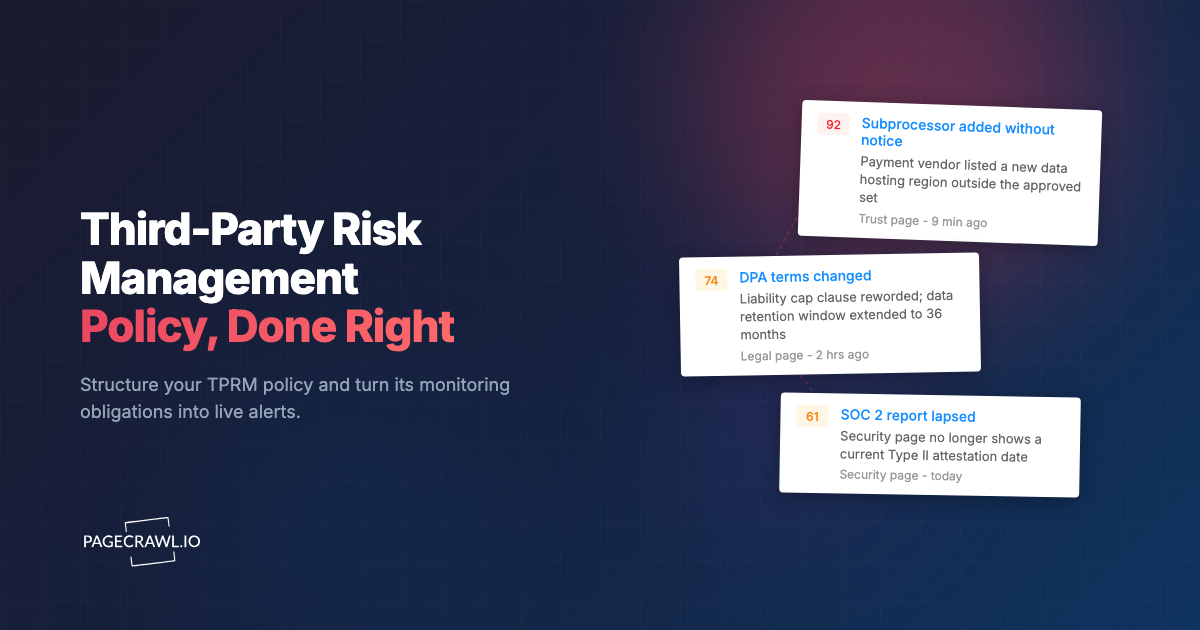
Fourth-party risk is the blind spot that bit the fintech in the opening scenario. A vendor can stay perfectly compliant while a newly added subprocessor moves your data into a region you never approved. This is why mature programs run continuous subprocessor list monitoring for SaaS compliance against the vendor's public trust page, alongside broader supplier and supply chain monitoring. Disqualifiers include refusal to disclose subprocessors, no advance-notice commitment, a subprocessor in a restricted jurisdiction handling sensitive data, and a chain so deep that the vendor itself cannot say where your data ultimately rests.
Business continuity and disaster recovery
Determine whether the vendor can survive an outage, a disaster, or a key-person loss without taking you down with them. Request their business continuity plan, disaster recovery plan, recovery time and recovery point objectives, backup strategy, and the date of their last continuity test. Match their RTO against your own tolerance for that dependency.
A vendor with a polished marketing site and no tested recovery plan is a single bad day away from becoming your outage. Disqualifiers include no documented continuity plan for a business-critical service, an RTO that exceeds what your operations can absorb, no recent test of the plan, and a single point of failure such as one founder holding all the operational knowledge.
How do you score and tier vendors by risk?
Score each vendor through a vendor risk assessment that combines data sensitivity, operational criticality, and the strength of evidence collected across the six domains, then assign a tier that sets how deep the diligence goes and how often you re-review. Tiering keeps you from spending equal effort on a payroll processor and a stock-photo subscription.
A practical three-tier model, defined in your third-party risk management policy, works for most teams. Tier 1 (critical) covers vendors that process regulated or customer data or that you cannot operate without: these get full due diligence, an executed DPA, and continuous monitoring. Tier 2 (important) covers vendors with meaningful but contained exposure: a lighter questionnaire, key documents, and quarterly re-checks. Tier 3 (low) covers tools that never touch sensitive data: a basic intake and an annual glance.
The tier drives the cadence. A Tier 1 vendor's SOC 2 status, subprocessor list, and DPA should be watched continuously because a single change can move you out of compliance. A Tier 3 vendor can wait for an annual review. This risk-weighted approach is the backbone of effective compliance monitoring software: spend your attention where a change actually hurts.
Why does due diligence have to be continuous, not one-time?
Because vendors change after you sign, and almost every change happens without a notification to you. A point-in-time review captures the vendor on their best-prepared day. The risks that actually cause incidents, an expired certification, a new offshore subprocessor, a financial downturn, a quietly weakened DPA, all arrive later, between reviews, and a static checklist is structurally blind to them.
The mechanics make the case. A SOC 2 Type II covers a fixed audit window and must be renewed; if you only check at onboarding, you can run for a year on an attestation that lapsed months ago. Subprocessor lists update whenever the vendor adds a tool. Legal terms get edited on the vendor's schedule, not yours. Treating diligence as continuous turns these from audit-day surprises into same-day alerts, which is the entire premise of supply chain monitoring through vendor website tracking. The good news is that most of the signals you need are published on the vendor's own public pages, which means you can watch them automatically.
How do you monitor vendor due diligence signals with PageCrawl?
Set up PageCrawl to watch each vendor's public trust, security, subprocessor, DPA, and status pages, and alert you on the first check that finds any of them changed. The vendor publishes these pages to look transparent, which conveniently makes them the perfect early-warning feed for the exact signals your checklist cares about. Here is the step-by-step setup.

Step 1: Inventory the pages worth watching. For each Tier 1 and Tier 2 vendor, collect the URLs for the trust or security page, the SOC 2 or compliance attestation page, the subprocessor list, the DPA or legal terms page, the privacy policy, and the status page. These five to six URLs per vendor are your monitoring surface.
Step 2: Create a free PageCrawl account and add the pages. PageCrawl's free tier covers 6 monitors and 220 checks per month, which is enough to put a critical vendor's full document set under watch and prove the approach before you scale. Add each URL as a monitor and let PageCrawl capture the current state as the baseline.
Step 3: Choose the right tracking mode per page. Use reader or content-only mode for long-form legal pages like the DPA and privacy policy so navigation and footer noise does not create false alerts. Use full-page or text mode for subprocessor tables and trust pages where any line change matters. Matching the mode to the page is what keeps the signal clean.
Step 4: Set keyword and threshold conditions. Configure conditional alerts using keyword and threshold rules so you are notified only on the words that matter: "SOC 2," "expired," the names of jurisdictions you have not approved, "subprocessor," or breach-notification phrasing. The help centre reference on notification conditions and filters shows how to combine keyword matches with per-page rules. This filters routine marketing edits out of your alert stream.
Step 5: Organize with folders and tags. Group monitors into a folder per vendor and tag them by tier and domain (security, privacy, continuity, financial). When an alert fires, the tag tells you at a glance which checklist domain just moved and how urgent it is.
Step 6: Enable screenshots for an evidence trail. Turn on screenshots so every detected change is captured with a timestamp and the page state. This builds an evidence layer you can hand to auditors or attach to a vendor escalation, proving exactly what the page said and when. When an examiner asks for the file, the walkthrough on packaging an audit trail for a regulator covers how to assemble the bundle.
Step 7: Route alerts to where your team works. Send notifications to email, Slack, or your ticketing system. For Tier 1 vendors, use webhook automation to open a re-review task automatically, so a lapsed certification or new subprocessor becomes a tracked action item as soon as a check detects it, not a thing someone might notice later.
Step 8: Set the cadence by tier. Check Tier 1 vendor pages daily and Tier 2 pages a few times a week. The higher the data sensitivity and operational dependence, the shorter the window you are willing to let a material change go unseen.
What ongoing monitoring triggers should fire a re-review?
A defined set of detected changes should automatically reopen a vendor's due diligence rather than waiting for the calendar. The trigger list is short, specific, and maps directly back to the six checklist domains, so when one fires you already know which controls to re-test.
Reopen the review as soon as monitoring detects any of these: a SOC 2 or ISO attestation date that disappears or is not renewed, a new subprocessor or a new processing jurisdiction on the subprocessor list, a DPA edit that touches breach notification, retention, transfer mechanism, or audit rights, a sanctions or watchlist match against the vendor or its owners, a privacy policy change broadening data use, an ownership change or acquisition announcement, repeated or extended status-page outages, and any financial distress signal for a critical dependency. Each trigger reopens the relevant domain of this checklist, re-collects the evidence, and re-scores the tier. That feedback loop is what separates a living third-party risk program from a folder of stale PDFs.
Choosing your PageCrawl plan
PageCrawl's Free plan lets you monitor 6 pages with 220 checks per month, which is enough to validate the approach on your most critical pages before you commit to a paid plan.
| Plan | Price | Pages | Checks / month | Frequency |
|---|---|---|---|---|
| Free | $0 | 6 | 220 | every 60 min |
| Standard | $8/mo or $80/yr | 100 | 15,000 | every 15 min |
| Enterprise | $30/mo or $300/yr | 500 | 100,000 | every 5 min |
| Ultimate | $99/mo or $999/yr | 1,000 | 100,000 | every 2 min |
Annual billing saves two months across every paid tier. Enterprise and Ultimate scale up to 100x if you need thousands of pages or multi-team access.
A vendor inventory with six pages per vendor adds up fast. The free plan covers one critical vendor's full document set, enough to catch a lapsed SOC 2 or a new subprocessor before your next audit. Standard at $80/year watches roughly 16 vendors across their full page sets with checks every 15 minutes, which suits most mid-market third-party risk programs. Enterprise at $300/year handles around 80 vendors with five-minute checks, the right fit when a missed change becomes a board-level question.
Getting Started
Pick your single most critical vendor, the one whose breach or failure would land on your desk first. Create a free account, add their trust page, subprocessor list, and DPA as monitors, and set keyword alerts for "SOC 2," "subprocessor," and your unapproved jurisdictions. Within a week you will have a working early-warning system for the exact risks your static checklist cannot see. Due diligence you run once tells you a vendor was safe yesterday; due diligence you monitor tells you they still are today.