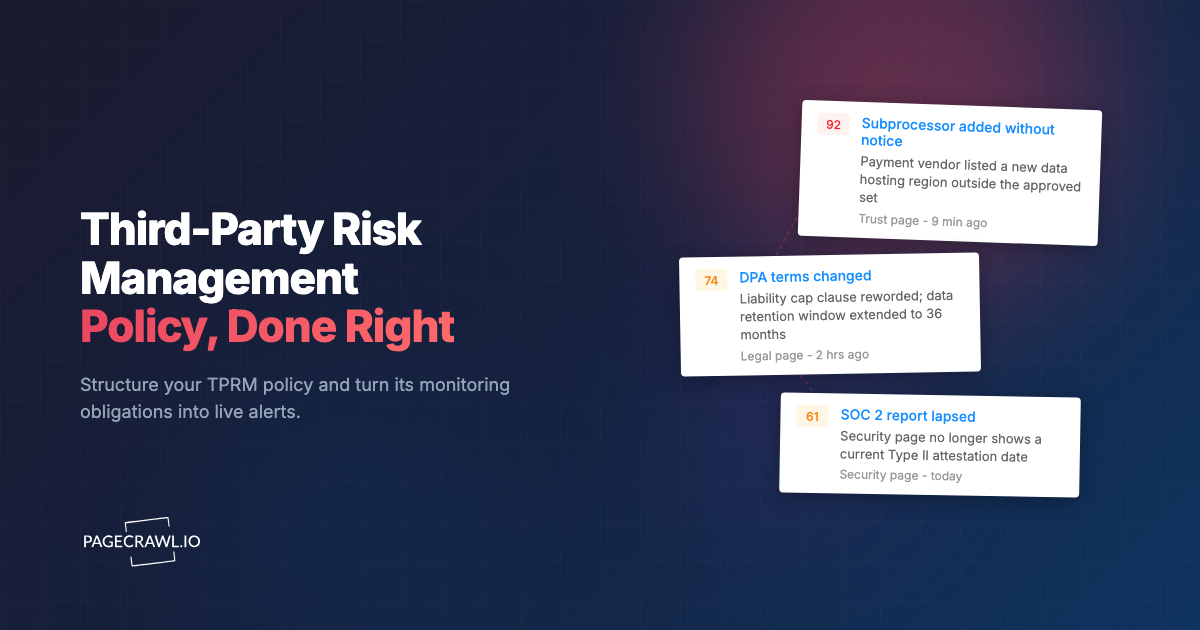
A payments company onboarded a small analytics vendor in March. The security team sent a 120-question spreadsheet, collected a SOC 2 report, scored the vendor "low risk," filed the assessment in a shared drive, and moved on. Eighteen months later that vendor was breached, and customer records flowed out through it. When the team pulled the file, the snapshot they had trusted was fiction. The SOC 2 had lapsed nine months earlier. The vendor had added a new subprocessor in a jurisdiction the contract never approved. Its data retention policy had quietly doubled. None of it was caught, because the assessment was a single photograph of a vendor that kept moving.
This is the core failure of most third-party risk management programs. They treat risk as a one-time gate at onboarding instead of a property that drifts every quarter. A questionnaire tells you what a vendor claimed on the day they answered it. It says nothing about the certification that expires next month or the privacy policy that changed without notice. A real vendor risk assessment is a repeatable process plus a way to watch what happens between assessments.
This guide covers how to tier your vendors so effort matches risk, what domains belong in the questionnaire, how to score answers consistently, how to collect and verify evidence, how often to reassess, and how to monitor vendors continuously so the file on your drive stays true. It ends with a concrete template structure you can copy.
What is a vendor risk assessment, and why does it matter?
A vendor risk assessment is a structured evaluation of the security, privacy, compliance, financial, and operational risk a third party introduces to your business. It matters because vendors hold your data, run inside your stack, and inherit your obligations to customers and regulators. When a vendor fails, the breach, fine, or outage lands on you first.
The assessment exists to answer one question, before you trust a vendor and at intervals afterward: if this company is compromised, goes dark, or changes its practices, how much damage reaches us, and how fast would we know? Everything else serves that question.
Vendor risk is not the same as a one-time security review
A security review checks whether a vendor's controls look reasonable on a given day. Vendor risk is the ongoing exposure that survives that review. A vendor can pass every control check at onboarding and still become dangerous later: their subprocessor list grows, a key certification lapses, or they get acquired by a company you would never have approved. Point-in-time reviews miss all of it.
This gap between assessment and reality is why programs pair periodic assessments with continuous vendor monitoring for third-party risk management. The assessment establishes a baseline. Monitoring tells you when the baseline stops being true.
How do you tier vendors by risk before assessing them?
Tier vendors before you assess them by ranking each one on the data they touch, the access they hold, and how hard they would be to replace. A tier-1 vendor processes regulated or customer data, sits in a critical path, or is deeply integrated. A tier-3 vendor handles no sensitive data and could be swapped out in a day. Tiering decides how much rigor each vendor earns.
Without tiering, you do one of two wrong things: you send the same exhaustive 200-question assessment to a newsletter tool and a payment processor (wasting weeks and burning goodwill), or you go light on everyone and miss the vendors that can actually hurt you. Tiering routes effort where the exposure is.
A practical three-tier model
Tier 1 (critical). Vendors that store, process, or transmit sensitive data (customer PII, payment data, health records, source code, credentials), have privileged access to production systems, or are single points of failure for revenue or operations. These get the full questionnaire, evidence review, named owner, and continuous monitoring.
Tier 2 (important). Vendors with limited access to internal systems or non-sensitive business data, or that support important but non-critical functions. These get a reduced questionnaire focused on security and data handling, lighter evidence requirements, and monitoring of their key risk pages.
Tier 3 (low). Vendors with no access to sensitive data and no production integration, easily replaceable. These get a short attestation or a self-certification checkbox. Reassess only if their role changes.
Score tier on three factors and take the highest: data sensitivity, system access, and business criticality. A vendor that touches no data but would halt operations if it disappeared is still tier 1 on criticality alone. Document the rationale so the decision is auditable later.
What domains belong in a vendor risk questionnaire?
A complete vendor risk questionnaire covers eight domains: information security, data privacy, compliance and certifications, business continuity, financial stability, subprocessors and fourth parties, incident history, and contractual and legal terms. Each domain maps to a real failure mode, so skipping one leaves a blind spot you only discover during an incident.
Resist the urge to send the longest questionnaire you can find. A 300-question form gets skimmed, half-answered, and resented. Ask fewer, sharper questions and demand evidence for the answers that matter.
The eight core domains
- Information security. Access controls, encryption in transit and at rest, vulnerability management, penetration testing cadence, secure development practices, logging and detection, and how they protect credentials and secrets.
- Data privacy. What data they collect from you, where it is stored and processed (which countries), retention periods, deletion on request, and lawful basis for processing. Their privacy policy and terms changes are worth monitoring after onboarding, not just at it.
- Compliance and certifications. SOC 2 Type II against the AICPA trust services criteria, ISO 27001, PCI DSS as published by the PCI Security Standards Council, HIPAA, GDPR posture, and any industry-specific frameworks. Capture the report date and expiry, not just a yes.
- Business continuity and disaster recovery. RTO and RPO targets, backup strategy, tested failover, and dependency on single cloud regions.
- Financial stability. Funding stage, profitability signals, recent layoffs, and acquisition risk. A vendor running out of money is an availability risk and a data-disposition risk.
- Subprocessors and fourth parties. Who they hand your data to. A vendor is only as safe as the chain behind it, which is why teams track the subprocessor list for SaaS compliance on an ongoing basis.
- Incident history. Past breaches, disclosure timelines, regulatory actions, and how they handled them. Honesty here is a signal in itself.
- Contractual and legal terms. Data processing agreement, breach notification SLA, liability caps, audit rights, and termination and data return obligations.
Reuse standard questionnaires, do not reinvent them
Rather than writing questions from scratch, start from an established set like a vendor due diligence checklist and trim to your tiers. The SIG questionnaire from Shared Assessments, the CAIQ from the Cloud Security Alliance, and VSAQ-style forms cover the domains above and are recognized by vendors, so you get faster, higher-quality responses. Map your tier-2 form to a subset of the same source so answers stay comparable.
How do you score vendor risk consistently?
Score vendor risk by assigning each answer a numeric value against a fixed rubric, weighting domains by importance, and rolling the weighted answers into a single risk score and a tier-appropriate threshold. Consistency comes from the rubric: the same answer must always earn the same score, regardless of who reviews it or how much you like the vendor.
The goal is a number you can defend and compare. "This vendor feels fine" does not survive an audit. A weighted score does, and it lets you rank a portfolio of 80 vendors instead of arguing each one in isolation.
A simple weighted scoring model
Score each answer on a 0 to 4 scale: 4 = strong control with evidence, 3 = adequate, 2 = partial or unverified, 1 = weak, 0 = absent or refused to answer. Then weight by domain. A representative weighting for a tier-1 SaaS vendor:
| Domain | Weight |
|---|---|
| Information security | 25% |
| Data privacy | 20% |
| Compliance and certifications | 15% |
| Subprocessors and fourth parties | 10% |
| Business continuity | 10% |
| Incident history | 10% |
| Financial stability | 5% |
| Contractual and legal | 5% |
Multiply each domain's average answer score by its weight, sum, and normalize to a 0 to 100 scale. Map the result to risk bands: 80 to 100 acceptable, 60 to 79 acceptable with remediation, below 60 high risk requiring executive sign-off or rejection.
Use critical-fail flags, not just averages
Averaging hides single catastrophic gaps. A vendor can score 85 overall while answering "no" to encryption at rest or "we have no breach notification process." Define a short list of critical-fail items that cap the score regardless of the average: no encryption of sensitive data, no breach notification SLA, an expired or missing required certification, or a refusal to sign a data processing agreement. Any critical fail forces the vendor into the high-risk band until remediated, regardless of how strong the rest of the scorecard looks.
How do you collect and verify vendor evidence?
Collect evidence by requiring artifacts, not assertions, for every claim that carries real risk, then verify each artifact is current and in scope. A vendor saying "we are SOC 2 compliant" is a claim. The SOC 2 Type II report, with a coverage period that has not expired and a scope that includes the service you actually use, is evidence. Score the claim, trust the evidence.
The difference matters most for the answers that would hurt you. You do not need an artifact for "we use SSO internally." You absolutely need one for "customer data is encrypted at rest" and "we carry cyber insurance."
What evidence to require by claim
- Certifications: the actual report or certificate, with issue date, expiry, auditor, and scope. Check that the period covers the present, not a window that closed last year.
- Penetration tests: an executive summary or attestation letter dated within the last 12 months, ideally with remediation status for findings.
- Privacy and data handling: the current data processing agreement and the published subprocessor list, captured with a date.
- Insurance: a certificate of insurance showing cyber and errors-and-omissions coverage and limits.
- Continuity: evidence of a tested DR exercise, not just a written plan.
Verify, then date-stamp everything
Verification has two parts. First, confirm the artifact is genuine and in scope (read the report, do not just file the PDF). Second, record when you verified it and when it expires, because that expiry date is the trigger for your next action. A lapsed certification is one of the most common ways a "low-risk" vendor silently becomes high-risk, and it is invisible unless you are watching the page where the vendor publishes its status. Treating those trust pages like supply-chain vendor website tracking turns expiry from a surprise into a scheduled alert.
How often should you reassess vendors?
Reassess on a cadence set by tier, and reassess off-cadence whenever a trigger event fires. Tier-1 vendors get a full reassessment annually, tier-2 every 18 to 24 months, and tier-3 only on role change. Triggers (a breach, a major acquisition, a certification lapse, a new subprocessor, a contract renewal) override the calendar and pull a reassessment forward immediately.
A pure calendar cadence is necessary but not sufficient. Most damaging vendor changes do not wait for your annual review. The cadence keeps the file fresh on a predictable schedule; the triggers catch the events that cannot wait twelve months.
Calendar cadence by tier
- Tier 1: full reassessment every 12 months, plus continuous monitoring of key risk pages in between.
- Tier 2: reduced reassessment every 18 to 24 months, plus monitoring of certification and subprocessor pages.
- Tier 3: attestation refresh on renewal or when the relationship changes scope.
Trigger events that force an immediate reassessment
Pull a reassessment forward when any of these occur: a disclosed security incident at the vendor or its subprocessors, a merger or acquisition, a lapsed or downgraded certification, a new subprocessor or a change of data location, a regulatory action, or a contract amendment. The hard part is not deciding to reassess on these events. It is finding out the event happened at all, which is where automated compliance monitoring closes the gap.
How do you monitor vendors between assessments?
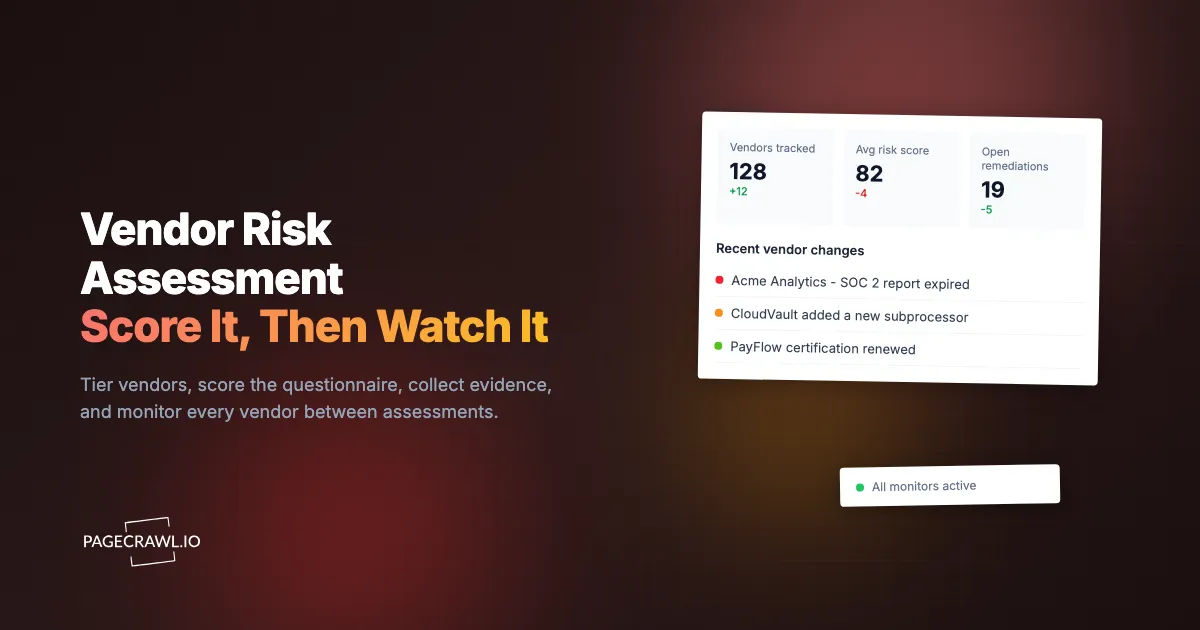
Monitor vendors between assessments by watching the public pages where their risk actually changes and routing any change into your risk workflow. Trust centers, subprocessor lists, status pages, security and privacy policies, certification pages, and pricing or terms pages all change without a vendor ever emailing you. Automated change monitoring turns those silent updates into dated alerts and timestamped evidence.

This is the layer that keeps your assessment honest. Instead of trusting an 18-month-old snapshot, you get notified the day a vendor swaps SOC 2 auditors, adds a subprocessor in a new country, posts a breach notice, or rewrites its DPA. Here is how to set it up in PageCrawl.
Step 1: Map each vendor's risk pages. For every tier-1 and tier-2 vendor, list the URLs that signal risk change: the trust or security center, the subprocessor list, the status page, the privacy policy, terms of service, and DPA, and any certifications page. These are usually public and do not require the vendor's cooperation.
Step 2: Add each page to PageCrawl with the right tracking mode. Use reader mode for long policy and legal pages so you capture meaningful text changes and ignore boilerplate. Use content-only mode for subprocessor tables and certification pages. PageCrawl records a baseline and compares every future check against it.
Step 3: Standardize with a template per tier. Save a monitoring configuration (tracking mode, frequency, alert rules, notification channel) once as a template, then apply it to every vendor of that tier. A "Tier 1 vendor" template adds a new critical vendor's pages in seconds with consistent settings instead of configuring each one by hand.
Step 4: Organize with folders and tags. Create a folder per vendor (or per tier) and tag pages by domain: privacy, subprocessors, certifications, status, following the guide to organizing monitors with labels, folders, and workspaces. When something changes, the folder and tags tell you at a glance which vendor and which risk domain moved.
Step 5: Set check frequency by tier. Check tier-1 risk pages daily so a breach notice or subprocessor change surfaces within a day. Tier-2 pages can run a few times a week. Status pages for critical vendors can run more often, similar to how teams watch a cloud status page across AWS, GCP, Azure, and Cloudflare.
Step 6: Add conditional rules so you only get the alerts that matter. Configure keyword and threshold conditions so a new subprocessor entry, the words "incident" or "breach" on a status page, or the removal of a certification name raises an alert, while a minor copy edit does not.
Step 7: Route alerts into your risk workflow. Send change alerts to the channel your team already lives in. PageCrawl pushes change alerts to Slack, and for anything heavier, webhook automation can open a ticket in your GRC tool, log the change against the vendor record, or pull a reassessment forward automatically.
Step 8: Capture screenshots as evidence. Enable screenshots so every detected change is stored with a timestamp and the page state. When you reassess or report to an auditor, you have dated proof of exactly when a vendor's subprocessor list grew or its policy changed. For a stronger record, web archiving with WACZ preserves the full page snapshot rather than an image alone.
The free tier (6 monitors and 220 checks per month) is enough to pilot this on your three or four most critical vendors. Point it at their trust center, subprocessor list, and status page, and you will see the value the first time one of them changes something you would otherwise have missed for a year.
What does a vendor risk assessment template look like?
A vendor risk assessment template has six parts: a vendor profile, a tiering worksheet, the domain questionnaire, an evidence register, a weighted scorecard, and a reassessment and monitoring plan. Together they take a vendor from first contact to an ongoing record that stays current. You can build it in a spreadsheet or vendor risk management software; the structure matters more than the format.
Use the skeleton below as a starting point and trim the questionnaire to each tier.
Template structure
- Vendor profile. Legal name, service description, business owner, security contact, data types exchanged, systems integrated, contract dates, and annual spend.
- Tiering worksheet. Scores for data sensitivity, system access, and business criticality, the resulting tier, and a one-line rationale.
- Domain questionnaire. The eight domains, with each question, the vendor's answer, the 0 to 4 score, and a note on evidence required. Mark critical-fail items clearly.
- Evidence register. Each artifact collected, its type, issue date, expiry date, scope, who verified it, and the verification date. This is the table your monitoring alerts feed back into.
- Weighted scorecard. Domain averages, weights, the normalized 0 to 100 score, the risk band, and any critical-fail flags that override the band.
- Reassessment and monitoring plan. Next scheduled reassessment date, the trigger events that force an early review, the list of monitored URLs, the alert routing, and the named owner accountable for the vendor.
Tie the template to live monitoring
The template stops being a dead document once its evidence register is wired to monitoring. When a monitored certification page changes, the alert points straight at the row that just went stale. When a subprocessor list grows, it pulls the vendor into early reassessment. This loop, baseline in the template and changes from monitoring, is the difference between a compliance artifact and a working control. It fits alongside broader compliance monitoring software practices, and for vendors that introduce regulatory exposure, the same approach extends to watching OFAC and EU sanctions list changes.
Choosing your PageCrawl plan
PageCrawl's Free plan lets you monitor 6 pages with 220 checks per month, which is enough to validate the approach on your most critical vendors. Most teams graduate to a paid plan once they see the value.
| Plan | Price | Pages | Checks / month | Frequency |
|---|---|---|---|---|
| Free | $0 | 6 | 220 | every 60 min |
| Standard | $8/mo or $80/yr | 100 | 15,000 | every 15 min |
| Enterprise | $30/mo or $300/yr | 500 | 100,000 | every 5 min |
| Ultimate | $99/mo or $999/yr | 1,000 | 100,000 | every 2 min |
Annual billing saves two months across every paid tier. Enterprise and Ultimate scale up to 100x if you need thousands of pages or multi-team access.
A vendor risk program that cannot detect change between assessments is just a stack of expired snapshots. Standard at $80/year monitors 100 vendor risk pages with daily checks and timestamped screenshots, enough to cover the trust centers, subprocessor lists, and status pages of a mid-size vendor portfolio. If monitoring catches even one lapsed certification or unapproved subprocessor before it becomes an incident, it has paid for itself many times over. Enterprise at $300/year handles 500 pages, which suits security and GRC teams tracking a large third-party network across every tier.
Getting Started
Start with your three most critical vendors. Create a free account, add their trust center, subprocessor list, and status page in reader and content-only modes, and route the alerts to Slack. Within a week you will see your first vendor change something they never told you about, and your assessment will stop being a snapshot and start being a living record. Assess once, but watch always.