A retail company ran a clean third-party risk program. Every vendor had a signed questionnaire, a filed SOC 2 report, and a risk rating in the GRC tool. Then a payment-processing vendor three layers down the supply chain suffered a breach, customer card data leaked, and the regulator's first question was not "did you assess the vendor?" It was "what did you know about that vendor in the eleven months between your assessment and the incident?" The honest answer was nothing. The vendor had been approved, filed, and never looked at again, and the breach originated in a subprocessor the company had never even heard of.
This is the gap at the center of third-party risk management. Organizations now run on a sprawling web of vendors, subprocessors, integrations, and suppliers, and each one is a door into your data, your operations, and your reputation. A single compromised vendor can leak customer records, halt your operations, trigger a regulatory penalty, or attach your brand to someone else's scandal. The companies that handle this well do not just assess vendors once. They treat third-party risk as a living program across the entire relationship.
This guide covers what third-party risk management is and why it matters, the full TPRM lifecycle from scoping to offboarding, the risk domains every program must cover, the frameworks that structure mature programs, and where continuous web monitoring fits as the always-on layer that keeps your risk picture current between assessments.
What is third-party risk management?
Third-party risk management (TPRM) is the discipline of identifying, assessing, and controlling the risks that vendors, suppliers, partners, and other external parties introduce to your organization. It spans the entire relationship lifecycle, from deciding whether to engage a vendor through ongoing oversight and eventual offboarding, and it covers security, financial, compliance, operational, and reputational exposure.
The "third party" is anyone outside your organization that you rely on: a SaaS platform that stores customer data, a logistics provider that fulfills your orders, a payment processor, a marketing agency with access to your CRM, or a contract manufacturer. The defining trait is dependency. When their failure becomes your problem, they are a third-party risk. And because your vendors have their own vendors (your "fourth parties," or subprocessors), the risk extends well beyond the companies you contract with directly.
TPRM is not the same as procurement. Procurement is about getting the best commercial deal; TPRM is about understanding and controlling what could go wrong, and making sure the organization can answer for that risk to regulators, customers, and its own board.
Why does third-party risk management matter more in 2026?
Third-party risk matters more now because organizations depend on more external parties than ever, regulators have made vendor oversight a legal obligation, and attackers increasingly target the weakest vendor rather than the well-defended enterprise. A mid-size company easily relies on hundreds of SaaS vendors alone, and every one of them is a potential entry point you do not fully control.
Three forces pushed TPRM from a back-office checklist to a board-level concern. First, the attack surface exploded: supply-chain attacks, where an adversary compromises one widely used vendor to reach its customers downstream, are now one of the most efficient ways to breach hundreds of organizations at once. Second, regulators stopped accepting "our vendor failed" as an excuse, and several rules across financial services, healthcare, and privacy now require ongoing monitoring rather than one-time checks. Third, concentration risk grew quietly: when much of the economy runs on the same handful of cloud and identity providers, a single outage cascades across thousands of companies at once.
The common thread is that you inherit your vendors' weaknesses whether you see them or not, and a program that catches problems only at the annual review is too slow for how fast vendor risk now moves. For regulated teams this is increasingly codified: frameworks like DORA's ICT third-party risk requirements demand continuous oversight of critical providers, not a periodic snapshot.
What are the stages of the TPRM lifecycle?
The TPRM lifecycle has five core stages: scoping and inherent risk assessment, due diligence, onboarding and contracting, continuous monitoring, and offboarding. A mature program treats these as a continuous loop rather than a one-time gate, because the risk a vendor carries on day one is rarely the risk it carries two years later.
Thinking in lifecycle terms is what separates a real program from a folder of questionnaires. Each stage has a distinct job, and a gap in any one undermines the rest. Strong due diligence is wasted if you never monitor the vendor afterward, and diligent monitoring is wasted if offboarding leaves your data sitting on a former vendor's servers.
Stage 1: Scoping and inherent risk assessment
Scoping determines how much scrutiny a vendor needs before you spend a dollar assessing it. You evaluate inherent risk, the risk a vendor carries by nature of what it does and what it touches, independent of any controls. A vendor that stores regulated customer data warrants deep diligence; a vendor that prints your branded notebooks does not.
The output is a risk tier. Most programs use three or four tiers (critical, high, medium, low) driven by data sensitivity, system access, regulatory scope, operational dependency, and spend. Tiering is the highest-leverage decision in TPRM because it tells you where to concentrate finite effort. Over-assess everything and your team drowns; under-assess the critical vendors and you miss the ones that can hurt you.
Stage 2: Due diligence
Due diligence is the evidence-gathering stage where you verify a vendor's controls before approving them, at a depth that scales with the risk tier. For a critical vendor this means reviewing security certifications (SOC 2 Type II, ISO 27001), penetration test summaries, financial statements, data processing agreements, business continuity plans, and a security questionnaire.
The goal is not to collect paperwork but to form a defensible judgment: are these controls adequate for the risk the vendor carries, with independent evidence to back it up? Watch for red flags such as refusal to share assessment reports, certifications that are expired or scoped to exclude the service you are buying, vague subprocessor answers, or financial signals of instability. Document the judgment and its evidence, because that is what you produce when an auditor asks how you decided.
Stage 3: Onboarding and contracting
Onboarding turns an approved vendor into a controlled relationship through the contract, where risk decisions become enforceable obligations: security requirements, breach-notification timelines, audit rights, data handling and deletion terms, subprocessor disclosure, liability, and service-level commitments.
The contract is your most powerful risk control because it defines what the vendor must do and what happens when they do not. Bake in the right to be notified of material changes, the right to audit, and the right to terminate for cause. Establish the basics too: who owns the relationship internally, where the evidence lives, and when the first reassessment is scheduled. A clean onboarding sets up everything that follows, including what you will monitor.
Stage 4: Continuous monitoring
Continuous monitoring is the ongoing oversight that keeps your risk picture current between formal reassessments, and it is the stage most programs neglect. A point-in-time assessment answers "is this vendor acceptable today?" Continuous monitoring answers the harder question that follows: "is this vendor still the same one we approved?" The gap between assessments is where most third-party incidents originate.
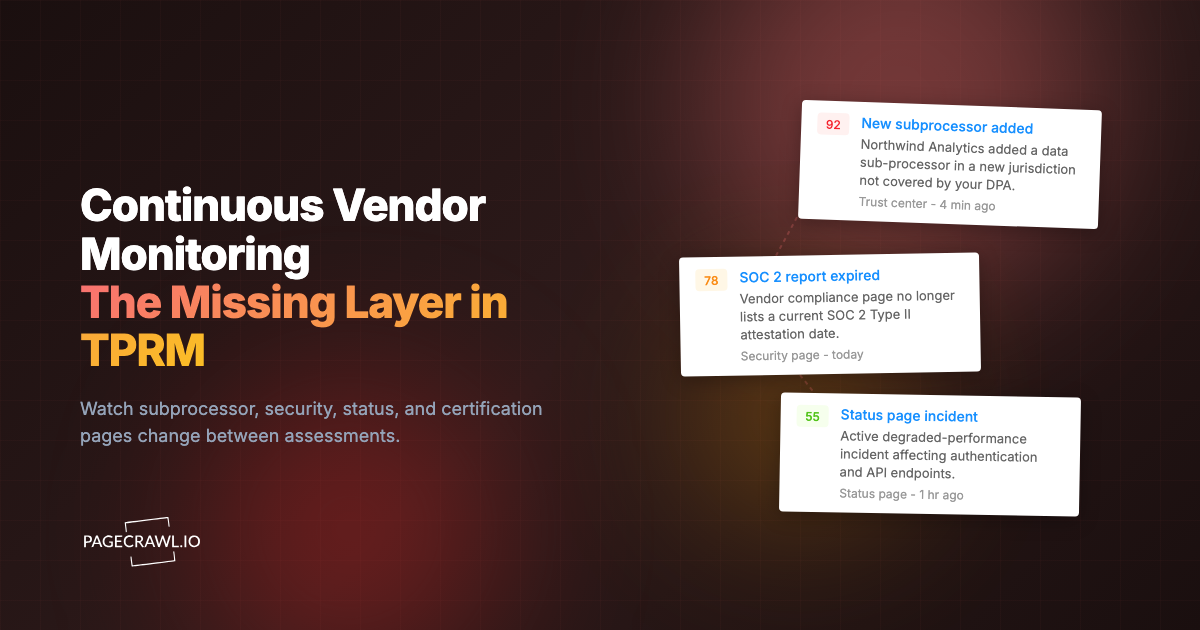
This is where automated continuous vendor monitoring earns its place. Subprocessors get added, certifications lapse, privacy policies get rewritten, status pages report degradations, and companies get acquired, all without anyone notifying you. We cover the mechanics below, because this is the stage where modern tooling changes what is possible for a small risk team.
Stage 5: Offboarding
Offboarding is the controlled exit that ensures a terminated vendor stops being a risk. The common failure here is silence: the contract ends, the relationship fades, and nobody confirms that your data was returned or destroyed, that keys and access were revoked, or that the vendor no longer holds anything that could leak in a future breach.
Treat offboarding with the same rigor as onboarding. Revoke all access, recover or certify destruction of your data, close out subprocessor exposure, and document the exit. A vendor you stopped paying two years ago that still holds a copy of your customer database is a liability with none of the oversight. Offboarding closes the loop so that ending a relationship actually ends the risk.
What risk domains does third-party risk management cover?
TPRM covers six core risk domains: security, financial, compliance, operational, reputational, and concentration risk. A vendor can be perfectly secure yet financially failing, or fully compliant yet a reputational liability. Mature programs assess every domain rather than collapsing third-party risk into a security questionnaire alone.
Treating these as distinct lenses prevents the most common blind spot in TPRM, which is evaluating a vendor on one axis and assuming the rest is fine.
Security risk is the exposure created by a vendor's access to your systems and data. A vendor breach can expose your customer records, credentials, or intellectual property. It is the most familiar domain, covered by certifications and questionnaires, but it is only one of six.
Financial risk is the danger that a vendor becomes insolvent and can no longer deliver. A vendor going bankrupt mid-contract can halt your operations and strand your data. Financial review (statements, funding signals, news of layoffs) matters most for critical vendors you cannot quickly replace.
Compliance risk is the exposure created when a vendor's practices put you on the wrong side of a regulation. If your vendor mishandles personal data, you can be the one fined. This domain ties directly to ongoing oversight: tracking a vendor's privacy policy and terms of service and their subprocessor disclosures keeps your own posture defensible, and purpose-built compliance monitoring software makes it tractable at scale.
Operational risk is the threat to your day-to-day function from a vendor outage or degradation. If a vendor your business depends on goes down, your business goes down with it. Status pages, SLAs, and continuity plans address this domain.
Reputational risk is the damage to your brand from association with a vendor's misconduct or scandal. Customers do not distinguish between you and the vendor who leaked their data or made headlines for bad behavior. A vendor's public conduct becomes part of your brand story.
Concentration risk is the systemic exposure when too much of your operation depends on a single vendor or underlying provider. If five critical vendors all run on the same infrastructure, one outage takes out all five. Mapping this dependency, including the fourth parties your vendors rely on, reveals risk that vendor-by-vendor assessment hides.
Which frameworks structure a mature TPRM program?
Several established frameworks structure mature TPRM programs, with NIST and ISO 27036 the most widely referenced. They provide a common vocabulary and a defensible structure, so your program is not something you invented but something that maps to recognized standards your auditors and customers already understand.
NIST. The NIST Cybersecurity Framework and the supply-chain-specific guidance in NIST SP 800-161 give US-aligned organizations a structured way to manage third-party cyber risk across the lifecycle. NIST 800-53 controls are frequently referenced in vendor contracts as the security baseline a vendor must meet.
ISO 27036. The standard published by the International Organization for Standardization dedicated to information security for supplier relationships. It complements ISO 27001 (the broader standard most vendors certify against) by focusing on the supplier dimension: setting security requirements, managing the relationship, and handling the supplier lifecycle.
SOC 2. Not a TPRM framework itself, but the report you will most often request during due diligence. A SOC 2 Type II report, produced under the attestation standards of the AICPA, is an auditor's evidence that a vendor's controls operated effectively over a period, which is why a lapsed or out-of-scope SOC 2 is a meaningful warning sign.
Regulatory frameworks. Depending on your industry, third-party oversight may be a legal requirement. Financial services, healthcare, and privacy rules increasingly mandate vendor oversight, and several require ongoing monitoring. Aligning your program to the relevant regulatory compliance monitoring obligations keeps it audit-ready rather than just well-intentioned.
The point of adopting a framework is not certification for its own sake. It is to make your program complete, repeatable, and explainable, so a regulator, customer, or auditor can follow your logic and trust the result.
Where does continuous web monitoring fit in TPRM?
Continuous web monitoring is the always-on layer of the monitoring stage, automatically watching each vendor's public-facing pages for changes between formal assessments. It fills the structural gap in point-in-time TPRM: the assessment is a snapshot, but the vendor keeps changing, and the most consequential vendor changes are deliberately low-noise and never announced to customers.

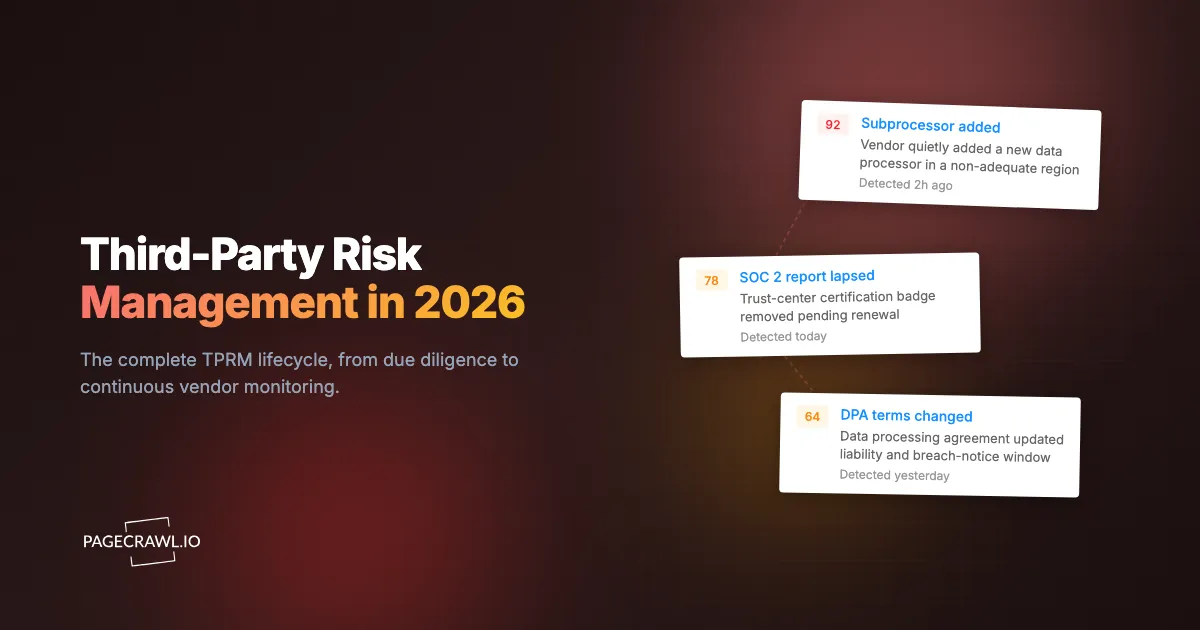
Consider what actually moves between annual reviews. A vendor adds a subprocessor in a jurisdiction your DPA never contemplated, disclosed only as one line on a trust page. A SOC 2 badge quietly disappears as a certification lapses. A privacy policy rewrite broadens data-sharing rights and ships as a routine footer link. A status page logs a string of degradations. A vendor gets acquired, changing who controls your data overnight. None of these triggers a notification to you, and a snapshot-based program never catches them.
The pages worth monitoring continuously include:
- Subprocessor and sub-supplier lists, where new fourth parties and jurisdiction changes appear first, and where supply chain monitoring starts for most programs.
- Trust centers and security pages, where certifications, badges, and security commitments are added or removed.
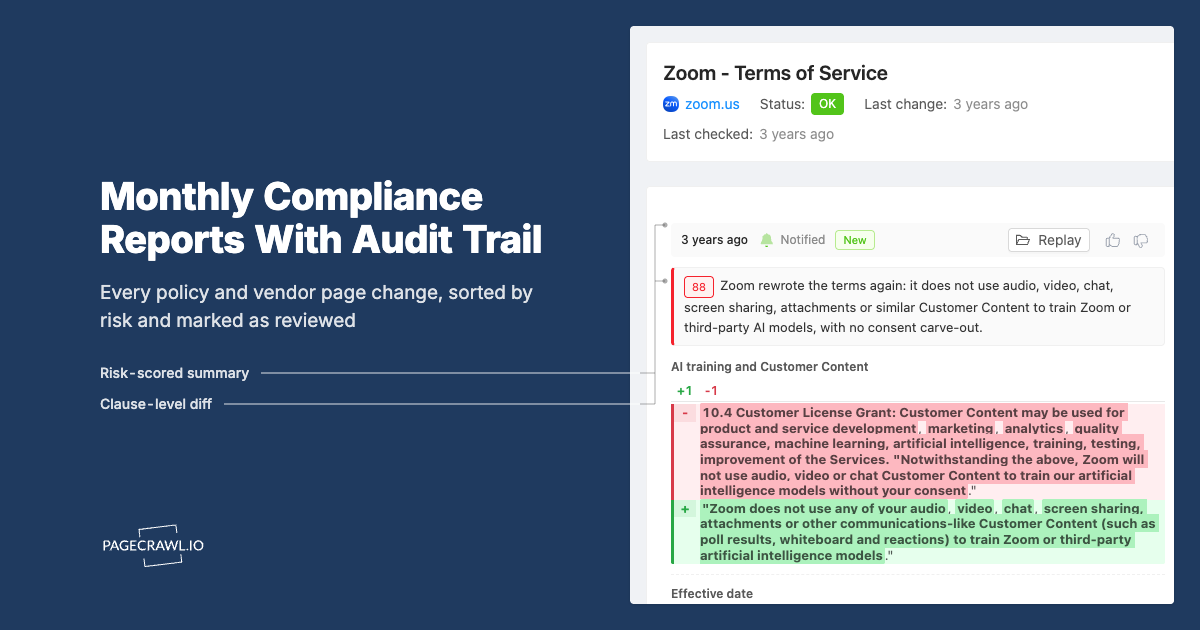
- Privacy policies and terms of service, where data handling, retention, and liability terms change, the exact surface legal and policy change tracking is built to watch. Tracking terms-of-service changes for your SaaS vendors is core compliance hygiene.
- Status and incident history pages, where reliability and operational-risk signals accumulate.
- Certification and compliance pages, where the evidence behind your due diligence quietly expires.
- Corporate news, leadership, and investor pages, where acquisitions, funding trouble, and instability surface.
Watching these by hand across hundreds of vendors is impossible, which is why the monitoring stage is the one most programs skip. Automated supply-chain and vendor website tracking turns those pages into live signals: instead of rediscovering a change at the next review, you get an alert in days. The assessment sets the baseline; continuous monitoring tells you when it moves.
How do you set up vendor monitoring with PageCrawl?
You set up vendor monitoring by adding each vendor's key pages as monitors, configuring change alerts, and routing those alerts into your risk workflow. PageCrawl checks the pages on a schedule, detects meaningful changes, and notifies you with a timestamped record of exactly what changed. Here is a concrete walkthrough you can run today.
Step 1: Inventory your vendors and their pages. Start with your critical and high-tier vendors. For each, collect the URLs that carry risk signal: the subprocessor list, trust center or security page, privacy policy and terms of service, status page, and any certification page. Prioritize ruthlessly. Ten critical vendors with four pages each beats a shallow list of every vendor you have.
Step 2: Create a free account and add your first monitors. PageCrawl's free plan covers 6 monitors and 220 checks per month, enough to watch the most important pages of your two or three highest-risk vendors and prove the approach before you scale. Add each URL and let PageCrawl capture a baseline.
Step 3: Choose the right tracking mode per page. For long-form legal pages (privacy policies, terms, DPAs), use a reader or text mode that extracts the main content and ignores navigation noise. For subprocessor tables and certification badges, track the specific section so a single added row or removed badge stands out. Matching the mode to the page keeps alerts meaningful instead of noisy.
Step 4: Set check frequency by risk tier. Check critical-vendor pages daily so a quietly added subprocessor or a lapsed certification surfaces within a day. Standard-tier vendors can be checked weekly. More frequent checks shrink the window during which a material change goes unnoticed.
Step 5: Organize with folders and tags. Group monitors into folders by vendor, and use tags for risk tier or page type (subprocessor, privacy, status, certification). A structure like "Vendor Name > Page Type" keeps a program of hundreds of monitors navigable and lets you filter to "all critical-vendor subprocessor pages" at a glance. See the guide to organizing monitored pages with labels, folders, and workspaces for the structures larger programs settle on.
Step 6: Configure alerts and route them to your team. Set up notifications so changes reach the people who act on them. PageCrawl delivers alerts by email, Slack, Teams, and other channels, so a subprocessor change lands directly in your risk team's workspace. Use conditional alert rules to flag high-signal keywords ("subprocessor," "subsidiary," "acquired") so the changes that matter most jump the queue.
Step 7: Capture evidence automatically. Enable screenshots so every detected change is backed by a timestamped image of the page as it appeared. When you need to show an auditor that a vendor changed its terms on a specific date, or open a conversation about a new subprocessor, that record is the evidence that makes the case. If the request comes from a regulator, the walkthrough on packaging a PageCrawl audit trail for a regulator shows how to assemble the bundle.
How do you turn vendor alerts into action?
You turn alerts into action with a triage workflow that scores each change, assigns it to an owner, and automates the first response. A detected change is only valuable if it reliably becomes a tracked risk event. Without a workflow, alerts pile up unread and the program drifts back toward the snapshot model it was meant to fix.
A practical triage flow has three steps. First, score the change by risk domain and severity: a new subprocessor or a lapsed certification is high severity, a reworded marketing line is low. Second, assign an owner and an action: confirm against the DPA, open a vendor query, schedule an early reassessment, or log and dismiss. Third, document the outcome so the change and your response become part of the vendor's permanent record.
For larger programs, automate the first stage with webhooks. When PageCrawl detects a change, a webhook automation can create a ticket in your GRC or ITSM tool, attach the screenshot and diff, notify the assigned analyst, and update the vendor's record in your risk register. Automated first-response ensures every material change is captured even when your team is not actively watching, which is exactly the failure mode that lets a quiet subprocessor change sit undiscovered for eleven months.
What are the most common TPRM mistakes?
The most common TPRM mistakes are treating assessment as a one-time gate, scoping every vendor at the same depth, ignoring fourth parties, and letting offboarding lapse. Each one leaves a predictable hole that incidents exploit, and each is avoidable with a lifecycle mindset rather than a checklist mindset.
Assess-and-forget. The biggest failure is treating the initial assessment as the whole program. The vendor you approved is not the vendor you carry a year later, and without continuous monitoring your risk picture decays the moment the assessment is filed.
Flat scoping. Applying the same diligence depth to every vendor either drowns your team or under-assesses the critical ones. Tier first, then concentrate effort where the inherent risk actually is.
Fourth-party blindness. Your vendors' vendors handle your data too. A program that stops at the companies you contract with directly misses the subprocessors where many real incidents originate.
Offboarding neglect. Terminated vendors that still hold your data or retain access are pure liability. Close the loop on every exit.
Documentation gaps. When a regulator asks what you knew and when, "we assessed them once" is not an answer. A timestamped record of vendor changes and your responses is what demonstrates an active, defensible program.
Choosing your PageCrawl plan
PageCrawl's Free plan lets you monitor 6 pages with 220 checks per month, which is enough to validate the approach on your most critical vendors' highest-risk pages. Most teams graduate to a paid plan once they see the value.
| Plan | Price | Pages | Checks / month | Frequency |
|---|---|---|---|---|
| Free | $0 | 6 | 220 | every 60 min |
| Standard | $8/mo or $80/yr | 100 | 15,000 | every 15 min |
| Enterprise | $30/mo or $300/yr | 500 | 100,000 | every 5 min |
| Ultimate | $99/mo or $999/yr | 1,000 | 100,000 | every 2 min |
Annual billing saves two months across every paid tier. Enterprise and Ultimate scale up to 100x if you need thousands of pages or multi-team access.
A TPRM program that only inspects vendors once a year is a snapshot that decays the day it is filed. Standard at $80/year watches roughly 25 vendors across four high-risk pages each with daily checks and screenshots, which covers most small and mid-size programs and produces the timestamped evidence auditors expect. Enterprise at $300/year handles 500 pages, enough for a large vendor portfolio at the page-by-page depth real oversight requires. If monitoring catches even one lapsed certification or undisclosed subprocessor before it becomes an incident, it has paid for itself many times over.
Getting Started
Start with your three most critical vendors. Create a free account, add their subprocessor lists, trust pages, and privacy policies, set daily checks with screenshots, and route alerts to your risk team. Within a week you will catch the kind of quiet vendor change a once-a-year assessment never would, and you will have the timestamped evidence to prove your program is awake. The vendor you approved keeps changing. Make sure you are the first to know when it does.