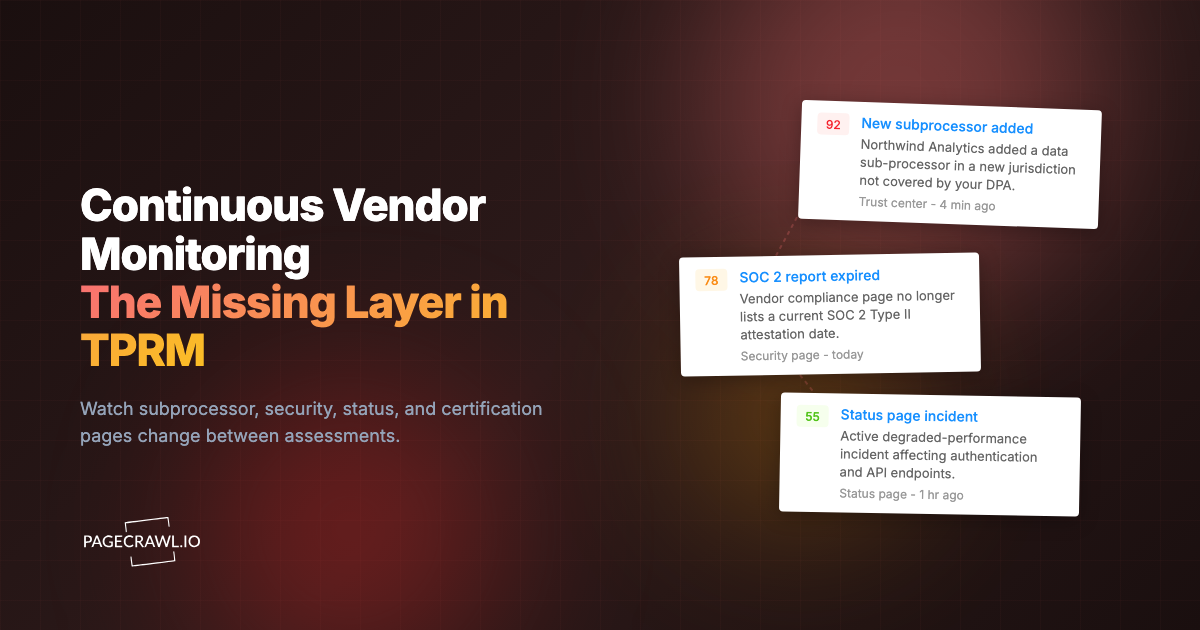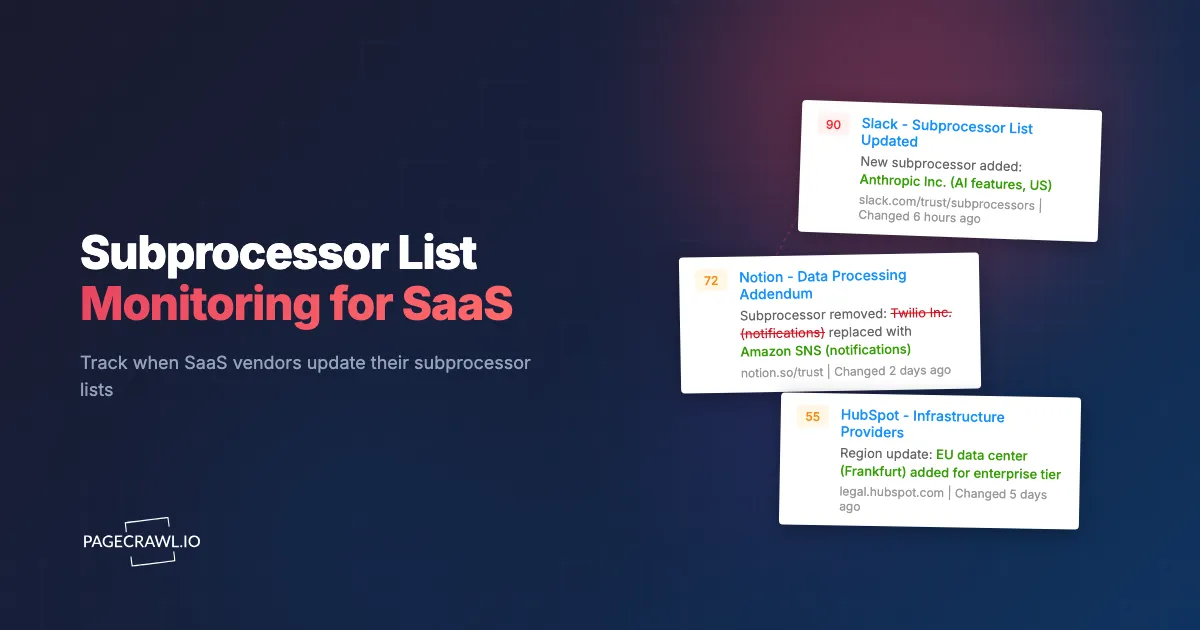
Picture your company's Data Protection Officer getting a message from a customer's procurement team: "We noticed one of your vendors added a new subprocessor in China last month. This violates the data residency requirements in our DPA. Please explain." The DPO checks that vendor's subprocessor page and confirms the change. The vendor did send a notification email about it, but it went to an unmonitored alias that someone set up during the original vendor onboarding two years ago. Nobody on the current team ever saw it.
If your organization uses SaaS tools that process personal data (and nearly every organization does), you have a legal and contractual obligation to know who your vendors share that data with. Under GDPR, you are responsible for ensuring that every entity in the data processing chain meets adequate protection standards. Your Data Processing Agreement with each vendor typically requires them to notify you of subprocessor changes, but those notifications are only useful if you actually receive and act on them.
This guide covers what subprocessors are, why tracking them matters for compliance, why vendor notifications alone are insufficient, and how to set up automated monitoring that ensures your team catches every subprocessor change across your entire vendor portfolio.
What is a subprocessor, and why does it matter?
A subprocessor is a third party your SaaS vendor engages to process personal data on your behalf. It matters because the controller stays accountable for the whole processing chain: your vendor must tell you when that chain changes, and your Data Processing Agreement usually gives you a fixed window to object before the new arrangement is simply in force.
The Definition
A subprocessor is a third party that a data processor engages to process personal data on behalf of the data controller. In practical terms: when you use a SaaS tool (the processor), and that tool uses another company's infrastructure or services to handle your data (the subprocessor), that downstream company is a subprocessor.
For example, if you use a CRM platform (processor), and that CRM stores data in a cloud provider's infrastructure, uses an email delivery service to send notifications, and employs a third-party analytics tool for usage tracking, each of those downstream services is a subprocessor.
GDPR Requirements
Under Article 28 of the General Data Protection Regulation, data processors must obtain authorization from the data controller before engaging subprocessors. In practice, most SaaS agreements use a "general written authorization" model, where the controller agrees that the processor can engage subprocessors as long as the controller is informed of changes and has the right to object. Read the article text and your own DPAs before acting on any of this: the guidance here is informational, not legal advice.
The critical obligation: the processor must inform the controller of changes to subprocessors. The controller must then assess whether the new subprocessor arrangement is acceptable given their data protection obligations to data subjects.
If a new subprocessor introduces risk (processing in a jurisdiction without adequate data protection, using the data for additional purposes, or lacking appropriate security measures), the controller must act. Options include objecting to the change, implementing additional safeguards, or terminating the agreement.
SOC 2 and Other Frameworks
Beyond GDPR, subprocessor tracking matters for:
SOC 2: The AICPA Trust Services Criteria require organizations to monitor their service organization relationships. When a vendor you rely on changes its subprocessors, that change potentially affects your own SOC 2 compliance posture. Auditors may ask how you monitor and respond to vendor subprocessor changes.
ISO 27001: The ISO standard requires management of supplier relationships, including monitoring of information security aspects of supplier services. Subprocessor changes at key vendors are relevant supplier changes that should trigger review.
HIPAA: For healthcare organizations, when a Business Associate (vendor) engages subcontractors who handle Protected Health Information, the same chain-of-custody principles apply, as the US Department of Health and Human Services sets out in its Business Associate guidance. Tracking who handles PHI downstream from your vendors is a HIPAA compliance requirement.
Contract obligations: Many enterprise procurement contracts, especially in financial services, government, and healthcare, include specific vendor management clauses requiring awareness of subprocessor changes. Failing to track these changes can constitute a breach of your own contracts with your customers.
Why are vendor subprocessor notifications unreliable?
Because they depend on one email reaching one address that was set up years ago. In theory, your DPA with each vendor requires them to notify you of subprocessor changes. In practice, stale aliases, spam filtering, inbox overload, late notices, and vendors who simply update the page without emailing all break the chain.
Email Notification Failures
Most vendors notify of subprocessor changes via email. The email goes to whatever address was provided during vendor onboarding. Common failure modes:
- Stale email addresses: The person who signed up left the company. The email address was deactivated or goes to an unmonitored mailbox.
- Alias mismanagement: A generic alias (legal@company.com or privacy@company.com) was provided, but the alias routing changed or the team monitoring it changed.
- Spam filtering: Vendor notification emails sometimes resemble marketing emails and get filtered. They may not trigger spam notifications because the filtering happens at the organizational level.
- Inbox overload: Even when the email arrives correctly, it competes with hundreds of other emails. A subprocessor change notification from a vendor you interact with infrequently is easy to miss.
- No email sent at all: Some vendors update their subprocessor page but fail to send notification emails, particularly smaller SaaS companies with informal compliance processes.
Notification Timing Issues
Even when emails arrive:
- Notification periods vary: Some DPAs give you 30 days to object. Some give 14. Some give no specific period. If the notification email arrives late or is discovered late, the objection window may have passed.
- Retroactive changes: Some vendors update their subprocessor lists after the fact, meaning the new subprocessor was already engaged before you were notified.
- Vague notifications: Some vendors send generic "we updated our subprocessor list" emails without specifying what changed, requiring you to visit the page and compare with your last known version.
Scale Compounds the Problem
An organization using 50 SaaS tools that each have a subprocessor notification obligation creates 50 separate notification channels that must all work correctly for compliance. The more vendors you add, the higher the odds that at least one of those channels quietly fails during the year.
This is not a theoretical risk. Organizations regularly discover missed subprocessor changes during audits, customer inquiries, or internal reviews. By then, the data has been flowing through the new subprocessor for weeks or months without assessment.
Which vendor pages should you monitor?
Four page types carry subprocessor information: the dedicated subprocessor list, the Data Processing Agreement or appendix, the trust or security centre, and (for smaller vendors) the privacy policy. Monitor whichever one the vendor actually keeps current.
Vendor Subprocessor Pages
Most SaaS vendors publish their subprocessor list on a dedicated page. The URL typically follows patterns like:
/subprocessors/legal/subprocessors/trust/subprocessors/privacy/subprocessors/legal/data-processing
These pages list each subprocessor by name, purpose, and often location. When the vendor adds or removes a subprocessor, this page changes.
Some examples of well-known vendor subprocessor pages:
- Salesforce: trust.salesforce.com/en/subprocessors
- Slack: slack.com/trust/compliance/subprocessors
- HubSpot: legal.hubspot.com/subprocessors
- Zoom: explore.zoom.us/en/subprocessors
- Atlassian: www.atlassian.com/legal/sub-processors
Data Processing Agreement Pages
Some vendors embed subprocessor information within their DPA page or a data processing appendix rather than a standalone subprocessor page. If the vendor does not maintain a separate subprocessor list, monitor the DPA page the same way you would track any other legal and policy page changes.
Trust and Security Pages
Vendors increasingly maintain trust centers or security pages that centralize compliance information. Subprocessor lists may live within these trust centers. Monitor the specific subprocessor section URL if available, or the trust center landing page if subprocessor information is embedded.
Privacy Policy Pages
A small number of vendors include subprocessor-relevant information in their privacy policy rather than a dedicated page. This is less common for enterprise SaaS but occurs with smaller vendors. For these vendors, monitoring privacy policy changes catches subprocessor-related updates alongside other privacy changes.
Setting Up Subprocessor Monitoring with PageCrawl
Here is how to configure reliable monitoring for your vendor subprocessor pages.

Step 1: Inventory Your Vendors
Start with a list of every SaaS vendor that processes personal data on your behalf. Your vendor management system, DPA register, or procurement records should have this list. If no central register exists, this exercise is valuable in itself.
For each vendor, find their subprocessor page URL. Check the vendor's legal, trust, or privacy sections. If you cannot find a dedicated subprocessor page, check the DPA itself, as it sometimes includes a URL or appendix reference.
Step 2: Add Monitors
Add each vendor's subprocessor page URL to PageCrawl. For monitoring mode:
- "Reader" mode works well for most subprocessor pages. It focuses on the text content, filtering out navigation, headers, and footers that might change independently of the subprocessor list. Reader mode is especially useful for vendor pages that surround the subprocessor table with marketing content, cookie banners, or promotional sidebars, since it strips all of that away and tracks only the meaningful text.
- "Content only" mode is even more focused, extracting just the main content area. Use this for pages with heavy navigation or marketing content surrounding the subprocessor list.
- "Fullpage" mode captures everything. Use this for simple pages where the subprocessor list is the only content, or when you want to catch all changes including formatting and structural updates.
Set check frequency to daily. Subprocessor changes are not time-critical in the way stock alerts are (you have days or weeks to respond, not minutes), but daily checks ensure you catch changes within 24 hours rather than discovering them weeks later.
Step 3: Organize Monitors
Create a folder structure that supports your review workflow:
Subprocessor Monitoring/
  Critical Vendors/
    CRM (Salesforce)
    Cloud Infrastructure (AWS)
    Email Platform (SendGrid)
    Analytics (Mixpanel)
  Standard Vendors/
    Project Management (Asana)
    Documentation (Notion)
    Support (Zendesk)
    HR Platform (BambooHR)
  Low-Risk Vendors/
    Design Tools (Figma)
    Scheduling (Calendly)
Categorize vendors by the sensitivity of data they process and the volume of personal data involved. Critical vendors process large volumes of sensitive personal data. Standard vendors process personal data in normal business operations. Low-risk vendors process minimal personal data. If several teams own different slices of the portfolio, labels, nested folders, and workspaces keep each group's alerts separate.
This categorization determines response urgency when changes are detected.
Step 4: Configure Notifications
Route notifications based on vendor criticality:
Critical vendors: Alert the DPO or privacy team lead directly via Slack or email on the check that detects the change. Changes to critical vendor subprocessors require prompt assessment.
Standard vendors: Daily digest or Slack channel notification. The privacy team reviews these within a day or two.
Low-risk vendors: Weekly review batch. These changes are reviewed during the regular compliance review cycle. Bundling the quieter tiers into scheduled reports that group changes into a periodic digest keeps the noise off the critical channel.
For organizations with webhook automation, subprocessor change alerts can trigger workflows in vendor management systems, creating assessment tickets automatically when changes are detected.
Monitoring Multiple Vendors at Scale
Organizations with 50, 100, or more SaaS vendors need a scalable approach.
Prioritization
You do not need to monitor every vendor with the same intensity. Prioritize based on:
Data sensitivity: Vendors processing financial data, health data, or other sensitive categories deserve more attention than vendors processing only business contact information.
Data volume: A CRM holding millions of customer records matters more than a scheduling tool with a few hundred user accounts.
Contractual requirements: Some customer contracts specifically require you to monitor certain vendor categories. These are non-negotiable priorities.
Regulatory context: Vendors in regulated industries (healthcare, life sciences, financial services) or processing data subject to specific regulations (GDPR, CCPA) require closer monitoring.
Focus intensive monitoring on the top 20-30 vendors by risk. For the remaining vendors, periodic manual review (quarterly) may suffice, supplemented by automated monitoring of the highest-risk subset.
Bulk Setup
For organizations monitoring many vendors, PageCrawl's API allows bulk creation of monitors. Prepare a list of vendor subprocessor URLs in a spreadsheet, then use the API to create monitors programmatically. This avoids the tedium of adding 50+ monitors individually through the web interface.
See the API dashboard guide for details on programmatic monitor management.
Handling Vendors Without Subprocessor Pages
Some vendors, particularly smaller SaaS companies, do not maintain a public subprocessor page. For these vendors:
- Request a subprocessor list directly and ask for their update notification process
- Monitor their DPA page, privacy policy, or trust page as a proxy
- Include subprocessor review as a standing item in vendor review meetings
- Consider whether the vendor's lack of subprocessor transparency is itself a compliance concern
Responding to Subprocessor Changes
Detection is the first step. The response workflow determines whether monitoring translates into actual compliance.
Change Assessment Process
When a subprocessor change is detected:
1. Identify what changed. PageCrawl's change detection shows exactly what was added, removed, or modified. A new subprocessor added? An existing one removed? A change in the described purpose or location?
2. Assess the new subprocessor. For additions, evaluate:
- What data will the subprocessor process?
- Where is the subprocessor located? (Jurisdiction matters for data transfer compliance.)
- What is the subprocessor's purpose? (Is it core processing or ancillary?)
- Does the subprocessor have adequate security certifications (SOC 2, ISO 27001)?
- Does the change affect data residency commitments in your DPA?
3. Determine impact on your obligations. Does this change affect:
- Your GDPR compliance posture?
- Commitments in your own customer DPAs?
- Data residency requirements from your customers?
- Risk assessments or data protection impact assessments?
4. Decide on action. Options include:
- Accept the change (most common for low-risk additions)
- Request additional information from the vendor
- Raise a formal objection within the DPA's objection period
- Implement additional safeguards (encryption, access restrictions)
- Escalate to legal for DPA review
- In extreme cases, trigger vendor exit procedures
DPA Review
When a subprocessor change triggers concerns, review the relevant DPA sections:
- What rights do you have regarding subprocessor changes?
- What is the objection period and process?
- What are the consequences if you object?
- Does the DPA require the vendor to provide specific information about new subprocessors?
Having the DPA readily accessible alongside the monitoring alert streamlines this review. Some organizations maintain a DPA register that links each vendor to its DPA document.
Customer Notification
If a vendor subprocessor change affects the data you process on behalf of your own customers, you may have an obligation to notify those customers. This cascading notification requirement is why subprocessor monitoring matters even for companies that are themselves processors.
Review your own customer DPAs to determine notification obligations. Some require proactive notification of any subprocessor chain changes. Others require notification only when the change materially affects data processing.
Building a Vendor Compliance Dashboard
For privacy teams managing extensive vendor portfolios, consolidating subprocessor monitoring into a dashboard view provides operational clarity.
What the Dashboard Shows
A useful vendor compliance dashboard tracks:
- Vendor count by risk tier: How many critical, standard, and low-risk vendors are monitored?
- Recent changes: Which vendors have had subprocessor changes in the last 30/60/90 days?
- Pending assessments: Which detected changes are awaiting review?
- Overdue reviews: Which periodic vendor reviews are past due?
- Coverage gaps: Which vendors lack monitoring (no subprocessor page found or not yet configured)?
Integration Options
PageCrawl's webhook integration feeds change data into vendor management platforms, GRC (Governance, Risk, Compliance) tools, or custom dashboards. When a subprocessor change is detected, the webhook payload includes the URL, timestamp, and change details, enabling automated ticket creation in your vendor management workflow.
For organizations using GRC platforms, connecting PageCrawl alerts to the vendor risk module automates the workflow from detection to assessment to documentation.
Maintaining the Program
Subprocessor monitoring is not a set-and-forget activity. The program requires periodic maintenance.
Quarterly Vendor Inventory Review
Review your vendor list quarterly:
- Have new vendors been onboarded? Add their subprocessor pages to monitoring.
- Have vendors been offboarded? Remove or deactivate their monitors.
- Have vendors changed their subprocessor page URLs? Update monitors accordingly.
- Are there vendors without subprocessor monitoring that should be covered?
Annual DPA Review
Review DPAs annually alongside monitoring. Confirm that:
- Notification clauses are current and address your monitoring approach
- Objection periods and processes are understood
- Contact information for privacy and legal teams is current
- The DPA reflects the current data processing scope
Monitoring System Health
Periodically verify that monitoring is functioning correctly:
- Are alerts being received by the right people?
- Have any monitors failed (page errors, URL changes)?
- Is the notification routing still correct after team changes?
- Are assessments being completed in response to alerts?
Common Questions
Do I need to monitor subprocessors if I am not subject to GDPR?
If you process personal data of EU residents, yes. GDPR applies based on the data subjects' location, not yours. Beyond GDPR, SOC 2, ISO 27001, and many contractual obligations require vendor management that includes subprocessor awareness. Subprocessor monitoring is increasingly considered a baseline vendor management practice regardless of specific regulatory requirements.
How often do subprocessor lists actually change?
It varies by vendor size and growth stage. Large enterprise SaaS vendors (Salesforce, Microsoft, Google) update their subprocessor lists several times per year. Smaller SaaS companies may change less frequently. Some vendors make no changes for a year, then make several in quick succession. Daily monitoring with PageCrawl catches changes whenever they happen.
What if a vendor does not have a public subprocessor page?
Request one as part of your vendor management process. Many DPAs require the processor to maintain and make available a subprocessor list. If the vendor refuses, this is a risk factor to document in your vendor due diligence and risk assessment. You can still monitor their privacy policy or DPA page for related changes.
Can I track the specific content that changed?
Yes. PageCrawl shows the exact differences between the previous and current page versions. You can see precisely what was added, removed, or modified. This is essential for quickly understanding whether a new subprocessor was added, one was removed, or details (like location or purpose) were changed.
How do I handle the 30-day objection period?
When your DPA provides a 30-day objection window from the date the vendor notifies you, timely detection is essential. Daily monitoring ensures you detect changes within 24 hours, maximizing your assessment and response time within the objection window. Document the detection date as evidence of when you became aware of the change.
Choosing your PageCrawl plan
PageCrawl's Free plan lets you monitor 6 pages with 220 checks per month, which is enough to validate the approach on your most critical pages. Most teams graduate to a paid plan once they see the value.
| Plan | Price | Pages | Checks / month | Frequency |
|---|---|---|---|---|
| Free | $0 | 6 | 220 | every 60 min |
| Standard | $8/mo or $80/yr | 100 | 15,000 | every 15 min |
| Enterprise | $30/mo or $300/yr | 500 | 100,000 | every 5 min |
| Ultimate | $99/mo or $999/yr | 1,000 | 100,000 | every 2 min |
Annual billing saves two months across every paid tier. Enterprise and Ultimate scale up to 100x if you need thousands of pages or multi-team access.
A missed subprocessor change that results in a GDPR enforcement action or a customer DPA breach can cost far more than any monitoring budget, and PageCrawl's own GDPR and EU data residency documentation is ready for the vendor review your privacy team will run on us. Standard at $80/year covers 100 subprocessor pages, enough for a thorough vendor monitoring program at most organizations. Enterprise at $300/year handles 500 pages at 5-minute frequency for larger portfolios.
All plans include the PageCrawl MCP Server, so your privacy team can ask Claude to pull every detected change across all your vendor subprocessor pages for a given period, turning your monitoring history into an on-demand audit trail that gives assessors exactly what they want to see. AI assistants can create monitors through conversation on every plan, including Free.
How do you start subprocessor monitoring this week?
Start with your 5 most critical SaaS vendors by data sensitivity and volume. Find each vendor's subprocessor page (check their legal, trust, or privacy sections), add those 5 URLs to PageCrawl on a daily check, and route the alerts to the channel your privacy team already reads.
Set daily checks and route notifications to your privacy team's email or Slack channel. When a change is detected, use the diff view to identify exactly what changed, and follow the assessment process described above.
After running the initial set for a few weeks, expand to cover your full vendor portfolio. Organize vendors by risk tier. Configure notification routing so critical vendor changes get prompt attention while lower-risk changes batch into periodic reviews.
PageCrawl's free tier includes 6 monitors, enough to cover your most critical vendors. Standard plans ($80/year for 100 monitors) handle a comprehensive vendor monitoring program for most organizations. Enterprise plans ($300/year for 500 monitors) support large organizations with extensive vendor portfolios.
For a broader approach to compliance monitoring including regulatory pages and website archiving for audit documentation, see the compliance monitoring software guide and the regulatory compliance monitoring guide.
The question is not whether your vendors will change their subprocessors. They will. The question is whether you will know about it when it happens.