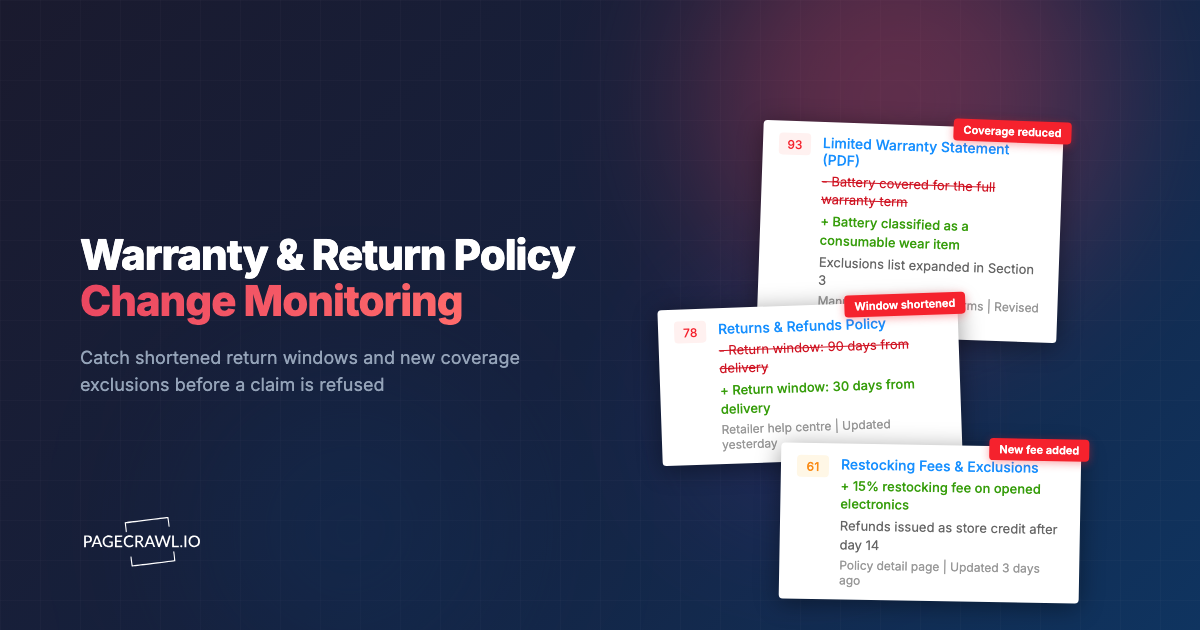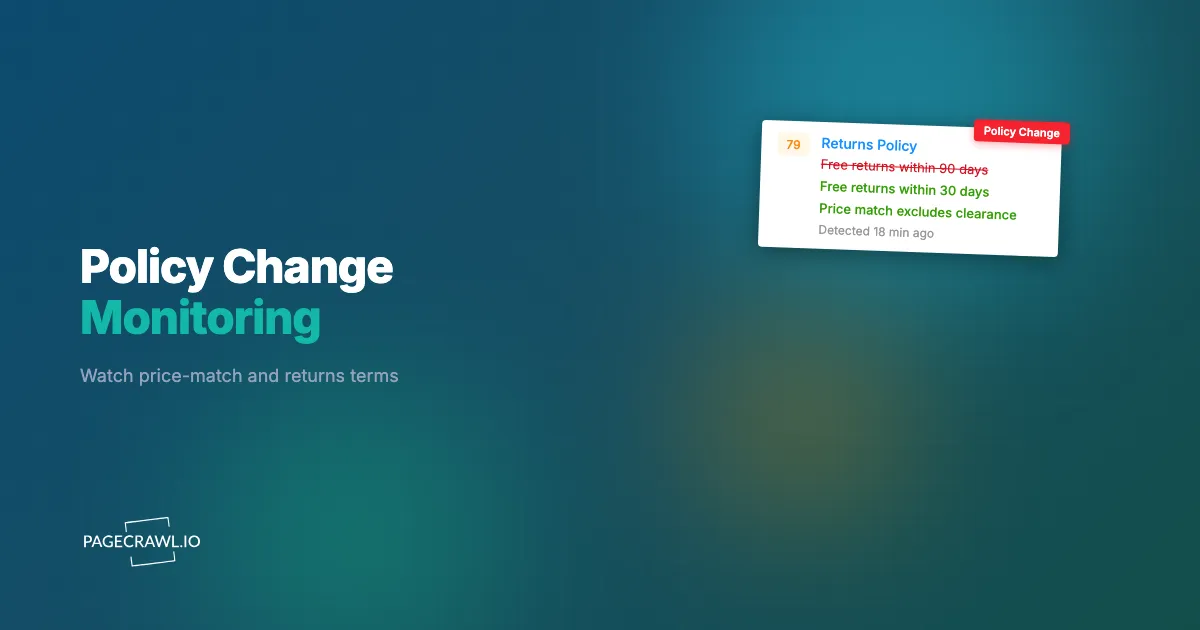
It is 9:14 a.m. on a Tuesday, and your top competitor just quietly shortened their return window from 90 days to 30 and added a 15% restocking fee on opened electronics. No press release, no email, no banner. They edited one paragraph on a help-center page that nobody on your team reads. Three weeks later, your sales reps are still telling prospects "their returns are basically the same as ours," because the last time anyone checked, they were. By the time someone notices, you have burned a month of an obvious, winnable talking point: your returns are now materially friendlier, and you said nothing.
Commercial policies are pricing levers in disguise. A price-match guarantee, a return window, a restocking fee, and a free-shipping threshold each change the real, landed cost and risk a customer takes on. When a competitor tightens or loosens one of those terms, it shifts the comparison shoppers run in their heads, and it usually happens silently on a static policy page. Unlike a product price, these pages are not in any feed, are not picked up by the usual price trackers, and rarely show up in competitive dashboards.
This guide covers which retail policy pages to monitor, how to tell a tightening from a loosening, which changes deserve a same-day alert, and exactly how to set up competitor policy monitoring in PageCrawl so the next quiet edit reaches your team before lunch.
What counts as a competitor commercial policy worth monitoring?
A commercial policy is any customer-facing term that changes the real cost, risk, or convenience of buying, separate from the headline product price. The four highest-value ones to watch are price-match guarantees, return and exchange windows, restocking fees, and shipping terms (free-shipping thresholds, delivery speed, and cutoff times). These move competitive comparisons more than most product prices do.
Concretely, the elements worth tracking on a competitor's policy pages include:
- Price-match scope and timing: which retailers they match (Amazon, Walmart, Best Buy), whether they match their own post-purchase price drops, and the claim window (often 14 to 30 days).
- Return window length: 30, 60, 90, or 365 days, plus seasonal extensions (the classic "purchases after November 1 are returnable until January 31").
- Restocking fees: a flat percentage (commonly 10% to 25%) on opened, oversized, or final-sale-adjacent categories.
- Return shipping cost: free prepaid label versus customer-paid return postage, and any per-return deduction.
- Free-shipping threshold: the cart minimum ($35, $49, $99) and whether it applies before or after discounts.
- Final-sale and exclusion lists: categories carved out of standard returns entirely.
These differ from the legal pages that other guides cover. Monitoring terms of service and privacy policy changes is about contractual and compliance risk. This is about commercial positioning, and the right comparison point is your own competitor price monitoring program, not your legal team's review queue. A return window or a restocking fee is a number your salespeople quote in live deals, so it belongs in the same intelligence stream as the prices you already track.

Why do price-match, returns, and shipping terms change so often?
Retailers adjust these terms constantly because each one directly affects margin, return-fraud exposure, and conversion, and none of them require a product relaunch to change. A single sentence edit on a policy page can claw back margin or fence out return abuse overnight, which is why these pages move several times a year while the homepage stays still.
The common triggers are seasonal and financial. Return windows widen ahead of the holidays and snap back in January. Restocking fees appear after a quarter of heavy return losses, especially on high-value electronics and furniture where "wardrobing" and buy-to-try behavior hit margins hard (the National Retail Federation tracks the scale of retail returns and return fraud in its annual research). Free-shipping thresholds creep upward when carrier surcharges rise, often moving from $35 to $49 in a single step. Price-match guarantees get narrowed when a competitor realizes shoppers are using them to arbitrage marketplace sellers, and they get broadened as a conversion play when a rival wants to look fearless on price.
Because these edits are reactive and financially motivated, they are leading indicators. A competitor adding a restocking fee is telling you their return costs are out of control. A competitor extending free returns through January is telling you where they are betting on holiday volume. A rival quietly dropping a named retailer from its price-match list signals which competitor it no longer wants to be compared against. Reading these signals is the same discipline as broader competitor positioning and messaging tracking, just applied to the fine print that actually changes the purchase math.
Which competitor policy pages should you put on monitoring first?
Start with the pages that change the landed price and the perceived risk, in that order: the price-match or price-adjustment page, the returns and refunds page, and the shipping and delivery page. Add the membership-tier terms next if the competitor sells a paid loyalty program, because perks like free returns and extended windows often live behind that paywall.
Prioritize by impact and volatility:
- Returns and refunds policy. Highest emotional weight for shoppers and the most frequently edited. Track the window length, restocking fee, return-shipping cost, and the final-sale exclusion list as separate signals.
- Price-match / price-adjustment policy. Directly attacks your pricing strategy. Track which competitors they name, the claim window, and any "excludes marketplace sellers" or "excludes clearance" carve-outs.
- Shipping and delivery policy. Track the free-shipping threshold, standard and expedited delivery promises, and order cutoff times. Threshold changes alone reshape average order value across a category, which is why teams pair this with free-shipping threshold and landed-price monitoring.
- Membership / loyalty terms. Paid-tier perks (free returns, early access, extended windows) are policy levers aimed squarely at retention, and they change without ever touching the public policy page.
For a brand with several rivals, this is a small, finite set of URLs per competitor, usually three or four pages each. That makes it an ideal candidate for bulk competitor website tracking rather than ad hoc manual checks someone forgets to run the week a change lands.
How do you detect a tightened return window versus a loosened one?
Detecting direction means watching the specific numbers and key phrases on the page, not just "did anything change." A return window dropping from 90 to 30 days is a tightening; a restocking fee falling from 20% to 10% or disappearing is a loosening. Track the numeric value with a direction-aware rule so the alert tells you the direction.

There are two complementary techniques, and good policy monitoring uses both.
Numeric tracking for the values that have a direction
Return window days, restocking-fee percentage, free-shipping threshold, and price-match claim windows are all numbers. PageCrawl's price and number tracking modes for monitoring numeric values extract the numeric value from the page and let you set a threshold and a direction. You can ask to be alerted only when the return window decreases, or only when the restocking fee crosses above zero, so a tightening that hurts shoppers (and helps your positioning) is flagged differently from a loosening that you may want to match. Pairing the value with a direction is the same mechanic behind conditional price, keyword, and threshold alert rules, applied to policy numbers instead of product prices.
Keyword and text tracking for the language that has no number
Plenty of policy shifts have no digit attached. "Free returns" becoming "returns subject to a return-shipping fee," or "we match any retailer" narrowing to "we match select authorized retailers," is a meaning change carried entirely in words. Keyword and text tracking watches for the appearance or disappearance of specific phrases and flags the surrounding sentence, so you catch the qualitative tightening, not just the numeric one. Fullpage content tracking sits underneath both, capturing the entire policy text so you always have the before-and-after diff of the exact paragraph that moved.
What competitor policy changes should trigger a same-day alert?
Treat any change that alters landed price, return risk, or your sales talking points as same-day. The list that should page someone the same day it lands: a new or increased restocking fee, a shortened return window, a raised free-shipping threshold, a narrowed price-match scope, and a new final-sale exclusion. Each one hands you a comparison you can use that afternoon.
A practical severity tiering keeps the noise manageable:
- Same-day, notify revenue and marketing: restocking fee introduced or increased, return window shortened, price-match guarantee narrowed or removed, free-shipping threshold raised. These are immediate positioning opportunities or threats.
- Same-week, notify pricing and merchandising: free returns extended for the holidays, price-match broadened to include new retailers, expedited shipping added. These reshape the competitive set more slowly.
- Log and review monthly: wording cleanups, reformatting, and clarifications with no economic effect.
The reason for same-day urgency is that these changes feed customer-facing messaging directly. When a competitor quietly gets worse on returns, your team should update battle cards and ad copy the same day, and route the alert straight into the channel where that work happens. Most teams send these into a Slack channel the whole revenue team watches so positioning updates happen in hours, not at the next quarterly review. A talking point is only worth anything while it is still true, and competitor policies revert as quietly as they change.
How does PageCrawl monitor policy pages that hide behind logins or scripts?
PageCrawl renders each policy page the way a real shopper's browser does, so terms that load through scripts, expandable accordions, or "read more" toggles are captured in full, not missed as empty containers. For perks behind a paid membership or account login, monitoring password-protected pages signs in first and watches the member-only policy text where extended return windows usually hide.
This matters because retail policy pages are rarely plain HTML anymore. Return terms are often tucked inside collapsible sections, shipping thresholds are injected by promotional scripts, and loyalty-tier benefits only appear after authentication. PageCrawl loads the page fully and reliably, including content that appears only after interaction, so the monitored text reflects what a customer actually sees.
A few capture modes earn their place here:
- Fullpage content tracking for the complete policy text and a clean before-and-after diff.
- Visual change capture for policy pages presented as banners, tables, or graphics, where the meaning is in the layout, not selectable text. New monitors keep screenshots on by default, so you always have a dated visual record of how the policy read on a given day.
- PDF monitoring for retailers and B2B distributors that publish return and shipping terms as a linked PDF document rather than a web page.
- JSON and API field tracking when a site exposes shipping thresholds or return rules through a structured endpoint, letting you watch a single field precisely.
That dated visual record is useful well beyond marketing. When a competitor later disputes how their policy read last quarter, a timestamped capture settles the question, and the same archive gives your pricing team a history of how a rival's terms have drifted across a season.
How do you set up competitor policy monitoring with PageCrawl?
Setting up policy monitoring takes a few minutes per competitor. The goal is one monitor per policy lever per competitor, each tuned to the right tracking mode, frequency, and alert direction, so the signal that reaches you is specific enough to act on without re-reading the page. Here is the full sequence.
Step 1: Add the policy URLs and pick a tracking mode. Create a monitor for each page: returns, price-match, and shipping, per competitor. For the return window, restocking fee, and free-shipping threshold, choose price or number tracking so PageCrawl extracts the value. For price-match scope and final-sale exclusions, use keyword and text tracking on the relevant phrases. Layer fullpage content tracking on every page so you always get the full paragraph diff.
Step 2: Set the check frequency. Policy pages do not change hourly, so a daily check is plenty for most pages, with a 15-minute or 5-minute cadence reserved for the holiday window when return-policy edits cluster. Frequency is governed by your plan, so put your fastest cadence on the returns and price-match pages and a daily cadence on the rest.
Step 3: Choose your notification channel. Route alerts to where decisions happen. Most teams send policy changes to Slack, Telegram, or Discord for the revenue and marketing team, and fire a webhook into their CI or CRM for anything that should update a battle card automatically. PageCrawl supports Slack, Telegram, Discord, email, and outbound webhooks for downstream automation.
Step 4: Keep screenshots on. New monitors capture a screenshot on every check by default, and you should leave it enabled for policy pages. The dated image is your proof of exactly how the competitor's return or shipping terms read on the day the alert fired, which is invaluable when updating customer-facing claims that have to be accurate.
Step 5: Set thresholds and directions. On numeric monitors, configure the direction so a shortened return window, an increased restocking fee, or a raised shipping threshold each fire with a clear label. Set a minimum change threshold (for example, ignore a $1 wording-driven flicker but alert on any real movement) so the only numeric alerts you get are economically meaningful.
Step 6: Tune keyword rules and review the first diffs. For text monitors, list the phrases that signal a meaningful shift ("restocking fee," "final sale," "select retailers," "return shipping fee") so the alert quotes the sentence that changed. Watch the first week of diffs and tighten any rule that is too noisy, the same calibration step described in reducing website monitoring false positives.
Once these six steps are in place, every competitor policy edit lands in your team's channel with the exact value, the direction it moved, and a screenshot, ready to turn into a positioning move the same day.
How do you avoid false alarms on policy pages?
Policy pages generate noise from reformatting, A/B-tested wording, and promotional banners that rotate on every load, so the trick is to alert on meaning, not on every pixel. Narrow each monitor to the specific paragraph or value that matters, set a minimum numeric threshold, and use keyword rules so a sentence reshuffle that does not change the terms stays quiet.
Three habits keep policy monitoring trustworthy:
- Scope tightly. Track the returns section or the shipping-threshold line, not the entire page chrome with its rotating promo bar. A focused selector means a header swap or cookie banner never fires an alert.
- Threshold the numbers. Require a real movement before alerting, so a value that briefly renders differently during a page test does not page anyone.
- Confirm with the diff. Because every alert includes the before-and-after text and a screenshot, a human can confirm a meaningful change in seconds. This is the same noise-control discipline that underpins any serious competitor pricing analysis practice, and it is what separates a feed you trust from one you mute.
The payoff for getting this right is a quiet channel that only speaks when a competitor genuinely changes a commercial term, which is exactly the signal you want surfaced fast.
Choosing your PageCrawl plan
PageCrawl's Free plan lets you monitor 6 pages with 220 checks per month, which is enough to validate the approach on your most critical pages. Most teams graduate to a paid plan once they see the value.
| Plan | Price | Pages | Checks / month | Frequency |
|---|---|---|---|---|
| Free | $0 | 6 | 220 | every 60 min |
| Standard | $8/mo or $80/yr | 100 | 15,000 | every 15 min |
| Enterprise | $30/mo or $300/yr | 500 | 100,000 | every 5 min |
| Ultimate | $99/mo or $999/yr | 1,000 | 100,000 | every 2 min |
Annual billing saves two months across every paid tier. Enterprise and Ultimate scale up to 100x if you need thousands of pages or multi-team access.
How do you start monitoring competitor policies today?
Start on the Free plan: pick your three closest competitors, add their returns, price-match, and shipping pages, and turn on number tracking with directional alerts plus a daily check. That covers the highest-value policy levers at no cost and proves the approach before you commit to a paid tier.
The next time a rival quietly shortens a return window or slips in a restocking fee, you will read it in your team channel the same morning, as soon as the next check picks it up, with the value, the direction, and a screenshot, ready to turn into a positioning win before anyone else notices. Let the fine print work for you instead of against you.