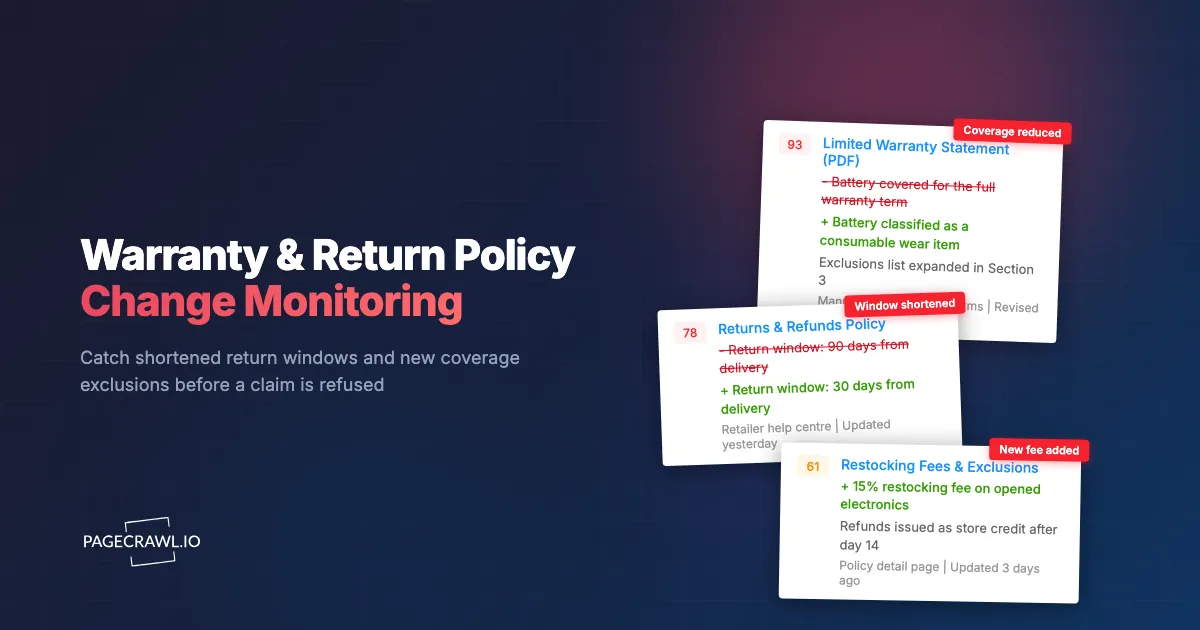
A refurbished-laptop reseller in Manchester sells with a promise printed on every invoice: "manufacturer warranty honoured, batteries covered for the remainder of the term." That line was accurate when she wrote it. Sometime over the summer, the manufacturer edited a support page so that batteries and other consumable parts were reclassified as wear items excluded from standard coverage. Nobody emailed her. The page URL did not change. She discovered it when a customer's swollen battery claim was refused and she had to eat the repair cost herself, on eleven machines, because she had sold eleven of them with the old promise.
Policy pages are the quietest documents on the internet. A price change gets a strikethrough and a banner. A warranty change gets a paragraph rewritten at 4pm on a Thursday, sometimes with no revision date on the page at all. The people who depend on those paragraphs, resellers passing coverage down the chain, IT asset managers planning refresh cycles, and consumers sitting on an open claim, are the last to hear about it. They usually find out at the exact moment the change costs them money.
The fix is not reading policy pages every week. It is having something read them for you and tell you which sentence moved. This guide covers what actually changes on warranty and return pages, which pages are worth watching, how to set up monitoring in PageCrawl, what the law guarantees regardless of what a page says, and how to keep a dated record you can put in front of a supplier when they claim the terms "have always been this way."
Why do warranty and return policies change without notice?
Warranty and return terms are cost levers, not marketing copy. Shortening a return window or reclassifying a part as a wear item moves real money off a manufacturer's books, and unlike a price change it is invisible to comparison shoppers. Most edits ship as a quiet content update with no announcement, no email, and often no visible revision date.
Returns are an expensive line item
Every accepted return carries shipping both ways, inspection, refurbishment, repackaging, and a markdown on resale. When that cost rises, the two easiest levers are the length of the window and the conditions attached to it. A 90-day window becoming 30 days, or a restocking fee appearing on opened items, changes the economics without touching a single advertised price. Retailers often tighten after a peak season and loosen again before the next one, so the same page can move twice a year.
Warranty scope is quietly rewritten, not announced
Manufacturers rarely publish a changelog for coverage terms. The typical edit is a support-article revision: a component moves from "covered" to "consumable," a claim now requires proof of purchase from an authorised seller, or coverage becomes conditional on registering the product within a set number of days. Each is a single-sentence change that never appears in a press release but decides whether a claim is paid.
Seasonal windows expire, and regional variants drift
Extended holiday return windows are temporary. The page promising that November gifts can be returned until the end of January reverts to the standard policy without a note that it ever said otherwise, and if you built a customer promise on it you are the only person tracking when it lapses. The same brand also runs different terms per country, maintained by different teams, so a change on the US page may reach the UK or German page weeks later, or never.
Which warranty and return pages should you monitor?
Monitor the pages a dispute would actually be decided on: the manufacturer's warranty terms for the specific product line you handle, the retailer's returns and refunds page, the restocking-fee and exclusions detail page, and any warranty PDF or terms document linked from them. Cover each region you sell into separately.
The manufacturer's warranty statement
This is the primary document. It defines the coverage period, what counts as a defect, what is excluded as wear or accidental damage, whether coverage transfers to a second owner, and what proof of purchase is required. For resellers, the transfer clause and the "purchased from an authorised reseller" condition are the two lines most worth watching, because both can invalidate a promise you already made to a customer.
The retailer's returns and refunds page
Separate from the warranty, this governs the window in days, whether the item must be unopened, who pays return shipping, whether a restocking fee applies, and how refunds are issued (original payment method versus store credit). Retailers often split this across a headline page and a detail or FAQ page where the real exclusions live, so watch both URLs. Our guide to competitor price-match and returns policy monitoring covers the same pages from the opposite angle, watching rivals' terms rather than the ones you depend on.
Warranty PDFs and terms documents
A surprising amount of the binding text lives in a PDF: the limited warranty statement bundled with a product, a service-plan agreement, or a country-specific terms annex. These get replaced in place, at the same URL, with nothing to tell you the file changed. PageCrawl reads the text inside a PDF and diffs it like any other page, which our walkthrough on monitoring PDF documents for changes explains in detail.
What exactly changes when a warranty page is edited?
Most edits fall into a handful of repeatable categories: the duration, the covered-versus-excluded list, the conditions a claim must satisfy, the fees, and the remedy. Knowing the categories lets you filter alerts down to the changes that actually cost money and ignore the rewording that does not.
| Change type | What moves on the page | Why it matters |
|---|---|---|
| Coverage duration | "2 years" becomes "1 year", or a country-specific term is added | Directly shortens the period a claim can be filed |
| Return window | 90 days becomes 30, or holiday extension expires | Decides whether a customer can still return at all |
| Exclusions | A part is reclassified as a consumable or wear item | Turns a covered repair into a paid one |
| Claim conditions | Registration requirement, authorised-reseller condition, proof-of-purchase rules | Can invalidate coverage on units already sold |
| Fees | Restocking fee appears, return shipping shifts to the buyer | Changes the landed cost of every return |
| Remedy | Refund becomes store credit, replacement becomes repair | Changes what the customer actually receives |
| Process | New RMA portal, new claim address, new required form | Breaks an existing internal workflow |
Additions matter as much as deletions
An added sentence is as expensive as a deleted one. "Coverage requires registration within 30 days of purchase" changes nothing visible about the length of the warranty and quietly disqualifies every unregistered unit. Read insertions with the same suspicion as deletions.
The revision date is not a reliable signal
Pages get substantive edits with the "last updated" line untouched, and that line gets bumped for formatting changes with no textual difference. Monitor the body text and treat the date as a supporting detail, not a trigger.
How do you set up warranty and return policy monitoring in PageCrawl?
You point PageCrawl at each policy page, choose a tracking mode that reads the document text rather than the surrounding page furniture, pick a check frequency matched to how fast you need to know, and send alerts to the channel your team actually reads. A first monitor takes a couple of minutes.
Add the URL. Copy the exact policy page address, not the support-centre landing page. If the terms live in a PDF, use the direct file URL. Create one monitor per document and per region, so a change to the UK terms does not hide inside a diff of the US page.
Pick the tracking mode. For a warranty or returns page, reader mode extracts the main long-form text and ignores navigation, related-article lists, and footers, which is what you want for legal prose. For a PDF warranty statement, use PDF extraction so the text inside the file is compared. If you only care about one clause, such as the return window sentence, use specific text or specific number tracking scoped to that element.
Set the check frequency. Policy pages do not change hourly, so the free tier's 60-minute checks are ample for most of these documents. If you have an open claim or a live dispute where the wording on a given day matters, raise the frequency so you capture the page state close to the edit rather than a day later.
Choose notification channels. Route alerts where the decision gets made. Email suits a legal or finance reviewer, Slack, Discord, or Microsoft Teams suit a support or operations channel, Telegram suits an individual watching a personal claim, and a webhook lets you file the change straight into a ticketing system or asset database. Sending policy alerts to a shared channel rather than one inbox is what stops a change sitting unread while someone is on leave.
Add keyword and threshold rules. A plain "the page changed" alert on a policy document invites people to ignore it. Attach conditions so a ping means something: fire on words like "restocking", "excluded", "non-refundable", "wear and tear", "store credit", or "authorised reseller", and set a number threshold on the return window so a drop from 90 to 30 escalates while a typo fix stays quiet. Our guide to conditional alerts using price, keyword, and threshold rules walks through building those rules.
Turn on screenshots. Text diffs prove what changed. A timestamped screenshot proves what the page looked like on the day you sold the unit, layout and all, which is far more persuasive to a supplier or a card issuer.
Group the monitors in a folder. Put every warranty and returns page in one folder per supplier or region, so a change lands next to the full history of that supplier's terms instead of in an inbox.
A sensible starting set
Five monitors covers most of the risk: your largest supplier's warranty statement, that supplier's warranty PDF, your top retailer's returns page, its exclusions or fees detail page, and one service-plan terms page. That fits inside the free tier's 6 pages, enough to prove the approach before scaling to a full supplier list.
What do consumer laws guarantee regardless of what the page says?
Statutory rights sit underneath a published policy and a company cannot write them away. In the EU, distance sales carry a 14-day right of withdrawal. In the UK, the Consumer Rights Act 2015 gives a short-term right to reject faulty goods. In the US, the Magnuson-Moss Warranty Act governs how written warranties on consumer products must be disclosed and what they cannot condition coverage on.
The EU 14-day withdrawal right
For goods bought online, by phone, or off-premises in the EU, the Your Europe guidance on returns and the right of withdrawal explains that consumers can cancel within 14 days without giving a reason, counted from delivery for goods. A retailer's own page may offer more than that, and many do, but it cannot offer less for a covered distance sale. Monitoring the page tells you when the voluntary part of the offer moves, and the statutory floor tells you how far it can fall.
The UK short-term right to reject
Section 22 of the Consumer Rights Act 2015 sets a 30-day short-term right to reject faulty goods, running from the point ownership transfers and the goods are delivered. This is separate from a goodwill returns policy, which is why a retailer shortening its change-of-mind window to 14 days does not touch a faulty-goods claim. If you sell in the UK, keep the two clearly apart in your own customer-facing copy, because customers routinely conflate them.
US warranty disclosure rules
The FTC's Businessperson's Guide to Federal Warranty Law sets out the Magnuson-Moss framework for written warranties on consumer products, including disclosure standards and the rule that a warrantor generally cannot condition coverage on the use of a particular brand of part or a particular service provider unless it supplies them free of charge. When you see a warranty page add a condition that looks like a tie to a specific service network, that is a change worth reading closely rather than filing away.
Door-to-door and off-premises sales
The FTC's Cooling-Off Rule for sales made at homes or certain other locations gives buyers three business days to cancel qualifying sales made away from a seller's normal place of business. It does not apply to ordinary retail-store or most online purchases, which is exactly the misunderstanding that sends customers to your support queue quoting a right they do not have in that context.
How do resellers and IT asset managers use the change history?
The alert is only half the value. The archive is the other half: a dated record of what each supplier's terms said on any given day, which lets you match a sale date to the policy in force, prove a term changed after you bought, and plan refresh cycles against coverage that is actually current rather than remembered.
Matching a sale date to the policy in force
When a claim is refused, the argument is almost always about which version of the terms applied. A monitoring history with timestamped diffs and screenshots turns that from a memory contest into a document: show the page as it read on the sale date, point to the revision that changed it, and put the burden back on the supplier. That is the same evidentiary use as monitoring privacy policy and terms of service changes, where the value is a defensible record rather than a notification.
Keeping downstream promises honest
Resellers repeat manufacturer terms in listings, invoices, and support macros, and each copy goes stale as soon as the source changes. Wire policy alerts into the workflow that owns those copies, a webhook creating a ticket or a message to whoever maintains listing templates, so a source change triggers a review of every place you restated it.
Planning IT refresh and coverage gaps
For an asset manager, the warranty page defines the boundary between a free repair and a capital request. When coverage on a fleet's model line is shortened, or a battery or display is reclassified as a consumable, the maintenance budget changes for every unit already deployed. Monitoring the terms page for each model line you own delivers that warning while the next budget cycle is still open, rather than after the first refused claim.
Consumers with an open claim
If you are sitting on a claim, a repair in progress, or a return you have not yet shipped, monitor the page your claim depends on for the duration. Changes made while a claim is open rarely apply retroactively, but you can only argue that if you can show what the page said when you filed.
What goes wrong when monitoring policy pages?
Three things: noise from page furniture that changes without the policy changing, terms hidden in places a simple page check misses, and regional or personalised variants that make one monitor look stable while another quietly moves. All three are fixable, and it is worth fixing them before the alerts train you to ignore them.
Page furniture and false positives
Support pages carry rotating banners, "was this helpful" widgets, related-article carousels, and promotional strips. Left alone, these produce alerts containing no policy change at all. Reader mode ignores most of it, and where something slips through you can mark that region as ignored so future checks skip it. Two or three rounds of tuning takes a monitor from noisy to silent-until-it-matters.
Terms buried behind expanders and tabs
Exclusion lists like to hide inside accordions, tabs, or a "see full terms" expander. If the important clause only appears after a click, monitor the underlying terms document or PDF instead, where the same text is present without one.
Regional and logged-in variants
Many retailers serve different policy text by country, and some show account-specific terms only after login, so a monitor pointed at the generic URL can sit unchanged for months while the version your customers see moves. Create one monitor per regional URL, and where the binding terms live inside an account, set it up as an authenticated monitor so the check sees the same page you do.
Choosing your PageCrawl plan
PageCrawl's Free plan lets you monitor 6 pages with 220 checks per month, which is enough to validate the approach on your most critical pages. Most teams graduate to a paid plan once they see the value.
| Plan | Price | Pages | Checks / month | Frequency |
|---|---|---|---|---|
| Free | $0 | 6 | 220 | every 60 min |
| Standard | $8/mo or $80/yr | 100 | 15,000 | every 15 min |
| Enterprise | $30/mo or $300/yr | 500 | 100,000 | every 5 min |
| Ultimate | $99/mo or $999/yr | 1,000 | 100,000 | every 2 min |
Annual billing saves two months across every paid tier. Enterprise and Ultimate scale up to 100x if you need thousands of pages or multi-team access.
Compliance monitoring is the cheapest insurance you can buy. A single missed regulatory change can trigger fines in the tens or hundreds of thousands, not to mention the audit overhead of proving you did not see it coming. Enterprise at $300/year covers 500 regulatory pages with unlimited history and timestamped screenshots, which is usually exactly what an assessor wants to see. All plans include the PageCrawl MCP Server, so your compliance team can ask Claude to summarize every change to a specific regulation over the last quarter and pull the exact diff, turning your monitoring history into a queryable audit trail. AI assistants can create monitors through conversation on every plan, including Free. Standard at $80/year is enough to cover 100 pages across your primary regulatory bodies if your program is smaller.
Getting Started
Start with the single document that would cost you the most if it changed without you noticing. For a reseller that is usually the manufacturer warranty statement for your highest-volume product line. For an IT asset manager it is the terms page covering the model your fleet standardises on. For a consumer with an open claim it is the exact page your claim is being judged against.
- Add that one URL, choose reader mode (or PDF extraction if the terms are a file), and turn on screenshots so you build a dated visual record from day one.
- Add a keyword rule for the words that signal a real cost change: "restocking", "excluded", "wear and tear", "store credit", "authorised", "non-refundable".
- Send the alert to a shared channel rather than a personal inbox, and write down who owns the response before the first alert arrives.
- After a week, add the regional variants and the retailer returns pages, and group everything into one folder per supplier.
The next time a supplier tells you the terms have always read that way, you will have the diff, the date, and the screenshot. Set up the first monitor today and stop learning about coverage changes from refused claims.