Your competitors update their websites constantly. Pricing changes, new product launches, updated messaging, hiring pages that signal expansion, and feature announcements that reshape your market. If you find out days or weeks after these changes happen, you are always reacting instead of acting.
Competitor website tracking automates the process of watching what your competitors are doing online, while social media monitoring tools cover the conversations happening off their own pages. Instead of manually checking their sites, you set up monitors that alert you whenever something changes. This guide covers the strategy, tools, and workflows for building an effective competitor monitoring system.
Why Track Competitor Websites?
Every change on a competitor's website is a signal. The key is knowing which signals matter for your business:
Pricing Intelligence
Pricing is the most time-sensitive competitive information. When a competitor drops their price by 20%, you need to know within hours, not weeks. Monitoring pricing pages, product listings, and plan comparison pages gives you near real-time visibility into competitive pricing moves, since each scheduled check surfaces the new number shortly after it goes live. For a detailed comparison of tools built for this purpose, see our guide to the best competitor price tracking tools.
For retailers selling the same products as their competitors, cross-retailer price comparison takes this further by automatically matching the same product across stores and alerting you when a competitor becomes the cheapest or when the price gap widens.
The practical payoff for a retailer watching a few hundred competitor products is speed of response: instead of discovering a rival's markdown during a monthly review, the pricing team sees it the same business day and can decide whether to match, undercut, or hold.
Product and Feature Tracking
When competitors ship new features, update their product pages, or launch new offerings, it directly affects your roadmap and positioning. Monitoring product pages, feature lists, and changelog pages keeps your product team informed without manual effort.
Messaging and Positioning
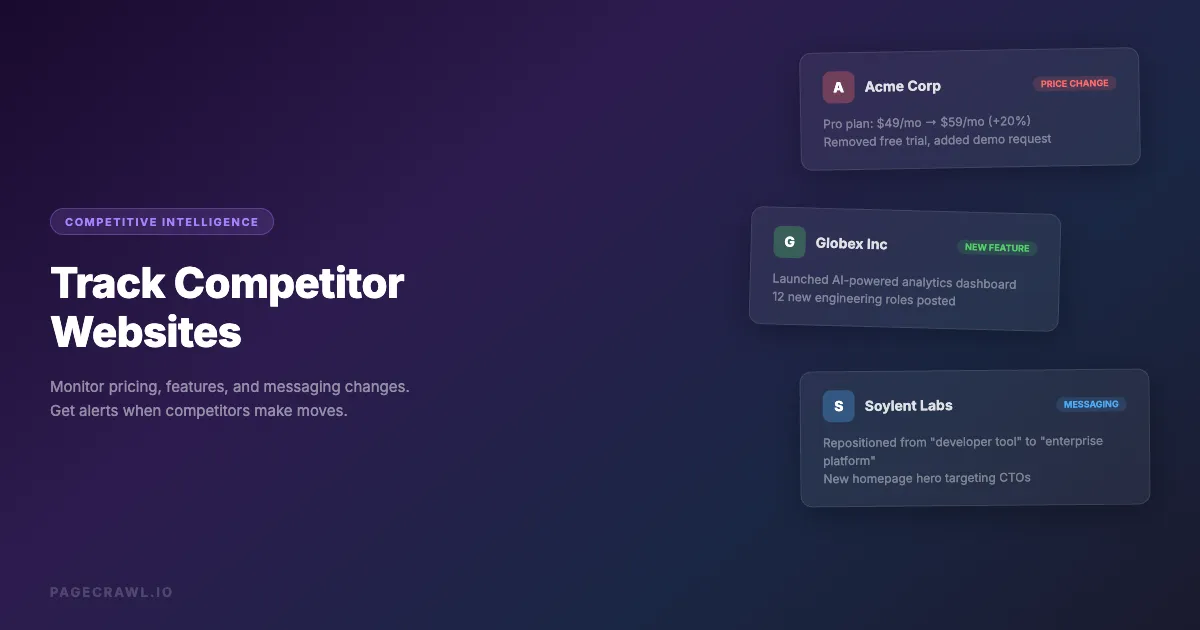
How competitors describe their products reveals their strategy. Are they targeting a new audience? Emphasizing a different value proposition? Repositioning against you specifically? Monitoring their homepage, about page, and key landing pages catches these positioning shifts early. This type of monitoring also plays a key role in online reputation monitoring, where you track how competitors talk about your brand on their comparison pages.
Hiring Signals
A competitor posting 15 machine learning engineering roles is a signal about their product direction. Monitoring career pages and job listings reveals investment areas, expansion plans, and strategic priorities before they are publicly announced.
Content Strategy
What competitors publish on their blog, resource center, and documentation reveals their SEO strategy, target audience, and thought leadership focus. Tracking their content output through competitor content monitoring helps you identify gaps and opportunities in your own content strategy.
What should you monitor on a competitor's website?
Monitor the pages where strategy becomes visible: pricing, product and feature pages, the homepage, careers, the blog, and the changelog. Those six carry most of the signal. Terms of service, partner pages, case studies, and documentation are worth a weekly check but rarely need more.
Not every page is worth tracking. Focus your monitoring on high-signal pages:
| Page Type | What It Reveals | Check Frequency |
|---|---|---|
| Pricing page | Price changes, plan restructuring, new tiers | Every 2-4 hours |
| Product/features page | New capabilities, removed features, repositioning | Daily |
| Homepage | Messaging changes, new campaigns, rebranding | Daily |
| Careers/jobs page | Hiring priorities, team growth, strategic direction | Daily |
| Blog/news | Content strategy, thought leadership, announcements | Daily (page discovery) |
| Changelog/release notes | Feature releases, bug fixes, deprecations | Every 6 hours |
| Terms of service | Policy changes, compliance updates | Weekly |
| Integration/partners page | New partnerships, ecosystem changes | Weekly |
| Case studies/testimonials | Customer wins, industry focus | Weekly |
| Documentation | Technical capabilities, API changes | Weekly |
Setting Up Competitor Monitoring
Here is a practical approach to setting up competitor tracking that actually delivers value.
Step 1: Define Your Competitor Set
Start with your direct competitors (the companies prospects compare you against) and a few aspirational competitors (the market leaders you are growing toward). Most teams monitor 3-10 competitors actively.
For each competitor, identify:
- Their main website URL
- Key product pages
- Pricing page
- Blog or news section
- Careers page
Step 2: Choose the Right Monitoring Type per Page
Different pages need different monitoring approaches:
Pricing pages: Use price tracking mode if the tool supports it. PageCrawl automatically detects prices and tracks them as numbers, giving you a clean price history chart instead of noisy text diffs. If the page has multiple prices (a comparison table), use element-specific monitoring to target each plan's price separately.
Product and feature pages: Use full-page text monitoring with reader mode. This captures all content changes while filtering out navigation, footers, and layout noise. Enable AI summaries to get readable change descriptions.
Homepages: Use full-page text monitoring. Homepages change frequently (rotating testimonials, dynamic content), so configure noise filters to ignore dates, counters, and social proof numbers. Set a change threshold of 5-10% to avoid alerts from minor content rotations.
Career pages: Use page discovery (sitemap monitoring) if available. This detects when new job posting pages are created, which is more useful than watching the jobs listing page for text changes. Alternatively, use full-page text monitoring on the careers page.
Blog and content: Use page discovery through sitemap monitoring. This alerts you when new posts are published rather than when existing posts are updated. PageCrawl can monitor a competitor's sitemap.xml, the standard index file defined by the sitemaps.org protocol, and alert you when new URLs appear. Our help article on sitemap monitoring to detect new pages covers how to point a monitor at a sitemap and filter which new URLs are worth an alert.
Changelogs: Use element-specific monitoring targeting the changelog content area. This avoids false alerts from navigation or layout changes.
Step 3: Configure Notifications
Route competitor alerts to where your team will act on them:
- Slack channel: Create a dedicated
#competitor-intelchannel. Route all competitor monitoring alerts here for team visibility. - Organized by competitor: If you monitor many pages per competitor, create separate Slack channels or notification groups per competitor (e.g.,
#competitor-asana,#competitor-monday). - Email digest: For less time-sensitive monitoring (content, hiring), a daily or weekly email digest reduces noise while keeping the team informed.
- Webhook to CRM: For sales teams, push competitor pricing changes to your CRM so account executives can reference them in deals.
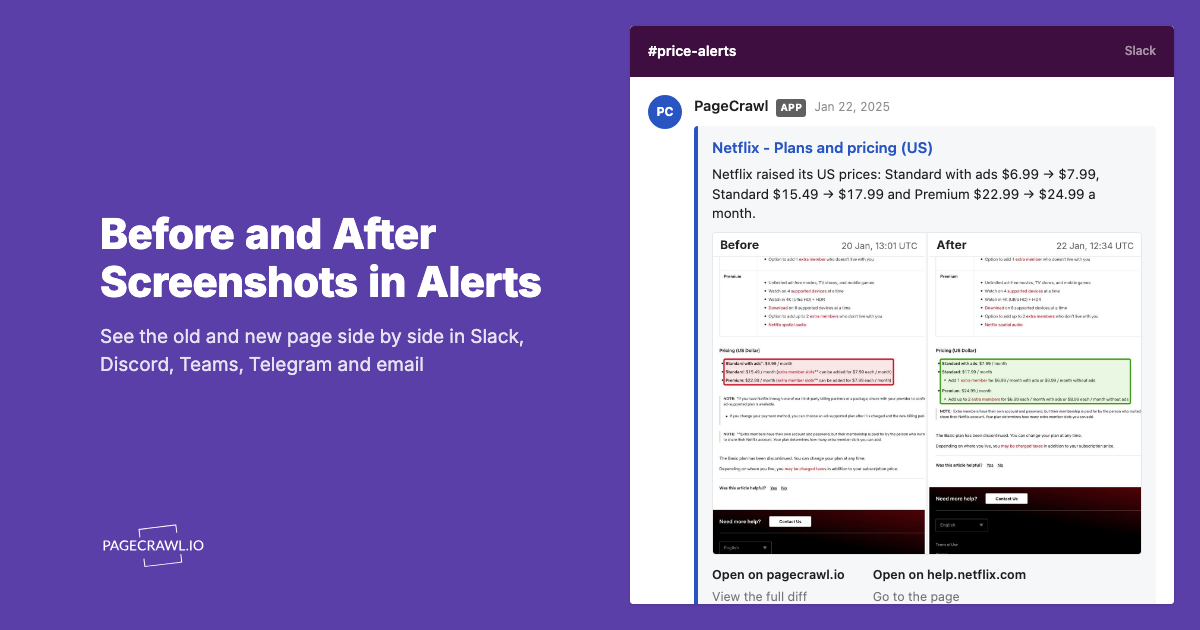
Slack routing is the most common setup, and it takes a single incoming webhook from your workspace. The step-by-step version is in our guide to sending website change notifications to a Slack channel. Whichever channel you use, alerts fire when a scheduled check finds the difference, so set the check frequency to match how fast you need to react.
Step 4: Enable AI Summaries
Raw text diffs from competitor websites are hard to parse quickly. AI summaries transform a wall of added/removed text into actionable intelligence:
Instead of seeing 47 lines of diff on a competitor's pricing page, you get:
"Competitor increased their Enterprise plan from $299/month to $399/month. Added a new 'Startup' tier at $49/month. Removed the 14-day free trial, replaced with a demo request flow."
PageCrawl generates AI summaries for every detected change. You can also set an AI focus like "Focus on pricing changes, new features, and messaging shifts" to get more targeted summaries.
Competitor Monitoring Workflows
Weekly Competitive Intelligence Review
Set up a weekly review meeting where your team discusses competitor changes from the past week:
- Before the meeting: Review the week's competitor alerts in your Slack channel or dashboard
- Categorize changes: Group them by type (pricing, product, content, hiring)
- Assess impact: Which changes affect your business? Which require a response?
- Assign actions: Create tasks for pricing responses, feature prioritization, or content gaps
- Archive: Keep a running log of competitor changes for trend analysis
Real-Time Pricing Response
For e-commerce and SaaS companies where pricing directly affects win rates:
- Monitor: Track all competitor pricing pages with 2-4 hour check frequency
- Alert: Send pricing changes to a dedicated Slack channel as soon as a check detects them
- Analyze: AI summary provides context (what changed, by how much)
- Decide: Pricing team reviews and decides on response within 24 hours
- Act: Update your own pricing if needed
Content Gap Analysis
Track what competitors are publishing, using content and editorial change monitoring, to find content opportunities:
- Monitor: Use page discovery on competitor blog sitemaps
- Catalog: When new competitor posts are detected, categorize them by topic
- Analyze: Which topics are competitors covering that you are not?
- Plan: Add missing topics to your content calendar
- Differentiate: Write better, more comprehensive content on the same topics
Monitoring at Scale
When you move beyond monitoring 2-3 competitors to monitoring 10+ competitors with multiple pages each, manual setup breaks down. Here is how to scale:

Use Templates
Create monitoring templates for each page type (pricing, product, blog) with pre-configured settings (check frequency, notification channel, filters). Apply the template when adding new competitor pages.
Organize with Folders
Group monitors by competitor in folders. This keeps your dashboard organized and makes it easy to find all monitors for a specific competitor.
Bulk Import
If you have a list of competitor URLs (common when expanding monitoring to a new market or segment), use bulk import to add them all at once rather than one by one.
API Automation
For large-scale competitive intelligence operations, use the monitoring tool's API to:
- Programmatically create monitors when you identify new competitors
- Pull change data into your own dashboards and reports
- Integrate with your competitive intelligence platform
What to Do With Competitor Intelligence
Collecting competitor data is only valuable if you act on it. Here are concrete actions for each type of change:
When a Competitor Changes Pricing
- Compare to your pricing: Are you now more expensive or cheaper? By how much?
- Assess positioning: Are they moving upmarket or downmarket?
- Update battle cards: Sales teams need current competitor pricing for deals
- Consider response: Do you need to adjust your pricing? Can you differentiate on value instead?
When a Competitor Launches a Feature
- Evaluate the feature: Is it something your customers have been asking for?
- Assess priority: Does this change your product roadmap priority?
- Update positioning: How does this affect your competitive differentiation?
- Communicate: Inform sales and customer success teams so they can address it in conversations
When a Competitor Changes Messaging
- Analyze the shift: What audience or value proposition are they targeting now?
- Compare to yours: Are they moving closer to your positioning or away from it?
- Test your messaging: Does your current messaging still differentiate you effectively?
- Adjust if needed: Update your homepage, ads, and sales materials if the competitive landscape has shifted
When a Competitor Is Hiring Aggressively
- Map the roles: What functions are they hiring for? Engineering? Sales? Marketing?
- Infer strategy: Heavy engineering hiring in AI might signal a product direction shift
- Adjust expectations: If they are doubling their sales team, expect more aggressive competition in your market
- Recruit defensively: Consider whether you need to match their hiring pace in key areas
What are the most common competitor monitoring mistakes?
The four that ruin most programs are monitoring too many pages, never acting on what you collect, watching only direct competitors, and reading changes one at a time instead of looking for trends. Each one is a process problem rather than a tooling problem, and each has a simple fix.
Monitoring Too Many Pages
It is tempting to monitor everything, but more monitors means more noise. Start with 3-5 high-signal pages per competitor (pricing, product, homepage) and expand only when you have established a review process for the alerts.
Not Acting on Intelligence
The most common failure mode is collecting competitor data but never reviewing or acting on it. If no one reads the alerts, the monitoring is wasted effort. Assign ownership for reviewing competitor changes and establish a regular review cadence.
Monitoring Only Direct Competitors
Your market is shaped by more than just direct competitors. Monitor adjacent products, potential entrants, and platform players that could expand into your space. A monitoring setup focused only on today's competitors misses tomorrow's threats.
Ignoring Historical Trends
Individual changes are interesting, but trends are strategic. A competitor raising prices 5% is a data point. A competitor raising prices three times in six months is a trend that signals confidence and market positioning. Review your monitoring history periodically for patterns.
Tools for Competitor Website Monitoring
Several tools can handle competitive intelligence monitoring. Here is what to look for:
- AI summaries: Essential for making sense of changes without reading raw diffs
- Multiple monitoring modes: Price tracking, text monitoring, visual monitoring, and page discovery
- Noise filtering: Competitor websites are noisy. You need filters for dates, banners, and dynamic content
- Slack integration: Most teams process competitor intel through Slack
- Bulk management: Templates, folders, and bulk import for scaling across many competitors
- Check frequency: At least hourly for pricing, daily for most other pages
PageCrawl covers all of these requirements. The free tier gives you 6 monitors, which is enough to start tracking one competitor comprehensively or monitor pricing pages across several competitors. Paid plans scale to hundreds of monitors with 5-minute checks.
Choosing your PageCrawl plan
PageCrawl's Free plan lets you monitor 6 pages with 220 checks per month, which is enough to validate the approach on your most critical pages. Most teams graduate to a paid plan once they see the value.
| Plan | Price | Pages | Checks / month | Frequency |
|---|---|---|---|---|
| Free | $0 | 6 | 220 | every 60 min |
| Standard | $8/mo or $80/yr | 100 | 15,000 | every 15 min |
| Enterprise | $30/mo or $300/yr | 500 | 100,000 | every 5 min |
| Ultimate | $99/mo or $999/yr | 1,000 | 100,000 | every 2 min |
Annual billing saves two months across every paid tier. Enterprise and Ultimate scale up to 100x if you need thousands of pages or multi-team access.
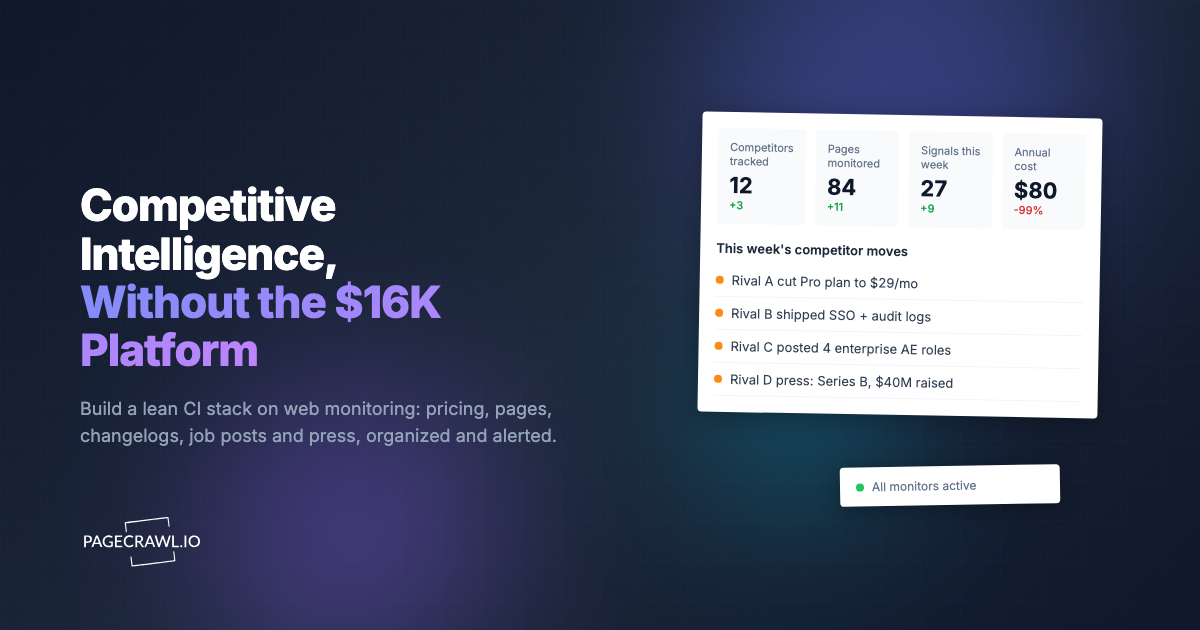
Standard at $80/year pays for itself the first time you spot a competitor pricing change, a product launch, or a messaging shift before it influences a prospect conversation. 100 monitored pages is enough for a solid Tier 1 and Tier 2 competitor program, covering pricing, product, and blog pages for four to five direct competitors. Enterprise at $300/year tracks 500 pages for broader competitive landscapes. All plans include the PageCrawl MCP Server, so Claude, Cursor, or any MCP-compatible tool can query your monitoring history directly. Your team can ask "what did Competitor X change last month?" and get an answer from your own archive. AI assistants can create monitors through conversation on every plan, including Free, turning the alert feed into a searchable competitor record.
Getting Started
Pick your top competitor. The one that shows up in every deal, every market report, and every customer conversation. Set up monitors on their pricing page, product page, and homepage. Route alerts to Slack. Run it for two weeks.
You will be surprised by how much changes. And you will wonder how you ever operated without this visibility.
Start monitoring your competitors with PageCrawl's free tier. Six monitors, AI summaries, and Slack alerts included.