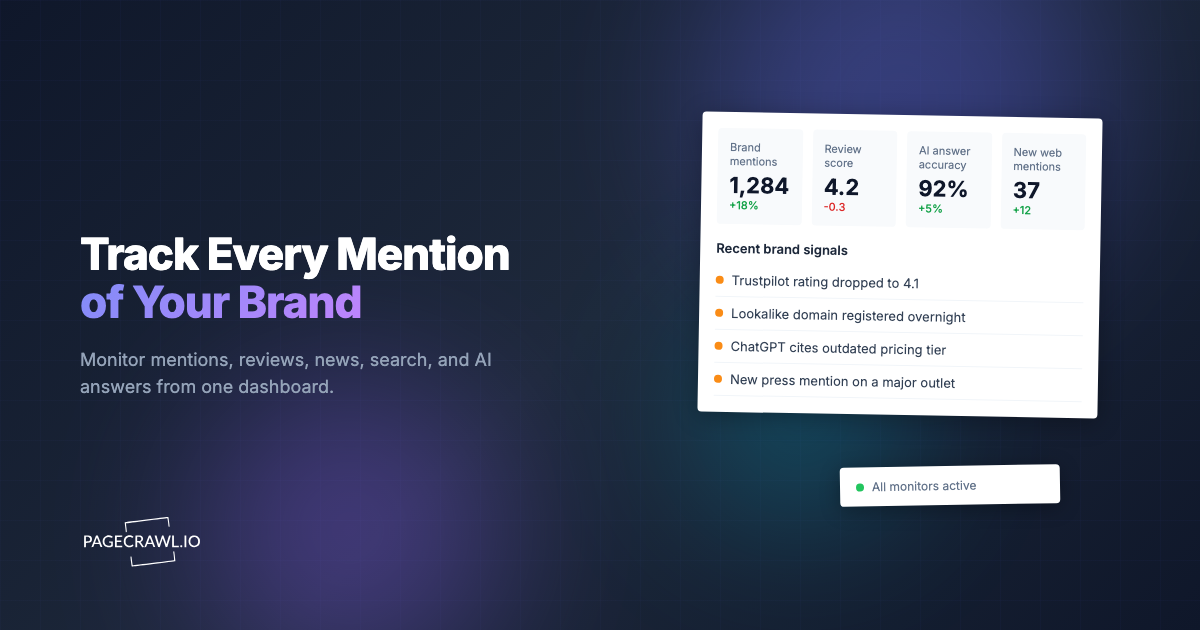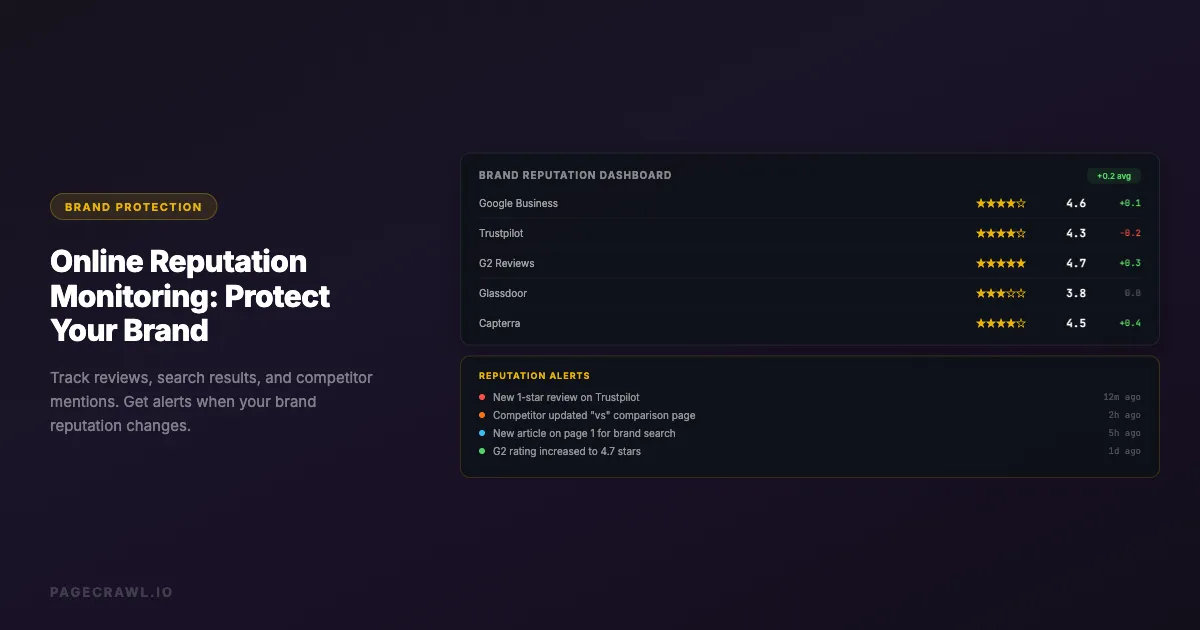
A single negative review on the wrong site can cost a business thousands in lost revenue. A competitor edits their comparison page to misrepresent your product. A disgruntled former employee posts fabricated claims on a review platform. A news article mentioning your company contains inaccurate information. By the time someone on your team notices, the damage has been spreading for weeks.
Online reputation monitoring turns this reactive scramble into a proactive system. Instead of discovering reputation issues when a customer mentions them or when sales unexpectedly drop, you get a brand and reputation monitoring alert as soon as a scheduled check detects a change on the pages that matter to your brand.
This guide covers what to monitor, how to set up effective reputation tracking, which brand monitoring tools fit your needs, and strategies for responding to reputation changes quickly.
Why does online reputation monitoring matter?
It matters because the pages that shape buying decisions (review profiles, search results, competitor comparison pages) are edited by other people, on their schedule, with no notice to you. Monitoring converts that blind spot into a dated record of what changed, so you respond in days rather than discovering it in a lost deal months later.
The Revenue Impact of Online Reputation
Research consistently shows that online reputation directly affects purchasing decisions:
Review scores drive revenue. Research by Michael Luca at Harvard Business School found that a one-star increase in a restaurant's Yelp rating led to a 5 to 9 percent increase in revenue. For B2B companies, the same pull shows up on platforms like G2, Capterra, and Trustpilot.
Negative results on page one of Google matter. If a negative article or review appears in the first page of search results for your brand name, potential customers see it before they even visit your website. A single unfavorable page-one result can turn away a meaningful share of prospective buyers who never tell you why.
Response time affects perception. How quickly you respond to negative reviews and mentions affects how both the original poster and future readers perceive your brand. Monitoring enables fast response times.
What Can Go Wrong Without Monitoring
Competitor comparison pages. A competitor updates their "vs" page to add misleading claims about your product. Without monitoring, you do not know this page exists or has changed.
Review site changes. Your average rating drops on a key review platform. New negative reviews appear. Your business listing information is changed to incorrect details.
Search result shifts. A negative article climbs in search rankings for your brand keywords. A positive article you relied on disappears from page one. New search results appear that you need to address.
Social media mentions. Someone posts viral negative content about your brand. An influencer reviews your product unfavorably. A former employee makes public claims.
Wikipedia and knowledge panels. Your company's Wikipedia article is edited with inaccurate information. Google's knowledge panel for your brand shows outdated or incorrect details.
What should you monitor for brand reputation?
Monitor five groups of pages: your review platform profiles, the search results for your brand and executive names, competitor pages that mention you, your social and forum footprint, and news coverage from the journalists and publications in your market. Together these cover almost everything a prospective customer will read about you before they contact you.
Review Platforms
These are the sites where customers publicly rate and review your business:
General review sites:
- Google Business Profile (formerly Google My Business) reviews
- Yelp business listing and reviews
- Trustpilot company profile
- Better Business Bureau (BBB) listing and rating
Industry-specific review sites:
- G2, Capterra, TrustRadius (software/SaaS)
- Glassdoor, Indeed (employer reputation)
- TripAdvisor, Booking.com (hospitality)
- Healthgrades, Zocdoc (healthcare)
- Avvo, Martindale (legal)
- Zillow, Realtor.com (real estate)
For each review platform, monitor both the overall rating page and the individual reviews page. A sudden influx of negative reviews can tank your average quickly.
Search Engine Results
Monitor the search results pages for your most important brand keywords:
Brand name searches: What appears when someone searches for your company name. Monitor page one of Google for changes to the results.
Brand + review searches: What appears for "[your brand] reviews" or "[your brand] complaints." These searches indicate high purchase intent, and the results directly influence buying decisions.
Brand + competitor searches: What appears for "[your brand] vs [competitor]." These comparison searches often lead to competitor-controlled pages.
Executive name searches: What appears for your CEO or key executives' names. Personal reputation affects company reputation.
Competitor Pages That Mention You
Comparison pages. Competitors often create "us vs them" pages that compare their product to yours. These pages may contain outdated information, misleading claims, or unfavorable framing.
Blog posts. Competitor blog posts that mention your brand by name. These can rank in search results for your brand keywords.
Landing pages. Some competitors create landing pages targeting your brand name as a keyword, like "Alternative to [Your Brand]."
Monitor these pages for changes. When a competitor updates their comparison page, you want to hear about it on the next check so you can update your own materials or address any inaccuracies. For a complete system for tracking competitor activity, see our guide on how to track competitor websites.
Social Media Profiles and Pages
Your own profiles. Monitor your own social media pages for unauthorized changes, especially if multiple team members have access.
Mention aggregation pages. Some platforms aggregate mentions of your brand across social media. Monitor these for new negative mentions.
Industry forum threads. Reddit threads, Hacker News discussions, and industry-specific forums where your brand is discussed.
News and Media
Google News results. Monitor Google News results for your brand name. New articles can significantly impact reputation, especially if they are negative.
Industry publication pages. Trade publications and industry news sites that cover your market. Monitor their pages for articles mentioning your company, and watch live coverage for silent edits and quiet retractions.
Press release aggregators. Monitor sites like PR Newswire or BusinessWire for mentions of your brand by competitors or industry analysts.
Setting Up Reputation Monitoring

Step 1: Audit Your Current Online Presence
Before you can monitor your reputation, you need to know where your brand appears:
- Search for your brand name on Google and note every result on the first two pages
- Search for "[brand] reviews" and note all review platforms that appear
- Search for "[brand] vs" and see which competitor comparison pages exist
- Check major review platforms directly, even if they do not appear in search results yet
- Search for your executives' names and note the results
This audit gives you the list of pages to monitor.
Step 2: Prioritize Monitoring Targets
Not every page carries equal reputation risk. Prioritize based on visibility and impact:
Critical (monitor daily or more frequently):
- Google Business Profile listing and reviews
- Top 5 search results for your brand name
- Your highest-traffic review platform profiles
- Competitor comparison pages that rank in search results
Important (monitor daily):
- All review platform profiles
- Search results pages for brand + review keywords
- Glassdoor employer profile (affects hiring)
- Wikipedia article (if one exists)
Informational (monitor weekly):
- Search results beyond page one
- Industry forum threads mentioning your brand
- Social media brand mention pages
- News results for your brand
Step 3: Choose Monitoring Approaches
Different reputation pages need different monitoring strategies:
Full page text monitoring. Best for review platform profile pages where any text change (new reviews, rating changes, listing edits) is important. Catches all content changes including new reviews being added.
Reader mode monitoring. Best for news articles and blog posts where you want to track content changes without being alerted to navigation or layout updates.
Specific element monitoring. Best for monitoring a specific metric on a page, like your star rating on a review site or the number of reviews. Use CSS selectors to target just the rating element.
Visual monitoring. Useful for monitoring search results pages where the visual layout of results matters, such as whether a featured snippet or knowledge panel appears for your brand.
Step 4: Set Up Alerts
Route reputation alerts to the right people:
Marketing/PR team. New reviews, rating changes, news articles mentioning your brand. These teams handle public-facing responses.
Legal team. Defamatory content, trademark violations, competitor pages with false claims. Legal may need to send takedown requests or cease-and-desist letters.
Executive team. Significant reputation events like a viral negative post, a petition or boycott campaign targeting your brand, a major rating drop, or press coverage of a controversy.
HR team. Glassdoor and employer review changes. HR manages employer brand responses.
Use AI-powered change summaries to quickly understand what changed without reading the full diff. A summary like "New 1-star review added criticizing customer support response time" is immediately actionable. Routing these alerts to the right channel is critical; see our guide on setting up website change alerts in Slack for best practices.
Monitoring Strategies by Platform
Google Business Profile
Your Google Business Profile is often the first thing potential customers see. It appears in the knowledge panel when someone searches for your business name.
What to monitor:
- The overall rating and review count
- Individual review pages for new reviews
- Business listing details (hours, address, phone, website URL)
- Q&A section where anyone can post questions and answers
- Photos section where customers upload images
Why changes matter: Anyone can suggest edits to your Google Business Profile listing. Google sometimes accepts these suggestions without notifying you. Your business hours, phone number, or website URL could be changed to incorrect information.
Check frequency: Daily for reviews and listing details. Hourly if you suspect listing hijacking.
Trustpilot and General Review Sites
What to monitor:
- Company profile page (overall score, total reviews)
- Recent reviews page filtered by newest
- Company response page showing your reply rate
What changes look like: New reviews appear, overall score changes, company information is updated by the platform.
Check frequency: Daily. New reviews should be responded to within 24-48 hours for best impression.
Glassdoor (Employer Reputation)
What to monitor:
- Overall company rating and recommendation percentage
- CEO approval rating
- Recent reviews page
- Interview experience reviews
- Salary information page
Why it matters: Candidates check Glassdoor before applying. A drop in your Glassdoor or Indeed rating or a series of negative reviews can significantly impact your ability to hire.
Check frequency: Weekly for most companies. Daily during periods of layoffs, reorganization, or other events that might trigger employee reviews.
Google Search Results
What to monitor:
- The first page of Google results for your brand name
- Results for "[brand] reviews" and "[brand] complaints"
- Results for your key product names
- The Google Knowledge Panel for your brand
What changes look like: New results appear on page one, existing results change position, featured snippets change, knowledge panel information updates.
Strategy: Use full page text monitoring on the Google search results page for your brand name. This captures when new results appear or existing results change. Set up separate monitors for each important search query.
Check frequency: Daily for brand name searches. Weekly for secondary keyword searches.
Competitor Comparison Pages
What to monitor:
- Each competitor's "[Competitor] vs [Your Brand]" page
- Competitor blog posts that mention your brand
- Third-party comparison sites that include your product
What changes look like: Competitors update their feature comparison tables, change pricing claims, add new negative points about your product, or update screenshots showing your product.
Strategy: Use reader mode or full page text monitoring. Comparison pages are frequently updated, and every change could contain new claims you need to address.
Check frequency: Daily for direct competitor comparison pages. Weekly for third-party comparison sites.
How should you respond to reputation changes?
Respond according to the type of change and its visibility. Unauthorized listing edits and viral content need action within hours, negative reviews and competitor claims within a day, and routine mentions within two to three days. Monitoring is only valuable if you respond effectively to what you find.
Response Playbook by Change Type
New negative review (1-2 stars):
- Read the full review to understand the complaint
- Check your records for the customer interaction described
- Draft a professional, empathetic response that acknowledges the issue
- Offer to resolve the issue offline (provide contact information)
- Post the response within 24 hours
Rating drop below threshold:
- Analyze recent reviews to identify the cause
- Determine if it is a trend (multiple similar complaints) or isolated incidents
- If a trend, address the underlying issue in your operations
- Consider proactive outreach to satisfied customers to encourage positive reviews
Competitor comparison page update:
- Document what changed (monitoring shows you the diff)
- Verify whether the new claims are accurate or misleading
- Update your own comparison content if needed
- If claims are false, consider contacting the competitor directly or pursuing legal options
Negative search result appearing on page one:
- Assess the content for accuracy
- If inaccurate, contact the publisher for correction
- Create or promote positive content to push the negative result down
- Monitor the search results page daily to track movement
Unauthorized listing changes:
- Immediately correct the information on the platform
- Lock your listing with verification if available
- Report the unauthorized edit to the platform
- Set up more frequent monitoring to catch future attempts
Response Time Targets
Critical (respond within 4 hours):
- Listing hijacking or unauthorized changes
- Viral negative content
- False claims that could cause immediate business harm
Urgent (respond within 24 hours):
- New negative reviews on high-visibility platforms
- Competitor comparison page updates with inaccurate claims
- Negative news articles
Standard (respond within 48-72 hours):
- New reviews (positive or negative) on secondary platforms
- Glassdoor reviews
- Forum mentions
Common Reputation Monitoring Scenarios
Catching a Competitor's Misleading Comparison
The scenario: A competitor updates their "vs" page to claim your product lacks a feature it actually has, and this page ranks second for your brand name searches.
With monitoring: Your daily monitor catches the page change. The AI summary notes "Added claim that [Your Brand] does not support SSO integration." Your team fact-checks the claim (you do support SSO), updates your own comparison page, and sends a polite correction request to the competitor. You also create a dedicated SSO feature page that targets the same search keywords.
Without monitoring: The misleading claim sits on a high-ranking page for months. Potential customers read it and choose the competitor based on false information. You only discover it when a sales prospect mentions they chose the competitor because you "do not support SSO."
Detecting Review Platform Rating Manipulation
The scenario: A coordinated campaign posts multiple fake negative reviews on your Trustpilot profile, dropping your rating from 4.5 to 3.8 in a single week.
With monitoring: Daily monitoring catches the sudden rating drop on the first day. You identify the pattern (multiple reviews from new accounts, similar language, no verified purchases), report them to Trustpilot's fraud team, and document the pattern for potential legal action. The fake reviews are removed within a week.
Without monitoring: The fake reviews accumulate over several days before anyone notices. By the time you report them, potential customers have already seen the low rating and moved on.
Responding to a Negative News Article
The scenario: A tech blog publishes an article about a data breach at a company with a similar name to yours. The article briefly mentions your company as "not affected" but appears in search results for your brand name.
With monitoring: Your search results monitor catches the new article appearing on page one for your brand name. Even though the article says you are not affected, the headline and preview text in search results could create confusion. Your PR team proactively publishes a statement and optimizes your own content to ensure the article is pushed lower in results.
Without monitoring: Customers see the article in search results and assume your company was involved in the breach. Support tickets increase, and sales conversations become more difficult, all because of an article that did not even claim your company was at fault.
Building a Reputation Monitoring System
Organize Your Monitors
Create a structured system for all your reputation monitors:
By platform type:
- Folder: "Review Platforms" (Google Business, Yelp, Trustpilot, G2, Capterra)
- Folder: "Search Results" (brand name, brand + reviews, brand + complaints)
- Folder: "Competitor Pages" (comparison pages, blog mentions)
- Folder: "News & Media" (Google News, industry publications)
- Folder: "Employer Brand" (Glassdoor, Indeed, LinkedIn company page)
By urgency:
- Tag "critical" for monitors that need immediate response
- Tag "standard" for monitors that need response within 48 hours
- Tag "tracking" for monitors that are informational only
The help center guide to organizing monitored pages with labels, folders, and workspaces covers nested folders and color-coded labels, which is what makes a large reputation footprint reviewable at a glance.
Weekly Reputation Report
Use your monitoring data to create a weekly reputation summary:
- New reviews this week: Count of new reviews across platforms, broken down by rating
- Overall rating trends: Whether average ratings went up, down, or stayed the same
- Search result changes: Any changes to page one results for brand keywords
- Competitor activity: Changes to competitor pages that mention your brand
- Action items: Reviews that need responses, claims that need addressing
This report keeps your team aware of reputation trends without everyone needing to check every monitor individually. PageCrawl can assemble and deliver it for you: see scheduled reports that bundle change notifications into digests for the grouping, summary style, and delivery options.
Advanced Reputation Monitoring Tactics
Monitor Your Own Website for Defacement
Beyond monitoring external sites, monitor your own website for unauthorized changes. Website defacement, where an attacker modifies your website's content, can destroy customer trust instantly.
Set up visual and text monitoring on your homepage, product pages, and pricing page. If your website content changes unexpectedly, you are alerted on the next check, which on paid plans can be as often as every 2 minutes.
Track Brand Mentions in AI Search Results
As AI-powered search tools like Google AI Overviews and ChatGPT become more prominent, what these tools say about your brand matters. Monitor AI-generated search results pages for your brand keywords to see how your brand is represented in AI summaries. For a detailed walkthrough of this process, see our guide on how to monitor your brand in ChatGPT and AI search.
Monitor Regulatory Databases
For regulated industries, monitor regulatory databases and complaint portals:
- The Consumer Financial Protection Bureau (CFPB) complaint database
- FDA warning letters and enforcement actions
- FTC complaint databases
- State attorney general consumer complaint portals
New entries in these databases can affect your brand reputation and may require a formal response.
Set Up Sentiment Trending
Rather than reacting to individual changes, look for patterns over time. If your review scores are gradually declining across multiple platforms, that signals a systemic issue with your product or service that needs to be addressed at the source.
Choosing your PageCrawl plan
PageCrawl's Free plan lets you monitor 6 pages with 220 checks per month, which is enough to validate the approach on your most critical pages. Most teams graduate to a paid plan once they see the value.
| Plan | Price | Pages | Checks / month | Frequency |
|---|---|---|---|---|
| Free | $0 | 6 | 220 | every 60 min |
| Standard | $8/mo or $80/yr | 100 | 15,000 | every 15 min |
| Enterprise | $30/mo or $300/yr | 500 | 100,000 | every 5 min |
| Ultimate | $99/mo or $999/yr | 1,000 | 100,000 | every 2 min |
Annual billing saves two months across every paid tier. Enterprise and Ultimate scale up to 100x if you need thousands of pages or multi-team access.
Standard at $80/year pays for itself the first time it catches a competitor's misleading comparison page or a coordinated review attack before it has been running for weeks. Responding to a reputation incident a day after it starts is categorically different from responding three weeks later. 100 monitored pages covers your full review footprint across Google, Trustpilot, G2, Glassdoor, and every competitor comparison page that ranks for your brand terms. Daily check frequency means nothing significant slips past your team overnight. Enterprise at $300/year suits larger brand protection programs with 500 pages at tighter frequencies.
All plans include the PageCrawl MCP Server, so you can ask an AI assistant to summarize every review change, competitor edit, and search result shift across your brand footprint over the past week instead of manually scanning a dashboard. AI assistants can create monitors through conversation on every plan, including Free.
Getting Started
Build your reputation monitoring system in three steps:
Monitor your top review platforms. Set up daily monitors on your Google Business Profile, your most important industry review site (G2 for software, TripAdvisor for hospitality, etc.), and Trustpilot or Yelp. Use text monitoring to catch new reviews and rating changes. Route alerts to your marketing or customer success team.
Monitor your brand search results. Set up daily monitors on Google search results pages for your brand name and "[brand] reviews." Use full page monitoring to catch when new results appear or existing results change position. Route alerts to your marketing team.
Monitor competitor comparison pages. Find every competitor page that compares their product to yours. Set up daily monitors using reader mode to track content changes. Route alerts to your product marketing team so they can respond to new claims quickly.
This foundation ensures you know about reputation changes within 24 hours, giving your team the time to respond strategically instead of reactively.