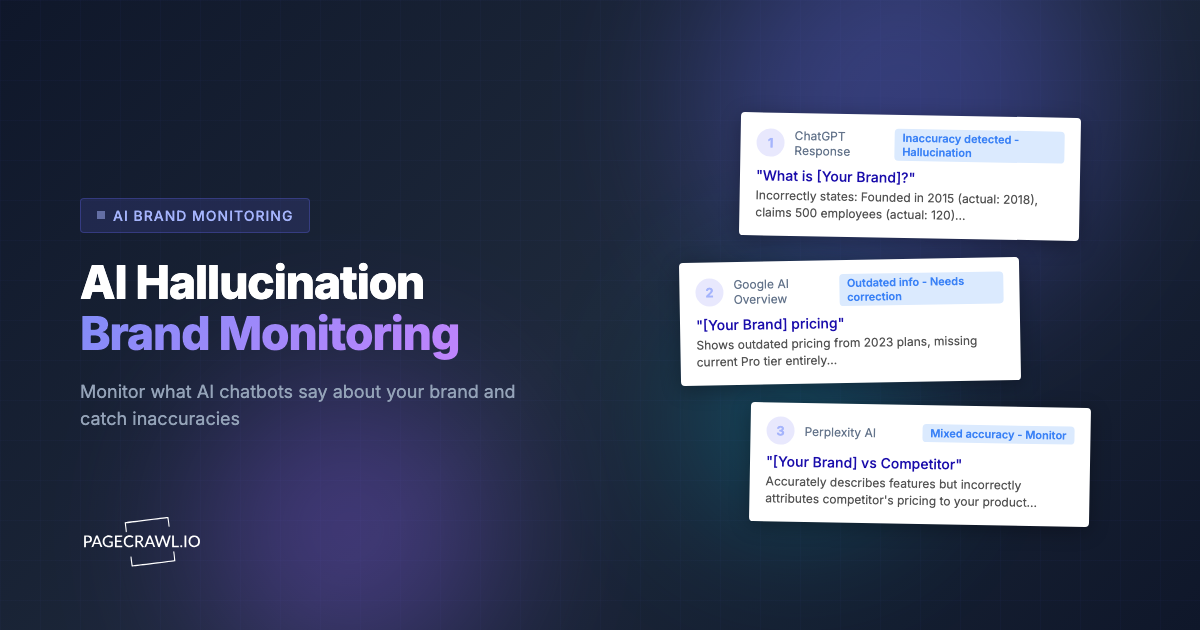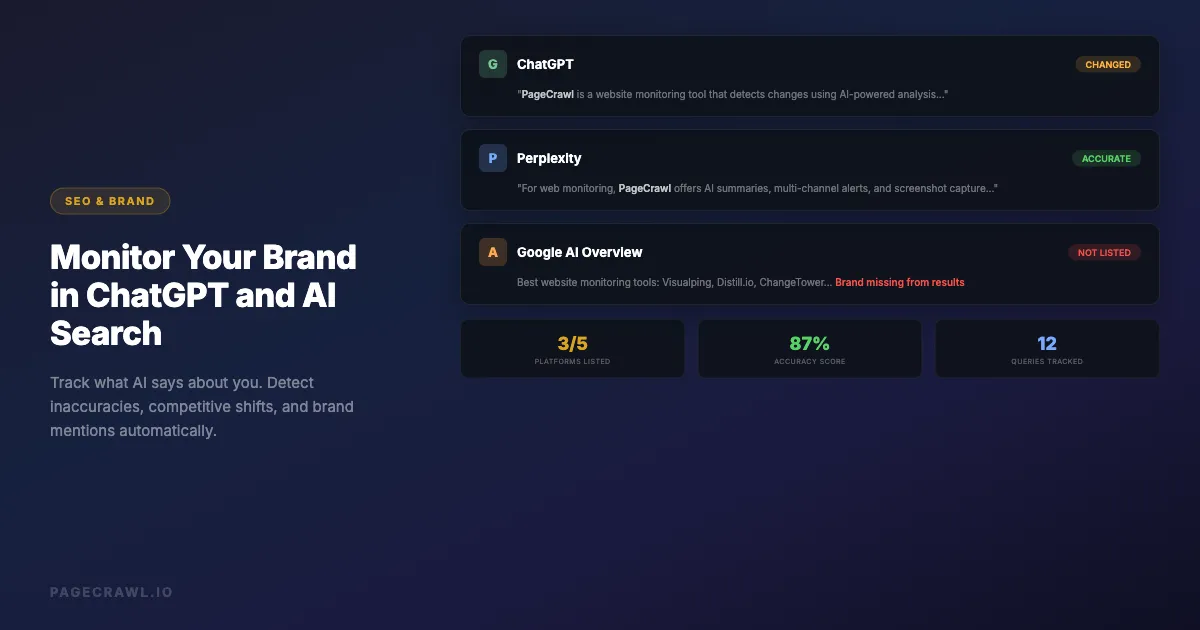
AI search is changing how people discover and evaluate brands. When someone asks ChatGPT "what is the best project management tool" or searches Perplexity for "alternatives to Salesforce," the AI response becomes the first impression of your brand. Unlike traditional search where you can see your ranking and control your snippet, AI-generated answers are opaque, variable, and constantly evolving.
A growing share of buyers now start product research inside an AI chatbot rather than a search engine, and many never click through to a source at all. If ChatGPT describes your product inaccurately, recommends a competitor instead, or omits you from a category you belong in, you are losing potential customers without ever knowing it. AI search monitoring is an increasingly important part of online reputation monitoring.
This guide covers practical methods for monitoring what AI systems say about your brand, detecting when those answers change, and taking action when the information is wrong.
Why does AI search monitoring matter?
Because an AI answer is a single synthesized verdict, not ten links a reader weighs for themselves. If that verdict is wrong about your pricing, your features, or your category, most people never check. And unlike a search ranking, it changes silently: no dashboard tells you the answer moved.
AI Answers Replace Traditional Search Results
When someone searches Google, you see 10 blue links and can click through to evaluate each source. When someone asks ChatGPT or Perplexity the same question, they get a single synthesized answer. That answer may cite sources, but most users accept it at face value. Your brand's representation in that answer is now more important than your position on page one of Google.
AI Responses Are Not Static
ChatGPT's answers change over time as models are updated, fine-tuned, and retrained. An answer that correctly describes your product today might be outdated or inaccurate next month. Perplexity pulls from live web results, so its answers shift even more frequently. Without monitoring, you have no way to know when the AI's understanding of your brand changes.
Inaccuracies Spread and Compound
When an AI system incorrectly describes your product, that misinformation influences how other AI systems learn about you. Users who read inaccurate AI-generated descriptions may repeat those inaccuracies in reviews, blog posts, and social media, which then get indexed and fed back into AI training data. Catching and correcting inaccuracies early prevents this compounding effect.
Competitive Landscape Shifts Silently
Your competitors are actively working to influence AI recommendations. When a competitor publishes content optimized for AI consumption, it can shift how ChatGPT ranks and describes products in your category. Monitoring lets you detect these shifts and respond strategically. For broader strategies on tracking competitor websites, including their content and SEO efforts, see our dedicated guide.
What to Monitor
Brand Name Queries
The most important queries to track are direct brand searches. These include:
- "What is [your brand]?"
- "[Your brand] review"
- "[Your brand] pricing"
- "Is [your brand] good?"
- "[Your brand] vs [competitor]"
These queries represent people who already know your brand and are evaluating it. Inaccurate answers here directly impact conversion.
Category Queries
Category queries determine whether AI systems include your brand when users are exploring options:
- "Best [your category] tools"
- "Top [your category] software 2026"
- "[Your category] comparison"
- "What [your category] tool should I use?"
If your brand is missing from these responses, you are invisible to potential customers using AI search.
Competitor Comparison Queries
Comparison queries reveal how AI systems position you against specific competitors:
- "[Your brand] vs [competitor]"
- "[Competitor] alternatives"
- "Should I use [your brand] or [competitor]?"
These are high-intent queries where the AI's framing directly influences purchasing decisions.
Problem-Solution Queries
People often describe their problem rather than search for a product category:
- "How do I [problem your product solves]?"
- "Best way to [task your product handles]"
- "Tools for [workflow your product supports]"
Monitoring whether AI recommends your product for these problem-solution queries reveals how well AI systems understand your use cases.
Method 1: Manual Checking
The simplest approach is to regularly ask AI systems about your brand yourself.
How to Do It
Open ChatGPT, Perplexity, Google AI Overview, and any other AI search tools your customers use. Ask the queries listed above. Document the responses. Repeat weekly or monthly.
Limitations
- Time-consuming (30+ minutes per session if you check multiple queries across multiple platforms)
- Inconsistent (you might forget queries or platforms)
- No change detection (you are comparing to your memory, not a stored baseline)
- No alerts (you only discover issues when you manually check)
- Responses vary by session (ChatGPT may give different answers to the same query)
Manual checking is a starting point, not a strategy. It works for understanding the current state but fails at ongoing monitoring.
Method 2: Web Monitoring for AI Search Pages
AI search platforms with web interfaces (Perplexity, Google AI Overviews, Bing Copilot) can be monitored as web pages, a Google Alerts alternative that catches changes Google's own alerts never surface. When the AI-generated answer changes, you get an alert.

Monitoring Perplexity with PageCrawl
Perplexity generates stable URLs for search queries. You can monitor these pages for changes:
- Go to Perplexity and search for your brand query (e.g., "best website monitoring tools")
- Copy the result page URL
- Create a PageCrawl monitor with that URL
- Select "Content" or "Full Page" tracking mode
- Set check frequency to daily
- Configure notifications (Slack, email, webhook)
When Perplexity's answer changes, including new brands being added, your brand being removed, or descriptions being updated, the next check picks it up and sends an alert with an AI-powered summary of what changed.
Monitoring Google AI Overviews
Google's AI Overviews appear at the top of search results for many queries. These are rendered as part of the Google search results page. You can monitor the search results page for changes to detect when AI Overview content shifts, which pairs naturally with tracking your own SEO-critical pages and meta tags.
- Perform the Google search query
- Copy the search results URL
- Create a PageCrawl monitor targeting the AI Overview section
- Use a CSS selector to focus on the AI-generated content block
- Track changes daily
Advantages of Web Monitoring
- Automated change detection: Get alerts when answers change without manual checking
- Historical record: See exactly when and how AI responses evolved
- AI summaries: PageCrawl tells you what changed in plain language
- Screenshots: Visual record of what the AI page looked like at each check
- Multiple platforms: Monitor Perplexity, Google, Bing, and others from one dashboard
Method 3: ChatGPT API Monitoring
For ChatGPT specifically, the web interface does not produce stable URLs for the same query (each conversation is unique). You can still monitor it with PageCrawl by configuring actions that type your query and capture the answer on each check, or drive the queries from a script through the OpenAI API.
How It Works
- Write a script that sends your monitoring queries to the ChatGPT API
- Store the responses
- Compare new responses to previous ones
- Alert when significant changes are detected
Basic Implementation
import openai
import json
from datetime import datetime
from difflib import unified_diff

def check_brand_query(query, previous_response=None):
    client = openai.OpenAI()
    response = client.chat.completions.create(
        model="gpt-4o",
        messages=[{"role": "user", "content": query}],
        temperature=0  # Reduce randomness for consistent monitoring
    )

    current = response.choices[0].message.content

    if previous_response:
        diff = list(unified_diff(
            previous_response.splitlines(),
            current.splitlines(),
            lineterm=""
        ))
        if diff:
            return {"changed": True, "response": current, "diff": diff}

    return {"changed": False, "response": current}

# Monitor queries
queries = [
    "What is PageCrawl?",
    "Best website monitoring tools",
    "PageCrawl vs Visualping",
]
Connecting to PageCrawl Webhooks
Instead of building a full comparison and alerting system from scratch, you can combine the ChatGPT API approach with PageCrawl's notification infrastructure. Run your script on a schedule, and when changes are detected, send the data to a PageCrawl webhook or directly to your Slack/email.
Limitations of API Monitoring
- Cost: Each API call costs money (GPT-4o responses for monitoring queries add up)
- Variability: Even with temperature=0, responses may vary slightly between calls
- Rate limits: Frequent monitoring hits API rate limits
- No visual context: API responses are plain text without the formatting users see in the ChatGPT interface
Method 4: Combine Web Monitoring and API Monitoring
The most comprehensive approach uses both methods:
Web monitoring (via PageCrawl) covers:
- Perplexity search results
- Google AI Overviews
- Bing Copilot results
- Any AI platform with a web interface
API monitoring (via scripts) covers:
- ChatGPT responses to specific brand queries
- Claude API responses
- Any AI service with an API
Route all alerts to the same channel (Slack, email, or webhook) for a unified view of how AI systems and review sites describe your brand across all platforms.
What to Do When AI Gets It Wrong
Detecting inaccuracies is only useful if you can correct them. Here are actionable steps when AI systems misrepresent your brand.
Update Your Own Content
AI systems learn from web content. If ChatGPT describes your product incorrectly, the fix often starts with your own website:
- Ensure your homepage clearly states what your product does and who it is for (strong on-page content also improves traditional SEO monitoring outcomes)
- Create a comprehensive FAQ page that answers the exact queries you are monitoring
- Publish comparison pages that accurately position your product against competitors
- Keep your pricing page current
- Maintain an up-to-date "About" page with company facts
Optimize for AI Consumption
Following agent search optimization (GEO) principles, structure your content so AI systems can easily extract accurate information:
- Use clear, factual statements rather than marketing language
- Include structured data (Schema.org markup) on your pages
- Create content that directly answers common questions about your brand
- Publish technical documentation that accurately describes your features
- Ensure consistency across all your web properties
Request Corrections
Some AI platforms have mechanisms for reporting inaccuracies:
- ChatGPT: Use the feedback button (thumbs down) on inaccurate responses. For significant factual errors, report through the OpenAI Help Center
- Perplexity: Perplexity cites its sources, so you can check which of the source pages AI engines cite is providing inaccurate information and address it at the source
- Google AI Overviews: Use Google's feedback mechanism in search results
Build Third-Party Validation
AI systems weigh third-party mentions heavily, the same reviews, press, and mentions that dedicated brand monitoring tools track. Strengthen your presence through:
- Customer reviews on G2, Capterra, and Trustpilot
- Technical articles and case studies on industry publications
- Wikipedia articles (if your brand meets the Wikipedia notability guidelines)
- Press coverage and media mentions
- Developer documentation and community discussions
How often should you check AI search results?
Daily for direct brand queries and your top category keyword, weekly for the wider query set, and monthly for trend analysis. Live-web answers such as Perplexity and AI Overviews move fastest, so they justify daily checks. Model-level answers change on a slower release cadence and rarely need more than a weekly look.
Daily Monitoring
- Direct brand name queries on Perplexity (via PageCrawl web monitoring)
- Google AI Overview for your primary keyword (via PageCrawl)
- High-priority competitor comparison queries
Weekly Monitoring
- Category queries across all AI platforms
- Competitor brand queries to detect positioning shifts
- Problem-solution queries for your core use cases
Monthly Review
- Analyze trends in AI responses over time
- Compare AI recommendations to actual market position
- Identify new queries to add to your monitoring list
- Review which AI platforms your customers are using most
Metrics to Track
Inclusion Rate
How often does your brand appear in category-level AI responses? Track this across platforms:
- "Best [category] tools" on ChatGPT, Perplexity, Google AI
- Score: included = 1, not included = 0
- Track over time to see if your inclusion rate is improving or declining
Position and Framing
When your brand is included, how is it positioned?
- First mentioned vs. mentioned later in the list
- Primary recommendation vs. alternative
- Positive framing vs. neutral vs. negative
- Accuracy of feature descriptions
- Accuracy of pricing information
Sentiment Analysis
Track the overall sentiment of AI-generated descriptions of your brand:
- Positive: "highly recommended," "industry leader," "excellent for..."
- Neutral: factual description without strong opinion
- Negative: "limited," "expensive compared to," "lacks..."
Competitor Mentions
When your brand appears alongside competitors, track:
- Which competitors are most frequently mentioned together
- How your brand is positioned relative to each competitor
- Whether competitor mentions are increasing or decreasing
What kinds of mistakes does AI search make about brands?
Four patterns account for most of them: outdated facts (old pricing or removed features), feature confusion with a competitor, category misclassification, and fabricated details that never existed. Knowing which one you are looking at tells you whether the fix is your own content, a third-party source, or a platform feedback report.
Outdated Information
AI models are trained on data up to a certain date. They may describe features you have since removed, pricing you have since changed, or limitations you have since resolved. This is the most common type of inaccuracy.
Feature Confusion
AI systems sometimes confuse your product's features with a competitor's. For example, attributing a competitor's feature to your product or vice versa. This is especially common in crowded categories where multiple products have similar names.
Category Misclassification
AI may classify your product in the wrong category. A website monitoring tool might be described as a "web scraping tool" or a "testing tool." This misclassification means your product appears in the wrong context and is missing from the right one.
Fabricated Details
AI models sometimes generate plausible-sounding but entirely fabricated details, like pricing tiers that do not exist, integrations you do not offer, or company facts that are not true. These hallucinations are particularly damaging because they sound authoritative.
Setting Up a Complete Monitoring System
Here is a practical implementation plan using PageCrawl as the foundation:
Step 1: Identify your 10 most important queries across brand, category, comparison, and problem-solution types.
Step 2: Create Perplexity monitors for each query. Search Perplexity for each query, copy the URL, create a PageCrawl monitor with daily checks.
Step 3: Create Google AI Overview monitors for your top 5 keywords. Search Google, copy the URL, monitor with a CSS selector targeting the AI Overview block.
Step 4: Set up ChatGPT API monitoring for your brand name queries using the script approach described above. Run it weekly via a cron job or scheduled workflow.
Step 5: Route all alerts to a single Slack channel or email address so your team has a unified view of AI brand mentions.
Step 6: Review monthly to analyze trends, add new queries, and adjust your content strategy based on findings.
Choosing your PageCrawl plan
PageCrawl's Free plan lets you monitor 6 pages with 220 checks per month, which is enough to validate the approach on your most critical pages. Most teams graduate to a paid plan once they see the value.
| Plan | Price | Pages | Checks / month | Frequency |
|---|---|---|---|---|
| Free | $0 | 6 | 220 | every 60 min |
| Standard | $8/mo or $80/yr | 100 | 15,000 | every 15 min |
| Enterprise | $30/mo or $300/yr | 500 | 100,000 | every 5 min |
| Ultimate | $99/mo or $999/yr | 1,000 | 100,000 | every 2 min |
Annual billing saves two months across every paid tier. Enterprise and Ultimate scale up to 100x if you need thousands of pages or multi-team access.
All plans include the PageCrawl MCP Server, so you can ask your AI tools to summarize every shift in how ChatGPT or Perplexity described your brand over the last month - turning raw change history into a readable reputation timeline. AI assistants can create monitors through conversation on every plan, including Free.
Standard at $80/year monitors 100 pages, which covers your brand queries across Perplexity, Google AI Overviews, and Bing Copilot with daily checks and historical records of exactly when AI responses changed. A single AI hallucination about your pricing or features that goes undetected for a month can influence dozens of purchasing decisions - catching it within a day gives you time to update your content before the misinformation compounds. Enterprise at $300/year fits teams running a systematic AI search presence program across hundreds of queries and competitor comparisons.
Getting Started
Start with three monitors: your brand name on Perplexity, your primary category keyword on Perplexity, and your brand vs. top competitor on Perplexity. Set up daily checks with Slack notifications. This takes about 10 minutes and immediately gives you visibility into how AI search represents your brand.
From there, expand to Google AI Overviews, additional queries, and API monitoring for ChatGPT. PageCrawl's AI summaries make it easy to understand what changed without reading through full response diffs. Every time an AI system changes what it says about your brand, you will know.