A customer emails your support team to complain about a fraudulent charge. They swear they entered their credit card on your website. But the URL in their browser history is not your domain. It is one character different. Someone registered a lookalike domain, cloned your site's appearance, and started collecting credentials. You had no idea the domain existed until the damage was done.
Domain fraud costs businesses billions annually. The FBI's Internet Crime Complaint Center reports billions of dollars in annual losses from phishing and business email compromise in its yearly crime reports. Lookalike domains are the backbone of most phishing operations, and the attacks are becoming more sophisticated. Fraudsters now register dozens of domain variations simultaneously, deploy convincing replicas within hours using automated cloning tools, and rotate through domains faster than manual detection can keep up.
This guide covers the types of domain fraud that threaten businesses, how attackers create convincing lookalike domains, detection methods from manual to fully automated, and practical steps for setting up continuous monitoring that alerts you as soon as a check detects a fraudulent domain appearing or changing.
What kinds of domain fraud target businesses?
Five patterns cover almost everything you will see: typosquatting (one or two characters off), homograph attacks (lookalike characters from other alphabets), combosquatting (your brand plus a plausible word), subdomain abuse on third-party hosts, and outright cloning of your site onto one of those domains. None of it is limited to large enterprises; any business with an online presence and customer trust is a target.
Typosquatting
Typosquatting exploits common typing mistakes. An attacker registers domains that differ from yours by one or two characters: swapped letters, missing letters, doubled letters, or adjacent keyboard characters. For a bank whose domain is its name plus .com, the typosquatter registers the name with a letter dropped, two letters swapped, the same name on .co instead of .com, and dozens of other variations.
Visitors who mistype your URL land on the fraudulent domain. The attacker's site may display ads (generating revenue from your brand's traffic), redirect to a competitor, or worst of all, present a convincing replica of your site to harvest credentials.
The number of possible typo variations for even a short domain name is staggering. A 10-character domain has hundreds of plausible single-character typo variants. Attackers increasingly use automated tools to register entire batches at once.
Homograph Attacks
Homograph attacks use characters from non-Latin alphabets that visually resemble Latin characters. The Cyrillic letter "a" looks identical to the Latin "a" in most fonts. A domain using Cyrillic characters can appear exactly like your legitimate domain in the browser's address bar.
International Domain Names (IDNs) make this possible. While modern browsers have added some protections (displaying the punycode version for mixed-script domains), these defenses are imperfect. Sophisticated attacks use characters from scripts that browsers may not flag, or they target email clients and messaging apps where URL rendering is less protective.
Combosquatting
Combosquatting adds plausible words to your brand domain. The attacker registers your brand name followed by "-login", "-secure" or "-verify", or with "my" in front of it, all on .com. These domains look official to unsuspecting users, especially when combined with convincing page content.
Combosquatting is particularly dangerous because the domains are valid, easy to remember, and often pass casual visual inspection. Email filters and security tools sometimes miss them because the base brand name is spelled correctly.
Subdomain Abuse
Attackers sometimes abuse legitimate services by creating subdomains that reference your brand. A free hosting platform might allow a subdomain named after your brand on its own domain. While technically on a different root domain, the presence of your brand name in the URL creates confusion, especially in mobile browsers where URL bars are truncated.
Domain Cloning
Beyond registering lookalike domains, attackers clone the visual appearance of your website. Modern cloning tools can replicate an entire website's front end in minutes. The clone is hosted on the lookalike domain, creating a nearly indistinguishable phishing site that captures everything a visitor enters.
Cloned sites often include small modifications: the login form submits to the attacker's server, payment forms run client-side card skimmers that capture card details before redirecting to an error page, or download links serve malware instead of legitimate files.
What does domain fraud actually cost a business?
The bill arrives in four parts: direct fraud losses from stolen credentials and payments, lasting brand and trust damage, regulatory exposure in industries with impersonation-monitoring obligations, and the operational time your support, legal, security, and IT teams burn responding. The impact extends well beyond the direct financial losses.
Direct Financial Losses
Phishing through lookalike domains enables credential theft, payment fraud, and unauthorized account access. A single successful phishing campaign can result in millions in losses when it targets banking customers or enterprise employees with access to financial systems.
Small businesses suffer disproportionately. A local e-commerce store that loses customer payment data to a lookalike phishing site faces chargebacks, fraud investigation costs, and potentially devastating payment processor penalties.
Brand Damage and Customer Trust
Even when financial losses are contained, the brand damage lingers. Customers who fall victim to a phishing site that looked like yours associate the negative experience with your brand. News coverage of the fraud amplifies the damage. Rebuilding trust after a phishing incident takes months or years.
Regulatory and Legal Consequences
Depending on your industry, failure to detect and respond to domain fraud can trigger regulatory penalties. Financial institutions, healthcare providers, and companies handling personal data face compliance obligations that include monitoring for brand impersonation. Documented evidence that you were unaware of active phishing sites targeting your customers does not reduce regulatory liability.
Operational Disruption
Responding to domain fraud consumes significant operational resources. Customer service handles confused and angry customers. Legal teams pursue takedowns. Security teams investigate the scope of compromise. IT teams implement technical countermeasures. The cumulative cost in hours and diverted attention is substantial even when direct financial losses are limited.
How do you detect a lookalike domain before it hurts you?
Use four signals together: WHOIS registration monitoring to catch the domain being registered, DNS monitoring to see a dormant domain wake up, certificate transparency logs to spot a freshly issued SSL certificate, and web content monitoring to know when the domain starts serving a clone of your site. Each covers a different stage of the attack.
WHOIS and Domain Registration Monitoring
WHOIS records contain registration information for domains. Monitoring new domain registrations for variations of your brand name catches typosquats and combosquats at the point of registration, before they are used for attacks.
Several specialized services scan WHOIS data for new registrations matching patterns you specify. This approach catches domains early but has limitations: WHOIS privacy services hide registrant information, registration monitoring services may have delays, and the sheer daily volume of new domain registrations creates noise.
For an in-depth look at WHOIS-based monitoring, see the domain WHOIS monitoring guide.
DNS Monitoring
DNS monitoring tracks changes to name servers, MX records, and IP addresses for domains you are watching. When a previously parked or inactive lookalike domain suddenly gets DNS records pointing to an active web server, that is a signal that someone is about to use it.
DNS changes can indicate domain ownership transfers, hosting changes, or the activation of a dormant domain for malicious purposes. Monitoring DNS records for known lookalike domains provides an early warning before the phishing site goes live.
PageCrawl does this with its native DNS Records element: enter the domain, tick the record types you want (MX, NS, TXT, SPF, DMARC, and A or AAAA for a parked domain waking up), and every check stores the resolved records so a new mail server or a first-ever A record shows as a plain before-and-after change. The full walkthrough is in DNS and email-authentication drift monitoring.
For more on DNS-level monitoring approaches, see the domain monitoring guide.
Web Content Monitoring
This is where active website monitoring becomes critical. Registering a domain is step one. The real threat materializes when the attacker deploys a convincing phishing page on that domain. Web content monitoring surfaces a fraudulent domain as soon as a check finds it hosting content that mimics your brand.
Web content monitoring catches:
- Lookalike domains that become active (transitioning from parked to hosting real content)
- Content changes on known phishing domains (attackers updating their clone)
- Unauthorized use of your brand assets (logos, copy, images) on third-party sites
- Changes to previously legitimate sites that now redirect to phishing content
This approach is complementary to domain registration monitoring. Registration monitoring tells you a suspicious domain exists. Content monitoring tells you when it becomes dangerous.
Certificate Transparency Logs
Every SSL/TLS certificate issued for a domain is logged in public Certificate Transparency (CT) logs. Monitoring these logs for certificates containing your brand name reveals when someone obtains an SSL certificate for a lookalike domain. Importantly, a freshly issued certificate for a suspicious domain often indicates imminent activation of a phishing site, since attackers want the padlock icon to look legitimate.
Using PageCrawl for Domain Fraud Monitoring
PageCrawl's web monitoring capabilities provide a practical layer of domain fraud detection, focused on the content and visual appearance of suspicious domains.

Monitoring Known Lookalike Domains
If you have already identified lookalike domains (through registration monitoring, brand protection services, or manual discovery), add them as PageCrawl monitors. Track them in fullpage mode to detect when they start hosting content.
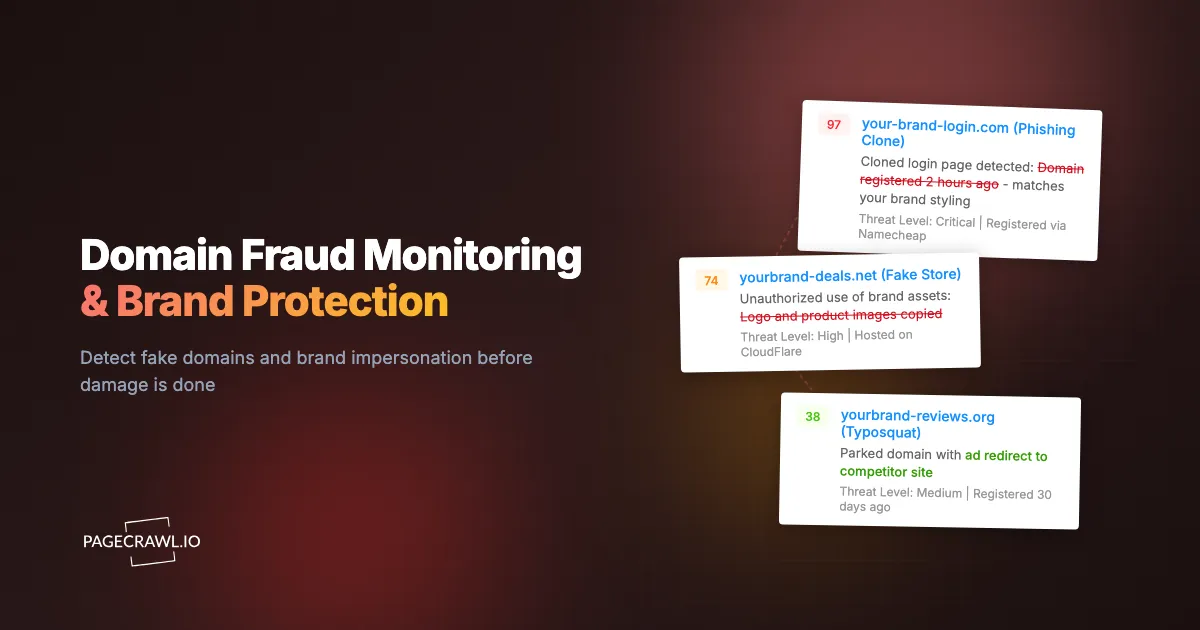
A parked domain with a generic hosting page is low risk. The same domain suddenly displaying a replica of your login page is an active threat. PageCrawl flags that transition on the first check that sees it, so the check interval you choose is your worst-case detection delay.
Setup:
- Create a list of known lookalike domains for your brand. Include common typos, character substitutions, and combosquatting variants.
- Add each domain as a PageCrawl monitor in fullpage mode.
- Set check frequency to every 6-12 hours. Fraudulent domains can activate quickly, and daily checks may miss a site that goes live and gets reported within 24 hours.
- Configure Telegram or Slack notifications so the right people see the alert quickly. The help centre article on notification conditions and filters shows how to route only the changes that matter to each channel.
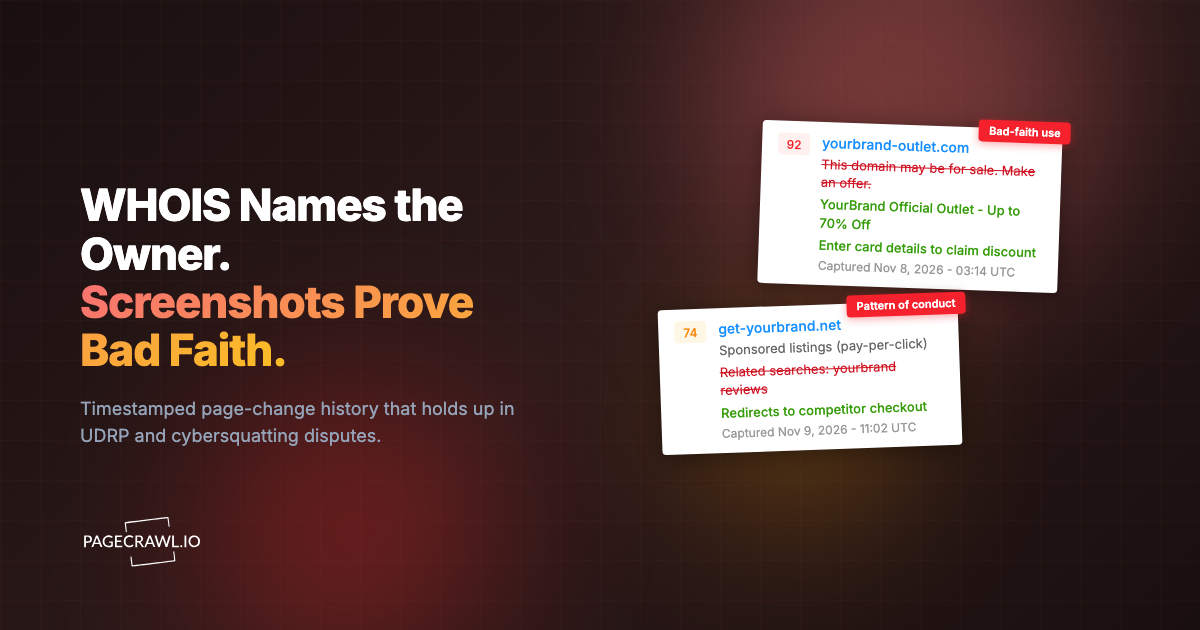
When PageCrawl detects a content change on a previously inactive domain, the alert includes a screenshot of the current page content. That visual evidence is directly useful for assessing the threat and starting takedown procedures.
Monitoring Your Own Brand Pages for Cloning Detection
A clever approach: monitor your own website's key pages and compare the content fingerprint against what appears on lookalike domains. If a fraudulent domain is serving a clone of your homepage, the content will be nearly identical.
PageCrawl can monitor both your legitimate site and suspected clones. When you compare the content side by side, a high similarity score indicates active cloning. This evidence strengthens takedown requests and legal proceedings.
For visual comparison of your pages against potential clones, the visual regression monitoring guide covers screenshot-based change detection techniques.
Building a Monitoring Dashboard
Organize your domain fraud monitors in a dedicated PageCrawl folder. Group monitors by threat category:
- Known typosquats: Domains differing by one to two characters
- Known combosquats: Domains adding words to your brand
- Reported phishing domains: Domains previously used in attacks that might reactivate
- Suspicious new registrations: Domains flagged by registration monitoring services
This organization provides a single view of your domain threat landscape. Use the PageCrawl API to pull monitoring data into your security team's existing dashboards; the help centre guide to the REST API and webhooks for custom integrations covers authentication and the available endpoints.
Automated Response with Webhooks
Connect PageCrawl alerts to your incident response workflow using webhooks. When a monitored lookalike domain changes (indicating activation), the webhook can trigger:
- Automatic ticket creation in your security team's queue
- Slack/Teams alerts to your brand protection team
- Automated screenshot capture for evidence preservation
- API calls to your takedown request workflow
This automation removes the wait for a person to notice an email alert: the workflow fires as soon as the check that spotted the change completes.
PageCrawl's AI importance scoring adds another layer of prioritization. Each detected change receives an importance score based on the nature of the content change. A parked domain switching to a generic "under construction" page gets a low score, while a parked domain suddenly displaying a clone of your login page gets a high score. This scoring lets your security team focus on the highest-risk activations first, which matters when you are monitoring dozens or hundreds of lookalike domains and cannot investigate every minor change by hand.
Combining Domain Monitoring with Web Monitoring
The most effective brand protection combines multiple monitoring layers.
Layer 1: Registration Monitoring
Use a domain registration monitoring service to watch for new domains containing your brand name. This catches threats at the earliest possible stage. Feed newly discovered lookalike domains into your PageCrawl monitoring setup.
Layer 2: Content Monitoring
Monitor known lookalike domains with PageCrawl to detect when they become active and host content. This catches the transition from dormant registration to active threat.
Layer 3: Reputation Monitoring
Monitor mentions of your brand across the web to catch phishing reports, customer complaints about fake sites, and social media posts about suspicious domains. PageCrawl can monitor specific pages where these reports appear. For broader reputation monitoring, see the online reputation monitoring guide.
Layer 4: Ongoing Surveillance
Even after takedown, continue monitoring previously fraudulent domains. Attackers often reactivate domains after takedown notices expire, or they transfer the domain to a new hosting provider and start again. Persistent monitoring catches reactivation.
Takedown Procedures
Detection is only useful if you can act on it. Here is a practical takedown workflow.
Evidence Collection
When you detect a fraudulent domain, collect evidence right away:
- Screenshot of the phishing site (PageCrawl provides this automatically with every check)
- WHOIS registration data
- DNS records
- Content comparison between the phishing site and your legitimate site
- Date and time of detection
- Any customer reports of fraud associated with the domain
This evidence package supports every subsequent step in the takedown process, and signed, timestamped web archives make each capture verifiable by a third party.
Registrar Abuse Report
Contact the domain registrar with a formal abuse report. Most registrars have abuse contact information in WHOIS records. Include your evidence package, a clear statement that the domain is being used for phishing, and proof that you own the legitimate brand.
Registrar response times vary. Major registrars (GoDaddy, Namecheap, Cloudflare) typically respond within 24-48 hours for clear phishing cases. Smaller or offshore registrars may take longer or not respond at all.
Hosting Provider Takedown
Separately, contact the hosting provider where the phishing site is deployed. The hosting provider can remove the content even if the domain remains registered. Identify the hosting provider from the domain's IP address or DNS records.
Hosting providers are often faster to act than registrars because they face direct liability for hosting fraudulent content.
UDRP and Legal Action
For persistent cases where registrar and hosting takedowns fail, the Uniform Domain-Name Dispute-Resolution Policy (UDRP), published by ICANN and administered by providers such as WIPO, provides a formal arbitration process. Proceedings usually run for around two months, and the provider publishes its own filing fees, which start in the low thousands of dollars for a single-member panel. For clear-cut cases of brand impersonation, UDRP outcomes strongly favor the trademark holder.
Legal action (cease and desist, civil litigation) is a last resort for high-value cases. The timestamped visual evidence collected through monitoring strengthens legal proceedings significantly. Confirm the current rules and fee schedule on the provider's own site and take advice from a trademark lawyer before filing; this article is informational, not legal advice.
Browser and Email Provider Reporting
Report phishing domains to Google Safe Browsing, Microsoft SmartScreen, and major email providers. Once flagged, these services warn users who attempt to visit the phishing site or receive emails containing the fraudulent URL. This limits damage even before the domain is taken down.
Building a Comprehensive Brand Protection Program
Domain fraud monitoring is one component of a broader brand and reputation monitoring strategy.
Regular Audit Cadence
Conduct monthly reviews of your domain monitoring setup. Add new domains discovered through registration monitoring. Remove domains that have been successfully taken down and confirmed inactive. Adjust check frequencies based on threat activity.
Employee Training
Your employees are both potential phishing targets and your first line of defense. Training that includes specific examples of your brand's lookalike domains makes the threat concrete. Share monitoring screenshots showing what fraudulent versions of your site look like.
Customer Communication
When you detect active phishing targeting your customers, communicate proactively. Email your customer base about the threat, post notices on your legitimate website, and provide clear guidance on how to verify they are on the real site. Transparency about the threat actually strengthens customer trust in your brand.
Metric Tracking
Track domain fraud metrics over time: number of lookalike domains detected, time from detection to takedown, number of active phishing sites at any given time, and customer-reported incidents. These metrics demonstrate the value of your monitoring investment and reveal trends in attack patterns.
Choosing your PageCrawl plan
PageCrawl's Free plan lets you monitor 6 pages with 220 checks per month, which is enough to validate the approach on your most critical pages. Most teams graduate to a paid plan once they see the value.
| Plan | Price | Pages | Checks / month | Frequency |
|---|---|---|---|---|
| Free | $0 | 6 | 220 | every 60 min |
| Standard | $8/mo or $80/yr | 100 | 15,000 | every 15 min |
| Enterprise | $30/mo or $300/yr | 500 | 100,000 | every 5 min |
| Ultimate | $99/mo or $999/yr | 1,000 | 100,000 | every 2 min |
Annual billing saves two months across every paid tier. Enterprise and Ultimate scale up to 100x if you need thousands of pages or multi-team access.
Domain fraud incidents can cost more in a single afternoon than years of monitoring subscriptions. Standard at $80/year covers 100 pages, which is enough to watch dozens of known lookalike domains, your own key brand pages, and the review sites and forums where phishing reports surface. Catching one fraudulent site before it reaches customers sidesteps chargebacks, support costs, and reputational damage that no subscription price can fully offset. Enterprise at $300/year covers 500 pages with SSO, 5-minute checks, and multi-team access.
All plans include the PageCrawl MCP Server, so your security team can query your entire monitoring history through Claude and get a clear picture of which lookalike domains changed, when they went active, and what content they are serving. AI assistants can create monitors through conversation on every plan, including Free.
Getting Started
Domain fraud monitoring does not require a massive security budget. Start with the domains you already know about and build from there.
Begin by generating a list of common typosquatting and combosquatting variations of your primary domain. Online tools can generate these variations automatically. Check which ones are registered, and add the registered domains to PageCrawl as monitors in fullpage mode.
Set up Slack or Telegram notifications so your team is alerted on the next check after any monitored domain changes. Configure webhooks to feed alerts into your security workflow.
PageCrawl's free tier includes 6 monitors, enough to watch your highest-risk lookalike domains and prove the monitoring approach before expanding. The Standard plan ($80/year for 100 pages) covers comprehensive monitoring of dozens of lookalike domains alongside your other monitoring needs. The Enterprise plan ($300/year for 500 pages) supports large-scale brand protection programs with hundreds of monitored domains across multiple brands.
Domain fraud is a persistent threat, but continuous monitoring turns it from an invisible risk into a manageable one. The first step is knowing when a fraudulent domain becomes active. Everything else follows from there.