Search rankings change constantly. Google says in How Search Works that it ships thousands of changes to Search every year, competitors publish new content daily, and your own website evolves with every deployment. A page that ranked number one last week can drop to page two overnight, and without monitoring, you might not notice until organic traffic has already declined.
SEO monitoring means systematically tracking the factors that affect your search visibility: your rankings, your on-page elements, your competitors' changes, and the technical health of your site. When something changes, whether it is a ranking drop, a competitor's new content strategy, or a broken meta tag on your own site, you want to hear about it on the next check rather than weeks later in an analytics report.
This guide covers what to monitor, how to set it up, and how to turn SEO monitoring into a workflow that catches problems before they cost you traffic.
Why do SEO changes go unnoticed?
SEO changes go unnoticed because most SEO problems are silent. Unlike a broken page that throws a 404 error or a payment system that fails visibly, SEO degradation happens gradually, leaves the page working normally for human visitors, and often goes unnoticed for weeks.
Accidental meta tag changes: A developer updates a page template and accidentally removes the meta description or changes the title tag. The page still works perfectly for users, but search engines now see different content. Without monitoring, this goes undetected until someone notices a traffic drop in analytics weeks later.
Content modifications: A content team updates a landing page, rewording the headline and restructuring the text. The changes improve readability but remove key phrases that were driving search traffic. The page drops from position 3 to position 12 for its target keyword.
Technical SEO regressions: A deployment adds a noindex tag to a section of the site, or changes the canonical URL structure, or breaks the internal linking. These issues are invisible to casual browsing but devastating to search rankings.
Competitor movements: A competitor publishes a comprehensive guide targeting your primary keyword, or acquires high-authority backlinks, or restructures their content to better match search intent. Your rankings shift even though nothing on your site changed.
Algorithm updates: Google rolls out a core update that changes how it evaluates content quality, page experience, or topical authority. Sites that were previously rewarded may now be demoted.
All of these scenarios share one characteristic: they are invisible without active monitoring.
What should you monitor for SEO?
Monitor four layers: the on-page SEO elements on your own site, your SERP rankings and features, your competitors' pages, and your technical SEO health. Each layer catches a different kind of failure, and together they cover almost every way organic traffic quietly disappears.
On-Page SEO Elements
These are the elements on your own website that directly affect how search engines understand and rank your pages.
Title tags: The most important on-page SEO element. Monitor your key landing pages to detect any changes to the <title> tag. A changed title can immediately affect rankings and click-through rates from search results.
Meta descriptions: While not a direct ranking factor, meta descriptions affect click-through rates. Monitor them to ensure they remain compelling and include target keywords.
Heading structure: H1 tags should contain your primary keyword and accurately describe page content. Monitor for changes that might dilute keyword relevance.
Canonical tags: These tell search engines which version of a page is the primary one. A wrong canonical URL can cause the wrong page to appear in search results, or worse, deindex the page entirely.
Robots directives: Monitor for accidental noindex, nofollow, or disallow changes that could remove pages from search results.
Structured data: Schema.org markup affects how your pages appear in search results (rich snippets, FAQs, reviews). Monitor for changes or errors in your structured data, and check the requirements in Google Search Central when you add a new type.
SERP Rankings and Features
Beyond your own site, monitor how your pages appear in search results.
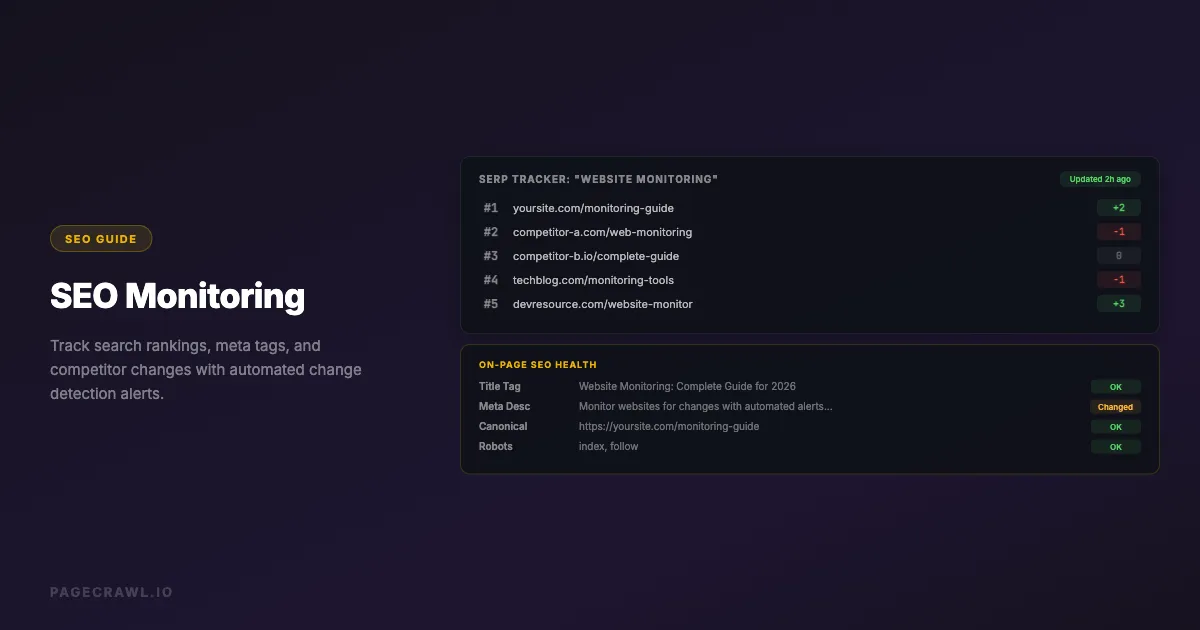
Keyword rankings: Track position changes for your target keywords with dedicated SERP monitoring tools. A drop from position 3 to position 8 can cut your click volume dramatically.
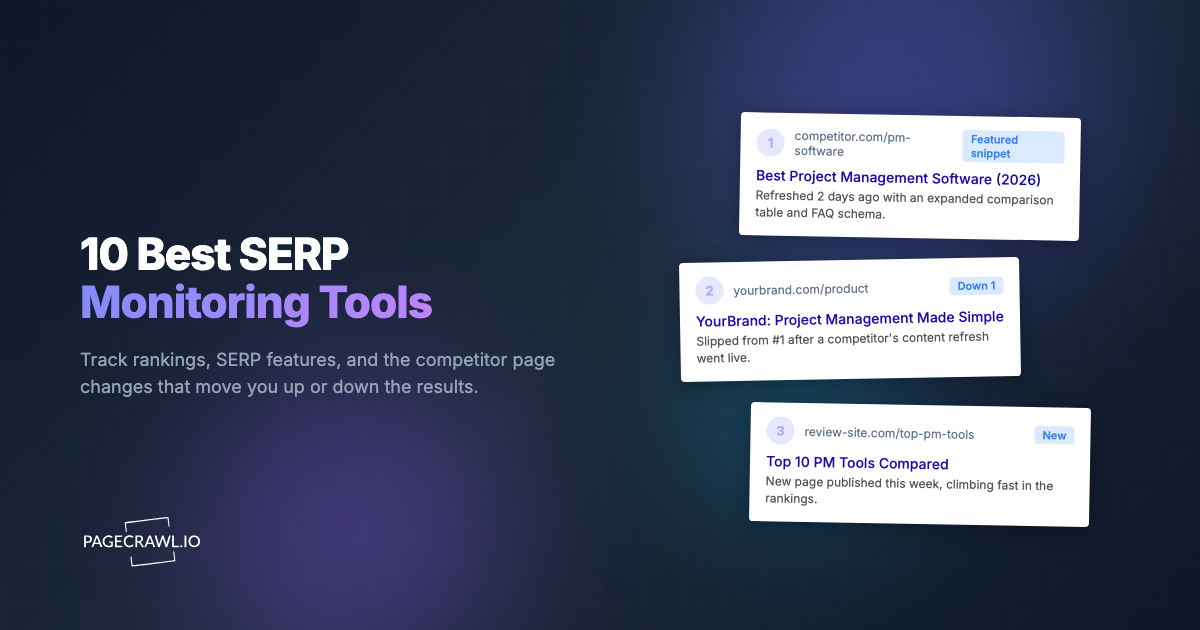
SERP features: Monitor whether your pages appear in featured snippets, People Also Ask boxes, knowledge panels, or other special search result features. Losing a featured snippet can dramatically reduce traffic even if your reported organic ranking stays the same.
Search result appearance: Track how your pages look in search results. Changes to title display, description truncation, or sitelinks affect click-through rates.
Competitor SEO Activity
Understanding what your competitors are doing helps you maintain and improve your rankings. For a comprehensive approach beyond SEO, see our guide on how to track competitor websites.
New content: Monitor competitor blogs and resource pages for new articles targeting keywords in your space. Early detection lets you respond with your own content before they gain ranking momentum.
Page optimizations: Track when competitors update their title tags, meta descriptions, or page content for key landing pages. These changes often signal a deliberate SEO push.
Site structure changes: Monitor competitor sitemaps and navigation for new sections, merged pages, or restructured content that might indicate a strategic shift.
Technical changes: Watch for competitors adopting new technologies (faster hosting, better Core Web Vitals) that could give them a ranking advantage.
Technical SEO Health
Monitor the technical foundation that supports your SEO efforts.
Sitemap changes: Your XML sitemap tells search engines which pages to index. Monitor it for unexpected additions, removals, or structural changes.
Robots.txt changes: This file, standardised as RFC 9309, controls what search engines can crawl. An incorrect robots.txt can block critical pages from being indexed.
Page speed and Core Web Vitals: Google uses page experience signals for ranking. Monitor your key pages for performance regressions.
HTTP status codes: Track your important pages for unexpected status code changes (200 to 301, 301 to 404, etc.).
SSL certificate status: An expired or misconfigured SSL certificate can cause ranking drops and security warnings. For broader infrastructure monitoring including DNS and WHOIS changes, see our domain monitoring guide.
Setting Up SEO Monitoring
Monitor Your Own Meta Tags
For your most important landing pages, set up monitors that track SEO-critical elements and alert you to changes.
Step 1: Identify your top 10-20 pages by organic traffic. These are the pages where SEO changes have the biggest impact.
Step 2: Create a monitor for each page and select SEO Tags as the tracking type. This automatically monitors the title tag, meta description, canonical URL, robots directive, H1 heading, and Open Graph tags, all in a single tracked element with no selectors to configure.
Step 3: Set check frequency to every few hours. Meta tag changes typically happen during deployments, not gradually.
Step 4: Route alerts to your SEO team's Slack channel so they can verify whether changes were intentional.
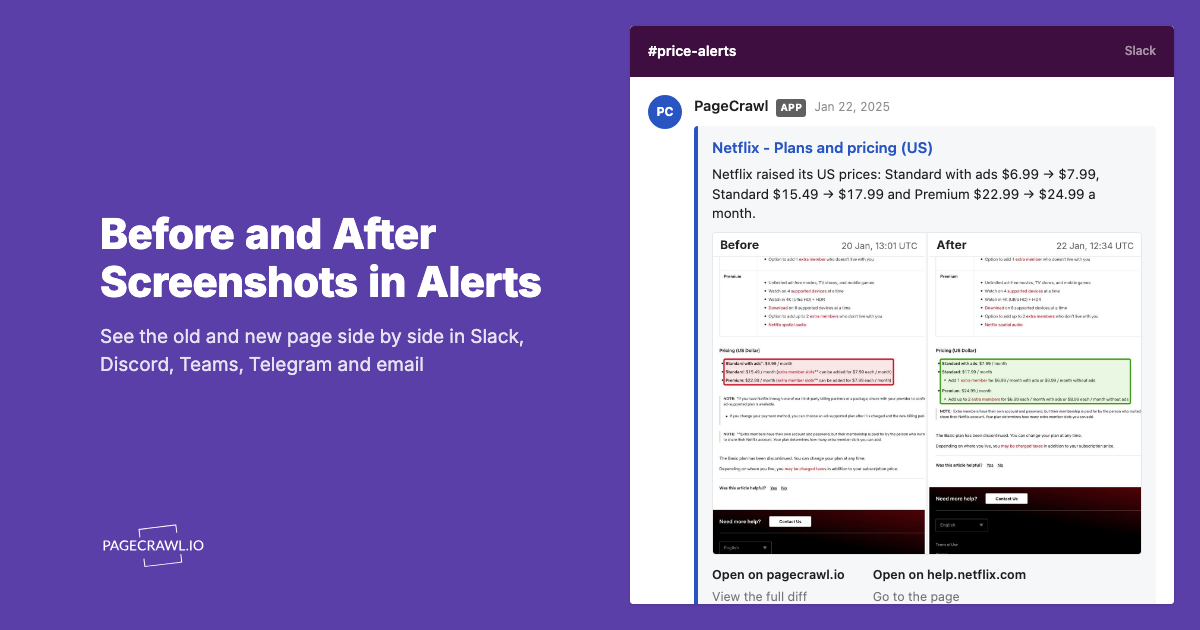
When any SEO tag changes, you will see exactly which field was modified and what the previous and new values are. This catches deployment-related SEO regressions within hours instead of weeks.
For more granular control, you can also monitor individual meta elements using CSS or XPath selectors. The help centre walkthrough on monitoring SEO tags for changes has specific selector examples for titles, meta descriptions, and Open Graph tags.
Monitor Competitor Content Pages
Track your competitors' key pages to understand their SEO strategy.
Identify competitor pages: For each of your target keywords, find the competitor pages that rank on page one. These are the pages to monitor.
Set up content monitoring: Create monitors for each competitor page using full page or reader mode. This captures content additions, rewrites, and structural changes.
Track their blog: Monitor competitor blog listing pages (or RSS feeds) so the next check picks up new content shortly after it goes live. When a competitor publishes a new guide targeting a keyword you care about, you want to know within hours, not weeks.
Check frequency: Daily monitoring is sufficient for competitor content. They are unlikely to update key pages more than once a day.
Monitor Your Sitemap
Your XML sitemap is a real-time indicator of your site's structure from an SEO perspective.
Monitor the sitemap URL: Set up a monitor on your sitemap (typically at /sitemap.xml). Track the full text content, or use sitemap monitoring, which detects new and removed URLs as a list instead of a raw text diff.
Why this matters: Sitemaps change when pages are added, removed, or their URLs change. Catching an unexpected page removal from the sitemap means you can investigate before search engines deindex the page.
Frequency: Check every few hours. Sitemap changes are typically tied to deployments or content management actions.
Monitor Search Console and Analytics Dashboards
If you use Google Search Console, Bing Webmaster Tools, or similar platforms, their web dashboards show performance data that you can monitor externally.
Search Console performance: While you cannot directly monitor the internal data, you can monitor the web interface for visual changes or set up automated exports.
Coverage reports: Monitor for increases in crawl errors, indexing issues, or coverage drops.
Note: For programmatic access to search data, consider using the Search Console API directly. External monitoring of these dashboards works as a supplement, not a replacement, for API-based tracking.
Monitoring Strategies by Website Type
E-commerce Sites
E-commerce sites have hundreds or thousands of product pages, making comprehensive monitoring challenging. Focus on:
Category pages: These are typically the highest-value SEO pages. Monitor title tags, meta descriptions, and H1 headings for your top 20 category pages.
Top product pages: Monitor your best-selling product pages for content changes, especially user-generated content (reviews) that can affect rankings.
Competitor pricing pages: Monitor competitor category pages for new products, price changes, and content updates that might affect comparative shopping searches.
Structured data: Product schema markup directly affects how your products appear in search results. Monitor for schema errors or changes.
Content and Media Sites
Content sites depend heavily on organic traffic. Monitor:
Pillar content: Your cornerstone articles that drive the most traffic. Monitor for any changes to title, description, and content structure.
Topic clusters: Monitor the pages within each topic cluster to ensure internal linking remains intact and content stays consistent.
Competitor editorial calendars: Track competitor publication pages to understand their content frequency and topic focus.
SERP features: Content sites often compete for featured snippets and People Also Ask positions. Monitor these volatile positions.
SaaS and B2B Sites
SaaS companies typically have a smaller number of high-value pages:
Landing pages: Monitor every conversion-focused landing page for SEO element changes.
Comparison pages: "Product vs Competitor" pages are high-intent SEO targets. Monitor your own and competitors' comparison content.
Documentation: Technical documentation can be a significant source of organic traffic. Monitor for structural changes that might affect indexing.
Pricing pages: These pages often rank for "[product] pricing" queries. Monitor competitor pricing pages for changes in positioning or features.
Local Businesses
Local SEO has its own monitoring requirements:
Google Business Profile: Monitor your profile listing for unauthorized changes or new competitor reviews.
Local pack results: Track your position in local search results for your primary keywords.
NAP consistency: Monitor your business name, address, and phone number across directories for inconsistencies.
Review sites: Monitor review platforms for new reviews that might need responses.
Building an SEO Monitoring Dashboard
Combine your SEO monitoring into a structured view that makes patterns visible.

Page health summary: For each monitored page, show the current status of title tag, meta description, canonical URL, and robots directives. Highlight any recent changes.
Competitor activity feed: A chronological list of detected changes across all competitor monitors. This reveals patterns like a competitor ramping up content production or optimizing key pages.
Alert history: Track which SEO elements changed and when. This creates an audit trail you can correlate with ranking changes. When you see a ranking drop, check your alert history for changes around the same time.
Change frequency trends: Track how often each monitored page changes. A page that suddenly starts changing frequently might be undergoing an optimization campaign.
Common SEO Monitoring Scenarios
Detecting Accidental Noindex Tags
A deployment adds a <meta name="robots" content="noindex"> tag to your blog template. Within one crawl cycle, search engines begin deindexing your blog posts. Your traffic starts dropping within days.
With monitoring on the blog template page, you would detect the noindex tag within hours of deployment. Your SEO team gets an alert, verifies it was unintentional, and works with the development team to fix it before any significant damage occurs.
Catching Competitor Content Updates
Your competitor rewrites their guide on a topic where you both compete for position one. They add 2,000 words of new content, update the title to better match search intent, and add comprehensive internal links.
Your monitor detects the rewrite on its next check. Your team can analyze what they changed, understand the strategic intent, and decide whether to update your own content in response.
Tracking Algorithm Update Impact
Google announces a core algorithm update. Over the following weeks, your monitoring shows competitor pages changing, likely in response to the update. Some competitors add author bios, others restructure their content, and some update their E-E-A-T signals.
By monitoring these reactions, you can understand what the update prioritizes and make informed decisions about your own response, rather than guessing.
Identifying Title Tag Regressions
Your CMS has a bug where saving a page sometimes resets the title tag to the page name instead of the custom SEO title. Without monitoring, each affected page gradually loses ranking for its target keywords.
With title tag monitoring, each occurrence triggers an alert. After seeing the same issue multiple times, your team identifies the CMS bug and fixes it permanently.
How do you reduce alert noise in SEO monitoring?
Reduce noise by tracking specific elements instead of whole pages, routing your own pages and competitor pages to separate channels, and reviewing competitor changes in weekly batches. SEO monitoring generates a lot of alerts otherwise, especially when you watch competitors. Here is how to keep the signal-to-noise ratio high.
Prioritize your own pages: Alerts for changes on your own pages should always be high priority. A broken meta tag on your site needs immediate attention. Route these to your primary alert channel.
Deprioritize competitor noise: Competitor pages change frequently for many reasons, and not all are SEO-related. Route competitor change alerts to a dedicated, lower-priority channel that your team reviews periodically rather than reacting to one by one.
Use content-specific monitoring: Instead of monitoring an entire page, target specific elements like the title tag or meta description. This filters out irrelevant changes like footer updates or ad rotation.
Batch competitor reviews: Rather than responding to every competitor change individually, review all competitor changes weekly. Look for patterns rather than individual changes.
Enable AI summaries: AI-generated summaries can quickly tell you the nature of a change ("Title tag updated from 'Best CRM Software' to 'Top CRM Software 2026'") without requiring you to manually compare before-and-after snapshots.
Measuring SEO Monitoring ROI
SEO monitoring pays for itself by catching problems early. Here is how to quantify the value.
Calculate traffic loss prevention: If a noindex bug goes undetected for 30 days and affects pages generating $10,000/month in organic traffic value, the cost of not monitoring is $10,000 or more. If monitoring catches it in 4 hours, the cost is negligible.
Competitive response time: Without competitor monitoring, you might notice a competitor's SEO push after they have already consolidated rankings. With monitoring, you can respond within days, when it is much easier and cheaper to compete.
Development bug detection: Meta tag and robots.txt monitoring acts as an SEO-specific test suite. Each deployment is automatically checked for SEO regressions, reducing the QA burden on your team, and the same monitors double as website QA and visual regression checks.
Track incidents over time: Keep a log of every SEO issue your monitoring caught. Over months, this log demonstrates the value of monitoring by showing issues that would have otherwise gone unnoticed.
Choosing your PageCrawl plan
PageCrawl's Free plan lets you monitor 6 pages with 220 checks per month, which is enough to validate the approach on your most critical pages. Most teams graduate to a paid plan once they see the value.
| Plan | Price | Pages | Checks / month | Frequency |
|---|---|---|---|---|
| Free | $0 | 6 | 220 | every 60 min |
| Standard | $8/mo or $80/yr | 100 | 15,000 | every 15 min |
| Enterprise | $30/mo or $300/yr | 500 | 100,000 | every 5 min |
| Ultimate | $99/mo or $999/yr | 1,000 | 100,000 | every 2 min |
Annual billing saves two months across every paid tier. Enterprise and Ultimate scale up to 100x if you need thousands of pages or multi-team access.
All plans include the PageCrawl MCP Server, letting you ask Claude to summarize competitor content changes, ranking-signal shifts, and site structure updates across your full monitoring set without manually digging through alert logs. AI assistants can create monitors through conversation on every plan, including Free.
Standard at $80/year covers 100 pages, enough to watch every high-traffic landing page, your top competitors' content hubs, and the technical files (robots.txt, sitemaps) where unexpected changes cause the most damage. A single ranking drop caught and reversed before a quarterly review typically covers the cost many times over. Enterprise at $300/year expands to 500 pages with 5-minute checks.
Getting Started
Begin with three monitoring categories and expand from there:
- Your own pages: Monitor title tags and meta descriptions on your top 10 organic landing pages. Set alerts to your team's Slack channel.
- Competitor content: Monitor the blog or resource pages of your top 3 competitors. Review changes weekly for strategic insights.
- Technical health: Monitor your robots.txt and XML sitemap for unexpected changes. These are high-severity alerts that should go to your engineering team.
This foundation takes about 20 minutes to set up and covers the most impactful SEO monitoring use cases. As you become comfortable with the workflow, expand to more pages, more competitors, and more granular element monitoring.