Your domain name is one of your most valuable digital assets. It is how customers find you, how email reaches your team, and how your brand is identified online. Yet most businesses only think about their domain when it is time to renew.
Domain monitoring goes beyond renewal reminders. It means tracking WHOIS records for ownership changes, watching DNS configurations for unauthorized modifications, monitoring the public web for typosquatting and brand abuse, and keeping tabs on competitor domain activity. When any of these things change, you want to hear about it on the next check, not weeks later from a customer.
This guide covers every aspect of domain monitoring, from protecting your own domains to watching the domain landscape around your brand.
Why does domain monitoring matter?
Domain monitoring matters because the three things that can quietly break your business online, an expired registration, an altered DNS record, and a lookalike domain used for phishing, all happen without anyone telling you. Each one is invisible until customers complain, and each is cheap to catch continuously.
Domain Expiration Risks
Letting a domain expire, even briefly, can have severe consequences:
Immediate traffic loss: All visitors to your website see an error page or a domain parking page. Email stops working. API endpoints go down.
SEO damage: Search engines remove expired domains from their index. Even after recovery, it can take weeks to regain rankings that took months or years to build. Domain health is a foundational part of SEO monitoring, alongside SEO change monitoring for meta tags and page content.
Domain hijacking: Expired domains are immediately targeted by automated systems that register them for resale, spam, phishing, or SEO manipulation. Recovering a hijacked domain can cost thousands and take months.
Brand damage: If someone registers your expired domain, they can put anything on it. Customers who visit your URL might see scam content, adult material, or a competitor's marketing.
Most registrars send renewal reminders, but these emails often go to an old email address, end up in spam folders, or get ignored by the person who originally registered the domain (who may no longer be with the company).
DNS Configuration Changes
DNS is the system that translates your domain name into the IP addresses where your services run. DNS changes can happen because of:
Unauthorized access: Someone gains access to your DNS management panel and redirects your domain to malicious servers.
Accidental misconfiguration: A team member makes a DNS change for one service and breaks another. For example, changing the A record while setting up a new CDN might break email delivery.
Provider issues: Your DNS provider experiences an outage or applies changes incorrectly.
Propagation problems: DNS changes propagate at different speeds across the internet, causing inconsistent behavior for different users.
Brand Protection
Your brand's domain landscape extends far beyond your primary domain:
Typosquatting: Someone registers common misspellings of your domain (e.g., gogle.com, goggle.com, gooogle.com) to capture traffic from typos.
Homograph attacks: Using international characters that look similar to ASCII characters (e.g., using a Cyrillic 'a' in place of a Latin 'a').
TLD variations: Someone registers your brand name under different top-level domains (.net, .org, .io, .co).
Competitor registration: A competitor registers a domain containing your brand name, like "brand-alternatives.com" or "brand-vs-competitor.com".
What should you actually monitor?
Monitor three layers: your own domains (WHOIS record, DNS records, SSL certificate, and registry status codes), your competitors' domains for launches and infrastructure moves, and brand-adjacent registrations such as typosquats and phishing lookalikes. The first layer is defensive and urgent, the other two are intelligence.
Your Own Domains
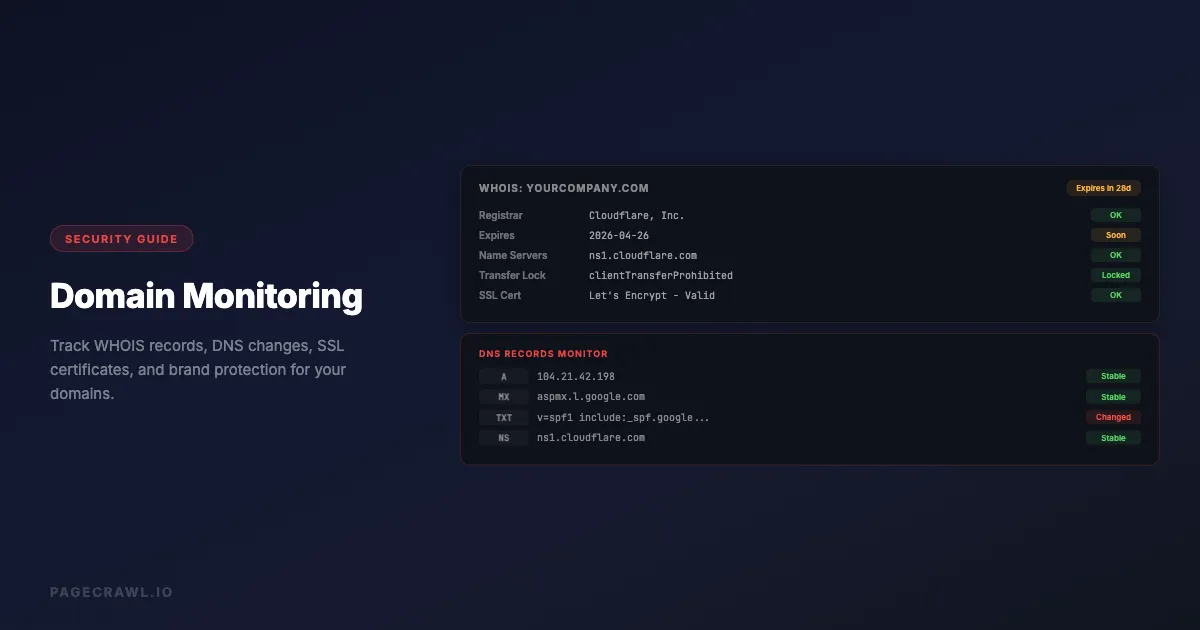
WHOIS records: The public registration database that shows domain ownership, registrar, creation date, expiration date, and name servers. Monitor for:
- Expiration date approaching
- Registrar changes (could indicate an unauthorized transfer)
- Name server changes (could indicate DNS hijacking)
- Contact information changes (could indicate social engineering)
DNS records: The actual configuration that determines where your domain points. Monitor:
- A/AAAA records (main website IP addresses)
- MX records (email routing)
- CNAME records (subdomains and aliases)
- TXT records (SPF, DKIM, and the DMARC policy defined in RFC 7489 for email authentication)
- NS records (name server delegation)
SSL certificates: Monitor certificate expiration, issuing authority, and configuration. An expired or changed certificate can indicate a security issue or cause browser warnings.
Domain status: ICANN EPP status codes like clientTransferProhibited, clientDeleteProhibited, and serverHold affect domain security and availability.
Competitor Domains
New domain registrations: Monitor when competitors register new domains, which might indicate upcoming product launches, rebrands, or market expansion.
DNS changes: Track when competitors change their hosting infrastructure (different IP addresses), switch CDN providers, or add new subdomains.
WHOIS updates: Changes to competitor WHOIS records can indicate corporate changes, acquisitions, or rebranding efforts.
Brand-Adjacent Domains
Typosquatting domains: Monitor common misspellings and variations of your brand domain for new registrations, the domain-layer complement to brand and reputation monitoring.
Phishing domains: Track new domain registrations that contain your brand name combined with words like "login", "secure", "account", or "verify".
Industry domains: Monitor domain registrations in your industry for new competitors or market entrants.
Setting Up Domain Monitoring

Monitor WHOIS Records Directly
PageCrawl has native WHOIS monitoring that queries the authoritative WHOIS server for a domain directly - the same way the whois command-line tool works. This is more reliable than monitoring third-party WHOIS lookup pages, which can change their layout or rate-limit scrapers.
Step 1: Create a new monitor and enter the domain URL (e.g. https://yourdomain.com).
Step 2: In the advanced settings, set the element type to WHOIS Record. PageCrawl extracts the registrable domain from the URL and queries the correct WHOIS server for that TLD automatically. The help-centre reference to available tracked element types lists the other native element types you can combine on the same domain.
Step 3: Set the "What matters to you" AI field to describe what changes you care about - for example, "Alert me if nameservers or registrar change, but ignore timestamp updates." The AI uses this to filter routine WHOIS timestamp refreshes from meaningful registration changes.
Step 4: Set check frequency to daily. WHOIS records do not change often, and WHOIS servers enforce rate limits. Daily monitoring catches all meaningful changes.
Step 5: Route alerts to your IT or security team. Any unexpected WHOIS change warrants investigation.
Monitor DNS Records Directly
PageCrawl has native DNS monitoring that resolves your domain's DNS records on every check. There is no lookup page to point at and no selector to write: you pick the record types and PageCrawl stores the resolved values.
Step 1: Create a new monitor and enter the domain URL (e.g. https://yourdomain.com).
Step 2: In the advanced settings, set the element type to DNS Records. Tick the record types you want to watch. MX, NS, TXT, SPF, and DMARC are ticked by default, and you can add A, AAAA, CNAME, SOA, CAA, SRV, or DKIM (which asks for your selector, for example google).
Step 3: Repeat for critical subdomains that resolve separately, such as mail.yourdomain.com or a customer-facing app hostname.
Step 4: Set check frequency to every few hours, or every 15 minutes for a domain that handles money or customer data. DNS changes take effect quickly, so a short interval keeps the gap between the edit and your alert small.
Step 5: Route alerts to your engineering team since DNS changes directly affect service availability. Every check stores the resolved records as a sorted plain-text list, so the change view shows exactly which record moved.
Monitor SSL Certificate Status
SSL certificate monitoring helps prevent the security warnings and downtime that come from expired or misconfigured certificates. PageCrawl can also watch the certificate directly, as described in the help-centre guide to website security monitoring for scripts, headers, and SSL.
Step 1: Use an SSL checker tool (like Qualys SSL Labs or sslshopper.com) that displays certificate details including expiration date.
Step 2: Monitor the SSL checker page for your domain. When the certificate changes (renewal, reissue, or expiration), you will be alerted.
Step 3: Check daily. Certificate renewals are predictable but important to verify.
Monitor Domain Registration Feeds
Several services publish feeds of new domain registrations. Monitoring these feeds for your brand name helps catch typosquatting and phishing attempts early.
Step 1: Identify a domain registration feed or newly registered domain database that covers the TLDs relevant to your brand.
Step 2: Set up a monitor to check for new registrations containing your brand name.
Step 3: Review alerts regularly and take action on registrations that could be used for brand abuse or phishing.
Domain Monitoring for Different Scenarios
Small Business
Focus on the essentials:
- Monitor your primary domain's WHOIS record for expiration and ownership changes
- Monitor DNS records to catch configuration errors
- Set calendar reminders 90, 60, and 30 days before domain expiration
- Enable registrar lock to prevent unauthorized transfers
- Use auto-renewal but still monitor as a backup
E-commerce
E-commerce businesses need extra protection:
- Everything from small business monitoring
- Monitor SSL certificate status (an expired cert kills sales immediately)
- Watch for typosquatting domains that could be used for phishing
- Monitor competitor domains for new product launches
- Track your domain's email authentication (SPF, DKIM, DMARC) records
Enterprise
Large organizations have complex domain portfolios:
- Monitor all domains in your portfolio (many enterprises own hundreds)
- Track subsidiary and brand variant domains
- Monitor for new registrations containing any of your brand names
- Watch competitor domain strategies
- Monitor DNS changes across all domains and critical subdomains
- Track DNSSEC configuration if implemented
- Monitor third-party domain dependencies (CDN CNAMEs, SaaS provider domains)
Brand-Focused Companies
Companies where brand is the primary asset:
- Comprehensive typosquatting monitoring across all major TLDs
- Monitor social media handle availability on new platforms
- Watch for domains combining your brand with common phishing terms
- Track domains used in any known brand abuse
- Monitor for lookalike domains using international characters
Common Domain Monitoring Scenarios
Detecting Unauthorized DNS Changes
The scenario: An attacker gains access to your DNS management panel (through stolen credentials, social engineering of your registrar, or compromising your DNS provider) and changes your A records to point to their server.
With monitoring: Your DNS monitoring detects the IP address change within hours. Your security team is alerted, investigates, and restores the correct records before most users are affected.
Without monitoring: Visitors are redirected to a fake version of your site. Credentials are stolen, phishing emails are sent from your domain, and the breach is only discovered when customers report it, often days later.
Catching Expiration Before It Happens
The scenario: Your domain is set to expire in 30 days. The person who originally registered it left the company a year ago. Renewal emails go to their old address.
With monitoring: WHOIS monitoring shows the expiration date approaching. Alerts fire 30 days before expiration, giving your team time to renew.
Without monitoring: The domain expires. Your website goes down, email stops working, and you discover the problem when customers start calling. If someone else registers the domain during the grace period, recovery becomes expensive and uncertain.
Identifying Brand Abuse Domains
The scenario: A phishing campaign targets your customers using a lookalike domain (your-brand-secure-login.com).
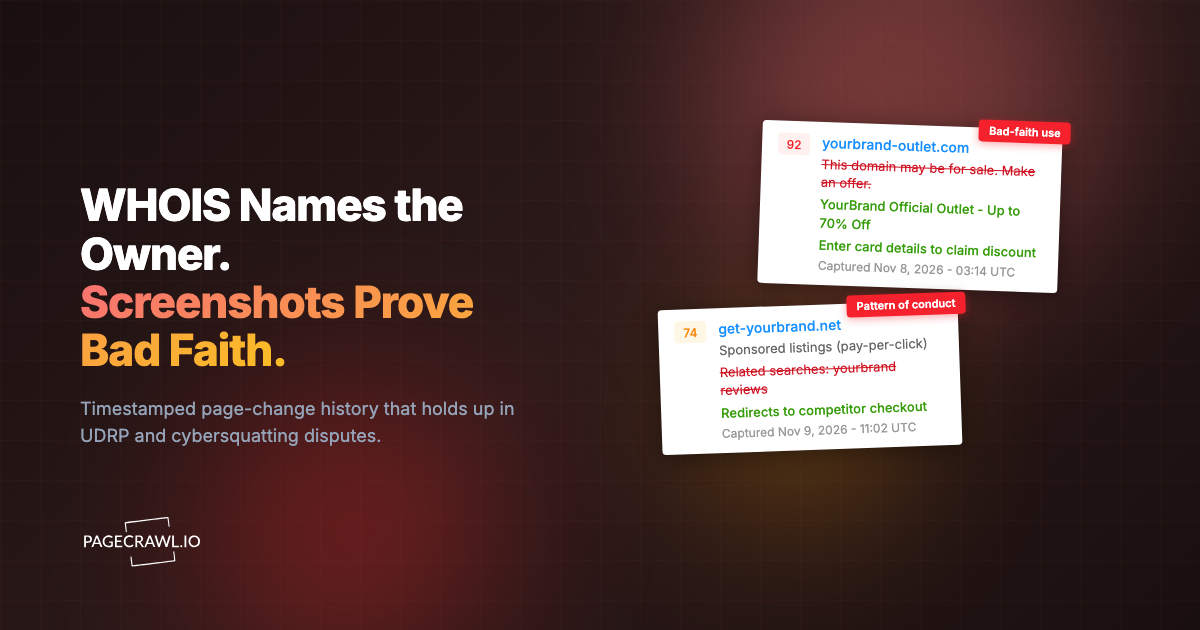
With monitoring: New domain registration monitoring catches the lookalike domain within 24 hours of registration. Your security team initiates a takedown, backed by timestamped visual evidence, before the phishing campaign launches.
Without monitoring: You find out about the phishing domain from customer reports or when your security vendor flags it, often after the campaign has already been running for days.
DNS Records to Monitor
| Record Type | What It Controls | Why Monitor It |
|---|---|---|
| A/AAAA | Website IP address | Detect hijacking or hosting changes |
| MX | Email routing | Catch email interception or misconfiguration |
| CNAME | Subdomains and aliases | Track subdomain changes |
| TXT | SPF, DKIM, DMARC | Detect email authentication changes |
| NS | Name server delegation | Catch DNS provider changes |
| SOA | Zone authority | Track zone configuration changes |
| CAA | Certificate authority | Control SSL certificate issuance |
How do you reduce domain monitoring alert noise?
You reduce noise by separating urgency levels, batching the informational alerts, and narrowing which records you watch. Domain monitoring generates far fewer alerts than website content monitoring, so a little triage usually gets you to a stream where every message is worth reading.
Separate urgency levels: WHOIS and DNS changes on your own domains are urgent (something changed about your infrastructure). Brand monitoring alerts are informational (something happened in the broader domain landscape that may or may not need action).
Batch brand monitoring: New domain registration alerts for brand variations can be reviewed weekly unless they contain high-risk terms like "login", "secure", or "payment".
Focus on critical records: You do not need to monitor every DNS record. Focus on A records, MX records, NS records, and TXT records (for email authentication). These cover the most impactful changes.
Use AI summaries: AI-powered change summaries can quickly tell you what changed (e.g., "MX record changed from mail.provider-a.com to mail.provider-b.com"), helping you quickly assess whether the change is expected.
Best Practices for Domain Security
In addition to monitoring, these practices reduce domain risk:
Enable registrar lock: Prevents unauthorized transfers. Most registrars call this "Transfer Lock" or "Domain Lock".
Use strong authentication: Enable two-factor authentication on your registrar account, DNS provider account, and any service that can modify your domain configuration.
Maintain accurate WHOIS contacts: Ensure the email address in your WHOIS record is current and monitored. This is how registrars send critical notifications.
Enable auto-renewal: Set all important domains to auto-renew. But do not rely on this alone because payment methods expire and billing issues can prevent automatic renewal.
Register defensively: Register common misspellings and all major TLD variants of your primary domain. The cost of a few extra domain registrations is trivial compared to the cost of brand abuse.
Document your domain portfolio: Maintain a spreadsheet or database of all domains your organization owns, their registrars, expiration dates, purpose, and responsible team member.
Choosing your PageCrawl plan
PageCrawl's Free plan lets you monitor 6 pages with 220 checks per month, which is enough to validate the approach on your most critical pages. Most teams graduate to a paid plan once they see the value.
| Plan | Price | Pages | Checks / month | Frequency |
|---|---|---|---|---|
| Free | $0 | 6 | 220 | every 60 min |
| Standard | $8/mo or $80/yr | 100 | 15,000 | every 15 min |
| Enterprise | $30/mo or $300/yr | 500 | 100,000 | every 5 min |
| Ultimate | $99/mo or $999/yr | 1,000 | 100,000 | every 2 min |
Annual billing saves two months across every paid tier. Enterprise and Ultimate scale up to 100x if you need thousands of pages or multi-team access.
Domain incidents are expensive. A hijacked domain, an expired certificate, or an unnoticed nameserver change can cause outages and reputational damage that dwarfs a year of monitoring costs. Standard at $80/year covers 100 pages at 15-minute checks, enough to watch WHOIS records, DNS records, and SSL certificates for your full primary domain portfolio. Enterprise at $300/year scales to 500 pages at 5-minute checks, timestamped screenshots, and SSO.
All plans include the PageCrawl MCP Server, so your team can pull a summary of every change across all monitored domains for any time window directly from Claude, which is useful when an incident happens and you need a quick timeline. AI assistants can create monitors through conversation on every plan, including Free.
Getting Started
Set up domain monitoring in three steps:
- Monitor your primary domain's WHOIS record using PageCrawl's native WHOIS monitoring. Route alerts to your IT team. See the full guide: Monitor WHOIS Records for Domain Changes.
- Monitor your domain's DNS records using PageCrawl's native DNS Records element. Route alerts to your engineering team. See the full guide: DNS and Email-Authentication Drift Monitoring.
- Monitor your SSL certificate status through an SSL checker. Route alerts to your operations team.
This foundation protects against the most common domain-related incidents: accidental expiration, unauthorized DNS changes, and expired SSL certificates. For regulated industries, domain monitoring pairs well with regulatory compliance monitoring. From there, expand into brand monitoring, competitor tracking, and defensive domain registration based on your organization's needs. For a broader overview of website monitoring beyond domains, see our complete guide to monitoring website changes.