When someone registers a domain using your trademark, you often cannot do much until the domain goes live. But there is an earlier signal: the WHOIS record. As soon as a domain's nameservers are configured, a registrar transfer completes, or the registration status changes, that information appears in the public WHOIS database. PageCrawl can monitor these records and alert you when its next check finds the record has changed.
What does a WHOIS record contain?
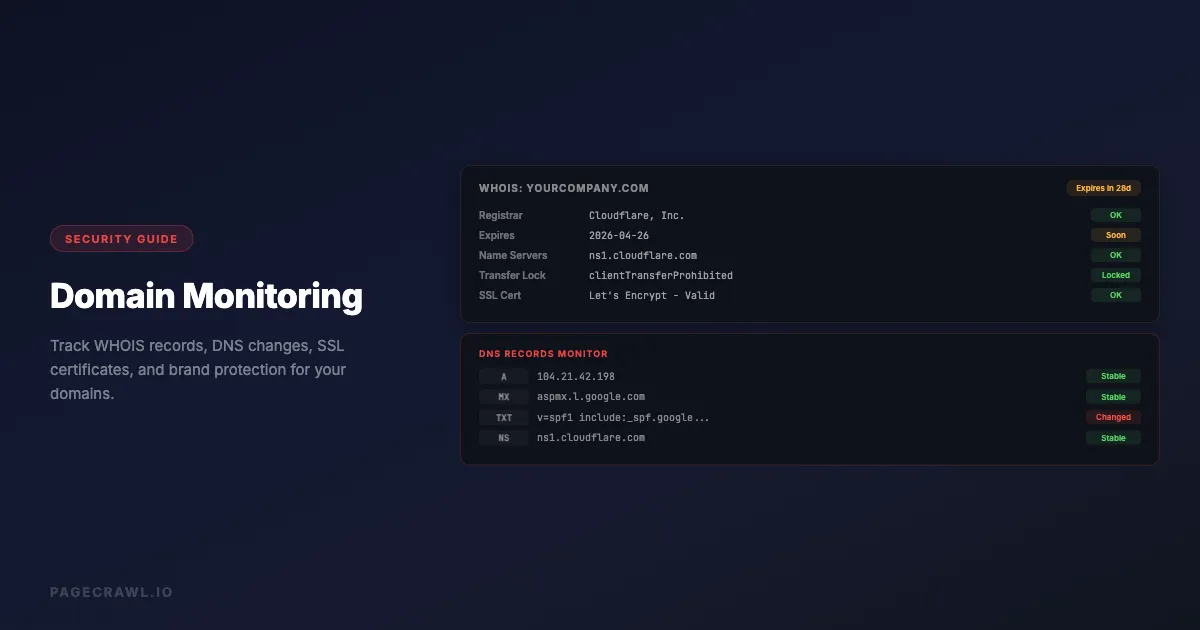
A WHOIS record holds the public registration data for a domain: its creation, update, and expiry dates, the registrar it sits with, its EPP status codes, its nameservers, and (where not redacted) the registrant's contact details. Every registered domain has one, maintained by its registrar and published through a global network of servers. You can read any domain's record yourself through ICANN Lookup. The record contains:
Registration details: Domain name, creation date, expiration date, last updated timestamp.
Registrar information: The company where the domain is registered (GoDaddy, Namecheap, Cloudflare Registrar, etc.) and the registrar's WHOIS server address.
Status codes: EPP status codes, defined by ICANN, that describe the domain's current state. A domain with only clientTransferProhibited is likely parked or inactive. Domains with ok status have no restrictions and are ready to use. Status codes change before any other observable behavior does.
Nameserver records: The DNS servers the domain points to. An inactive domain typically points to parking nameservers. When the registrant is ready to launch a site, they update these to point to their hosting provider - this is often the clearest signal that activation is imminent.
Registrant contact: In most jurisdictions, the registrant's name and contact information are published, though GDPR compliance has led many registrars to redact this for European registrants.
WHOIS data is updated quickly when changes are made through a registrar's control panel. PageCrawl queries the authoritative WHOIS server for each top-level domain directly, the one listed for that TLD in IANA's root zone database, so you see the same data the whois command-line tool returns.

Why does monitoring WHOIS changes matter?
Monitoring WHOIS matters because the registration record moves before the website does. Nameserver swaps, registrar transfers, status-code changes, and expiry shifts all show up in WHOIS days or weeks ahead of anything a visitor could see, which gives you a head start on squatters, competitor moves, and domains you want to acquire.
Trademark Domain Squatting
Cybersquatters register domains containing trademarks to hold them for ransom, attract confused visitors, or redirect traffic to competitors, which is why registration watching usually sits alongside brand and reputation monitoring in a trademark program. The pattern is predictable: a domain is registered, left inactive for weeks or months, then suddenly activated.
Monitoring WHOIS lets you catch the activation event. When nameservers change from a parking provider to a web host, that change appears in the WHOIS record before the website is live. You have a window to act before the domain starts affecting your brand's online reputation. Domain disputes are a legal matter: confirm what a record says against the official registry lookup and take advice from counsel before acting. This article is informational, not legal advice.
Competitor Domain Intelligence
Watching domains your competitors register - even inactive ones - reveals strategic intent. A competitor that registers a domain naming a city in your region may be expanding into your market. A registrar transfer from a budget registrar to a premium privacy-protected one often signals a domain is being prepared for serious use.
Domain Expiration Monitoring
Domains you care about (a former partner's domain, a product name you plan to acquire, a competitor's key domain) can expire without warning. WHOIS records show the expiration date, and changes to that date (renewals, redemption status changes) appear as WHOIS record changes. Combined with PageCrawl's change detection, you get alerted when any of these fields shift.
Registrar Transfer Alerts
Domain transfers between registrars are a common precursor to changes in ownership or hosting. Monitoring WHOIS lets you detect when a domain you care about changes hands, even if the public-facing website stays the same.
How do you set up WHOIS monitoring in PageCrawl?
Add a monitor for the domain, switch to Advanced mode, and choose the WHOIS Record tracked element. PageCrawl then queries the public WHOIS record once a day, stores the first result as a baseline, and alerts you through your chosen channels whenever a later check differs from it. Setup takes about a minute per domain.

Step 1: Create a New Monitor
Go to your PageCrawl workspace and click "Add monitor." Enter the domain URL you want to track - this can be a URL like https://pagecrawl.io or just the domain name. PageCrawl extracts the registrable domain automatically.
Step 2: Switch to Advanced Mode and Select WHOIS Record
On the monitor creation page, switch to Advanced mode. In the tracked element type selector, open the Advanced group and select WHOIS Record. PageCrawl will display an information panel confirming that it will query the public WHOIS record for this domain once per day, in compliance with WHOIS server rate limits. The reference list of available tracked element types shows what else you can attach to the same domain.
Step 3: Configure Notifications
Choose how you want to be notified. Email is enabled by default. You can also send alerts to Slack, Discord, Microsoft Teams, Telegram, or any webhook endpoint. If you are monitoring dozens of domains, a dedicated Slack channel works well.
Step 4: Save and Wait for the First Check
PageCrawl runs the first WHOIS check within a few minutes of saving the monitor. The result is stored as the baseline. Every subsequent daily check is compared against this baseline. If anything in the WHOIS text changes, you receive an alert showing exactly what changed.
How do you read a WHOIS change alert?
Read it as a text diff: PageCrawl shows the WHOIS record with lines removed since the previous check in red and lines added in green, so you can see exactly which field moved. Four fields carry most of the meaning: nameservers, status codes, expiry date, and registrar.
The most important changes to watch for:
Nameserver changes - look for lines starting with Name Server:. A change from parking.example.com to ns1.hostingprovider.com means the domain owner is setting up hosting.
Status code changes - clientHold being removed means a domain previously suspended by the registrar is being released. addPeriod disappearing means the domain is out of its initial registration grace period and the registrant is committed.
Expiration date changes - a renewed domain shifts its Registry Expiry Date forward. A domain in redemption has a different status code pattern entirely.
Registrar changes - the Registrar: line changing indicates a transfer between registrars, which sometimes precedes a change in ownership.
How do you stop routine WHOIS timestamps from triggering alerts?
Describe what you care about in plain English in the "What matters to you" field, and PageCrawl's AI filtering decides whether a given diff is worth an alert. WHOIS records carry timestamps that update constantly: the Updated Date: field changes every time any detail of the registration is touched, including routine automated updates by the registrar. Without guidance, every timestamp refresh would trigger an alert.
PageCrawl's AI analysis solves this. When creating a WHOIS monitor, fill in the "What matters to you" field with a plain-English description of what you care about. For example:
- "Alert me only if the nameservers change"
- "I want to know if the registrar or ownership changes, but not timestamp updates"
- "Notify me when the domain status changes or gets closer to expiry"
PageCrawl's AI reads the diff and uses your description to decide whether the change is relevant to you. Routine timestamp refreshes are silently ignored. Nameserver updates, registrar transfers, or status code changes that match your stated interest trigger an alert. You describe what matters in plain language, and the AI handles the filtering. The help centre article on AI-powered change detection and smart filtering explains how the summaries and importance scores are produced.
How do you monitor hundreds of domains at once?
Use templates to apply one WHOIS configuration to every new domain, tags to group monitors by trademark or campaign, the API to bulk-import suspect registrations, and a weekly digest instead of individual alerts. If you are running a brand protection program, those four tools keep a large watch list manageable:
Templates: Create a WHOIS monitor template with your preferred notification channels and rules already configured. When you add new suspicious domains to your watch list, apply the template to configure them consistently.
Tags: Label groups of monitors by campaign or trademark. Filter the dashboard to see all monitors for a specific trademark at once.
Bulk import: Use the PageCrawl API to programmatically add monitors when your legal team identifies new suspect registrations. The API accepts the same parameters as the UI.
Summary digests: If daily individual alerts become too noisy, switch to a weekly summary digest. This shows all changes detected across all WHOIS monitors in a single email, grouped by monitor.
Should you pair WHOIS monitoring with page monitoring?
Yes, because the two answer different questions. WHOIS monitoring tells you about registration record changes, but it does not tell you when a domain's website goes live. For complete coverage, add a second monitor for the same domain using fullpage text tracking, which also builds a signed, timestamped archive of every captured page state.
PageCrawl's recovery notification system handles this case. If the website is currently unreachable (returning a timeout or error), PageCrawl tracks the failure state. When a later check finds the domain resolving and the page loading successfully, PageCrawl sends a recovery alert on that check rather than holding it back for a batched window.
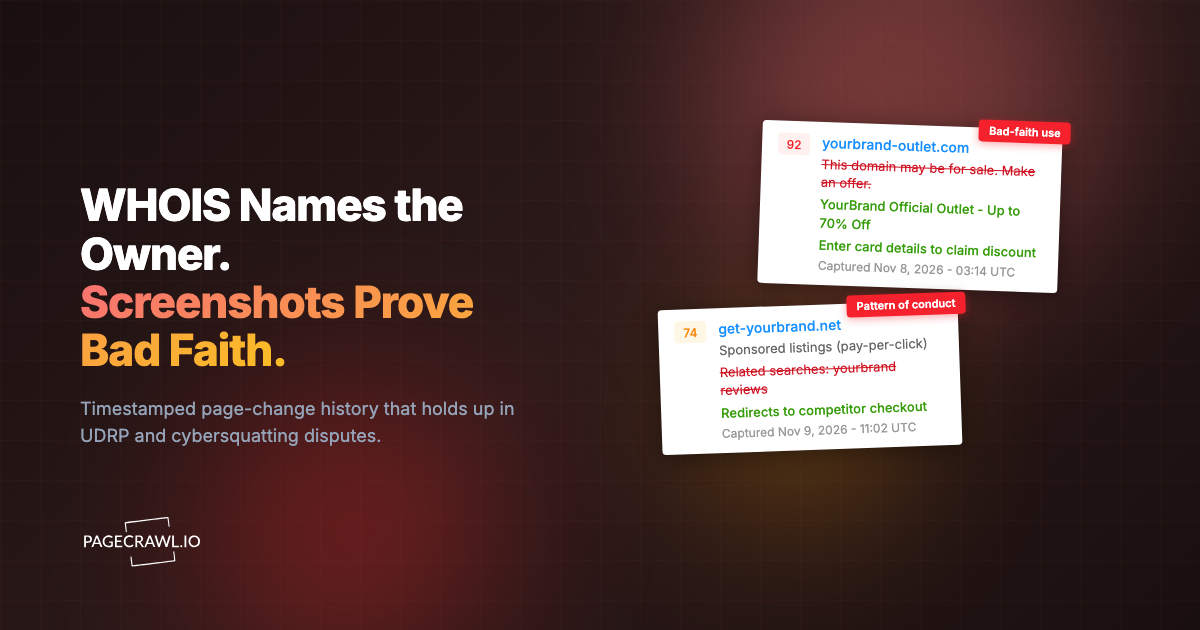
Together, these two monitors give you complete coverage: the WHOIS monitor catches preparation (nameserver changes) and the fullpage monitor catches activation (the website going live), capturing the timestamped screenshots that later serve as visual evidence in a UDRP dispute.
How often can PageCrawl check a WHOIS record?
Once per day. WHOIS monitors are capped at a 1440-minute frequency to respect the public WHOIS servers, and there is no per-query API cost on top of your plan. For brand protection that cadence is enough, because a registration record rarely changes more than once in the same day.
PageCrawl queries the public WHOIS servers directly using the same protocol as the whois command, which is free and open, so a WHOIS monitor consumes your normal check quota and nothing else. The one-check-per-day limit exists to keep that traffic polite rather than to ration a paid lookup service.
Nameserver changes, which sit alongside the broader DNS and email-authentication record drift worth watching, usually take a day or two to propagate globally anyway. A daily WHOIS check catches the change within one day of it being made, which is fast enough to be actionable.
Choosing your PageCrawl plan
PageCrawl's Free plan lets you monitor 6 pages with 220 checks per month, which is enough to validate the approach on your most critical pages. Most teams graduate to a paid plan once they see the value.
| Plan | Price | Pages | Checks / month | Frequency |
|---|---|---|---|---|
| Free | $0 | 6 | 220 | every 60 min |
| Standard | $8/mo or $80/yr | 100 | 15,000 | every 15 min |
| Enterprise | $30/mo or $300/yr | 500 | 100,000 | every 5 min |
| Ultimate | $99/mo or $999/yr | 1,000 | 100,000 | every 2 min |
Annual billing saves two months across every paid tier. Enterprise and Ultimate scale up to 100x if you need thousands of pages or multi-team access.
Standard at $80/year pays for itself the first time it catches a squatter activating a domain before your legal team would have noticed. Since WHOIS monitors run once daily and use minimal quota, 100 monitors covers a large trademark watch list alongside other monitoring your team already uses PageCrawl for. Enterprise at $300/year gives you 500 monitors and API access for bulk importing new suspect domains programmatically, which is worth it once your brand protection program grows beyond a handful of trademarks.