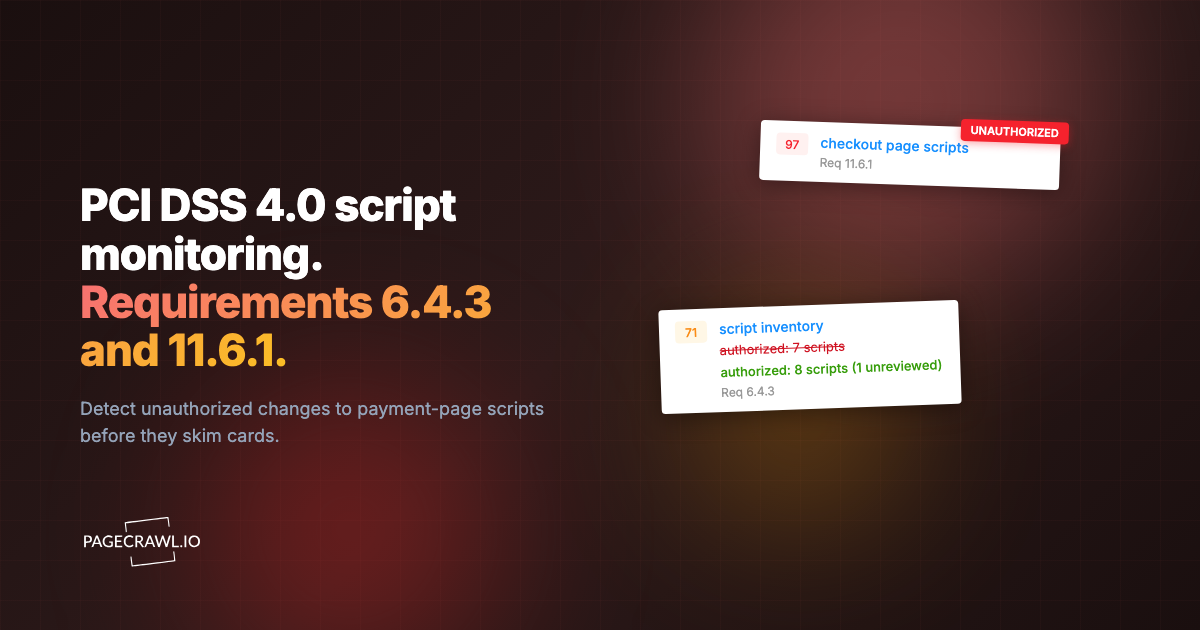
PCI DSS 4.0, the card-industry standard maintained by the PCI Security Standards Council, introduced requirement 11.6.1, and it changed how organizations think about payment page security. The requirement mandates that organizations deploy a change and tamper detection mechanism on payment pages to alert personnel to unauthorized modification of HTTP headers and payment page content. The compliance deadline for this requirement was March 31, 2025, meaning organizations processing card payments must now have this in place.
This is not a theoretical requirement. Web skimming attacks, where attackers inject malicious JavaScript into payment pages to steal credit card data, have affected major retailers, airlines, and e-commerce platforms. The British Airways breach, the Ticketmaster attack, and hundreds of Magecart incidents all exploited the same weakness: no one was monitoring what was actually being served on the payment page.
This guide explains what PCI DSS 11.6.1 requires, how website change detection supports compliance, and practical steps for implementation.
What does PCI DSS requirement 11.6.1 actually require?
It requires a change- and tamper-detection mechanism that alerts personnel when the HTTP headers or the contents of a payment page, as received by the consumer browser, are modified without authorization. The mechanism must evaluate the received header and page at least once every seven days, or more often if your targeted risk analysis says so.
What the Requirement Says
PCI DSS 4.0 requirement 11.6.1 states:
"A change- and tamper-detection mechanism is deployed as follows: To alert personnel to unauthorized modification of the HTTP headers and the contents of payment pages as received by the consumer browser. The mechanism is configured to evaluate the received HTTP header and payment page. The mechanism functions are performed as follows: At least once every seven days, OR periodically at the frequency defined in the entity's targeted risk analysis."
This breaks down into several specific requirements:
- Detection mechanism required: You must have a tool that detects changes to payment pages
- HTTP headers included: The monitoring must cover HTTP headers, not just page content
- Consumer browser perspective: The check must evaluate what the consumer's browser actually receives, not just what the server intends to send
- Alert personnel: Changes must trigger alerts to relevant staff
- Minimum weekly frequency: Checks must run at least once every seven days, though more frequent is better
Why This Requirement Exists
Web skimming attacks work by modifying what the customer's browser receives on a payment page. An attacker might:
Inject malicious JavaScript that captures credit card numbers as customers type them and sends the data to an attacker-controlled server.
Modify existing scripts to include data exfiltration code alongside legitimate payment processing functionality.
Add new script references that load malicious code from external domains.
Alter HTTP headers to weaken security policies (Content-Security-Policy, for example) that would otherwise prevent script injection.
Modify form actions to redirect payment data to attacker-controlled endpoints while still appearing to work normally for the customer.
These attacks are particularly dangerous because:
- The payment page looks and functions normally to the customer
- Server-side security tools do not see the injected client-side code
- The attack can persist for weeks or months before detection
- Thousands of card numbers can be stolen before anyone notices
Requirement 11.6.1 directly addresses this attack vector by requiring organizations to monitor what their payment pages actually deliver to browsers.
Who Must Comply
Any organization that processes, stores, or transmits cardholder data and has payment pages accessible via the web. This includes:
- E-commerce websites with checkout pages
- Organizations using hosted payment forms (iframes) on their pages
- Service providers that host payment pages for merchants
- Any entity with web-based payment acceptance
Even if you use a third-party payment processor like Stripe or Braintree, if the payment form appears on your domain (even as an iframe), your surrounding page content and headers need to be monitored.
How does website change detection support 11.6.1?
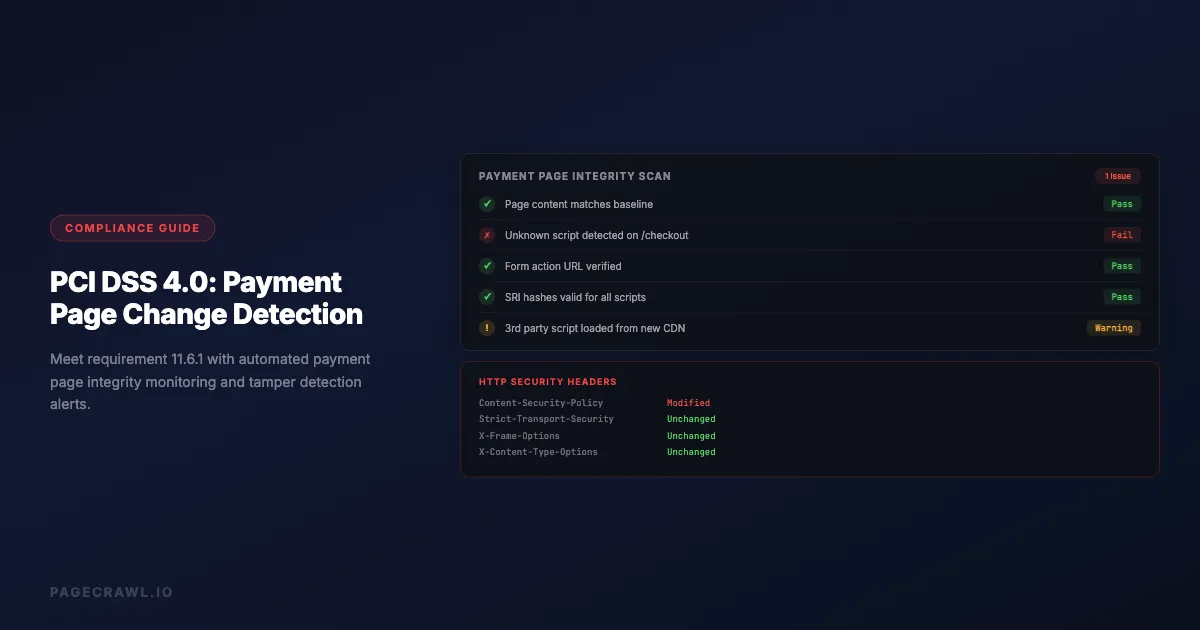
It covers the detection-and-alert half of the requirement. The tool loads each payment page in a real browser on a schedule, captures the fully rendered content and the response headers exactly as a customer's browser receives them, compares both against the last known-good state, and alerts your team when anything differs.

Monitoring Payment Page Content
Website change detection tools can monitor the full rendered content of your payment pages as seen by a browser. This means the tool loads your payment page in a real browser, waits for all JavaScript to execute, and captures the resulting page content.
This approach catches:
Script injection. If an attacker adds a new <script> tag to your payment page, the change detection tool sees the new script in the rendered page content and triggers an alert.
Modified script references. If a legitimate script URL is changed to point to a different location, or if a script's integrity hash changes, this appears as a content change.
Hidden form fields. Attackers sometimes add hidden form fields that capture card data. These appear in the page HTML even though they are invisible to the customer.
Modified form actions. If the form's submission URL is changed to redirect data to an attacker, this shows up as a change in the page content.
New iframes. Malicious iframes added to overlay or replace legitimate payment forms are detected as new content.
Monitoring HTTP Headers
HTTP headers control critical security behaviors on payment pages:
Content-Security-Policy (CSP). Defines which scripts, styles, and resources the browser is allowed to load. Weakening CSP is a common prerequisite for script injection attacks.
Strict-Transport-Security (HSTS). Ensures the connection uses HTTPS. Removing or weakening this header could enable man-in-the-middle attacks.
X-Frame-Options. Controls whether the page can be embedded in iframes. Changes could enable clickjacking attacks.
X-Content-Type-Options. Prevents MIME type sniffing. Removing this header could allow attackers to execute scripts disguised as other content types.
Referrer-Policy. Controls what referrer information is sent with requests. Changes could leak sensitive URL parameters.
A website change detection tool that monitors from the browser perspective captures these headers on every check and alerts when they change.
Meeting the Frequency Requirement
PCI DSS 11.6.1 requires monitoring at least once every seven days. However, the standard also notes that more frequent monitoring is more effective. Consider:
Daily monitoring provides a good balance between detection speed and alert volume for most organizations. If an attacker injects a skimmer on Monday, you know by Tuesday.
Hourly monitoring is appropriate for high-traffic payment pages where even a few hours of compromise could affect thousands of transactions.
Weekly monitoring meets the minimum requirement but means an attacker could have up to seven days of undetected access to card data.
Your check frequency should match your transaction volume and risk tolerance. A site processing 10,000 transactions per day has a much higher risk exposure from delayed detection than a site processing 100 transactions per week.
Setting Up Compliance Monitoring
Step 1: Identify All Payment Pages
List every page in your web application that handles payment information:
- Checkout pages where customers enter credit card details
- Payment form pages including hosted payment form containers (iframes from Stripe, Braintree, etc.)
- Account pages where customers can update stored payment methods
- Subscription management pages where payment details might be displayed or modified
- Point of sale landing pages for in-store payment terminals that use web interfaces
Do not forget about:
- Mobile web payment flows (these may have different URLs or rendering)
- A/B test variants of checkout pages
- Staging or development payment pages that use real card processing
Step 2: Configure Page Monitoring
For each payment page, set up monitoring that captures:
Full page content. Use a monitoring approach that renders the page in a real browser. Simple HTTP request-based monitoring does not execute JavaScript and will miss script injection attacks that load content dynamically.
HTTP response headers. Ensure your monitoring captures the full set of HTTP headers returned with the payment page. Key headers to track include Content-Security-Policy, Strict-Transport-Security, X-Frame-Options, and X-Content-Type-Options. PageCrawl's website security monitoring for scripts, headers, and SSL watches this set on a page and flags injected scripts and weakened headers.
Loaded resources. If possible, monitor the list of external resources (scripts, stylesheets, iframes) that the payment page loads. A new script from an unknown domain is a strong indicator of compromise.
Step 3: Set Check Frequency
Based on your risk assessment:
- High-volume e-commerce (1000+ transactions/day): Check every 1-4 hours
- Medium-volume e-commerce (100-1000 transactions/day): Check every 4-12 hours
- Low-volume e-commerce (under 100 transactions/day): Check daily
- Minimum compliance: Check weekly (not recommended as your primary schedule)
Document your frequency choice and the risk analysis that supports it. PCI assessors will want to see that you made a deliberate, risk-informed decision.
Step 4: Configure Alerts
Alerts for payment page changes must reach the right people quickly:
Security team. All payment page content changes should alert your security team. They need to assess whether a change is authorized (a legitimate deployment) or unauthorized (a potential attack).
Incident response team. Critical changes (new scripts, header modifications, form action changes) should trigger incident response procedures.
PCI compliance officer. Payment page monitoring alerts should be visible to whoever manages PCI compliance for your organization.
Alert channels:
- Email for standard changes
- Slack/Teams for fast team visibility
- Webhook to your SIEM or incident management platform for automated triage (the REST API and webhook documentation covers the payload format)
- SMS or phone for critical, after-hours alerts
Step 5: Document Your Process
PCI assessors need to see documentation of your monitoring approach:
Change detection policy. Document what you monitor, how often, and who receives alerts.
Authorized change process. Define how legitimate changes to payment pages are handled. Deployments should be expected changes that your team can verify against deployment records.
Incident response procedures. Define what happens when an unauthorized change is detected. Who investigates? What is the escalation path? When do you involve forensics?
Evidence retention. Keep logs of all monitoring checks, detected changes, and investigation outcomes. PCI DSS requires 12 months of logs. A structured website archiving workflow helps you maintain these records reliably, and the guide to packaging an audit trail for a regulator shows how to assemble the bundle an assessor can verify independently.
Practical Monitoring Strategies
Monitoring Hosted Payment Forms
Many organizations use hosted payment forms (Stripe Elements, Braintree Drop-in, Adyen web components) to reduce their PCI scope. However, 11.6.1 still applies to the page surrounding the hosted form.
What to monitor:
- The parent page content and headers (your domain)
- The iframe source URL (ensure it still points to the legitimate payment processor)
- Any JavaScript on your page that initializes or configures the payment form
- CSP headers that control which domains can be loaded in iframes
What you cannot monitor:
- The content inside the hosted payment form iframe (this is the processor's responsibility)
- The processor's infrastructure and security
Even with hosted payment forms, attackers can inject scripts on your parent page that overlay the legitimate payment form with a fake one, capturing card data before or instead of the real form.
Monitoring Single Page Applications
If your checkout is a single page application (SPA) built with React, Vue, or Angular, monitoring requires special consideration:
Client-side rendering. The payment page content is generated by JavaScript. Your monitoring tool must execute JavaScript to see the actual payment form content, not just the initial HTML shell.
Dynamic state. The payment form might only appear after several navigation steps within the SPA. Your monitor needs to navigate to the payment state, not just load the initial URL.
JavaScript bundle monitoring. In SPAs, most of the payment logic is in JavaScript bundles. Monitor the bundle files themselves (by URL and hash) for changes. A modified bundle could contain skimming code.
Baseline and Change Verification
Establish a baseline of what your payment page should look like:
- Record the initial state. When you first set up monitoring, record the full content, headers, and resource list as your baseline
- Update baseline on legitimate changes. When your team deploys updates to the payment page, verify the changes match what was deployed and update the baseline
- Flag anything unexpected. Any change that does not correspond to a known deployment is potentially unauthorized and needs investigation
This baseline approach reduces false positives because your team knows exactly what the payment page should contain at any given time.
Common PCI DSS 11.6.1 Questions
Does This Apply to SAQ A Merchants?
SAQ A merchants fully outsource payment processing and do not have payment pages on their own website. However, if you redirect customers to a payment page or embed a payment form via iframe on your site, you may need to monitor the page that contains the redirect or iframe.
Consult your Qualified Security Assessor (QSA) for guidance specific to your implementation.
What About Third-Party Scripts on Payment Pages?
Third-party scripts (analytics tags, chat widgets, A/B testing tools) on payment pages are a significant risk factor. Each third-party script is a potential attack vector if that third party is compromised.
Best practice: Remove all unnecessary third-party scripts from payment pages. For scripts that must remain, monitor them for changes and include them in your Content-Security-Policy.
Monitoring approach: Track the URLs and content hashes of all scripts loaded on payment pages. Alert when a new script appears or an existing script's content changes.
How Do I Handle Legitimate Changes?
Legitimate changes to payment pages (deployments, updates, A/B tests) will trigger alerts. Your process needs to handle these efficiently:
- Deployment notifications. When your team deploys changes to payment pages, notify the security team so they expect the monitoring alert
- Change verification. When an alert fires after a deployment, verify that the detected changes match what was deployed, the same verify-against-deploy loop used in website QA and visual regression monitoring
- Alert tuning. If certain elements change frequently for legitimate reasons (timestamps, session tokens, dynamic content), configure your monitoring to exclude these elements while still catching structural changes
What Evidence Do Assessors Want?
PCI assessors typically want to see:
- Tool configuration: Proof that payment pages are monitored with the correct frequency
- Alert history: Logs showing that monitoring is active and alerts are being generated and reviewed
- Investigation records: Documentation of how detected changes were investigated and resolved
- Incident response: Evidence that your team knows what to do when an unauthorized change is detected
- Risk analysis: If checking less frequently than weekly, documentation of the risk analysis that determined the frequency
What should you do beyond minimum compliance?
Add the structural controls that stop an injection rather than just record it: a strict Content-Security-Policy, Subresource Integrity on every script that does not change per load, monitoring of the JavaScript bundle files themselves, and client-side reporting from real customer browsers. Meeting the minimum of 11.6.1 is necessary but not sufficient.
Content Security Policy
Implement a strict Content-Security-Policy header on all payment pages. CSP tells the browser exactly which scripts, styles, and resources are allowed to load. A properly configured CSP can prevent most script injection attacks even if an attacker manages to modify the page content.
Monitor your CSP headers for unauthorized changes. A weakened CSP could be the first step of an attack.
Subresource Integrity
Use Subresource Integrity (SRI) hashes on all script and stylesheet references on payment pages. SRI ensures that the browser only executes scripts whose content matches a known hash. If an attacker modifies a script file, the browser refuses to execute it.
Script Monitoring
Beyond monitoring the payment page itself, monitor the individual JavaScript files that the page loads. Changes to a JavaScript file could introduce skimming functionality without changing the payment page HTML at all.
Real User Monitoring
Consider implementing client-side monitoring that runs in actual customer browsers and reports back on what resources are loaded, what scripts are executing, and whether any unexpected network requests are being made from payment pages.
Implementation Timeline
For organizations that need to implement or improve their 11.6.1 compliance:
Week 1: Assessment
- Inventory all payment pages and payment-related URLs
- Document current security controls on these pages
- Identify gaps in current monitoring
Week 2: Tool Setup
- Configure website change detection for all payment pages
- Set up monitoring for HTTP headers
- Configure alert routing to security team
Week 3: Baseline and Testing
- Establish baseline content for all payment pages
- Test detection by making controlled changes
- Verify alerts reach the correct personnel
- Tune out legitimate dynamic content that causes false positives
Week 4: Documentation and Validation
- Document the monitoring policy and procedures
- Document the incident response process for detected changes
- Run a tabletop exercise for an unauthorized change scenario
- Prepare evidence package for QSA review
Choosing your PageCrawl plan
PageCrawl's Free plan lets you monitor 6 pages with 220 checks per month, which is enough to validate the approach on your most critical pages. Most teams graduate to a paid plan once they see the value.
| Plan | Price | Pages | Checks / month | Frequency |
|---|---|---|---|---|
| Free | $0 | 6 | 220 | every 60 min |
| Standard | $8/mo or $80/yr | 100 | 15,000 | every 15 min |
| Enterprise | $30/mo or $300/yr | 500 | 100,000 | every 5 min |
| Ultimate | $99/mo or $999/yr | 1,000 | 100,000 | every 2 min |
Annual billing saves two months across every paid tier. Enterprise and Ultimate scale up to 100x if you need thousands of pages or multi-team access.
PCI DSS Requirement 11.6.1 mandates that unauthorized script changes trigger alerts within seven days at most. Standard at $80/year covers 100 pages with checks every 15 minutes, which is more than sufficient for most merchants monitoring their payment and checkout pages. For larger deployments with multiple payment flows, checkout variants, and third-party script sources, Enterprise at $300/year covers 500 pages with 5-minute checks and includes timestamped screenshots that give your QSA the evidence they need during assessment.
All plans include the PageCrawl MCP Server, so your security team can ask an AI assistant to pull every change detected on payment pages during a specific date range, turning raw monitoring history into a structured incident log without manual digging. AI assistants can create monitors through conversation on every plan, including Free.
Getting Started
Implement PCI DSS 11.6.1 compliant monitoring in three steps:
Monitor your payment pages now. Set up browser-based content monitoring on every page where customers enter or see payment information. Configure daily checks at minimum, and ensure the monitoring captures both page content and HTTP headers. Route alerts to your security team.
Establish a change verification process. Create a simple workflow: when a payment page change is detected, verify it against your deployment records. If the change was expected, document verification and update your baseline. If it was not expected, escalate to incident response.
Document everything for your assessor. Keep logs of all monitoring checks, alert investigations, and baseline updates. Document your risk analysis for check frequency, your alert routing, and your incident response procedures. This documentation is what turns a monitoring tool into PCI compliance evidence.
Payment page integrity monitoring is not just a compliance checkbox. It protects your customers' financial data from one of the most common and damaging attack vectors in e-commerce. Organizations that implement robust monitoring catch attacks early, limit damage, and maintain the trust their customers place in them when they enter their card details. If your organization faces compliance requirements beyond PCI DSS, our guide on regulatory compliance monitoring covers how to track changes across multiple regulatory bodies.