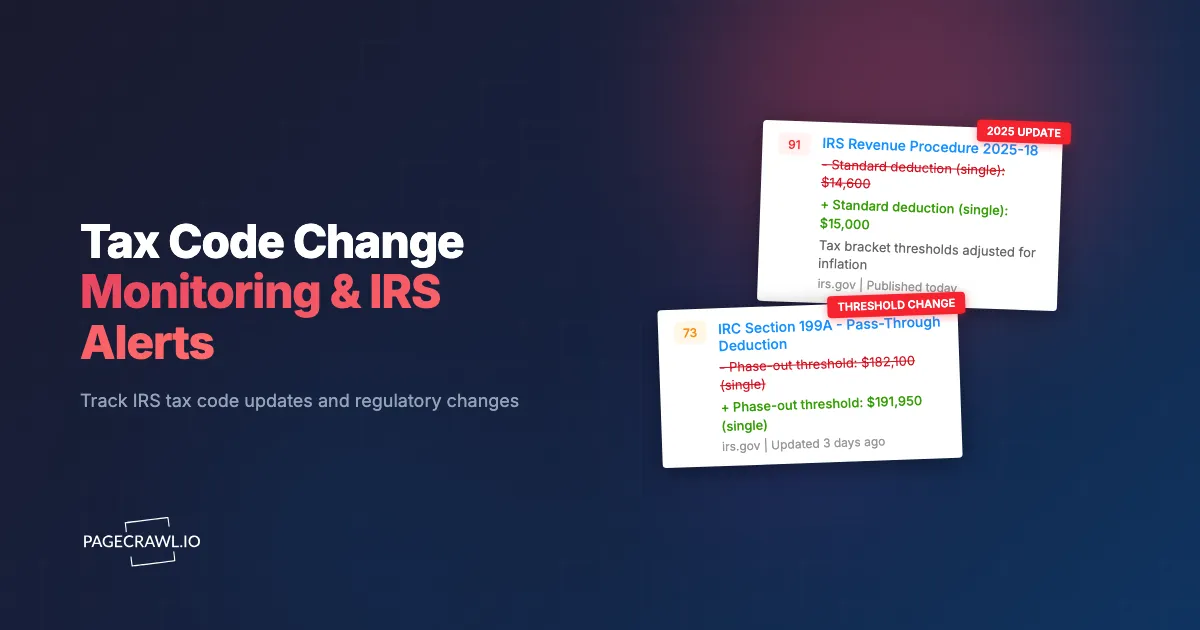
A revenue ruling published last month changed how your largest client's employee stock option plans are taxed. Your firm found out two weeks after the ruling was posted, during a routine quarterly review. By then, the client had already processed transactions under the old interpretation. The correction will cost them time, money, and confidence in your advice.
Tax law does not change on a predictable schedule. The IRS publishes revenue rulings, revenue procedures, notices, announcements, and proposed and final regulations throughout the year. Congress passes legislation that rewrites sections of the Internal Revenue Code with varying effective dates. State legislatures make their own changes, sometimes conforming to federal updates and sometimes diverging entirely. Courts issue decisions that reinterpret existing statutes. The cumulative result is a continuous stream of changes that tax professionals must track across dozens of sources.
This guide covers why automated tax code monitoring matters, what sources to track, how to set up monitoring for IRS and state tax authority pages, and how to build a systematic tax intelligence workflow that ensures your team catches every relevant change.
Why does tax code monitoring matter?
Tax code monitoring matters because guidance arrives continuously from sources that do not coordinate with each other, and advice built on superseded law creates malpractice exposure, missed planning windows, and compliance failures. Manual checking cannot cover the IRS, Treasury, Congress, the courts, and 50 states at once.
The Volume of Annual Changes
The IRS alone publishes hundreds of pieces of guidance each year. Revenue rulings, revenue procedures, notices, announcements, temporary regulations, proposed regulations, and final regulations each carry different levels of authority and different implications for tax practice. The Internal Revenue Bulletin, published weekly, compiles this guidance, but individual items often appear on IRS.gov days before the Bulletin is published.
Beyond the IRS, the Treasury Department issues proposed and final regulations through the Federal Register. Congressional legislation introduces new provisions or modifies existing ones. Tax treaties with foreign countries are negotiated and ratified. Each of these sources publishes on its own schedule, in its own format, on its own website.
For firms serving clients across multiple states, add 50 state tax authorities (plus the District of Columbia and US territories), each with their own legislative sessions, administrative rulings, and regulatory updates. The total volume of potentially relevant tax changes numbers in the thousands per year.
The Cost of Missing Updates
Missing a tax code change creates measurable problems:
Incorrect Advice: Tax advice based on superseded law exposes firms to malpractice liability. A CPA who recommends a tax strategy based on guidance that has been revoked or modified risks professional sanctions and civil liability.
Missed Planning Opportunities: Tax law changes sometimes create time-limited opportunities. A new deduction, credit, or deferral provision may have a sunset date or phase-in period. Discovering the opportunity late reduces the planning window.
Compliance Failures: When new reporting requirements take effect, taxpayers who are unaware may fail to file required forms or disclosures. Penalties for non-compliance can be substantial, especially for international reporting obligations.
Client Confidence: Clients expect their tax advisors to be current. Learning about a tax change from a client (who read about it in the news) rather than proactively from your firm erodes the advisory relationship.
The Manual Monitoring Problem
Most tax firms rely on some combination of manual website checking, email newsletters from professional organizations, CPE courses, and word-of-mouth among colleagues. Each of these methods has gaps:
Manual Checking: Even diligent professionals cannot check every relevant source daily. IRS.gov, the Federal Register, state tax authority websites, and court opinion databases all need monitoring. The time required is substantial, and human attention is inconsistent.
Professional Newsletters: Organizations like the AICPA, state CPA societies, and tax publishers send email digests of important changes. These are valuable but selective. They cover what the editors consider most important, which may not align with your practice areas. They also introduce delay between publication and your awareness.
CPE and Conferences: Continuing education keeps practitioners generally current, but conferences happen quarterly or annually, not when tax changes are published. By the time a change is covered in CPE, it may have been in effect for months.
What should you monitor for tax code changes?
Monitor six source types: the IRS Newsroom, the Internal Revenue Bulletin, Federal Register entries from Treasury and the IRS, the tax-writing committees in Congress, your priority state revenue departments, and Tax Court opinions. Each publishes on its own schedule and in its own format.
IRS.gov Newsroom
The IRS Newsroom (irs.gov/newsroom) publishes press releases, news articles, and announcements about tax issues. This is often the first place the IRS communicates about new guidance, enforcement priorities, and procedural changes.
The Newsroom page updates frequently, sometimes multiple times per day during filing season or when major guidance is released. Monitoring this page provides early awareness of significant developments.
Internal Revenue Bulletin
The Internal Revenue Bulletin (IRB) is the authoritative publication for IRS guidance. Published weekly, it contains the full text of revenue rulings, revenue procedures, treasury decisions, proposed and final regulations, notices, and announcements.
The IRB is the official reference for practitioners citing IRS guidance. Monitoring the IRB table of contents page catches new publications each week with their full citation information.
Federal Register Tax Entries
The Federal Register publishes proposed and final Treasury regulations. These are the detailed rules that interpret the Internal Revenue Code. Proposed regulations signal upcoming changes and invite public comment. Final regulations establish binding rules.
The Federal Register publishes daily, and tax-related entries appear alongside regulations from every other federal agency. Monitoring the tax-specific sections (or filtering by agency) isolates relevant updates from the broader regulatory output.
Congressional Legislation
Tax legislation moves through Congress unpredictably. Bills may advance quickly or stall for months. Conference reports, amendments, and final passage all create changes that practitioners need to track.
Monitor the tax-writing committees (House Ways and Means, Senate Finance) for hearing schedules, markup sessions, and reported bills. These committee pages provide earlier signals of legislative direction than waiting for floor votes.
State Tax Authority Websites
Each state publishes its own tax guidance, legislation, and administrative rulings. For firms with multi-state practices, monitoring state revenue department websites is essential but labor-intensive given the number of jurisdictions.
Priority states for monitoring depend on your client base. Start with the states where your largest clients operate and expand as capacity allows.
Tax Court and Judicial Opinions
The United States Tax Court, federal district courts, circuit courts, and occasionally the Supreme Court issue opinions that interpret tax law. Significant court decisions can change how provisions are applied, even without legislative or regulatory action.
The Tax Court publishes opinions on its website. Federal appellate opinions appear on circuit court websites and on aggregation sites. Monitoring these pages with court docket and opinion tracking catches significant decisions as they are issued.
Setting Up IRS Monitoring with PageCrawl
Automated monitoring replaces manual checking of government websites with consistent, reliable tracking.

Monitoring the IRS Newsroom
Step 1: Navigate to the IRS Newsroom page (irs.gov/newsroom) and copy the URL.
Step 2: Add the URL to PageCrawl using content-only monitoring mode. This focuses on the text content of the page (headlines, summaries) and ignores layout changes.
Step 3: Set the check frequency to every 6-12 hours. The IRS Newsroom updates during business hours on weekdays, so sub-daily monitoring catches most updates within the same business day.
Step 4: Configure email notifications to your tax team distribution list. For time-sensitive monitoring during legislative or regulatory activity, add Slack or Telegram so the alert reaches the team as soon as a check picks up the update.
When new content appears on the Newsroom page, PageCrawl detects the change and sends an alert with the new content, including the headline and summary of the new item.
Monitoring the Internal Revenue Bulletin
Step 1: Navigate to the IRB page on irs.gov and copy the URL for the current year's bulletin list.
Step 2: Add to PageCrawl with content-only monitoring. The IRB page is primarily text-based, so content monitoring captures new entries cleanly.
Step 3: Set weekly monitoring (matching the IRB publication schedule). If you want earlier awareness, check daily, as individual items sometimes appear before the formal Bulletin compilation.
Step 4: Send notifications to your firm's research team or tax knowledge management group.
Monitoring Federal Register Tax Regulations
Step 1: Navigate to the Federal Register and search for entries from the Department of the Treasury or Internal Revenue Service. Bookmark the filtered results page URL.
Step 2: Add this URL to PageCrawl. Use content-only mode to track new entries as they appear.
Step 3: Set daily monitoring. The Federal Register publishes every business day, and new tax regulations can appear on any publishing day.
Step 4: Route notifications to the team members responsible for regulatory tracking and client advisory.
Monitoring State Tax Authorities
For multi-state practices, monitoring individual state tax authority websites follows the same pattern:
Step 1: Identify the news, guidance, or ruling page for each state tax authority. Most states maintain a "What's New" or "Tax Updates" page that aggregates recent changes.
Step 2: Add each state page to PageCrawl. Use content-only monitoring mode.
Step 3: Set check frequency based on the state's activity level. Active states with frequent guidance (California, New York, Texas) warrant daily checks. States with less frequent updates can be monitored weekly.
Step 4: Organize monitors by state using labels, folders, and workspaces. This makes it easy to review activity in specific jurisdictions. For guidance on organizing large monitoring setups, see our guide to building custom monitoring dashboards.
Building a Tax Intelligence Workflow
Raw monitoring alerts are the starting point, not the end product. A structured workflow turns alerts into actionable intelligence for your team and clients.
Triage and Classification
When a monitoring alert arrives, the first step is triage: is this change relevant to your practice and clients?
Assign a team member (or rotate responsibility) to review incoming alerts and classify each item:
- High Priority: Directly affects current client matters, active tax positions, or upcoming filings. Requires immediate distribution and possibly client communication.
- Medium Priority: Relevant to practice areas but not immediately actionable. Add to the next team knowledge-sharing session.
- Low Priority: Background awareness. File for reference but no action needed.
This classification prevents alert fatigue while ensuring important changes receive prompt attention.
Distribution and Client Communication
High-priority changes need to reach the right people quickly. Use PageCrawl's webhook integration to feed alerts into your firm's project management or CRM system, automatically creating tasks for relevant team members. For details on webhook-based automation, see our guide to webhook automation.
For client-facing communications, establish templates for different types of tax changes: legislative updates, regulatory guidance, state law changes, and compliance deadline changes. When a high-priority alert arrives, the assigned team member drafts and sends a client advisory using the appropriate template. Speed matters because clients who hear about changes from their advisor (rather than from the news) value that proactive communication.
Knowledge Management and Archiving
Every tax change alert should be archived for future reference. Tax positions may be questioned years later, and having a record of when your firm became aware of a change (and how it responded) provides valuable documentation.
PageCrawl maintains a history of all detected changes, including timestamps and page snapshots. For the most robust archiving, PageCrawl offers WACZ (Web Archive Collection Zipped) snapshots as a custom capability available on request (contact us to enable audit-ready archiving for your account). It creates portable, self-contained web archives of each monitored page. WACZ files preserve the full page content, styling, and metadata in a format that can be replayed in any compatible web archive viewer. For tax compliance documentation, WACZ web archives provide timestamped, immutable records that demonstrate exactly what was published on a government website at any given point in time. For additional archiving capabilities, see our guide to website archiving.
Seasonal Monitoring Strategies
Tax code monitoring needs shift throughout the year. Aligning your monitoring intensity with the tax calendar maximizes effectiveness.
Pre-Filing Season (October through January)
The months before filing season are when the IRS publishes the most consequential annual guidance: revenue procedures for inflation adjustments, standard deduction amounts, contribution limits, and filing thresholds. Late-year legislation may also change rules for the current or upcoming tax year.
Increase monitoring frequency during this period. Check the IRS Newsroom and Federal Register daily. Watch for late-year "tax extenders" legislation that renews expiring provisions. These changes directly affect returns you will prepare in the coming months.
Filing Season (January through April)
During filing season, monitor for IRS notices about delayed forms, processing issues, identity theft alerts, and deadline extensions. The IRS also issues guidance clarifying provisions that cause confusion during filing.
Focus on operational updates that affect your filing workflow. Guidance on new forms, changed line items, and procedural changes matters most during this period.
Mid-Year Legislative Activity (May through August)
Congressional activity on tax legislation often intensifies mid-year. Committee hearings, markups, and floor debates on tax provisions create a pipeline of potential changes. Not every bill passes, but monitoring committee activity provides lead time for planning.
During active legislative periods, monitor the House Ways and Means Committee and Senate Finance Committee pages alongside the Congressional Record for floor activity.
Year-End Planning (September through December)
Year-end is when tax planning strategies crystallize. Clients need to know about any changes affecting current-year strategies: capital gains rates, deduction limits, entity-level tax elections, and retirement contribution rules.
Monitor for last-minute regulatory and legislative changes that could affect year-end planning. Treasury regulations finalized in December can change strategies that were set earlier in the year.
Monitoring for Specific Tax Practice Areas
Different tax specialties have different monitoring priorities.
International Tax
International tax practitioners need to monitor:
- Treasury regulations on GILTI, FDII, and BEAT provisions
- Tax treaty developments and competent authority agreements
- OECD and G20 BEPS framework developments (particularly Pillar One and Pillar Two)
- Country-specific tax law changes affecting clients with foreign operations
The volume of international tax guidance has increased substantially in recent years. Automated monitoring is especially valuable here because the sources span multiple government agencies and international organizations.
Estate and Trust Tax
Estate tax practitioners monitor:
- Annual exclusion and exemption amount adjustments
- IRS guidance on valuation methodologies
- Proposed and final regulations on trust taxation
- State estate and inheritance tax changes (which vary significantly by jurisdiction)
The estate tax exemption amount and its potential sunset creates a high-stakes planning environment where monitoring legislative developments is critical.
State and Local Tax (SALT)
SALT practitioners face the broadest monitoring challenge because every state is a separate source:
- State legislative sessions and enacted legislation
- State revenue department guidance and rulings
- Nexus standards and economic presence rules
- State conformity to federal tax changes (which is not automatic)
Organize state monitoring into folders by jurisdiction. Prioritize states based on your client footprint and expand coverage as your monitoring capacity grows.
What makes tax source monitoring difficult?
Four issues come up repeatedly: government sites move pages during redesigns, broad sources like the Federal Register carry a high share of irrelevant items, guidance is written in language that still needs expert interpretation, and multi-state practices generate more alerts than a small team can triage. Each has a practical fix.
Government Website Reliability
Government websites, including IRS.gov, occasionally experience downtime, redesigns, or temporary issues that affect monitoring. The IRS has periodically restructured its website, moving pages to new URLs.
Solution: When a monitored URL returns errors or unexpected content, check whether the page has moved. Government sites typically redirect old URLs, but some reorganizations break links. Update your monitors when source URLs change.
High Volume of Irrelevant Changes
The IRS Newsroom and Federal Register contain many items that are not relevant to your specific practice. Tax-exempt organization guidance matters to some practitioners but not others. International tax provisions are critical for some firms and irrelevant for others.
Solution: Set up monitors for the most targeted pages possible. Rather than monitoring the entire Federal Register, monitor filtered views for specific agencies or topics. Use the triage workflow described above to quickly categorize alerts and discard irrelevant items.
Technical Language and Interpretation
Tax guidance is often written in highly technical language that requires expert interpretation. A monitoring alert tells you that a new revenue ruling was published. Understanding its implications requires professional analysis.
Solution: Monitoring solves the detection problem, not the interpretation problem. Once a change is detected, route it to the team member with the relevant expertise for interpretation and client communication. The value of monitoring is speed of awareness, not automated analysis. Always confirm the current rule against the official IRS or state authority page before acting on it; this article is informational and is not tax or legal advice.
Multi-Jurisdiction Complexity
For firms monitoring 10, 20, or 50 state tax authorities, the volume of alerts can become overwhelming. Each state publishes at different frequencies, in different formats, and with different levels of detail.
Solution: Prioritize ruthlessly. Start with your top five states by client revenue. Add states incrementally as your triage workflow becomes efficient. Use folders to organize monitors by state and assign specific team members to specific jurisdictions.
Compliance Monitoring Beyond Tax Code Changes
Tax compliance involves monitoring more than just law changes. For a broader perspective on regulatory monitoring, see our guide to regulatory compliance monitoring. For software tools that support compliance programs, see our overview of compliance monitoring software.
Filing Deadline Changes
The IRS and state authorities occasionally change filing deadlines, whether through disaster relief extensions, pandemic accommodations, or administrative decisions. Monitoring IRS.gov for deadline announcements ensures your firm does not miss extended or moved deadlines.
Form and Instructions Updates
The IRS periodically updates forms and their instructions. Draft forms released for comment signal upcoming changes to filing requirements. Final forms released in advance of filing season confirm the reporting requirements for the upcoming year.
Enforcement Priority Announcements
IRS enforcement priorities shift over time. Announcements about increased audit activity in specific areas (cryptocurrency, partnership transactions, international structures) affect how aggressively you advise clients and how thoroughly you document positions.
Choosing your PageCrawl plan
PageCrawl's Free plan lets you monitor 6 pages with 220 checks per month, which is enough to validate the approach on your most critical pages. Most teams graduate to a paid plan once they see the value.
| Plan | Price | Pages | Checks / month | Frequency |
|---|---|---|---|---|
| Free | $0 | 6 | 220 | every 60 min |
| Standard | $8/mo or $80/yr | 100 | 15,000 | every 15 min |
| Enterprise | $30/mo or $300/yr | 500 | 100,000 | every 5 min |
| Ultimate | $99/mo or $999/yr | 1,000 | 100,000 | every 2 min |
Annual billing saves two months across every paid tier. Enterprise and Ultimate scale up to 100x if you need thousands of pages or multi-team access.
One missed revenue ruling that leads to incorrect client advice is worth more in malpractice exposure than decades of Standard plan fees. Standard at $80/year covers 100 pages, enough for a multi-state practice tracking the IRS Newsroom, Internal Revenue Bulletin, Federal Register, and the tax authority sites of your most active client states all at once. For large firms monitoring every state jurisdiction plus international tax bodies, Enterprise at $300/year handles 500 pages with timestamped page snapshots that document exactly what was published and when.
All plans include the PageCrawl MCP Server, so partners can ask Claude to summarize every IRS guidance change from the last quarter and surface items relevant to a specific client matter directly from your monitoring history. AI assistants can create monitors through conversation on every plan, including Free.
Getting Started
Begin with three monitors that cover the broadest and most important tax sources:
IRS Newsroom: Set up a content-only monitor with daily checks and email notifications to your tax team. This single monitor catches the majority of significant IRS communications.
Federal Register (Treasury/IRS filtered): Monitor the filtered results page for new proposed and final tax regulations. Daily checks during active rulemaking periods, weekly during quieter periods.
Your most important state tax authority: Choose the state where your largest clients are concentrated and monitor their tax updates page with daily checks.
Run these three monitors for two weeks. Review the alerts, refine your triage process, and evaluate how the monitoring fits into your team's workflow. Then expand: add more state authorities, add Congressional committee pages, and add Tax Court opinion pages based on your practice needs.
PageCrawl's free tier includes 6 monitors, enough to cover the most critical federal sources and one or two states. The Standard plan at $80/year provides 100 monitors, sufficient for a multi-state practice covering all major federal and state sources. The Enterprise plan at $300/year covers 500 monitors, supporting large firms tracking every state jurisdiction alongside federal sources and international tax bodies.
Stop discovering tax changes weeks after they are published. Set up automated monitoring and give your team the lead time they need to advise clients with confidence.