Last reviewed: September 16, 2026. Prices and plan details reflect each vendor's public pages at the time of review and can change, so confirm on the vendor's site before buying.
You want to track when a web page changes without paying for software. Maybe you are monitoring a competitor's pricing page, waiting for concert tickets to go on sale, or watching a government site for regulatory updates. Whatever the reason, you need a tool that checks web pages automatically and alerts you when something changes.
The good news: several tools offer genuinely useful free tiers. The bad news: free tiers come with real limitations, and the differences between tools matter more than you might expect.
This guide compares the best free website change monitoring tools available in 2026. If you are new to website monitoring, start with our complete guide to monitoring website changes for an overview of methods and techniques. We tested each tool on real-world monitoring scenarios and are honest about what works, what does not, and where you will hit the limits of free plans.
Our top picks at a glance:
- PageCrawl: most users who want AI summaries, team notifications, and advanced noise filtering on a small number of pages.
- Changedetection.io: developers comfortable with Docker who want unlimited, self-hosted monitoring.
- Distill.io: users who want the most generous check budget in a free tier.
- Visualping: simple, visual-first monitoring where you just need to know whether a page changed.
What Makes a Good Free Monitoring Tool?
A good free monitoring tool gives you enough monitors and checks to be genuinely useful, renders pages with a real browser engine, filters out noise, and delivers alerts to channels you actually check. Here is what separates useful free tiers from marketing gimmicks:
- Number of monitors: Can you track enough pages to be useful? Five monitors is a reasonable starting point; one monitor is barely worth signing up for.
- Check frequency: How often does the tool check for changes? Daily checks work for slow-moving pages, but you need hourly or better for pricing and stock alerts.
- Monthly check budget: Some tools cap the total number of checks per month regardless of frequency settings. A 220-check monthly budget across 6 monitors at hourly frequency runs out quickly.
- Browser rendering: Does the tool use a real browser engine (Chromium)? Without this, JavaScript-heavy sites and single-page applications will not render correctly.
- Noise filtering: Can you filter out irrelevant changes like date stamps, cookie banners, and ad rotations? Without filtering, you will drown in false positives, so check the complete guide to reducing false positive notifications for the techniques that work.
- Notification options: Email is the minimum. Slack, Discord, and webhook support make the tool far more useful.
- AI features: In 2026, AI summaries and smart noise reduction are becoming table stakes. Some free tiers include limited AI credits. For a deeper look at AI capabilities, see our comparison of AI website monitoring tools.
How did we review these tools?
We compared each free tier on seven criteria: number of monitors, check frequency, monthly check budget, browser rendering, noise filtering, notification options, and AI features. Plan limits and pricing come from each vendor's public pages, and every profile notes the kind of user the free tier fits best.
The Best Free Website Change Monitoring Tools
We've tested every major monitoring platform extensively. Here's an honest look at each.
1. PageCrawl

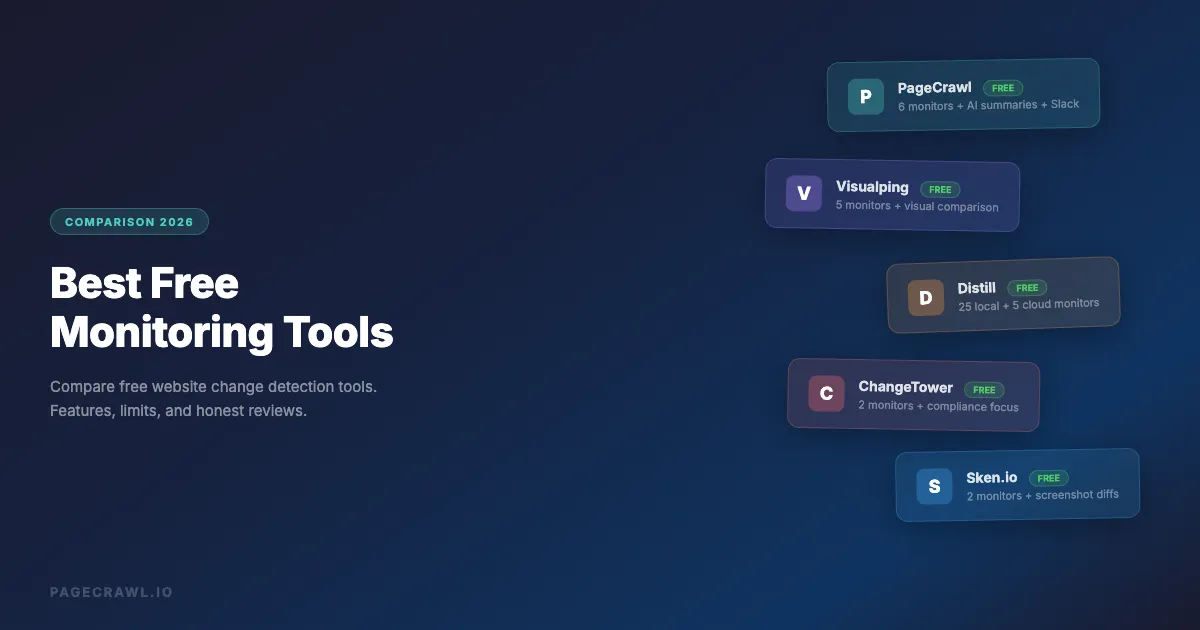
Free tier: 6 monitors, 220 checks/month, 60-minute minimum frequency, 15 AI credits/month
PageCrawl is a full-featured website monitoring platform with a generous free tier. It uses a full browser engine for rendering, which means it handles JavaScript-heavy sites, SPAs, and dynamic content without issues.
What you get for free:
- 6 monitored pages
- 220 checks per month (60-minute minimum frequency)
- Full text, element, price, and visual monitoring modes
- AI-powered change summaries (15 credits/month)
- AI noise filtering with a 0-100 relevance score
- Email, Slack, Discord, Microsoft Teams, Telegram, and webhook notifications
- Google Sheets logging
- Text diff viewer with highlighted changes
- Screenshot history
- Reader mode for article monitoring
- Noise filters (ignore dates, cookie banners, numbers)
- Browser extension for easy setup
- Page discovery via sitemap monitoring
Strengths:
- Every notification channel is available on the free plan, including team chat tools and webhooks, without a paid upgrade.
- AI summaries are available on all plans, including free. Most competitors lock AI behind premium tiers.
- Excellent noise filtering. Actions like removing cookie banners and overlays run automatically before each check.
- Built-in price tracking with automatic price detection. No need to configure CSS selectors for standard product pages. For e-commerce teams, see our guide to the best e-commerce monitoring tools.
- Page discovery via sitemap monitoring to automatically detect new pages on a site.
Limitations:
- 220 checks/month is a tight budget if you set all 6 monitors to hourly frequency.
- 6 monitors is enough to evaluate the tool but not enough for serious competitive intelligence work.
Best for: Users who want full-featured monitoring on a small number of pages, especially if you need AI summaries, team notifications, or advanced noise filtering.
Paid plans start at: $8/month (100 monitors, 15,000 checks/month, 15-minute frequency)
2. Visualping

Free tier: 5 monitors, ~150 checks/month, daily frequency
Visualping is one of the older players in website monitoring. Their free tier gives you 5 monitors with daily checks.
What you get for free:
- 5 monitored pages
- ~150 checks per month (daily frequency)
- Email notifications
- Basic visual comparison
- Limited text monitoring
Strengths:
- Simple, easy-to-use interface. Good for non-technical users who just need basic monitoring.
- Visual comparison mode shows side-by-side screenshots.
- There are plenty of tutorials and guides online.
Limitations:
- Slack, Discord, and Teams notifications require a Business plan ($140/month). On the free tier, you get email only.
- AI change summaries are locked behind the Business plan ($140/month).
- No element-specific monitoring on free tier.
- No built-in price tracking mode.
- The interface has not been significantly updated and can feel dated.
Best for: Simple, visual-first monitoring needs where you just need to know "did this page change?" without detailed analysis.
Paid plans start at: $14/month (personal), but AI summaries and team features require the Business plan at $140/month
3. Distill.io

Free tier: 25 monitors total (5 cloud, 20 extension-only), 1,000 checks/month, 6-hour minimum frequency
Distill offers a browser extension-based approach with a small cloud monitoring tier. The headline "25 monitors" is somewhat misleading: only 5 run in the cloud, meaning monitoring only works on the other 20 when your browser is open with the extension running.
What you get for free:
- 5 cloud monitors (run continuously on Distill's servers)
- 20 local monitors (only run when your browser is open)
- 1,000 checks per month
- 6-hour minimum frequency for cloud monitors
- Email notifications
- CSS selector-based element monitoring
Strengths:
- 1,000 checks/month is the most generous free check budget of any tool in this list.
- Element selection is visual and intuitive through the browser extension.
- Good notification channel support on paid plans (Slack, Discord, Teams, webhooks).
Limitations:
- Local monitors only work when your browser is open. Close your laptop and monitoring stops.
- AI summaries are not available until the Enterprise/Flexi tier ($80+/month).
- 6-hour cloud frequency is slower than PageCrawl's 60-minute minimum.
- No price tracking mode.
- No built-in noise filtering beyond element selection.
Best for: Users who keep their browser open all day and want to monitor many elements locally, or who want the most generous check budget in a free tier.
Paid plans start at: $15/month (50 monitors, 30,000 checks, 10-minute frequency)
4. ChangeTower

Free tier: 3 monitors, ~180 checks/month, daily frequency
ChangeTower focuses on compliance and legal monitoring, with a basic free tier.
What you get for free:
- 3 monitored pages
- ~180 checks per month (daily frequency)
- Email and Slack notifications
- AI change summaries (included on all plans)
- Basic text comparison
Strengths:
- AI change summaries are included on the free plan, which is uncommon at this price point.
- Good for compliance-focused monitoring (terms of service, privacy policies).
- Provides a timestamped archive of changes, useful for legal documentation.
Limitations:
- Only 3 monitors on the free tier is very restrictive.
- No Discord or Teams notifications on any plan.
- No element-specific monitoring.
- No price tracking.
- No API access on any plan.
Best for: Users who need AI-summarized, timestamped records of page changes for compliance purposes and only need to monitor a handful of pages.
Paid plans start at: $12/month (25 pages, daily checks)
5. Changedetection.io

Free tier: Self-hosted (unlimited), no managed free plan
Changedetection.io is an open-source option you can self-host for free. The project is developed in the open on the Changedetection.io GitHub repository. There is no managed free tier. If you do not want to run your own server, you will pay $8.99/month for the hosted version. Some users run it on a Raspberry Pi at home, which works fine under normal conditions, but any internet outage or power cut means monitoring stops entirely until the device comes back online.
What you get (self-hosted):
- Unlimited monitors
- Configurable check frequency
- Email, Slack, Discord, Telegram notifications (via the Apprise notification library, 85+ services)
- CSS/XPath element filtering
- JSON change detection
- Basic text and visual comparison
- JavaScript rendering (requires a separate browser-rendering container)
Strengths:
- Self-hosted means truly unlimited monitoring at no recurring software cost.
- Open source with an active community.
- Good API support for automation.
- Broad notification support via the Apprise library.
Limitations:
- Self-hosting requires technical knowledge. You need a server, Docker, and comfort with command-line setup.
- JavaScript rendering requires a separate browser-rendering container, adding memory and complexity.
- No AI features on any plan.
- No Google Sheets integration.
- No native price tracking mode.
- Maintenance and updates are your responsibility.
- Server costs ($5-20/month minimum) offset the "free" nature of the software.
- If running on a home device like a Raspberry Pi, any internet outage or power failure silently stops all monitoring until the device is back online and the service restarts. You will not know you missed changes.
Best for: Technical users and developers comfortable with Docker who want unlimited, self-hosted monitoring.
Managed hosted plan: $8.99/month (5,000 monitors, 5-minute frequency)
6. Sken.io
Free tier: 14-day trial only (no permanent free plan)
Sken.io focuses on visual monitoring and screenshot comparison. Unlike the other tools in this list, Sken.io does not offer a permanent free tier. You get a 14-day trial with 140 checks, after which you must pay.
What you get during the trial:
- 140 checks total
- Email, Slack, and webhook notifications
- Visual screenshot comparison
- Basic text monitoring
Strengths:
- Good visual comparison with highlighted differences.
- Simple setup process.
- 1-minute minimum check frequency on paid plans.
- PDF monitoring support.
Limitations:
- No permanent free plan. This is a trial, not a free tier.
- No AI features on any plan.
- No Discord or Microsoft Teams notifications on any plan.
- No API access on any plan.
- Limited checks relative to cost at higher tiers.
Best for: Users who primarily need visual/screenshot-based monitoring and are ready to commit to a paid plan from day one.
Paid plans start at: ~$2.50/month (500 checks/month, 1-minute frequency)
Free Tier Comparison Table
| Feature | PageCrawl | Visualping | Distill.io | ChangeTower | Changedetection.io | Sken.io |
|---|---|---|---|---|---|---|
| Permanent free plan | Yes | Yes | Yes | Yes | Self-hosted only | No (14-day trial) |
| Free monitors | 6 | 5 | 5 cloud + 20 local | 3 | Unlimited (self-hosted) | Trial only |
| Free checks/month | 220 | ~150 | 1,000 | ~180 | Unlimited (self-hosted) | 140 (trial) |
| Min frequency | 60 min | Daily | 6 hours (cloud) | Daily | Configurable | 1 min (paid) |
| AI summaries | All plans | $140/mo+ | $80/mo+ | All plans | Never | Never |
| Browser rendering | Yes | Yes | Yes | Yes | Optional (DIY) | Partial |
| Element monitoring | Yes | Paid only | Yes | No | Yes | Limited |
| Price tracking | Yes | No | No | No | No | No |
| Slack | All plans | $140/mo+ | All plans | All plans | Via Apprise | All plans |
| Discord | All plans | $140/mo+ | All plans | Never | Via Apprise | Never |
| Teams | All plans | $140/mo+ | All plans | Never | Via Apprise | Never |
| Webhook | All plans | Paid only | Paid only | Yes | Yes (self-hosted) | All plans |
| Google Sheets | All plans | Never | Never | Never | Never | Never |
| API access | All plans | $140/mo+ | Enterprise | Never | All plans | Never |
| Visual monitoring | Yes | Yes | No | Yes | Yes | Yes |
| Noise filtering | Advanced | Basic | Basic | None | Basic | Basic |
| Page discovery | Yes | No | No | No | No | No |
How Do You Get the Most from a Free Monitoring Plan?
Get the most from a free plan by monitoring the exact pages where changes happen, targeting specific elements instead of full pages, combining multiple free tiers, and routing alerts to channels you actually check. Here are those strategies in detail:

Prioritize Your Monitors
With 3-6 monitors, you cannot track everything. Pick the pages that deliver the most value:
- The competitor's pricing page (not their homepage)
- The specific product listing page (not the category page)
- The government or regulatory page that affects your industry (not the agency homepage)
- The job posting page you want new roles from (not the careers landing page)
Be specific. Monitor the exact page where changes happen, not the general section.
Use Element Monitoring
If your tool supports it, target specific elements rather than full pages, picking whichever of the available tracked element types matches the value you care about. This reduces noise dramatically and makes each monitor more useful.
For example, instead of monitoring an entire product page, target just the price element or the "Add to Cart" / "Out of Stock" button. Each check counts against your monthly budget, so more targeted checks also preserve your check allowance. This is exactly the kind of job a free plan handles well: a single targeted monitor can track Costco price drops on a specific product page and alert you when the number changes.
Combine Free Tiers
Nothing stops you from using multiple free tiers simultaneously. Use PageCrawl for your most important 6 monitors (with AI summaries and notifications), and Distill's local monitoring for additional pages you want to track casually while your browser is open.
Note: stick to one account per service. Creating multiple free accounts to work around monitor limits violates most terms of service and can get all your accounts suspended.
Set Up Notification Routing
Even on free plans, make sure notifications reach you where you actually check. An email notification you never read is worthless. Pick a tool that supports your preferred channel on the free tier - PageCrawl, ChangeTower, and self-hosted Changedetection.io all support team chat notifications without paying.
Start with What You Have, Upgrade When Needed
Most free tiers check daily or hourly. That is sufficient for slow-moving pages like policy documents, job boards, or competitor feature pages. You only need higher frequency for time-sensitive scenarios like stock alerts, flash sales, or breaking news. Identify which pages actually need faster checks before paying for a higher-frequency plan.
When Should You Upgrade to a Paid Plan?
Upgrade when free limits start costing you information: you need to watch more pages than the free allowance covers, your monthly check budget runs out early, or hourly and daily checks are too slow for pricing and stock changes. Team collaboration, API automation at scale, and compliance archives are the other common triggers.
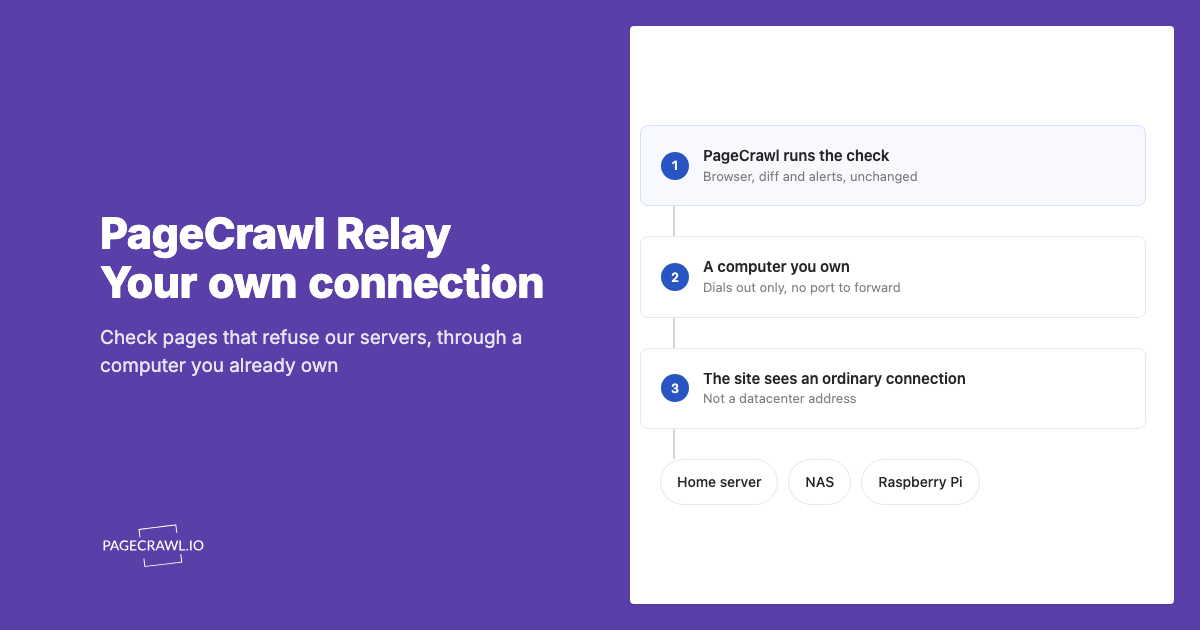
For personal monitoring, a blocked page alone may not require an upgrade. PageCrawl Relay is available without an additional fee on every plan, including Free, and is worth trying when a public page works through your own connection. You keep a computer online and supply the bandwidth; your monitor and check allowance stays the same. For business use, we recommend Enterprise or Ultimate with their included managed connection options, so checks do not depend on your own computer.
Here are the signals in more detail:
- You need more monitors: Once you are monitoring 10+ pages regularly, free tiers are not enough.
- You need more checks: If your monthly check budget runs out before the end of the month, a paid plan gives you significantly more headroom.
- You need faster checks: If you are missing changes because hourly or daily checks are too slow, paid plans unlock 5-minute or sub-minute intervals.
- You need team collaboration: Free tiers typically support one user. Paid plans add team workspaces and shared monitors.
- You need to scale up: The REST API is available on every plan, including Free; growing past the free monitor allowance or needing faster checks means a paid plan.
- You need compliance features: Audit logs, timestamped archives, and export capabilities are typically paid features.
PageCrawl's Standard plan ($8/month) gives you 100 monitors with 15,000 checks/month at 15-minute frequency, which is a significant step up from 6 monitors and 220 checks on the free tier.
Self-Hosted vs Cloud: Which Is Actually Free?
Self-hosted options like Changedetection.io are "free" in terms of software licensing, but not free in terms of total cost:
- Server costs: You need a VPS or dedicated server ($5-20/month minimum)
- Setup time: Initial setup takes 1-3 hours for someone comfortable with Docker
- Maintenance: Updates, server monitoring, storage management, and troubleshooting are ongoing
- Browser rendering: Adding a separate browser-rendering container for JavaScript rendering significantly increases server resource requirements
- No AI features: You would need to integrate your own AI provider
For a developer comfortable with infrastructure, self-hosting can be cost-effective at scale (100+ monitors). For everyone else, a cloud-based free tier is the better starting point.
Which Free Monitoring Tool Should You Choose?
For most users: Start with PageCrawl's free tier. It offers the best balance of features on the free plan: AI summaries, all notification channels, price tracking, advanced noise filtering, and Google Sheets logging are all available without paying. The 6-monitor, 220-check limit is enough to evaluate whether website monitoring fits your workflow.
For developers: Consider Changedetection.io. If you are comfortable with Docker and want unlimited monitors without a subscription, self-hosting is the way to go. Just budget for the server costs and setup time.
For the most generous check budget: Try Distill.io. If your priority is maximizing free checks (1,000/month), Distill's free tier gives you the most headroom, though only 5 of those monitors run in the cloud.
Try PageCrawl's free tier and set up your first monitor in under a minute. No credit card required.
PageCrawl vs the Alternatives
Looking for a deeper comparison? See how PageCrawl stacks up against each tool head to head:
- PageCrawl vs Visualping
- PageCrawl vs Distill.io
- PageCrawl vs ChangeTower
- PageCrawl vs Changedetection.io
- PageCrawl vs Sken.io
Choosing your PageCrawl plan
PageCrawl's Free plan lets you monitor 6 pages with 220 checks per month, which is enough to validate the approach on your most critical pages. Most teams graduate to a paid plan once they see the value.
| Plan | Price | Pages | Checks / month | Frequency |
|---|---|---|---|---|
| Free | $0 | 6 | 220 | every 60 min |
| Standard | $8/mo or $80/yr | 100 | 15,000 | every 15 min |
| Enterprise | $30/mo or $300/yr | 500 | 100,000 | every 5 min |
| Ultimate | $99/mo or $999/yr | 1,000 | 100,000 | every 2 min |
Annual billing saves two months across every paid tier. Enterprise and Ultimate scale up to 100x if you need thousands of pages or multi-team access.
Once you hit the limits of a free tier, Standard at $80/year replaces five or six separate free-tool accounts with a single service covering 100 pages at 15-minute intervals. That frequency alone catches time-sensitive changes that hourly or daily free checks routinely miss. Enterprise at $300/year adds 500 pages, 5-minute checks, and full API access. All plans include the PageCrawl MCP Server. If you use an AI assistant like Claude or Cursor, the MCP Server lets you ask questions like "which of my monitored pages changed this week?" and get structured answers directly in your coding environment, without opening a separate dashboard. AI assistants can create monitors through conversation on every plan, including Free.