Last reviewed: August 20, 2026. Prices and plan details reflect each vendor's public pages at the time of review and can change, so confirm on the vendor's site before buying.
Online sellers operate in an environment where competitor prices change multiple times per day, products go in and out of stock without warning, and marketplace policies shift regularly. Manually tracking all of this across Amazon, Walmart, Shopify stores, and your own competitors is not realistic once you are monitoring more than a handful of products.
E-commerce monitoring tools automate the tracking of prices, product availability, content changes, and competitor activity. The right tool depends on what you need to monitor, from product prices across retailers to MAP (Minimum Advertised Price) compliance.
This guide compares the leading e-commerce monitoring tools in 2026, covering their strengths, limitations, pricing, and best use cases.
Which e-commerce monitoring tool is best in 2026?
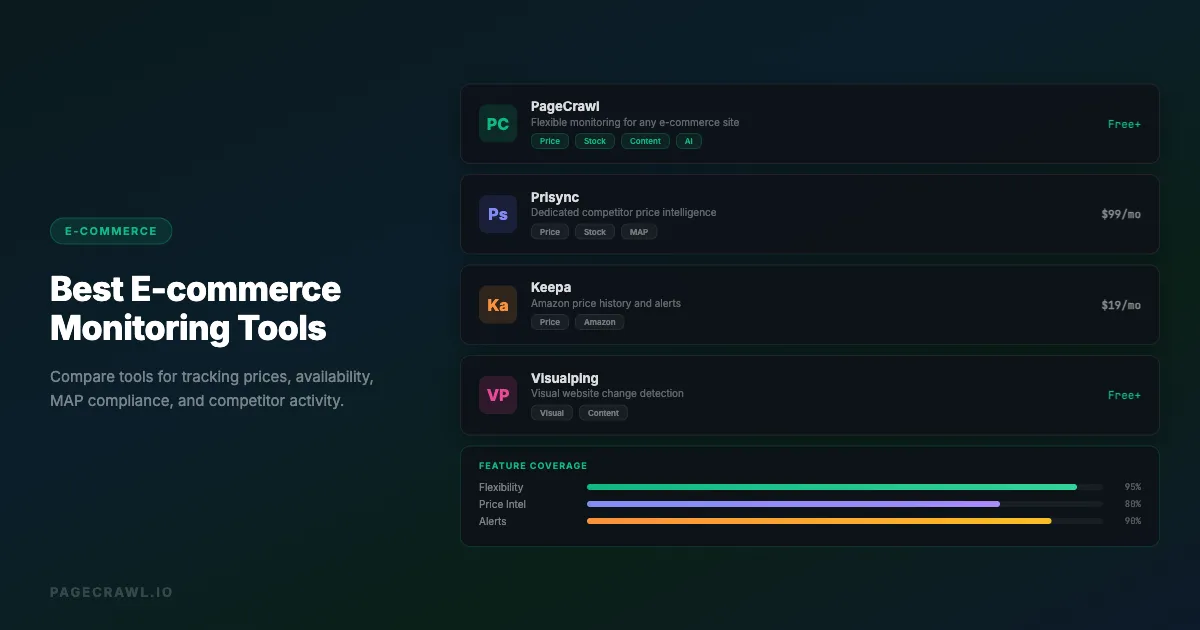
For most online sellers, PageCrawl offers the best balance of flexibility and price: it tracks prices, stock, and content changes across a wide range of stores from $8/month with a free plan, while Prisync, Competera, and Price2Spy make sense for teams that need dedicated pricing analytics at bigger budgets.
| Tool | Price Tracking | Cross-Retailer Comparison | Availability | Content Changes | MAP Monitoring | Custom Sites | AI Summaries | Free Plan |
|---|---|---|---|---|---|---|---|---|
| PageCrawl | Yes | Yes (on request) | Yes | Yes | Via selectors | Yes | Yes | Yes |
| Prisync | Yes | Limited | Yes | Limited | Yes | Limited | No | No |
| Competera | Yes | Yes | Limited | No | Yes | No | Yes | No |
| Price2Spy | Yes | Limited | Yes | Limited | Yes | Limited | No | No |
| Keepa | Yes | No | Yes | No | No | No | No | Yes |
| Visualping | Via text | No | Yes | Yes | No | Yes | No | Yes |
| Algopix | Yes | Limited | Limited | No | No | No | No | No |
What do e-commerce monitoring tools do?
E-commerce monitoring tools automatically watch product pages, competitor stores, and marketplaces, then alert you when prices, stock status, listings, or policies change. Most tools specialize in one function, such as price analytics, while flexible platforms cover several:
Price monitoring: Track competitor prices across retailers and get alerts when they change. See our competitor price tracking tools comparison for dedicated pricing solutions.
Product availability tracking: Monitor when products come back in stock or sell out with restock and stock availability alerts.
Content monitoring: Detect changes to listings, descriptions, images, and reviews, important for brand owners watching for listing hijackers.
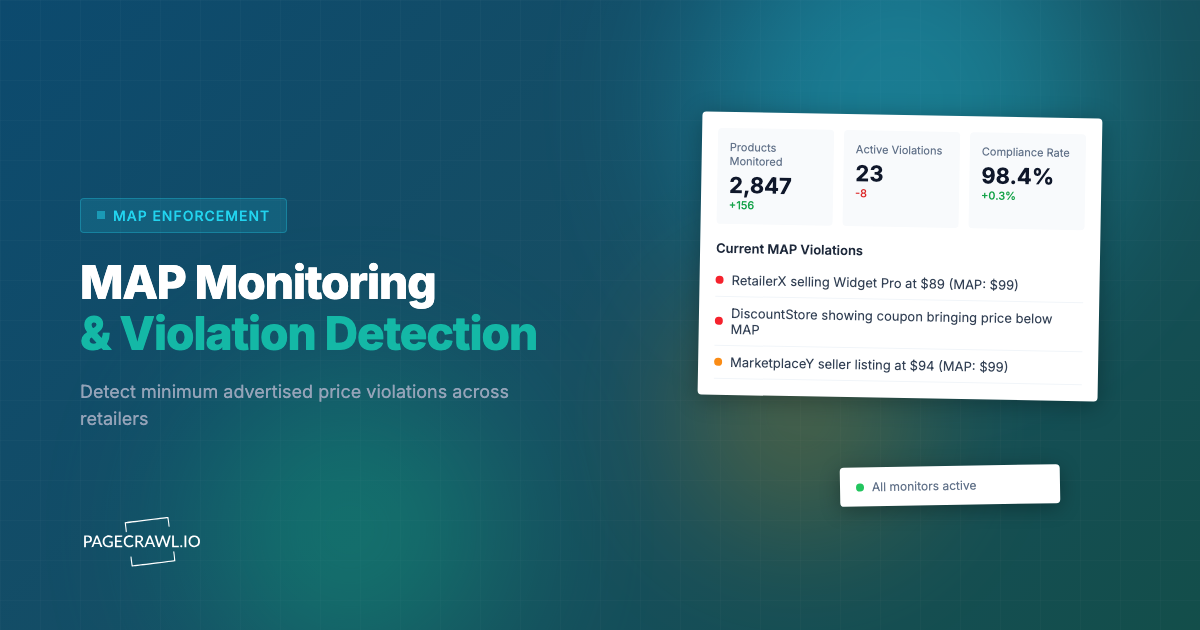
MAP compliance: Track whether authorized resellers advertise your products below minimum advertised prices.
Marketplace intelligence: Monitor broader trends like new competitor listings, category changes, search ranking shifts, and promotional activity.
How did we review these tools?
We compared each tool on the capabilities in this guide's comparison table: price tracking, cross-retailer comparison, availability, content changes, MAP monitoring, support for custom sites, AI summaries, and whether a free plan exists. Pricing and plan details come from each vendor's public pages, and each profile covers strengths, limitations, and best use cases.
Best E-commerce Monitoring Tools Compared
We've tested every major monitoring platform extensively. Here's an honest look at each.
PageCrawl
Best for: Flexible monitoring across e-commerce websites with custom tracking, cross-retailer product comparison, and AI-powered change analysis
PageCrawl monitors web pages for changes, making it adaptable to most e-commerce monitoring scenarios. Unlike tools that only work with specific marketplaces, PageCrawl works across Amazon, Walmart, Shopify stores, custom e-commerce platforms, wholesale portals, and niche marketplaces.
What sets PageCrawl apart for e-commerce is its cross-retailer product comparison approach. By default you monitor each retailer's product page with price tracking and view them together in your dashboard, comparing prices across Amazon, Walmart, Best Buy, and Target side by side. PageCrawl can also automatically recognize that those listings are the same product, group them together, and alert you when a specific store becomes the cheapest, when the price gap between retailers gets too large, or when any store in the group changes price. This automatic grouping is a custom capability you can ask us to enable for your account.
Key features:
- Cross-retailer product comparison: Monitor each retailer's product page with price tracking and compare product prices across multiple retailers side by side in your dashboard. Automatic product matching, comparison alerts, and cross-retailer spreadsheet export are a custom capability available on request
- Monitor specific page elements using CSS selectors (prices, stock status, buy box)
- Track full page text changes for comprehensive content monitoring
- AI-powered change summaries that explain what changed in plain language
- Multi-channel alerts: Slack, email, Discord, webhook, Telegram
- Screenshot capture for visual change verification
- Custom check frequencies from every 2 minutes to weekly
- API access for building custom dashboards and integrations
- Browser-based monitoring that handles JavaScript-rendered content
Pricing: Free plan available. Paid plans start at $8/month (100 monitors).
Limitations: Focused on change detection rather than aggregated pricing analytics. Better for targeted monitoring of specific pages than bulk scraping of entire catalogs.
Prisync
Best for: Dedicated competitor price tracking with analytics
Prisync specializes in competitor price monitoring and dynamic pricing intelligence. It is designed specifically for e-commerce businesses that need to track competitor prices across multiple websites.

Key features:
- Automatic competitor price tracking across websites
- Dynamic pricing suggestions based on competitor data
- MAP monitoring capabilities
- Stock availability tracking
Pricing: Starts at $99/month for up to 100 products.
Limitations: Higher starting price. Focused on pricing data, so less flexible for monitoring content changes, policy pages, or non-price elements. Setup can take time for each competitor site.
Competera
Best for: Enterprise-level pricing optimization with AI
Competera is an AI-driven pricing platform built for large retailers and brands. It goes beyond monitoring into prescriptive pricing recommendations based on demand elasticity, competitor behavior, and market conditions.

Key features:
- AI-powered pricing recommendations
- Cross-channel price monitoring
- Competitive data collection at scale
- Portfolio-level pricing optimization
Pricing: Enterprise pricing (typically $1,000+/month). Contact for quotes.
Limitations: Expensive, designed for larger businesses. Requires onboarding and setup. Not suitable for small sellers or simple monitoring needs.
Price2Spy
Best for: Price comparison and MAP monitoring for brands
Price2Spy offers price monitoring, comparison, and repricing capabilities. It is particularly popular among brands monitoring their authorized dealer networks for MAP compliance.

Key features:
- Price monitoring across thousands of websites
- MAP violation detection and reporting
- Historical price data and analytics
- Website change monitoring
Pricing: Starts at $24/month for the basic plan.
Limitations: Interface can feel dated compared to newer tools. The learning curve is steeper than simpler monitoring tools. Better for price-focused monitoring than general website change detection.
Keepa
Best for: Amazon-specific price tracking and historical data
Keepa is the most popular Amazon price tracking tool, offering detailed price history charts and price drop alerts for Amazon products. It works as a browser extension and web application.

Key features:
- Comprehensive Amazon price history for millions of products
- Price drop alerts via email and push notifications
- Browser extension that adds price charts to Amazon pages
- Sales rank tracking
Pricing: Free basic features. Keepa subscription for full data access at around $19/month.
Limitations: Amazon-only. No support for other marketplaces or custom e-commerce sites. Focused on price data without content or availability change detection beyond what Amazon provides.
Visualping
Best for: Visual website monitoring with e-commerce applications
Visualping (visualping.io) monitors websites for visual and text changes, with applications in e-commerce monitoring. It can track product pages, competitor websites, and any other web content.

Key features:
- Visual change detection with highlighted differences
- Text change monitoring with diff reports
- Custom monitoring areas using selection tools
- Email and Slack alerts
- Scheduled checks from every 5 minutes to weekly
Pricing: Free plan with limited checks. Paid plans start at $14/month.
Limitations: Not specifically designed for e-commerce, so it lacks dedicated pricing analytics, MAP monitoring, or catalog-level features. Visual monitoring can produce false positives from ad changes or layout shifts.
Algopix
Best for: Multi-marketplace product research and monitoring
Algopix provides product research and monitoring across Amazon, eBay, and Walmart. It helps sellers evaluate product profitability and monitor market conditions.

Key features:
- Product analysis across Amazon, eBay, and Walmart
- Market demand indicators
- Profitability calculations including fees and shipping
- Competitor pricing data
Pricing: Starts at $34.99/month.
Limitations: More of a product research tool than a monitoring platform. Limited to supported marketplaces. Does not provide change alerts like dedicated monitoring tools.
Which tool fits your business?
Match the tool to your scale: small sellers do well with Keepa plus PageCrawl, brand owners need MAP-focused tools like Price2Spy alongside flexible content monitoring, and large retailers can justify Competera's enterprise pricing. The profiles below map common seller types to the right monitoring stack.
You Are a Small Online Seller
If you sell on Amazon and a few other channels with under 50 products, a combination of Keepa (for Amazon price history) and PageCrawl (for monitoring competitor websites and other marketplaces like TikTok Shop) covers most needs without a large monthly cost. Our guides on tracking prices at Best Buy, Walmart, and Wayfair (useful for furniture sellers) cover the setup for those specific retailers.
Focus on your top 10-20 competitors' pricing pages, key product availability on your main marketplaces, new product launches, and promotional sections.
You Are a Brand Owner
If you manufacture products sold through authorized dealers, MAP compliance monitoring is critical. Price2Spy or Prisync handles the pricing side, while PageCrawl can monitor dealer websites for unauthorized content changes, counterfeit listings, or policy violations.
Focus on authorized dealer pricing for MAP violations, unauthorized marketplace listings, listing content accuracy, and competitor brand activity.
You Are a Large Retailer
Large retailers with thousands of SKUs need scalable solutions. Competera or Prisync handles bulk price monitoring and dynamic pricing, while PageCrawl handles the edge cases: monitoring supplier websites, tracking regulatory changes, and watching competitor content beyond just pricing.
Focus on category-wide competitor pricing, supplier pricing and availability, regulatory changes, and competitor promotional strategies.
You Run a Dropshipping Business
Dropshippers need to monitor supplier pricing and availability closely since margins depend on accurate cost data. PageCrawl is well suited for this because you can monitor supplier pages directly, regardless of whether the supplier offers an API or data feed.
Focus on supplier pricing and stock pages, competitor pricing on your sales channels, and supplier terms for policy changes.
What should you monitor on e-commerce sites?
Monitor the elements that drive buying decisions: the product price (including sale, shipping, and bundle costs), stock status, listing content, and promotional activity. Targeting these specific signals with product page monitoring catches meaningful competitor moves without flooding you with alerts about irrelevant page changes.
- Pricing: main price, sale or promotional price, shipping cost, bundle and subscription pricing
- Stock and availability: in-stock status, "only X left" warnings, pre-orders, backorders, seller changes. The same approach works for fast-moving inventory pages, like Tesla inventory
- Content and listings: title, description, and image changes, review count and rating shifts, category moves
- Promotional activity: sale pages, coupon codes, homepage banners, email signup offers
How do you set up e-commerce monitoring?
Setting up takes four steps: decide which competitors and products matter, choose targeted element tracking or full-page monitoring for each, set check frequencies that match how fast each page changes, and route alerts to the channel your team actually watches. Most sellers have their first monitors running within minutes.

Step 1: Identify What Matters
Start by listing the specific competitive intelligence you need. Common priorities:
- Competitor prices on your top products: Which specific products and which competitors?
- Product availability for items you sell: Which SKUs and which marketplaces?
- Competitor new product launches: Which competitor category or new arrivals pages?
- MAP compliance: Which resellers and which products need monitoring?
Step 2: Choose Your Monitoring Approach
Use CSS selectors, which you can find in Chrome, Firefox, or Safari DevTools, to target just the price element and reduce false alerts, full page text monitoring for broader competitive intelligence, and screenshot-based comparison to catch visual changes like new promotional banners.
Step 3: Set Check Frequencies
Not all monitoring needs the same frequency:
- Competitive pricing: Every 1-4 hours for active pricing wars, daily for general monitoring
- Product availability: Every 15-60 minutes for high-demand items, daily for general tracking
- Content monitoring: Daily checks are usually sufficient
- MAP compliance: Every 4-12 hours depending on your enforcement needs
- Promotional monitoring: Daily or every 12 hours
Step 4: Configure Alerts
Set up alerts that reach you through the right channel at the right time:
- Price changes: Slack or email with the specific price change details
- Stock alerts: Slack or push notification for fast response
- Content changes: Daily digest email unless time-sensitive
- MAP violations: Email to your compliance team on every detected violation
Common E-commerce Monitoring Challenges
Dynamic Pricing and Frequent Changes
Some competitors change prices multiple times per day using dynamic pricing algorithms. Monitoring every change can create alert fatigue. Solutions:
- Set threshold-based alerts (notify only when price changes by more than 5%)
- Use daily summary reports instead of individual change alerts
- Focus on monitoring at consistent times of day for apples-to-apples comparison
Anti-Bot Protections
Major marketplaces like Amazon use anti-bot measures that can block automated monitoring. PageCrawl monitors protected sites that block simpler tools, and for heavily protected pages, Enterprise plans add premium options.
Best practices:
- Space checks at least 15-30 minutes apart for major marketplaces
- Use different monitoring strategies for different sites
- Accept that some sites require less frequent monitoring
Product Variations and Multiple SKUs
Products with many variations (sizes, colors, configurations) can require dozens of monitors. Group related monitors with folders or tags, prioritize the most important variations, and monitor the parent product page to catch changes that affect all variations.
International Pricing
If you sell internationally, monitor the same product across regional sites (amazon.com, amazon.co.uk, amazon.de) with separate monitors tagged by market for easy comparison.
Measuring Monitoring ROI
Track the value your monitoring generates: revenue from pricing wins and stock captures, price floors protected through MAP enforcement, and hours saved on manual checking. Log each alert that led to an action in a spreadsheet with its estimated revenue impact. A single well-timed pricing adjustment or restock capture is often enough to cover the cost of monitoring for a year.
Choosing your PageCrawl plan
PageCrawl's Free plan runs hourly checks and is enough to validate the approach on your most critical pages. Most teams graduate to a paid plan once they see the value.
| Plan | Price | Pages | Checks / month | Frequency |
|---|---|---|---|---|
| Standard | $8/mo or $80/yr | 100 | 15,000 | every 15 min |
| Enterprise | $30/mo or $300/yr | 500 | 100,000 | every 5 min |
| Ultimate | $99/mo or $999/yr | 1,000 | 100,000 | every 2 min |
Annual billing saves two months across every paid tier. Enterprise and Ultimate scale up to 100x if you need thousands of pages or multi-team access.
For an online seller, Standard at $80/year pays for itself the first time you catch a competitor going out of stock and capitalize on the demand, or spot a MAP violation before it erodes your channel pricing. Enterprise at $300/year handles 500 pages at 5-minute intervals, enough for a genuine competitive intelligence program across a full product catalog.
Getting Started
The fastest path to effective e-commerce monitoring:
- List your top 5 competitors and your top 10 products
- Set up monitors for competitor pricing on those 10 products
- Add availability monitoring for any products with supply constraints
- Configure alerts to reach your Slack channel or email
- Review alerts for one week and adjust frequencies and thresholds
- Gradually expand to more products and competitors
Start focused: a well-chosen set of 20-30 competitor product pages usually covers the insights you need, rather than hundreds of pages from day one.
PageCrawl vs the Alternatives
See how PageCrawl compares to the tools in this article: