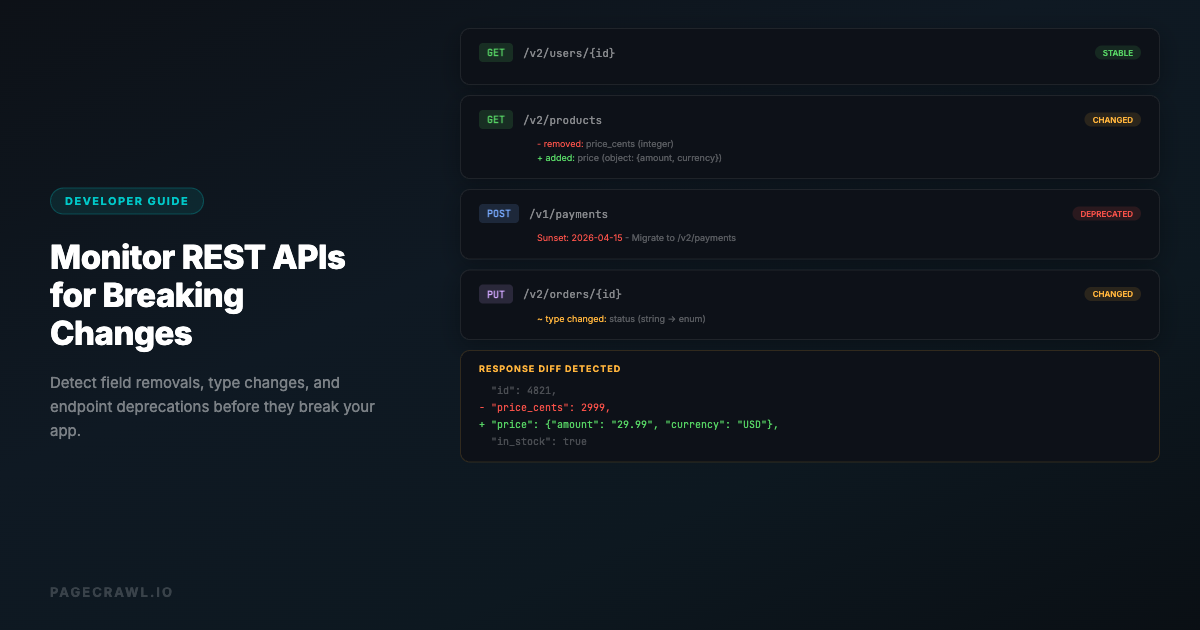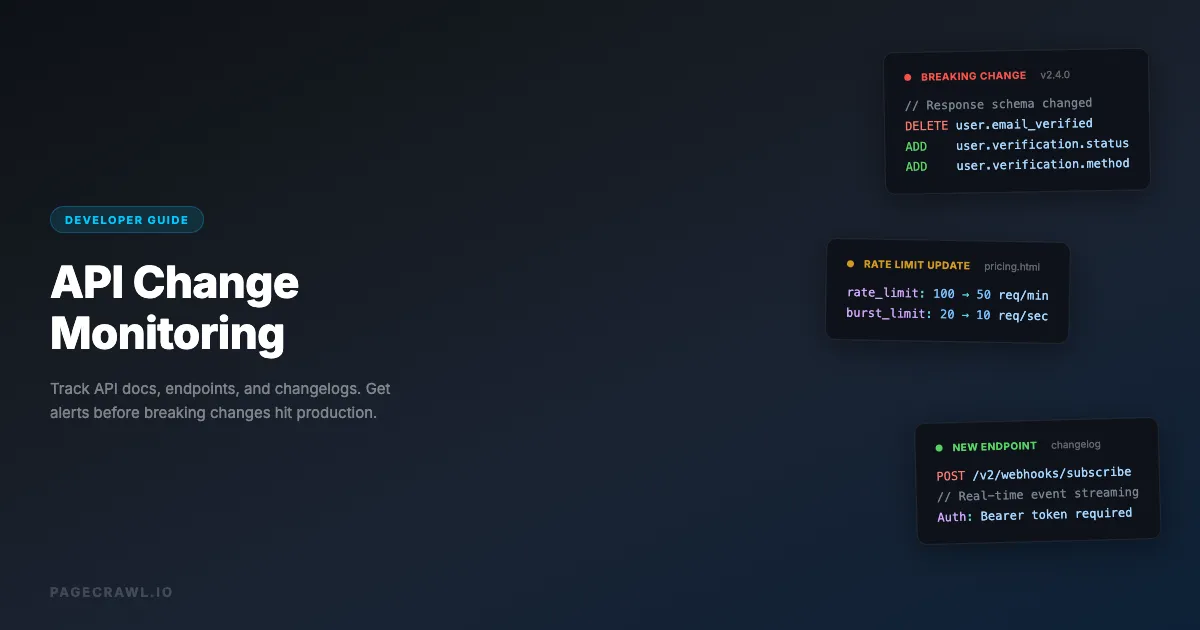
If you depend on third-party APIs, you have experienced the pain of unannounced breaking changes. A field gets renamed, an endpoint gets deprecated, rate limits change, or authentication requirements shift. You find out when your integration breaks in production.
API providers are supposed to communicate changes through changelogs, documentation updates, and deprecation notices. In practice, many changes slip through without proper notice, documentation lags behind the actual API, and email announcements get buried in your inbox. This is especially true for REST APIs where breaking changes can silently disrupt your integrations.
The solution is automated API monitoring: watching the pages where API changes are documented and getting alerted when the next check detects a change. This guide covers how to set up comprehensive API monitoring for developers and engineering teams.
What should you monitor for API changes?
Monitor five surfaces: documentation reference pages, changelogs and release notes, status pages, developer blogs, and the OpenAPI spec file itself. Each catches a different class of change, and together they cover both announced updates and the silent ones that never make the changelog.
API Documentation Pages
The primary source of truth for any API. Monitor these pages for content changes:
- Endpoint reference pages: Changes to request/response schemas, parameters, headers, and status codes
- Authentication pages: Updates to auth flows, token formats, API key requirements
- Rate limiting pages: Changes to quotas, throttling rules, and retry policies
- Getting started guides: Often updated when fundamental patterns change
- Migration guides: New guides appearing usually signals a major version change
Most API documentation is built with tools like Swagger/OpenAPI, ReadMe, GitBook, or custom static site generators. These render well in browser-based monitoring tools, though some require JavaScript rendering.
Changelog and Release Notes
Many APIs maintain a dedicated changelog page. This is the most information-dense page to monitor, and the same pattern extends to release notes and changelog monitoring across the rest of your stack:
- Versioned changelogs: List all changes per version (new endpoints, deprecated fields, bug fixes)
- Breaking change notices: Critical information about backwards-incompatible changes
- Deprecation timelines: When old endpoints or fields will be removed
Monitor these with full-page text monitoring. Use a reader mode or element-specific selector to target just the changelog content, excluding navigation and footers.
Status Pages
API status pages (usually powered by Statuspage.io, Instatus, or similar) report uptime, incidents, and maintenance windows:
- Current status: Whether the API is operational, degraded, or down
- Incident reports: Details of ongoing or resolved issues
- Maintenance schedules: Planned downtime windows
For status pages, you want more frequent monitoring (every 5-15 minutes) since outages are time-sensitive.
Developer Blog and Announcements
Many API providers announce major changes through blog posts or developer newsletters:
- Technical blog posts: Often preview upcoming changes before they hit the docs
- Developer forums: Community discussions sometimes surface undocumented changes
- Twitter/social accounts: Some teams announce changes on social media first
Page discovery (sitemap monitoring) is useful here to detect new blog posts automatically.
OpenAPI/Swagger Specification Files
If the API publishes its OpenAPI spec as a JSON or YAML file, monitoring this file directly is extremely valuable:
- Changes to the spec file represent actual schema changes
- You can detect new endpoints, removed fields, and type changes
- The diff is structured and machine-readable
PageCrawl can monitor JSON and YAML files directly, showing structured diffs when the content changes.
Setting Up API Documentation Monitoring
Here is a practical walkthrough for setting up API and documentation change monitoring using PageCrawl.

Step 1: Identify Critical Pages
For each API you depend on, create a list of pages to monitor. A typical setup for a critical API dependency:
| Page | Monitoring Type | Check Frequency |
|---|---|---|
| API Reference (main page) | Full page text | Every 6 hours |
| Authentication docs | Full page text | Daily |
| Changelog/Release notes | Element (changelog section) | Every 2 hours |
| Status page | Element (current status) | Every 5 minutes |
| Pricing/Rate limits page | Full page text | Daily |
| OpenAPI spec file | Full page text | Every 6 hours |
For the most critical APIs (payment processors, auth providers, core infrastructure), use more frequent checks and fast notification channels.
Step 2: Configure Monitoring
For each page, set up a monitor with the right tracking mode:
Documentation pages: Use full-page text monitoring with reader mode enabled. This strips out navigation sidebars, headers, and footers, focusing on the actual documentation content.
Changelog pages: Use element-specific monitoring if possible. Target the changelog content area with a CSS selector like .changelog-entries, main, or article. This prevents alerts when the page layout changes but the changelog content has not.
Status pages: Use element monitoring targeting the status indicator. Many status pages have a clear element showing "All Systems Operational" or similar. Monitor this specific element with 5-minute checks.
Spec files: Monitor the raw file URL (for example https://raw.githubusercontent.com/stripe/openapi/master/openapi/spec3.json for Stripe). Use full-page text monitoring. Every character change in a spec file is potentially significant.
Step 3: Set Up Notifications
Route API change alerts to where your engineering team will see them:
- Slack channel: Create a dedicated
#api-changeschannel and route all API monitoring alerts there. This keeps the team informed without cluttering individual inboxes. - Webhook to incident management: For status page monitoring, send webhooks to PagerDuty, Opsgenie, or your incident management tool.
- Email digest: For less critical changes (documentation updates, blog posts), a daily email digest is sufficient.
In PageCrawl, you can configure different notification channels per monitor. Send status page alerts to Slack and PagerDuty simultaneously, while documentation changes go to a weekly email digest.
Step 4: Configure AI Summaries
Enable AI-powered change detection and summaries to get readable change descriptions instead of raw diffs. When an API documentation page changes, the AI summary might tell you:
"The /users endpoint now requires the X-API-Version header. The response schema added a new 'metadata' object. Rate limits for the free tier changed from 100 to 50 requests per minute."
This is far more useful than a raw text diff showing dozens of added and removed lines. Set the AI focus to something like: "Focus on breaking changes, new endpoints, deprecated fields, and rate limit changes."
Monitoring Patterns for Common API Providers
Stripe
Stripe is an example of excellent API documentation. Key pages to monitor:
- Changelog:
https://stripe.com/docs/changelog- Monitor with element selector targeting the changelog entries - API Reference:
https://stripe.com/docs/api- Monitor specific sections relevant to your integration - API Upgrades:
https://stripe.com/docs/upgrades- Critical for breaking change notices
Stripe versions its API and maintains backwards compatibility well, but monitoring the changelog catches new features and deprecation notices early.
Twilio
- Changelog:
https://www.twilio.com/docs/changelog- Twilio updates frequently - API Reference: Monitor the specific product pages you use (SMS, Voice, etc.)
- Status:
https://status.twilio.com- Status page for fast outage alerts
GitHub API
- Changelog:
https://github.blog/changelog/- All GitHub platform changes - REST API docs:
https://docs.github.com/en/rest- Reference documentation - GraphQL schema changes: Monitor the schema changelog for additions and deprecations
GitHub uses a date-based API versioning system, making changelog monitoring essential.
AWS Services
AWS documentation is vast. Focus on the specific services you use:
- Service-specific release notes: Each AWS service has its own "What's New" page
- API reference changes: Monitor the API reference for your critical services
- Service health:
https://health.aws.amazon.com/health/status- Global status dashboard
Consider using page discovery on the AWS "What's New" feed to catch new announcements automatically.
Advanced: Building an API Change Pipeline
For engineering teams managing many API dependencies, a manual monitoring setup does not scale. Here is how to build an automated API change pipeline:
Webhook + Automation Platform
Connect PageCrawl webhooks to an automation platform (n8n, Zapier, Make) to build a change processing pipeline with webhooks:
- PageCrawl detects a change in API documentation
- Webhook fires with the change details (URL, diff, AI summary)
- Automation platform routes the alert based on rules:
- Status page changes go to the on-call engineer via PagerDuty
- Breaking changes create a Jira ticket in the integration team's backlog
- Minor documentation updates get logged to a shared Google Sheet
- Changelog updates get posted to the team Slack channel
Categorizing Changes by Severity
Not all API changes require the same response. Use keyword triggers and AI summaries to categorize:
- Critical: Keywords like "breaking change", "deprecated", "removed", "security", "authentication" - Route to on-call, create urgent ticket
- Important: Keywords like "new endpoint", "rate limit", "pricing", "migration" - Create ticket, notify team
- Informational: Keywords like "bug fix", "improvement", "new feature" - Log for review, weekly digest
PageCrawl's keyword filter feature lets you trigger notifications only when specific terms appear in the change diff.
Version Tracking
For APIs that use semantic versioning, track the version number as a specific element. Set up a number-type monitor on the version element (e.g., the info.version field in an OpenAPI spec). You can set alerts for when the major version increments (potential breaking changes) vs. minor or patch versions.
Can you monitor your own internal APIs?
Yes. The same techniques work for monitoring your own APIs, which is valuable for:
- QA/staging environments: Monitor your staging API docs to catch documentation drift before production deployment
- Multi-team coordination: When Team A changes an API that Team B depends on, monitoring catches it even if the change was not communicated
- Compliance: Maintain an audit trail of all API changes with timestamps
For internal APIs, consider monitoring the source of truth directly. If your API docs are generated from an OpenAPI spec file hosted in your repository, monitor the rendered documentation page to catch when it diverges from what developers expect.
What are the common API monitoring pitfalls?
The four most common mistakes are monitoring too broadly, ignoring rate limits on your own checks, never testing notifications, and relying solely on provider announcements. Each one quietly undermines the value of the whole setup, and each has a straightforward fix.
Monitoring Too Broadly
Do not monitor entire API documentation sites. These sites change constantly (new blog posts, updated examples, rotated marketing content). Instead, target the specific pages relevant to your integration.
Ignoring Rate Limits on Monitoring
If you are monitoring a status page every 5 minutes, make sure the monitoring tool is not itself being rate-limited or hitting 403 access denied blocks from the target site. PageCrawl handles this automatically, but it is worth verifying that your monitors are actually running successfully.
Not Testing Notifications
Set up your monitoring and then manually verify that notifications reach the right channels. A monitoring setup that detects changes but sends alerts to an unmonitored email address is worse than no monitoring at all, because it creates a false sense of security.
Relying Solely on Provider Notifications
Do not assume that the API provider's email notifications or RSS feeds will catch everything. Providers sometimes update documentation without a corresponding changelog entry or email announcement. Direct page monitoring is the most reliable approach.
API Monitoring Checklist
For each critical API dependency, verify you have:
- Documentation reference pages monitored (at least the endpoints you use)
- Changelog/release notes monitored with frequent checks
- Status page monitored with 5-15 minute interval
- Notifications routed to an actively monitored channel (Slack, not just email)
- AI summaries enabled for documentation changes
- Keyword filters set for "breaking change", "deprecated", "removed"
- A process for reviewing and acting on detected changes
Choosing your PageCrawl plan
PageCrawl's Free plan lets you monitor 6 pages with 220 checks per month, which is enough to validate the approach on your most critical pages. Most teams graduate to a paid plan once they see the value.
| Plan | Price | Pages | Checks / month | Frequency |
|---|---|---|---|---|
| Free | $0 | 6 | 220 | every 60 min |
| Standard | $8/mo or $80/yr | 100 | 15,000 | every 15 min |
| Enterprise | $30/mo or $300/yr | 500 | 100,000 | every 5 min |
| Ultimate | $99/mo or $999/yr | 1,000 | 100,000 | every 2 min |
Annual billing saves two months across every paid tier. Enterprise and Ultimate scale up to 100x if you need thousands of pages or multi-team access.
At an engineering hourly rate, Standard at $80/year pays for itself the first time monitoring catches a deprecated endpoint or silent schema change before it hits production. 100 pages covers the changelogs, reference docs, status pages, and OpenAPI spec files for every third-party API a typical stack depends on, with 15-minute checks keeping alert lag short. Enterprise at $300/year adds 5-minute checks and 500 pages for larger dependency sets.
All plans include the PageCrawl MCP Server, which connects your monitors to AI assistants like Claude, Cursor, and other MCP-compatible tools. Your team can ask questions like "what changed in the Stripe or Twilio docs this week?" and get answers drawn from your own monitoring history, turning accumulated change records into a searchable knowledge base instead of a backlog of alert emails. AI assistants can create monitors through conversation on every plan, including Free.
Getting Started
Start with your most critical API dependency. The one that, if it changed without warning, would cause the most damage to your application.
Set up 3-5 monitors on that API's documentation, changelog, and status page. Route alerts to your team's Slack channel. Run it for two weeks and see what changes come through.
Once you have a feel for the signal-to-noise ratio, expand to your other API dependencies. Most engineering teams find that monitoring 10-15 API documentation pages catches the changes that matter. For teams that need monitoring data in other tools, you can also build custom monitoring dashboards with the PageCrawl API.
Try PageCrawl's free tier to monitor your first API dependency. Six monitors is enough to cover the critical pages for one or two APIs, and you will get AI-powered summaries of every change.