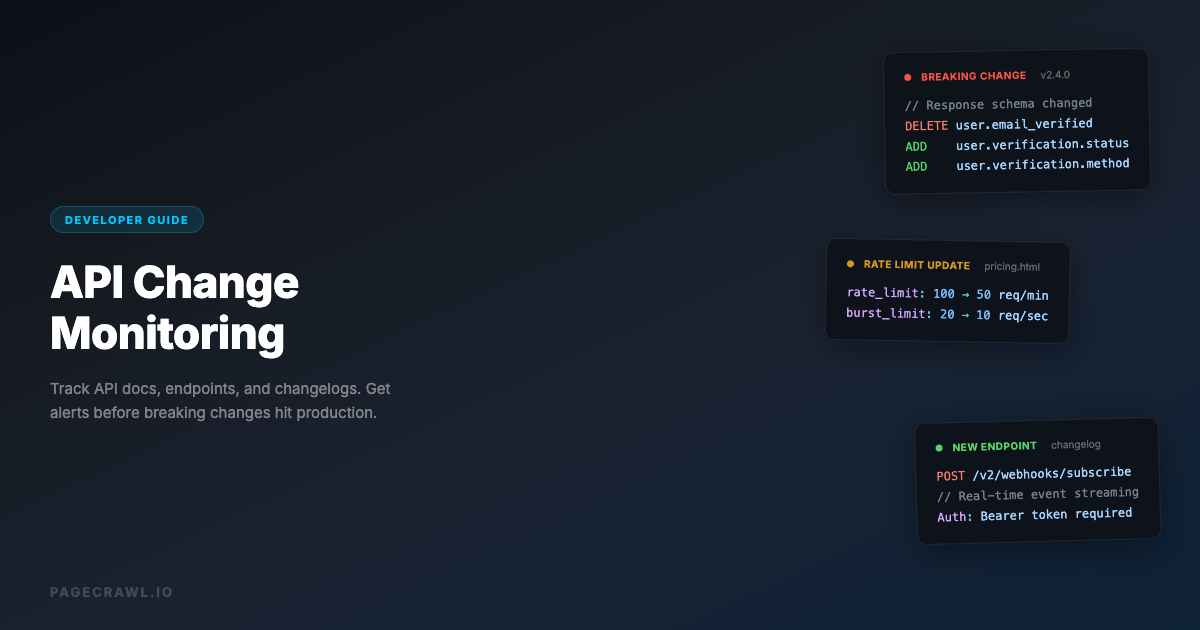
Your application depends on external APIs. Payment processors, shipping providers, data feeds, authentication services. When one of those APIs changes without warning, your application breaks. Users see errors, transactions fail, and data stops flowing.
The worst part is that most API changes are not announced until after they ship. A field gets renamed, a response format changes, a deprecated endpoint gets removed, an authentication method gets retired. By the time you find out from an error report, your users have already been affected.
Automated API monitoring catches these changes before they reach production. For a broader overview of what to monitor across your API dependencies, see our complete guide to API monitoring and change alerts. This guide covers practical methods for monitoring REST APIs for breaking changes, from simple response tracking to comprehensive documentation monitoring.
What makes an API change breaking?
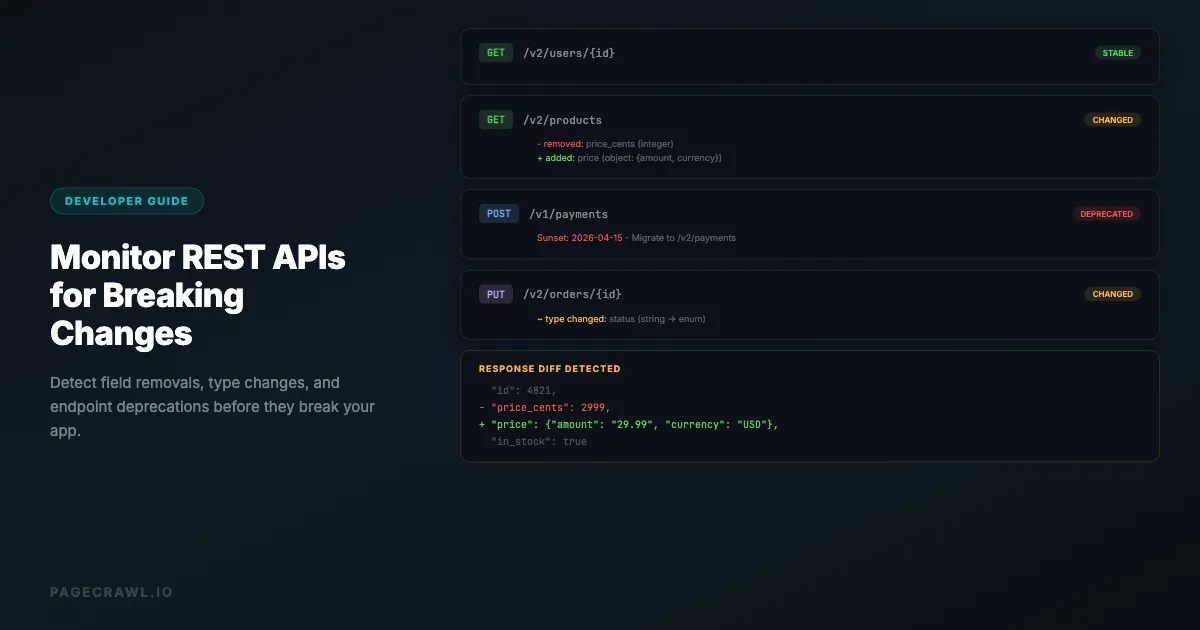
A change is breaking when code that worked yesterday fails today: a field is removed or renamed, a data type changes, an endpoint disappears, a parameter becomes required, or the authentication scheme changes. Purely additive changes are usually safe. Knowing the difference keeps your monitoring focused on real issues instead of noise.
Definitely Breaking
- Removed fields: A field your application reads is no longer in the response
- Renamed fields:
user_namebecomesusernameoruserName - Changed data types: A field changes from string to integer, or array to object
- Removed endpoints: An endpoint you call no longer exists (404)
- Changed authentication: API keys, OAuth flows, or token formats change
- New required parameters: A previously optional parameter becomes required
- Changed error codes: Error response structure or status codes change
- Rate limit changes: Stricter rate limits cause your requests to be throttled
Potentially Breaking
- Added fields: Generally safe, but can break strict parsers that reject unknown fields
- Changed field order: Should not matter with JSON, but can break naive parsers
- New optional parameters: Generally safe, but can affect default behavior
- Changed pagination: Page sizes, cursor formats, or pagination methods change
- Updated validation rules: Stricter input validation rejects previously accepted requests
Usually Safe
- Added endpoints: New functionality that does not affect existing calls
- Added optional response fields: More data in the response, existing fields unchanged
- Performance improvements: Faster responses without format changes
- Bug fixes: Correcting incorrect behavior to match documentation

Method 1: Response Structure Monitoring
The most direct way to detect API changes is to periodically call the API and compare the response structure to a baseline.

How It Works
- Make a request to the API endpoint
- Capture the response (headers, status code, body)
- Compare to the previous response
- Alert on structural changes (new/missing fields, type changes)
Using PageCrawl for API Response Monitoring
PageCrawl can monitor any URL that returns content, including API endpoints that return JSON or XML, where you can narrow the check to specific tags and attributes.
Step 1: Create a monitor for the API endpoint
Add the full API endpoint URL as a new monitor. For example: https://api.github.com/repos/laravel/framework/releases/latest
Step 2: Choose "Full Page" tracking mode
This captures the full JSON response body. PageCrawl will compare the response text on each check and alert you when anything changes.
Step 3: Set authentication headers
If the API requires authentication, configure the request headers in your monitor. PageCrawl supports custom headers for API key authentication, Bearer tokens, and other authentication methods.
Step 4: Set check frequency
For critical APIs, check every few hours. For stable APIs, daily checks are usually sufficient. Balance frequency against rate limits on the API you are monitoring.
Step 5: Configure alerts
Set up Slack, email, or webhook notifications, or pull detected changes straight into your own tooling with the PageCrawl REST API and webhooks. When the API response structure changes, the next check that runs sends you an alert with an AI summary of what changed.
What This Catches
- Fields added or removed from the response
- Data type changes (string to number, etc.)
- Value format changes (date format, ID format)
- Status code changes
- Response header changes
- Complete endpoint removal (404, 410 responses)
Limitations
- Only monitors one endpoint at a time (set up multiple monitors for multiple endpoints)
- Dynamic data (timestamps, counters) causes false positives unless filtered
- Requires valid authentication credentials
- Does not test write operations (POST, PUT, DELETE)
Method 2: API Documentation Monitoring
API providers update their documentation before, during, or after making changes. Monitoring the documentation page catches changes earlier than monitoring the actual API.
What to Monitor
Official API documentation pages: Most APIs have a dedicated docs site. Monitor the main endpoint reference pages for your most-used endpoints.
Changelog or release notes page: Many API providers maintain a changelog, and release notes and changelog monitoring is the single best signal to watch because it explicitly describes what changed.
Status page: Monitoring the API status page catches outages, maintenance windows, and performance degradation.
Migration guides: When APIs announce a new version, they often publish migration guides that detail breaking changes. For a deeper dive into tracking these pages, read our guide on monitoring documentation sites for changes.
Setting Up Documentation Monitoring
- Find the API provider's documentation URL for the endpoints you use
- Create a PageCrawl monitor with "Content Only" or "Full Page" tracking mode
- Set daily checks (documentation changes less frequently than API responses)
- Enable AI summaries to get plain-language descriptions of what changed
Example: Monitoring Stripe's API changelog
Create a monitor for the changelog page in Stripe's API documentation. Set "Content Only" mode to ignore navigation and footer changes. When Stripe publishes a new changelog entry, the next check picks it up and sends you a notification summarizing the update.
Example: Monitoring a Swagger/OpenAPI spec
Many APIs publish their OpenAPI specification as a JSON or YAML file. Monitor this file directly. When the spec changes, your monitor detects new endpoints, changed parameters, and modified response schemas.
Method 3: Webhook-Based Change Detection
For APIs you call frequently, you can build lightweight change detection into your existing integration code.
Schema Validation Approach
Add response schema validation to your API client using JSON Schema. When a response does not match the expected schema, log the discrepancy and alert your team. If you would rather keep detection outside your application code, PageCrawl's REST API and webhooks for custom integrations can push the same signal into your existing tooling.
import jsonschema

expected_schema = {
    "type": "object",
    "required": ["id", "name", "email", "created_at"],
    "properties": {
        "id": {"type": "integer"},
        "name": {"type": "string"},
        "email": {"type": "string"},
        "created_at": {"type": "string"}
    }
}

def validate_api_response(response_data):
    try:
        jsonschema.validate(response_data, expected_schema)
    except jsonschema.ValidationError as e:
        # Alert: API response structure changed
        notify_team(f"API schema mismatch: {e.message}")
This approach catches breaking changes as they happen in production. The downside is that you only discover changes when your application actually makes the API call.
Response Fingerprinting
Hash the response structure (field names and types, not values) and compare hashes between calls. This detects structural changes without being triggered by dynamic data values.
import hashlib
import json

def structure_fingerprint(data, prefix=""):
    """Generate a fingerprint of the JSON structure (keys and types only)"""
    parts = []
    if isinstance(data, dict):
        for key in sorted(data.keys()):
            parts.append(f"{prefix}.{key}:{type(data[key]).__name__}")
            parts.extend(structure_fingerprint(data[key], f"{prefix}.{key}"))
    elif isinstance(data, list) and data:
        parts.append(f"{prefix}[]:list")
        parts.extend(structure_fingerprint(data[0], f"{prefix}[]"))
    return parts

def get_hash(data):
    fp = "\n".join(structure_fingerprint(data))
    return hashlib.md5(fp.encode()).hexdigest()
Method 4: OpenAPI/Swagger Spec Diffing
If the API publishes an OpenAPI specification, you can diff the spec file to detect changes at a detailed level.
What OpenAPI Specs Reveal
- All available endpoints and their HTTP methods
- Request parameters (path, query, header, body)
- Response schemas with field types and descriptions
- Authentication requirements
- Deprecation notices
Monitoring the Spec File
Most OpenAPI specs are available at a stable URL, for example:
https://petstore3.swagger.io/api/v3/openapi.json(the Swagger Petstore reference API)https://raw.githubusercontent.com/stripe/openapi/master/openapi/spec3.json(Stripe)https://raw.githubusercontent.com/github/rest-api-description/main/descriptions/api.github.com/api.github.com.json(GitHub REST API)
Create a PageCrawl monitor for this URL. When the spec file changes, the AI summary will describe what endpoints, parameters, or schemas were modified.
Building a Comprehensive API Monitoring Strategy
Tier 1: Critical APIs (Payment, Auth, Core Data)
These APIs can take your application down if they change.
- Monitor the actual endpoint response every 2-4 hours
- Monitor the API documentation page daily
- Monitor the changelog page daily
- Monitor the status page every hour
- Set up Slack alerts with high-priority notifications
- Add schema validation to your application code
Tier 2: Important APIs (Third-Party Data, Integrations)
These APIs cause degraded functionality if they change.
- Monitor documentation and changelog pages daily
- Monitor one representative endpoint daily
- Set up email alerts
- Review changes weekly
Tier 3: Supplementary APIs (Analytics, Logging, Non-Critical)
These APIs can tolerate brief disruptions.
- Monitor changelog pages weekly
- Set up digest-style notifications
- Review changes monthly
Common API Changes and How to Detect Them
Authentication Changes
What happens: API provider migrates from API keys to OAuth, changes token format, or updates key rotation policies.
How to detect: Monitor the authentication documentation page. Also monitor any "Getting Started" or "Authentication" guide pages. Authentication changes are almost always documented before they take effect.
PageCrawl setup: Create a monitor on the authentication docs page with "Content Only" mode, daily checks.
Versioning Changes
What happens: API provider announces a new version and sets a sunset date for the old version.
How to detect: Monitor the API versioning or migration guide page. Watch for new version announcements in the changelog.
PageCrawl setup: Monitor the changelog, and create a separate monitor on any version-specific documentation pages.
Rate Limit Changes
What happens: API provider reduces rate limits or changes how limits are calculated.
How to detect: Monitor the rate limiting documentation page. Also check response headers (X-RateLimit-Limit, X-RateLimit-Remaining) by monitoring a live endpoint.
PageCrawl setup: Use element tracking to extract rate limit headers from an API endpoint response.
Deprecation Notices
What happens: API provider marks endpoints or features as deprecated, with a planned removal date.
How to detect: Monitor the changelog and deprecation notices page. Some APIs include deprecation warnings in response headers, using the standardised Sunset header defined in RFC 8594 alongside Deprecation.
PageCrawl setup: Monitor the changelog page with an AI focus area set to "alert me about deprecation notices and sunset dates."
How do you stop dynamic API data from causing false alerts?
Watch the structure rather than the values. Monitor the OpenAPI spec or a stable configuration endpoint, or use content-only tracking with AI filtering so a moving timestamp is ignored while a missing field is escalated. Timestamps, IDs, and counters change on every request and are the main source of false change alerts.
Solutions
Use "Content Only" mode with AI filtering: PageCrawl's AI summaries can distinguish between meaningful structural changes and routine data updates, and the guide to AI-powered change detection and smart filtering explains how to tune it. The AI knows that a changed timestamp is normal but a missing field is significant.
Monitor a static endpoint: If the API has a health check, version, or configuration endpoint that returns stable data, monitor that instead of a data endpoint.
Monitor the schema, not the data: Use OpenAPI spec monitoring instead of response monitoring to track structural changes without being affected by dynamic values.
Use AI focus areas: Set a focus area like "alert me only when the JSON structure changes, not when values change" to filter out noise from dynamic data.
Which APIs are worth monitoring first?
Start with the APIs that can take your product down: payments, authentication, and core data. Then add third-party integrations that degrade functionality, and finally supplementary services you can live without for a day. Here are common API categories and what to watch for:
Payment APIs (Stripe, PayPal, Square)
- Changelog pages (these providers are good about documenting changes)
- API version deprecation schedules
- Webhook event format changes
- Authentication and security updates
Cloud Infrastructure (AWS, GCP, Azure)
- Service-specific API reference pages
- SDK release notes
- Breaking change announcements
- Service deprecation notices
Communication (Twilio, SendGrid, Mailgun)
- API endpoint documentation
- Webhook payload format
- Rate limit and pricing changes
- Feature deprecation timelines
Data Providers (Weather, Financial, Maps)
- Response format documentation
- Data field availability
- Coverage area changes
- API key and quota changes
Social Platforms (Twitter/X, Facebook, LinkedIn)
- Developer documentation and changelog
- Permission and scope changes
- Rate limit adjustments
- Data access policy updates
Choosing your PageCrawl plan
PageCrawl's Free plan lets you monitor 6 pages with 220 checks per month, which is enough to validate the approach on your most critical pages. Most teams graduate to a paid plan once they see the value.
| Plan | Price | Pages | Checks / month | Frequency |
|---|---|---|---|---|
| Free | $0 | 6 | 220 | every 60 min |
| Standard | $8/mo or $80/yr | 100 | 15,000 | every 15 min |
| Enterprise | $30/mo or $300/yr | 500 | 100,000 | every 5 min |
| Ultimate | $99/mo or $999/yr | 1,000 | 100,000 | every 2 min |
Annual billing saves two months across every paid tier. Enterprise and Ultimate scale up to 100x if you need thousands of pages or multi-team access.
At an engineering hourly rate, Standard at $80/year pays for itself the first time it catches a breaking API change, a deprecated endpoint, or a silent schema change before it reaches production. 100 pages covers the changelogs, API reference docs, and OpenAPI specs for every external dependency a typical product team relies on. Enterprise at $300/year adds higher check frequency and 500 pages. All plans include the PageCrawl MCP Server, so developers can ask Claude or Cursor "what changed in the Stripe API docs this month?" and get a summary drawn from their own monitoring history. AI assistants can create monitors through conversation on every plan, including Free, turning tracked pages into a living knowledge base instead of a pile of alert emails.
Getting Started
Pick the three most critical APIs your application depends on. For each one:
- Find their changelog or release notes page and create a PageCrawl monitor (daily checks, Slack notifications)
- Find their API documentation page for the endpoints you use most and create a monitor (daily checks)
- Optionally, create a monitor for a representative API endpoint response (every 6 hours)
This takes about 15 minutes to set up and gives you early warning for the API changes most likely to affect your application. PageCrawl's AI summaries tell you exactly what changed in the documentation, so you can quickly assess whether a change affects your integration without reading the full diff. You can also monitor GitHub releases and changelogs to catch breaking changes in the open-source libraries your application depends on.