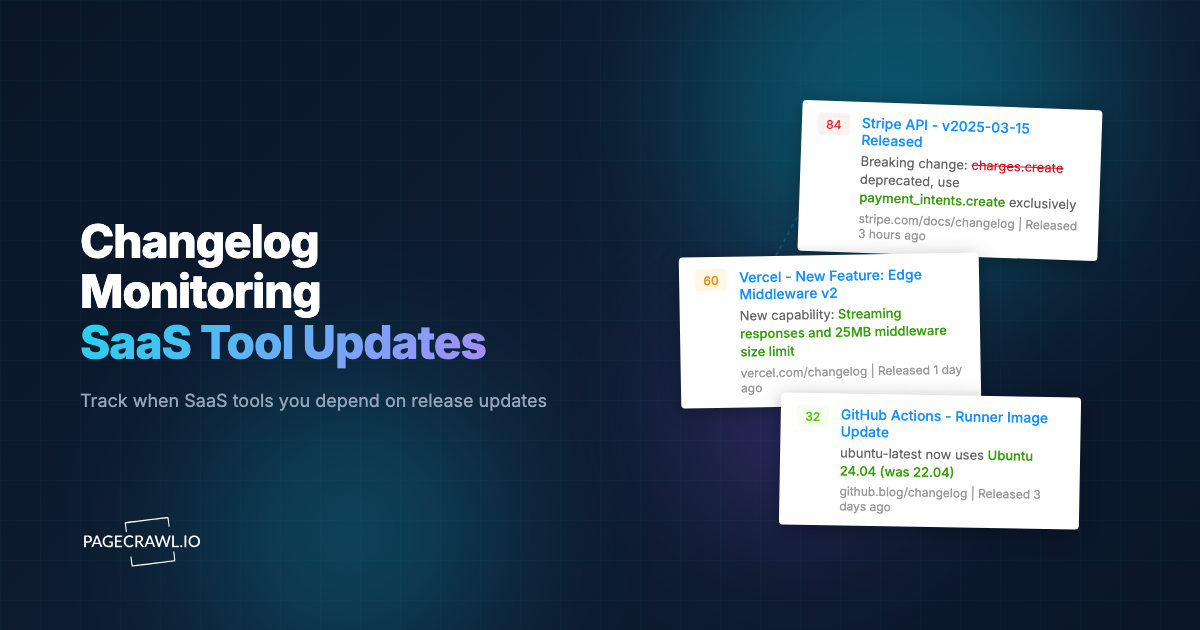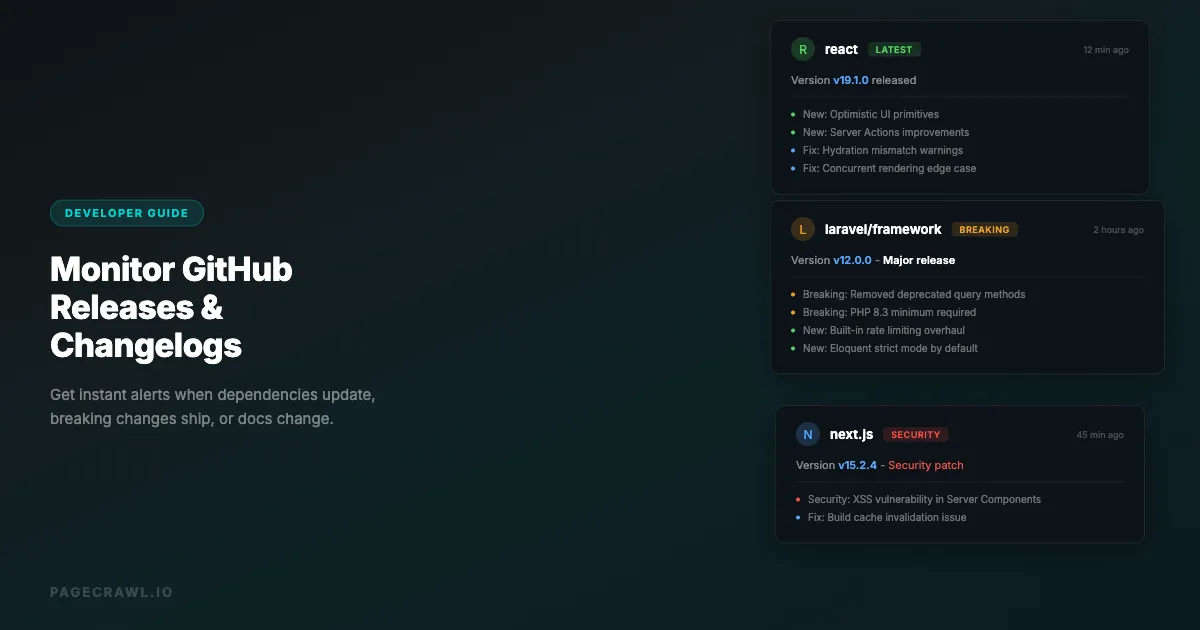
Your production application depends on dozens of libraries, frameworks, and APIs. When one of those dependencies pushes a security patch, ships a breaking change, or deprecates a feature you rely on, you want to hear about it the day it ships. Not next week when a user reports a bug. Not next month when you finally check the changelog.
Most teams discover dependency changes reactively. A build fails, a feature breaks, or a security scanner flags a vulnerability weeks after the patch was available. This guide covers every practical method for monitoring GitHub and GitLab releases, changelogs, and documentation, starting with the exact address to monitor for each kind of change.
Why should you monitor GitHub releases and changelogs?
Because the changes that break or expose your application ship on someone else's schedule. Release feeds and changelogs are where security patches, breaking changes, and deprecation notices are announced first, usually with no direct notification to the teams that depend on them. Monitoring turns that passive announcement into an alert you act on.
Security Patches Are Time-Critical
When a critical vulnerability is disclosed and patched, the time between the fix being available and your application being updated is your window of exposure. Log4Shell, tracked as CVE-2021-44228, had public proof-of-concept code circulating within hours of disclosure. Teams that monitored the Apache Log4j GitHub releases could patch the same day. Teams that relied on periodic dependency checks were exposed for days or weeks.
Breaking Changes Need Planning
Major version bumps often include breaking changes. If you depend on a library that moves from v3 to v4 with API changes, discovering this during a routine dependency update leads to fire drills. Monitoring changelogs gives you advance notice to plan migrations.
Deprecation Warnings Prevent Future Pain
Libraries often deprecate features one or two versions before removing them. Monitoring changelogs lets you identify deprecated APIs you use and plan replacements before the removal ships.
API Documentation Changes Signal Breaking Changes
When a third-party API updates its documentation, it often means their API behavior is changing or about to change. Documentation updates frequently precede actual API changes, giving you a heads-up to prepare. Our guide on monitoring documentation sites covers strategies for tracking these changes systematically.
Competitive Intelligence from Open Source
If competitors maintain open-source projects, their releases reveal their technical direction. Monitoring their repos shows what they are building, what they are deprecating, and what their priorities are.

Which GitHub address should you monitor for each kind of change?
Monitor the feed that matches the change you care about. GitHub publishes Atom feeds for every public repository's releases, tags and commits, and serves each file as plain text at raw.githubusercontent.com. Releases suit dependency updates, a commit feed follows a branch or a single file, and the raw address follows a changelog line by line.
| To hear about | Monitor this address | Track it with |
|---|---|---|
| New releases, with their release notes | https://github.com/{owner}/{repo}/releases.atom |
Feed |
| New tags | https://github.com/{owner}/{repo}/tags.atom |
Feed |
| Commits on the default branch | https://github.com/{owner}/{repo}/commits.atom |
Feed |
| Commits on a specific branch | https://github.com/{owner}/{repo}/commits/{branch}.atom |
Feed |
| Commits that touch one file or folder | https://github.com/{owner}/{repo}/commits/{branch}/{path}.atom |
Feed |
| Edits to a file's text, such as CHANGELOG.md | https://raw.githubusercontent.com/{owner}/{repo}/{branch}/{path} |
Full Page Text |
| Issues, pull requests or security advisories | No feed exists | Not available |
What each address gives you:
- Releases holds about the 10 newest entries, each with the release name, a link and the release notes.
- Tags lists one entry per tag, often with little more than the tag name.
- Commits holds about the 20 newest commit messages. Branch names with dots or slashes work as they are (for example
commits/release/9.0.atom), and adding?author={username}follows one person's commits. A branch or path that does not exist returns a 404 error, so copy the names exactly. - Raw files serve the file itself, without GitHub's page around it. Very large files are capped and only the beginning is kept, which suits changelogs that put the newest entry at the top.
- Issues and pull requests have no feed on GitHub (an
issues.atomaddress answers with an error), so follow them with the repository's own Watch menu instead: choose Custom, then Issues or Pull requests.
A one-file commit feed is how you would have caught Redis changing its license. The feed for its license file, https://github.com/redis/redis/commits/unstable/LICENSE.txt.atom, lists "Change license from BSD-3 to dual RSALv2+SSPLv1 (#13157)" on March 20, 2024 and "Adding AGPLv3 as a license option to Redis! (#13997)" on May 1, 2025. Our guide to tracking GitHub and GitLab commits, branches and file changes covers commit monitoring in depth.
Note: the releases feed is not a list of stable versions only. It also carries pre-releases (betas, release candidates, canary builds) and tags that have no release, and it runs newest day first rather than in strict publish order, so the top entry is not always the newest stable release. In the Next.js feed, canary builds often outnumber stable releases. A feed monitor set up in Track New Page alerts on every new entry, pre-releases included, and each alert lists the new entries by name, so a canary build or release candidate is easy to spot.
Avoid monitoring the repository's home page. Its star, fork and issue counters and its relative dates change constantly, so a monitor on it alerts on noise rather than releases. The help guide on monitoring GitHub and GitLab repositories walks through every address step by step.
Can you monitor GitLab releases and tags the same way?
Yes. GitLab.com publishes Atom feeds for a project's releases, tags, commits, issues and merge requests, and serves every file as plain text, so the same Feed and Full Page Text setups work. Two details differ: the tag feed needs ?format=atom, and the release feed lists every release the project has ever published.
| To hear about | Monitor this address | Track it with |
|---|---|---|
| New releases | https://gitlab.com/{group}/{project}/-/releases.atom |
Feed |
| New tags | https://gitlab.com/{group}/{project}/-/tags?format=atom |
Feed |
| Commits on the default branch | https://gitlab.com/{group}/{project}/-/commits/HEAD?format=atom |
Feed |
| Commits on a specific branch | https://gitlab.com/{group}/{project}/-/commits/{branch}?format=atom |
Feed |
| Commits that touch one file or folder | https://gitlab.com/{group}/{project}/-/commits/{branch}/{path}?format=atom |
Feed |
| New issues | https://gitlab.com/{group}/{project}/-/issues.atom |
Feed |
| New merge requests | https://gitlab.com/{group}/{project}/-/merge_requests.atom |
Feed |
| Edits to a file's text | https://gitlab.com/{group}/{project}/-/raw/{branch}/{path} |
Full Page Text |
What to know before you set one up:
- The project path can include nested groups, such as
gitlab-org/ruby/gems/gitlab-exporter. /-/tags.atomis not a feed: it redirects to the sign-in page. Use/-/tags?format=atominstead.- The release feed includes every release, newest first (the GitLab Runner feed lists more than 280). The monitor's Track first setting keeps the newest entries, 10 by default, so years of history never crowd the monitor.
- Commit feeds hold about 40 entries, and many of them are merge commits.
- Issue and merge request feeds keep the list's filters, so
.../-/issues.atom?state=opened&label_name[]=bugfollows only open bugs. Group-wide feeds live athttps://gitlab.com/groups/{group}/-/issues.atomandhttps://gitlab.com/groups/{group}/-/merge_requests.atom. - Self-managed GitLab servers publish the same addresses on their own domain. Some only answer visitors using a regular browser. If a feed cannot be read, monitor the project's Releases page itself with Full Page Text.
GitLab documents the feed in its guide to tracking releases with an RSS feed, and the same page explains GitLab's own email notification for new releases, which reaches only the person who sets it up.
Method 1: GitHub Native Features
GitHub provides several built-in mechanisms for tracking repository activity.
Watch Releases Only
GitHub lets you watch a repository for specific types of activity. Instead of watching everything (which floods your inbox), you can watch only releases.
How to set up:
- Go to the repository's main page on GitHub
- Open the Watch drop-down menu in the upper-right corner
- Click Custom
- Select Releases and apply the change
GitHub then notifies you about new releases in your notifications inbox on the web and in GitHub Mobile, by email, or both, depending on your notification settings. GitHub's documentation on configuring watch settings for an individual repository lists every option.
Limitations:
- Personal: every teammate has to set up their own watch, and nothing reaches a shared Slack, Discord, or Teams channel without a separate integration
- Event types only: the Custom options cover issues, pull requests, releases, discussions, and security alerts, so there is no way to follow commits on a branch or edits to a single file such as a changelog
- GitHub only: no documentation sites and no other code hosts
- High volume if you watch many repositories
- Easy to miss notifications in a busy inbox
GitHub Atom Feeds
Every GitHub repository has an Atom feed for releases:
https://github.com/{owner}/{repo}/releases.atomFor example:
https://github.com/react/react/releases.atom
https://github.com/laravel/framework/releases.atom
https://github.com/vercel/next.js/releases.atom
Each entry carries the release name, a link, and the release notes. GitHub also publishes tags.atom and commits.atom feeds for every public repository.
You can subscribe to these in any RSS reader (Feedly, Inoreader, NetNewsWire, etc.), or use a web monitoring tool to monitor RSS feeds with alerts and AI summaries. PageCrawl treats a feed URL as a structured item list, so you can read how feed tracking mode reports added and removed entries before pointing it at a releases.atom URL.
Limitations:
- Requires an RSS reader
- No alerting (most RSS readers do not push notifications)
- No filtering or conditional alerts
- Manual setup for each repository
GitHub Actions for Self-Notification
You can create a GitHub Action that checks for new releases of dependencies and sends notifications:
name: Check Dependency Releases
on:
  schedule:
    - cron: '0 9 * * 1-5'  # Weekdays at 9 AM UTC

jobs:
  check-releases:
    runs-on: ubuntu-latest
    steps:
      - name: Check React releases
        env:
          GH_TOKEN: ${{ secrets.GITHUB_TOKEN }}
        run: |
          LATEST=$(curl -sL -H "Authorization: Bearer $GH_TOKEN" https://api.github.com/repos/react/react/releases/latest | jq -r '.tag_name')
          echo "Latest React: $LATEST"
          # Compare with known version and notify if different
Limitations:
- Requires GitHub Actions setup and maintenance
- Limited to GitHub-hosted repositories
- Free on public repositories that use standard GitHub-hosted runners, while runs in a private repository draw on your account's included minutes, as explained in GitHub's Actions billing documentation
- Custom scripting required for each dependency, and the script should send the workflow's
GITHUB_TOKEN, because GitHub rate-limits unauthenticated API requests
Method 2: Dependency Management Tools
Several tools focus specifically on tracking dependency updates in your project.
Dependabot (GitHub Native)
Dependabot scans your project's dependency files and creates pull requests when newer versions are available.
What it monitors:
package.json/package-lock.json(npm/yarn)composer.json/composer.lock(PHP)requirements.txt/Pipfile(Python)Gemfile/Gemfile.lock(Ruby)go.mod(Go)- Docker base images
- GitHub Actions versions
Configuration:
# .github/dependabot.yml
version: 2
updates:
  - package-ecosystem: "npm"
    directory: "/"
    schedule:
      interval: "weekly"
    open-pull-requests-limit: 10
    labels:
      - "dependencies"

  - package-ecosystem: "composer"
    directory: "/"
    schedule:
      interval: "weekly"
Strengths:
- Free and built into GitHub
- Creates actionable pull requests
- Groups related updates
- Supports security alerts
Limitations:
- Only monitors dependencies in your project (not arbitrary repos)
- Pull request noise can be overwhelming
- Version updates arrive as pull requests on Dependabot's schedule rather than as release alerts
- Does not monitor documentation or changelog content
Renovate
Renovate is similar to Dependabot but with more configuration options, including support for monorepos, custom versioning schemes, and auto-merging rules.
Socket.dev
Socket.dev focuses on supply chain security, monitoring npm packages for suspicious behavior changes, not just version bumps. It catches typosquatting, malicious code injection, and unexpected permission escalations.
Method 3: Web Monitoring
For changelogs, documentation, and release feeds beyond the dependencies declared in your own project, a web monitoring tool gives you the most flexibility: one place for every repository, changelog file, and documentation page, with alerts delivered wherever your team already works.
Advantages of web monitoring for GitHub:
- Monitor any page or feed, not just dependencies in your project
- AI-powered change summaries explain what changed
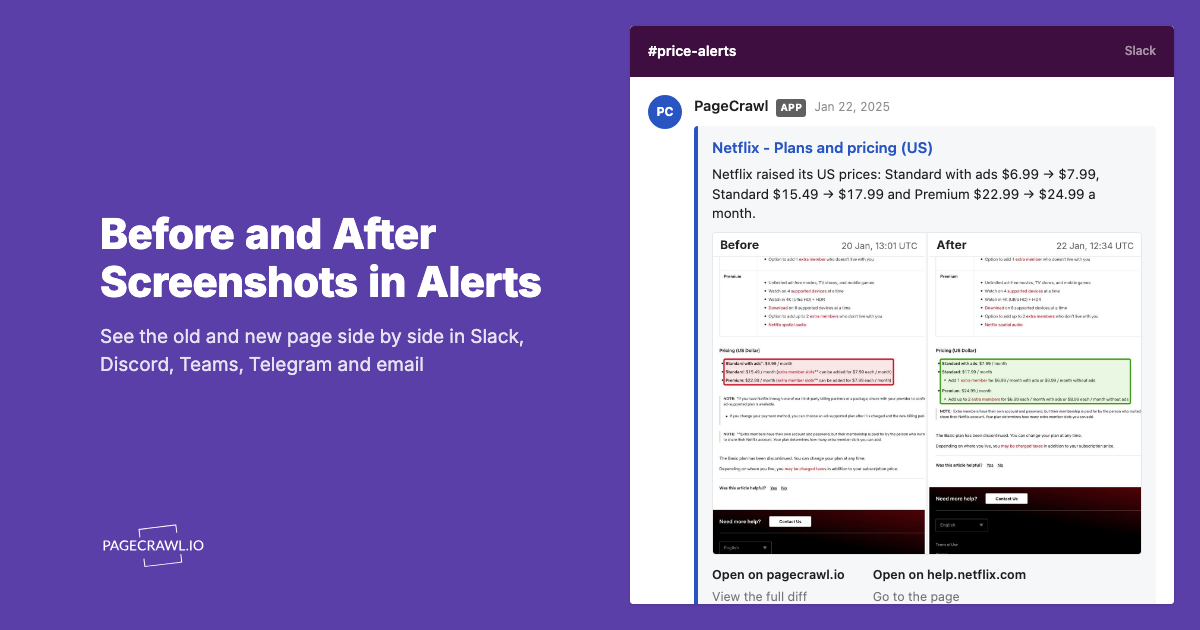
- Multi-channel alerts (Slack, Discord, Teams, Telegram, email, webhook)
- Works for GitHub, GitLab, Bitbucket, and any documentation site
- No GitHub Actions setup required
- Historical change archive
Monitoring GitHub Releases with PageCrawl
Monitor the release feed rather than the Releases page itself. The feed lists each release as its own entry with its notes, so an alert names the new version, while the Releases page wraps the same information in star and fork counters and other page furniture.
- Open Track New Page and paste the feed address, for example
https://github.com/vercel/next.js/releases.atom. PageCrawl loads it, detects the Atom feed, and selects Feed. - Keep Track first at 10 items. GitHub's release feed holds about 10 entries, so nothing is left out.
- Under Alert me about:, Items added is always on. Leave Items removed off for release feeds, because each new release pushes the oldest entry out of the feed, which would count as a removal. Turn on Content changes if you also want to hear when a release's title or the opening of its notes is edited.
- Optional: in What matters: when to notify me, name what you care about, for example "Flag security fixes and breaking changes." It shapes the AI summary and importance score of each release, but on a feed monitor set up in Track New Page it does not hold a release back: every new entry sends an alert, pre-releases included.
- Choose a Check Frequency (every 1 to 2 hours suits most release feeds) and where alerts go under Notify me via, then click Start Tracking.
You can also paste a GitHub or GitLab.com project's Releases, Tags or Commits page: PageCrawl follows the same feed.
The first check records the releases already in the feed as a baseline, so versions that shipped before you started do not trigger alerts. After that, you get an alert when a check finds a new entry, with the release name, its link, and an AI summary of what changed. These feed checks run without a browser and take no screenshots.
When you add monitors through the REST API, the MCP server, or a bulk import, give the feed address and choose the feed tracking mode.
Monitoring a CHANGELOG.md file
Some projects write their notes in a CHANGELOG.md file instead of, or as well as, GitHub Releases. Vue's release entries on GitHub, for example, point readers to its CHANGELOG.md for the details. Monitor the file's raw address, which serves the plain text without GitHub's page around it:
https://raw.githubusercontent.com/{owner}/{repo}/{branch}/CHANGELOG.mdFor Vue, that is https://raw.githubusercontent.com/vuejs/core/main/CHANGELOG.md. Track it with Full Page Text and choose Everything, because a raw file has no menus or footers to leave out. Full Page Text compares the file line by line, so a new entry shows up as added lines, like the React 19 changelog entry below. Very large files are capped and only the beginning is kept, which suits changelogs that put the newest entry at the top.

An address such as https://github.com/{owner}/{repo}/blob/main/CHANGELOG.md is GitHub's viewer page for the file, not the raw file. On GitLab, the raw address is https://gitlab.com/{group}/{project}/-/raw/{branch}/{path}.
Monitoring documentation sites
Many projects host documentation separately from GitHub:
- React:
react.dev - Next.js:
nextjs.org/docs - Laravel:
laravel.com/framework/docs - Tailwind CSS:
tailwindcss.com/docs
Monitor the specific API and documentation pages that are critical to your implementation:
- Paste the documentation page into Track New Page
- Choose Full Page Text and select Content only, which tracks the main page content and ignores menus, headers, and footers
- Set the Check Frequency based on how critical the documentation is
Monitoring Package Registry Pages
Beyond GitHub, monitor the package registries directly:
- npm:
https://www.npmjs.com/package/{package-name} - PyPI:
https://pypi.org/project/{package-name}/ - Packagist:
https://packagist.org/packages/{vendor}/{package} - RubyGems:
https://rubygems.org/gems/{gem-name} - crates.io:
https://crates.io/crates/{crate-name}
These pages update when new versions are published and often include release notes.
Method 4: RSS and Webhook Integrations
GitHub Release RSS to Slack
Combine GitHub's Atom feeds with Slack's RSS app:
- Add the RSS app to your Slack workspace
- In the desired channel, type:
/feed subscribe https://github.com/{owner}/{repo}/releases.atom - Slack will post new releases to the channel automatically
This is free and simple but limited to Slack and provides no filtering.
GitHub Webhooks
For programmatic integration, configure GitHub webhooks to send release events to your server:
- Go to repository Settings > Webhooks
- Add a webhook URL
- Select "Releases" as the event type
- GitHub will POST a JSON payload when releases are published
Example webhook payload handler (Node.js):
const express = require('express');
const app = express();

app.post('/github-webhook', express.json(), (req, res) => {
  if (req.body.action === 'published' && req.body.release) {
    const release = req.body.release;
    console.log(`New release: ${release.tag_name}`);
    console.log(`URL: ${release.html_url}`);
    console.log(`Notes: ${release.body}`);

    // Send to Slack, Discord, email, etc.
    notifyTeam({
      repo: req.body.repository.full_name,
      version: release.tag_name,
      url: release.html_url,
      notes: release.body,
      prerelease: release.prerelease
    });
  }
  res.sendStatus(200);
});
Limitations:
- Requires hosting a webhook receiver
- Only works for repos you have admin access to
- Custom code for each notification channel
- No monitoring of documentation or third-party repos you do not control
Method 5: Specialized Release Monitoring Services
Libraries.io
Libraries.io tracks package releases across multiple ecosystems (npm, PyPI, Maven, etc.). You can subscribe to packages and receive email notifications when new versions are published.
Strengths:
- Covers dozens of package managers
- Free to use
- Dependency tree analysis
- SourceRank quality scoring
Limitations:
- Email notifications only (no Slack/Discord)
- No changelog content in notifications
- No documentation monitoring
- Can lag behind actual releases
NewReleases.io
NewReleases.io monitors releases across GitHub, GitLab, npm, PyPI, and other platforms. It sends notifications via email, Slack, Telegram, Discord, Microsoft Teams, or webhook.
Strengths:
- Multi-platform support
- Multiple notification channels
- Free to use, with every feature included
- Filters for pre-releases and release candidates
Limitations:
- No documentation monitoring
- No changelog content analysis
- Limited to release events (not general page changes)
Which release monitoring approach should you choose?
Pick by what you need to see. Dependabot and Renovate are best for dependencies declared in your own project. GitHub Watch and webhooks cover release events on repos you follow or own. Web monitoring is the only option that also covers changelog files and documentation pages, on any site.
| Feature | GitHub Watch | Dependabot | Web Monitoring (PageCrawl) | NewReleases.io | GitHub Webhooks |
|---|---|---|---|---|---|
| Setup complexity | Low | Low | Low | Low | Medium |
| Release monitoring | Yes | Indirect (PRs) | Yes | Yes | Yes |
| Changelog monitoring | No | No | Yes | No | No |
| Documentation monitoring | No | No | Yes | No | No |
| Notification channels | GitHub inbox, GitHub Mobile, email | GitHub PRs | Email, Slack, Discord, Teams, Telegram, webhook | Email, Slack, Discord, Teams, Telegram, webhook | Custom |
| Filtering | By event type | By ecosystem | By content (page and changelog monitors) | Pre-release filter | Custom code |
| AI change summaries | No | No | Yes | No | No |
| Works on any website | No | No | Yes | No | No |
| Third-party repos | Yes | No | Yes | Yes | No (admin only) |
| Cost | Free | Free | Free plan available | Free | Free |
Practical Monitoring Setups
For a Small Team (5-15 Dependencies)
- Enable Dependabot for automated pull requests on your own project
- Use PageCrawl to monitor the release feeds (
releases.atom) of your 5-10 most critical dependencies - Set up Slack alerts so the team sees new releases in a dedicated #dependencies channel
For a Large Team (50+ Dependencies)
- Dependabot or Renovate for automated dependency PRs
- PageCrawl for monitoring critical library documentation and changelog pages
- NewReleases.io for bulk release tracking across all dependencies
- GitHub webhook for your organization's internal libraries
- Weekly digest email summarizing all dependency changes
For API-Dependent Applications
When your application depends on third-party APIs (see our guide to monitoring REST APIs for breaking changes):
- Monitor API documentation pages with PageCrawl (e.g., Stripe docs, Twilio docs, AWS service pages)
- Monitor API changelog/status pages for deprecation notices
- Track SDK releases on GitHub for the API's official client libraries
- Set up webhook alerts so API changes reach the team as soon as a check detects them
What to Monitor for Key Ecosystems
For every GitHub repository below, the release feed is the releases address with .atom added, for example github.com/react/react/releases.atom.
JavaScript/Node.js
- React:
github.com/react/react/releasesandreact.dev/blog - Next.js:
github.com/vercel/next.js/releasesandnextjs.org/blog - Vue:
github.com/vuejs/core/releases, plus its changelog atraw.githubusercontent.com/vuejs/core/main/CHANGELOG.md, which the release entries point to for details - Node.js:
nodejs.org/en/blog(especially security releases) - npm security: the GitHub Advisory Database for packages you use
PHP/Laravel
- Laravel:
github.com/laravel/framework/releasesandlaravel.com/framework/docs(version-specific pages) - PHP:
php.net/ChangeLog-8.php(security and bug fix releases) - Composer packages: Monitor Packagist pages for critical packages
Python
- Django:
docs.djangoproject.com/en/stable/releases/(Django's GitHub release feed lists bare tags without release notes, so the release notes index is the richer source) - Flask:
github.com/pallets/flask/releases - FastAPI:
github.com/fastapi/fastapi/releases - Python:
python.org/downloads/and security advisories
DevOps/Infrastructure
- Docker:
github.com/moby/moby/releasesanddocs.docker.com/engine/release-notes/ - Kubernetes:
github.com/kubernetes/kubernetes/releases - Terraform:
github.com/hashicorp/terraform/releases - Nginx:
nginx.org/en/CHANGES
How do you make release notifications actionable?
Sort every release by urgency before you touch it, then attach a standing response to each tier. Security patches get a same-day hotfix, breaking changes get a backlog ticket, minor bumps get scheduled, and everything lands in one dedicated channel so nothing is lost in a general feed.
Categorize by Urgency
Not all releases are equal:
- Critical (act the same day): Security patches, especially for internet-facing dependencies
- High (act within a week): Major version bumps with breaking changes in libraries you use
- Medium (schedule for next sprint): Minor version bumps with new features or bug fixes
- Low (note for future): Pre-releases, release candidates, documentation updates
Create a Response Protocol
- Security patches: Create a hotfix branch, update the dependency, run tests, deploy to production within 24 hours
- Breaking changes: Add a ticket to the backlog, schedule migration for the next sprint, document the required changes
- New features: Review the release notes, identify useful features, add to backlog if relevant
- Deprecation notices: Audit your codebase for deprecated API usage, plan replacements before the removal version
Use a Dedicated Channel
Route all dependency notifications to a single Slack channel (e.g., #dep-updates). This prevents alerts from getting lost in general channels and makes it easy to review what changed during standups.
Automating Responses to Release Notifications
Auto-Create Tickets
Use PageCrawl webhooks to automatically create tickets in your project management tool when critical dependencies update. The help centre covers the webhook payload format and how to point it at any external service. The payload carries the monitor's name in title and the AI summary in ai_summary:
// Webhook handler: create a Jira ticket when a release mentions a security fix
app.post('/pagecrawl-webhook', express.json(), (req, res) => {
  const change = req.body;
  const summary = (change.ai_summary || change.short_summary || '').toLowerCase();

  if (summary.includes('security') ||
      summary.includes('vulnerability')) {
    createJiraTicket({
      project: 'INFRA',
      type: 'Bug',
      priority: 'Critical',
      summary: `Security update: ${change.title}`,
      description: change.ai_summary || change.short_summary
    });
  }

  res.sendStatus(200);
});
Auto-Run Dependency Updates
Combine release monitoring with automated testing:
- PageCrawl detects a new release and triggers a webhook
- The webhook triggers a CI/CD pipeline that updates the dependency
- The pipeline runs the full test suite
- If tests pass, a pull request is automatically created
- The team reviews and merges the PR
This workflow minimizes the time between a release and your application being updated.
Choosing your PageCrawl plan
PageCrawl's Free plan is enough to validate the approach on a few of your most critical release feeds, checked daily. Most teams graduate to a paid plan once they see the value.
| Plan | Price | Pages | Checks / month | Frequency |
|---|---|---|---|---|
| Standard | $8/mo or $80/yr | 100 | 15,000 | every 15 min |
| Enterprise | $30/mo or $300/yr | 500 | 100,000 | every 5 min |
| Ultimate | $99/mo or $999/yr | 1,000 | 100,000 | every 2 min |
Annual billing saves two months across every paid tier. Enterprise and Ultimate scale up to 100x if you need thousands of pages or multi-team access.
At an engineering hourly rate, Standard at $80/year pays for itself the first time it catches a security patch you would have missed for a week. With 100 pages you can cover the release feed, changelog, and primary docs page for every critical dependency in a typical production stack. Enterprise at $300/year is the right fit once you are tracking releases across multiple ecosystems or teams, with 500 pages and 5-minute check intervals.
All plans, including Free, include the REST API and the PageCrawl MCP Server, so developers can ask "what changed in the Next.js docs this sprint?" and get an answer drawn from their own monitoring history rather than a manual diff. AI assistants can create monitors through conversation on every plan.
Getting Started
Start with your most critical dependency. If you are building a React application, monitor the React release feed. If you run a Laravel backend, monitor the Laravel framework releases. Set up a PageCrawl monitor for that one feed, connect it to Slack, and see how valuable it is to hear about a release on the next check after it ships.
Then expand to your other critical dependencies, their changelog files and documentation pages, and the API documentation for any third-party services you rely on. The Free plan is enough to cover your most important dependencies and prove the workflow before scaling up. For every GitHub and GitLab address in one place, follow the help guide on monitoring GitHub and GitLab repositories.