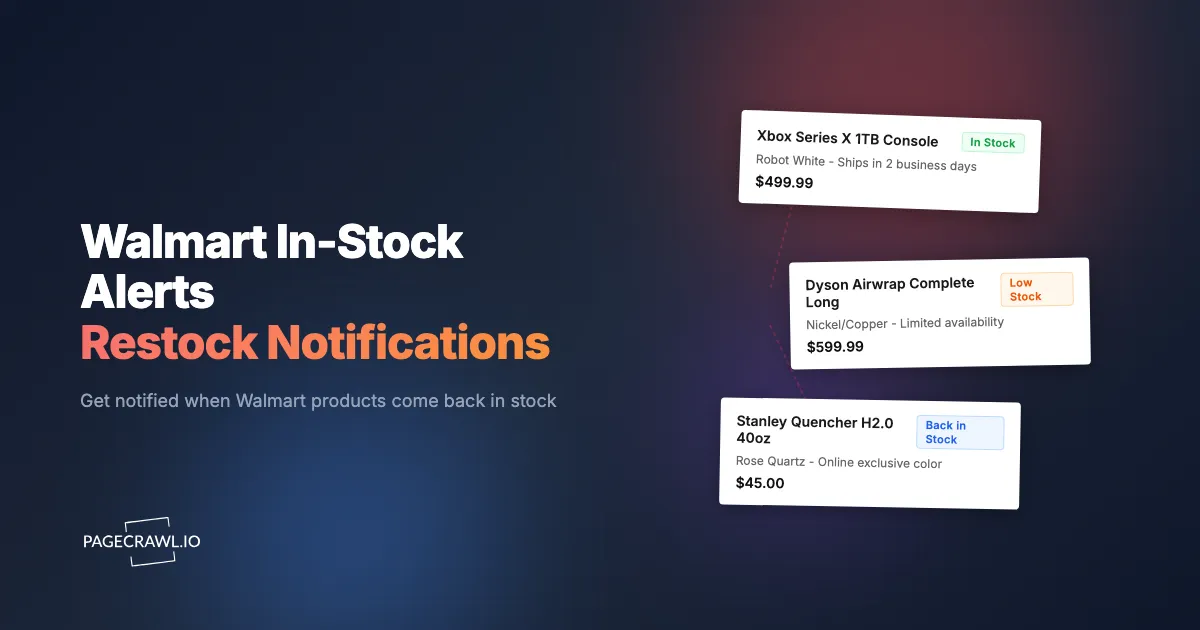
The PS5 Pro bundle you have been waiting for restocks at 6:47am on a Wednesday. By 7:15am, it is sold out. Walmart does not announce restocks, and their built-in "Get In-Stock Alert" button either never sends the email or delivers it hours late when every unit is long gone. Community trackers on Reddit and Discord help, but there is always a delay between someone noticing a restock and you seeing their post.
PageCrawl monitors Walmart product pages on a schedule, detects when availability changes from "Out of stock" to "Add to Cart," and sends a notification through Telegram, Slack, Discord, or web push (browser notifications) as soon as the next check picks up the change. No refreshing pages. No relying on Walmart's email alerts.
Quick Setup
Find the Walmart product you want to monitor, copy the URL, and paste it below. PageCrawl will check the page on a schedule and alert you when availability changes.
This guide focuses on Walmart product (item) pages, which report single-product stock status. Search, category, deals, and seller pages work differently: PageCrawl monitors those as a feed of items entering and leaving the results, so pasting one gives you listing-change alerts rather than restock alerts. Only the first page of results is monitored, so set any sort or filter options in the URL you paste.
Why are Walmart restocks so competitive?
Walmart does not announce when products will restock. Inventory appears on the website without prior communication, and high-demand items sell out within minutes. Shoppers in community forums often claim restocks cluster around Tuesday and Thursday mornings for electronics, but treat that as anecdote rather than fact; the patterns are unreliable enough that monitoring beats any guessing strategy.
Walmart+ members sometimes get early access to restocks and deals, making fast alerts even more valuable if you have a membership.
Which Walmart products are worth monitoring?
Gaming consoles and bundles, high-demand electronics, and seasonal or limited edition items are the Walmart products worth monitoring. These have genuine scarcity and unpredictable availability, so restocks sell out fast, which is exactly where stock availability monitoring earns its keep. Everyday household items rarely need alerts; save your monitors for products you cannot simply buy whenever you want.
Gaming Consoles and Bundles
PlayStation, Xbox, and Nintendo consoles are among the most monitored Walmart products. Specific bundles (console plus game, special editions) appear and disappear unpredictably. Each bundle has its own product page and inventory, so monitor them individually.
Examples of product URLs to monitor:
- PS5 Pro Console:
https://www.walmart.com/ip/PlayStation-5-Pro-Console/5089412325 - Xbox Series X:
https://www.walmart.com/ip/Xbox-Series-X-1TB-Console/443574645 - Nintendo Switch OLED:
https://www.walmart.com/ip/Nintendo-Switch-OLED-Model-White/910582148
High-Demand Electronics
Graphics cards, the latest iPhones, popular laptops, and trending headphones all experience periodic stock constraints. Apple product launches are particularly competitive at Walmart, with AirPods Pro, Apple Watch, and iPhone availability fluctuating for weeks after launch.
Seasonal and Limited Items
Specific patio furniture sets, seasonal decor, sought-after holiday toys, and limited edition products do not restock indefinitely, just as popular furniture items at IKEA can disappear when a line is discontinued. Once they sell out at the end of their season, they may not return. Stock monitoring is about catching the last available units. If you are hunting sale prices rather than restocks, the Walmart Black Friday deal alerts guide covers deal-event monitoring.
How do you set up Walmart stock alerts?
Setting up takes about two minutes: copy the Walmart product page URL, add it to PageCrawl as a new monitor, choose a check frequency and notification channel, and you will get an alert when the next check detects the availability change. The steps below walk through each part.

1. Find the Product URL
Navigate to the specific product page on Walmart.com. The URL will look like https://www.walmart.com/ip/Product-Name/123456789. Make sure you are on the individual product page, not search results or a category page.
2. Add the URL to PageCrawl
Sign up at PageCrawl.io and click Track New Page. Paste the Walmart product URL you copied.
PageCrawl loads the page in a real browser and identifies the current stock status. It recognizes Walmart's various availability indicators: "Add to Cart," "Out of stock," "Get In-Stock Alert," "Check nearby stores," and similar text.
Note: Walmart uses bot protection that blocks simpler scrapers and browser extensions. PageCrawl reliably monitors protected sites like Walmart, and for heavily protected pages, Enterprise plans add premium options. The help centre article on monitoring pages behind bot protection explains what to do if a page still fails to load.
3. Choose Your Settings
- Check frequency: Every 15 minutes for high-demand items where restocks sell out fast. Every 1-2 hours for less time-sensitive items. Sub-hourly intervals require a paid plan (the Free plan checks hourly; paid plans check as often as every 2 minutes).
- Monitoring mode: PageCrawl's AI analysis detects the "Add to Cart" button and availability status automatically. You do not need to configure anything manually.
- Notifications: Telegram or web push notifications for the fastest delivery. Slack and Discord also work well. Email is too slow for items that sell out in minutes.
4. Get Notified
When the product comes back in stock, PageCrawl sends the alert as soon as the next scheduled check detects the change. You see exactly what changed and can open Walmart before most community channels pick it up.
Monitoring Multiple Products
If you are tracking several Walmart products (holiday shopping, multiple electronics), organize your monitors:
- Create a folder in PageCrawl (e.g., "Walmart Holiday Shopping" or "Electronics Restocks")
- Add each product URL as a separate monitor within the folder
- Use bulk editing of monitored pages to update check frequency, notification channels, or tracking modes across your entire Walmart watchlist at once
How does PageCrawl compare to other alert methods?
PageCrawl checks Walmart on a schedule you control and alerts you through the channel of your choice, while Walmart's own "Get In-Stock Alert" emails are inconsistent, community trackers depend on volunteers posting, and browser extensions only work while your computer is on. The table below summarizes the differences.
| PageCrawl | Walmart "Get In-Stock Alert" | Discord/Reddit | Browser Extensions | |
|---|---|---|---|---|
| Speed | Checks as often as every 2 min, alerts on detection | Hours late or never | Depends on someone posting | Only when browser is open |
| Coverage | Any product you choose | Only that product | Only popular items | Only when computer is on |
| Notification options | Web push, Telegram, Slack, Discord, email, webhooks | Email only | Discord/Reddit only | Browser popup only |
| Reliability | Automated, runs 24/7 | Inconsistent | Depends on volunteers | Stops when you close the browser |
| Customization | Frequency, channels, folders, bulk editing | None | None | Limited |
| Works while you sleep | Yes | Yes (if it sends) | No guarantee | No |
Which notification channels are fastest for Walmart restocks?
Telegram and web push (browser notifications) deliver Walmart restock alerts fastest once a check detects the change. Slack and Discord are close behind, while email is too slow for items that sell out in minutes. For the most critical restocks, configure multiple channels for redundancy, and remember that the check interval, not the channel, sets most of the delay.
Telegram: Messages land on your phone as soon as a check detects the change, with no inbox delay in between. Ideal for high-demand restocks where every minute counts, and the Telegram notification setup guide walks through connecting the bot.
Slack and Discord: Fast delivery with push notifications on mobile apps. Good for both personal use and team-based monitoring.
Webhooks: The most flexible option. Webhook notifications can trigger automated workflows or add entries to a tracking spreadsheet.
Email: Reliable but slower. Not ideal for items that sell out in minutes.
Preparing for Fast Checkout
An alert is only useful if you can complete the purchase quickly:
- Save your payment information in your Walmart account
- Save your shipping address with your preferred delivery option
- Stay logged in to the Walmart app on your phone
- Bookmark the product page in your mobile browser as a backup
When the alert arrives, open the Walmart app, add the item to your cart, and check out. Aim for under 60 seconds from notification to checkout.
Priority Tiers
Organize your monitors by urgency:
| Priority | Check Frequency | Items | Notification Channel |
|---|---|---|---|
| High | Every 15 min | Gaming consoles, GPUs, limited editions | Telegram, web push |
| Medium | Every 1 hour | Popular electronics, trending toys | Slack, Discord |
| Low | Every 6 hours | Household items, non-urgent wants |
Should you monitor the same product at other retailers?
Yes, if your goal is to own the product rather than to buy it specifically from Walmart. Many items sold at Walmart are also available at Amazon, Best Buy, and Target, and monitoring the same product across multiple retailers improves your odds of catching a restock.
Set up monitors for the same product on Amazon, Best Buy, and Walmart. Whichever retailer restocks first triggers your alert. The cross-retailer monitoring guide covers this setup in detail.
Do Walmart prices change when items restock?
Yes, Walmart sometimes restocks items at a different price than the previous listing. A product that was $499 when it sold out might restock at $479 or $519, so it pays to run price monitoring alongside your availability alerts.
For those items, use PageCrawl's "Price" tracking mode. The displayed price on the page is the reliable signal to track. The Walmart price tracking guide covers price-specific monitoring in detail.
Note: Walmart prices can vary by location, so the alerted price reflects the location detected during the check.
Recommended Setup
| Setting | Recommendation |
|---|---|
| Check frequency | Every 15 minutes for high-demand items |
| Monitoring mode | Automatic (AI detects availability) |
| Notifications | Telegram or web push for fastest delivery |
| Organization | One folder per shopping goal, one monitor per product |
| Cross-retailer | Monitor same product on Amazon, Best Buy, Target |
Which PageCrawl plan do you need for Walmart alerts?
The Free plan is available to everyone and checks hourly, which is enough to validate the approach on slower-moving items. For high-demand restocks that sell out in minutes, a paid plan with 15-minute or faster checks makes the real difference.
| Plan | Price | Pages | Frequency |
|---|---|---|---|
| Standard | $8/mo or $80/yr | 100 | every 15 min |
| Enterprise | $30/mo or $300/yr | 500 | every 5 min |
| Ultimate | $99/mo or $999/yr | 1,000 | every 2 min |
Annual billing saves two months across every paid tier. Standard at $80/year pays for itself the first time it alerts you to a gaming console restock you would otherwise have missed: buying at retail instead of at a resale markup on a single console bundle can cover the plan for a year on its own. 100 monitors covers a full shopping list across Walmart, Amazon, Best Buy, and Target simultaneously.
How fast are Walmart restock alerts?
Alerts arrive when the next scheduled check detects the availability change. Checks can run as often as every 2 minutes depending on plan (the Free plan checks hourly), so on a 15-minute schedule you typically know about a restock within 15 minutes, usually ahead of Walmart's own emails and community trackers.
Why do items go out of stock at Walmart online but not in store?
Walmart manages online shipping inventory and store pickup inventory separately. A product can show "Out of stock" for shipping while local stores still have units on shelves, or the reverse. When a restock alert arrives, check both the shipping and pickup options before assuming the item is gone.
Can you track Walmart restocks for multiple stores?
Yes. Each Walmart product page is a separate monitor, so you can track as many products as your plan allows and organize them into folders, and you can pair them with the same products at Amazon, Best Buy, and Target. Note that Walmart's displayed availability reflects the location detected during the check, so confirm store-specific pickup stock in the Walmart app after the alert.
Getting Started
Start with 1-3 Walmart products you are actively trying to purchase. Add their URLs to PageCrawl, set check frequency to every 15 minutes for high-demand items, and configure Telegram or web push notifications for fast delivery.
Walmart restocks happen without warning. Create a free account and start monitoring today.