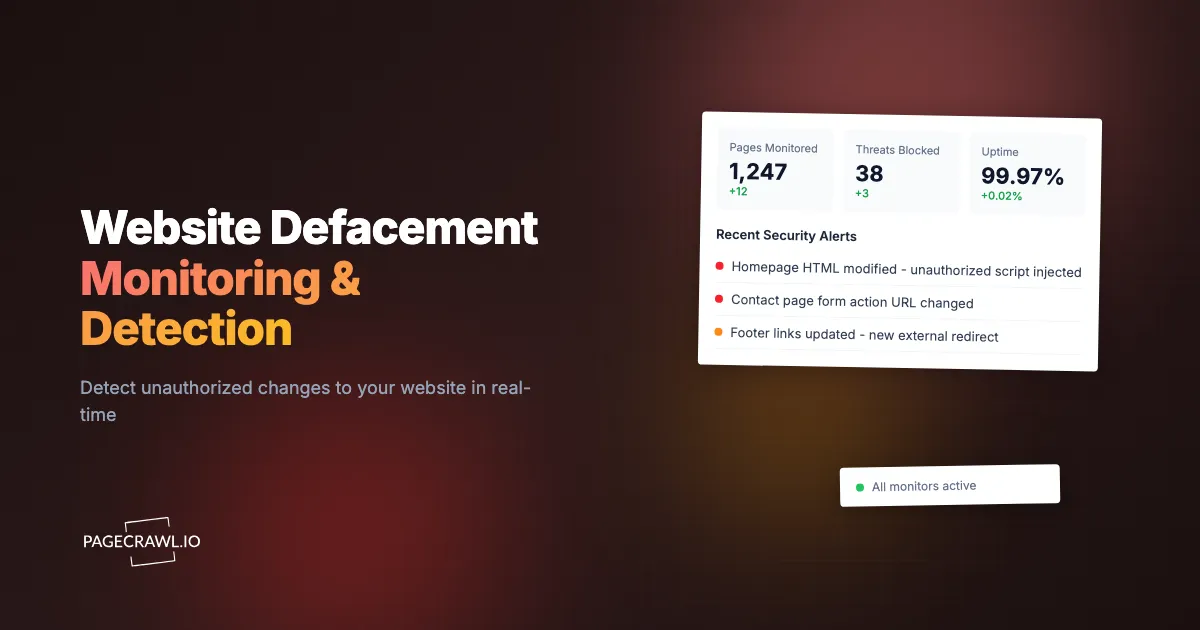
In January 2020, a coordinated attack defaced the US Federal Depository Library Program website, replacing its content with pro-Iranian imagery, and screenshots spread across social media before the site was pulled offline. Mass defacement campaigns run by hacktivist groups have since hit batches of sites in a single sweep, with many owners first hearing about it from someone else's tweet rather than from their own monitoring.
Website defacement remains one of the most visible and embarrassing forms of cyberattack. Unlike data breaches that happen invisibly in the background, defacement is public. Your customers, partners, and competitors see it. The damage is reputational as much as technical, and every minute the defaced content stays live amplifies the impact.
The uncomfortable reality is that most organizations have no automated detection for defacement. They rely on employees noticing, customer complaints, or security researchers reporting the issue. By then, the damage is done, screenshots are circulating, and trust is eroded.
This guide covers what website defacement is, why traditional security tools often miss it, monitoring approaches that catch it reliably, step-by-step defacement detection setup, and strategies for integrating defacement monitoring into your broader security posture.
What is website defacement?
Website defacement is the unauthorized modification of a website's visual appearance or content. Attackers gain access to the web server or content management system and replace legitimate content with their own messages, images, or code. It ranges from a full homepage takeover to a single injected line of spam nobody spots for months.
Types of Defacement Attacks
Full page replacement. The most dramatic form. The entire homepage or key pages are replaced with the attacker's content, often political messages, hacktivist statements, or simply proof of compromise. The original content is removed or hidden.
Partial modification. More subtle. Attackers inject content into existing pages without fully replacing them. This might be a banner at the top of the page, modified footer text, injected links, or altered images. Partial defacement can go unnoticed longer because the page still looks mostly normal at first glance.
SEO spam injection. Attackers inject hidden links, invisible text, or redirect scripts that manipulate search engine rankings. The page looks normal to human visitors but contains spam visible to search crawlers. This damages your site's search reputation and may result in search engine penalties.
Redirect defacement. Instead of changing the page content, attackers add redirects that send visitors to malicious or embarrassing sites. The original page technically exists but no one sees it because they are immediately sent elsewhere.
Cryptomining injection. Attackers inject cryptocurrency mining scripts into page code. The page looks unchanged, but visitors' browsers are silently used for mining, degrading performance and potentially triggering security warnings.
Who Gets Targeted
Defacement is not limited to high-profile organizations. Government websites are frequent targets due to political motivation. Small businesses get hit because their security is often weaker. Educational institutions, nonprofits, and local government sites are common targets because they run outdated CMS installations.
Any website accessible from the internet is a potential target. Automated vulnerability scanners continuously probe the web, and unpatched WordPress installations, weak admin credentials, and misconfigured servers provide easy entry points.
Why It Happens
Motivations range from political activism (hacktivism) to personal reputation building within hacking communities. Some defacements are just proof of ability. Others carry political messages. Some are precursors to deeper attacks, where defacement distracts attention while data exfiltration happens in the background.
Why do traditional security tools miss defacement?
Most organizations invest in security tools that focus on preventing intrusion, not on detecting content changes after a breach occurs. Firewalls inspect requests, intrusion detection watches the server, and uptime monitors only confirm the page loads. None of them look at what a visitor actually sees on the rendered page.
Firewalls and WAFs Focus on Requests, Not Content
Web Application Firewalls (WAFs) inspect incoming traffic for malicious patterns and block suspicious requests. They prevent attacks from reaching your application. But if an attacker gains access through stolen credentials, an unpatched vulnerability the WAF does not cover, or a compromised third-party plugin, the WAF does not notice when content changes. It is guarding the door while the attacker is already inside.
Intrusion Detection Watches Systems, Not Pages
Intrusion Detection Systems (IDS) monitor server-level activity: unusual login patterns, file modifications on the server, network anomalies. While an IDS might detect file changes on the server, it does not verify what the website looks like to visitors. A defacement might involve database changes (in CMS-driven sites) that do not trigger file-based IDS alerts.
Uptime Monitoring Checks Availability, Not Content
Uptime monitoring tools verify that your server responds with an HTTP 200 status code. A defaced page still returns 200. The server is "up" but showing the wrong content. Most uptime monitors do not inspect what the page actually contains.
CMS Audit Logs Are Internal Only
Content management systems like WordPress track changes through audit logs. But if an attacker compromises an admin account, they can modify or delete logs. Audit logs also require someone to review them, which rarely happens in real time. And if the CMS itself is compromised at the database level, audit logs may not capture the change at all.
The Gap: External Content Verification
What is missing from the typical security stack is external content verification. Something that loads your website from the outside, just like a visitor would, and checks whether what appears matches what should appear. This is the role defacement monitoring fills, the security end of content monitoring for unauthorized page changes.
Which monitoring approaches detect defacement?
Four techniques cover the ground: visual comparison of screenshots, hashing the page content, tracking specific stable elements, and watching HTTP response headers. Each has strengths and limitations, and most teams combine two of them to balance coverage against false alarms.
Visual Comparison (Screenshot Monitoring)
Capture a screenshot of your website at regular intervals and compare it to the expected appearance. If the visual output changes beyond a threshold, something has been modified.
Visual monitoring catches full page replacements, injected banners, modified images, and layout changes. It is the closest thing to having a human check the site regularly, but automated and continuous.
The challenge is handling legitimate changes. Website content updates, new blog posts, seasonal banners, and A/B tests all change the visual appearance. Effective visual monitoring needs to distinguish authorized changes from unauthorized ones.
Content Hashing
Generate a hash of your page's HTML content and compare it at each check. Any change, even a single character, produces a different hash. This catches every modification, including invisible changes like SEO spam injection and cryptomining scripts that visual comparison might miss.
Content hashing is extremely sensitive. Every legitimate update triggers an alert. Dynamic content like timestamps, session tokens, ad rotations, and personalized elements change the hash constantly. Content hashing works best on static pages that rarely change.
Element-Specific Monitoring
Instead of monitoring the entire page, track specific elements. Monitor the page title, header content, footer links, main content area, or specific text blocks. Changes to these targeted elements are more likely to indicate defacement than changes to dynamic sidebar widgets or ad placements.
Element monitoring reduces false positives from dynamic content while still catching defacement that modifies key page areas.
HTTP Header Monitoring
Track response headers for unexpected changes. A defaced site might return different content-type headers, missing security headers, or new redirect headers. Header monitoring complements content monitoring by catching redirect-based defacement.
Setting Up Defacement Detection with PageCrawl
PageCrawl combines visual comparison, content monitoring, and AI-powered analysis in a single platform, making it well-suited for defacement detection. Here is a comprehensive setup.

Step 1: Identify Pages to Monitor
Not every page on your site needs defacement monitoring. Focus on high-visibility and high-impact pages:
- Homepage: The most common defacement target and the page visitors see first.
- Contact/About pages: Often targeted because they contain organizational information attackers want to replace.
- Login pages: Defacement here can be combined with phishing to steal credentials.
- Key landing pages: Pages that receive significant traffic or represent your brand.
- Legal/compliance pages: Modification of terms of service or privacy policies could have legal implications.
For a typical business website, monitoring 5 to 10 key pages provides strong coverage. The free tier's 6 monitors can cover the most critical pages.
Step 2: Create Monitors for Each Page
For each page you want to protect:
Add the page URL to PageCrawl. Select "Full Page" tracking mode, which captures the complete text content of the page. This detects any text modification, including injected content and replaced text.
Enable screenshot capture. This provides visual evidence of the page state at every check, which is valuable for both detection and incident documentation.
Step 3: Set Check Frequency
Defacement detection effectiveness depends directly on check frequency. The faster you detect a defacement, the less damage it causes.
Every 15 minutes: For high-profile pages where every minute of defacement matters. Homepage, login page, and customer-facing portals warrant frequent checks.
Every hour: For important pages that receive regular traffic. Contact pages, product pages, and main navigation destinations.
Every 6 hours: For lower-priority pages like blog archives, documentation, or internal resource pages.
The tradeoff is monitoring quota. More frequent checks use more of your plan's check allocation. Prioritize frequency on the pages where defacement would cause the most damage.
Step 4: Configure Alerts for Your Security Team
Defacement alerts need to reach the right people fast. Unlike marketing notifications where a few hours delay is acceptable, security alerts are time-sensitive, so the goal is to shorten the gap between the check that detects the change and the person who acts on it.
Primary: Telegram or Slack. Push notifications land on your security team's phones as soon as a check detects the change. Create a dedicated security channel in Slack and route PageCrawl alerts there. For individual notification, Telegram provides the fastest mobile delivery. PageCrawl's dedicated website security monitoring features also watch for injected scripts, weakened security headers, and an SSL certificate that has been replaced or is about to expire.
Secondary: Email. Email serves as a backup and creates a paper trail for incident documentation. Security team distribution lists ensure multiple people see the alert.
Automation: Webhooks. For organizations with security orchestration systems (SOAR), webhook integration feeds defacement alerts directly into your incident response workflow. The webhook payload includes the detected changes, timestamp, and screenshot URL, giving your automation system the context it needs to initiate response procedures.
Escalation: Multiple channels. Configure all three simultaneously. Redundancy matters for security alerts. If Slack is down, email still arrives. If email is slow, the Telegram message usually gets there first.
Step 5: Establish a Baseline
After creating monitors, let them run for a few days to establish what normal looks like. PageCrawl learns the content baseline of each page. Legitimate changes during this period (content updates, seasonal banners) should be acknowledged so future alerts focus on unexpected modifications.
If your site has dynamic elements that change regularly (news tickers, latest blog post widgets, rotating testimonials), consider using element-specific monitoring that targets the stable portions of the page instead of the full page.
Step 6: Set Up Visual Regression Monitoring
Beyond text content monitoring, visual regression monitoring compares screenshots between checks to identify visual changes. This catches defacement that modifies images, layouts, or styling without necessarily changing text content, the same screenshot comparison behind visual regression and website QA monitoring.
Visual comparison is particularly effective against:
- Image replacement (attacker logos replacing your branding)
- Layout injection (banners or overlays added to the page)
- CSS manipulation (colors, fonts, or positioning changed)
- Partial visual defacement where key imagery is altered
Reducing False Positives
The biggest challenge with defacement monitoring is distinguishing unauthorized changes from legitimate updates. Too many false alarms lead to alert fatigue, and security teams start ignoring notifications.
Coordinate with Content Teams
Establish a process where content teams notify the security contact before making significant website changes. A shared calendar or Slack channel for planned content updates prevents confusion when monitoring detects expected changes.
Use Element Targeting on Dynamic Pages
Pages with frequently changing content (blog home page, news feed, dynamic pricing) generate noise when monitored as full pages. Instead, target specific elements that should remain stable:
- The site header and navigation
- The footer with legal links and copyright notice
- The page title and meta description
- Core branding elements (logo, company name, tagline)
Changes to these elements are almost certainly unauthorized, while changes to the main content area may be legitimate.
Leverage AI Summaries
PageCrawl's AI summaries describe what changed in natural language. "Footer copyright text changed from '2025' to '2026'" is clearly a legitimate update. "Page title changed to 'Hacked by TeamX'" is clearly defacement. AI summaries help your security team triage alerts quickly without visiting the page for every notification.
Establish Change Windows
If your team deploys website updates at predictable times (weekly releases, daily content pushes), configure your alert thresholds accordingly. You can temporarily increase the expected change tolerance during known deployment windows.
Alert Escalation Strategies
Not all detected changes are equally urgent. Build an escalation process that matches response urgency to threat severity.
Tier 1: Informational
Minor text changes, formatting adjustments, or changes to dynamic content areas. These are logged but do not wake anyone up. Review during normal business hours.
Tier 2: Investigate
Changes to page titles, navigation, footer content, or branding elements. These warrant prompt investigation (within an hour) but are not emergencies. Could be unauthorized but might be uncoordinated legitimate updates.
Tier 3: Incident
Major content replacement, new external links injected, unfamiliar images or text appearing, or complete page replacement. Treat as a security incident. Immediate investigation and potential incident response activation.
Use webhook automation to route different severity levels to different channels. A webhook integration with n8n or similar automation platform can evaluate the change description and route it to the appropriate escalation tier.
Combining Defacement Monitoring with Other Security Measures
Defacement monitoring is one layer in a defense-in-depth approach. It works best alongside other security practices.
Preventive Controls
Strong preventive controls, of the kind catalogued by the OWASP Foundation, reduce defacement risk:
- Keep CMS and plugins updated (most defacements exploit known, patched vulnerabilities)
- Enforce strong admin credentials and multi-factor authentication
- Limit admin access to necessary personnel
- Regular security scans for vulnerabilities
- Web Application Firewall for common attack pattern blocking
File Integrity Monitoring (FIM)
Server-side FIM tools monitor file changes on the web server. Combined with external defacement monitoring, this provides inside-out and outside-in detection. FIM catches changes at the server level. External monitoring catches changes at the rendered page level. Some attacks modify database content rather than files, which FIM misses but external monitoring catches.
Backup and Recovery
Fast recovery from defacement requires reliable backups. Maintain automated daily backups of your website's files and database. Test recovery procedures periodically. The goal is to restore the legitimate site within minutes of detecting defacement, minimizing the window of exposure.
Incident Response Playbook
Document your defacement response procedure, borrowing structure from the incident handling guidance national cyber agencies such as CISA publish for free:
- Alert received: Verify defacement (check screenshot, visit page)
- Contain: Take the site offline or restore from backup immediately
- Investigate: Determine how attackers gained access
- Remediate: Patch the vulnerability, change compromised credentials
- Restore: Deploy clean version from backup
- Document: Record the incident for compliance and improvement
Having this playbook ready before an incident occurs saves critical minutes during response.
Audit-ready WACZ archiving is a custom capability we can enable for your account on request. Once enabled, every change detection creates a full WACZ web archive, the same open standard used by libraries and legal teams worldwide. You can replay any archived page exactly as it appeared, complete with HTML, CSS, JavaScript, and images. For defacement incidents, this provides forensic-grade evidence of what the defaced page looked like and when it was first detected, which is critical for incident reports, insurance claims, and law enforcement referrals.
Monitoring Multiple Sites and Pages
Organizations managing multiple websites or large sites with many important pages need a structured approach.
Priority-Based Coverage
Not all pages deserve the same monitoring frequency. Categorize pages:
- Critical (15-minute checks): Homepage, login, checkout, customer portal
- Important (hourly checks): Product pages, contact pages, key landing pages
- Standard (6-hour checks): Blog posts, documentation, resource pages
- Low priority (daily checks): Archive pages, internal tools, staging sites
Multi-Site Monitoring
Organizations with multiple websites, brands, or regional sites can monitor all of them from a single PageCrawl account. Group monitors by site and assign notifications to the relevant team responsible for each property.
The Standard plan at $80/year supports 100 monitors, covering approximately 10 pages across 10 websites. The Enterprise plan at $300/year covers 500 monitors, suitable for organizations managing many web properties.
Third-Party Content Monitoring
Your site may include content from third-party sources: embedded widgets, CDN-hosted scripts, or third-party chat tools. If these external resources are compromised, your page content changes even though your server was not breached. Monitoring the rendered page (as PageCrawl does) catches these supply-chain-style defacements because it sees the final rendered output, including third-party content.
Real-World Defacement Scenarios
Understanding common defacement patterns helps you configure monitoring effectively.
Government and Political Targets
Government sites face politically motivated defacement, especially during geopolitical tensions. These attacks often replace the homepage entirely with political messaging or propaganda. Full page monitoring with frequent checks provides the best detection.
Small Business CMS Exploitation
Small businesses running WordPress, Joomla, or Drupal with outdated plugins are mass-targeted by automated scanners. Defacement might be subtle: a link injected into the footer, spam content hidden in blog posts, or a redirect added to the homepage. Element monitoring on key page areas catches these modifications.
Competitor Sabotage
In competitive markets, some businesses face intentional defacement or content manipulation by competitors or disgruntled former employees with retained access. Monitoring your website for unauthorized changes protects against both external and internal threats.
Supply Chain Attacks
A JavaScript library loaded from a compromised CDN can alter your page content or redirect visitors. External monitoring detects the rendered impact of supply chain compromises even when your own server is untouched.
Choosing your PageCrawl plan
PageCrawl's Free plan lets you monitor 6 pages with 220 checks per month, which is enough to validate the approach on your most critical pages. Most teams graduate to a paid plan once they see the value.
| Plan | Price | Pages | Checks / month | Frequency |
|---|---|---|---|---|
| Free | $0 | 6 | 220 | every 60 min |
| Standard | $8/mo or $80/yr | 100 | 15,000 | every 15 min |
| Enterprise | $30/mo or $300/yr | 500 | 100,000 | every 5 min |
| Ultimate | $99/mo or $999/yr | 1,000 | 100,000 | every 2 min |
Annual billing saves two months across every paid tier. Enterprise and Ultimate scale up to 100x if you need thousands of pages or multi-team access.
Defacement monitoring is the cheapest security layer you can add after your firewall. A defaced homepage that stays live for hours costs far more in reputation damage and incident response than Standard at $80/year. 100 monitored pages covers every public-facing page that matters for a typical business, each checked every 15 minutes so you know within the check window rather than from a customer complaint. Enterprise at $300/year checks every 5 minutes and covers 500 pages across multiple domains for teams that need broader, faster protection.
All plans include the PageCrawl MCP Server, which lets your security team ask Claude to summarize all changes detected on a given page over any time range and pull the exact diffs, turning your monitoring history into a searchable incident log. AI assistants can create monitors through conversation on every plan, including Free.
Getting Started
Website defacement is not a theoretical risk. It happens daily to organizations of every size. The difference between a minor incident and a PR crisis is detection speed. Automated external monitoring closes the gap between when defacement occurs and when you know about it.
Start by monitoring your homepage and login page. These are the highest-value defacement targets and the pages where unauthorized changes cause the most damage. Set check frequency to every 15 minutes for these critical pages. Configure Telegram or Slack alerts so your team knows within minutes, not hours.
PageCrawl's free tier includes 6 monitors, enough to cover the most critical pages of a typical website. For broader coverage across multiple sites, the Standard plan ($80/year, 100 monitors) or Enterprise plan ($300/year, 500 monitors) provides comprehensive protection.
Defacement detection is not a replacement for preventive security. It is the safety net that catches what prevention misses. Combine it with good security hygiene (patching, strong credentials, WAF) for a defense-in-depth approach that protects your online presence from all angles.
Create a free PageCrawl account and set up defacement monitoring for your most critical pages today.