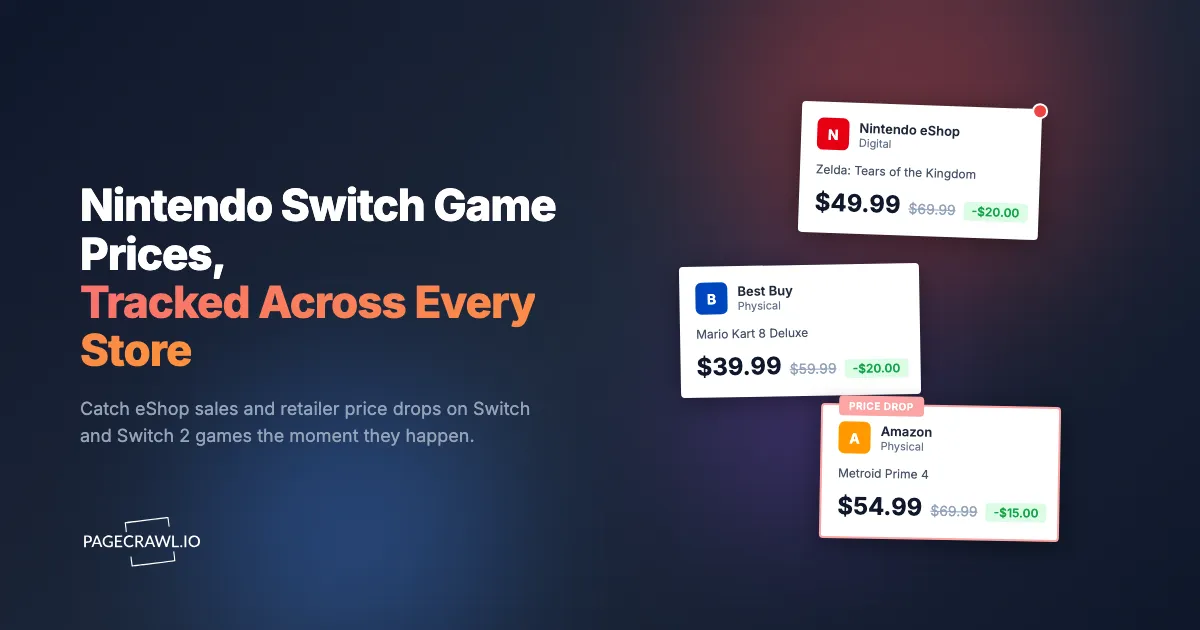
The Legend of Zelda: Tears of the Kingdom dropped to $49.99 on the eShop during a flash sale that started at 9am Pacific on a Thursday and ended Sunday at midnight. You found out Monday morning when a friend mentioned it in a group chat. The price was back to $69.99. You had wanted that game for over a year, and the one time it went on a real sale, you missed it by eight hours.
Nintendo is famous for protecting the price of its first-party software. A Mario, Zelda, or Pokemon title can sit at full price for years, and when a discount finally arrives it is small, short, and unannounced. Meanwhile the same game shows up cheaper on a physical disc at Best Buy, then cheaper still during a surprise eShop sale, then back to full price before most people notice. The Switch 2 launch only widened the gap, with new $79.99 and $89.99 titles making every dollar of discount matter more.
This guide covers why Switch game prices are so hard to catch, where to watch for the best deals, how digital and physical prices diverge, and how to set up automated sale alerts that tell you as soon as a check finds a game you want has dropped in price, on the eShop or at any major retailer.
Why are Nintendo Switch game prices so hard to track?
Switch game prices are hard to track because Nintendo discounts first-party titles rarely, briefly, and without warning, while third-party games and physical copies fluctuate constantly across five or six different retailers. The cheapest price for any given game moves between the eShop, Amazon, Best Buy, GameStop, and Walmart week to week, and no single page shows you all of them.
Unlike most software, Nintendo treats its marquee games as evergreen products rather than depreciating inventory. A first-party title can hold its launch price for three or four years, and when a discount does appear it is usually part of a limited eShop sale that runs for a few days and is gone. If you are not watching at the right moment, you simply do not see it.
Nintendo almost never discounts first-party games
Mario Kart, Zelda, Splatoon, Animal Crossing, and mainline Pokemon games are the hardest discounts to catch in all of gaming. Nintendo keeps these at or near full price almost permanently, and when one finally goes on sale the discount is usually modest and lasts a single window. This is the opposite of a PC storefront, where deep discounts arrive predictably, as covered in our Steam game price tracker guide. A rare $20 drop on a Zelda title is the event you are waiting for, and it will not wait for you.
eShop sales are short and easy to miss
Nintendo runs themed eShop sales (publisher spotlights, seasonal events, franchise weeks) on a rotating schedule. Prices change at the start of the window and snap back at the end, and there is no email telling you the specific game on your list just hit its lowest price ever. You have to be looking at that exact product page during the window, which is why automated monitoring beats manual checking.
Digital and physical prices rarely match
The same game often has two very different prices on the same day. The eShop holds firm at $59.99 while Best Buy or Amazon sells the physical cartridge for $39.99, then a digital eShop sale undercuts the disc for a weekend. Tracking only one format means you routinely overpay. The smart move is to watch both the digital listing and the physical SKU at several retailers and buy whichever is cheapest that week.
Switch 2 raised the stakes
The Switch 2 generation introduced higher first-party price points, with several flagship titles launching at $79.99 or $89.99 and Switch 2 Edition upgrades adding their own pricing tiers. Higher base prices mean a 25 percent discount is now worth $20 instead of $15, so catching a sale matters more than ever. If you are also chasing the console itself, pair this with our Switch 2 stock and restock alerts guide so you are covered on both hardware and software.

Where should you track Nintendo Switch game prices?
Track Switch game prices in two places at once: the Nintendo eShop listing for the digital version, and the physical SKU at the major retailers that actually discount games. The cheapest copy moves between the eShop, Amazon, Best Buy, GameStop, and Walmart constantly, so monitoring several sources is the only reliable way to always pay the lowest price.
The Nintendo eShop product page
The eShop web listing for each game shows the current digital price and reflects sale pricing as soon as a discount window opens. This is your primary signal for first-party games, which almost never go on sale anywhere except Nintendo's own store, so monitor the specific game's eShop page to catch a rare discount while the window is still open.
Amazon
Amazon frequently discounts physical Switch cartridges below eShop pricing, especially for third-party and slightly older first-party titles, and prices move daily and around major sale events. Monitoring an Amazon product page catches both routine markdowns and Lightning Deals. For the full approach, see our Amazon price tracker and drop alerts guide.
Best Buy
Best Buy runs strong physical-game sales and is often the first major retailer to mark down new releases after launch. Best Buy pricing is worth watching for both first-party and third-party titles. Our Best Buy price tracker guide walks through monitoring Best Buy product pages for drops.
GameStop, Walmart, and Target
GameStop discounts new and pre-owned copies and runs frequent buy-two-get-one promotions on physical games, so it is worth watching for both pricing and availability, which our GameStop stock and restock guide covers in detail. Walmart and Target both undercut on popular titles during seasonal events. Watching all three alongside the eShop and Amazon gives you near-complete coverage of where a Switch game might be cheapest on any given day.
What types of price changes should you monitor on Switch games?
Monitor four distinct events on Switch games: a price drop on a game you want to buy, an eShop sale activating on a first-party title, a preorder or release-day price for an upcoming game, and bundle or season-pass discounts. Each is a different signal, and setting a clear target for each keeps your alerts meaningful instead of noisy.
Price drops below your target
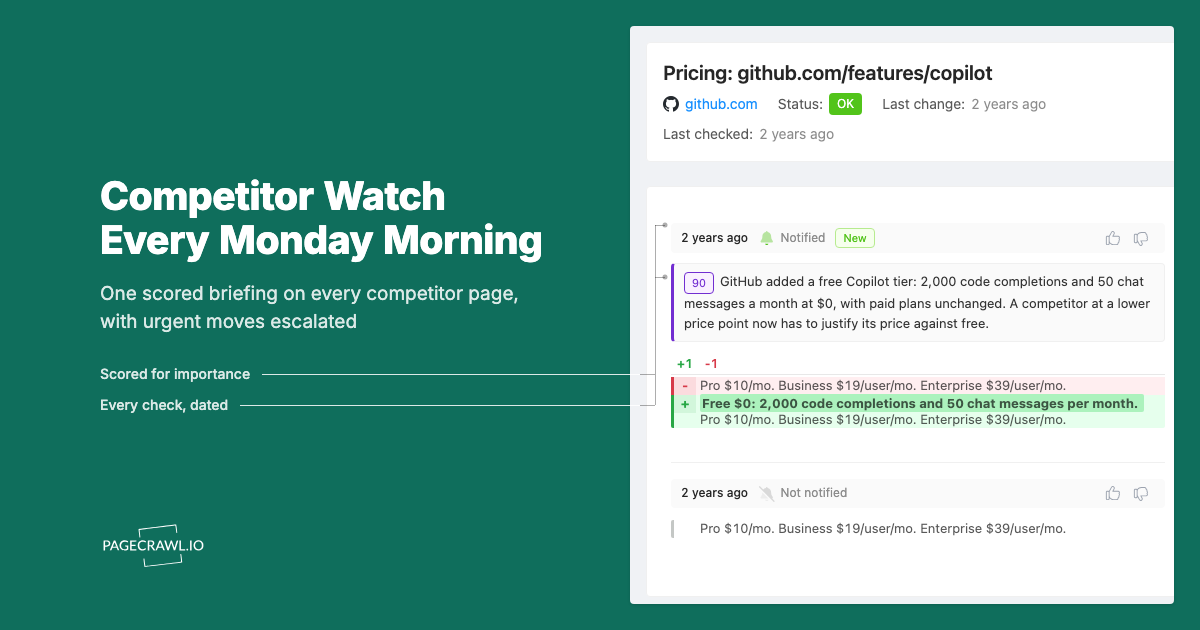
The core use case. You want a specific game, and you set a price you are willing to pay. Rather than checking five retailers every few days, you let monitoring watch all of them and alert you only when one drops below your threshold. PageCrawl's conditional price and threshold rules let you say "tell me only when this falls under $40," so you ignore the noise of tiny fluctuations and hear about the drop that actually matters.
eShop sale activations on first-party games
For Mario, Zelda, Pokemon, and other first-party titles that almost never discount, the event you care about is "this game just went on sale at all." Set a generous threshold (anything below full price) on the eShop listing. When that rare discount window opens, you find out on the next check instead of hearing about it after it ends.
Preorder and new-release pricing
For upcoming games, monitoring the product page for spec, pricing and availability changes catches the preorder price going live, preorder bonuses appearing, and any early discount or bundle. This is especially useful around Switch 2 launches, where edition tiers and upgrade pricing can change before release.
Bundle, DLC, and season-pass deals
Games often go on sale as bundles (base game plus expansion pass) at a better effective price than the base game alone, and DLC and season passes get discounted in eShop sales too. Monitoring the bundle or expansion-pass listing catches deals a base-game-only watcher would miss entirely.
Why Nintendo's own wishlist alerts fall short
Nintendo's eShop wishlist will email you about some sales, but it is slow, digital-only, and blind to every retailer outside the eShop. It does not tell you when Amazon or Best Buy undercuts the digital price, it does not let you set a target price, and it offers no channel other than email, which is the worst option for a sale that lasts a weekend.
Email-only and delayed
eShop wishlist notifications arrive by email on Nintendo's schedule rather than when the price actually changes. For a flash sale, an email you read the next morning is useless. You need push notifications on your phone, not a message buried in a promotional inbox folder you check once a day.
Digital prices only
The eShop wishlist only knows about eShop pricing. It has no idea that the physical copy at Best Buy is $20 cheaper this week. Since physical discounts are frequently the best deal on Switch games, a digital-only alert system misses most of the savings available to you.
No target price
You cannot tell the eShop "alert me only when this drops below $40." It will notify you about any sale, including a token $5 discount that is not worth buying at. Threshold-based monitoring lets you wait for the price you actually want.
How do you set up Nintendo Switch price monitoring with PageCrawl?
PageCrawl's price monitoring and stock alert tools watch the real product pages on the eShop and at every retailer, then alert you through the channel you choose as soon as a check finds the price at your target. Here is the full setup for tracking a single game across multiple stores, the same pattern you can apply to your whole wishlist.

Step 1: Pick the game you want most and gather its product page URLs. Grab the Nintendo eShop listing for the digital version, plus the physical SKU pages at Amazon, Best Buy, and one or two of GameStop, Walmart, or Target. Each of these is a separate page you will monitor.
Step 2: Add the eShop URL to PageCrawl and choose price tracking mode. PageCrawl analyzes the page, finds the current price, and starts a price history for that listing.
Step 3: Add the retailer URLs the same way, each in price mode. You now have one game watched across four or five stores, so whichever retailer drops first triggers an alert.
Step 4: Set a target price. Use a conditional rule so you are notified only when the price falls below your number (for example, under $40 for a third-party title or any discount at all for a first-party game). The help centre page on notification conditions and filters shows how to build these per-page rules. This filters out trivial fluctuations and keeps every alert worth acting on.
Step 5: Set your check frequency. For routine deal hunting, every 1 to 2 hours is plenty. During a known eShop sale event or a major shopping weekend, tighten to the most frequent interval your plan allows so you catch short windows.
Step 6: Choose your notification channel. Push notifications via Telegram or Discord go straight to your phone, which matters for sales that end in days. Email works for less urgent watches.
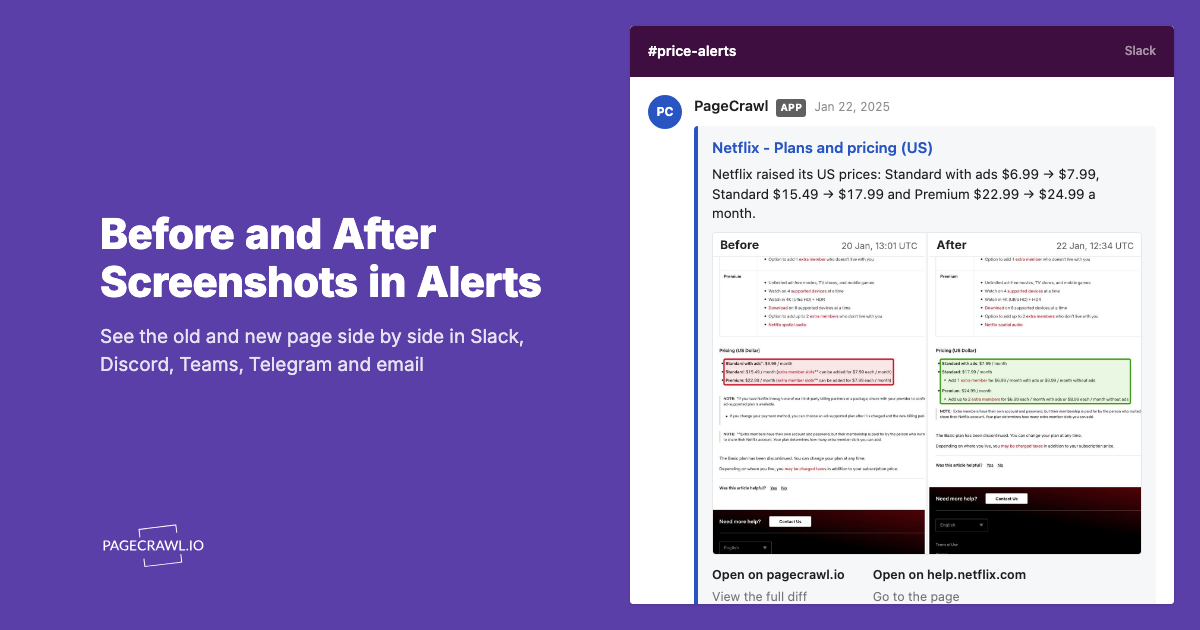
Step 7: Enable screenshot capture, so when an alert fires the screenshot shows you the price and any "on sale" badge at a glance and you can confirm the deal is real before you open the store.
Organizing a full wishlist
Most people want several games, each across several stores. A realistic list might look like this, grouped in a PageCrawl folder called "Switch Wishlist":
- Tears of the Kingdom on the eShop, plus the physical copy at Amazon and Best Buy
- Metroid Prime 4 preorder page at GameStop and Walmart
- A third-party title (say, Hades II) on the eShop and Amazon
- An expansion-pass bundle you are waiting to drop in an eShop sale
Each store URL is its own monitor. Grouping them in a folder keeps the wishlist tidy and makes it easy to add or remove games as your backlog changes. A focused list of a few games across a couple of stores fits comfortably inside the free tier (6 monitors, 220 checks per month); a sprawling wishlist across five retailers is where a paid plan pays for itself.
How do you track digital versus physical price gaps?
Track both formats of the same game as separate monitors and compare the alerts. Add the eShop digital listing and the physical SKU at two or three retailers, all in price mode, then watch which one is cheapest week to week. Because digital and physical prices move independently, the lowest price flips between them regularly, and monitoring both means you always buy the cheaper one.
The pattern is consistent. Physical copies of third-party and older first-party games are cheaper than the eShop most of the time, because retailers discount inventory to clear shelves. Then a digital eShop sale can briefly undercut the disc. By monitoring both and grouping them in one folder, you stop guessing and let the alerts tell you when the gap opens in your favor. If you want the two formats side by side rather than as separate monitors, see comparing product prices across multiple retailers.
When do Nintendo Switch games actually go on sale?
Switch games go on sale most often during Nintendo's themed eShop events and the major retail shopping windows, not randomly. The biggest opportunities cluster around publisher and franchise sales on the eShop, plus Black Friday, Cyber Monday, and seasonal events where Amazon, Best Buy, and GameStop discount physical copies aggressively. Knowing these windows tells you when to tighten your check frequency.
eShop sale events
Nintendo runs rotating eShop sales throughout the year (publisher spotlights, franchise weeks, holiday sales). First-party discounts, when they happen at all, almost always land inside one of these windows. During a known eShop event, set your monitors to their tightest interval to catch a rare Zelda or Mario markdown as soon as a check picks it up.
Black Friday and Cyber Monday
The single best stretch for physical Switch games. Retailers discount cartridges deeply and Nintendo often runs a parallel digital sale. This is when first-party games are most likely to see their lowest prices of the year. It pays to have your monitors set up and your target prices in place before the rush, so you are reacting to alerts instead of refreshing pages on the day.
Post-launch and seasonal markdowns
Third-party games typically see their first real discount a few months after launch, and retailers run seasonal promotions (back-to-school, spring sales, holiday bundles) that hit Switch software. Because these are unpredictable per title, threshold-based monitoring is ideal: set your price and let the alert find the window for you.
Building a complete Switch deal-tracking strategy
Tier your wishlist by urgency
Organize your monitors by how badly you want each game. Tier 1 is the handful of games you would buy today at the right price; check these frequently with push notifications. Tier 2 is "someday" games where you are happy to wait for a deep discount, so a slower check is fine. Tier 3 is discovery, such as a publisher's eShop sale page, where you just want to know when something new gets marked down.
Cover the rest of your console gaming
If you own more than one platform, the same playbook applies everywhere. Set up parallel watches using our guides for the PS5 game price tracker and the Xbox game price tracker, and you will catch cross-platform deals on multiplatform titles that often go on sale on one storefront before the others.
Common challenges with Switch game price monitoring
Regional eShop pricing
The eShop shows different prices and currencies by region. Monitor the listing for your own region's store so the prices and sale windows match what you will actually pay, and copy the URL while browsing that regional store.
Dynamic page content
Modern retail pages load prices and sale badges after the initial page appears. PageCrawl renders pages with a full browser engine, so dynamically loaded prices and "on sale" labels are captured the same way your own browser sees them, not missed because they arrived a half-second late.
Filtering out page noise
Game product pages are full of changing elements that have nothing to do with price: "customers also bought" carousels, review counts, and rotating banners. With price tracking mode focused on the price element, these are ignored automatically, and if anything slips through you can click a detected change to ignore it. After a check or two your alerts are clean and only fire on real price moves.
Preorders versus live listings
A preorder page may show a price that does not change until release, then suddenly reflects launch-day or early-discount pricing. Keep the monitor running through release day so you catch that transition rather than assuming the price is frozen.
Can you see every store's price for one Switch game in a single view?
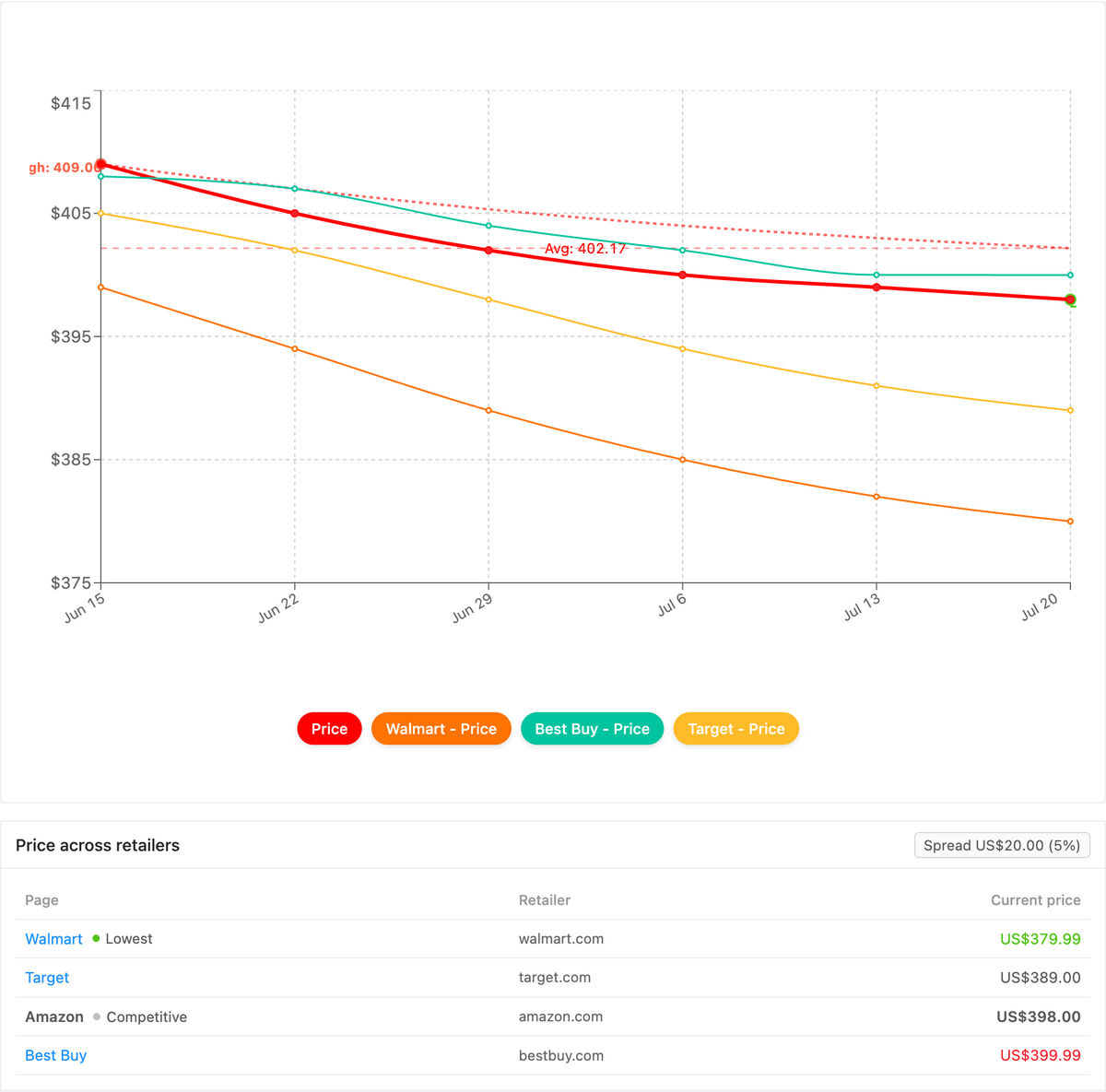
Yes. PageCrawl's Product Comparison capability groups the monitors for one Switch game across every store into a single view, highlights the cheapest advertised price, and tracks the spread between the lowest and highest seller. Instead of eyeballing four or five separate product pages, you get one grouped row where the best deal for that title is obvious at a glance.
Once your per-page price monitors are running, Product Comparison stitches together the listings that share a game (by GTIN, UPC, SKU, or your own reference tag) so the eShop digital copy lines up next to the physical cartridge at Amazon, Best Buy, GameStop, Walmart, and Target. The lowest current price is flagged, the digital-versus-physical gap becomes a live figure, and a cheapest-price or spread-threshold alert surfaces on the next check when one store undercuts the rest, routed to email, Slack, or a webhook. You can also export the whole grid as a spreadsheet. The full walkthrough lives in the cross-retailer price comparison guide, and Product Comparison is a custom capability we enable on request.
Choosing your PageCrawl plan
PageCrawl's Free plan lets you monitor 6 pages with 220 checks per month, which is enough to validate the approach on your most critical pages. Most teams graduate to a paid plan once they see the value.
| Plan | Price | Pages | Checks / month | Frequency |
|---|---|---|---|---|
| Free | $0 | 6 | 220 | every 60 min |
| Standard | $8/mo or $80/yr | 100 | 15,000 | every 15 min |
| Enterprise | $30/mo or $300/yr | 500 | 100,000 | every 5 min |
| Ultimate | $99/mo or $999/yr | 1,000 | 100,000 | every 2 min |
Annual billing saves two months across every paid tier. Enterprise and Ultimate scale up to 100x if you need thousands of pages or multi-team access.
The free tier covers a focused setup: two or three games watched across a couple of stores each. Once your wishlist grows, Standard at $80/year gives you 100 monitors, enough to track a dozen-plus games across the eShop, Amazon, Best Buy, GameStop, and Walmart at once, with 15-minute checks to catch short eShop sale windows. Catching a single $20 discount on a first-party title covers the plan for months. Enterprise at $300/year suits deal-hunting communities or resellers tracking large catalogs with 5-minute checks.
Getting Started
Pick the one Switch game you most want to own right now. Grab its eShop listing and the physical SKU at Amazon and Best Buy, add all three to PageCrawl in price mode, and set a target price you would be happy to pay. Turn on Telegram or Discord push notifications so the deal reaches your phone, not a forgotten inbox.
Let it run for a couple of weeks. You will watch the price flip between digital and physical, see which store is genuinely cheapest, and almost certainly catch a drop you would have missed manually. Then add the rest of your wishlist and let the alerts do the hunting.
Stop refreshing the eShop. Let the deal find you.