
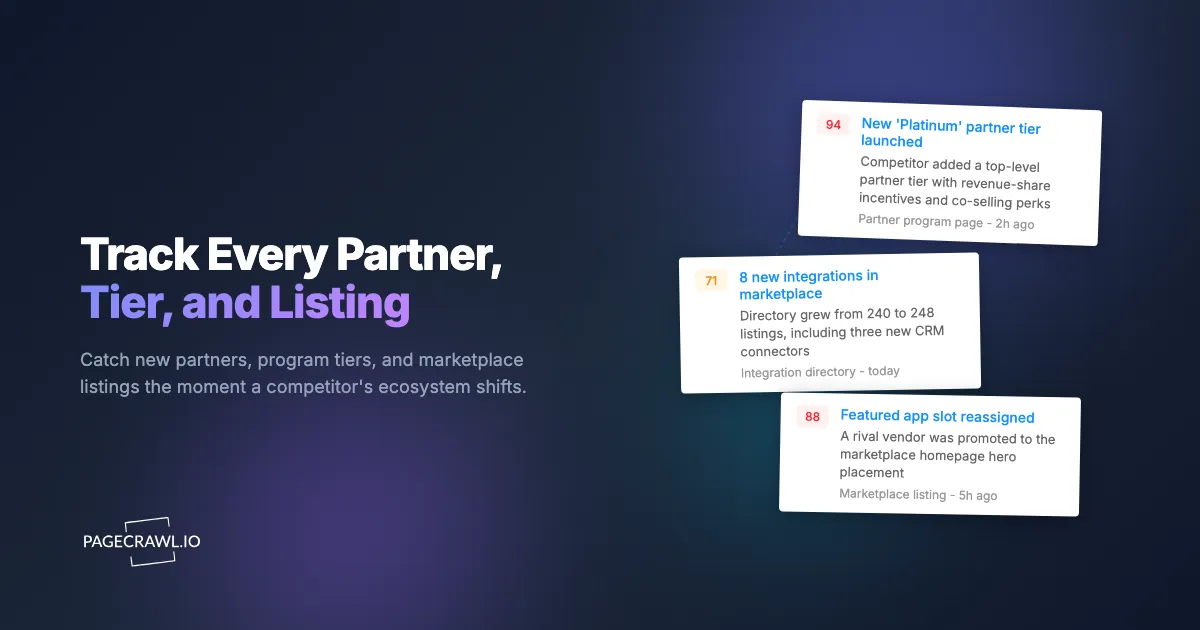
A product marketing manager at a workflow-automation startup found out their biggest competitor had shipped a certified Salesforce AppExchange integration the same way everyone else did: from a prospect, on a sales call, three weeks too late. "We're leaning toward the other vendor because they plug straight into our Salesforce instance now," the prospect said. Nobody on the team had heard about it. The competitor had quietly added the listing to a major app marketplace, published a new "Premier Technology Partner" badge on their integrations page, and started a co-selling motion with that platform's channel team, all without a press release. The signal was sitting in plain sight across three public pages. Nobody was watching them.
Ecosystem moves are some of the loudest strategic signals a company sends, and most teams miss them entirely. A new integration tells you where a competitor sees demand. A new partner tier tells you how aggressively they are courting a channel. A marketplace listing climbing into a "featured" slot tells you they are investing real co-marketing dollars. These changes happen on partner program pages, integration directories, and marketplace listings, all of which are public, all of which change quietly, and almost none of which generate an announcement.
This guide covers what partner and marketplace monitoring is, which pages carry the strongest signals, how to set up automated tracking in PageCrawl, how to separate meaningful ecosystem shifts from cosmetic noise, and how to route the alerts to the people who can act on them. The goal is simple: never again learn about a competitor's partnership from the prospect who is about to choose them over you.
What is partner program and integration marketplace monitoring?
Partner program and integration marketplace monitoring is the automated, continuous tracking of the public pages where a company describes its ecosystem: partner program tiers, integration directories, app marketplace listings, technology partner badges, and reseller or channel pages. Instead of manually rechecking these pages, you watch them automatically and get alerted as soon as a check finds a new partner, tier, or listing.
These pages are different from the pricing and product pages most competitive intelligence monitoring focuses on. They reveal the relationships a company is building rather than the features it ships. An integrations directory growing from 240 to 280 listings in a quarter is a roadmap signal. A partner program adding a top "Platinum" tier with revenue-share incentives is a go-to-market signal. A competitor appearing in a third party's marketplace, like a CRM or cloud provider app store, is a distribution signal that you will not find anywhere on their own website.
Monitoring works on all three layers: the company's own partner and integrations pages, the third party marketplaces they list on, and the partners' pages that mention them. Each layer answers a different question. Their pages tell you what they want the world to see. The marketplaces tell you where they are placing bets. The partners tell you who is willing to co-sell with them.
Why do partner and ecosystem moves matter for competitive strategy?
Ecosystem moves matter because they predict a competitor's direction earlier and more reliably than feature announcements do. A new integration takes weeks of engineering and partnership negotiation before it ships, so the listing is the visible end of a months-long strategic decision. By the time it appears, the competitor has already committed. Catching it early gives you time to respond instead of react.
Three things make ecosystem signals especially valuable. First, they are leading indicators. A surge of new integrations in a specific category (say, finance or healthcare connectors) often precedes a vertical-market push that will show up in their messaging and pricing months later. Pair this with hiring signals from a competitor's job postings and you can see a market entry forming before the competitor says a word about it.
Second, ecosystem signals are deal-relevant right now. Integrations are a top buying criterion in B2B software. When a prospect uses a tool you do not integrate with and your competitor just shipped that integration, you can lose the deal on a single checkbox. Sales needs to know the day it changes, not at the next quarterly review.
Third, these signals are hard to fake and easy to verify. A marketplace listing is a public, dated artifact. A partner badge is either on the page or it is not. Unlike vague positioning claims, ecosystem changes are concrete facts you can build a battle card around. They slot directly into a broader competitive intelligence program alongside pricing and product tracking.
What should you monitor on a partner program page?
Monitor five things on partner program and ecosystem pages: the integration directory itself, the partner tier structure, individual marketplace listings, certification and partner badges, and co-marketing or co-selling language. Each of these changes independently and each tells you something different about where a competitor is steering its ecosystem strategy.
Integration directories and app catalogs
The integration directory is the highest-value page to watch. Track the total count of listings and, where possible, the categories. A jump in the number of connectors is a roadmap reveal. New listings clustered in one category (CRM, data warehouse, analytics, vertical-specific tools) signal where the competitor sees the most pull. When a directory adds a marquee integration, that single listing can reset the competitive comparison for an entire segment of deals.
Partner program tiers and requirements
Partner program pages describe tiers (Registered, Silver, Gold, Platinum, and similar) along with the benefits and requirements for each. A new top tier usually means the competitor is getting serious about a channel and is willing to share revenue or leads to recruit bigger partners. Changes to requirements (lower thresholds, new certifications, deal-registration rules) tell you how hungry they are for partners and how they are trying to motivate them.
Marketplace listings on third-party platforms
Your competitor's own site is only half the picture. The app marketplaces of major platforms (AWS Marketplace, Microsoft AppSource, the Atlassian Marketplace, and their equivalents in commerce and collaboration) host listings that competitors rarely cross-link from their homepage. Watch their listing pages for new appearances, "featured" or "staff pick" placements, review counts, and listing copy. A move into a featured slot is a paid co-marketing signal worth more than most press releases. This pairs naturally with watching G2 and software comparison pages for the same vendors.
Certifications, badges, and partner status
Technology-partner badges ("Certified," "Premier," "Built for [Platform]") are small visual changes with large strategic meaning. A competitor earning a platform's top certification often unlocks co-selling, marketplace promotion, and trust signals that influence enterprise buyers. These badges frequently appear before any formal announcement, so a page-level change is your earliest warning.
Co-marketing and co-selling language
Watch the prose, not just the structure. New phrases like "co-sell," "preferred partner," "joint solution," or a named alliance signal a deeper relationship than a plain integration listing. The same applies to a competitor's changelog and product updates, where API and documentation change monitoring surfaces new connectors first. Tracking a competitor's changelog and release notes catches integration launches as soon as they ship, sometimes before the marketing pages catch up.
Which pages give the strongest ecosystem signals?
The strongest signals come from a small set of pages: the integrations or app directory, the partner program overview, third-party marketplace listings for each competitor, and any "technology partners" or "alliances" page. Prioritize these over generic homepages, because they change more meaningfully and the changes map directly to strategic decisions you care about.
Organize your monitoring around the tiers you already use for competitive tracking. For a thorough walkthrough of choosing competitor pages and configuring monitors, the guide to tracking competitor websites is the place to start. For ecosystem monitoring specifically, here is a practical page list per competitor:
- Integrations / app directory page (highest priority, check daily). The page that lists every connector or integration.
- Partner program overview (high priority, check daily). Tier names, benefits, and requirements.
- Become-a-partner / apply page (medium priority, check weekly). Requirement changes and new incentives.
- Technology partners / alliances page (medium priority, check weekly). Named strategic relationships.
- Third-party marketplace listing(s) (high priority, check daily). The competitor's page on each platform's app store.
- Developer or API docs landing (medium priority, check weekly). New API capabilities often precede new integrations, which connects to monitoring a competitor's technology stack.
For most competitors, that is five to seven pages each. Three primary competitors fit comfortably inside a single workspace, and you can extend coverage as the program proves its value.
How do you set up partner program monitoring in PageCrawl?
You set it up by adding each ecosystem page as a monitor, choosing a tracking mode that matches the page type, and routing alerts to where your team already works. The whole process takes about fifteen minutes for a first competitor, and the free tier (6 monitors and 220 checks per month) is enough to cover one competitor's core ecosystem pages end to end.

Follow these steps:
Step 1: List your target pages. For your top competitor, gather the URLs for their integrations directory, partner program page, become-a-partner page, and any third-party marketplace listing. Aim for four to six pages to start.
Step 2: Create a monitor for each page. In PageCrawl, add a new monitor and paste the first URL. Give it a clear name like "Competitor A - Integration Directory" so alerts are self-explanatory later.
Step 3: Choose the right tracking mode. The help centre lists every tracked element type and what each is good for. For an integrations directory or partner list, use full-page or content tracking so you catch newly added entries anywhere on the page. For a single marketplace listing where you care about a specific number, point a tracked element at the review count or "installs" figure. For partner tier pages, full-page tracking captures both structure and copy changes.
Step 4: Set the check frequency by priority. Set integration directories and marketplace listings to check daily (or as often as your plan allows). Partner application and alliances pages can check weekly. Higher frequency means you hear about deal-relevant integrations within hours instead of days.
Step 5: Add a focus to cut noise. Use PageCrawl's AI page focus to tell the monitor what you care about, for example "new integrations, partner tiers, or marketplace badges." Cosmetic edits and unrelated marketing tweaks then stay quiet while real ecosystem changes still alert. This works well alongside the same approach you would use for SaaS pricing page monitoring.
Step 6: Enable screenshots. Turn on screenshots so every alert includes a visual of the page before and after. A new "Platinum" tier or a featured marketplace slot is obvious at a glance, and the screenshot is evidence you can drop straight into a battle card.
Step 7: Connect your alert channels. Route changes to the channels your team already watches. Send ecosystem alerts to a dedicated Slack channel for product marketing and sales, and use webhook automation if you want to push changes into a CRM or a competitive-intelligence tool automatically.
Step 8: Review the first two weeks. Let the monitors run, then review what they caught. You will quickly learn which pages are active and which are static, and you can retune frequency and focus accordingly. Within the first cycle, most teams catch at least one integration or partner change they would otherwise have missed.
Once one competitor is dialed in, duplicate the setup for the next. The structure stays identical, only the URLs change.
How do you separate meaningful ecosystem changes from noise?
You separate signal from noise with three controls: a tracking mode scoped to the part of the page that matters, an AI focus describing the changes you care about, and conditional rules that only alert when a threshold or keyword is met. Together these keep cosmetic edits, rotating testimonials, and unrelated marketing copy from burying the changes that actually move strategy.
Partner and marketplace pages are noisy by nature. They carry rotating customer logos, dynamic "featured partner" carousels, and frequent copy tweaks. Three tactics tame that:
Scope the tracked element. Instead of watching an entire busy page, point a tracked element at the integration count, the tier list, or the specific marketplace badge. The monitor then ignores everything else on the page and alerts only when your target value changes.
Describe what matters with AI focus. A plain-language focus like "alert on new integrations, new partner tiers, or new certification badges; ignore testimonials and design changes" lets the monitor judge relevance instead of firing on every pixel. This is the single biggest noise reducer for ecosystem pages.
Use conditional rules for thresholds. When you only care about meaningful jumps, set a rule so an alert fires only when an integration count increases or when specific keywords ("Platinum," "co-sell," "certified") appear. The guide to notification conditions and filters covers keyword matching and numeric thresholds. Small, expected fluctuations stay quiet.
The payoff is a feed where every alert is worth reading. When the count of "noise" changes drops, the trust in alerts rises, and the team actually acts on them instead of muting the channel.
What ecosystem patterns reveal a competitor's strategy?
The most revealing intelligence comes from patterns across multiple ecosystem changes, not from any single alert. One new integration is a data point. Eight new integrations in the same category over a quarter, plus a new partner tier aimed at that category's resellers, plus matching hiring, is a strategy. Watching the pages over time turns isolated changes into a readable narrative.
Look for these patterns:
Category clustering. A run of new integrations concentrated in one vertical (finance, healthcare, logistics) signals a market-entry push. The integrations come first because they remove the biggest adoption barrier for that vertical.
Tier escalation. Adding a new top partner tier with richer incentives means a competitor is recruiting larger channel partners and is willing to share more revenue to do it. Expect a channel-led growth motion to follow.
Marketplace investment. Movement into "featured" or "staff pick" slots, or a sharp rise in a listing's review count, indicates paid co-marketing and a platform relationship that is deepening. That platform's customers are now a target segment.
Deprecations and removals. Integrations disappearing from a directory matter too. A removed connector can signal a partnership ending, a pivot away from a segment, or a platform dispute. These are easy to miss without automated tracking because nobody announces a removal.
Cross-reference ecosystem changes with the rest of your competitive picture. A new integration plus a related pricing change plus relevant new hires is a far stronger signal than any one of them alone, and it gives you a defensible, evidence-backed view of where the competitor is heading next.
Choosing your PageCrawl plan
PageCrawl's Free plan lets you monitor 6 pages with 220 checks per month, which is enough to validate the approach on one competitor's core ecosystem pages. Most teams graduate to a paid plan once they are tracking several competitors at once.
| Plan | Price | Pages | Checks / month | Frequency |
|---|---|---|---|---|
| Free | $0 | 6 | 220 | every 60 min |
| Standard | $8/mo or $80/yr | 100 | 15,000 | every 15 min |
| Enterprise | $30/mo or $300/yr | 500 | 100,000 | every 5 min |
| Ultimate | $99/mo or $999/yr | 1,000 | 100,000 | every 2 min |
Annual billing saves two months across every paid tier. Enterprise and Ultimate scale up to 100x if you need thousands of pages or multi-team access.
Standard at $80/year is the natural home for ecosystem monitoring. With five to seven pages per competitor, 100 monitors cover roughly fifteen competitors plus their key marketplace listings, and 15-minute checks mean you hear about a deal-relevant integration within the hour. Enterprise at $300/year adds the room to track an entire competitive landscape, plus the API for feeding ecosystem changes into your own competitive dashboards and SSO for giving sales, product, and marketing shared access.
All plans include the PageCrawl MCP Server, which lets your team ask Claude to pull a summary of every partner, tier, and marketplace change for a given competitor over any time period, drawn straight from the monitoring archive instead of a manually maintained wiki. AI assistants can create monitors through conversation on every plan, including Free.
Getting Started
Start today with your single most threatening competitor. Find their integrations directory, their partner program page, and their listing on the biggest marketplace they sell through. Add those three as monitors, set them to check daily, turn on screenshots, and route alerts to a Slack channel your product marketing and sales teams already watch. That is three monitors, well inside the free tier, covering the exact pages where their next big partnership will appear first.
Over the next two weeks you will almost certainly catch an integration, a tier change, or a marketplace move you would have heard about far too late, if at all. The teams that win ecosystem-driven deals are not the ones with the most partners. They are the ones who see every move on the board while there is still time to respond.


