A B2B software company noticed their win rate on competitive deals dropped from 45% to 31% over two quarters. The sales team blamed the product. Marketing blamed positioning. The actual cause turned out to be a competitor that had restructured their pricing three months earlier, moving from per-seat to usage-based pricing and effectively cutting costs for the exact mid-market segment both companies targeted. Nobody on the team had noticed the change until a prospect mentioned it during a lost-deal interview.
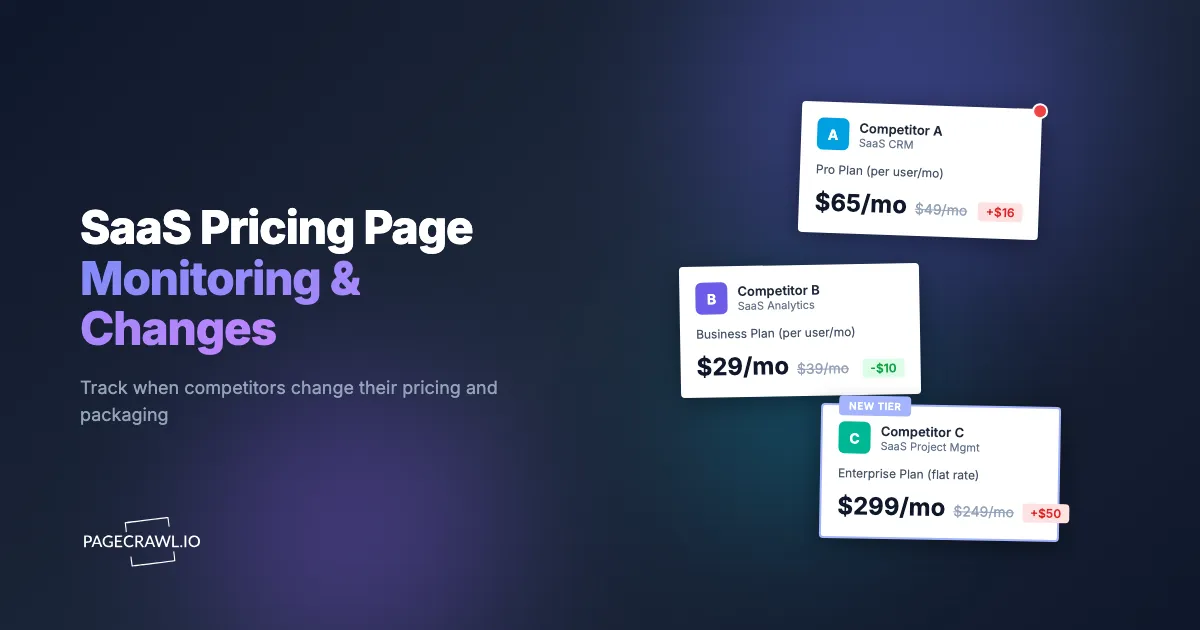
SaaS pricing pages are among the highest-signal pages on any competitor's website. A pricing change reveals strategic direction more clearly than any press release, blog post, or conference talk. When a competitor raises prices, it signals market confidence. When they restructure tiers, it signals a shift in target customer. When they add or remove a free tier, it signals a fundamental change in go-to-market strategy. And when they change the language around pricing, even without changing the numbers, it signals a repositioning effort.
This guide covers why SaaS pricing pages deserve dedicated monitoring, the types of changes to watch for, how to set up automated tracking, and how to turn pricing intelligence into competitive advantage across sales, marketing, and product strategy.
Why are SaaS pricing pages high-signal competitive intelligence?
Because nothing else on a competitor's site is revised as deliberately. A pricing page is signed off by product, finance, marketing, and executives, so every change reflects a strategic decision about who they target and how they measure value. Pricing pages receive more strategic attention than almost any other page on a SaaS website. They are revised by cross-functional teams involving product, finance, marketing, and executive leadership. Changes are not made casually. When something changes on a pricing page, it reflects a deliberate strategic decision.
Pricing Reflects Strategy
A company's pricing structure reveals who they are targeting. Per-seat pricing targets organizations where value scales with headcount. Usage-based pricing targets companies with variable workloads, the metered model published by infrastructure vendors like Stripe and the one behind AI coding tools that meter requests and credits. Flat-rate pricing targets businesses that want predictability. Freemium models target bottom-up adoption in large organizations.
When a competitor shifts from one model to another, it tells you more about their strategic direction than any keynote speech. They are not just changing numbers on a page. They are changing which customers they prioritize and how they measure value delivery.
Changes Happen Quietly
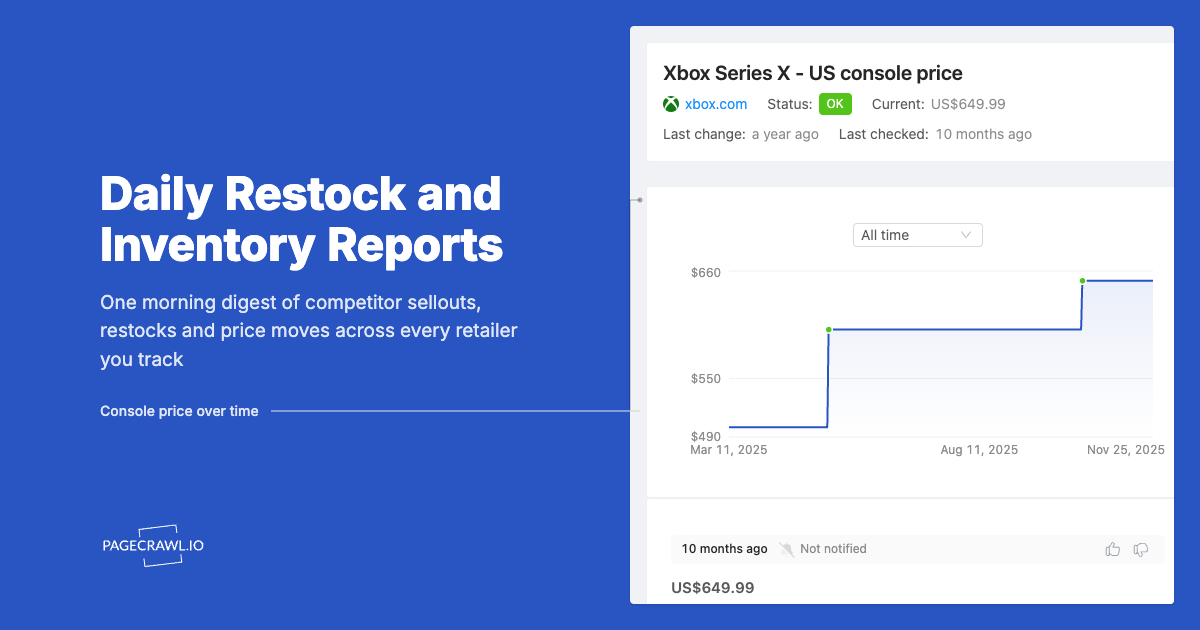
Unlike product launches or funding announcements, pricing changes rarely come with press releases. A competitor might quietly raise prices by 20%, restructure their tiers, or gate a key feature behind a higher plan. There is no notification system. There is no RSS feed. If you are not actively checking, you will not know until the change shows up in sales conversations or customer churn data, weeks or months later.
Impact Is Immediate
When a competitor changes pricing, it affects your business right away. Prospects in active evaluation processes immediately factor in the new pricing. Your sales team encounters different objections. Your positioning may need adjustment. The sooner you know, the sooner you can respond.
Which pricing page changes matter most?
Six categories carry the most strategic weight: price increases, price decreases and aggressive discounting, tier restructuring, feature gating moves between tiers, freemium or trial changes, and shifts in enterprise pricing visibility. Messaging changes matter too, even when the numbers stay the same. Understanding the categories helps you prioritize what to watch for and how to respond.
Price Increases
A competitor raising prices signals confidence in their market position or a strategic shift toward higher-value customers. It might also signal cost pressures they are passing along. Either way, a price increase creates an opportunity for you.
If your pricing remains stable while a competitor raises theirs, the perceived value gap shifts in your favor for price-sensitive buyers. Your sales team can reference the competitor's increase without directly attacking them. "We have maintained our pricing because we believe in delivering value at this price point" is a powerful positioning statement that only works if you know the competitor raised prices.
Watch for: list price increases, reduction in included usage limits at existing price points, removal of discounts or promotional pricing, and changes to renewal pricing versus new customer pricing.
Price Decreases and Aggressive Discounting
A competitor lowering prices or introducing aggressive discounting signals a different situation entirely. They may be struggling to hit growth targets. They may be responding to a new entrant in the market. They may be pivoting to a volume-based strategy.
Price decreases require a different response than increases. You might need to articulate value beyond price more clearly. You might need to adjust your own pricing. Or you might recognize that the competitor is targeting a different segment than you and does not require an immediate response.
Tier Restructuring
Changes to the number, naming, or composition of pricing tiers reveal evolving market segmentation strategies.
Adding a tier typically means the competitor identified a customer segment that did not fit neatly into existing plans. A new "Starter" tier below the current lowest plan signals a push for bottom-up adoption. A new "Enterprise Plus" tier above Enterprise signals a push upmarket.
Removing a tier means the competitor is simplifying, possibly because a tier was not converting or was cannibalizing a higher-value plan.
Renaming tiers (from "Basic" to "Starter" or from "Professional" to "Growth") signals repositioning. Tier names carry psychological weight and frame buyer expectations.
Feature Gating Changes
Moving features between tiers is one of the most strategically significant pricing changes. When a competitor moves a feature from a lower tier to a higher tier, they are making a bet that the feature is compelling enough to drive upgrades. When they move a feature down, they are trying to reduce friction for new customers.
Watch specifically for:
- Features that were previously available on all plans becoming restricted to higher tiers
- API access changes (a common gating point for B2B products)
- Integration availability shifting between tiers
- Usage limits (storage, seats, API calls) being adjusted within existing tiers
- Single sign-on (SSO) being added or removed from specific plans
Freemium and Free Trial Changes
Changes to free offerings are high-signal events. Adding a free tier where none existed signals a shift toward product-led growth. Removing a free tier signals a move toward sales-led growth or a response to free-tier abuse. Changing free trial duration (from 14 days to 7, or from 30 to 14) signals conversion rate optimization.
Watch for: free tier addition or removal, free trial duration changes, free tier feature limitations, and changes to what happens after a trial expires (grace period, data retention).
Enterprise Pricing Visibility
Some companies display enterprise pricing publicly. Others use "Contact Sales" buttons. A shift from visible pricing to "Contact Sales" (or vice versa) is strategically meaningful.
Moving to "Contact Sales" often signals a push upmarket where deal sizes vary significantly. Moving to transparent enterprise pricing signals confidence in self-serve conversion or a desire to reduce sales friction.
Messaging and Framing Changes
Sometimes the prices and features remain identical, but the language around them changes. These messaging shifts are easy to overlook but strategically significant.
A competitor changing their pricing page headline from "Simple, transparent pricing" to "Plans that scale with your business" is signaling a shift from simplicity-focused positioning to growth-focused positioning. Changing the recommended plan highlight from "Professional" to "Business" shifts perceived target audience.
Watch for: headline changes, subheading changes, plan description text, comparison table footnotes, FAQ section updates, and social proof (logos, testimonials, case study references) added near pricing.
Setting Up SaaS Pricing Page Monitoring
Automated monitoring ensures you catch every change without manually checking competitor websites.

Full Page Monitoring for Comprehensive Coverage
For SaaS pricing pages, full page monitoring captures everything: price changes, feature list modifications, tier restructuring, messaging updates, and visual layout changes.
In PageCrawl, add the competitor's pricing page URL and use the default "Full Page" tracking mode. This captures the entire page content and alerts you when anything changes.
Why full page mode works best for pricing pages: Unlike product pages where you might only care about the price element, pricing pages contain multiple types of intelligence in a single page. Tier names, feature lists, price points, FAQs, testimonials, and CTAs all matter. Full page mode ensures nothing is missed.
Screenshot Monitoring for Visual Changes
Enable screenshots on your pricing page monitors. Visual changes that do not affect text content, such as layout restructuring, color changes to highlight different tiers, or new comparison table designs, are only visible through screenshots.
Screenshots also provide timestamped visual evidence of pricing that can be shared with sales teams and leadership. When a competitor changes pricing, having a before-and-after screenshot is more compelling than a text description of what changed.
For deeper preservation, PageCrawl offers WACZ (Web Archive Collection Zipped) archiving, a custom capability you can ask us to enable for your account, which captures the complete web page package including HTML, CSS, JavaScript, images, and HTTP response headers. WACZ is an open format maintained by the Webrecorder project, and the help centre article on what is inside a PageCrawl WACZ archive explains how replay works. For pricing intelligence, WACZ web archives let you replay exactly how a competitor's pricing page appeared at any point in time, not just as a static screenshot but as a fully interactive page. This is valuable when you need to share evidence of a competitor's former pricing with your sales team or leadership, since they can browse the archived page as if it were still live. For an understanding of how website archiving works alongside change detection, screenshots and WACZ archives together provide a visual and structural history of pricing evolution over time.
AI Summaries for Understanding What Changed
When a pricing page changes, the raw diff can be overwhelming, especially for complex pages with dozens of features across multiple tiers. PageCrawl's AI-powered summaries interpret the changes and describe what actually happened in plain language.
Instead of seeing a wall of text differences, you get a summary like: "The Professional tier increased from $49/seat/month to $59/seat/month. API access was moved from Professional to Enterprise tier. A new Starter tier was added at $19/seat/month with limited features."
This makes it immediately clear what the strategic implications are, without requiring someone to parse through line-by-line differences.
Monitoring Multiple Competitors
Most SaaS companies have 3-10 direct competitors whose pricing matters. Create a dedicated folder in PageCrawl for pricing intelligence and add each competitor's pricing page.
Set check frequency based on how dynamic the market is:
- High-velocity markets (developer tools, marketing tech, sales tools): Check every 12 hours
- Moderate markets (vertical SaaS, collaboration tools): Check daily
- Stable markets (enterprise infrastructure, compliance tools): Check every 2-3 days
With PageCrawl's free tier (6 monitors), you can track up to 6 competitor pricing pages. For broader competitive coverage, the Standard plan ($80/year for 100 monitors) lets you monitor pricing alongside other competitive assets like feature pages, landing pages, and blog content.
Building a SaaS Pricing Intelligence System
Individual monitors provide alerts. A system provides strategic intelligence.
Historical Pricing Analysis
Over time, your pricing monitors build a historical record of every competitor's pricing evolution. This data reveals patterns that point-in-time snapshots cannot.
Price increase cadence: How often does each competitor raise prices? Annually? Bi-annually? Irregularly? Understanding the cadence helps predict future changes and prepare your response.
Feature gating trends: Is a competitor progressively moving features to higher tiers? This signals a monetization squeeze on existing customers, which can create churn you can capture.
Market convergence: Are multiple competitors moving toward similar pricing structures (e.g., everyone shifting to usage-based)? Convergence in the market creates opportunities for differentiation through alternative pricing models.
Promotional patterns: Do competitors run year-end discounts? Startup programs? Seasonal promotions? Historical data reveals these patterns.
Pricing Change Response Playbook
Create standardized response protocols for different types of pricing changes:
Competitor raises prices: Update sales battle cards within 48 hours. Brief the sales team on messaging. Consider publishing a comparison or value analysis (without being aggressive). Monitor customer forums and review sites for competitor customer sentiment.
Competitor restructures tiers: Analyze which customer segments are affected. Identify whether the restructuring creates gaps you can target. Update positioning for affected segments.
Competitor adds free tier: Evaluate whether your entry-level offering is competitive. Consider how bottom-up adoption in target accounts might shift. Adjust lead generation strategy if needed.
Competitor removes features from lower tiers: This is a direct opportunity. Highlight the features you include at comparable price points. Sales enablement should emphasize feature completeness.
Integrating Pricing Intelligence into Sales Enablement
Pricing changes are only valuable if the sales team knows about them and knows how to use them.
Set up webhook notifications that route pricing page alerts directly to your sales team's Slack channel. The help centre walkthrough on sending change notifications to a Slack channel covers the incoming-webhook setup. Include context about what changed and suggested talking points.
Maintain a living competitive pricing document that updates with each detected change. Sales reps should be able to reference current competitor pricing during prospect conversations without relying on months-old information.
For companies with structured competitive intelligence programs, pricing data feeds into the broader competitive intelligence framework alongside product updates, hiring signals, and market positioning changes.
Advanced Pricing Monitoring Techniques
Monitoring Pricing Calculators
Many SaaS companies use interactive pricing calculators instead of static price lists. These calculators adjust displayed pricing based on usage inputs, number of seats, or feature selections.
Monitor the calculator page itself for structural changes (new input options, new tier names). For specific calculated prices, you can monitor the page with fixed input parameters by using direct URLs that pre-populate calculator values (when the calculator supports URL parameters).
Tracking Pricing Page A/B Tests
SaaS companies frequently A/B test their pricing pages. You might see different pricing on different visits. PageCrawl's consistent monitoring reveals when a test starts (the page suddenly shows different content) and when it resolves (one version becomes permanent).
If you detect a competitor A/B testing their pricing page, it is a strong signal that a pricing change is imminent. The test helps them validate the change before rolling it out fully.
International Pricing Monitoring
SaaS pricing often varies by region. A competitor might raise prices in Europe while holding them steady in North America, or offer discounted pricing in emerging markets.
Create separate monitors for different regional pricing page URLs if the competitor has localized pricing pages. This provides a complete picture of their global pricing strategy.
Annual vs Monthly Pricing Changes
Watch for changes in the spread between monthly and annual pricing. A competitor increasing the annual discount (from "save 20%" to "save 30%") signals a push for annual commitments, likely to improve retention metrics or cash flow. A decreasing spread signals confidence in monthly retention.
Monitoring Adjacent Pages
Pricing pages do not exist in isolation. Monitor related pages, including partner and integration directories, that provide context for pricing changes.
Feature Comparison Pages
Many SaaS companies maintain detailed feature comparison tables separate from the main pricing page. These pages often change before or alongside pricing updates and provide more granular detail about what is included at each tier.
"Why Us" and Competitor Comparison Pages
Pages that directly compare the company against competitors often reference pricing. Monitor these pages for changes that signal how the competitor is positioning against you specifically. If a competitor updates their comparison page against your product, that is intelligence you need immediately.
Understanding how competitors track and respond to you is a core part of competitive intelligence.
Changelog and Product Update Pages
Product updates sometimes coincide with pricing changes. A major feature launch might accompany a price increase. Monitoring product update pages alongside pricing provides context for why pricing changed.
What makes SaaS pricing pages tricky to monitor?
Four things trip up naive monitoring: prices rendered by JavaScript, monthly/annual toggles that hide half the numbers, currency and localization that changes by visitor, and pricing that only appears after login. Each has a straightforward fix, covered below.
JavaScript-Rendered Pricing Pages
Many SaaS pricing pages load pricing data dynamically via JavaScript. Simple text-based monitoring tools miss this content entirely. PageCrawl renders pages in a full browser, so dynamically loaded pricing elements, interactive calculators, and toggle-based annual/monthly switches are all captured correctly.
Toggle-Based Pricing (Monthly/Annual)
Most SaaS pricing pages display monthly pricing by default with a toggle to show annual pricing. PageCrawl monitors the default view. If the annual pricing is what matters, you may need to target the specific annual price elements using CSS selectors or monitor a URL that defaults to annual view if the competitor's page supports it.
Currency and Localization
Pricing pages that auto-detect visitor location and display localized currency can show different prices on different visits. Set up monitoring that consistently views the page from the same perspective to avoid false change alerts triggered by currency switching, the same fix described in the guide to stopping a monitored page's language from switching.
Pricing Behind Authentication
Some SaaS products only show detailed pricing after login, or show different pricing to existing customers versus new visitors. For publicly visible pricing pages, standard monitoring works perfectly. For authenticated pricing, see the guide on monitoring password-protected websites.
Real-World Pricing Intelligence Scenarios
These scenarios illustrate how pricing monitoring creates competitive advantage.
Scenario: Competitor Raises Enterprise Pricing
Your monitor detects that a competitor increased their Enterprise plan from $99/seat/month to $129/seat/month. The change coincided with an update to their feature comparison page that added "Priority support" and "Custom integrations" to the Enterprise tier.
Response: Your sales team updates battle cards within 24 hours. For active enterprise deals, reps proactively reach out to prospects who are evaluating both products, highlighting your pricing stability. Over the following quarter, three enterprise deals that were leaning toward the competitor close in your favor, citing pricing as a deciding factor.
Scenario: Competitor Launches Free Tier
Your monitor detects that a competitor removed their 14-day free trial and replaced it with a permanent free tier with limited features. The free tier includes up to 3 users, 1GB storage, and basic reporting.
Response: Your product team evaluates whether your entry-level offering needs adjustment. Marketing creates content comparing free tier limitations across competitors. The sales team prepares for prospects who started with the competitor's free tier and hit limitations.
Scenario: Competitor Simplifies Pricing
Your monitor detects that a competitor reduced their pricing from four tiers (Starter, Professional, Business, Enterprise) to two tiers (Team, Enterprise). Several features that were previously gated to Business or Enterprise are now included in the Team tier.
Response: This signals the competitor was losing deals at the Professional/Business tier boundary. Your positioning adjusts to highlight the flexibility of your tier structure for growing companies. Sales emphasizes the value of having a plan that fits current needs without forcing premature commitment to an enterprise tier.
Measuring Pricing Intelligence ROI
Quantifying the value of pricing intelligence helps justify the investment and expand the program.
Direct Revenue Impact
Track competitive deals where pricing intelligence directly influenced the outcome. If your sales team used knowledge of a competitor's price increase to win a deal, that revenue is directly attributable to pricing monitoring.
Response Time Improvement
Measure the average time between a competitor pricing change and your team's awareness. Before monitoring, this might be weeks or months (discovered through sales conversations). With monitoring, it should be hours. Calculate the value of that compressed response time in terms of deals saved and competitive positioning.
Strategic Decision Support
Pricing intelligence informs pricing decisions, packaging changes, and market positioning. While harder to quantify directly, these strategic decisions have compound effects on revenue and market position.
Choosing your PageCrawl plan
PageCrawl's Free plan lets you monitor 6 pages with 220 checks per month, which is enough to validate the approach on your most critical pages. Most teams graduate to a paid plan once they see the value.
| Plan | Price | Pages | Checks / month | Frequency |
|---|---|---|---|---|
| Free | $0 | 6 | 220 | every 60 min |
| Standard | $8/mo or $80/yr | 100 | 15,000 | every 15 min |
| Enterprise | $30/mo or $300/yr | 500 | 100,000 | every 5 min |
| Ultimate | $99/mo or $999/yr | 1,000 | 100,000 | every 2 min |
Annual billing saves two months across every paid tier. Enterprise and Ultimate scale up to 100x if you need thousands of pages or multi-team access.
SaaS pricing intelligence pays for itself quickly. If monitoring helps your sales team close even one competitive deal per year that they would have lost without knowing a competitor had raised prices, Standard at $80/year has returned its cost many times over. That plan covers 100 pages, enough to track pricing pages, feature comparison tables, and changelog pages for your entire competitive set, with checks every 15 minutes. For teams running broader competitive programs that include landing pages, blog content, and job postings alongside pricing, Enterprise at $300/year covers 500 monitors and is the right tier for a dedicated competitive intelligence function.
Getting Started
Identify your top 3-5 direct competitors and find their pricing page URLs. Create monitors in PageCrawl using "Full Page" tracking mode with screenshots enabled. Set check frequency to daily for most competitors. Configure Slack notifications so your competitive intelligence lands with the right team on the check that detects the change.
Run the monitors for a month to establish baseline data. During that month, you will likely catch at least one pricing-related change across your competitive set, whether that is a price adjustment, a feature gating shift, or a messaging update. Each detected change is an opportunity to respond faster than you would have otherwise.
PageCrawl's free tier includes 6 monitors, enough to cover the pricing pages of your most important competitors. For broader competitive monitoring that includes pricing, feature pages, and marketing content, paid plans start at $80/year for 100 monitors (Standard) and $300/year for 500 monitors (Enterprise).