A $2.4 million IT services contract was posted on a county procurement portal at 3pm on a Friday. The response deadline was 10 business days. Your competitor found it Monday morning and started working immediately. You found it the following Wednesday, leaving you four business days to prepare a proposal that normally takes two weeks. You submitted anyway. It showed.
Missing RFPs is not just an inconvenience. It is lost revenue. Government and enterprise procurement follows rigid timelines. Response windows range from 10 days to 6 weeks, and the clock starts ticking the moment an opportunity is posted. Every day you do not know about an RFP is a day your competitors are using to prepare a stronger proposal. For companies that depend on contract work, the difference between discovering an opportunity on day one versus day five can determine whether you submit a competitive bid or a rushed one.
This guide covers where RFPs are posted across federal, state, and local government portals plus enterprise procurement systems, why monitoring these sources manually fails at scale, every method for automating RFP and funding opportunity discovery, and step-by-step instructions for building a monitoring system that alerts you as soon as a check finds a relevant opportunity.
Why does RFP monitoring matter?
RFP monitoring matters because procurement runs on rigid clocks. Response windows are commonly 10 days to 6 weeks, and they start when the notice is posted, not when you find it. Discovering an opportunity on day one instead of day five is often the whole difference between a competitive bid and a rushed one.
The Cost of Missed Opportunities
Ask any team that bids on government or enterprise contracts and they will tell you the same thing: a meaningful share of relevant opportunities slips past simply because nobody found them in time. Each missed opportunity has a calculable cost: the average contract value multiplied by your historical win rate.
If your average contract is worth $500,000 and you win 15% of bids, each missed opportunity costs you $75,000 in expected revenue. Missing five opportunities per quarter costs $375,000 annually. Automated monitoring that catches even a fraction of those missed opportunities pays for itself many times over.
Tight Response Windows
Federal RFPs on SAM.gov often allow a few weeks for response. State and local government RFPs may allow as few as 10 days. Enterprise procurement portals often give even shorter windows. These timelines assume you discover the opportunity on the day it posts.
A quality proposal requires understanding the scope, assembling the team, developing the technical approach, writing the narrative, calculating pricing, gathering past performance references, and performing internal reviews. Compressing this process because you found the RFP late results in weaker proposals and lower win rates.
Fragmented Sources
There is no single place where all RFPs are posted. Federal opportunities appear on SAM.gov. State procurement portals are separate for each state. County and municipal governments have their own systems. Agencies sometimes post on their own websites. Enterprise companies use various procurement platforms. Educational institutions post on different portals.
A company bidding on IT services might need to monitor SAM.gov, three state procurement portals, a dozen county portals, five university procurement systems, and several enterprise vendor portals. That is 25 or more separate websites to check, each with its own interface, update schedule, and search functionality.
Where are government and enterprise RFPs posted?
There is no single feed. Federal opportunities go to SAM.gov, each state runs its own portal, counties and cities run theirs, some agencies post only on their own websites, and private-sector buyers use vendor platforms like Ariba and Jaggaer. Understanding that landscape is what makes a monitoring strategy comprehensive.
Federal: SAM.gov
SAM.gov (System for Award Management) is the official federal procurement portal. All federal agencies are required to post contract opportunities above certain thresholds here. SAM.gov replaced the older FedBizOpps (FBO) system and is the single most important source for federal contractors.
SAM.gov offers search functionality and email notifications, but its built-in alerts are limited. You can set up saved searches with email notifications, but the search categories are broad, and you may receive dozens of irrelevant results for every relevant opportunity. The email notifications do not distinguish between high-value matches and tangential hits.
The site also experiences usability issues. Pages load slowly, search results are not always intuitive, and the interface can be frustrating to navigate regularly. These are not complaints about the system but rather reasons why manual daily checking is unsustainable.
State Procurement Portals
Each state operates its own procurement portal. California uses Cal eProcure. New York uses the Contract Reporter. Texas uses the Electronic State Business Daily. Florida uses MyFloridaMarketPlace. And so on for all 50 states.
These portals vary dramatically in usability, search functionality, and update frequency. Some offer email alerts. Others require manual browsing. The format and structure of listings differ across portals, making standardized monitoring challenging.
If your business operates in multiple states, you need to monitor multiple portals. A company based in the mid-Atlantic region might monitor procurement portals for Virginia, Maryland, DC, Pennsylvania, and Delaware. Each is a separate system with separate login credentials, search interfaces, and notification options.
Local Government Portals
Counties, cities, and municipalities maintain their own procurement systems. Major cities (New York, Los Angeles, Chicago, Houston) have sophisticated procurement portals. Smaller municipalities may post RFPs on their general website, sometimes buried in a page that is not obviously a procurement portal.
Local government contracts are where many small and mid-size businesses find their best opportunities, but they are also the hardest to monitor systematically. There are thousands of local government entities, each with its own posting practices.
Agency-Specific Websites
Some federal and state agencies post opportunities on their own websites in addition to (or sometimes instead of) centralized portals. The Department of Defense, NASA, and major civilian agencies maintain their own procurement pages. State agencies sometimes post smaller contracts on agency websites without listing them on the state procurement portal.
These agency-specific postings are easy to miss because you have to know which agency websites to check. For companies focused on specific agencies, monitoring the agency's procurement page directly catches opportunities that might not appear on centralized portals immediately.
Enterprise Vendor Portals
Large corporations (Fortune 500 companies, major healthcare systems, universities, nonprofits) post procurement opportunities on vendor portals. These include platforms like Ariba, Jaggaer, and company-specific procurement websites.
Enterprise procurement often requires vendor registration before you can view opportunities. Once registered, monitoring the portal for new postings relevant to your capabilities provides access to private-sector contract opportunities.
Aggregator Services
Services like GovWin, BidNet, and Onvia aggregate RFPs from multiple government sources into a single searchable database. These paid services reduce the fragmentation problem by consolidating opportunities from hundreds of portals.
Aggregators are valuable but not comprehensive. They may lag the original posting by a day or more, miss opportunities from smaller jurisdictions, or not cover enterprise procurement at all. They work best as a complement to direct monitoring, not a replacement.
Why does manual RFP checking fail at scale?
Manual checking fails on three fronts: volume, consistency, and format. Twenty portals take one to two hours a day to review, one skipped Friday costs you three days of coverage, and every portal presents opportunities differently, so relevance is slow to judge. The math simply does not work at scale.
Volume Problem
Checking 20 procurement portals daily takes one to two hours, assuming no technical issues. Over a month, that is 20-40 hours of staff time spent on a repetitive task that requires attention but provides no direct value beyond discovery.
That time comes from your business development team, the same people who should be writing proposals, building relationships, and strategizing on pursuits. Every hour spent checking portals is an hour not spent on winning work.
Consistency Problem
Manual checking requires daily discipline. Skip a Friday and a weekend, and you have lost three days of coverage. Staff vacations, sick days, busy periods, and simple human forgetfulness all create gaps. A gap of even two or three days can mean discovering an RFP with barely enough time to respond.
Format Problem
Each portal presents information differently. SAM.gov uses one format. Your state portal uses another. County websites may post RFPs as PDF attachments with minimal metadata. Comparing opportunities across sources requires mentally translating between different formats and classification systems.
This format inconsistency makes it hard to assess relevance quickly. You spend time reading through opportunity descriptions that turn out to be irrelevant, wasting even more of your already limited checking time.
Automated RFP Monitoring Methods
Several approaches exist for automating the monitoring process.
Method 1: Portal-Native Alerts
Most major procurement portals offer some form of email notification. SAM.gov has saved searches with email alerts. Many state portals offer similar functionality.
Pros: Free, directly from the source, requires minimal setup. Cons: Limited filtering (broad categories produce noisy results), email-only delivery, different setup required per portal, often delayed compared to when the posting actually appears, no aggregation across portals.
Portal-native alerts are a baseline. Use them, but do not depend on them exclusively. They catch the obvious, high-traffic opportunities but miss niche postings, newly created portals, and opportunities that do not fit neatly into the portal's category structure.
Method 2: Aggregator Subscriptions
Paid aggregator services (GovWin, BidNet, Onvia, GovTribe) consolidate opportunities from many sources and provide search, filtering, and alerts.
Pros: Single interface for many sources, advanced search and filtering, saved search alerts, some offer bid analysis tools. Cons: Recurring subscription costs that add up quickly for a small BD team, may miss opportunities from smaller jurisdictions, posting delays compared to original source, does not cover enterprise procurement or niche agency websites.
Aggregators are valuable for federal and state opportunities but often miss local government and enterprise postings. If your business primarily pursues federal contracts, an aggregator may be sufficient. If you also pursue local and enterprise work, you need additional monitoring.
Method 3: Web Monitoring with PageCrawl
Web monitoring provides the most flexible approach to RFP tracking. Instead of relying on portal-native alerts or aggregator services, you monitor procurement pages directly and get alerted when new content appears.
This approach works across every type of source: federal portals, state procurement sites, local government pages, agency websites, and enterprise vendor portals. You monitor the actual page where opportunities are posted and hear about changes on the next scheduled check.
Key advantages:
- Works on any website, not limited to portals that offer native alerts
- Detects new postings on the first check after they appear on the page
- Monitors sources that aggregators do not cover (small municipalities, agency websites, enterprise portals)
- Combines all sources into a single notification workflow
- Webhook output enables custom processing and routing
Setting Up RFP Monitoring with PageCrawl
Here is a step-by-step guide for building a comprehensive RFP monitoring system.

Step 1: Inventory Your Sources
List every procurement source relevant to your business. Include:
- SAM.gov (federal)
- State procurement portals for states where you operate
- County and city procurement pages for your target jurisdictions
- Specific agency websites you pursue work with
- Enterprise vendor portals where you are registered
- Industry-specific procurement sources (education, healthcare, etc.)
Most businesses end up with 10-30 sources. Larger companies or those pursuing opportunities across many jurisdictions may have 50 or more.
Step 2: Find the Right Pages to Monitor
For each source, identify the specific page that shows new opportunities. This is usually:
- A search results page filtered to your industry or category
- An "active solicitations" or "current opportunities" listing page
- A category-specific landing page (e.g., "IT Services" on a state portal)
Use filtered views where possible. A SAM.gov search filtered to your NAICS codes produces more relevant results than monitoring the general opportunity feed. A state portal filtered to "Information Technology" catches IT opportunities without noise from construction or medical supply postings.
Copy the URL of each filtered view. This is the URL you will monitor.
Step 3: Create PageCrawl Monitors
Add each source URL as a PageCrawl monitor. For listing pages, use content-only mode to focus on the text content. This mode is ideal for detecting when new entries appear on a listing page.
For each monitor:
- Add the URL and select content-only tracking mode
- Verify that PageCrawl captures the listing content correctly
- Set an appropriate check frequency (see below)
- Add the monitor to an "RFP Monitoring" folder for organization
PageCrawl's automatic page discovery feature is particularly valuable for RFP monitoring. Point it at a government agency's website, and it crawls the site to find procurement pages, active solicitation listings, and bid opportunity sections that you might not have found by browsing. This is especially useful for local government websites where procurement pages are buried three or four levels deep in the site navigation with no obvious link from the homepage. Discovery can also catch when agencies create dedicated pages for new solicitations, alerting you to opportunities that may not yet appear on the main listing page. The help centre article on automatically discovering new pages to track covers the sitemap scan, deep crawl, and base URL options in detail.
Step 4: Configure Check Frequency
For high-priority sources (SAM.gov, your state portal, top agency sites): Check every 6 hours. This provides same-day awareness of new postings.
For medium-priority sources (adjacent state portals, secondary agencies): Check every 12 hours. This ensures next-day awareness at minimum.
For lower-priority sources (smaller municipalities, niche portals): Check daily. New postings on these sites typically have longer response windows, and daily monitoring provides adequate coverage.
Adjust frequencies based on posting volume and response window urgency. If a source posts frequently and has short response windows, increase the check frequency.
Step 5: Set Up Notifications and Routing
For RFP monitoring, the notification strategy matters as much as the monitoring itself.
Email notifications: Suitable for general awareness. Configure email alerts to your business development team or a shared inbox.
Slack or Microsoft Teams: Post alerts to a dedicated channel where your BD team sees each new opportunity as it is detected. This creates visibility and enables quick team discussion about whether to pursue an opportunity.
Webhooks: The most powerful option for teams with established processes. Configure webhooks to feed opportunity alerts into your CRM, project management system, or custom tracking database. See the webhook automation guide for integration patterns and the help centre reference on sending change data to any external service for the payload format.
Telegram: For individual BD professionals who want fast mobile alerts about new opportunities.
Step 6: Build a Response Workflow
Monitoring alone does not win contracts. Connect your alerts to a structured response workflow:
- Alert received: New opportunity detected on a monitored portal
- Initial assessment (same day): BD team reviews the opportunity against qualifications and strategic fit
- Go/No-go decision (within 48 hours): Team decides whether to pursue
- Proposal kickoff (if pursuing): Assign team, begin proposal development
- Submission: Completed proposal submitted before deadline
Webhook integrations can automate steps 1 and 2 by creating records in your CRM with the opportunity details, deadline, and source link.
Monitoring Multiple Jurisdictions
Companies that bid across multiple states, counties, or federal agencies need a scalable approach.
Organizing by Jurisdiction
Use PageCrawl folders to organize monitors by jurisdiction level:
- Federal: SAM.gov searches, agency-specific sites
- State: One subfolder per state with that state's procurement portal
- Local: Subfolders by metro area or county
- Enterprise: Corporate vendor portals
This organization makes it easy to review opportunities by jurisdiction and identify which sources are producing the most relevant leads.
Managing Monitor Volume
With 30 or more sources, monitor management becomes important. Review your monitoring setup monthly:
- Remove sources that consistently produce no relevant opportunities
- Add sources where you have discovered new opportunity streams
- Adjust check frequencies based on actual posting patterns
- Verify that monitors are still detecting content correctly (portals update their designs periodically)
For large-scale monitoring needs, PageCrawl's API lets you manage monitors programmatically, making bulk updates and reporting efficient.
Federal vs State vs Local Strategy
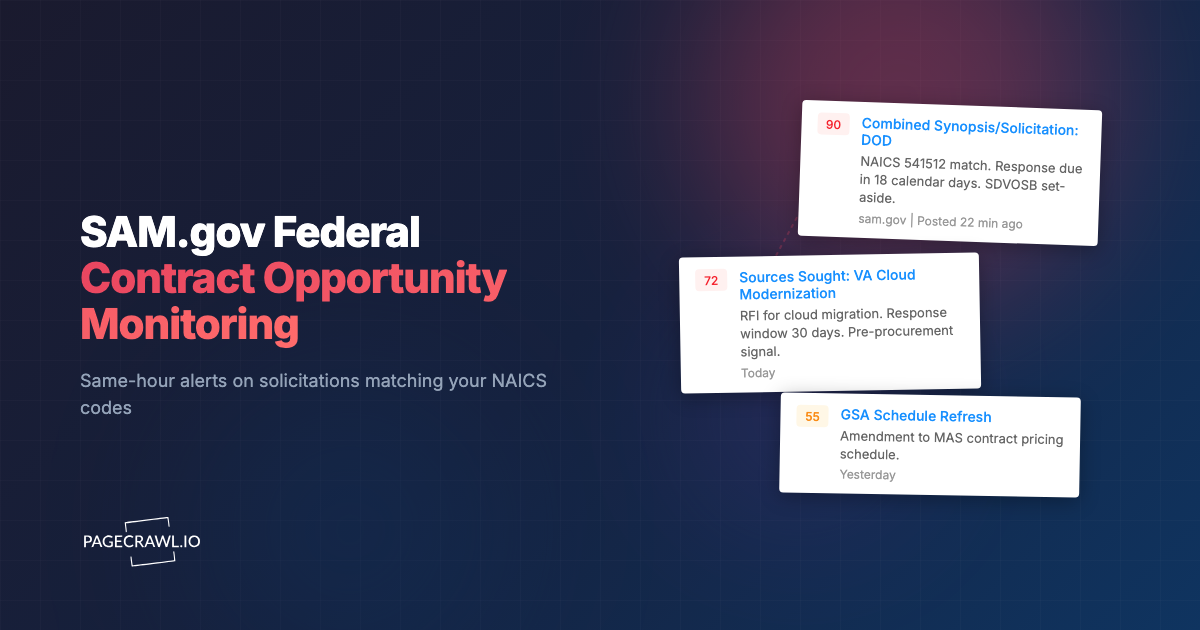
Federal contracts (SAM.gov): Well-structured, searchable, with decent native alerts. Web monitoring adds value by providing faster detection and alternative notification channels. Focus on filtered searches matching your NAICS codes.
State contracts: Moderate structure, variable native alert quality. Web monitoring adds significant value because state portal alerts are often unreliable or delayed. Monitor filtered search results or category pages.
Local contracts: Poorly structured, rarely offer native alerts. Government and public records monitoring adds the most value here because there is often no other automated way to discover opportunities. These are frequently the least competitive opportunities because many contractors do not monitor local portals systematically. Monitoring sitemaps on local government sites can also catch newly published solicitation pages.
Compliance and Regulatory Monitoring
Beyond tracking new RFPs, monitoring regulatory pages helps you stay ahead of changes that affect your eligibility and approach.
Regulation Change Monitoring
Federal and state agencies update procurement regulations that affect how you bid, what you can bid on, and what certifications you need. Monitoring regulation pages, such as the Federal Acquisition Regulation on Acquisition.gov or your state's procurement code, provides early warning of compliance changes.
Set up content-only monitors on key regulatory pages with daily checks. When a regulation change is detected, your compliance team can assess the impact and update your proposal processes accordingly. Always confirm the current rules on the official agency or SAM.gov page before relying on them in a bid; this article is informational, not legal advice. For broader compliance monitoring strategies, see the compliance monitoring guide.
Certification and Registration Requirements
Many procurement portals require vendor registration, and registration requirements change. SAM.gov registrations must be renewed annually. State portals may add new certification requirements. Monitoring these requirement pages helps you maintain active registrations without missing renewal deadlines.
Set-Aside and Small Business Updates
If your company qualifies for set-aside contracts (8(a), HUBZone, SDVOSB, WOSB), monitoring for changes to set-aside programs and new set-aside opportunities is critical. Program rules and eligibility are defined by the U.S. Small Business Administration, so its certification pages are worth watching alongside the opportunity listings. These contracts have less competition and higher win rates for qualifying firms. Dedicated monitoring of set-aside opportunity pages on SAM.gov and state portals maximizes your visibility into these advantageous opportunities.
Measuring Monitoring Effectiveness
Track metrics to ensure your monitoring system is delivering value.
Discovery Metrics
- Number of relevant opportunities discovered per month
- Time from posting to discovery (should be under 24 hours for high-priority sources)
- Percentage of discovered opportunities that result in a go decision
- Sources that produce the most relevant opportunities
Business Impact Metrics
- Number of proposals submitted per month (compared to pre-monitoring baseline)
- Win rate on proposals (should improve with more preparation time)
- Revenue from contracts won on opportunities discovered through monitoring
- Cost of monitoring versus revenue generated
Review these metrics quarterly and adjust your monitoring strategy accordingly. Drop unproductive sources, add newly discovered ones, and refine your filtering to reduce noise.
Choosing your PageCrawl plan
PageCrawl's Free plan lets you monitor 6 pages with 220 checks per month, which is enough to validate the approach on your most critical pages. Most teams graduate to a paid plan once they see the value.
| Plan | Price | Pages | Checks / month | Frequency |
|---|---|---|---|---|
| Free | $0 | 6 | 220 | every 60 min |
| Standard | $8/mo or $80/yr | 100 | 15,000 | every 15 min |
| Enterprise | $30/mo or $300/yr | 500 | 100,000 | every 5 min |
| Ultimate | $99/mo or $999/yr | 1,000 | 100,000 | every 2 min |
Annual billing saves two months across every paid tier. Enterprise and Ultimate scale up to 100x if you need thousands of pages or multi-team access.
For most businesses, a single contract won on the strength of early discovery covers years of monitoring. If your average contract value is $250,000 and you win 15% of bids, catching one additional opportunity per year that you would have otherwise missed represents $37,500 in expected revenue. Standard at $80/year covers 100 procurement sources, which is more than enough for a company monitoring federal, state, and local portals across a few jurisdictions. Enterprise at $300/year scales to 500 sources with 5-minute checks, SSO, and multi-team access.
All plans include the PageCrawl MCP Server, so your business development team can ask Claude to pull every new solicitation detected across a specific agency or state over the past 90 days and summarize the opportunity details, turning your monitoring history into a queryable pipeline tool. AI assistants can create monitors through conversation on every plan, including Free.
Getting Started
Every day without automated RFP monitoring is a day you might miss a contract opportunity that your competitors find first. The setup takes a few hours, and the payoff begins with the first opportunity you discover that you would have otherwise missed.
Start by listing your five most important procurement sources. These are the portals where you find most of your current work. Set up PageCrawl monitors on each, configure Slack or email notifications to your BD team, and run it for two weeks. Compare the opportunities you discover through monitoring against what you found through manual checking. The gap between the two demonstrates the value.
PageCrawl's free tier includes 6 monitors, enough to cover your top procurement sources and validate the approach. The Standard plan ($80/year for 100 pages) covers comprehensive multi-jurisdiction monitoring across federal, state, and local portals. The Enterprise plan ($300/year for 500 pages) supports large-scale monitoring programs that cover dozens of jurisdictions, multiple agencies, and enterprise vendor portals simultaneously.
The companies that win government contracts consistently are the ones that find opportunities first. Automated monitoring ensures you are always in that group.