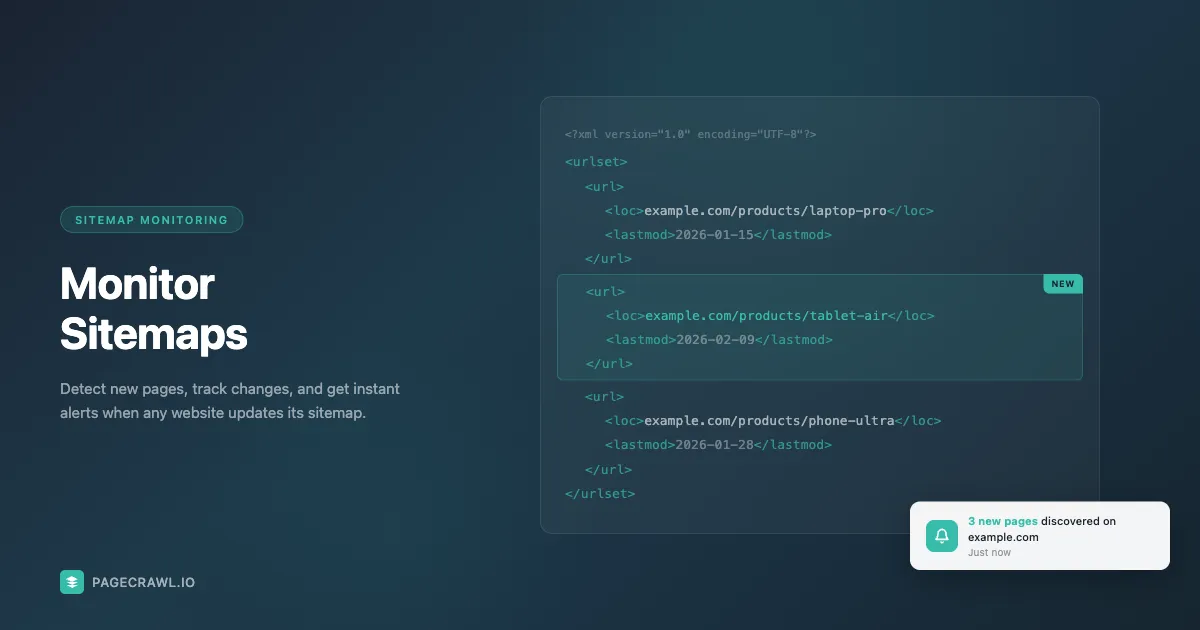
Every website that wants to be found on Google maintains an XML sitemap, a machine-readable list of every page on the site. Sitemaps were designed for search engines and are still documented as a core crawling signal by Google Search Central, but they're also the single best data source for tracking what's happening on a website.
When a competitor launches a new product, adds a blog post, or publishes a job listing, that URL typically appears in their sitemap within hours. If you're monitoring the sitemap, you know about it the same day. If you're not, you might find out weeks later, or never.
PageCrawl.io supports two complementary approaches to sitemap monitoring, and you should pick whichever fits your goal:
- Feed mode treats the sitemap URL as a single tracked element. You get item-level alerts when new URLs appear, all from one monitor. Lightweight, fast to set up, and ideal when you only care about which URLs were added without needing to track each page's content over time. Paste the sitemap URL into Track New Page and PageCrawl auto-detects it.
- Page Discovery (Scan a Website) turns each new URL into its own tracked page with its own change history, screenshots, content alerts, and AI summaries. Heavier but much more powerful for deep competitive intelligence on individual pages.
This guide covers both approaches. Skip to Two Ways to Monitor a Sitemap if you want the side-by-side comparison first; otherwise read on for the full Page Discovery walkthrough.
Why Monitor Sitemaps?
Because a sitemap is the cheapest, most complete list of what a website publishes. XML sitemaps exist on nearly every website: WordPress, Shopify, Squarespace, Wix, and most CMS platforms generate them automatically. This makes sitemaps the most reliable and efficient way to discover new pages. Unlike crawling, which loads pages one by one, a single sitemap file can contain thousands of URLs. Parsing it takes seconds, not hours.
A standard XML sitemap follows the sitemaps.org protocol and contains the URL of every indexable page on a site. Many also include last-modified dates, change frequency hints, and priority values. When a new URL appears, the site published new content. When a URL disappears, they removed or de-indexed a page. For competitive intelligence, product tracking, and regulatory monitoring, these signals are exactly what you need.
The Limits of Basic Sitemap Monitoring
Some tools take a simple approach: download the sitemap periodically and diff it against the previous version. This works for basic cases but falls short in several ways.
Not all sites have complete sitemaps. Some sites only include a subset of their pages. Others have outdated sitemaps that haven't been regenerated in months.
Sitemaps don't include page content. A sitemap tells you a URL exists, but not what's on the page. Without fetching the page, you can't filter by title, content, or specific elements.
New pages aren't always in the sitemap immediately. Some CMS platforms update sitemaps on a schedule rather than in real time.
Protected or dynamic content is often excluded. Pages behind login walls, dynamically generated pages, and single-page applications often aren't in sitemaps.
This is why PageCrawl combines sitemap monitoring with additional discovery methods for complete coverage.
Going Beyond Sitemaps
PageCrawl combines sitemap monitoring with other discovery methods so you never miss a new page. The help centre guide to automatically discovering new pages to track walks through each mode in the interface.
URL Scanning loads the target page in a real browser and extracts all links. This catches dynamically loaded content and pages not yet in the sitemap.
Deep Crawl follows links multiple levels deep, visiting up to 10,000 URLs per run with JavaScript rendering. Available on Enterprise plans for high-priority targets.
Automatic Mode runs all available discovery methods together, merging and deduplicating results into a single clean list of newly discovered pages.
Filtering Discovered Pages
A large website might add hundreds of pages between checks. Filters let you define exactly which new pages are relevant.
URL filters are the most common. Use simple text matching (/products/), wildcards (/blog/2026/*), or regex for complex patterns. Add an include filter for /products/ and an exclude filter for /products/accessories/ to skip pages you don't care about.
Title and content filters match against the page title or body text. A job board might put all listings under /jobs/, but a title filter for "Engineering" narrows results to only technical roles.
Exclude filters always take priority. You can combine multiple filter types with AND or OR logic for precise control.
What happens when new pages are found?
Three things: you get notified, the page can be tracked automatically from then on, and it lands in the right folder with the right tags. Nothing needs manual follow-up unless you want it.
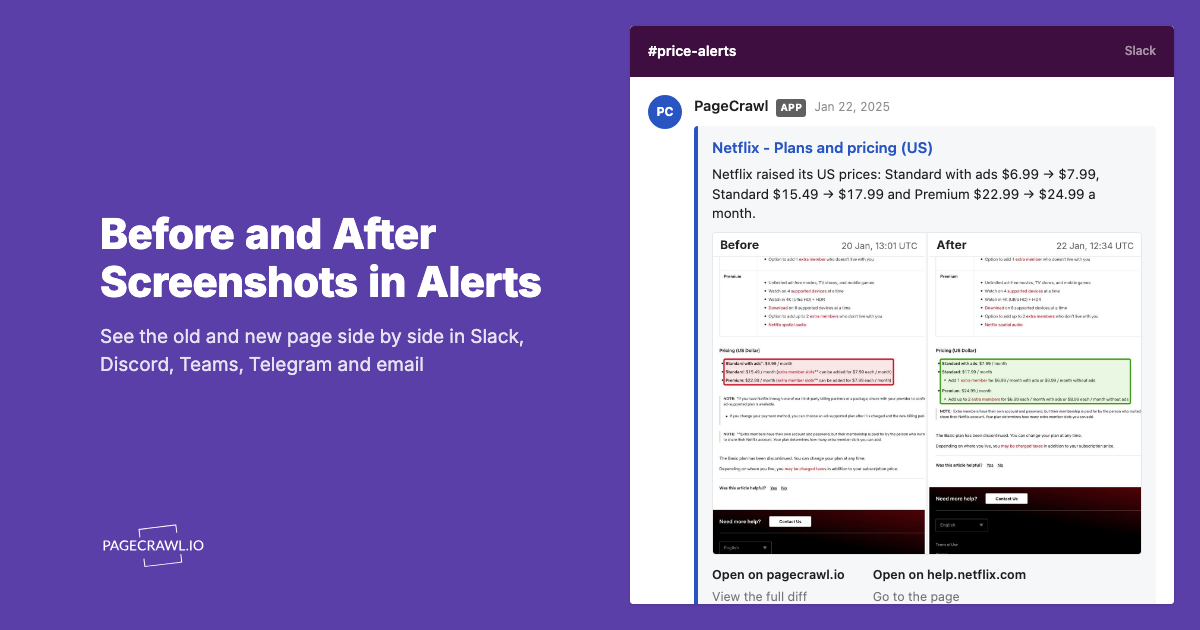
Notifications on the next check via Email, Slack, Discord, Microsoft Teams, or Telegram. Or switch to daily/weekly summary digests.

Auto-monitoring is where sitemap monitoring becomes truly powerful. When a new page matches your filters, PageCrawl can automatically start monitoring it for changes. A competitor publishes a new product page on Monday, sitemap monitoring discovers it the same day, and from Tuesday onward PageCrawl tracks it for price changes and content updates, all without manual setup.
Organization through automatic tagging and folder placement keeps your workspace clean when tracking multiple websites.
Use Cases
Competitor product tracking. Monitor competitor sitemaps to know the same day they launch a new product or discontinue an item. Combine with auto-monitoring to track prices on every new product from day one.
Content and SEO intelligence. Track when competitors publish new blog posts, guides, or landing pages with content monitoring for editorial updates and removals. Over time, you'll see their content strategy and publishing patterns.
Job market monitoring. Monitor target companies to catch new job postings the day they go live, before they appear on job boards, the same workflow as career page and job board monitoring.
Regulatory and government tracking. Government agencies maintain well-structured sitemaps. Monitor them to catch new filings, guidance documents, and regulations the same day they are published, and track petition and boycott pages targeting your brand the same way so comms teams can act before a campaign gains momentum.
Documentation and changelog monitoring. Catch new API docs, feature announcements, deprecation notices, and migration guides as they're published.
Two Ways to Monitor a Sitemap
PageCrawl gives you two distinct approaches depending on what you actually want to track, both covered in the help centre article on sitemap monitoring and automatic new page detection:
Page Discovery (Scan a Website)
This is the workflow described above. PageCrawl downloads the sitemap on a schedule, diffs against the previous run, and turns each new URL into its own tracked page. Each page gets its own change history, screenshots, content alerts, and AI summaries.
Best for:
- Deep monitoring of individual pages (you want to know when each page changes, not just when new ones appear)
- Auto-tracking competitor products with full price and content history per product
- Building a long-term archive of every page on a competitor site
Trade-offs:
- Each discovered page consumes one monitor slot from your plan
- Filters are essential on large sites to avoid burning through your quota
Feed Tracking Mode
The newer option: paste the sitemap URL directly into Track New Page and PageCrawl auto-detects it as a feed. The whole sitemap becomes a single tracked element, with item-level alerts when URLs are added, removed, or modified.
Best for:
- Lightweight new-URL alerts without tracking the content of each page
- Sites where you only care about the appearance of new pages, not changes to existing ones
- Combining sitemap signals with RSS feeds and JSON APIs in a unified feed view
- Monitoring multiple sitemaps without consuming a monitor slot per URL
Trade-offs:
- One monitor watches the whole sitemap, capped at the per-plan item limit (Free 10, Standard 100, Enterprise 1,000, Ultimate 10,000)
- Sitemaps don't guarantee newest-first ordering, so for very large sitemaps an RSS or Atom feed is usually a better fit if the site offers one (try
/feed,/rss, or/atom.xml) - No per-page change history, no content tracking, no screenshots
If you want one notification per new URL with no follow-up tracking, Feed mode is faster to set up. If you need to track every page's content over time, Page Discovery is the right tool. The comparison above is meant to help you pick the one that fits your goal - most teams pick one or the other for a given site, not both.
Choosing your PageCrawl plan
PageCrawl's Free plan lets you monitor 6 pages with 220 checks per month, which is enough to validate the approach on your most critical pages. Most teams graduate to a paid plan once they see the value.
| Plan | Price | Pages | Checks / month | Frequency |
|---|---|---|---|---|
| Free | $0 | 6 | 220 | every 60 min |
| Standard | $8/mo or $80/yr | 100 | 15,000 | every 15 min |
| Enterprise | $30/mo or $300/yr | 500 | 100,000 | every 5 min |
| Ultimate | $99/mo or $999/yr | 1,000 | 100,000 | every 2 min |
Annual billing saves two months across every paid tier. Enterprise and Ultimate scale up to 100x if you need thousands of pages or multi-team access.
Standard at $80/year covers 100 pages, which is enough to watch the sitemaps of a dozen competitors and flag every new product, article, or landing page they publish. Knowing a competitor has added 40 new category pages in a month is the kind of signal that informs roadmaps and content strategy in ways that periodic manual audits miss entirely. Enterprise at $300/year expands to 500 pages at 5-minute frequency for teams that need faster detection across larger portfolios.
All plans include the PageCrawl MCP Server, so you can ask Claude to summarize what new pages competitors have launched over any period and get the full change history surfaced from your own monitoring archive. AI assistants can create monitors through conversation on every plan, including Free.
Getting Started
For Page Discovery (deep tracking of every new page):
- Click Track New Page and select Scan a Website
- Enter the website URL (e.g.,
allbirds.com) - Pick your check frequency and monitoring mode
- PageCrawl automatically detects the sitemap, or you can select "Sitemap" mode specifically
- Add filters to focus on the pages you care about
- Enable notifications and optionally auto-monitor discovered pages
For Feed tracking mode (lightweight new-URL alerts):
- Click Track New Page
- Paste the sitemap URL directly (e.g.,
allbirds.com/sitemap.xml) - PageCrawl auto-detects the sitemap and switches to Feed mode
- Adjust the Track first N items cap if needed
- Choose your notification channels and save
Pricing
Sitemap monitoring is available on all plans, including free:
- Free: Discover up to 2,000 pages per website
- Standard: Discover up to 20,000 pages
- Enterprise: Discover up to 100,000 pages with deep crawl and JavaScript rendering
All plans include filters, notifications, and auto-monitoring.
Why Not Just Write a Script?
Downloading and parsing a sitemap is straightforward. But building a reliable system means handling sitemap indexes, caching, URL normalization, error recovery, scheduling, filtering, notifications, and then actually monitoring the discovered pages. That's months of engineering for a problem that's already solved.
PageCrawl handles the entire pipeline and fills in the gaps where sitemaps fall short by combining with browser-based crawling. The result is comprehensive new page detection that runs continuously without manual intervention.
Start monitoring sitemaps today and never miss a new page again. Get started free.