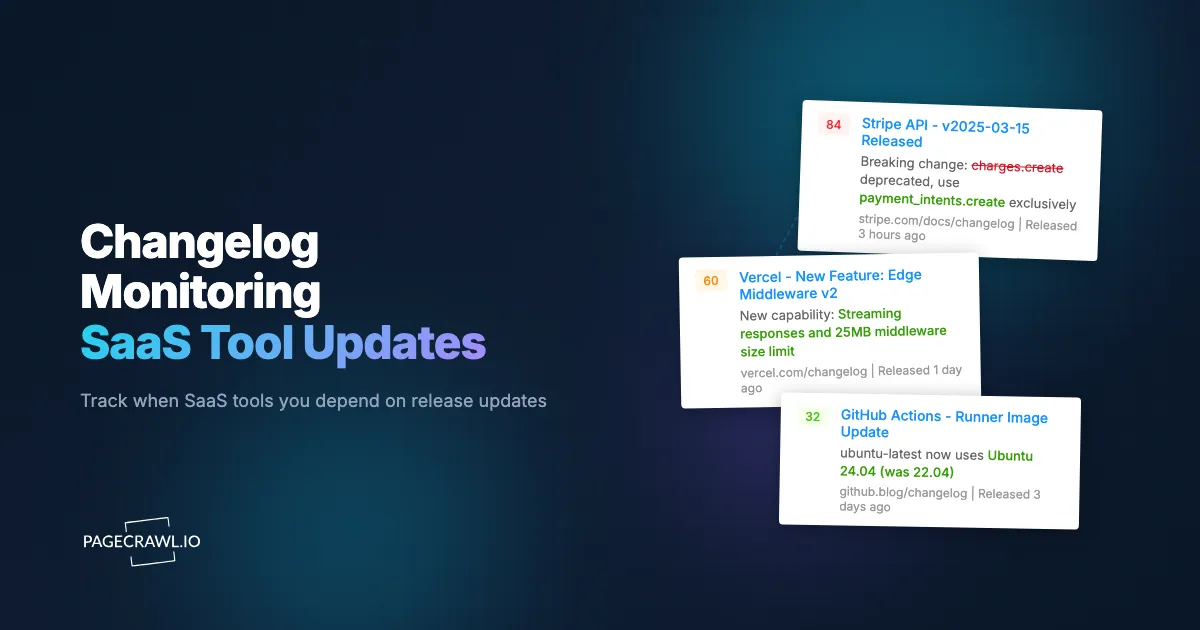
Stripe quietly updated their API versioning policy on a Thursday afternoon. The changelog entry mentioned deprecating a webhook signature verification method that a fintech startup relied on for every transaction. The startup's engineering team did not see the update until the following Monday, when a Hacker News comment linked to the changelog entry. They had 60 days to migrate before the deprecated method stopped working, but discovering the change a week late cut their response time by nearly 10%.
This scenario plays out constantly across the SaaS ecosystem. The tools your business depends on, from payment processors and CRMs to analytics platforms and infrastructure providers, ship changes continuously. Some changes add features you have been waiting for. Some deprecate functionality you rely on. Some introduce breaking changes that require immediate attention. And most go unnoticed until they cause a problem.
The challenge is not that SaaS companies hide their updates. Most maintain changelogs, release notes, or product blogs. The challenge is volume and fragmentation. A typical mid-sized business runs on dozens of SaaS tools. Checking each one's changelog manually, even weekly, is impractical. Important updates get buried in feature announcements and minor fixes.
This guide covers why changelog monitoring matters, what to track across your SaaS stack, how to set up automated release notes and changelog monitoring with PageCrawl, and strategies for filtering and prioritizing the updates that require action.
Why does changelog monitoring matter?
Changelog monitoring catches breaking changes, deprecations, security patches, and useful new features before they surprise you. SaaS tools update constantly, and the implications of those updates range from exciting to existential.
Breaking Changes and Deprecations
The most critical reason to monitor changelogs is catching changes that break your existing workflows. API version deprecations, removed features, changed authentication methods, altered data formats, and sunset timelines all appear in changelogs before they take effect.
Breaking changes usually come with migration timelines: "This endpoint will be removed on [date]" or "Version X will no longer be supported after [date]." The sooner you learn about these timelines, the more time you have to plan migration work, test alternatives, and deploy updates.
Missing a deprecation notice does not just mean technical debt. It means a production incident when the deprecated feature stops working, followed by emergency engineering work to fix it. A proactive migration, started after a timely changelog alert, costs a fraction of a reactive fire drill.
New Features for Your Workflow
SaaS tools constantly add features that could improve your processes, save time, or unlock capabilities you have been building workarounds for. A project management tool adding time tracking eliminates the need for a separate tool. An analytics platform adding a new export format simplifies your data pipeline. A CRM adding workflow automation reduces manual work.
But features you do not know about are features you cannot use. Many SaaS users discover new capabilities months after launch, either by accident or when a colleague mentions it. Changelog monitoring ensures you learn about new features when they ship, so you can evaluate and adopt them on your timeline rather than discovering them by chance.
Security Patches and Vulnerability Disclosures
Security-relevant updates, patched vulnerabilities, new security features, and changed security defaults, demand fast awareness. A changelog entry mentioning a patched authentication bypass or a new mandatory security setting requires immediate evaluation.
Security patches often appear in changelogs alongside routine feature updates. Without monitoring, a critical security fix can sit unnoticed in a list of minor improvements. Automated monitoring surfaces every update, so security-relevant entries do not get lost in the noise.
Pricing and Terms Changes
SaaS companies occasionally change pricing, plan structures, feature gating, or terms of service. These changes often appear in blog posts, changelog entries, or updated pricing pages before affecting your account directly. Early awareness lets you evaluate the impact, negotiate with your account team, or find alternatives before changes take effect.
What to Monitor Across Your SaaS Stack
Different types of SaaS tools warrant different monitoring approaches.
Infrastructure and Platform Tools
These are the tools where breaking changes have the most immediate impact: cloud providers (AWS, GCP, Azure), infrastructure tools (Terraform, Docker, Kubernetes), CI/CD platforms (GitHub Actions, GitLab CI, CircleCI), and hosting providers.
Infrastructure changelogs contain service deprecations, API changes, security bulletins, and pricing updates that can affect production systems. AWS alone publishes a steady stream of announcements on its What's New page, often more than a hundred in a single month across its services.
What to monitor: Service-specific "What's New" pages, API changelog pages, security bulletins, and migration guides.
Check frequency: Daily for services your production systems depend on.
Developer Tools and APIs
Payment processors (Stripe, Square, PayPal), email services (SendGrid, Mailgun), messaging (Twilio, Vonage), and other APIs your application integrates with directly.
API changelogs contain version deprecation notices, new endpoint announcements, changed response formats, and rate limit changes. Each of these can affect your application's behavior.
What to monitor: API changelog pages, developer blog posts, and status pages. For a comprehensive guide to API monitoring, see our REST API monitoring guide.
Check frequency: Daily for critical integrations, weekly for secondary tools.
Business Applications
CRM (Salesforce, HubSpot), marketing tools (Mailchimp, HubSpot), project management (Asana, Monday, Linear), communication (Slack, Teams), and other tools your teams use daily.
Business application changelogs contain workflow changes, UI updates, new features, and admin setting modifications. These affect team productivity and processes.
What to monitor: Product changelog pages, "What's New" sections, and admin notification pages, many of which sit behind a two-factor login.
Check frequency: Weekly for most tools, more frequently during known release cycles.
Analytics and Data Tools
Analytics platforms (Mixpanel, Amplitude, Google Analytics), data warehouses (Snowflake, BigQuery), and BI tools (Looker, Metabase, Tableau).
Data tool changelogs contain schema changes, query language updates, connector modifications, and pricing changes that affect data pipelines and reporting.
What to monitor: Product release notes, API documentation, and connector update pages.
Check frequency: Weekly, with increased frequency around known major release dates.
Why aren't vendor emails and RSS feeds enough?
Vendor newsletters, RSS feeds, in-app badges, and status pages all communicate updates, but each arrives on the vendor's schedule, in the vendor's format, and none route reliably to the person who must act. Most SaaS companies offer some form of update communication, but each has significant limitations.
Email Newsletters and Digests
Many SaaS tools send email digests of product updates. The problems with these are well-known. Email digests arrive on the vendor's schedule, not yours. They often bundle weeks of updates into a single message. Critical changes share space with minor improvements. Marketing language obscures the practical impact. And product update emails compete with hundreds of other emails for attention.
Email newsletters are also inconsistent. Some tools send monthly roundups, others send per-feature announcements, and some only email about major releases. There is no standardized cadence, format, or reliability.
RSS Feeds
Some changelog pages offer RSS feeds. RSS is a good technology for this use case, but in practice, many SaaS changelogs have abandoned RSS support, offer incomplete feeds, or update their feeds inconsistently. You also need an RSS reader configured for each feed, and most RSS readers do not offer the notification and routing capabilities that effective changelog monitoring requires.
In-App Notifications
Many tools show "What's New" badges or in-app notifications. These only work when you are actively using the tool. If a deprecation notice appears in a tool you use monthly, you might not see it until weeks later. In-app notifications also cannot be integrated into external workflows or routed to specific team members.
Status Pages
Status pages (typically built on Statuspage.io or similar platforms) report availability incidents and planned maintenance. They do not typically cover feature changes, API updates, or deprecations. Status page monitoring complements changelog monitoring but does not replace it.
Setting Up Changelog Monitoring with PageCrawl
Here is how to build a comprehensive SaaS update monitoring system.

Identifying Changelog URLs
The first step is finding the changelog URL for each SaaS tool you use. Common patterns include:
- Dedicated changelog pages: tool.com/changelog, tool.com/whats-new, tool.com/updates
- Developer documentation changelogs: docs.tool.com/changelog, developer.tool.com/release-notes
- Blog-based release notes: tool.com/blog/category/product-updates
- GitHub release pages: github.com/org/repo/releases (for open-source tools and libraries)
Some examples of well-known changelog locations:
- Stripe: docs.stripe.com/changelog
- Slack: slack.com/changelog
- GitHub: github.blog/changelog
- Notion: notion.so/releases
- Linear: linear.app/changelog
- Vercel: vercel.com/changelog
For tools where the changelog location is not obvious, check the footer navigation, help center, or documentation site. Most SaaS tools have a changelog somewhere; it is just not always prominently linked.
For GitHub-hosted projects, our GitHub releases monitoring guide covers the specifics.
Choosing the Right Monitoring Mode
Changelog pages vary significantly in structure. Choose the monitoring mode based on the page format.
Content-only mode works well for changelogs with a linear list of entries (dates and descriptions). This mode strips navigation, sidebars, and headers, focusing on the changelog entries themselves. Use this for most dedicated changelog pages.
Reader mode works well for blog-style changelogs where each update is a full article. Reader mode extracts the article content and ignores page chrome, similar to how browser reading modes work. This is particularly effective for changelogs like Notion's and Linear's, where each release is written as a narrative blog post with screenshots and embedded media. Reader mode strips all of that formatting noise and delivers just the text content of the update, so your change alerts focus on what actually changed rather than which promotional banner rotated.
Full page mode is appropriate for simple pages with minimal dynamic elements. Some changelogs are static pages that rarely change except when new entries are added, making full page monitoring reliable.
For changelogs that add new entries at the top of the page, PageCrawl's "new content" detection identifies the added content and includes it in the alert summary.
Setting Check Frequency
Match check frequency to the tool's importance and typical update cadence:
- Critical infrastructure (payment APIs, auth providers, databases): Every 6 to 12 hours
- Daily-use business tools (CRM, project management, communication): Once daily
- Weekly-use tools (analytics, reporting, secondary integrations): Every 2 to 3 days
- Monthly-use tools (invoicing, occasional utilities): Weekly
These frequencies balance timely awareness against monitoring quota usage. You can always increase frequency for a specific tool during known release periods.
Organizing Monitors
Use PageCrawl labels, folders, and workspaces to organize changelog monitors by category:
- Infrastructure: AWS, cloud provider, CI/CD platform changelogs
- API Integrations: Payment, email, messaging service changelogs
- Business Tools: CRM, project management, communication tool changelogs
- Developer Tools: Code editor, testing framework, library changelogs
This organization helps you review updates by category and route different categories to different team members.
Configuring Notifications
Route changelog alerts to the people who need to act on them:
- Infrastructure and API changelogs: Engineering team Slack channel or Discord channel
- Business tool changelogs: Operations or product team channel
- Security-related updates: Security team or engineering leads
- All changelogs: A central "product updates" channel for general awareness
PageCrawl supports multiple notification channels per monitor, so a single changelog monitor can alert both the engineering team and a general awareness channel. See our Slack notification setup guide for integration details.
Monitoring Multiple Tools Simultaneously
The real value of changelog monitoring emerges when you track your entire SaaS stack, not just one or two tools.
Scaling Your Monitoring
A mid-sized engineering team might depend on 30 to 50 tools with changelogs worth monitoring. With PageCrawl's Standard plan at $80/year providing 100 monitors, you can cover all of these with room for other monitoring needs.
Prioritize by impact. Start with tools where breaking changes would cause production incidents (payment APIs, authentication services, database providers). Add tools where new features have high adoption value (daily-use business tools). Round out with less critical tools as your monitoring capacity allows.
Building a SaaS Update Dashboard
With webhook integration, you can build a centralized dashboard showing recent updates across all your SaaS tools. PageCrawl sends a structured JSON payload to your webhook endpoint whenever a changelog updates. Route these to a central repository, Slack channel, or custom dashboard.
A simple implementation logs all changelog updates to a shared spreadsheet or database, creating a searchable record of when each tool shipped changes. This becomes an invaluable reference when debugging issues ("Did anything change in our stack around the time this bug appeared?").
For webhook setup details, see our webhook automation guide.
Combining Changelog and Documentation Monitoring
Changelogs tell you what changed. Documentation tells you how to use the changes. For critical tools, monitor both. When a changelog announces a new API version, the updated documentation shows you how to migrate.
Monitor documentation pages for tools you integrate with deeply. API reference pages, integration guides, and migration documentation are particularly valuable, and API and documentation change monitoring covers exactly that surface. See our documentation monitoring guide for specifics.
Prioritizing Alerts by Impact
Not all changelog entries require the same response. A framework for prioritizing helps prevent alert fatigue.
Critical: Requires Immediate Action
- API deprecation with a timeline affecting your integration
- Security vulnerability patch requiring update
- Authentication method change
- Data format or schema change affecting your pipeline
- Pricing change that significantly increases your cost
These alerts should go to the most urgent notification channel and trigger an immediate review.
Important: Requires Scheduled Action
- New feature that could improve your workflow
- Updated best practices or recommended configuration changes
- Performance improvements you could benefit from
- New integration options with tools you already use
These alerts should be reviewed within a week and scheduled into regular work planning.
Informational: Good to Know
- Minor UI changes
- New features not relevant to your use case
- Bug fixes for issues you did not experience
- Community or ecosystem updates
These can be reviewed in batch, weekly or monthly, or simply archived for reference.
PageCrawl's AI-powered change summaries and smart filtering help categorize updates quickly. The summary describes the nature of the change in plain language, letting you assess priority from the alert without opening the changelog page.
What is the difference between release notes and changelogs?
A changelog is a compact, reverse-chronological list of every change; release notes are longer documents that explain major changes in context, often with screenshots and migration guides. Some SaaS tools maintain both, and understanding the difference helps you choose what to monitor.
Changelogs
Changelogs are typically compact, reverse-chronological lists. Each entry includes a date, a category (feature, fix, improvement, deprecation), and a brief description. They are designed for quick scanning and are updated frequently.
Changelogs are better for:
- Catching every change, including minor ones
- Identifying breaking changes and deprecations
- Understanding update frequency and velocity
Release Notes
Release notes are longer-form documents that explain changes in context. They often include screenshots, migration guides, and usage examples. Release notes may only cover major releases, skipping minor patches.
Release notes are better for:
- Understanding the purpose and usage of new features
- Finding migration instructions for breaking changes
- Getting context around why a change was made
For comprehensive monitoring, track both when available. The changelog catches everything quickly, and the release notes provide depth for changes that require action.
For a broader discussion of release note monitoring, see our release notes monitoring guide.
Monitoring Open Source Dependencies
If your application depends on open-source libraries and frameworks, monitoring their release pages is as important as monitoring SaaS changelogs.
GitHub Releases
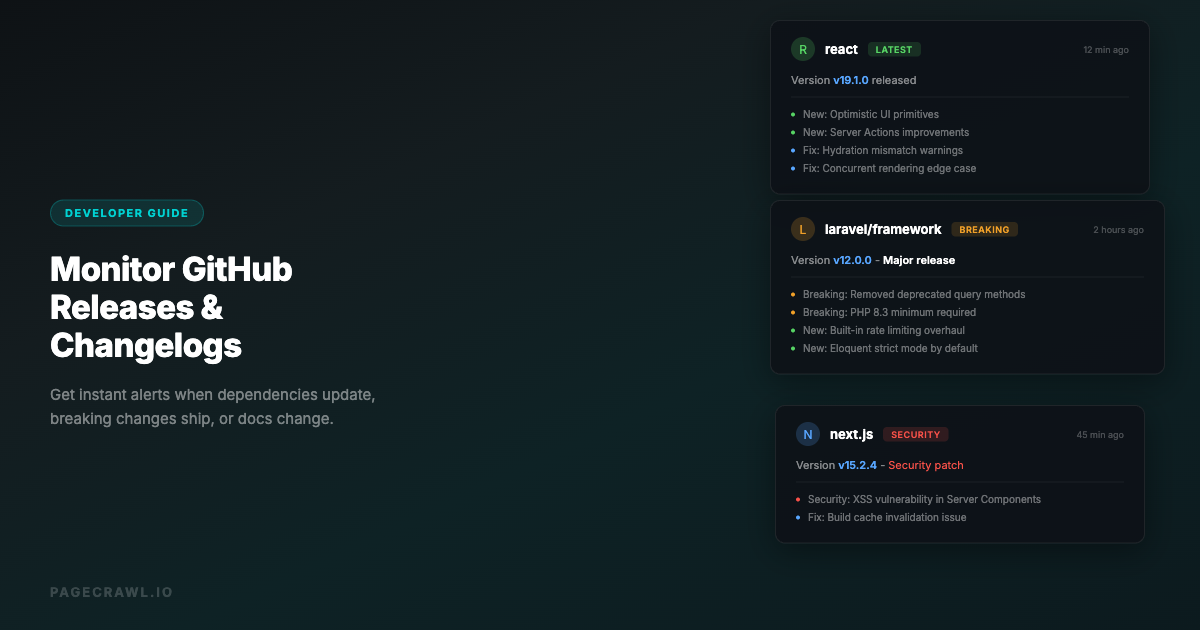
Most open-source projects publish releases on GitHub. The releases page (github.com/org/repo/releases) lists each version with release notes, breaking change notices, and migration instructions.
Monitor the releases pages of your critical dependencies. For a web application, this might include your framework (Rails, Laravel, Django, Next.js), key libraries (authentication, ORM, testing), and infrastructure tools (database drivers, cache clients).
Our GitHub releases monitoring guide covers setup details for GitHub-specific monitoring.
Package Registry Pages
npm, PyPI, RubyGems, and other package registries show version history and publish dates. While GitHub releases provide more detail, package registry pages confirm what is actually published and available for installation.
Security Advisory Pages
GitHub Security Advisories, npm audit, and similar services publish vulnerability information for open-source packages. Monitoring these pages provides security-specific alerts separate from general release monitoring.
Building a SaaS Update Intelligence System
For organizations that want to go beyond basic alerting, changelog monitoring feeds into a broader intelligence system.
Change Correlation
When a production issue occurs, one of the first questions is "Did anything change?" A comprehensive changelog monitoring archive lets you quickly check whether any tool in your stack shipped an update around the time of the incident. This correlation dramatically speeds up root cause analysis.
Vendor Evaluation
Changelog monitoring reveals how actively a SaaS tool is maintained. Frequent, well-documented updates indicate an active product team. Sparse or vague changelogs may indicate declining investment. This information informs vendor evaluation and renewal decisions.
Technology Radar
Across all your monitored changelogs, patterns emerge. Are multiple tools adding AI features? Are several infrastructure providers changing their pricing model? Are security-related updates increasing across the ecosystem? These patterns inform your technology strategy and planning.
Common Challenges
Changelog Format Inconsistency
SaaS changelogs range from well-structured, machine-readable pages to informal blog posts with no consistent format. Some tools use platforms like Beamer or LaunchNotes, which produce consistent formatting. Others maintain changelogs as plain text files or wiki pages.
PageCrawl's content-only and reader modes handle this variety by extracting meaningful text regardless of page structure. AI-powered summaries then describe the changes in a consistent format regardless of how the original changelog was written.
Dynamic and JavaScript-Heavy Pages
Some changelog pages are single-page applications that load content dynamically. A basic HTTP check would see an empty page. PageCrawl monitors pages in a full browser environment, rendering JavaScript and loading dynamic content just as your browser would. This ensures changelogs built with React, Vue, or similar frameworks are captured correctly.
Pagination and Archives
Some changelogs show only recent entries on the main page, with older entries on paginated pages. Monitor the main changelog URL to catch new entries as they appear. The main page is where new content lands first, and that is what triggers your alert.
Signal vs Noise
Active SaaS products ship many small updates weekly. Most will not be relevant to your specific usage. PageCrawl's AI summaries help by describing changes concisely, letting you assess relevance quickly. Over time, you will learn which tools produce high-signal changelogs and which generate mostly noise, and adjust your notification routing accordingly.
Choosing your PageCrawl plan
PageCrawl's Free plan lets you monitor 6 pages with 220 checks per month, which is enough to validate the approach on your most critical pages. Most teams graduate to a paid plan once they see the value.
| Plan | Price | Pages | Checks / month | Frequency |
|---|---|---|---|---|
| Free | $0 | 6 | 220 | every 60 min |
| Standard | $8/mo or $80/yr | 100 | 15,000 | every 15 min |
| Enterprise | $30/mo or $300/yr | 500 | 100,000 | every 5 min |
| Ultimate | $99/mo or $999/yr | 1,000 | 100,000 | every 2 min |
Annual billing saves two months across every paid tier. Enterprise and Ultimate scale up to 100x if you need thousands of pages or multi-team access.
At a typical engineering hourly rate, Standard at $80/year pays for itself the first time it catches a deprecation notice or breaking change before it causes a production incident. A mid-sized SaaS stack rarely exceeds 50 changelogs worth monitoring, so 100 pages leaves room for documentation and release note coverage alongside every changelog. Checking at 15-minute intervals rather than once a day meaningfully closes the window between a vendor pushing a change and your team knowing about it. Enterprise at $300/year adds 500 pages and 5-minute checks for large-scale coverage. All plans include the PageCrawl MCP Server, so developers can ask Claude or Cursor questions like "did anything deprecate in our payment API last month?" and get answers pulled directly from your own monitoring archive rather than manually searching vendor docs. AI assistants can create monitors through conversation on every plan, including Free.
Getting Started
Start with the 5 SaaS tools that would cause the most disruption if they made breaking changes without your knowledge. Find their changelog URLs. Add them to PageCrawl with content-only monitoring, daily checks, and notifications routed to your engineering team's Slack channel.
Run this for two weeks. You will see the volume and nature of updates from each tool. You will likely discover at least one update you would have otherwise missed. From there, expand to cover your full SaaS stack, prioritized by business impact.
PageCrawl's free tier includes 6 monitors, enough to cover your most critical tool changelogs and prove the value of automated tracking. The Standard plan at $80/year provides 100 monitors for comprehensive coverage of a mid-sized SaaS stack. The Enterprise plan at $300/year with 500 monitors supports large organizations monitoring every dependency, open-source library, and SaaS tool across their technology environment.
Changelog monitoring transforms SaaS dependency management from reactive surprise to proactive awareness. Every deprecation notice, security patch, and useful new feature reaches your team on the next check after it ships, not when it causes a problem or gets mentioned in passing weeks later.
Create a free PageCrawl account and start monitoring the changelogs your business depends on.