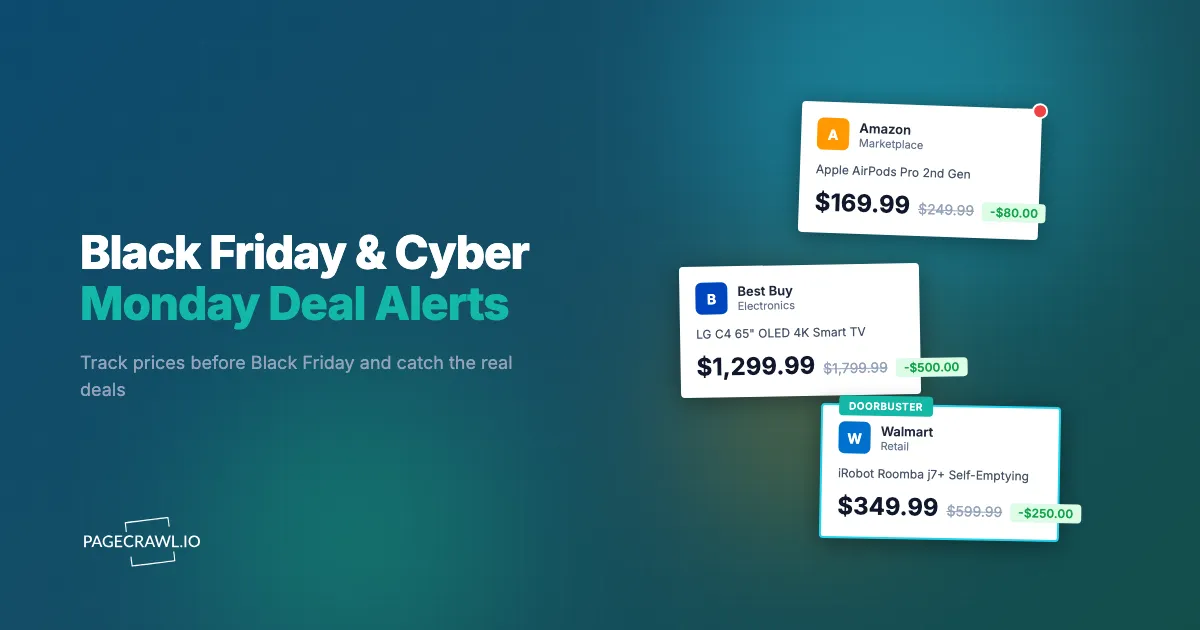
Last Black Friday, a 65-inch Samsung OLED TV appeared on Amazon at $899, down from $1,499. The price lasted four hours. On Best Buy, the same TV dropped to $949 an hour later. Walmart matched Amazon's price the next morning, but by then the Amazon listing was back to $1,299. If you were checking prices manually, you probably caught one of those deals at best. More likely, you missed all three.
Black Friday and Cyber Monday have become a week-long pricing chess match between retailers. Amazon, Walmart, Best Buy, and Target adjust prices in real time, reacting to each other's deals within hours. The "doorbuster" model of one big sale at midnight is gone. In its place is a rolling series of price drops, flash deals, limited-time offers, and strategic price matches that start weeks before Thanksgiving and extend well into December. On top of that, retailers routinely inflate prices in the weeks before Black Friday to make discounts look larger than they really are.
This guide covers how to set up automated price monitoring before the holiday shopping season, how to use historical price data to verify whether a deal is genuine, how to track the same product across multiple retailers simultaneously, and how to build a notification system that alerts you when prices actually hit their lowest point.
How Do Retailers Manipulate Prices on Black Friday?
Retailers inflate prices in the weeks before the sale, shadow each other's prices algorithmically, and run short flash windows designed to create urgency. Understanding these tactics is essential for telling a genuine deal from manufactured urgency.
Price Inflation Before the Sale
This is the oldest trick in retail, and it is more common than most shoppers realize. A product listed at $199 in September quietly moves to $249 in October. On Black Friday, it goes "on sale" for $199, and the retailer advertises it as 20% off. The shopper thinks they got a deal. They paid the same price it was two months ago.
Consumer watchdog investigations, including repeated pricing studies by the UK consumer group Which?, have found that most Black Friday "deals" are available at the same price or cheaper at other times of the year. Some products are cheaper in January clearance or during Prime Day in July. Without historical price data, you have no way to know.
Dynamic Pricing Between Retailers
Amazon, Walmart, and Best Buy monitor each other's prices algorithmically. When Amazon drops the price on a popular laptop, Walmart and Best Buy often follow within hours. This creates cascading price drops that benefit shoppers who are watching all retailers simultaneously, but it also means the best price on any given product shifts between retailers throughout the day.
The best deal on a product might be at Amazon at 8am, Walmart at noon, and Best Buy by evening. Manual checking catches one snapshot. Automated monitoring catches every shift.
Lightning Deals and Limited Windows
Amazon's Lightning Deals, Walmart's Flash Deals, and Best Buy's Doorbuster offers all share one trait: they expire fast. Some last 6 hours. Some last 30 minutes. The most popular items sell through their allocated deal quantity well before the time expires.
These deals are not announced in advance with specific prices. You know a deal is coming for a category, but not the exact product, price, or timing. Frequent automated checks catch these shortly after they go live, while manual refreshing usually misses them entirely.
Early Access and Member-Only Pricing
Amazon Prime members, Walmart+ subscribers, and Target Circle members often get early access to deals or exclusive pricing tiers. These member-only prices sometimes start a full week before the public Black Friday sale. If you are a member, monitoring during the early access window gives you first pick at the best deals with less competition.
When Should You Start Tracking Black Friday Prices?
Start at least four to six weeks before Thanksgiving, ideally in early October. The biggest mistake holiday shoppers make is waiting until Black Friday week to start paying attention to prices, because by then there is no baseline to judge a deal against.
Build a Price Baseline (6-8 Weeks Before)
Starting your price monitoring in early October gives you six to eight weeks of price history before Black Friday. This baseline is invaluable. When a retailer advertises a product at "40% off" on Black Friday, you can check whether the price was actually inflated in the weeks before the sale.
With PageCrawl, you can add product monitors in October and let them run. By Black Friday, you have a clear picture of each product's normal price range, any pre-sale inflation, and what would constitute a genuinely good deal. For a deeper look at building price history across retailers, see our guide to cross-retailer price comparison.
Track Pre-Black Friday Sales (2-4 Weeks Before)
Retailers now spread deals across several weeks. Amazon's "Early Black Friday Deals" often start in late October. Walmart's "Deals for Days" begins the first week of November. These early sales sometimes offer the same prices you would see on Black Friday itself.
Monitoring during this window catches early deals that may be just as good as (or better than) what appears on the actual day. Some products sell out during early sales and are not restocked for Black Friday at all, which is when restock alerts on the styles you want earn their keep.
Monitor the Full Window (Thanksgiving Through Cyber Monday)
The deals calendar has expanded well beyond a single day:
- Pre-Thanksgiving (Monday-Wednesday): Many online deals begin early in the week
- Thanksgiving Day: Amazon and Walmart both run major online sales
- Black Friday: The traditional peak, though many deals are the same as Thanksgiving
- Small Business Saturday: Niche retailers and smaller shops offer deals
- Cyber Monday: Historically the biggest US online shopping day by spend, according to Adobe Analytics holiday data, with unique deals not seen on Black Friday
- Cyber Week: Deals continue through the following week, often with deeper discounts on remaining inventory
Each window has different pricing. Some products are cheaper on Cyber Monday than Black Friday. Others hit their lowest on Thanksgiving evening. Without continuous monitoring, you are guessing.
What to Monitor Across Retailers
Not every product category benefits equally from Black Friday monitoring.
Electronics (Highest Savings Potential)
TVs, laptops, tablets, headphones, and smart home devices consistently see the largest discounts during Black Friday. A premium 4K TV that holds steady at $1,200 most of the year might drop to $799 during the holiday window.
Key products to track:
- TVs: 50-inch and larger models see 30-40% discounts. Monitor the exact model and size you want across Amazon, Best Buy, and Walmart. See our Best Buy price tracker guide for details on electronics monitoring
- Laptops and tablets: Popular configurations drop $100-300. Apple products see smaller but consistent discounts
- Headphones and earbuds: AirPods, Sony, and Bose see reliable discounts every Black Friday
- Smart home devices: Amazon Echo, Google Nest, and Ring products hit annual lows during Black Friday, though Prime Day prices are sometimes competitive
Appliances (Large Savings, Planned Purchases)
Kitchen appliances, vacuums, and home appliances see substantial Black Friday discounts. These are often planned purchases where weeks of monitoring pays off:
- Robot vacuums: Roomba, Shark, and Roborock models regularly drop 30-40%
- Kitchen appliances: KitchenAid mixers, Instant Pots, air fryers, and espresso machines
- Major appliances: Washer/dryer sets, refrigerators, and dishwashers from Home Depot and Lowe's
Gaming
Console bundles, game sales, and accessory deals make gaming one of the most monitored categories:
- Console bundles: PlayStation and Xbox bundles with included games appear at discounted prices
- Games: Digital and physical game prices drop across multiple retailers
- Accessories: Controllers, headsets, and storage see consistent discounts
Toys and Gifts
For parents, tracking the year's hot toys before Black Friday prevents both overpaying and missing out when items sell out, which is the job stock availability monitoring and restock alerts are built for:
- High-demand toys: Each year has breakout toys that sell out. Monitoring catches restocks
- LEGO sets: Consistent Black Friday discounts, with some sets retiring after the holiday season
- Board games and puzzles: Deep discounts at Target and Amazon
Setting Up Multi-Retailer Price Monitoring
Here is how to build a Black Friday monitoring setup with PageCrawl.
Step 1: Create Your Shopping List
Start with every product you plan to buy this holiday season. For each product, find the product page URL on every major retailer that carries it. A typical product might have URLs from:
- Amazon
- Walmart
- Best Buy
- Target
- The manufacturer's own store
You will add each URL as a separate monitor in PageCrawl. For a detailed walkthrough of monitoring products across retailers, see our Amazon price tracker and Walmart price tracker guides.
Step 2: Add Monitors with Price Tracking
For each product URL, create a PageCrawl monitor using "Price" tracking mode, the core of price monitoring and stock alerts. This automatically detects the price element on the page and tracks changes over time. If you want the same product automatically matched and grouped across different retailers into one comparison, that is a custom capability you can ask us to enable for your account, explained in the help centre guide to comparing product prices across multiple retailers.
For products across many retailers, your dashboard shows the current price and price history at each store. A consolidated comparison view that surfaces the lowest price across all retailers at any given time is a custom capability you can ask us to enable.
Step 3: Set Meaningful Alert Thresholds
Rather than getting notified on every small price change, configure alerts for meaningful drops:
- Percentage drop alerts: Get notified when a product drops 15% or more from its recent average price
- Target price alerts: Set a specific dollar amount you are willing to pay
- Cross-retailer alerts: Comparison-aware alerts that fire when one retailer undercuts the others by a significant margin are a custom capability you can ask us to enable
Configure notifications through whatever channel you check most quickly. Email is fine for products where speed is not critical. For high-demand items that might sell out, use push notifications or connect a Slack channel so alerts reach you promptly once a check detects the drop.
Step 4: Organize with Folders and Tags
When monitoring 20-50 products across multiple retailers, organization matters. Create folders by category (Electronics, Toys, Kitchen) or by recipient (gifts for specific people), then tag monitors by retailer or priority level, as described in organizing monitored pages with labels, folders, and workspaces. This keeps your dashboard manageable and lets you focus on the categories that matter most to you.
Step 5: Set Up Webhook Automation
For power users, PageCrawl's webhook integration opens up automation possibilities:
- Send price drop alerts to a shared family Slack channel
- Log all price changes to a Google Sheet for analysis
- Trigger a notification on your phone through services like Pushover or IFTTT
- Feed price data into a comparison spreadsheet that ranks deals automatically
How Do You Verify Whether a Black Friday Deal Is Genuine?
Compare the advertised sale price against the price history you collected in the weeks before. This is where starting early pays off: by Black Friday, you have weeks of price data for every product on your list.

Spotting Pre-Sale Inflation
Compare the Black Friday "sale" price against your tracked baseline. If a product was $199 in October, moved to $249 in early November, and is now "on sale" for $209, that is not a deal. Your monitoring data makes this obvious at a glance.
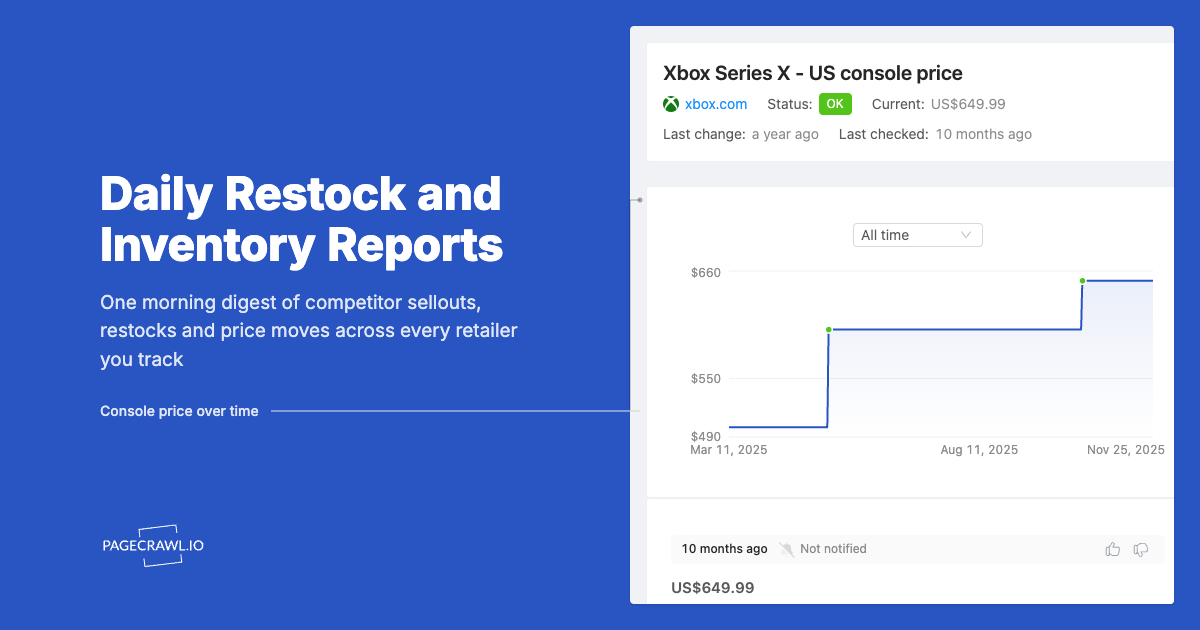
PageCrawl's price history chart shows every price point over time. A product with a stable price history that suddenly drops on Black Friday is a genuine deal. A product with a recent price increase followed by a Black Friday "discount" is manufactured urgency.
Comparing Against Historical Lows
Your monitoring data also shows whether the Black Friday price is actually the product's lowest price of the year. Some products hit lower prices during Amazon Prime Day in July, back-to-school sales in August, or random clearance events throughout the year. If you have been tracking long enough, you know the true floor price.
Sharing Deal Intelligence
If you are shopping for a family or team, export your monitoring data or share access to your PageCrawl dashboard. Multiple people checking the same deal wastes effort. A shared dashboard gives everyone visibility into which products are at their best prices and which are not worth buying yet.
Cross-Retailer Comparison Strategy
The best Black Friday shoppers do not commit to one retailer. They buy each product from whichever retailer has the best price at that moment.
Same Product, Different Prices
Prices for the same product routinely differ between retailers on any given day during Black Friday week, sometimes by a wide margin. An item might be $299 at Amazon, $319 at Walmart, and $279 at Best Buy. Without cross-retailer monitoring, you buy from whichever retailer you happen to check first.
PageCrawl's grouped product comparison feature shows all retailer prices side by side, updated automatically, and is a custom capability you can ask us to enable. You can also compare prices yourself by setting up one monitor per retailer page and viewing them together in your dashboard. See our full guide on cross-retailer price comparison for setup details.
Factoring in Shipping and Pickup
Price is not the only consideration. Factor in:
- Free shipping thresholds: Some retailers require minimum orders for free shipping
- Delivery speed: Amazon Prime often delivers faster than competitors during peak season
- Store pickup: Target, Walmart, and Best Buy offer same-day pickup, avoiding shipping delays entirely
- Return policies: Holiday return windows vary by retailer. Some extend returns through January
Price Match Policies
Several retailers offer price matching during the holiday season. Target matches prices from Amazon, Walmart, and Best Buy. Best Buy matches major online retailers. Monitoring all retailers gives you the data to request price matches confidently, sometimes getting the best price at the most convenient store.
Building a Black Friday Dashboard
For serious holiday shoppers or purchasing teams buying for a business, build a centralized monitoring dashboard.
Organize by Priority
Separate your monitors into priority tiers:
- Must-buy items: Products you are definitely purchasing. Monitor at your highest check frequency with push notifications enabled
- Nice-to-have items: Products you will buy only if the deal is good enough. Set target price alerts
- Research items: Products you are considering. Track prices to understand the market before deciding
Set Check Frequencies Appropriately
Not every product needs the same monitoring intensity:
- High-demand electronics: Check every 2 hours during Black Friday week
- Stable-price items: Check every 6 hours
- General browsing items: Daily checks are sufficient
When monitoring Black Friday across 50+ products, PageCrawl's bulk editing lets you change the check frequency for all monitors from daily to every 2 hours with a single action. After the sale ends, bulk-edit them back to save check quota. This avoids the tedious process of updating each monitor individually when timing matters most.
More frequent checks for high-priority items ensures you catch flash deals before they expire.
Review Daily During Peak Week
During Thanksgiving through Cyber Monday, review your dashboard daily. Look for:
- Products that have hit new lows
- Items where the price gap between retailers has widened
- Products showing signs of pre-sale inflation
- Items that are going out of stock (a signal that the current price may be the best you will see)
Is Black Friday or Cyber Monday Better for Deals?
Neither day wins across the board. Black Friday tends to have the best prices on TVs, large electronics, and appliances, while Cyber Monday favors software, smaller electronics, and fashion. Not all deals peak on the same day, and historical price data reveals the pattern for each product.
Black Friday Strengths
Black Friday traditionally offers the best deals on:
- TVs and large electronics
- Appliances
- In-store exclusive bundles
- Doorbusters with very limited quantities
Many Black Friday deals now start Thursday evening or earlier in the week, so "Black Friday" pricing is really a multi-day event.
Cyber Monday Strengths
Cyber Monday tends to offer better deals on:
- Software and digital subscriptions
- Smaller electronics (headphones, smart devices, accessories)
- Clothing and fashion
- Online-exclusive products
Cyber Monday deals also tend to last longer, with less urgency around limited quantities, which leaves more room to catch Best Buy's online-only price drops.
The In-Between Days
Saturday and Sunday between Black Friday and Cyber Monday are often overlooked. Some retailers test different pricing during this window. Products that sold well on Friday might see slightly higher prices, while slow movers might get deeper discounts. Monitoring catches these shifts.
Cyber Week Extension
The week after Cyber Monday often has clearance pricing on products that did not sell as well as retailers expected. For non-urgent purchases, waiting until Cyber Week can yield deeper discounts, though selection narrows as inventory clears.
Common Black Friday Monitoring Mistakes
Waiting Until Black Friday Week
Starting monitoring on the Monday before Thanksgiving gives you no price history. You cannot verify whether a deal is genuine without baseline data. Start at least four weeks before.
Monitoring Too Many Products
If you add 200 products and get 50 notifications a day, alert fatigue sets in and you miss the deals that matter. Focus on products you are genuinely planning to purchase. Quality of monitoring beats quantity.
Ignoring Shipping and Total Cost
A product that is $20 cheaper at one retailer but charges $15 for shipping is only $5 cheaper in total. Factor in shipping, tax differences between retailers, and any membership benefits (free shipping with Prime, Walmart+, or Target Circle) when comparing.
Not Having Payment Ready
When you get an alert for a deal on a high-demand item, speed matters. Have your payment information saved at each major retailer, shipping addresses confirmed, and accounts logged in on your phone. The best deal in the world is useless if the item sells out while you are looking for your credit card.
Focusing Only on Advertised Deals
Retailers promote specific products in their Black Friday ads. But some of the best deals are on products that are not advertised at all. Category-wide discounts, quiet price reductions on last-year's models, and competitive price matching create deals that never appear in any flyer. Automated monitoring catches these unadvertised savings.
Black Friday Monitoring for Businesses
Individuals track deals for personal purchases. Businesses have different use cases for Black Friday monitoring.
Competitive Pricing Intelligence
If you sell products that compete with items on sale at major retailers, monitoring competitor Black Friday pricing helps you decide whether to match, undercut, or hold your pricing. Setting up comprehensive competitor monitoring well before the season gives you time to plan your response.
Bulk Purchasing Opportunities
Businesses buying equipment, supplies, or inventory can save significantly on Black Friday. IT departments purchasing laptops, office managers buying supplies, or operations teams ordering equipment can use price monitoring to time purchases for maximum savings.
Market Research
Tracking which products retailers choose to discount, and by how much, reveals market dynamics. Which brands are clearing old inventory? Which new products are being used as loss leaders? This data informs purchasing and strategy decisions year-round.
Choosing your PageCrawl plan
PageCrawl's Free plan lets you monitor 6 pages with 220 checks per month, which is enough to validate the approach on your most critical pages. Most teams graduate to a paid plan once they see the value.
| Plan | Price | Pages | Checks / month | Frequency |
|---|---|---|---|---|
| Free | $0 | 6 | 220 | every 60 min |
| Standard | $8/mo or $80/yr | 100 | 15,000 | every 15 min |
| Enterprise | $30/mo or $300/yr | 500 | 100,000 | every 5 min |
| Ultimate | $99/mo or $999/yr | 1,000 | 100,000 | every 2 min |
Annual billing saves two months across every paid tier. Enterprise and Ultimate scale up to 100x if you need thousands of pages or multi-team access.
Standard at $80/year covers 100 product pages, enough to track your full holiday shopping list across every major retailer at 15-minute intervals. A single genuine deal caught - one that you would have missed refreshing manually - typically saves more than the annual plan cost on a big-ticket item alone. Enterprise at $300/year extends that to 500 pages at 5-minute checks, so you are among the first to know when a limited-quantity deal goes live rather than finding out after it sells through.
Getting Started
Start building your Black Friday monitoring setup now, regardless of when Black Friday falls. The earlier you begin tracking prices, the more historical data you have to verify whether a deal is genuine.
Pick 5-10 products from your holiday shopping list. Find them on Amazon, Walmart, and Best Buy. Add each product URL to PageCrawl with "Price" tracking mode. Let the monitors run for a few weeks to build your price baseline.
PageCrawl's free tier includes 6 monitors, enough to track your highest-priority products across a couple of retailers and prove the concept. When you see how much price data accumulates in a few weeks and how easy it becomes to spot real deals versus manufactured ones, you will want to expand. The Standard plan at $80/year covers 100 pages, which is typically enough for a complete holiday shopping list across all major retailers. Enterprise at $300/year handles 500 pages for businesses tracking larger product catalogs.
The shoppers who consistently get the best Black Friday deals are not the ones refreshing pages at midnight. They are the ones who have been watching prices for weeks, know exactly what a good deal looks like, and get an alert as soon as a check detects one.