In the ever-evolving digital landscape, staying updated with the latest changes and updates across various platforms is crucial. Whether it's software updates, version changes, or the introduction of new features, keeping a vigilant eye on these alterations can be a game-changer. This is where PageCrawl.io steps in, offering a powerful solution to monitor release notes and track changes across the web.
Why does monitoring release notes matter?
Because a single line in a changelog can break your integration, close a security hole, or hand you a competitive edge. New versions ship constantly, features are added or modified, security patches land, and bug fixes are deployed, all of which affect functionality you depend on. Well-run projects follow conventions like Keep a Changelog and semantic versioning, which makes those notes readable but does nothing to tell you when they were updated. For businesses relying on specific software or services, awareness of these changes is essential for several reasons:
Stay Ahead of the Curve: Early adoption of new features or updates can provide a competitive edge by leveraging functionalities before competitors catch on.
Bug Fixes and Security Patches: Timely awareness of updates ensures that critical bug fixes and security patches are implemented promptly, reducing vulnerabilities.
User Experience Enhancement: Understanding new features allows for their effective integration, enhancing the overall user experience.
What does PageCrawl do for release note monitoring?
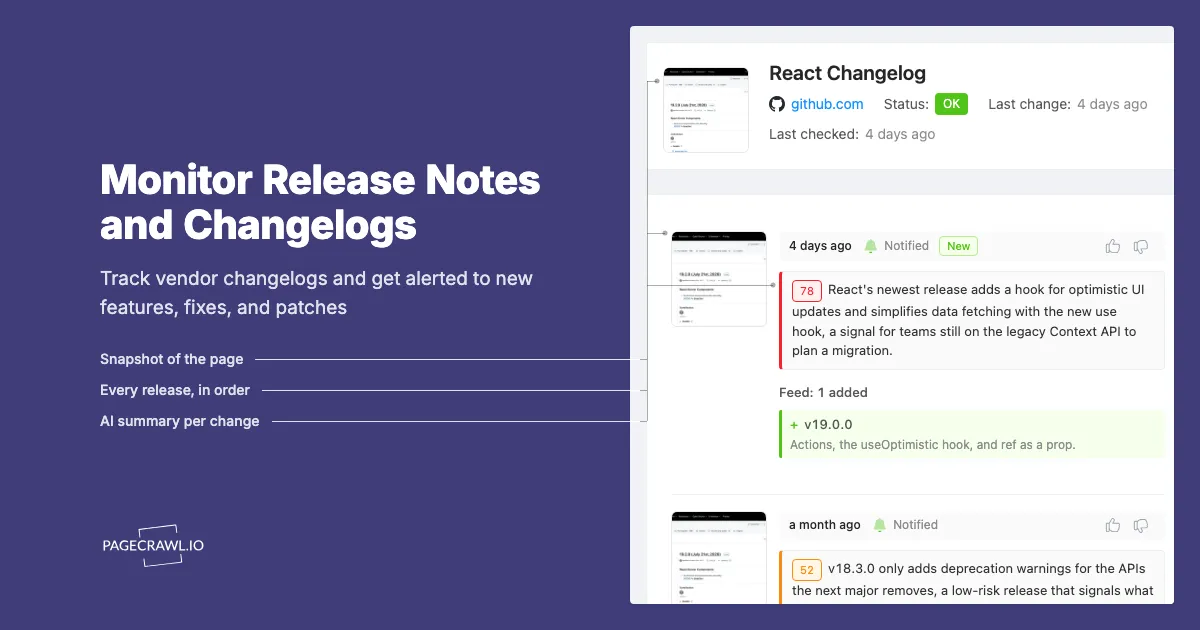
Release notes and changelog monitoring watches the page for you and reports the exact lines that were added or removed, so you never reread a page that has not moved. Its features empower users to:
Customize Monitoring: Users can specify the pages or sections of websites they want to monitor for changes in release notes or updates.
Fast Notifications: Browser push and email alerts reach you as soon as a check detects the update, and the web push notification setup works across desktop and mobile.
Historical Tracking: Access to historical data allows users to analyze the evolution of release notes and changes over time.
When is release note monitoring most useful?
Three situations dominate: upgrade planning, feature tracking, and security response. Each one benefits from knowing about a changelog edit the same day rather than a quarter later.
Software Version Updates: Stay informed about the latest software versions and their accompanying release notes, ensuring seamless upgrades.
Feature Introductions: Track the introduction of new features or modifications to existing ones, enabling strategic planning for implementation.
Security Updates: Monitor security-related release notes to address vulnerabilities quickly, and cross-reference the identifiers against the CVE Program record for the affected component.
How PageCrawl.io Works for Release Note Monitoring

PageCrawl.io simplifies the process of tracking release notes across various websites:
Set Up Monitoring: Users define the URLs or specific sections of websites they want to monitor, such as a vendor's API documentation and deprecation notices.
Specify Triggers: Define keywords or patterns that indicate the release notes or changes of interest, using notification conditions and filters to suppress everything else.
Receive Notifications: When a check finds one of those changes, users are notified through their preferred channels (email, Slack, Discord, Microsoft Teams, Telegram, web push, or webhooks).
Conclusion
Monitoring release notes is a strategic practice in today's digital landscape. With PageCrawl.io, users gain a competitive advantage by staying ahead of software updates, new features, and security patches. Because every check compares the page against the last captured version, an update reaches you on the next check rather than whenever someone happens to reread the changelog, which makes proactive decisions possible.
Embrace the power of PageCrawl.io to stay informed, empowered, and ahead of the curve in the dynamic world of online changes and updates.
Ready to embark on a journey of comprehensive release note monitoring? Explore PageCrawl.io and witness the transformation in keeping track of web changes effortlessly!
Choosing your PageCrawl plan
PageCrawl's Free plan lets you monitor 6 pages with 220 checks per month, which is enough to validate the approach on your most critical pages. Most teams graduate to a paid plan once they see the value.
| Plan | Price | Pages | Checks / month | Frequency |
|---|---|---|---|---|
| Free | $0 | 6 | 220 | every 60 min |
| Standard | $8/mo or $80/yr | 100 | 15,000 | every 15 min |
| Enterprise | $30/mo or $300/yr | 500 | 100,000 | every 5 min |
| Ultimate | $99/mo or $999/yr | 1,000 | 100,000 | every 2 min |
Annual billing saves two months across every paid tier. Enterprise and Ultimate scale up to 100x if you need thousands of pages or multi-team access.
At an engineering hourly rate, Standard at $80/year pays for itself the first time automated monitoring catches a deprecated endpoint or a breaking change before it causes an incident. 100 pages covers the changelogs, release notes, and docs for every third-party service your stack relies on, checked every 15 minutes. Enterprise at $300/year scales to 500 pages for teams tracking a broader vendor surface with 5-minute check frequency and multi-team access.
All plans include the PageCrawl MCP Server, so developers can ask Claude directly what changed in a dependency's release notes over the past month and get the answer pulled from your own monitoring history rather than manually trawling through changelog pages. AI assistants can create monitors through conversation on every plan, including Free.