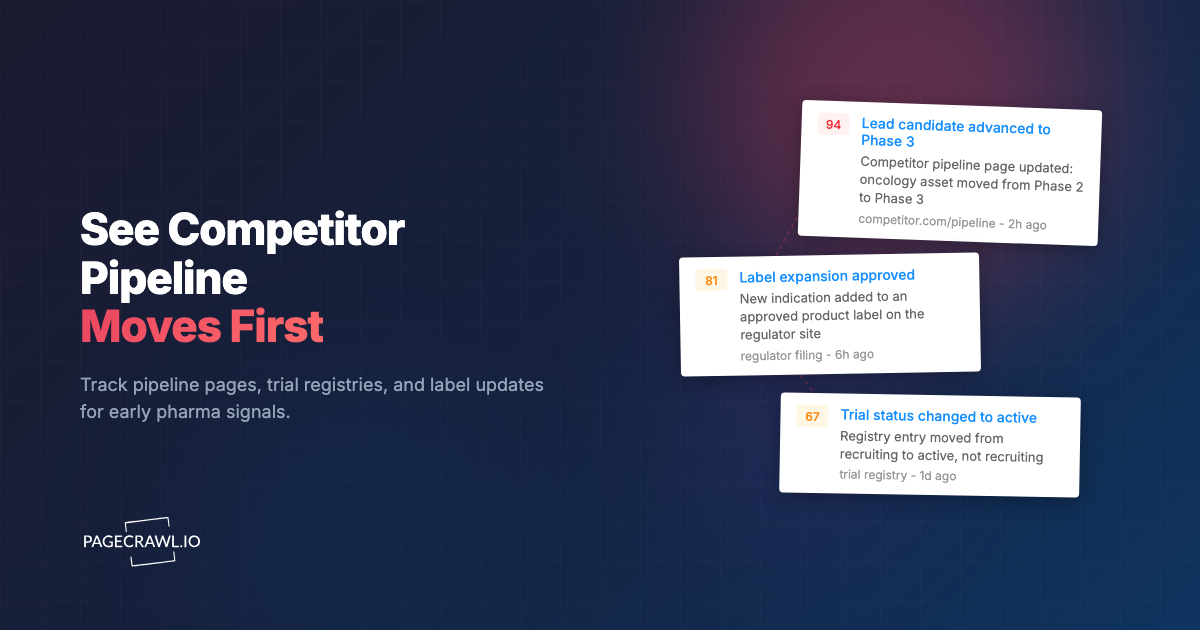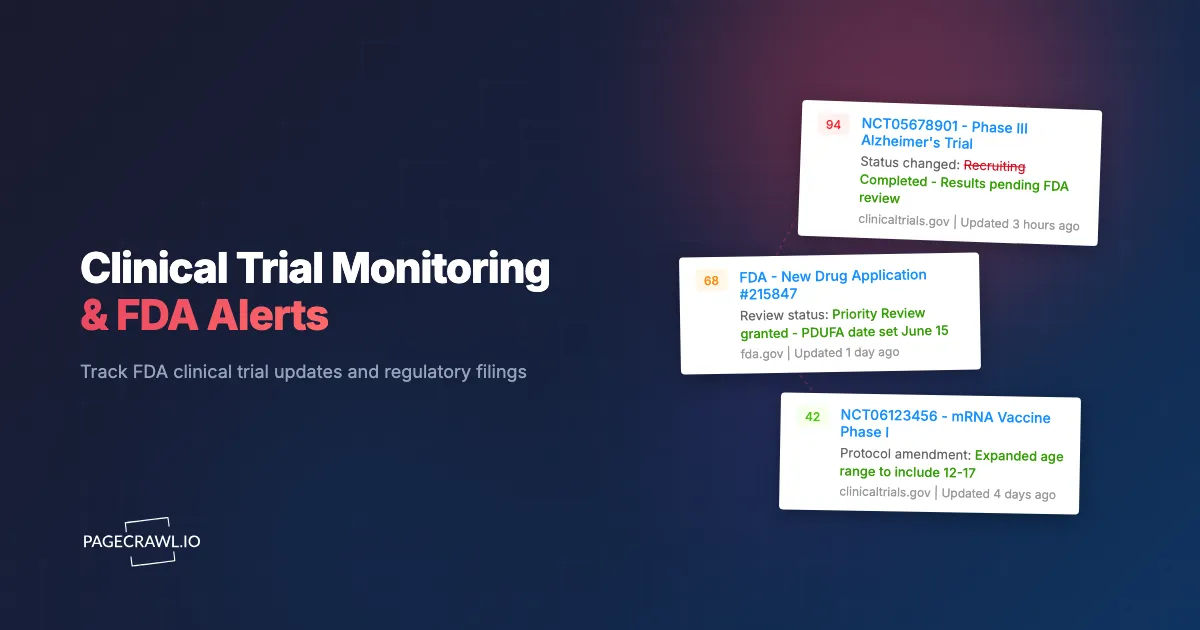
A Phase 3 clinical trial you have been following for two years quietly updates its status from "Recruiting" to "Terminated." The update appears on ClinicalTrials.gov on a Friday afternoon. You discover it the following Wednesday in a news article. For a pharmaceutical company tracking a competitor's pipeline, those five days represent a lifetime. For an investor with a position in the sponsoring company, that delay could mean the difference between a managed exit and catching the bottom.
ClinicalTrials.gov lists over 500,000 registered studies, with thousands of updates posted every week. Status changes, protocol amendments, new results postings, and enrollment updates arrive without fanfare. The site offers basic email alerts, but these are limited in scope, delayed in delivery, and impossible to customize beyond simple keyword matching.
This guide covers why clinical trial monitoring matters across multiple stakeholder groups, what exactly to track on ClinicalTrials.gov and related regulatory sites, the limitations of built-in alert systems, and how to set up automated monitoring that catches every meaningful update on the next scheduled check.
Why does clinical trial monitoring matter?
Clinical trial data is one of the most valuable information sources in healthcare and finance. Different stakeholders need this data for very different reasons, but all share the same problem: the information is public, but nobody tells you when it changes.
Pharmaceutical and Biotech Companies
Pharma competitive intelligence revolves around clinical trials. Knowing when a competitor's trial advances, stalls, or fails directly informs your own strategic decisions.
Pipeline tracking: If you are developing a drug in the same therapeutic area as a competitor, their trial outcomes shape your development strategy. A competitor's Phase 3 success might accelerate your timeline (to maintain competitive position) or redirect your program (to differentiate). A competitor's failure might open the market for your approach.
Partnership opportunities: Companies seeking licensing or co-development partners monitor trials at smaller biotechs. A positive Phase 2 readout at a small company often triggers partnership discussions. Catching that readout early gives you an advantage in negotiations.
Regulatory strategy: Observing how similar drugs progress through trials informs your own regulatory approach. Trial design choices, endpoint selections, and FDA interactions are all visible through ClinicalTrials.gov updates and can shape your strategy.
Biotech and Pharmaceutical Investors
Clinical trial data drives biotech stock prices more than almost any other factor, which is why it belongs alongside SEC filings and IR pages in an investment intelligence workflow. A single trial readout can move a stock 50% or more in either direction.
Binary event tracking: Many biotech investments are binary bets on trial outcomes. Monitoring trial status changes (enrollment completion, data lock, results posting) provides early signals about timing and potential outcomes.
Portfolio surveillance: Investors holding multiple biotech positions need systematic monitoring across their portfolio. Manual checking of ClinicalTrials.gov for each holding is impractical and unreliable.
Emerging opportunity identification: New trial registrations in therapeutic areas you follow can signal investment opportunities before the broader market notices. A well-known researcher registering a novel trial at a small biotech might be worth investigating.
Patient Advocacy Groups
Patient communities depend on trial monitoring to connect members with treatment options and to track progress on diseases that affect them.
New trial awareness: When a new trial opens for a rare disease, patients and families need to know as early as possible. ClinicalTrials.gov's own search tools help, but they require active checking. Automated monitoring eliminates that burden. Always confirm trial details and eligibility on the official ClinicalTrials.gov listing and with your care team; this article is informational, not medical advice.
Status updates: Patients enrolled in a trial or waiting for results care deeply about status changes. "Recruiting" to "Active, not recruiting" means enrollment closed. "Completed" to "Has Results" means data is available for review.
Research landscape: Advocacy organizations track the full landscape of trials in their disease area to inform funding decisions, research priorities, and community communications.
Academic Researchers
Researchers monitor trials in their field to stay current with the competitive landscape, identify collaboration opportunities, and inform their own study designs.
What should you track on ClinicalTrials.gov?
The highest-value things to track are trial status changes, results postings, protocol amendments, new registrations, and sponsor activity. ClinicalTrials.gov contains structured data that changes in specific, meaningful ways. Knowing what to monitor helps you build effective alerts.
Trial Status Changes
Every registered trial has a status field that moves through defined stages. These transitions are the most important events to monitor:
Not yet recruiting to Recruiting: The trial is open and actively seeking participants. For patients, this is the moment to consider enrollment. For competitors, active recruitment confirms the sponsor's commitment.
Recruiting to Active, not recruiting: Enrollment is complete. The trial has its full patient cohort and is now running. For investors, this signals the trial is on track and data readouts are approaching.
Active to Completed: The study has finished. Results will follow, typically within 12 months (required by law for many trials). This is the beginning of the critical period before data disclosure.
Any status to Terminated or Withdrawn: The trial has stopped, either due to safety concerns, futility, business decisions, or other reasons. This is often the most market-moving event for publicly traded sponsors.
Any status to Suspended: A temporary halt, often for safety review. Less definitive than termination but still significant.
Results Postings
When a trial posts results to ClinicalTrials.gov, the data becomes publicly available. Results include primary and secondary outcome measures, adverse events, participant demographics, and statistical analyses.
Results postings sometimes precede formal publication in medical journals by months. For investors and competitors, early access to results data is extremely valuable.
Monitor the "Results First Posted" field on trials you are tracking. When results appear, the trial page expands significantly with structured data tables.
Protocol Amendments
Trial protocols can be amended after registration. Changes to primary endpoints, enrollment targets, inclusion/exclusion criteria, or study design are all documented on ClinicalTrials.gov.
Endpoint changes: A sponsor switching from one primary endpoint to another might signal difficulties meeting the original endpoint. This is a yellow flag for investors and a strategic signal for competitors.
Enrollment target changes: Increasing the target enrollment might indicate that the treatment effect is smaller than expected (requiring more patients for statistical power). Decreasing it might signal stronger-than-expected results.
Inclusion criteria changes: Broadening or narrowing who can participate affects the eventual market for the drug and the trial's chances of success.
New Trial Registrations
New trials registered in your therapeutic area of interest represent pipeline expansion, competitive threats, or investment opportunities depending on your perspective.
ClinicalTrials.gov requires registration before the first patient is enrolled (for most trials). This means new registrations provide advance notice of clinical programs that may not have been publicly announced.
Sponsor and Investigator Activity
Tracking specific sponsors (companies) or investigators (researchers) across all their trials provides a comprehensive view of their clinical activity. A sponsor registering multiple new trials might signal a strategic shift. A prominent investigator joining a trial adds credibility.
What are the limits of ClinicalTrials.gov's built-in alerts?
The built-in email alerts only match keywords on new registrations, arrive in delayed batches, cannot be filtered by change type, and offer no integrations. ClinicalTrials.gov offers an email alert system, but it falls short of what most stakeholders need.
Basic Keyword Matching Only
The built-in alert system notifies you when new trials matching keyword criteria are registered. It does not alert you to status changes on specific trials you are already tracking. If you want to know when a specific trial moves from "Recruiting" to "Completed," the built-in system does not support that.
Delayed Delivery
Email alerts from ClinicalTrials.gov are sent in batches, not in real-time. You might receive alerts hours or a full day after the update was posted. For time-sensitive monitoring (investor decisions, competitive intelligence), this delay matters.
Limited Customization
You cannot configure alerts for specific types of changes (status only, results only, amendment only). The system sends notifications for all changes matching your search criteria, creating noise that buries the signals you care about.
No Integration Options
Built-in alerts arrive only via email. There is no webhook, API callback, or integration with analysis tools. For organizations that want to route trial updates into databases, dashboards, or team communication channels, the built-in system is inadequate.
Setting Up Automated Trial Monitoring with PageCrawl
PageCrawl provides the monitoring infrastructure that ClinicalTrials.gov's built-in system lacks, with frequent scheduled change detection, customizable alerts, and integration capabilities.

Monitoring Specific Trial Pages
Step 1: Find the trial on ClinicalTrials.gov. Search by NCT number (the unique trial identifier), sponsor name, drug name, or condition. Each trial has a dedicated page with a stable URL in the format clinicaltrials.gov/study/NCTxxxxxxxx.
Step 2: Add the trial page to PageCrawl. Use "Content Only" tracking mode, which focuses on text content changes and ignores layout or design updates. For clinical trial pages with dense content, reader mode is especially useful. It strips away navigation, sidebars, and other non-essential elements, leaving only the core trial data. This reduces false alerts from layout changes and makes the change notifications easier to scan, since you see clean text differences rather than noise from surrounding page elements.
This mode is ideal for structured data pages where the meaningful changes are in the text.
Step 3: Configure monitoring frequency. For routine monitoring, daily checks capture most changes within 24 hours. For critical trials (approaching readouts, your own competitor's pivotal studies), increase to every 4-6 hours.
Step 4: Set up keyword-focused alerts. Use notification conditions and filters to alert specifically on changes containing keywords like "Terminated," "Completed," "Results," or "Amendment." This filters out minor administrative updates and focuses on meaningful changes. Our guide on monitoring documentation sites covers similar techniques for tracking structured content pages.
Monitoring Search Results Pages
To catch new trial registrations in your therapeutic area, monitor ClinicalTrials.gov search results pages.
Step 1: Run a search on ClinicalTrials.gov for your area of interest (a specific disease, drug class, or sponsor). Refine the search to produce a focused result set.
Step 2: Copy the search results URL. ClinicalTrials.gov encodes search parameters in the URL, so the same search runs each time the page is loaded.
Step 3: Add to PageCrawl using "Content Only" mode. When new trials appear in the results, PageCrawl detects the added content and alerts you.
This approach catches new registrations that match your criteria without requiring you to check the site manually. PageCrawl's automatic page discovery feature can also help identify new pages within a monitored domain.
Monitoring FDA Pipeline Pages
ClinicalTrials.gov is the primary trial registry, but FDA.gov publishes additional information about the drug approval pipeline:
FDA Drug Approvals and Databases: Monitor FDA's approval database pages for new drug approvals, complete response letters, and advisory committee meeting schedules.
FDA Advisory Committee Calendar: Advisory committee meetings often precede approval decisions. Monitoring the calendar page catches newly scheduled meetings before they are widely reported.
FDA Breakthrough Therapy Designations: New breakthrough therapy designations signal FDA's recognition of a drug's potential advantage over existing treatments. These pages update periodically with new designations.
Each of these FDA pages can be monitored similarly to ClinicalTrials.gov pages, using content-focused tracking to detect meaningful text changes and preserve them as part of a Part 11 compliant web archive. For a broader view of regulatory compliance monitoring, see our dedicated guide.
Building a Pharmaceutical Intelligence Workflow
Individual trial monitoring is valuable, but systematic monitoring across multiple sources creates a comprehensive intelligence capability.
Structuring Your Monitoring Portfolio
Organize your monitors by purpose with labels, folders, and workspaces:
Core Pipeline Tracking: Monitor specific trials that directly affect your business or investment thesis. These are your highest-priority monitors and should run at the highest frequency.
Competitive Landscape: Monitor competitor sponsor pages on ClinicalTrials.gov, which list all trials registered by a specific sponsor. New trials appearing here signal pipeline expansion.
Therapeutic Area Scanning: Monitor search results pages filtered by disease area, drug class, or mechanism of action to catch new entrants and emerging programs.
Regulatory Milestones: Point regulatory filing monitoring at FDA pages for approval decisions, advisory committee schedules, and breakthrough therapy designations.
Routing Alerts to the Right People
Different trial updates matter to different teams. Use webhook automation to route alerts based on content:
Business Development: New trial registrations from potential partners Competitive Intelligence: Status changes on competitor trials Medical Affairs: Results postings in therapeutic areas Investor Relations: Any changes on trials sponsored by your company Investment Team: Status changes on portfolio company trials
Integrating with Analysis Tools
For organizations processing high volumes of trial data, webhook integration sends structured change data to databases or analysis platforms. This enables:
Historical trend analysis: Track how long trials spend in each status, how frequently protocols are amended, and how quickly results are posted after completion.
Portfolio dashboards: Build custom monitoring dashboards that display the current status of all monitored trials in one view, updated automatically as changes are detected.
Automated reporting: Route alerts into reporting tools that generate weekly summaries of trial activity in your areas of interest.
Use Cases by Stakeholder
For Pharmaceutical Companies
A mid-size pharmaceutical company developing an oncology drug monitors 15-20 competitor trials in the same indication. They track specific trials approaching Phase 3 readouts, new trial registrations from any sponsor in their indication, and FDA advisory committee schedules.
When a competitor's trial posts results, the competitive intelligence team receives a webhook alert within hours, retrieves the results data, and distributes an analysis to the development team within 24 hours. This informs decisions about their own trial design and commercial strategy.
PageCrawl's Standard plan ($80/year for 100 pages) covers monitoring for a focused therapeutic area. Enterprise plans ($300/year for 500 pages) support broader pipeline surveillance across multiple indications.
For Biotech Investors
A healthcare-focused fund tracks 30-40 biotech companies in their portfolio and watchlist. Each company has 1-5 active trials worth monitoring. Rather than manually checking ClinicalTrials.gov for each position, automated monitoring covers the entire portfolio.
Critical alerts (trial termination, results posting) go to the portfolio manager's phone via push notification. Routine updates (enrollment progress, minor amendments) go to a shared Slack channel for weekly review. SEC filings monitoring complements the clinical trial data with financial disclosures for a complete investment intelligence picture.
For Patient Advocacy Groups
A rare disease foundation monitors all registered trials for their condition, currently 12 active studies. When a new trial opens for recruitment, the foundation promptly notifies its member community through email newsletters and social media.
The foundation also tracks results postings, translating clinical data into patient-friendly summaries. Automated monitoring ensures no update is missed, even when volunteer staff have limited time for manual research.
For Academic Researchers
A research lab monitors trials using a specific mechanism of action they are studying. New trial registrations signal commercial interest in their research area, which supports grant applications. Results postings provide data that informs their own experimental design.
Common Challenges and Solutions
Handling Large Trial Pages
ClinicalTrials.gov trial pages can be lengthy, especially after results are posted. Large pages with extensive data tables may produce change detection noise as formatting shifts slightly between loads.
Using "Content Only" mode in PageCrawl minimizes false positives by focusing on text content rather than page structure. Setting keyword-focused alerts further reduces noise by only notifying you when changes include clinically meaningful terms.
Tracking Trials Across Multiple Registries
While ClinicalTrials.gov is the primary U.S. registry, international trials may be registered on the EU Clinical Trials Register, ISRCTN, or country-specific registries. Comprehensive monitoring covers relevant registries for your therapeutic area.
PageCrawl can monitor pages across any of these registries using the same approach: add the trial page URL, configure content-focused monitoring, and set up alerts.
Distinguishing Meaningful Changes from Administrative Updates
Not every update on a trial page is significant. Administrative changes (contact information updates, site additions) happen frequently. Meaningful changes (status transitions, protocol amendments, results postings) are less common but far more important.
Configure your monitoring to alert on specific keywords or sections. Status changes appear in a predictable location on the page, and monitoring that specific section reduces irrelevant alerts.
Choosing your PageCrawl plan
PageCrawl's Free plan lets you monitor 6 pages with 220 checks per month, which is enough to validate the approach on your most critical pages. Most teams graduate to a paid plan once they see the value.
| Plan | Price | Pages | Checks / month | Frequency |
|---|---|---|---|---|
| Free | $0 | 6 | 220 | every 60 min |
| Standard | $8/mo or $80/yr | 100 | 15,000 | every 15 min |
| Enterprise | $30/mo or $300/yr | 500 | 100,000 | every 5 min |
| Ultimate | $99/mo or $999/yr | 1,000 | 100,000 | every 2 min |
Annual billing saves two months across every paid tier. Enterprise and Ultimate scale up to 100x if you need thousands of pages or multi-team access.
Standard at $80/year pays for itself the first time it surfaces a trial termination or results posting hours before the story appears in trade press. 100 pages covers a focused therapeutic area comfortably, including individual trial pages, sponsor search results, and the key FDA calendar and approval pages. Checking at 15-minute intervals rather than daily meaningfully narrows the window between a registry update and your team acting on it. Enterprise at $300/year expands to 500 pages for multi-indication programs and adds 5-minute checks.
All plans include the PageCrawl MCP Server, so analysts can ask Claude to summarize every status change across a competitor's trial portfolio over any period and get the answer pulled directly from your own monitoring archive rather than manually reviewing ClinicalTrials.gov. AI assistants can create monitors through conversation on every plan, including Free.
Getting Started
Start by identifying 3-5 clinical trials that matter most to your work, whether that is a competitor's pivotal trial, a study your patients are enrolled in, or a biotech holding in your portfolio. Look up each trial on ClinicalTrials.gov by NCT number and add the trial page to PageCrawl using "Content Only" tracking mode.
Set daily monitoring for routine surveillance and 4-6 hour monitoring for trials approaching critical milestones. Configure email alerts for standard monitoring and Slack or webhook alerts for time-sensitive trials.
Within a week, you will have a clear picture of how often your target trials update and what kinds of changes occur. Most users find that automated monitoring catches updates days before they would notice them through manual checking or news coverage.
PageCrawl's free tier includes 6 monitors, enough to track the most critical trials in your portfolio. Standard plans ($80/year for 100 pages) support comprehensive monitoring of a therapeutic area or investment portfolio. Enterprise plans ($300/year for 500 pages) cover the needs of pharmaceutical competitive intelligence teams and healthcare-focused investment funds.
Clinical trial data is public, but timely access to that data creates a real advantage. Automated monitoring ensures you are among the first to know when trials advance, stall, or deliver results, rather than learning about it days later through secondary reporting.