A bid manager at a 55-person environmental engineering consultancy in Utrecht found the perfect notice on a Thursday: a four-year framework for groundwater remediation across three Belgian provinces, squarely inside the firm's reference projects. It had published on TED nine days earlier. Twenty-three days remained, which sounds generous until you subtract the site questions deadline, the partner conversations that never happened, and the week the technical lead was at a conference. The firm submitted a rushed response and lost to a competitor whose bid team had triaged the notice the morning it appeared.
Tenders Electronic Daily, the online supplement to the Official Journal of the EU, publishes hundreds of thousands of public procurement notices a year, every above-threshold contract opportunity in the EU plus notices from EEA countries and beyond. The teams that win consistently find out about matching notices early in the response window, not in a Friday sweep. A tender response takes days to assemble, and every day lost between publication and discovery comes straight out of writing time.
This guide covers how to monitor TED and the national portals that sit beneath it: building CPV-filtered searches, setting up monitors step by step, tracking deadline changes on live bids, and the publication patterns experienced bid teams learn to read.
How do you get alerts for new TED contract notices?
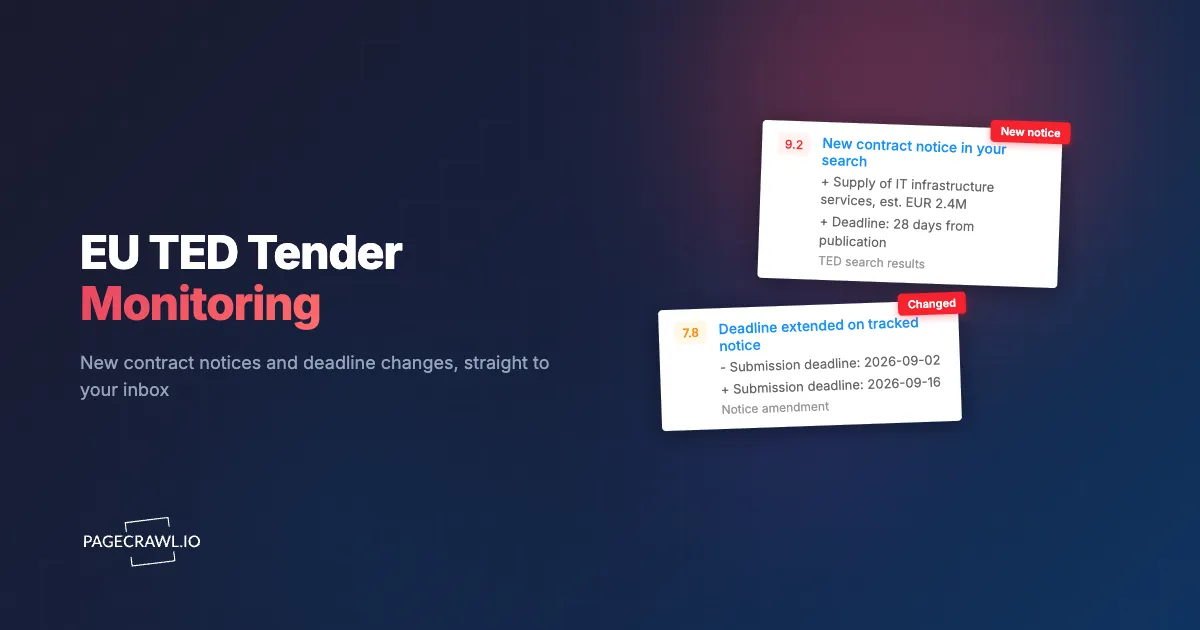
Monitor a filtered TED search results page rather than the whole feed. Build your search on ted.europa.eu with the CPV codes, countries, and keywords that describe your business, then add that results URL as a monitor. When a new notice enters your results, the page changes, and you get an alert with the new entry highlighted on the next check after publication.
TED has its own email alert feature, and it is worth using; page monitoring adds what it lacks. A monitor covers any number of saved searches side by side in one dashboard, sends alerts to shared channels rather than one person's inbox, and keeps a change history, so you can see what entered and left your results over a quarter. An AI focus prompt keeps the alerts to actual notices: new contract notices, prior information notices, and award notices, while ignoring interface changes and sorting controls.
Daily checks are the right cadence for tender discovery. TED publishes on weekday mornings (the Official Journal S series releases in batches, Monday to Friday), so a daily digest at the start of the working day means your bid team triages new opportunities over coffee rather than finding them piecemeal through the week.
How do CPV codes shape what you monitor?
CPV codes are the classification backbone of every TED search, and getting them right is the difference between a watchlist that surfaces your market and one that drowns it. Every notice carries at least one Common Procurement Vocabulary code, an eight-digit hierarchy that narrows from division to category, and your monitors should map to the CPV families buyers actually use for your work.
The practical difficulty is that buyers classify inconsistently. An environmental engineering contract might publish under 71300000 (engineering services), 90700000 (environmental services), or 45112340 (soil decontamination work), depending on which officer drafted the notice. The fix is empirical: pull up a dozen past notices you would have wanted to win, note every CPV code they used, and build one monitored search per CPV family rather than one giant query. Add a keyword search on two or three distinctive terms from your domain, filtered to your countries, as a safety net for the notices that were miscoded entirely.
How do you set up TED monitoring in practice?
The whole setup takes about thirty minutes for a first watchlist: build each search in the TED interface, copy its URL, add it as a monitor, and route the alerts. The steps below assume nothing beyond a free PageCrawl account, and the same sequence repeats for every national portal you add later.
Step 1: Build the search on ted.europa.eu
Use the expert search or the filter sidebar to combine your CPV codes, place-of-performance countries, and any keywords. Filter to active notices and sort by publication date so new entries appear at the top. Check the result count: a search returning five to thirty notices at any given time is well scoped, one returning hundreds needs narrowing.
Step 2: Copy the results URL
The TED search URL captures your full filter state, so the address bar after you apply filters is a replayable saved search. Copy it. Keep a small spreadsheet of your searches (URL, CPV family, owner) as documentation of coverage; it doubles as the onboarding sheet when a new bid manager joins.
Step 3: Add the URL as a monitor
In PageCrawl, click Track New Page and paste the URL. Content tracking on the results list is what you want: new notices appear as new rows, and the diff shows exactly which entries were added. Trigger a first check so the monitor captures its baseline; from then on you are alerted only to changes against that snapshot.
Step 4: Set the check frequency
Daily checks suit discovery searches, since TED publishes in weekday batches. Reserve faster cadences (hourly on Standard and up) for the per-notice monitors on bids you are actively writing, where a moved deadline is time-critical and a day's delay is expensive.
Step 5: Route notifications to the bid channel
Point discovery alerts at a shared Slack, Teams, or email destination the whole bid team reads, not one person's inbox. Per-notice amendment alerts go to the named bid owner. The routing is what turns monitoring from a personal habit into a team process that survives holidays.
Step 6: Organize with folders and labels
One folder per country or market, one label per CPV family or line of business, following the reference on organizing monitored pages with labels, folders, and workspaces. When several teams share the watchlist, labels let each slice it by their lane, and the folder structure makes adding the next country a batch job rather than a redesign.
Can you track deadline changes and amendments on a notice?
Yes, and it matters more than most teams expect. Notices get amended: submission deadlines move, lots are restructured, clarification documents land, and award criteria get corrected through corrigenda, the same moving-target problem that grant and funding opportunity monitoring solves on RFP and funding portals. Monitoring the individual notice page for each tender you are actively bidding on turns those amendments into alerts instead of surprises found on a final pre-submission read-through.
The workflow is two-tier. Tier one is the discovery monitor on your search results, running daily. Tier two is a per-notice monitor for every live bid, checking more frequently, where a moved deadline or a new clarification document is exactly the kind of change you want the whole bid team to see in their channel within hours. Every TED notice has a stable URL, so the monitor points at the notice itself, not the search that found it.
When the bid closes, the notice monitor is retired and the history stays archived as part of your bid record: a timestamped sequence of every corrigendum, useful evidence if a dispute over an amendment's timing ever arises.
How far in advance do opportunities appear on TED?
Often months before the tender itself, if you know where to look. Prior information notices (PINs) announce planned procurements up to a year ahead, and buyers publish them partly because a PIN lets them shorten the eventual tender's minimum response period. A PIN in your CPV family is the earliest legitimate signal you will get.
That early warning is worth a dedicated search. Filter a TED search to prior information notices in your CPV codes and countries, monitor it weekly, and treat each hit as the start of capture work: research the buyer, review their previous awards, and prepare reference material before the contract notice lands. The same logic applies at the other end of the lifecycle: frameworks expire on knowable dates, and the award notice that started them tells you when, so a recompete calendar seeded from award notices means the "new" opportunity was on your radar a year before it published.
How do you cover national portals below the EU threshold?
Monitor the national and regional portals directly, because below-threshold contracts never reach TED. EU-wide publication is only mandatory above thresholds the European Commission revises every two years (roughly EUR 143,000 for central government supplies and services, and over EUR 5 million for works), and many of the most winnable contracts for smaller suppliers publish only on national platforms like Germany's service.bund.de, France's BOAMP, or the Netherlands' TenderNed.
Each member state runs its own platform with its own account system, its own notification quirks, and its own definition of a saved search. This is where page monitoring beats platform-specific alerts most clearly: a government and public records monitoring watchlist treats them all identically, one folder per country or region, the same monitor-per-filtered-search pattern, alerts routed to the owning bid manager, and one shared view of the whole pipeline.
UK-focused teams can pair this with our guide to Find a Tender and Contracts Finder monitoring, and teams bidding into the US federal market have the same playbook for SAM.gov and government RFP portals generally, as do suppliers to Australian and New Zealand government and Canadian portals.
Can you monitor tender documents that are PDFs?
Yes. Procurement documents (specifications, draft contracts, clarification logs) usually live as PDFs on the buyer's own platform, linked from the TED notice, and PageCrawl can monitor a PDF URL directly and alert you when a check finds its text content has changed, as the guide to monitoring changes in PDF files explains. That covers the common case where a buyer silently replaces a specification document at the same URL.
In practice the highest-value PDF monitor during a live bid is the clarification log, the running Q&A document many buyers maintain, because answers to competitors' questions change scope in ways the notice itself never reflects. Add the buyer-platform document page for each live bid alongside the TED notice monitor: the notice catches formal corrigenda, the document page catches everything the buyer uploads between them.
Note: some national buyer platforms keep documents behind a registration wall. For those, monitor the public-facing document list page, which still changes when new files are added, and use the alert as the trigger to log in and fetch them.
What does a real supplier's TED watchlist look like?
Consider that Utrecht environmental engineering consultancy: 55 people, bidding into the Netherlands, Belgium, and western Germany, with remediation, water management, and environmental assessment as its three lines of business. A working watchlist for a firm like this is around 20 monitors, comfortably inside a Standard plan.
- Three TED searches by CPV family (engineering services 71300000, environmental services 90700000, remediation works 45112000), each filtered to NL, BE, and DE (3 monitors).
- One TED keyword safety-net search ("bodemsanering OR remediation OR Altlasten", same countries) for miscoded notices (1 monitor).
- One TED prior information notice search across the same CPV codes, checked weekly, feeding the capture pipeline (1 monitor).
- Filtered searches on TenderNed, Belgium's e-Procurement platform, and one German regional portal for below-threshold work (3 monitors).
- The procurement pages of six water boards and provincial authorities the firm has existing relationships with (6 monitors).
- Per-notice monitors on live bids, typically four to eight at any time, hourly checks, retired at submission (4 to 8 monitors).
Discovery alerts route to a shared #tenders channel triaged each morning by the bid coordinator; per-notice amendment alerts go straight to the named bid owner. Labels split the same watchlist by line of business so each practice lead sees only their lane. Total cost: $80 a year on Standard, against a pipeline where a single framework win runs seven figures.
What patterns do experienced bid teams learn to read on TED?
The notices themselves carry more intelligence than a list of open opportunities, and teams that monitor continuously start reading the metadata. Four patterns come up again and again.
Prior information notices that precede tenders. A PIN followed weeks later by a contract notice from the same buyer is the normal rhythm; a PIN with no follow-up after six months often means the budget slipped, worth a polite inquiry that doubles as relationship-building.
Award notices that reveal incumbents. Every award notice names the winner, the value, and often the number of bids received. A systematic read of award notices in your CPV codes maps your competitors, their pricing altitude, and which frameworks expire when, which is the raw material of recompete strategy.
Corrigenda frequency as a scoping signal. A notice amended three or four times before closing usually means the buyer's requirement is unstable. Sometimes that is a reason to no-bid; sometimes it is an opening for a supplier confident enough to help the buyer converge.
Low-competition signals. Award notices reporting one or two bids received flag buyers and lot structures where the field is thin. A search tuned toward those buyers is a search tuned toward better win rates.
How does page monitoring compare with TED alerts and paid tender services?
Each approach trades cost against coverage and control, and many teams run monitoring alongside TED's native alerts rather than instead of them. The comparison that matters is what reaches your team, how fast, and across how many sources.
| Approach | Cost | Latency | Coverage | Best for |
|---|---|---|---|---|
| TED saved-search email | Free | Daily digest | TED only | Individual awareness |
| National portal subscriptions | Free | Varies per portal | One portal each | Single-market suppliers |
| Paid tender aggregators | EUR 1,000 to 10,000+/yr | Hours to a day | Broad, curated | Large bid teams wanting analyst support |
| Manual portal sweeps | Staff time | Days | Whatever gets checked | Nobody, past a handful of sources |
| PageCrawl monitoring | Free tier to $80/yr | Next check (down to minutes on live bids) | Any URL: TED, national portals, buyer pages, PDFs | Teams wanting one pipeline across every source |
The structural advantage of monitoring is uniformity: TED, a national portal, a buyer's own procurement page, and a specification PDF are all just URLs, so one watchlist and one alert convention covers sources no aggregator bothers with, including the below-threshold and buyer-direct work where competition is thinnest.
What should a tender monitoring watchlist ignore?
Everything that changes on a procurement portal without meaning an opportunity changed: result counts, session banners, cookie notices, featured-content rotations, and the login state the portal renders for anonymous visitors. Procurement platforms are noisy by construction, and unfiltered monitoring of them trains a bid team to ignore alerts, which defeats the whole exercise.
Two settings do the filtering work. Keep each monitored search narrow, one CPV family or one keyword cluster per monitor, so a change in the results is inherently meaningful. Then let the AI focus prompt state the intent explicitly: notices, deadlines, and documents matter; interface furniture does not. A well-filtered tender watchlist should be quiet most days, and that quiet is what makes the alerts that do arrive worth reading.
Choosing your PageCrawl plan
PageCrawl's Free plan lets you monitor 6 pages with 220 checks per month, enough to cover your core TED searches and a national portal while you prove the workflow. Most teams graduate to a paid plan once the value is obvious and the watchlist grows.
| Plan | Price | Pages | Checks / month | Frequency |
|---|---|---|---|---|
| Free | $0 | 6 | 220 | every 60 min |
| Standard | $8/mo or $80/yr | 100 | 15,000 | every 15 min |
| Enterprise | $30/mo or $300/yr | 500 | 100,000 | every 5 min |
| Ultimate | $99/mo or $999/yr | 1,000 | 100,000 | every 2 min |
Annual billing saves two months across every paid tier. Enterprise and Ultimate scale up to 100x if you need thousands of pages or multi-team access.
One contract found early pays for years of monitoring. Standard at $80/year covers 100 monitors, enough for TED searches across several CPV families, the national portals you sell into, and per-notice monitors for every live bid. Enterprise at $300/year fits bid teams running a full pipeline across many countries, with SSO and shared workspaces for the whole team. All plans include the PageCrawl MCP Server, so a bid manager can ask an AI assistant to summarize every notice that entered a tracked search in the last month, pulled straight from your monitoring history.
Getting Started
Start with the one search that matters most: your core CPV codes in your home market. Add that TED results URL to a free PageCrawl account with daily checks, route the alerts to your bid team's channel, and run it for two weeks alongside whatever process you use today. Count what the monitor surfaced first.
Then build outward: one folder per country, a monitor per saved search, and a per-notice monitor the day you decide to bid. Within a month the pipeline stops depending on whoever remembered to check the portals, and starts depending on nothing at all.