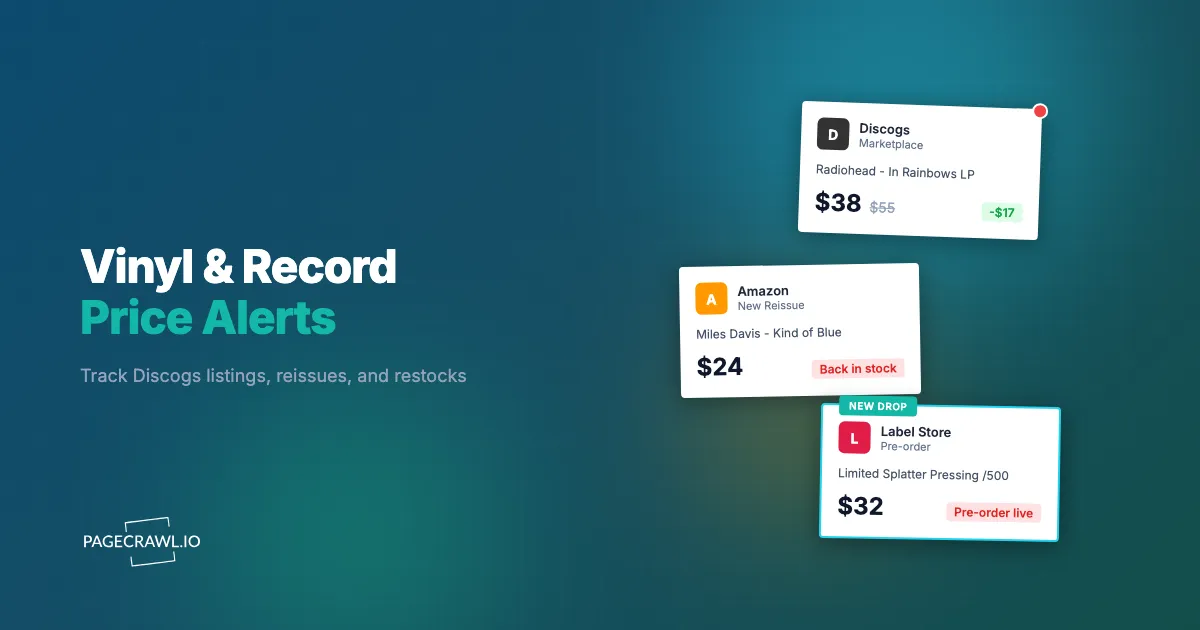
It's 7:14am on a Tuesday and a small label posts a 500-copy splatter reissue of a record you have hunted for three years. The pre-order page goes live with no announcement, no newsletter, no countdown. By the time you open your laptop at 9:40am, refill your coffee, and remember to check the store, the only thing left on the page is a gray "Sold Out" button and a forum thread full of people who got there first. The same pressing surfaces on Discogs Marketplace that afternoon at three times the original price, listed by a seller who clearly had an alert running while you did not.
Vinyl is one of the most frustrating collectibles to chase because supply is genuinely fixed. A limited reissue is pressed once, in a known quantity, and when those copies are gone they are gone until the secondary market sets a new, higher price. Original pressings in clean condition are even worse: there may be exactly one copy listed in your country this month, and it appears and disappears in hours. Manually refreshing a dozen Discogs release pages, a handful of retailer product pages, and three label stores is a part-time job that you will inevitably lose to someone with automation.
This guide shows you how to monitor the pages that matter, Discogs release and seller listings, retailer product pages, and label pre-order pages, so you get a notification as soon as a check spots a price drop or a copy for sale.
Why do sought-after pressings and limited reissues sell out so fast?
Vinyl sells out fast because supply is capped at the pressing run while demand concentrates into a single moment. A limited reissue might be 300 to 1,000 copies worldwide, and collectors, resellers, and bots all converge on the same drop page at once. After stock clears, the only path is the secondary market.
There are three compounding factors. First, pressing runs are tiny compared to the audience. A reissue that 50,000 people want may exist in 750 copies. Second, drops are often unannounced or announced with minimal lead time, so being subscribed to a newsletter is not enough; the page changes before the email lands. Third, resellers run their own monitoring, buy multiple copies, and immediately relist on Discogs and eBay, which both removes inventory from the primary market and inflates the going rate.
The result is a market where speed beats patience. Collectors who find out within minutes of a restock or a fairly-priced listing consistently win the copies, while everyone else watches the price climb. The fix is not refreshing harder; it is letting price monitoring software watch the pages for you and ping you as soon as the next check finds a change.

What should you actually monitor across Discogs, retailers, and label stores?
Monitor four distinct page types: specific Discogs release pages (and individual seller listings within them), retailer product pages where the record is sold new, label or artist store pre-order pages, and your Discogs want list matches. Each page type needs a slightly different tracking mode, but together they cover every realistic path a copy can reach you.
Discogs release and seller listings
A Discogs release page shows the lowest available price and the number of copies for sale for one specific pressing. This is the single most valuable page to watch, because it captures both availability ("0 for sale" becoming "1 for sale") and price movement (the lowest listing dropping from $120 to $65). Track the lowest price as a price element and the "for sale" count as an availability or keyword element. For a specific overpriced listing you are waiting to drop, watch that seller's listing page directly.
Retailer product pages
When a record is sold new, watch the product page on Amazon, Urban Outfitters, indie shops, and any chain that stocks vinyl. These pages flip between "In Stock," "Out of Stock," and "Pre-order" and often change price quietly. Availability tracking on the buy button plus price tracking on the price element catches both. If you are comparing the same title across several stores, a structured cross-retailer setup keeps every source in one view, which we cover in our guide to cross-retailer price comparison and product monitoring.
Label and artist store pre-order pages
Reissues and exclusives usually launch on a label's own store or the artist's webstore before they reach anyone else, and these are the pages where being early matters most. Watch the product page for the moment a "Notify Me" or "Coming Soon" state turns into a live "Add to Cart" button. Keyword tracking plus stock availability alerts on that button text is the trigger. This is the same restock pattern covered in our out-of-stock monitoring and restock alerts guide, applied to vinyl pre-orders.
Where do vinyl drops and price changes actually happen?
Vinyl drops happen across a fragmented set of sources with no central feed: Discogs Marketplace for secondary copies, label and artist webstores for new reissues, big retailers like Amazon for mainstream titles, indie record shops, and eBay for auctions and Buy It Now listings. No single site sees all of them, which is exactly why monitoring beats refreshing one app.
The timing patterns differ by source. Label drops are event-driven and brutal: a page goes live, sometimes at an odd hour, and clears in minutes, and a Record Store Day title compresses that scramble into a single morning. Retailer restocks are more gradual, with stock trickling back over days, so the window is wider but still easy to miss without an alert. Discogs is continuous, with new listings appearing at all hours as sellers process their backlogs, which means a great copy can surface at 3am and be gone by breakfast.
eBay deserves its own mention because it mixes auctions, fixed-price listings, and Best Offer, and pricing there can lag or lead Discogs depending on seller awareness. A title that is overpriced on Discogs is sometimes underpriced on eBay by a seller who has not checked the going rate. Our eBay price tracker and deal alerts guide goes deeper on watching that channel specifically, and it pairs naturally with Discogs monitoring for bargain hunting.
Why do Discogs "notify" and want-list features fall short?
Discogs want list and notification features fall short because they are slow, broad, and silent on price. A want list flag tells you a release exists, but it never alerts you the second a specific seller lists a clean copy at a fair price, and it ignores retailer and label store pages. You learn only after logging in.
The deeper problem is granularity. You rarely want any copy of a release; you want a near-mint copy, from a reputable seller, in your shipping region, under a price you have decided is fair. Discogs notifications cannot encode "alert me only when the lowest US listing drops below $70." They also cannot watch the eight retailer and label pages where the same record might appear new at half the secondary price. By the time the want list nudges you, a reseller with real monitoring has already bought and relisted the good copy.
PageCrawl closes that gap by watching the exact pages you choose, on a schedule you set, with conditions you define, and notifying you through channels you actually check in real time, like Telegram or Discord. Instead of a passive flag inside one website, you get an active watcher across every source that could deliver the record. That conditional precision is the difference between a useful alert and noise, which we will return to when we discuss thresholds.
How do you catch price drops on overpriced Discogs listings?
To catch price drops, track the lowest price on a Discogs release page as a price element and attach a threshold so you are only alerted when the number falls below the figure you'll pay. Sellers often start a rare copy high and walk the price down over weeks, and a threshold alert turns that decline into one well-timed ping.
The mechanics are straightforward. Set a price element on the release page's lowest-listing figure, then add a rule like "notify me only if price drops below $80." You will not hear anything while the listing sits at $140, and you will get an alert on the first check after it crosses your line. This is far more useful than tracking every tiny fluctuation, and it is the same logic detailed in our guide to conditional price, keyword, and threshold alerts. The help centre walkthrough on monitoring numeric values with the number tracker shows how the price history chart builds up alongside those alerts.
For a specific overpriced listing you have your eye on, monitor that individual seller's listing page rather than the release aggregate, because the aggregate "lowest price" can be skewed by a cheap-but-damaged copy. The technique mirrors how collectors track gear in our camera lens price drop alerts guide: set a fair-value number, ignore everything above it, and pounce when reality finally meets your threshold. Resellers do exactly this at scale, and a single threshold rule puts you on equal footing.
How do you set up vinyl price and restock alerts with PageCrawl?
Setting up a vinyl monitor in PageCrawl takes about two minutes per page. You paste the URL, choose what to track, pick how often to check, choose where alerts land, and set a threshold so only meaningful changes reach you. PageCrawl renders the page fully, including pages that load prices dynamically, so it sees what a real visitor sees.

Step 1: Add the page and choose a tracking mode. Paste the URL of the Discogs release, retailer product page, or label pre-order page. Then pick the tracking mode that fits. Use price tracking for the lowest Discogs listing or a retailer price, availability tracking for the "in stock" or "add to cart" state, fullpage content tracking when you want to know about any change to a drop page, and keyword/text tracking to watch for specific words like "Sold Out" flipping to "Add to Cart."
Step 2: Select the exact element. Use the visual selector to click the price figure, the "for sale" count, or the buy button rather than tracking the whole page, so retailer banner rotations and unrelated edits do not trigger you. For a label pre-order page where the whole layout matters, fullpage content tracking is fine; for a busy retailer page, a single element is much cleaner.
Step 3: Set your check frequency. For a known label drop you expect imminently, check as often as your plan allows so you are alerted within minutes. For a slow Discogs price decline or a general retailer restock, every 15 to 60 minutes is plenty and keeps you within your monthly check budget. Match the frequency to how fast that source actually moves.
Step 4: Choose your notification channel. Connect the channel you genuinely watch. For drops, push speed matters more than anything: Telegram, Discord, and Slack all reach your phone quickly once a check detects the change, and you can route alerts to a dedicated channel so a restock does not get buried. Slack users can follow our website change alerts to Slack guide, and for browser-based alerts our web push notifications guide covers desktop and mobile pings.
Step 5: Keep screenshots on. New monitors default to screenshots enabled, and you should leave them on. When a restock alert fires at 3am, the screenshot shows you exactly what the page looked like at that moment, including the price and the button state, so you can decide whether to buy before you even open the link. It is also your proof when a seller's price quietly bounces back.
Step 6: Add a threshold or keyword condition. Set the rule that defines a meaningful change. For price, "only alert below $80." For availability, "only alert when the text changes to In Stock or Add to Cart." For a reissue, "only alert when the page contains the word Pre-order." Thresholds are what turn a firehose of tiny changes into a short list of alerts worth acting on, and they are the single biggest factor in whether you trust your notifications. The reference on notification conditions and filters lists every condition type you can attach to a page.
Note: Discogs and many retailers update prices and stock dynamically after the page loads. PageCrawl renders the full page before comparing, so it reliably captures the real current price and availability rather than an empty placeholder.
What collector strategy tiers should you build?
Build your monitoring in tiers that match how badly you want each record and how fast that source moves. A grail-tier watch on a single reissue runs at the highest frequency your plan allows; a casual want-list watch runs slower with a strict price threshold. Tiering keeps your check budget focused on the records that matter most.
Tier 1: Grail drops and limited reissues
For the records you would buy the second they appear, watch the label and artist store pre-order pages at the highest frequency your plan allows, with availability and keyword tracking on the buy button, and route alerts to a priority channel that buzzes your phone. These are the time-critical, minutes-not-hours drops where speed is everything. Screenshots on, threshold off, because for a true grail you want to hear about it on the very next check, at any price.
Tier 2: Fair-price secondary copies
For records available on Discogs and eBay but currently overpriced, set price tracking with a firm threshold at your fair-value number and check every 15 to 30 minutes. You are not in a hurry; you are waiting for the market to come to you. This is the patient-collector tier, and the threshold does all the work so you only hear about a copy when it crosses your line.
Tier 3: New-pressing restocks at retailers
For mainstream titles sold new, watch retailer product pages with availability tracking and check hourly. Restocks here are gradual and the windows are wider, so you do not need second-by-second alerts. If you are tracking many titles across several stores, batch them efficiently using our bulk URL monitoring guide so you can stand up dozens of watchers without configuring each one by hand.
How do you keep vinyl alerts useful instead of noisy?
Keep alerts useful by tracking single elements instead of whole pages, attaching thresholds so only meaningful price moves fire, and watching button text, not layout. The most common reason collectors abandon monitoring is a flood of false alarms from cookie banners, rotating promos, and unrelated edits. Tightening what you track turns a noisy feed into alerts you trust.
A few practical habits make the difference. Select the specific price or stock element rather than the full page so a retailer's "recommended for you" carousel never triggers you. Use availability and keyword conditions that watch the actual buy button state ("Out of Stock" to "Add to Cart") rather than any pixel changing. And lean on price thresholds for secondary listings so slow $1 nudges stay silent while a real drop comes through loud.
When an alert does misfire, treat it as a tuning signal: narrow the element, tighten the condition, and the noise stops. Our guide to reducing website monitoring false positives walks through this in detail, with concrete steps for narrowing elements and writing conditions that only fire on real changes. A well-tuned set of watchers finally lets you stop refreshing tabs and trust the record will come to you.
Which PageCrawl plan do you need for vinyl hunting?
The Free plan monitors 6 pages with 220 checks per month and checks hourly, which is enough for a handful of Discogs releases and one label store. Serious collectors move up mainly for check frequency, because a 500-copy drop clears long before an hourly check comes round.
| Plan | Price | Pages | Checks / month | Frequency |
|---|---|---|---|---|
| Free | $0 | 6 | 220 | every 60 min |
| Standard | $8/mo or $80/yr | 100 | 15,000 | every 15 min |
| Enterprise | $30/mo or $300/yr | 500 | 100,000 | every 5 min |
| Ultimate | $99/mo or $999/yr | 1,000 | 100,000 | every 2 min |
Annual billing saves two months across every paid tier.
Enterprise and Ultimate scale up to 100x if you need thousands of pages or multi-team access.
How should you get started with vinyl alerts today?
Start with the one record you have wanted longest. Add its Discogs release page, set price tracking with a fair-value threshold, turn on screenshots, and connect Telegram or Discord so the alert lands on your phone instead of in an inbox you open twice a day. Then add the label store page for the reissue you are most afraid to miss.
Let PageCrawl watch the buy button for you. The free plan is enough to prove it works on your top six pages, and the first time an alert lands while everyone else is still refreshing, you will understand why resellers have been doing this for years. Set it up once, then go back to enjoying the records you already own while the watchers do the hunting.