A court publishes a revised form. The official download is current, but the firm's shared template, intake questionnaire, and document-assembly product still use the previous edition. Someone notices only when the new form asks for information that the existing workflow never collected.
Court form monitoring helps legal operations teams connect the official source to every template that depends on it. PageCrawl can detect changes to form listings and online documents. Your reviewer then checks the revision, its effective date, and the work needed to update the firm's materials.
The central task is maintaining a usable form library. A notification starts that work; it does not select the correct form for a matter or approve a filing. This guide focuses on the source inventory, review record, and controlled release process that make revision alerts useful.
What makes court form revision monitoring different from docket tracking?
Court form monitoring follows changes to reusable blank forms, instructions, and their publication status. Docket monitoring follows activity in a particular case. A revised form can affect many matters and several internal systems, so the review usually belongs to the person maintaining the form library, with relevant legal specialists involved.
The audience includes firm knowledge teams, practice-support staff, legal aid publishers, and companies maintaining document-assembly products. Each needs to know which official source supports a template and which users depend on it.
Keep case-specific documents out of this blank-form inventory. A public forms library does not require uploading client facts or completed filings to monitor the publisher's revisions. For case activity, use the separate court docket monitoring workflow.
The practical output is a release decision: update now, prepare for a future effective date, investigate an unclear change, or record that the edit does not affect your template. A form being newly visible online is not enough to decide which outcome applies.
Which official sources should a form library watch?
Watch the official form listing, the current document, and any notice page that explains revisions or effective dates. Include the national and local sources relevant to your practice. A central catalogue can help you discover forms, but local requirements and accompanying instructions may be published by the individual court.
These official examples show different publication structures, rather than a complete jurisdictional watchlist:
| Source | What the page provides | Useful monitoring focus |
|---|---|---|
| US Courts forms catalogue | National forms and a route to local court forms | Relevant form categories and links |
| Ontario Rules of Civil Procedure forms | Form numbers, titles, version dates, effective dates, and downloads | The row for each form your library uses |
| California forms latest changes | Groups of new and revised forms with approval and effective dates | Relevant form families and dated notices |
Build the inventory from the templates your organization actually supplies. If you maintain ten forms for one practice area, identify their official sources before scanning hundreds of unrelated documents.
Track instructions when they affect how the form is completed. A document can remain unchanged while an associated notice explains a new submission process or clarifies which version to use. Keep that notice linked to the same internal form record so the context reaches the reviewer.
Why must you separate a version date from an effective date?
A version date identifies an edition; an effective date tells you when the publisher says it applies. The date your monitor discovers the revision is a third fact. Store these separately so an early publication can trigger preparation without automatically replacing the form that your team should currently use.
Ontario's official civil forms page explicitly warns that shaded forms are not yet in force and should not be used before their listed effective dates. Its table has separate version and effective-date columns. That makes a date-only alert insufficient unless the reviewer can see which column changed.
Do not enable an ignore-dates filter on a form listing where dates are part of the signal. Select the full row, including the form number and both dates, instead of capturing an isolated date with no label.
Use these fields in the library record:
| Field | Meaning |
|---|---|
| Official version or revision date | The edition label supplied by the publisher |
| Stated effective date | The publisher's date for applicability, if provided |
| First observed | When your monitoring captured the revision |
| Internal approval date | When the responsible reviewer approved your template update |
| Internal release date | When your organization made its updated template available |
Leave a field unresolved when the source does not establish it. Do not infer an effective date from the file's download time or filename. Consult the official notice or responsible court contact when the distinction matters to use.
How do you connect an official form to internal templates?
Maintain one source record for each form and list every template, questionnaire, or product that depends on it. Include the jurisdiction, form identifier, official URL, and responsible reviewer. This dependency list turns an alert into a defined update task instead of leaving staff to remember where the old edition was copied.
Consider a fictional organization, Cedar Legal Templates. It maintains a fictional Form C-12 for an example jurisdiction. One official form supports a Word template, a client intake questionnaire, and a generated PDF. The same question label appears in all three.
When the official form adds a field, replacing the PDF alone is incomplete. The questionnaire must collect the new information, and the Word template needs the same field and instructions. Any help article explaining the old process also needs review.
A small dependency record can be enough:
| Item | Fictional example |
|---|---|
| Source identifier | Example jurisdiction, Form C-12 |
| Official source | Current listing and direct document URL |
| Internal assets | Word template, intake questionnaire, generated PDF |
| Review owner | Civil practice form-library maintainer |
| Legal reviewer | Responsible practice lawyer |
| Current release | C-12 library release 4 |
| Revision status | Awaiting review of newly observed edition |
Keep this record in the library or task system you already maintain. PageCrawl monitors the sources; it does not automatically update your form catalogue or change the templates people use. For publishers maintaining many such dependencies, the information-services workflow connects source changes with an editorial review process.
How should you configure PageCrawl for a court form?
Add the official listing and the direct document as separate monitors, then inspect their first captures. Track the listing's identifying text and dates together. Use document text tracking to see wording changes, and file checksum monitoring when you need to detect changes that readable text alone cannot show.
For a manageable pilot, choose three forms your team uses regularly and configure them deliberately:
- Name the source clearly. Include the jurisdiction and form number, rather than a generic title such as “Civil forms.”
- Monitor the relevant listing section. Select the complete row or small form group so the title, version date, and effective date remain understandable in a difference view.
- Watch download destinations. A replacement may have a new address even when the link label is unchanged. Use a Links element to track the destination alongside the listing's text.
- Add the direct PDF or Word file. PageCrawl detects supported document types during setup. Confirm that the first captured text contains the fields and instructions your team needs.
- Choose a schedule and review channel. Use the publisher's activity and your team's review deadlines to choose an interval within your plan. Alerts arrive after a scheduled check detects the change.
- Link the monitors to the library record. Keep source identification consistent so the reviewer knows which internal assets may need work.
For PDFs, text monitoring compares readable text. A changed fillable field, layout, or image may require a different check. File checksum monitoring detects a file modification, including changes that do not alter extracted text, but it does not explain the revision. The reviewer must open and compare the files.
Scanned PDFs may have no readable text. Checksum monitoring can still flag replacement, subject to supported file limits. Do not assume a successful text capture validates field behavior, accessibility, formatting, or whether the form is acceptable for a particular filing.
What should the reviewer do when a revised form appears?
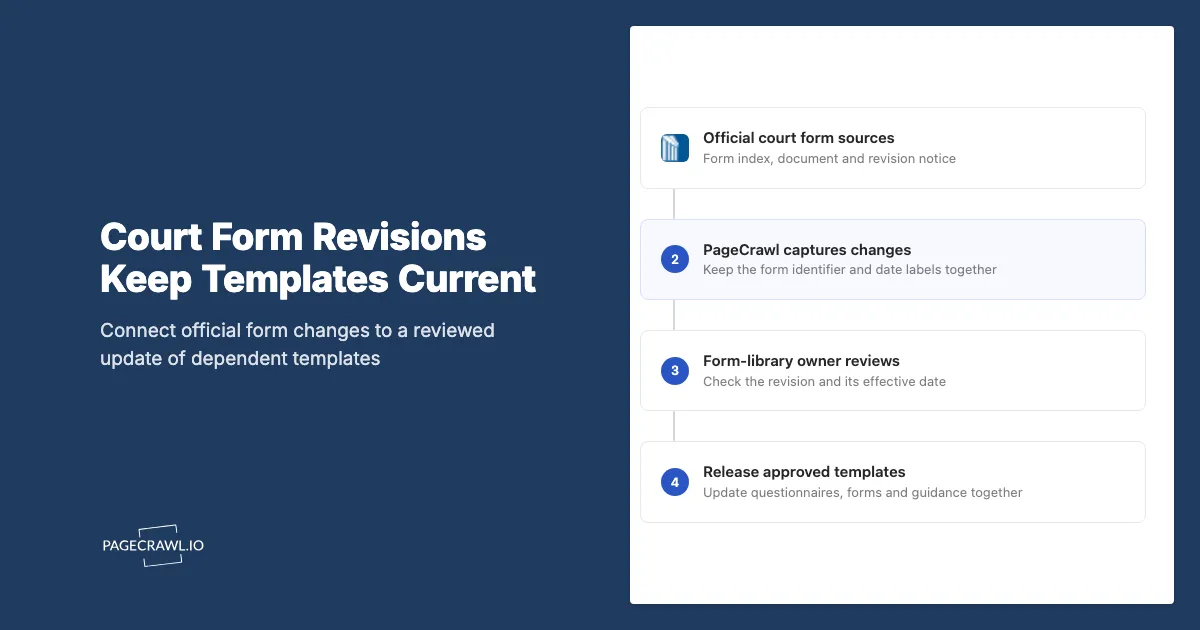
Confirm the form's identity and publication status, compare the changed fields and instructions, and determine which internal assets need updating. Record the evidence supporting the effective date. Then assign implementation and review work before releasing the revised template, keeping the earlier edition available under your organization's version policy.
Use a repeatable review sequence:
- Verify the source. Confirm the official page, jurisdiction, form number, language, and edition. Check that a link has not led to an unrelated form.
- Read the revision context. Look for an explanatory notice, effective date, and any transition instructions. A proposed revision needs a different status from a current form.
- Compare the usable document. Review labels, instructions, choices, attachments, signature sections, and fillable fields. A short text difference can have a larger effect on completion.
- Identify dependent assets. Use the source record to locate questionnaires, templates, guidance, and generated outputs.
- Prepare and review the update. Have the responsible specialist assess meaning and applicability, then check that the revised template produces the intended output.
- Release and record. Publish the approved internal version at the appropriate time and record what was replaced.
PageCrawl's Review Board helps organize the detected change. The library's own task or approval record should capture the release decision, responsible people, and affected assets. A card marked reviewed does not by itself mean every dependent template has been updated.
How would a controlled template update work in practice?
Treat the change as a small release with an identified source, affected assets, and an approval decision. Prepare the new template separately, check a sample completed output, and record when staff should begin using it. Make the previous version's status clear so users do not choose between indistinguishable copies.
Return to fictional Cedar Legal Templates and Form C-12. Its official listing changes from revision 4 to revision 5 and shows a later effective date. The captured text indicates a new contact-details section. The library maintainer opens the official document and its notice before updating the internal record.
The maintainer then adds the field to the intake questionnaire and updates both output templates. A sample with invented data reveals that the generated PDF clips the new label. That problem would not have been solved by replacing the source file or reading an alert alone.
After the output is corrected, the practice reviewer approves the update and confirms the intended release timing. Staff receive a concise note identifying the form, effective date, and changed intake requirement. The old template is labeled according to the library's retention policy rather than left beside the new one with a similar filename.
This example describes a workflow, not an actual court revision or a universal transition rule. The official publisher and the circumstances of the matter determine which form should be used.
How do you handle missing documents and larger form libraries?
Investigate failed downloads and removed links as source-maintenance issues before classifying a form as withdrawn. For larger libraries, group monitors by jurisdiction and practice area, review newly discovered documents, and preserve ownership of every form. More monitored URLs help only when relevant changes reach someone responsible for the dependent templates.
Check the official listing when a PDF stops loading. The publisher may have moved the library, changed the filename, or replaced the document. Record what you establish; a failed download alone does not explain what happened to the form.
Page Discovery can find newly linked PDFs on the pages it scans. Begin with review before automatic tracking, since form sites can contain historic editions, unrelated jurisdictions, translations, and supporting documents. Discovery has its own schedule and does not compare a new file with your earlier template on your behalf.
Use site health reporting alongside the review queue. A quiet monitor might reflect an unchanged form or a source that no longer provides the content you need. Check both source availability and the captured values.
Start with one practice area's three most-used forms. Connect their official sources to the templates and questionnaires they support, confirm the captured content, and name a reviewer. The next revision will then become a traceable library update rather than another unexplained download in someone's inbox.