
Legal & Court Monitoring Without the Manual Docket Refresh
Court dockets, agency adjudications, AG enforcement, and DOJ announcements move faster than any team can manually watch. PageCrawl tracks every page that matters and turns the daily flow into briefs your litigators and counsel can act on.
No credit card required. 6 monitors free forever.
Trusted by 5,000+ teams including Microsoft, NYT, Deloitte, and more
500+
federal and state court pages tracked by typical teams
Next check
from a docket entry posting to the team being notified
Daily
AI digest of every change across your watchlist
Web Archives for the Pages That Need One
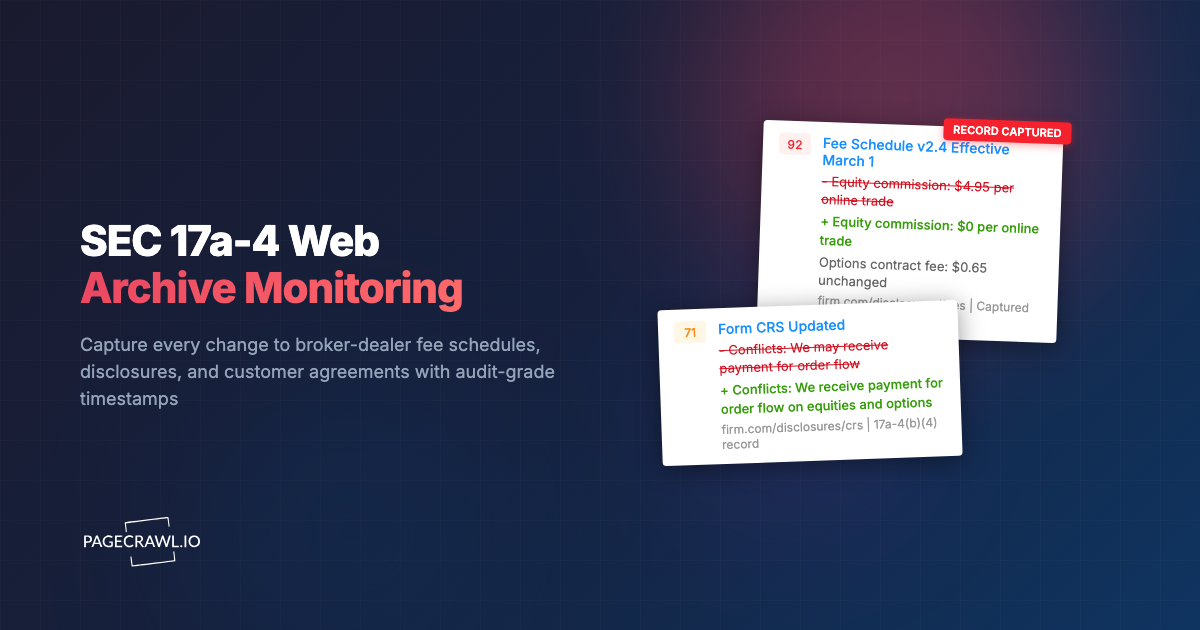
Available on Ultimate plans. Turn on WACZ archive capture for the pages that need an evidentiary record, one by one or for a whole workspace. Each detected change on an archived page produces an archive sealed by three independent providers, and Record every check can also keep the checks where nothing changed.
When the timing of a public filing or order matters in a dispute, the archive is your contemporaneous record.
Domain-identity signature
Each WACZ archive is signed with a Let's Encrypt certificate bound to the page's domain. The signature proves the bytes came from the page you were monitoring.
RFC 3161 timestamp
A cryptographic timestamp from a commercial Trust Service Provider attests the exact moment the archive was sealed. No PageCrawl trust required.
Bitcoin blockchain anchor
OpenTimestamps anchors a hash of the archive in the Bitcoin blockchain. Any modification, even a single byte, invalidates all three seals at once.
Optional eIDAS qualified RFC 3161 timestamps from a QTSP on the EU Trusted List available on Custom plans (Article 41 legal presumption). See how WACZ archives work →
Why Teams Choose PageCrawl
Federal and state coverage
Watch federal district and circuit court dockets, state appellate opinions, attorney general press, USAO announcements, agency adjudication pages, and arbitration tribunal publications from one workspace.
AI summaries shaped by your matter
Workspace instructions describe the matters and clients you cover. The same docket entry produces a different summary for a class action defense team than for a regulatory enforcement defense team.
Cut docket-noise out
Importance scoring suppresses procedural housekeeping (extension orders, sealed entries with no public text) and surfaces substantive moves (rulings, motions, opinions, briefs).
Watch the texts you cannot subscribe to
Court opinions PDFs, scheduling orders, oral argument calendars, and AG press releases are not always RSS-friendly. PageCrawl detects changes regardless of how the publisher exposes them.
Briefs your team will read
Daily digest grouped by matter, weekly summary by practice group, on-demand reports for specific cases. Share read-only public links with co-counsel or clients.
Review boards for matter sign-off
Move docket entries and enforcement signals through Kanban-style review boards. Litigators and in-house counsel triage by matter, mark items reviewed, attach work-product notes, and assign follow-ups to associates or paralegals.
Active Matter and Enforcement Briefs Your Litigators Will Read
Litigation and in-house teams used to refresh PACER and AG news pages by hand, hoping nothing slipped. PageCrawl runs a per-matter daily docket digest plus a weekly enforcement watch covering DOJ press, AG announcements, and agency adjudications. Active matters still page the responsible attorney entry by entry; the weekly brief gives the wider team enough context to triage.
AI-written briefings, 8 stylesPick the style each audience prefers: headline, patterns, action briefing, detailed, bullets, changelog, risk assessment, or brief.
Group by tag, folder, or domainOne report for competitor pricing, another for compliance pages, another for product launches.
Daily, weekly, or monthly cadenceEach audience picks the rhythm that fits. Marketing on Mondays, legal on the first of the month.
Deliver to anyoneEmail digests to stakeholders, clients, or execs. No PageCrawl account required for recipients.
Print-ready briefingsEvery digest is print-optimized. Open it, hit print, and you have a clean briefing for board decks or quarterly reviews.
PDF and Excel exportExport any digest as PDF or Excel for archives, audits, or pasting straight into a deck.
Comments and feedback inlineStakeholders can flag noise, ask questions, or escalate items without leaving the digest.
Priority escalation channelsHigh-priority changes still hit Slack, Teams, email, Discord, Telegram, and webhooks without waiting for the next digest.
Built For
Litigators
Watch the dockets your matters live on. Catch the opposing brief, the order, the scheduling change without refreshing PACER yourself.
In-house counsel
Track regulatory enforcement, AG investigations, and litigation against peer companies. Build executive briefs without paying for a clipping service.
Legal researchers
Monitor court opinion releases, agency adjudications, and law-review-cited dockets. Build current-awareness briefs for partners and clients.
Legal journalists
Catch significant filings as they post. Build per-beat watchlists across federal and state courts. Share archived snapshots with editors and sources.
Frequently Asked Questions
Other Use Cases
Competitive Intelligence→Price & Stock Monitoring→Compliance & Regulatory→Regulatory Intelligence→Banking Intelligence→Media Monitoring→Investment Intelligence→SEO Monitoring→Brand & Reputation→Website QA & Regression→API & Docs Monitoring→Government & Public Records→Legal & Policy Tracking→Job Listings→Product Pages→Real Estate Listings→Supply Chain→News & Media→Content Monitoring→Patent Filings→Stock Availability→Event Schedules→Regulatory Filings→Academic Research→Travel & Flights→Release Notes→Grants & Funding→
How It Works
1
Add any URL: pages, prices, numbers, PDFs, login-walled portals
Paste a competitor page, a vendor DPA, a product listing, or a government docket. PageCrawl handles JavaScript-heavy pages, cookie banners, login walls, and PDFs out of the box. Track the whole page, a specific element, a price, a stock status, or a number. The choice is yours per monitor.
2
PageCrawl detects what changed and how much it matters
For text-heavy pages, an AI summary explains in plain English what shifted and assigns a 0 to 100 importance score. For numbers, prices, and stock counts, you get the raw value, no summary needed. Pick what makes sense per monitor; AI is on tap when you want it, off when you do not.
3
Alerts only when something is actually urgent
Time-sensitive changes (price drops, restocks, new filings) hit Slack, Teams, email, Discord, Telegram, or webhook. Less urgent changes (terms updates, content drift) skip the ping and wait for the morning digest. You decide which folders and tags trigger which channels.
4
Roll the rest up into reports stakeholders actually read
Changes that do not need an alert of their own flow into AI-written digests grouped by tag, folder, or domain. Daily for ops, weekly for marketing, monthly for compliance. Each audience picks the cadence and report style (patterns, action briefing, risk assessment, or six others) that fits how they work.
Start monitoring for free
6 monitors, 220 checks/month, all integrations included. No credit card required.