Picture a common scenario. At 4:52 p.m. on a Friday, opposing counsel files an emergency motion for a temporary restraining order in a federal district court. The new entry posts to the case's electronic record within seconds, time-stamped and numbered. Nobody on your side sees it. PACER does not push notices to anyone who is not a party of record on that exact case, and the associate watching the docket has already closed her laptop for the weekend. By the time someone refreshes the page on Monday morning, much of the short window the judge set for a response has already burned, and the motion risks being decided on an incomplete record.
That is the quiet failure mode of litigation work. A docket is not a feed you subscribe to. It is a page that changes silently, and the cost of missing a change is measured in waived arguments, blown response windows, and clients asking why their lawyer found out from the other side. Federal practice runs on deadlines that start ticking the instant a document is filed: a defendant generally has 21 days to answer a complaint under Rule 12 of the Federal Rules of Civil Procedure, oppositions to many motions are due in 14 days, and a notice of appeal in a civil case is due in 30. Those clocks do not wait for anyone to log in.
This guide explains how litigation docket monitoring works, why new entries slip past even careful teams, what you can track on a PACER or CourtListener/RECAP docket, and how to set up fast alerts, with checks as often as every 2 minutes on paid plans, so a new entry reaches your phone soon after it posts.
What is litigation docket monitoring, and how is it different from opinion alerts?
Litigation docket monitoring means watching a case's docket sheet, the chronological list of every filing, and getting alerted when a check detects a new entry: a motion, an order, a scheduling change, a notice, or a minute entry. It is distinct from tracking published opinions or case status, which captures the final ruling rather than the daily filings that drive deadlines.
The difference matters in practice. Tracking published opinions and case status tells you how a case ended or where it stands in the appellate pipeline. Docket monitoring tells you what happened this afternoon: that opposing counsel moved to compel, that the magistrate judge issued a discovery order, that a hearing got rescheduled. A docket sheet is a running ledger. Each row carries a document number (Doc. 12, Doc. 13), a filed date, and a short description of the entry. New rows append to the bottom, and that append is exactly the signal you want to catch.
Most litigation surprises live at the docket level, not the opinion level. The leverage is in the filings.
Why do new docket entries slip through the cracks?
New entries slip through because the official notification system only serves parties of record. PACER's Case Management/Electronic Case Filing (CM/ECF) system emails a Notice of Electronic Filing (NEF) to attorneys who have appeared in a case, and to nobody else. Anyone watching a case they are not counsel on receives nothing from the court.
There are four common gaps:
- You are not a party of record. Journalists, investors, competitive-intelligence teams, and lawyers tracking related cases get zero push notifications from the court. They have to pull the docket themselves.
- NEFs go to the wrong inbox or get filtered. Even parties of record lose entries when court emails route to a shared address, a paralegal who is out, or a spam folder. The free NEF email is a single point of failure.
- Manual refresh does not scale. A litigator with 40 active matters cannot reload 40 dockets several times a day. Coverage degrades to whichever cases feel urgent this week.
- PACER charges per page. Under the federal judiciary's published fee schedule, PACER bills $0.10 per page retrieved, capped at $3.00 per document, with fees waived under $30 a quarter. Refreshing dockets all day to check for changes is tedious and metered.
Automated legal and court monitoring for dockets, opinions, and enforcement pages closes all four gaps because it does not care whether you are counsel, it never goes on vacation, and it watches the page on a schedule instead of relying on you to remember.
What can you actually monitor on a PACER or CourtListener/RECAP docket?
You can monitor any element that changes when a filing posts: the docket entry list, the most-recent-entry row, the total entry count, a hearing date, or a document's PDF. PageCrawl renders the page and compares each check against the previous one, so a newly appended entry shows up as added text with the document number, filed date, and description highlighted.
Which surfaces hold the docket data?
There are two main public surfaces, and they behave differently:
- PACER / CM/ECF. The authoritative source. Every federal district, bankruptcy, and appellate court runs its own CM/ECF instance behind a PACER login. The docket report is the canonical record, but it sits behind authentication and per-page fees.
- CourtListener / RECAP. Free Law Project's CourtListener hosts the RECAP Archive, a public mirror of PACER documents that users have uploaded through the RECAP browser extension. CourtListener docket pages are free to view and carry no per-page fee, which makes them ideal for monitoring. The tradeoff is freshness: a CourtListener docket is only as current as the last time someone with the RECAP extension viewed that docket on PACER, so very quiet cases can lag.
Many teams monitor both: CourtListener for the no-cost continuous watch, and the live PACER docket for the cases where minutes matter.
What entry types are worth alerting on?
Not every entry deserves a 2 a.m. push. The high-value entries usually include motions (to dismiss, to compel, for summary judgment, for a TRO or preliminary injunction), court orders, scheduling and case-management orders, notices of hearing, judgments, and notices of appeal. Routine entries (certificates of service, pro hac vice admissions, attorney appearances) matter less and can be filtered with keyword rules so they do not crowd out the urgent ones.
How does PageCrawl detect a new docket entry?
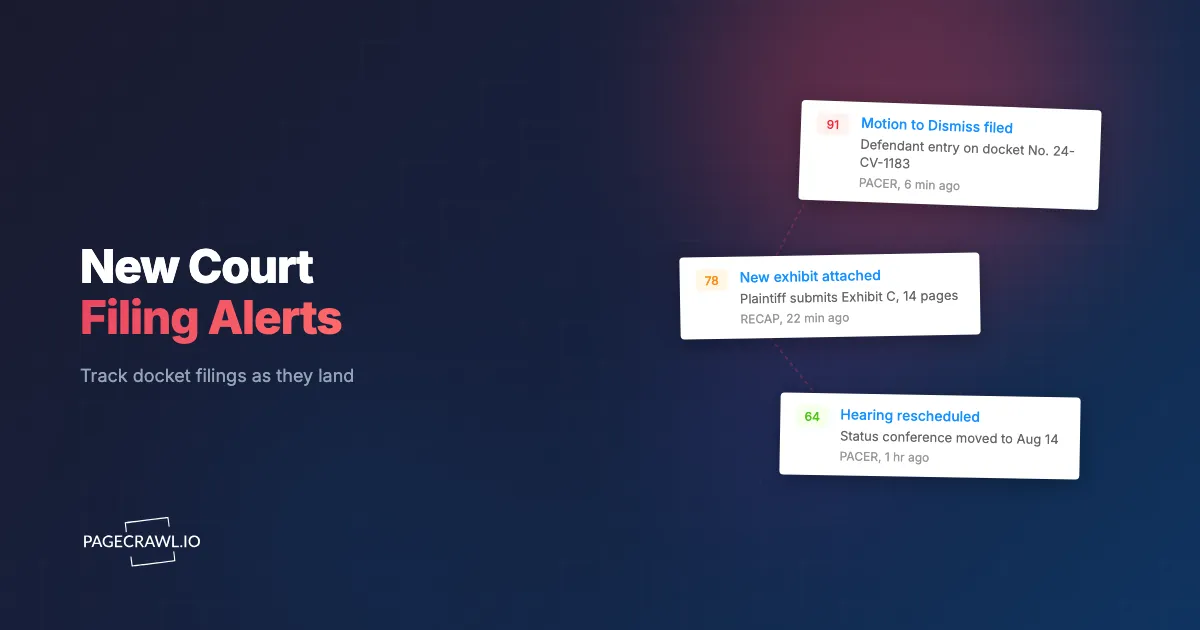
PageCrawl loads the docket page on a schedule, captures its content and a screenshot, and compares the new capture to the previous one. When a filing appends a row to the docket, that row appears in the diff as added content, with the document number, the filed date, and the entry description called out.
You get the new-entry text plus a before-and-after view, not just a vague "something changed" ping. The mechanics that make this reliable for legal pages:
- Full rendering. Court portals lean heavily on tables, scripts, and session state. PageCrawl renders the page the way a browser would, so dynamically loaded docket rows are part of what gets captured and compared.
- Content diffing. Fullpage content tracking watches the whole docket body and reports exactly which lines were added, which is perfect for "a new numbered entry appeared at the bottom of the sheet."
- Visual evidence. Screenshots are on by default for new monitors, so every check stores a dated image of the docket as it looked at that moment. That visual trail is useful when you later need to show what the record said and when, the same way teams use it for eDiscovery and web-evidence capture.
- Structured data when available. CourtListener exposes a public REST API for dockets and entries. If you prefer to watch a clean data field rather than rendered HTML, JSON/API field tracking can monitor a specific value (such as the entry count or the most recent entry ID) and alert when it increments, the same approach described in monitoring a JSON API field with JSONPath or jq filters.
How do you set up court docket monitoring with PageCrawl?
Setting up a docket monitor takes a few minutes per case. The goal is a monitor that watches the right element, checks often enough to beat your deadlines, and routes the alert to a channel your team actually watches. Here is the end-to-end setup.

Step 1: Add the docket URL and pick a tracking mode. Paste the CourtListener docket URL (or the PACER CM/ECF docket report URL) into a new monitor. For most cases, choose fullpage content tracking so the whole docket body is compared and any newly appended entry surfaces in the diff. If you would rather watch a single number, use number tracking on the total entry count, set the direction to "increase," and let any increment trigger the alert. For a single critical document, PDF file monitoring watches that filed PDF for changes.
Step 2: Set the check frequency to match your stakes. Frequency is the whole game in litigation. For a hot case with imminent deadlines, monitor as often as your plan allows so a 4:52 p.m. emergency motion reaches you the same hour, not Monday. For a portfolio of quieter matters, every 15 or 30 minutes is plenty. Reserve the tightest intervals for cases where a few hours of lead time changes your response strategy.
Step 3: Choose your notification channel. Route alerts where your team already lives. Send new-entry alerts to a litigation channel in Slack, to Telegram or Discord for an after-hours on-call rotation, or to a webhook that feeds your case-management or intake system so a new filing automatically creates a task with the deadline attached. Email works too, but a dedicated channel keeps docket noise out of the inbox that already drowns NEFs.
Step 4: Confirm screenshots are on. New monitors capture a screenshot on every check by default, so leave that enabled. Each docket check stores a dated image, building a visual history of how the record looked over time. That timeline is your evidence trail if you ever need to demonstrate exactly when an entry appeared.
Step 5: Add keyword and threshold rules to cut noise. You do not want a push for every certificate of service. Use conditional rules based on keywords and thresholds so alerts fire only when the new entry text contains words like "motion," "order," "TRO," "injunction," "summary judgment," "judgment," or "notice of appeal." Keyword and text tracking lets you watch for specific phrases and ignore the routine churn, so the alerts that reach you are the ones that move deadlines.
Step 6: Handle the login for live PACER dockets. CourtListener docket pages need no login. If you are monitoring the live PACER docket report directly, use monitoring for password-protected pages so PageCrawl can reach the authenticated docket behind your PACER credentials. Note that PACER meters page views, so reserve it for your highest-stakes cases and lean on free CourtListener pages for broad coverage.
Once saved, the monitor runs on its schedule. The first alert will be the new Doc. number, filed date, and entry description.
How should you handle PACER fees and the freshness tradeoff?
Balance cost against speed by monitoring CourtListener for breadth and reserving live PACER checks for the cases where minutes decide outcomes. CourtListener docket pages are free to view, so continuous monitoring there costs nothing in court fees, while direct PACER retrieval is authoritative and always current but metered at $0.10 per page.
A practical split: put your entire active caseload on CourtListener monitors at a moderate frequency, since the RECAP archive covers most litigated federal matters at no cost. For the handful of cases with live emergency motions or compressed briefing schedules, add a second monitor on the authenticated PACER docket at a tight interval. Each retrieval there is capped at $3.00 per document, so you pay fees only where the freshness guarantee is worth it.
Keep the RECAP freshness caveat in mind. A CourtListener docket updates when someone running the RECAP extension views that docket on PACER, so a case nobody is following can lag behind the live record. For your own matters, that gap is usually small, and the PACER monitor on your critical cases covers the rest. This breadth-plus-depth pattern is the same logic behind bulk monitoring large lists of URLs: wide, cheap coverage for everything, intensive coverage for the few that matter most right now.
What about state court dockets, bankruptcy cases, and appellate matters?
State courts, bankruptcy courts, and appellate courts each run their own docket systems, and PageCrawl monitors them the same way it monitors federal CM/ECF: load the docket page, diff it, alert on new entries. The tracking mechanics do not change even though the portals do.
State practice is fragmented. New York runs NYSCEF, Texas uses re:SearchTX and Odyssey, and dozens of other states and counties operate their own e-filing portals, each with its own layout and login, which puts them in the same bucket as other government and public records monitoring targets. Because docket monitoring works at the page level rather than relying on any single court's notification feature, you can point a monitor at a state docket the same way you point one at CourtListener. Where a portal requires a login, use login-gated monitoring; where it is public, fullpage content tracking handles it directly.
Bankruptcy and appellate dockets add their own high-value entries. In bankruptcy, watch for motions for relief from stay, claim objections, plan filings, and sale orders. In the appellate courts, watch for briefing schedules, oral argument notices, and the disposition itself. The same keyword rules that filter district-court noise (alert on "order," "motion," "judgment," "notice") carry over cleanly. For broader government-record watching alongside your dockets, the same approach extends to tracking bills and legislation and to SEC EDGAR filing alerts, so one monitoring setup can cover courts, legislatures, and regulators together.
Who relies on near real-time docket alerts?
Litigators, legal-operations teams, journalists, and investors all depend on catching new filings fast, but for different reasons. The common thread is that each one loses if they learn about a filing from a third party instead of from the record itself, and none of them are guaranteed a court notification.
The main audiences:
- Litigators and litigation support. Response deadlines run from the filing date. An alert on the next check after a motion posts preserves the briefing window instead of shaving days off it. For lawyers tracking adversaries' other cases or related matters they are not counsel on, monitoring is the only way to see those dockets at all.
- Legal-ops and in-house teams. Companies with dozens of pending matters use docket alerts to feed dashboards and case-management systems automatically, turning a new entry into a routed task with a calculated deadline rather than a manual data-entry chore.
- Journalists and researchers. Reporters covering high-profile litigation want the filing the moment it lands, before the press release. Docket monitoring gives them the primary document with a timestamp.
- Investors and competitive-intelligence teams. Securities litigation, patent suits, antitrust actions, and bankruptcy proceedings move markets and reshape competitive landscapes. A new filing can be material, and the docket is the earliest public signal.
For all of them, the monitor becomes a durable record. The dated screenshots and diff history form a defensible timeline of what the docket showed and when, which holds up long after the case is closed. Always confirm deadlines and filings on the official court docket or PACER record; this article is informational, not legal advice.
Choosing your PageCrawl plan
PageCrawl's Free plan lets you monitor 6 pages with 220 checks per month, which is enough to validate the approach on your most critical pages. Most teams graduate to a paid plan once they see the value.
| Plan | Price | Pages | Checks / month | Frequency |
|---|---|---|---|---|
| Free | $0 | 6 | 220 | every 60 min |
| Standard | $8/mo or $80/yr | 100 | 15,000 | every 15 min |
| Enterprise | $30/mo or $300/yr | 500 | 100,000 | every 5 min |
| Ultimate | $99/mo or $999/yr | 1,000 | 100,000 | every 2 min |
Annual billing saves two months across every paid tier. Enterprise and Ultimate add far higher check volumes and tighter frequencies for teams running large docket portfolios.
How do you start monitoring court dockets today?
Start with the one case that would cost you the most if you missed a filing. Paste its CourtListener or PACER docket URL into a new monitor, set the frequency high, enable screenshots, and route the alert to your team's Slack channel. The next Doc. 47 will reach you on the next check, not on Monday morning.
The next time a critical motion lands at 4:52 p.m. on a Friday, you can know the same evening instead of after the weekend. Start free today and let the docket come to you.