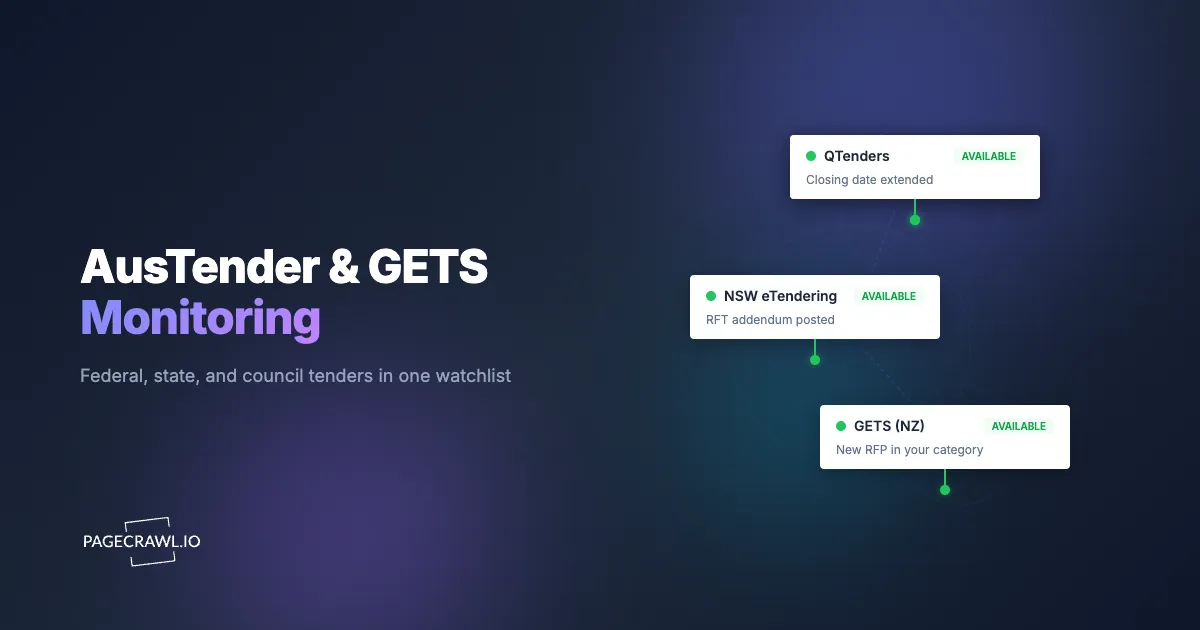
Every Friday at 4pm, the business development lead at a 30-person cybersecurity consultancy with offices in Sydney and Auckland runs "the sweep": AusTender, GETS, NSW eTendering, QTenders, and Tenders VIC, one browser tab each, scanning for anything new in security services. The sweep takes ninety minutes when nothing interrupts it, which is rare, and it has two failure modes that eventually cost the firm a bid. An approach to market published on a Monday sits undiscovered until Friday, burning four days of a three-week response window. And when the lead is on leave, the sweep simply does not happen, which is how the firm learned about a perfectly matched Wellington opportunity from the award notice.
Government buying in Australia and New Zealand is split across more websites than most suppliers realize. Federal Australian opportunities publish on AusTender, New Zealand's run through GETS, each Australian state and territory operates its own portal (NSW eTendering, QTenders, Tenders VIC, Tenders SA, Tenders WA, and the rest), and beneath them sit hundreds of councils, universities, and health districts posting procurement on their own pages. There is no single feed, and the suppliers who win consistently are the ones who see a matching approach to market in its first days, not its last week.
This guide covers how to fold that scatter into one monitored pipeline: new opportunity alerts, addendum tracking on live bids, a step-by-step setup, and the publication rhythms experienced bid teams learn to read on both sides of the Tasman.
How do you get alerts for new AusTender opportunities?
Monitor a filtered AusTender search results page. Build the search that describes your business, category codes, keywords, and agency, then add that results URL as a monitor. When a new approach to market enters your results, the page changes and you get an email with the new entry highlighted on the next check after publication.
AusTender classifies opportunities with UNSPSC category codes, and the search interface lets you combine categories with keywords, agencies, and ATM types. As on any classified portal, buyers code inconsistently, so the reliable pattern is one monitor per category family plus one keyword search as a net for miscoded notices. A search returning five to thirty open ATMs at any time is well scoped.
AusTender's own email notifications are worth keeping; monitoring adds what they lack. Monitors cover any number of saved searches in one dashboard, send alerts to a shared channel instead of one person's inbox, and keep a history of what entered and left each search over a quarter. An AI focus prompt keeps the alerts to actual opportunities, new tenders, RFTs, and approaches to market, while ignoring interface furniture and sorting controls. Daily checks match how AusTender publishes, and a morning digest turns the Friday sweep into a five-minute daily triage.
How do you set up AusTender and GETS monitoring in practice?
A first watchlist takes about half an hour end to end, and the same six steps repeat identically for GETS, every state portal, and any council page you add later. Nothing here needs more than a free PageCrawl account to start.
Step 1: Build the search on the portal
On AusTender, filter current ATMs by your UNSPSC categories, keywords, and target agencies, sorted by publication date. On GETS, build the equivalent search over open tenders in your categories and regions. Check the result count and narrow until the list is short enough that a new entry is inherently interesting.
Step 2: Copy the results URL
The address bar after filtering captures the search state and replays it. Copy each URL into a small coverage spreadsheet (URL, portal, category, owner). The sheet documents exactly what your firm watches, which is the first thing anyone asks after a missed opportunity.
Step 3: Add each URL as a monitor
In PageCrawl, click Track New Page and paste the URL, using content tracking so the results list is what gets diffed. New ATMs appear as added rows with the details highlighted. Trigger a first check to set the baseline.
Step 4: Set the check frequency
Daily for discovery searches, since AusTender and GETS publish on business-day rhythms. Hourly (Standard plan and up) for the pages of bids you are actively writing, where an addendum or a moved closing time is the difference between compliant and not.
Step 5: Route notifications to the right people
Discovery alerts go to a shared #tenders channel in Slack or Teams, triaged each morning. Addendum alerts on live bids go directly to the named bid owner. This routing is what removes the single point of failure: the pipeline keeps flowing when the BD lead is on leave.
Step 6: Organize with folders and labels
A folder per jurisdiction (Federal AU, NZ, NSW, QLD, Councils), a label per service line, following the same approach as organizing monitored pages with labels and folders. Multi-team firms let each practice filter the shared watchlist by label, and expanding into a new state later is a folder and three monitors, not a new subscription system to learn.
How does the same setup cover GETS and state portals?
Identically: one monitor per filtered search on each portal you sell into. GETS covers New Zealand government opportunities, each Australian state portal covers its own agencies, and the same monitor-per-search pattern treats them all as one watchlist, a folder per jurisdiction, alerts routed to whoever owns that pipeline.
The jurisdictional spread is the argument for monitoring over per-portal subscriptions. Every portal has its own account, its own category taxonomy, and its own idea of a saved search, and a bid team selling into three states plus GETS ends up managing five subscription systems that all notify differently. A monitoring watchlist replaces that with one dashboard and one alert convention, and adding the next jurisdiction is a new folder rather than a new account.
GETS deserves one extra search: its future procurement opportunities listing, where New Zealand agencies signal planned tenders before they open. A weekly monitor on that page feeds capture work months ahead of the tender itself, the same early-warning value grant, funding, and RFP opportunity monitoring delivers on funding portals.
What is an ATM ID and how should you use it?
Every approach to market on AusTender carries an ATM ID, the agency's reference like "RFT 26/0142", and it is the stable handle for everything that follows: addenda, extensions, and the eventual contract notice. Once you decide to bid, the ATM's own page becomes the URL you monitor, and the ATM ID is how the bid file, the monitor name, and the team channel thread stay linked.
Name each per-bid monitor after its ATM ID so alerts are self-identifying in a busy channel, and keep the ID in your bid register. After award, the same ID connects the ATM to its contract notice, which tells you who won and at what value, the starting point for a recompete calendar. GETS works the same way with its own tender reference numbers, and the state portals each have an equivalent; the habit transfers.
Can you track addenda and closing date changes on a live bid?
Yes, and it is where monitoring earns its keep during the response window. Addenda are routine on both AusTender and the state portals: closing dates move, clarification documents land, and specifications get corrected. For every bid you are actively writing, monitor the opportunity's own page at an hourly cadence so an addendum reaches the bid owner within hours instead of surfacing during the final compliance check.
The two-tier structure keeps the watchlist manageable: discovery monitors on filtered searches run daily, per-opportunity monitors on live bids run hourly and retire when the bid closes. The retired monitor's change history stays archived as part of the bid record, timestamped evidence of exactly when each amendment appeared, which is precisely what you want if a probity question ever arises.
Can you monitor tender documents that are PDFs?
Yes. Specifications, draft contracts, and clarification documents attach to the ATM as files, most often PDFs, and PageCrawl can monitor a PDF URL directly for text changes and alert you when its content changes. That covers the quiet case where an agency replaces a document at the same URL without an addendum you would notice.
During a live bid, the two highest-value monitors are the ATM page itself (formal addenda, closing time changes) and the document list (new uploads between addenda, including Q&A responses that change scope without touching the notice text). Where a portal requires a login to download documents, monitor the public ATM page instead; it still shows the addendum count and dates, and the alert becomes the trigger to log in and fetch the files.
How far in advance do opportunities appear?
Often a year or more, through channels most suppliers never watch. Australian government entities publish Annual Procurement Plans on AusTender listing the procurements they expect to run that financial year, and New Zealand agencies post future procurement opportunities on GETS. These are the earliest legitimate signals in both markets.
A weekly monitor on the procurement plan pages of your five or six target agencies turns planning documents into a capture pipeline: when a planned procurement in your category appears, you have months to research the buyer, position references, and meet the panel or pre-registration requirements before the ATM opens. Panels and standing offers matter here too, because in both countries a large share of government work flows through pre-established arrangements, and if you are not on the panel when it refreshes, you wait years for the next window. The refresh itself publishes as an ATM, which is exactly what your discovery monitors exist to catch, but the procurement plan usually names it first.
What does a real supplier's watchlist look like?
Take that Sydney and Auckland cybersecurity consultancy: 30 people, three service lines (security assessment, incident response, GRC consulting), selling federally in both countries plus NSW and Queensland. A working watchlist is around 21 monitors, well inside a Standard plan.
- Two AusTender searches by UNSPSC category family (information security services, IT consulting), plus one keyword search for miscoded ATMs (3 monitors).
- Two GETS searches over the equivalent categories, plus the GETS future procurement opportunities listing checked weekly (3 monitors).
- Filtered searches on NSW eTendering and QTenders, one per state (2 monitors).
- Annual Procurement Plan pages for five target agencies across Canberra and Wellington, checked weekly (5 monitors).
- The procurement pages of two universities and one health district with existing relationships (3 monitors).
- Per-ATM monitors on live bids, named by ATM ID, typically three to five at any time, hourly checks, retired at submission (3 to 5 monitors).
Discovery alerts land in #tenders and get triaged each morning by whoever is on triage duty that week; addendum alerts go straight to each bid owner. Labels split the watchlist by service line. The Friday sweep is gone, the on-leave failure mode is gone, and the cost is $80 a year against a pipeline where one panel seat pays for a decade of it.
What patterns do experienced bid teams learn to read?
Monitored continuously, the portals become a market intelligence feed as much as an opportunity list. Four patterns are worth training a bid team to notice.
Procurement plans that precede ATMs. A planned procurement that appears in an agency's Annual Procurement Plan and then slips across two plan updates usually means budget trouble; one that firms up with a quarter and an indicative value is close. Timing capture effort against the plan beats reacting to the ATM.
Contract notices that reveal incumbents. AusTender publishes contract notices for awarded contracts, with supplier, value, and end date. A systematic read of contract notices in your categories maps every incumbent in your market and when their contracts expire, which is a recompete calendar nobody sells.
Panel refreshes and standing offer renewals. When a Standing Offer Notice in your category approaches its end date, expect the refresh ATM. Firms that watch panel expiries prepare their responses months out, while everyone else discovers the refresh with three weeks left.
Short-window RFQs under existing panels. Buyers using established panels often run quick quote rounds with days-long clocks. If you hold a panel seat, hourly monitoring of the relevant portal section is the only realistic way to make those windows.
How does monitoring compare with portal alerts and paid tender services?
Both markets have commercial notification services (TenderSearch, Tenders.Net, and similar) that consolidate public notices for a subscription fee, and every portal has some native email capability. Monitoring is a different layer: any URL, one alert convention, including the council and university pages no aggregator carries.
| Approach | Cost | Latency | Coverage | Best for |
|---|---|---|---|---|
| AusTender / GETS email alerts | Free | Daily digest, per portal | One portal each | Individual awareness |
| State portal subscriptions | Free | Varies per portal | One state each | Single-state suppliers |
| Paid tender aggregators | Roughly AUD 500 to 2,000+/yr | Hours to a day | Broad but not complete | Teams wanting a consolidated feed |
| Manual portal sweeps | Staff time | Days | Whatever gets checked | Nobody, past a handful of portals |
| PageCrawl monitoring | Free tier to $80/yr | Next check (down to minutes on live bids) | Any URL: federal, state, GETS, councils, PDFs | Teams wanting one pipeline across every source |
The structural advantage is uniformity: AusTender, GETS, a state portal, a council's plain HTML tender list, and a specification PDF are all just URLs, so one watchlist and one triage habit covers the whole market, including the buyer-direct long tail where the bidder pool is smallest.
How do you cover council and university procurement pages?
Add them as ordinary page monitors, the same government and public records monitoring pattern that covers agency and municipal pages, because most local buyers have no alert system at all. Councils, universities, and health districts post tenders on plain web pages, sometimes through a shared platform, often as a simple list with PDF links. Checking them by hand is the kind of patrol that never survives a busy quarter, and a monitor per buyer page gives the long tail the same coverage the federal portals get.
That long tail is also where the least-contested work lives, because inconvenient discovery keeps the bidder pool small. Suppliers working across markets can apply the identical playbook to UK portals, EU TED searches, SAM.gov, and Canadian portals.
Choosing your PageCrawl plan
PageCrawl's Free plan lets you monitor 6 pages with 220 checks per month, enough to cover AusTender plus your home state and a couple of councils while you prove the workflow. Most teams graduate to a paid plan once the value is obvious and the watchlist grows.
| Plan | Price | Pages | Checks / month | Frequency |
|---|---|---|---|---|
| Free | $0 | 6 | 220 | every 60 min |
| Standard | $8/mo or $80/yr | 100 | 15,000 | every 15 min |
| Enterprise | $30/mo or $300/yr | 500 | 100,000 | every 5 min |
| Ultimate | $99/mo or $999/yr | 1,000 | 100,000 | every 2 min |
Annual billing saves two months across every paid tier. Enterprise and Ultimate scale up to 100x if you need thousands of pages or multi-team access.
One contract found early, or one addendum caught before it invalidated a response, pays for years of monitoring. Standard at $80/year covers 100 monitors, enough for federal, state, and GETS searches plus the councils you actually sell to and every live bid. Enterprise at $300/year fits bid teams covering multiple states and sectors, with shared workspaces and SSO. All plans include the PageCrawl MCP Server, so a bid manager can ask an AI assistant what entered a tracked search this month and get the answer from your own monitoring history.
Getting Started
Start with two monitors: your best AusTender search and your home state's portal (or GETS if you are NZ-based). Add them to a free PageCrawl account with daily checks, route alerts to the bid team's channel, and run two weeks alongside your current process, counting which opportunities the monitors surfaced first.
Then grow jurisdiction by jurisdiction: a folder per portal, the councils you genuinely sell to, and an hourly monitor on every live bid. The portals keep publishing whether anyone on your team remembers to look; monitoring just removes the remembering.