A combined synopsis/solicitation hit SAM.gov on a Monday morning in March 2024 with a Friday response deadline. The contract was a $4M IDIQ for IT services with a small-business set-aside, exactly matching the capability statement of a 12-person federal contractor that had been pitching for that customer for two years. They missed it. SAM.gov's email digest landed Tuesday morning. By then the capture team had lost a day on a five-day clock. The contract went to a competitor who was already monitoring the agency's procurement page directly.
SAM.gov is where every federal contract opportunity is posted, but the platform's own notification system is famously noisy and slow. Saved searches generate digests that mix high-priority RFPs with sources-sought notices, amendment notices, and trivial updates. The digests arrive once a day. For capture teams working short-cycle solicitations, that delay is the difference between a serious proposal and a rushed no-bid decision. Government contractors who systematically monitor SAM.gov by NAICS code, agency, and keyword pick up opportunities hours earlier than the email digest cadence and convert noticeably more of them.
This guide covers how SAM.gov search URLs work, the patterns worth watching for, and how to set up continuous government agency and public records monitoring that surfaces matching opportunities into your capture channel within the hour they post.
Quick Setup
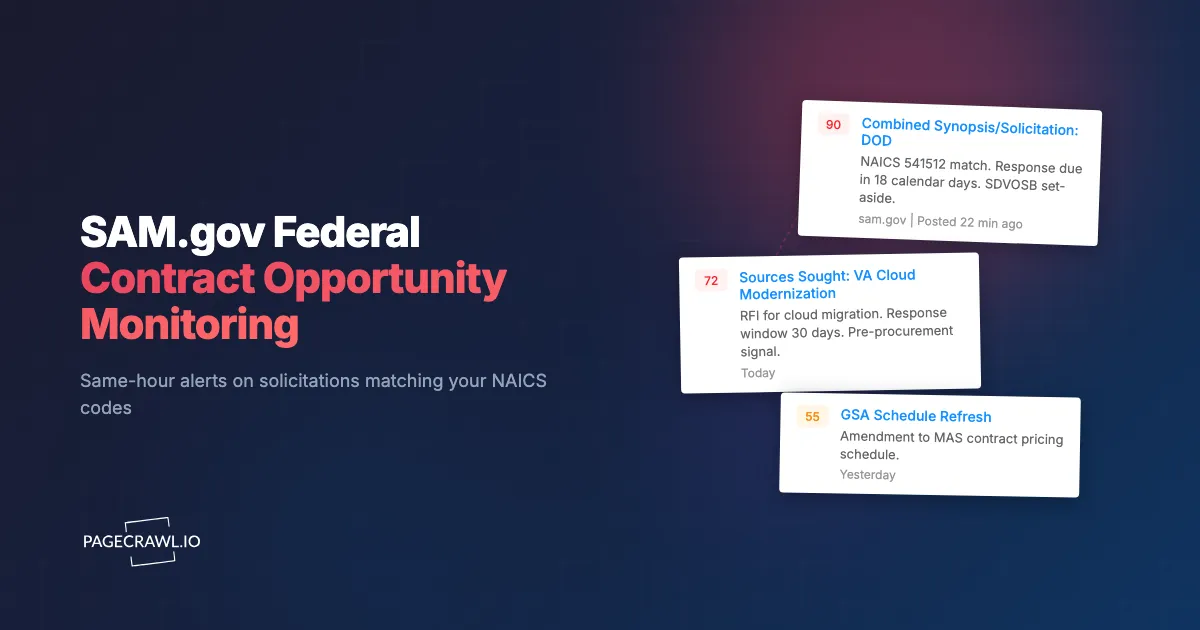
Enter a NAICS code or pick from popular codes, optionally filter by set-aside type. PageCrawl monitors SAM.gov and alerts your capture team within the hour of matching opportunities.
Why should you monitor SAM.gov continuously?
Because federal procurement cycles are short and SAM.gov's own digest runs once a day. A continuous monitor checks your saved search on a schedule and tells you about a matching solicitation, amendment, or sources sought notice hours before the digest would, which is most of the working time you get on a five-day clock.
New Solicitations Are The Highest-Value Alert
A new RFP or combined synopsis/solicitation matching your capability is the event that triggers the entire bid/no-bid, teaming, and capture workflow. Getting it the morning it posts instead of the next day means more time to read, more time to talk to teaming partners, and more time to write a quality response. For five-day-clock procurements, that delta is decisive.
Sources Sought and RFI Notices Shape Later RFPs
Sources sought notices are early-stage signals where the contracting officer is gauging market interest. Responding to a sources sought shapes the eventual RFP in ways that are hard to overstate. Capture teams that systematically respond to sources sought in their lanes routinely see RFP language reflect their input. Same-week awareness of sources sought is therefore a leading indicator of opportunities six to twelve months out.
Amendments and Q&A Change Scope and Deadlines
A live solicitation rarely stays static. Amendments shift due dates, add or remove tasks, and answer competitor questions in writing. Missing an amendment is one of the most common reasons proposals get marked non-compliant. Continuous monitoring of the specific opportunity page catches every amendment as it posts.
Award Notices Reveal Incumbent Performance
The award notice for past procurements tells you who won, at what price, and on what terms. Cumulative award data shapes competitive intelligence on incumbents and informs your own positioning on recompetes.
How do SAM.gov search URLs work?
SAM.gov's opportunity search exposes results at addressable URLs that capture the full filter state. You can filter by NAICS code, agency, set-aside type, notice type, location, and posted date, and the URL preserves every selection:
https://sam.gov/search/?index=opp&page=1&sort=-modifiedDate&pageSize=25Build the search you want in the SAM.gov UI by adding filters in the left sidebar (NAICS code, set-aside, agency, notice type), then copy the URL from the address bar. That URL is now a saved search anyone can replay, and it is exactly what PageCrawl will monitor. New opportunities matching the filter appear as new rows in the results table, sorted by modified date.
Each individual opportunity also has a stable URL of the form https://sam.gov/opp/{notice-id}/view. Monitor specific opportunity URLs once you have decided to pursue, so you catch every amendment and Q&A.
Which SAM.gov monitoring approach fits your team?
It depends on whether you need analytics or speed. Paid platforms bundle opportunity data with pipeline analytics and pricing history. A page monitor on your own search URL gives you the awareness half at a fraction of the cost, which is the part that decides short-cycle bids.
| Approach | Cost | Latency | Coverage | Best For |
|---|---|---|---|---|
| SAM.gov saved-search email | Free | Daily digest | Saved filters | Light awareness |
| GovTribe | $112-458+/mo | Hours | Full + analytics | Mid-market BD |
| Bloomberg Government | $5K+/year | Hours | Comprehensive | Large prime contractors |
| FedConnect / DLA dibbs | Free | Daily | Agency-specific | Single-agency BD |
| Manual SAM.gov refresh | Free | Hours to days | Per-search | Casual checking |
| PageCrawl on SAM.gov | Free tier to $80/year | 15-60 minutes | Any search URL | Small/mid contractors wanting same-morning alerts |
GovTribe and Bloomberg Gov dominate the paid market and offer richer analytics, but for most small and mid-sized contractors the core need is faster awareness of matching opportunities. PageCrawl delivers that for a fraction of the cost and works for any SAM.gov search URL you can build in the UI.
Setting Up SAM.gov Monitoring in PageCrawl

Step 1: Build targeted searches
In the SAM.gov UI, filter by your primary NAICS codes, the set-aside designations defined by the Small Business Administration, and (where possible) target agencies. Narrow filters produce fewer false positives. A capture team typically has 3-7 distinct search lanes corresponding to different capability areas.
Step 2: Copy each search URL
After applying filters, copy the URL from your address bar. The URL captures the filter state and is reproducible.
Step 3: Add each search URL as a content monitor
Sign in to PageCrawl, click Track New Page, and paste the URL. Choose content monitoring so the results table is tracked. New rows in the table mean new opportunities matching the search.
Step 4: Pick a check frequency
SAM.gov publishes during business hours, mostly mid-morning Eastern, so you can restrict checks to your working window using check scheduling. Reasonable defaults:
- Awareness only: 60-minute checks (Free plan). New opportunities within an hour.
- Active capture team: 15-minute checks (Standard plan). Same-morning awareness on every match.
- Short-cycle / RFQ-heavy team: 5-minute checks (Enterprise plan). Maximum lead time on tight clocks.
Step 5: Configure capture channel notifications
For active BD teams, Slack or Teams in a dedicated #capture-pipeline channel works well. PageCrawl's AI change summaries describe the new opportunity in one line so capture managers can triage at a glance. See the Slack alerts guide and the Teams alerts guide for setup walkthroughs.
Step 6: Tag by capability and group with folders
Use PageCrawl folders, labels, and workspaces to organize searches by capability area or by capture manager. Each capture manager subscribes only to their folder, so they see only opportunities in their lane.
Worked Example: A Mid-Sized Federal Contractor's SAM.gov Watch
A 50-person federal contractor with three capability areas typically sets up something like this:
- Build 3 broad NAICS-based searches (IT services 541512, R&D services 541715, professional services 541611) (3 monitors).
- Build 2 set-aside-specific searches (8(a) IT, SDVOSB IT) for capture managers who specialize (2 monitors).
- Build 5 agency-specific searches for their top customer agencies (5 monitors).
- Once active on a procurement, add the specific opportunity URL to track amendments (5-15 monitors at any given time).
- Tag everything by capability area, route alerts to capability-specific Slack channels.
Total: 15-25 monitors, comfortably within the Standard plan's 100-page allocation. Total cost: $80/year. Versus GovTribe at $400+/month, this is roughly 95% cost savings for the core capability of "alert me on matching opportunities."
Patterns Worth Watching For
Short-clock combined synopsis/solicitations. Five-day-clock procurements are common, especially for IT and professional services. Watch for these as the highest-priority alerts.
Set-aside changes mid-procurement. Some procurements get re-issued with different set-aside designations. Catching the re-issue lets you pivot positioning quickly.
Repeat sources sought on the same scope. A second sources sought for a similar requirement often signals the contracting officer is struggling to find qualified vendors. Often a high-conversion opportunity.
Amendment frequency. Procurements that amend three or more times before close are often poorly scoped. Sometimes a sign to no-bid, sometimes a sign of opportunity for a vendor willing to flex.
Award notices to small businesses. Awards to small businesses in your NAICS reveal both teaming partners and potential acquisition targets.
Combining SAM.gov With Other Procurement Signals
The full picture of federal opportunity comes from layering SAM.gov with adjacent intelligence sources.
Combine with agency procurement forecasts. Each agency publishes a procurement forecast at the start of the fiscal year. Add these as siblings to catch planned procurements before they hit SAM.gov.
Combine with UK and EU procurement. For dual-market vendors, pair with our UK Find a Tender and Contracts Finder monitoring guide and EU TED tender monitoring guide for cross-Atlantic awareness, go north with Canadian government tender monitoring, or south with AusTender and GETS monitoring.
Combine with GSA eBuy and GSA Advantage. GSA schedule call-offs often run on faster clocks than open-market procurements. Add GSA eBuy if you hold a schedule.
Combine with state and local procurement portals. State and local procurements often parallel federal scope. Many capture teams add their top 5 state procurement portals as siblings.
Combine with FPDS award data. The Federal Procurement Data System publishes award data that complements SAM.gov's notice data. Monitor key award report pages to round out competitive intelligence.
Use Cases
Government contractors. Capture teams get same-hour alerts for opportunities matching their pipeline, dramatically improving response time on short-cycle procurements and meaningfully increasing win rate over a year.
Subcontractor business development. Fast alerts on prime opportunities support teaming conversations while there is still time to position. The window between RFP posting and teaming decisions is usually 48-72 hours.
Federal sales for commercial vendors. Commercial product vendors selling into government can monitor for procurements matching their products, often picking up unexpected fits.
Capture intelligence and competitor analysis. Award notices and historical solicitations build a clean view of incumbent performance and competitor pricing on recompetes.
Small business support organizations. PTAC offices, SBDC staff, and trade associations use SAM.gov monitoring to alert their constituent businesses to relevant opportunities.
Federal grant and assistance monitoring. Beyond contracts, SAM.gov also lists assistance and grant opportunities. The same monitoring approach works for grant-focused organizations.
Frequently Asked Questions
How quickly do new opportunities appear on SAM.gov after posting? Within minutes of the contracting officer publishing. SAM.gov's search results update on the next page load, so PageCrawl picks up the new row on the next check.
Can I monitor by keyword in addition to NAICS code? Yes. The SAM.gov search UI supports keyword filters that the URL captures. Build the search you want in the browser, copy the URL, and monitor.
What if my search returns hundreds of results per day? Narrow the filters. Add a set-aside designation, target agency, or specific NAICS subcategory. Most capture teams find that 5-15 alerts per week per search is the sweet spot.
Can I monitor multiple set-aside types in one search? SAM.gov supports OR logic across set-aside filters. Build the multi-set-aside search in the UI and the URL will reflect it.
Do I need a paid plan for SAM.gov monitoring? No. The free plan supports 6 monitors at 60-minute checks, enough for a small capture team focused on 1-2 capability areas. Standard at $80/year supports a full multi-capability, multi-agency watch.
What about FedBizOpps? FedBizOpps was retired and folded into SAM.gov in 2019. SAM.gov is now the single source for federal contract opportunities.
Choosing your PageCrawl plan
PageCrawl's Free plan lets you monitor 6 pages with 220 checks per month, which is enough to validate the approach on your most critical pages. Most teams graduate to a paid plan once they see the value.
| Plan | Price | Pages | Checks / month | Frequency |
|---|---|---|---|---|
| Free | $0 | 6 | 220 | every 60 min |
| Standard | $8/mo or $80/yr | 100 | 15,000 | every 15 min |
| Enterprise | $30/mo or $300/yr | 500 | 100,000 | every 5 min |
| Ultimate | $99/mo or $999/yr | 1,000 | 100,000 | every 2 min |
Annual billing saves two months across every paid tier. Enterprise and Ultimate scale up to 100x if you need thousands of pages or multi-team access.
Compliance monitoring is the cheapest insurance you can buy. A single missed regulatory change can trigger fines in the tens or hundreds of thousands, not to mention the audit overhead of proving you did not see it coming. Enterprise at $300/year covers 500 regulatory pages with unlimited history and timestamped screenshots, which is usually exactly what an assessor wants to see. All plans include the PageCrawl MCP Server, so your compliance team can ask Claude to summarize every change to a specific regulation over the last quarter and pull the exact diff, turning your monitoring history into a queryable audit trail. AI assistants can create monitors through conversation on every plan, including Free. Standard at $80/year is enough to cover 100 pages across your primary regulatory bodies if your program is smaller.
Getting Started
Build five targeted SAM.gov searches, copy each URL, and add them to PageCrawl on an hourly check during business hours. Create a free account and the next matching solicitation will arrive in your capture channel within an hour.