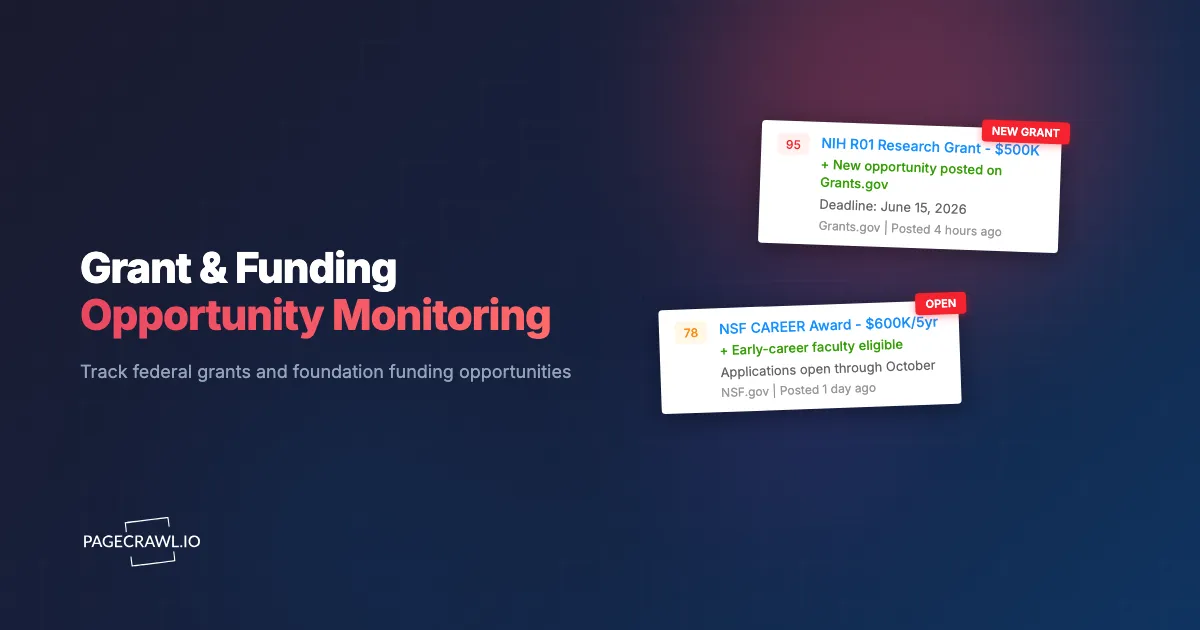
A researcher at a mid-size university found out about a $1.2 million NSF funding opportunity three days before the application deadline. The program officer had extended the deadline by two weeks, but the original listing showed the old date, and the extension notice was buried in a PDF update on a subpage. The researcher scrambled to assemble a proposal, pulled in two co-PIs who barely had time to review their sections, and submitted something that looked rushed. The winning proposal came from a lab that had been tracking the opportunity since the original posting and used the full timeline to build a thorough, well-reviewed application.
This scenario plays out thousands of times a year across universities, nonprofits, municipalities, and small businesses. The federal government distributes hundreds of billions of dollars a year through grants and cooperative agreements, all of it traceable on USAspending.gov. Private foundations add tens of billions more. But finding these opportunities is a challenge. Grant announcements are scattered across dozens of federal agency websites, hundreds of state portals, and thousands of foundation pages. Deadlines shift. Eligibility criteria change mid-cycle. New programs launch with short application windows and minimal publicity.
This guide covers why manual grant monitoring fails, which sources to track, what specific changes to watch for, and how to build an automated workflow that keeps your team informed about every relevant funding opportunity from announcement through deadline.
Why automate grant monitoring?
Because discovery time is the whole game. Application windows often run 30 to 60 days, and every day you spend not knowing an opportunity exists is a day your competitors spend writing. Automation removes the two failure modes of manual checking: late discovery, and missed edits to opportunities you already found.
Grant seeking is a competitive, time-sensitive activity. The organizations that consistently win funding are the ones that discover opportunities early and use the full application timeline to prepare strong proposals. Manual monitoring undermines both of those advantages.
Opportunities Disappear Fast
Many grant programs have application windows of 30 to 60 days. Some have windows as short as two weeks. Federal agencies occasionally release rapid-response grants with turnarounds under 10 days. If you find an opportunity halfway through its window, you are writing a proposal in half the time your competitors had.
Foundation grants can be even more compressed. Some foundations review letters of inquiry in batches, so a delay of a few days can push your application into the next review cycle, adding months to your timeline.
Manual Checking Is Unreliable
Checking Grants.gov, five federal agency sites, three state portals, and a dozen foundation pages takes one to two hours daily. That is 250 to 500 hours per year spent on a repetitive task that only works if someone does it every single day. A three-day gap over a holiday weekend can mean missing a short-window opportunity entirely.
Even with discipline, human reviewers miss incremental changes: a deadline extension buried in a page update, a new eligibility criterion, a funding amount increase that makes a marginal opportunity worth pursuing. These are exactly the changes automated monitoring catches reliably.
Thousands of Sources, No Central Hub
Despite Grants.gov serving as a federal clearinghouse, the grant landscape remains deeply fragmented. Not every federal opportunity appears on Grants.gov immediately. State agencies maintain separate portals. Private foundations publish on their own websites with no aggregation service covering them. An organization seeking funding across multiple sectors might need to monitor 50 to 100 separate web pages. No person can do that reliably, but a monitoring tool checks all of them on schedule, every time.
Which grant sources should you monitor?
Four layers, in this order: Grants.gov for federal discretionary funding, the individual agency pages that publish earlier than Grants.gov, state portals for pass-through and state-funded programs, and the foundation and corporate pages that no aggregator covers well. A comprehensive strategy touches all four.
Federal: Grants.gov
Grants.gov is the primary portal for federal grant opportunities. All federal agencies are required to post discretionary funding opportunities here. The site allows keyword searches, filtering by agency and eligibility, and email subscriptions for saved searches.
However, Grants.gov's built-in alerts have limitations. Search filters are broad, producing many irrelevant results. Email notifications can be delayed. And not every update to an existing opportunity triggers a new notification. Monitoring the actual search results pages and individual opportunity pages catches changes that the email system misses.
NSF, NIH, DOE, and USDA
Each of these major federal funders maintains its own announcement channels separate from Grants.gov.
NSF publishes program solicitations and Dear Colleague Letters (DCLs) on its website. DCLs are particularly important because they announce new or modified funding priorities and often have shorter response windows than formal solicitations.
NIH uses the NIH Guide for Grants and Contracts as its primary channel. Funding Opportunity Announcements (FOAs), Notices, and Program Announcements appear here, often with more detail and earlier visibility than Grants.gov listings. Pay particular attention to NIH Notices, which communicate changes to existing opportunities, policy updates, and deadline modifications.
DOE publishes through EERE, ARPA-E, and the Office of Science, each maintaining its own funding page. Agency pages often provide earlier visibility than Grants.gov.
USDA administers hundreds of grant and loan programs spread across multiple agencies (NIFA, RD, NRCS, FSA), each with its own web presence. Monitoring individual USDA agency pages is essential because opportunities relevant to your work may not surface in a general search.
SAM.gov
While primarily known for federal contracts, SAM.gov also lists grant opportunities and cooperative agreements. For organizations that pursue both grants and contracts, monitoring SAM.gov covers both categories. SAM.gov is also where federal agencies post modifications and amendments to existing opportunities.
State Agencies
State governments administer billions in federal pass-through funding and state-funded grant programs. Each state has its own portal and processes. Some use centralized grant portals while others require monitoring individual agency websites.
State funding is particularly important for community organizations and smaller nonprofits that may not be competitive for large federal awards. For broader state agency monitoring strategies, see our guide to government agency news monitoring.
Private Foundations
Private foundations represent a major funding source that is almost entirely unmonitored by aggregation services. The Ford Foundation, Gates Foundation, MacArthur Foundation, Kellogg Foundation, and Robert Wood Johnson Foundation publish RFPs and application guidelines on their own websites.
Smaller regional and family foundations are even harder to track. They may update infrequently, change program priorities without fanfare, or open application windows with limited publicity. Monitoring these pages directly is often the only way to catch opportunities in time.
Corporate Giving Programs
Major corporations run philanthropic programs and sponsored research initiatives. Google.org, Microsoft Philanthropies, the Walmart Foundation, and similar programs announce funding through corporate websites and dedicated program pages. These programs target specific themes (education, sustainability, public health) and can offer significant funding with less competition than federal programs.
What should you track on a grant page?
Four things: new opportunity listings, deadline changes, eligibility edits, and shifts in funding amounts or application requirements. Knowing which pages to monitor is half the challenge; knowing what to watch for on those pages is the other half.
New Opportunity Announcements
The most straightforward monitoring target: detect when a new funding opportunity appears on a listing page. This covers new program solicitations, RFPs, Notices of Funding Opportunity (NOFOs), and letters of inquiry windows.
For listing pages on Grants.gov, NSF, and NIH, monitor the search results or "recent opportunities" page. When a new entry appears, you get an alert. PageCrawl's content tracking mode works well for these pages because it focuses on the text content of listings and ignores navigation changes.
Deadline Changes and Extensions
Agencies extend, shorten, or modify deadlines more often than most applicants realize. NIH publishes Notices that change application due dates. NSF updates program solicitations with revised deadlines. Grants.gov listings get modified with new close dates.
These changes are easy to miss because the updated information often appears as a small edit to an existing page rather than a new announcement. Automated monitoring catches these edits regardless of how minor they appear.
Eligibility Updates
Funding agencies sometimes modify who can apply after an opportunity is posted. An NIH FOA might add or remove eligible institution types. A foundation might expand its geographic focus. A state program might change matching fund requirements.
These changes matter in both directions. An expansion might make your organization newly qualified for an opportunity you had dismissed. A restriction might disqualify you from one you were planning to pursue, saving you the effort of a wasted application.
Funding Amounts and Application Requirements
Agencies occasionally increase or decrease total funding available, change per-award ceilings, or modify the expected number of awards. A program that doubles its budget becomes significantly more attractive. One that halves its per-award ceiling might no longer justify the application effort.
Changes to required documents, review criteria, or submission procedures also matter. An agency adding a data management plan requirement means additional preparation time. A change to review criteria shifts how you should frame your proposal.
Setting Up Automated Monitoring with PageCrawl
Building a grant and funding opportunity monitoring system requires identifying your sources, configuring monitors, and routing alerts to the right people.
Identify and Prioritize Your Sources
Start by listing every funding source relevant to your organization. Group them into tiers:
Tier 1 (check every 4-6 hours): Your primary federal funding agencies, Grants.gov filtered searches, and top foundation targets. These are sources where you regularly submit applications and where short response windows are common.
Tier 2 (check every 12 hours): Secondary federal agencies, state portals, and foundations where you apply occasionally. Same-day discovery is valuable but not critical.
Tier 3 (check daily): Corporate giving programs, smaller foundations, and peripheral funding sources. These typically have longer application windows and less competition.
Configure Monitors for Each Source
For each source, find the specific page that shows new or updated opportunities. On Grants.gov, this is a filtered search results page. On NSF, it might be a directorate-specific funding page. On a foundation website, it is usually the "Current Opportunities" or "Apply" page.
Add each page as a PageCrawl monitor. Use content-only or reader tracking mode for listing pages to focus on opportunity text and ignore layout changes. For individual opportunity pages where you want to catch modifications, fullpage mode captures every change. Organize monitors into folders by source type (Federal, State, Foundations, Corporate) using labels, folders, and workspaces to keep your dashboard manageable.
Monitoring Foundation Websites for New RFPs
Foundation monitoring is where automated tracking provides the greatest advantage over manual checking. Unlike federal grants concentrated on a few portals, foundation funding is distributed across thousands of individual websites. Candid and Foundation Directory Online provide searchable databases, but they are not real-time. A foundation can open an RFP on its website today, and it may not appear in aggregation databases for days or weeks.
Foundation opportunity pages vary widely. Some maintain structured "Open RFPs" listing pages. Others publish blog-style announcements. Some update a single "How to Apply" page. Match your monitoring mode to the page structure: content-only mode for listing pages, fullpage mode for single-page application portals.
Build your foundation watch list by researching which foundations fund work in your sector. Check past awards databases to identify foundations that have funded organizations similar to yours. Revisit this list quarterly, as foundations change program priorities and launch new initiatives regularly.
Tracking Deadline Changes and Extensions
Deadline modifications are one of the highest-value changes to detect because they directly affect your ability to submit a competitive application.

Federal agencies communicate deadline changes through multiple channels. NIH publishes Notices in the NIH Guide. NSF updates program solicitation pages. Grants.gov modifies opportunity listings. Sometimes an agency posts a change on its own website before updating Grants.gov. Monitoring both the agency page and the Grants.gov listing catches changes regardless of where they appear first.
Extensions are not always prominently announced. An NSF program officer might add a paragraph to a solicitation page noting a two-week extension. A state agency might update a deadline in a table without any accompanying announcement. Configure email alerts for your highest-priority opportunities so a deadline change reaches the team on the next check rather than at the next manual review. For broader monitoring, route alerts through Slack or Teams channels where your grants team can all see them together.
How do you turn grant alerts into funded proposals?
Give every alert a destination, a decision, and a date. Route it to the person who can judge it, apply a standard go or no-go test, and put anything you pursue on a shared calendar with internal milestones working backward from the deadline. Monitoring is only the first step.
Route Alerts by Relevance
Not every funding opportunity is worth pursuing. Build routing rules that get alerts to the right people quickly:
- New opportunities from primary funding agencies go directly to program managers or PIs who work in those areas
- Deadline changes on active opportunities go to the proposal coordinator and relevant PI
- Eligibility changes go to the grants office for assessment
- New foundation RFPs go to the development team for evaluation
PageCrawl supports webhook integrations that let you route alerts to project management tools, databases, or custom workflows, and the webhook setup reference shows the payload each change sends. A webhook can send new opportunity alerts to an Airtable base where your team evaluates them, or to a Trello board that tracks opportunities from discovery through submission.
Evaluate and Prioritize Opportunities
When a new opportunity alert arrives, quickly assess whether it is worth pursuing. Key questions: Does the funding amount justify the application effort? Does your organization meet all eligibility requirements? Is the timeline realistic? Does the program align with strategic priorities? A standardized evaluation prevents both pursuing everything (spreading your team too thin) and pursuing nothing (analysis paralysis).
Maintain a Grant Calendar and Track Outcomes
Every monitored opportunity with a deadline should feed into a shared calendar. Include internal milestones: intent-to-apply decision date, first draft due, internal review, and final submission. Working backward from the deadline ensures your team allocates enough time for each stage.
After each funding cycle, review which monitoring sources produced viable opportunities. Track your success rate by funder and how early you discovered the opportunity. Earlier discovery consistently correlates with higher win rates. Use this data to refine which sources to prioritize and which to remove.
Choosing your PageCrawl plan
PageCrawl's Free plan lets you monitor 6 pages with 220 checks per month, which is enough to validate the approach on your most critical pages. Most teams graduate to a paid plan once they see the value.
| Plan | Price | Pages | Checks / month | Frequency |
|---|---|---|---|---|
| Free | $0 | 6 | 220 | every 60 min |
| Standard | $8/mo or $80/yr | 100 | 15,000 | every 15 min |
| Enterprise | $30/mo or $300/yr | 500 | 100,000 | every 5 min |
| Ultimate | $99/mo or $999/yr | 1,000 | 100,000 | every 2 min |
Annual billing saves two months across every paid tier. Enterprise and Ultimate scale up to 100x if you need thousands of pages or multi-team access.
Missing a grant deadline because you did not know the opportunity existed is a direct revenue loss, and a single awarded grant typically dwarfs years of monitoring costs. Standard at $80/year covers 100 pages, enough to watch Grants.gov keyword results, several federal agency funding pages, and a handful of foundation sites simultaneously. Hourly frequency means a newly posted opportunity surfaces in your inbox well within the application window rather than days after you would have noticed it manually. Enterprise at $300/year scales to 500 pages for larger development teams tracking dozens of funders, with 5-minute check intervals, SSO, and multi-team access.
All plans include the PageCrawl MCP Server, so you can ask an AI assistant to summarize all new funding opportunities detected across your monitored sources over any time period. AI assistants can create monitors through conversation on every plan, including Free.
Getting Started
Every week without automated grant monitoring is a week where you might miss a perfectly fitting opportunity. The foundations and agencies publishing those opportunities are not going to call you. The information is on their websites, and the only question is whether you find it in time.
Start with your five most important funding sources: Grants.gov filtered to your keywords, two or three federal agency pages, and a couple of foundation websites. Set up PageCrawl monitors on each, configure email or Slack notifications, and run it for a month. Compare what monitoring catches against what you found through manual browsing.
PageCrawl's free tier includes 6 monitors, enough to cover your top funding sources and validate the approach. The Standard plan at $8/month covers 100 pages, sufficient for comprehensive multi-agency and multi-foundation monitoring. The Professional plan at $30/month supports 500 pages, covering the full landscape of federal, state, foundation, and corporate funding sources for organizations with broad funding portfolios.
The organizations that win grants consistently find opportunities first, understand changes as they happen, and use every available day to prepare stronger applications. Automated monitoring is how they do it.