In 2023, Twitter (X) removed free access to v1.1 API endpoints that many integrations had been using for years. The sunset had been announced months earlier, buried in a developer-portal post that few customer integrations had subscribed to. On the day endpoints went away, hundreds of products broke simultaneously: scheduling tools, social monitors, internal dashboards, marketing-automation flows. The warning had been there; nobody had been reading the right page.
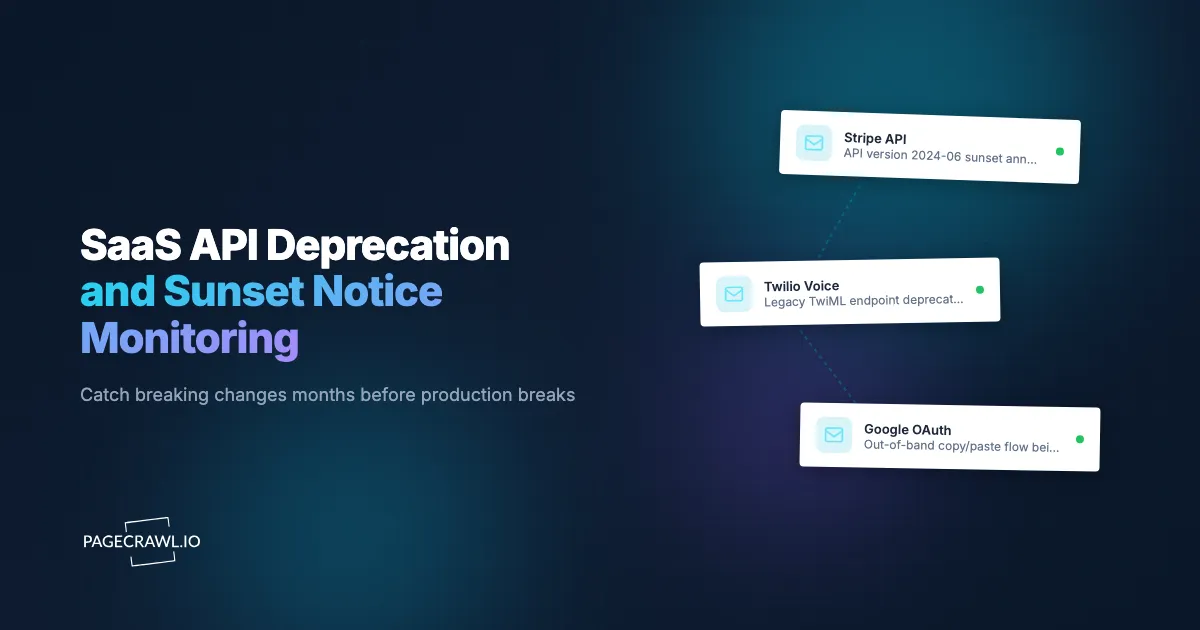
The most common production incident that nobody plans for is a SaaS API your integration depends on quietly deprecating an endpoint. Vendors typically post the deprecation in a changelog months ahead of the sunset date, but if nobody on your team reads that changelog every week, the warning becomes a 2 AM page. Vendor email subscriptions are inconsistent: some teams send, some don't, some send to the wrong contact in your CRM. The changelog page itself is the authoritative source. The challenge is reading every changelog across every vendor every week, which nobody actually does.
This guide covers how to inventory the SaaS APIs in your stack, where the deprecation and changelog pages live, and how to set up continuous API and documentation change monitoring that surfaces breaking changes and sunset notices the day they post, months before they hit production.
Quick Setup
Pick a vendor (or paste a changelog URL) to preview deprecation and breaking-change alerts.
Why should you monitor SaaS API changelog pages directly?
Because the changelog is the authoritative source and the vendor's email list is not. Notification lists go to whichever address was in the vendor's CRM years ago, and plenty of vendors never send at all. Monitoring the page itself is far more reliable for any team running production integrations.
Sunset Announcements Give Months of Warning
Vendors commonly give months, not weeks, between a sunset announcement and the actual removal. If you read the announcement the day it lands, you have the full window to plan migration. If you find out a week before sunset, you have a panic week.
Breaking Changes Often Have No Announcement
Breaking changes to behavior on existing endpoints (response field renames, default-value changes, validation tightening) often have no announcement at all outside the changelog. Same-day awareness lets you catch the change in staging before customers see it in production.
New Endpoints Sometimes Replace Older Ones
New API versions often have cleaner contracts worth adopting before the old version is deprecated. Same-day awareness gives you adoption-time advantage.
Authentication Changes Affect Production Behavior
OAuth scope updates, token-format changes, and authentication-flow modifications can affect production behavior with little notice. The changelog is usually the first place these appear.
Rate-Limit and Quota Changes
Some of the most-disruptive vendor changes are quota adjustments. Same-day awareness affects capacity planning and customer communication.
How do SaaS vendors publish API changes?
Almost every vendor publishes a changelog or release-notes page at a stable, public, indexed URL, and larger ones split deprecations onto a separate page. A minority also expose an RSS feed, and some signal retirement in the response itself using the Sunset HTTP header defined in RFC 8594. The page remains the source of truth.
https://stripe.com/docs/upgrades
https://developer.twilio.com/changelog
https://developers.google.com/identity/protocols/oauth2/release-notes
https://docs.github.com/en/rest/overview/breaking-changes
https://platform.openai.com/docs/changelog
https://docs.anthropic.com/claude/release-notes
https://developers.facebook.com/docs/graph-api/changelog
https://shopify.dev/docs/api/release-notes
The exact URL pattern varies by vendor, but the page itself is almost always public, indexed, and stable. Some vendors split deprecation into a separate page (Stripe keeps an upgrades page, GitHub a breaking-changes page); for those, monitor both the changelog and the deprecation page.
For RSS-supporting vendors (a minority), the RSS feed can be monitored instead, but RSS coverage of changelogs is inconsistent and frequently lags the page itself by hours or days.
Comparing Monitoring Approaches
| Approach | Cost | Latency | Coverage | Best For |
|---|---|---|---|---|
| Vendor email subscriptions | Free | Variable, often delayed | Per-vendor | Single-vendor stacks |
| Manual quarterly review | Free | Quarterly | Per-vendor effort | Low-volume integrations |
| ChangelogFly / similar aggregators | Subscription | Hours | Curated set | Awareness across the ecosystem |
| Internal RSS aggregator | Free + engineering | Variable | RSS-supporting vendors | Teams with engineering capacity |
| PageCrawl on changelog pages | Free tier to $80/year | Hours | Any vendor | Engineering, SRE, vendor management |
Vendor email lists are unreliable enough that mature engineering teams rarely rely on them alone. PageCrawl gives you per-vendor control with diff-level alerts into the same channel as your other monitoring, which is the workflow improvement that matters.
Setting Up SaaS API Monitoring in PageCrawl

Step 1: Inventory your SaaS API dependencies
List every external API your application calls. Pull from your integrations directory, secrets manager, or vendor list. A typical mid-size SaaS company ends up with dozens of SaaS APIs in production use, and the list is usually longer than anyone expects.
Step 2: Find the changelog or release notes page for each
Most vendors publish at a stable URL. If the URL is not obvious, search the developer docs for "changelog," "release notes," "deprecations," or "upgrades." Save the URLs.
Step 3: Add each as a content monitor
Paste each changelog URL into PageCrawl. Use reader mode to extract clean text and ignore page chrome. This dramatically improves diff signal-to-noise.
Step 4: Daily checks are usually enough
API deprecations are deliberate, scheduled changes; daily awareness is plenty for upgrade planning. For vendors with very high release velocity (Stripe, AWS, Google Cloud), hourly checks may catch breaking-change announcements faster.
Step 5: Route to engineering channels
Alerts can go to a per-service channel (#stripe-changes, #twilio-changes) or a single #api-changes Slack channel for triage. The single-channel approach scales better for teams that want one place to look.
Step 6: Configure AI summaries
PageCrawl's AI summaries describe diffs in plain language: "Stripe added new payment_intent_amount_capturable_updated event; deprecated charge.expire endpoint with sunset on 2026-09-01." This is the input to most upgrade-evaluation workflows. The help centre overview of how PageCrawl uses AI explains what the summaries cover and how to read the importance scoring.
Worked Example: A 25-Vendor Engineering-Org Setup
Take an engineering organization with 25 SaaS APIs in production. The setup:
- Pull the vendor list from the integrations directory and secrets manager.
- Find each vendor's changelog or release-notes URL.
- Bulk import 25 URLs into PageCrawl.
- Tag the 10 highest-impact vendors (Stripe, Twilio, AWS, Google, OpenAI, etc.) with
tier-1. - Set daily checks across the board; hourly on the tier-1 vendors.
- Route alerts to
#api-changesSlack with AI summaries highlighting deprecation language. - Pair with our AWS and GCP pricing monitor and AI provider pricing monitor for full vendor-side change coverage.
Total cost: Standard plan at $80/year covers all 25 monitors. For an engineering organization, the cost recovers itself the first time a deprecation alert leads to a planned migration instead of a midnight scramble.
Patterns Worth Watching For
Deprecation notices with sunset dates. The clearest signal. Add sunset dates to a shared calendar so migrations are scheduled with adequate lead time.
New API versions with migration timelines. Vendors sometimes ship a new major version with parallel availability for a year. Catching the launch lets you adopt early.
Breaking changes in request or response schemas. Often subtle (field renames, type changes, additional required fields). Same-day awareness lets you catch in staging before production sees the change.
Rate-limit or quota changes. Sometimes posted as policy updates rather than changelog entries. Worth tracking the policy page as a sibling monitor.
Authentication changes. OAuth scope updates, token-format shifts, signing-key rotation requirements. Often have hard deadlines.
SDK version recommendations. When a vendor recommends moving to a new SDK major, the old SDK often becomes unsupported within months.
Webhook schema changes. Webhook payload changes are easy to miss and often produce silent integration failures.
Combining SaaS API Monitoring With Other Signals
The full value of changelog monitoring shows up when you pair it with related signals.
Combine with cloud status pages. Pair the API changelog monitor with our cloud status page monitor. Vendor-side incidents sometimes follow recent breaking changes.
Combine with cloud pricing changes. Use our AWS and GCP pricing monitor. Pricing changes and feature deprecations often coincide.
Combine with AI provider pricing. Our AI provider pricing monitor covers per-token rate changes for AI vendors that often accompany API-level changes.
Combine with Terraform provider releases. Our Terraform provider monitor tracks the providers that manage your vendor integrations.
Use Cases
Integration engineering. Per-vendor changelog monitors feed into a weekly review. Caught deprecations turn into scheduled migration tickets instead of urgent incident response.
SRE. Same-day awareness of deprecations and limit changes prevents incidents that look like outages. A #api-changes Slack channel that includes the SRE rotation gives the entire team continuous awareness.
Product teams. New API capabilities sometimes enable previously-blocked features. Same-day awareness gives product teams a competitive edge in adoption.
Vendor management and procurement. Deprecation patterns and timelines feed into renewal and procurement conversations. A vendor with frequent disruptive changes is a renewal-risk signal.
Engineering leadership. Aggregated changelog activity across your vendor catalog informs quarterly vendor reviews and integration-debt prioritization.
Customer support. Some vendor changes affect customer-facing behavior. Same-day awareness lets support prepare communication before the next ticket arrives.
How often do vendors update their changelogs?
It varies widely. High-velocity platforms post most days, smaller specialty vendors post monthly, and some publish only on major releases. Daily checks on your release notes and changelog monitors cover almost every case without missing the fast movers, and you can raise the frequency on the handful of tier-1 vendors that ship constantly.
What about vendors that don't have a public changelog?
Most vendors have one. For the few that don't, monitor the developer-portal home page, the release-notes section of the docs, or the vendor's status page, which sometimes carries breaking-change notices. Failing that, the API reference page for the endpoints you actually call is the next best target.
Can I monitor private API documentation?
Yes. Private or partner docs are monitored the same way as public pages once the monitor can authenticate, using a session cookie, an auth header, or a login step configured per monitor. The help centre guide to monitoring password-protected pages covers both form logins and HTTP auth.
Will I get noise from cosmetic changelog edits?
Reader mode plus AI summaries cut most of it. Page chrome, navigation, and marketing blocks are stripped before the diff, so a redesigned sidebar does not read as an API change. For absolute precision, narrow the monitor to a CSS selector that targets only the changelog entry list.
Can alerts include the affected endpoint?
Yes. AI summaries describe the diff including endpoint names, parameter changes, and sunset dates, so the alert itself usually tells you whether you are affected. For tighter integration, webhook payloads include the raw diff for downstream parsing into a ticket or migration tracker.
Do I need a paid plan for changelog monitoring?
The Free plan supports 6 monitors on hourly checks, enough to cover your top handful of vendors and prove the workflow. Standard at $80/year supports 100 monitors, which covers a serious vendor catalog plus sibling monitors on deprecation and rate-limit policy pages for tier-1 vendors.
Choosing your PageCrawl plan
PageCrawl's Free plan lets you monitor 6 pages with 220 checks per month, which is enough to validate the approach on your most critical pages. Most teams graduate to a paid plan once they see the value.
| Plan | Price | Pages | Checks / month | Frequency |
|---|---|---|---|---|
| Free | $0 | 6 | 220 | every 60 min |
| Standard | $8/mo or $80/yr | 100 | 15,000 | every 15 min |
| Enterprise | $30/mo or $300/yr | 500 | 100,000 | every 5 min |
| Ultimate | $99/mo or $999/yr | 1,000 | 100,000 | every 2 min |
Annual billing saves two months across every paid tier. Enterprise and Ultimate scale up to 100x if you need thousands of pages or multi-team access.
At an engineering hourly rate, Standard at $80/year pays for itself the first time you catch a breaking API change, a deprecated endpoint, or a silent config change before it takes down production. 100 monitored pages is enough to cover the changelogs and docs of every third-party API your stack depends on. Enterprise at $300/year adds 5-minute checks and 500 pages. All plans include the PageCrawl MCP Server, which plugs directly into Claude, Cursor, and other MCP-compatible tools. Developers can ask "what changed in the Stripe API docs this month?" and get a summary pulled from your own monitoring history. AI assistants can create monitors through conversation on every plan, including Free, turning your tracked pages into a living knowledge base instead of a pile of alert emails.
Getting Started
List your top 10 SaaS APIs, find each changelog URL, add them all to PageCrawl on a daily check. Create a free account and the next deprecation will arrive in your engineering channel months before sunset.
Once basic coverage is in place, expand to the full vendor catalog and pair with cloud-pricing and AI-provider-pricing monitors for a complete vendor-side change picture. The Standard plan at $80/year covers a serious vendor list for most engineering organizations. For teams that have been bitten by a surprise deprecation, this is one of the cheapest reliability investments available.