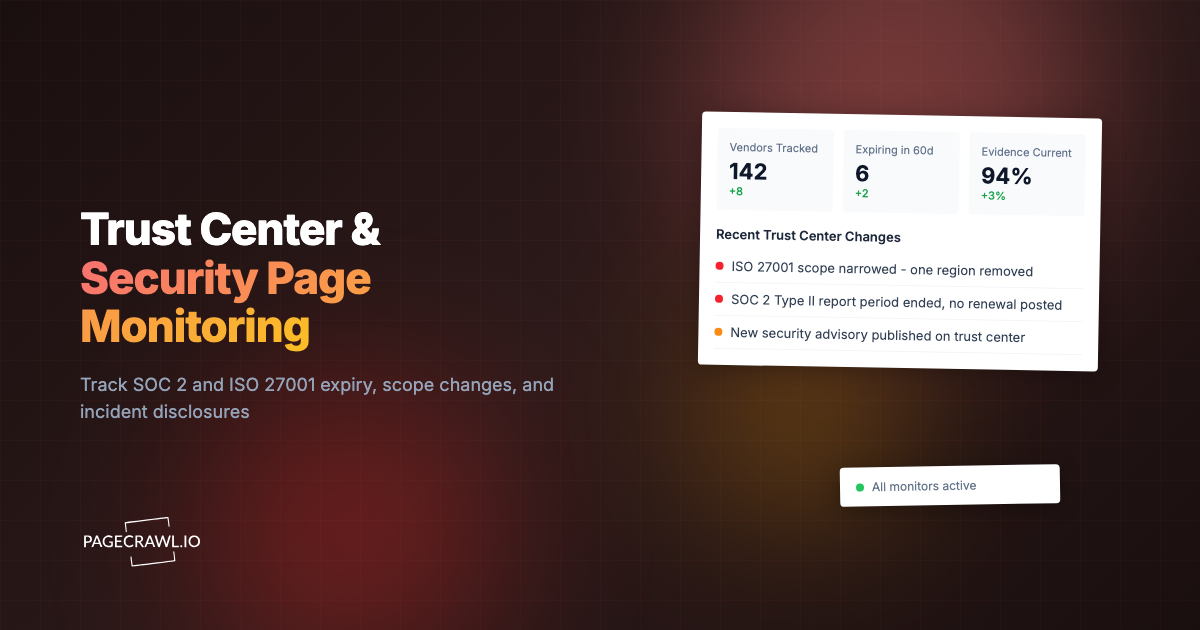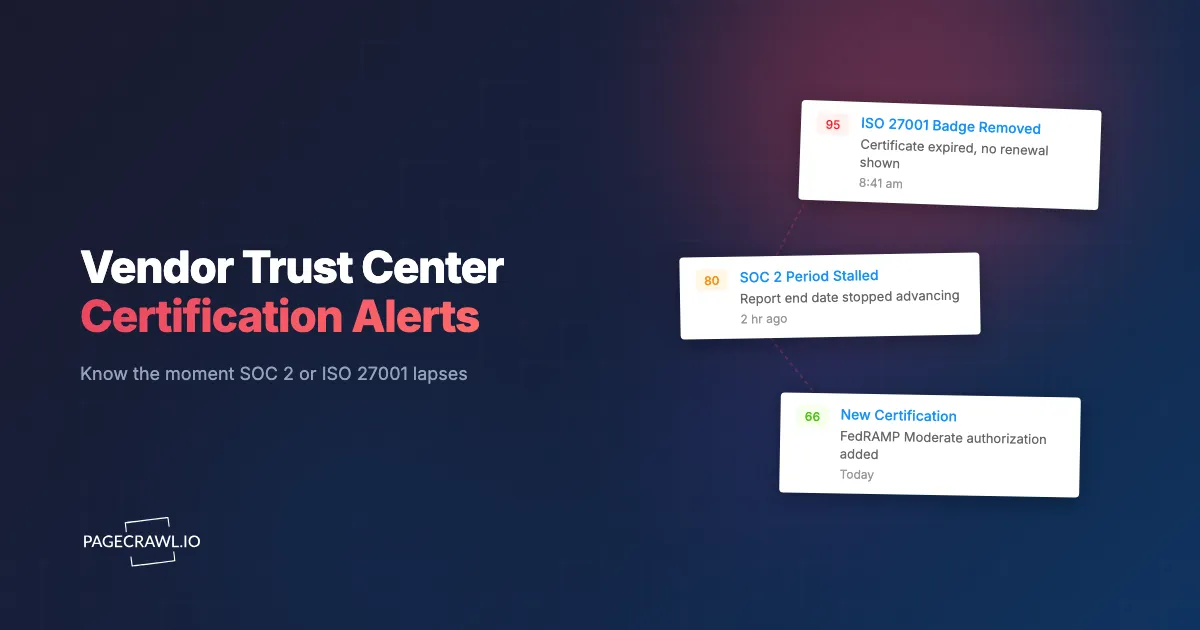
At 8:41 a.m. on a Tuesday, a third-party risk analyst opened a key vendor's trust center to pull the SOC 2 report for a board risk review later that morning. The ISO 27001 badge that had sat in the corner of that page for two years was gone. No notice, no email, no banner. The certificate had expired four months earlier and the renewal audit had slipped. The vendor's page just quietly dropped the badge, and the contract had auto-renewed in the meantime. The analyst spent the next three hours building a remediation note instead of presenting a clean review.
That is the failure mode nobody plans for. Procurement and security teams collect a SOC 2 Type II report and an ISO 27001 certificate at onboarding, file them in a folder, and then look away for twelve months. Attestations, however, are dated documents with hard expiry windows, and a trust center is a living web page that changes whenever the vendor decides. The interesting events almost always happen between your annual review cycles, and almost none of them generate a notification you actually receive.
This guide explains what a vendor trust center is, which named attestations are worth watching (SOC 2 Type I and Type II, the ISO 27001 family, FedRAMP, PCI DSS, HIPAA, and more), exactly which page changes should trigger an alert, why the gap between annual cycles is where vendor risk hides, how a dated capture becomes a defensible audit artifact, and a step-by-step setup you can stand up in about ten minutes.
What is a vendor trust center, and why monitor it?
A vendor trust center is the public security and compliance page where a SaaS company publishes its attestations, certifications, policies, and status, often at a URL like trust.anthropic.com or atlassian.com/trust. Monitoring it means watching that page on a schedule, so the check that catches a lapsed SOC 2, a new certification, or a flipped status badge tells you within hours instead of at your next review.
Most modern trust centers run on hosted platforms such as SafeBase, Vanta, Drata, Conveyor, or OneTrust. They present a tidy grid of badges (SOC 2, ISO 27001, GDPR, HIPAA, PCI DSS), a list of policies, a subprocessor link, and often a gated document room where you request the full report under NDA. The public surface is exactly what you want to watch, because every meaningful compliance event eventually shows up there as a changed badge, a new report date, or an added or removed line of text.
Watching it by hand does not scale. A mid-size TPRM program tracks dozens or hundreds of vendors, and nobody can remember to revisit every trust center monthly. Automated monitoring turns that page into a sensor. This sits naturally inside a broader continuous vendor monitoring program for TPRM, and it pairs with subprocessor list monitoring to give you a near-complete picture of a vendor's compliance posture without a single phone call.

Which certifications and attestations should you actually watch?
Watch the specific named attestations that your own controls and contracts depend on, plus any new ones the vendor adds. At minimum that means SOC 2 Type II, the ISO 27001 family, and any sector frameworks (FedRAMP, HIPAA, PCI DSS) your data classification requires. Each has a different cadence and a different way of failing quietly, so treat them individually.
SOC 2 Type I versus Type II
A SOC 2 Type I report attests that controls were designed correctly at a single point in time. A SOC 2 Type II report attests that those controls operated effectively across an observation window, commonly 3 to 12 months (most enterprise buyers expect a 12-month window). The two facts to monitor are the wording ("Type II" should never silently revert to "Type I") and the report date. If the period end date stops advancing year over year, the vendor may be relying on a bridge letter, which typically covers a gap of up to three months between report periods. A gap longer than that is a flag.
ISO 27001 and the 27701, 27017, and 27018 family
An ISO 27001 certificate is valid for three years, with annual surveillance audits in between. Watch both the certificate version and the expiry. The transition from ISO 27001:2013 to ISO 27001:2022 carried a hard deadline of October 2025, so a vendor still showing the 2013 standard after that date is out of compliance. Added certificates in the family signal maturity worth noting: ISO 27701 covers privacy information management, while ISO 27017 and 27018 cover cloud-specific and cloud PII controls. Tracking standard revisions across vendors is a discipline of its own, closely related to monitoring security framework revisions like NIST, ISO, and CIS.
FedRAMP, HIPAA, PCI DSS, and the rest
If you sell to or buy on behalf of government, healthcare, or payment workflows, the sector frameworks matter most. FedRAMP authorizations come at Low, Moderate, and High impact levels and carry a monthly continuous monitoring obligation, so a FedRAMP status change is significant. PCI DSS, published by the PCI Security Standards Council, moved to version 4.0 (with 4.0.1 clarifications), and a vendor moving from 3.2.1 to 4.0 is a real event. HIPAA has no certificate, so vendors usually advertise a third-party HIPAA assessment or attestation instead. Round it out with HITRUST CSF, Cyber Essentials, TISAX, C5 in Germany, and CSA STAR, any of which a vendor may add or let lapse.
What kinds of trust center changes should trigger an alert?
The changes worth an alert fall into four buckets: a certification that disappears or expires, a new certification that appears, a status badge that flips (active to expired, in progress to certified, or vice versa), and a report date that should have advanced but did not. Each maps to a concrete control decision, so each deserves its own notification.
In practice, the specific events to capture are:
- A SOC 2 Type II report whose observation period end date stops advancing, or that quietly reverts to Type I.
- An ISO 27001 certificate that passes its three-year expiry without a renewal badge appearing.
- A FedRAMP authorization status that changes level or moves to "in process" or "ready."
- A new framework added (the vendor earns ISO 27701, HITRUST, or PCI DSS 4.0).
- A previously listed certification removed from the badge grid entirely.
- A "trust center under maintenance" or login wall appearing where public badges used to be.
- A policy or document version bump (information security policy, incident response policy) inside the page.
Not every one of these is an emergency, which is why thresholds and rules matter. A removed badge or an expired certificate should page someone. A reformatted footer should not. Setting that up well is the same discipline covered in conditional alerts with keyword and threshold rules, where you decide which words and which numeric movements are allowed to wake a human.
Why is the gap between annual reviews where vendor risk hides?
The gap between reviews is where risk hides because vendor due diligence is almost always point-in-time, while compliance status is continuous. You verify a SOC 2 once at onboarding, then assume it holds for a year, but the report only covered a fixed window that may have already ended.
Anything that happens after that window, an expired ISO certificate, a dropped FedRAMP status, or a control failure, is invisible until your next scheduled look. This is the structural weakness in most vendor due diligence checklists: they are designed as a snapshot, not a feed. A bridge letter (also called a gap letter) is the vendor's own admission of this problem; it stretches assurance across the gap between two SOC 2 periods, but only for up to about three months, and it is a softer attestation than the report itself. If you are not watching the trust center, you will not even know a bridge letter has replaced a full report.
Continuous compliance monitoring closes that gap cheaply. Instead of one verification per year, you get a check every few minutes or hours, and the page itself tells you when the vendor's posture moves. That converts a static third-party risk management process into something that reacts in days rather than at the next annual cycle. For high-criticality vendors holding regulated data, the difference between learning about a lapsed certificate the day it happens versus eleven months later is the difference between a routine follow-up and an audit finding.
How does a dated capture become an audit artifact for TPRM and procurement?
A dated capture becomes an audit artifact because it is a timestamped, tamper-evident record of exactly what the vendor publicly claimed on a specific day. When PageCrawl checks a trust center, it stores the rendered page, a full-page screenshot, and the extracted values with the check time. That bundle answers the auditor's core question: what did you know, and when?
This matters in two directions. For your own audits (SOC 2, ISO 27001, regulator reviews), you can show a continuous evidence trail proving you monitored each critical vendor's certification status, not just collected one PDF at onboarding. For disputes with a vendor, a dated before-and-after capture removes the argument: the SOC 2 Type II badge was present on March 3 and gone on April 12, here is the screenshot of each. PageCrawl keeps that history per check, and you can export any captured page to PDF to drop straight into a risk file or a procurement package.
Because the captures are dated and retained, they also feed the periodic reassessment your policy already mandates. Instead of re-pulling everything by hand at renewal, you open the monitor's history and read the timeline of what changed across the year. That is the practical payoff of treating the trust center as a monitored asset rather than a one-time download.
How do you set up vendor trust center monitoring with PageCrawl?
Setting up trust center monitoring takes about ten minutes per vendor. The goal is to watch the certification grid for added, removed, or changed badges, capture the page state on every check, and route real changes to the channel your risk team actually reads. Here is the sequence, using the most reliable combination of tracking modes for compliance pages.

Step 1: Add the trust center URL and pick the right tracking mode. Point PageCrawl at the vendor's trust center (for example trust.anthropic.com). For the badge grid, use keyword and text tracking on the named attestations you care about (SOC 2 Type II, ISO 27001:2022, FedRAMP Moderate, PCI DSS 4.0) so the monitor watches for those exact strings appearing or disappearing. Add fullpage content tracking as a backstop so any other change to the page body is caught too. PageCrawl renders the page fully, so badges loaded after the initial response are captured the same as static text.
Step 2: Add a numeric or date check where it helps. For SOC 2 report periods that show a date, add number or date tracking so you are alerted when the period end date stops advancing or moves backward. Set the direction so a date that fails to move forward across your expected cadence becomes a flag rather than silent.
Step 3: Set the check frequency to match criticality. For a critical vendor holding regulated data, check every few hours. For a long tail of lower-risk vendors, daily is plenty. Trust centers do not change minute to minute, so you do not need aggressive frequency; you need reliable coverage that never lets a month slip by unwatched.
Step 4: Choose your notification channel. Route changes to where your risk team lives. Most teams send trust center alerts to a dedicated Slack channel so procurement and security see the same event at once. Telegram, Discord, email, and webhooks are all supported, and a webhook lets you open a ticket in your GRC or TPRM tool automatically when a certification badge changes.
Step 5: Keep screenshots on and capture the page as evidence. New monitors default to screenshots enabled, and you should leave that on here. Visual change capture gives you a side-by-side image of the badge grid before and after, which is the single clearest artifact for a risk file. Combined with the stored page, every alert arrives with proof attached, ready to export to PDF for procurement.
Step 6: Set thresholds so only real changes alert. Tell PageCrawl to ignore cosmetic noise (a changed marketing line, a reordered footer) and alert on the substantive strings: certification names, "expired," "in progress," report dates, and standard versions. This keeps the signal high so the alert that finally fires is one your team trusts and acts on.
What about gated or login-protected trust centers?
Some vendors hide the full report behind a login or NDA gate while leaving the badge summary public. Monitor the public summary with the steps above, since the badge grid is usually enough to detect a status change. For the rare case where the meaningful status sits behind a login you have legitimate access to, PageCrawl supports monitoring password-protected pages so authenticated pages can be checked on the same schedule. If a trust center disappears entirely behind a wall where public badges used to be, that itself is a change worth an alert.
How do you keep these alerts from becoming noise?
You keep trust center alerts useful by being specific about what counts as a change. Compliance pages often carry dynamic elements, rotating testimonials, "last updated" timestamps, or session tokens, that move on every load without meaning anything. If you track the whole page raw, those will bury the one badge change that matters.
The fix is to scope the monitor to the certification content and apply rules to the rest. PageCrawl gives you the controls to do this cleanly: restrict tracking to the badge grid region, ignore known dynamic blocks, and set keyword rules so only the named attestations and status words trigger an alert. The help centre guide to reducing false positive notifications walks through each of those controls. The same techniques that reduce website monitoring false positives apply directly here, and they are worth investing in early. A monitor that cries wolf gets muted, and a muted monitor is exactly the one that misses the expired ISO 27001 certificate at 8:41 on a Tuesday.
A good rule of thumb: alert on additions, removals, status words ("active," "expired," "in progress," "withdrawn"), report dates, and standard version numbers. Suppress everything else. That single decision is the difference between a feed your risk team reads and one they ignore.
Which PageCrawl plan do you need for trust center monitoring?
Start on the Free plan, which covers 6 pages with 220 checks per month, enough to watch the trust centers of your three highest-risk vendors. Move up when the vendor list grows: one monitor per trust center means a hundred vendors fits comfortably inside Standard.
| Plan | Price | Pages | Checks / month | Frequency |
|---|---|---|---|---|
| Free | $0 | 6 | 220 | every 60 min |
| Standard | $8/mo or $80/yr | 100 | 15,000 | every 15 min |
| Enterprise | $30/mo or $300/yr | 500 | 100,000 | every 5 min |
| Ultimate | $99/mo or $999/yr | 1,000 | 100,000 | every 2 min |
Annual billing saves two months across every paid tier.
Enterprise and Ultimate scale up to 100x if you need thousands of pages or multi-team access.
How do you get started today?
Pick your three highest-risk vendors, the ones holding regulated data or sitting in a critical path, and put their trust centers under monitoring today on the Free plan. Watch the named attestations, keep screenshots on, route changes to Slack, and let the dated captures pile up as evidence. The first time PageCrawl tells you a SOC 2 lapsed or a FedRAMP status flipped before your annual review would have, you will wonder how you ever ran TPRM without it. Start now, and never be the analyst who finds out four months too late.