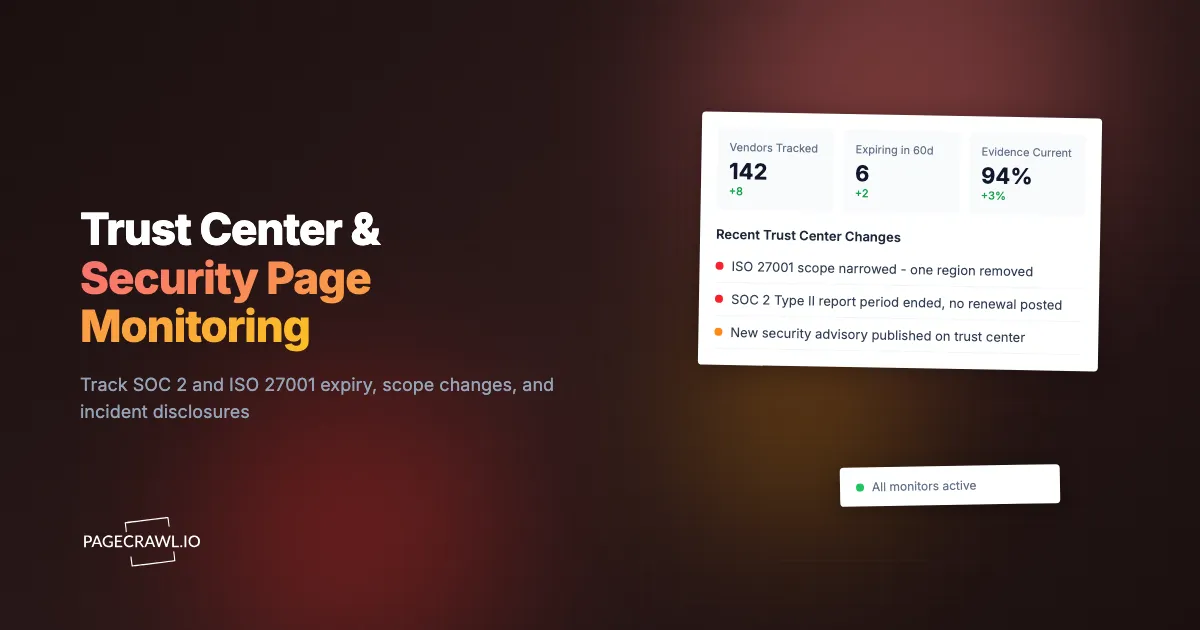
The security questionnaire came back from a prospect's procurement team with one line highlighted: "Your data platform vendor's ISO 27001 certificate covers their Dublin operations only. Our contract data is processed in their Singapore region. Please explain." The GRC lead who had signed off on that vendor eight months earlier pulled up the trust center. The badge was still there. It had been there the whole time. What had changed was the scope statement underneath it, three lines of small text listing the certified sites, and Singapore had been added and then quietly removed during a recertification.
Nobody had lied. The badge never went missing, so no badge-presence check would have fired, and scope narrowing is not the kind of event that generates a customer notice. The evidence in the GRC folder was a PDF captured at onboarding, describing a state of the world that no longer existed.
Trust centers fail in three ways that a yearly review almost never catches. Attestation evidence goes stale, because a SOC 2 Type II report covers a fixed period that ends and a certificate carries an expiry date that passes. Certification scope shifts, because the systems, regions, and legal entities named in the fine print are renegotiated at every audit cycle. And incidents get disclosed, often on a security advisories tab that gets one paragraph and no announcement. All three are text changes on a public page you can watch.
This guide covers what specifically to watch on a vendor's trust center and security page, how to read expiry and report-period dates so a monitor can flag them before they lapse, why scope statements deserve their own alert, how to catch incident disclosures that were never emailed to you, and how to set the whole thing up so a forty-vendor program stays quiet.
Why does a valid-looking trust center badge still leave you exposed?
A badge tells you a vendor was certified at some point. It does not tell you when the evidence behind it expires, which systems it covers, or whether the vendor has disclosed an incident since. The three details that actually change your risk position live in the text around the badge, not the badge itself, and they change without any notification to you.
A trust center is a sales asset. Its job is to unblock deals with a reassuring grid of logos: SOC 2, ISO 27001, GDPR, HIPAA, PCI DSS. That is not dishonest, but it does mean the page is built to make the good news large and the caveats small, and the caveats are where risk lives. A SOC 2 Type II report is an opinion about a defined observation window, typically twelve months, and once that window closes the report starts aging. Auditors and customers routinely treat a report older than a year as insufficient, which means a vendor whose new report has slipped by a quarter is presenting you with evidence that will not survive your own auditor's review. The badge says nothing about that. The report period dates, usually printed as a line like "1 October 2025 to 30 September 2026," say everything.
The same applies to ISO certificates. ISO/IEC 27001 certificates are issued for a three-year cycle with surveillance audits in between, and every certificate carries an issue date, an expiry date, a certificate number, and a scope statement. The badge on a trust center compresses all of that into one logo. Monitoring the surrounding text is what turns a marketing graphic back into evidence you can rely on.
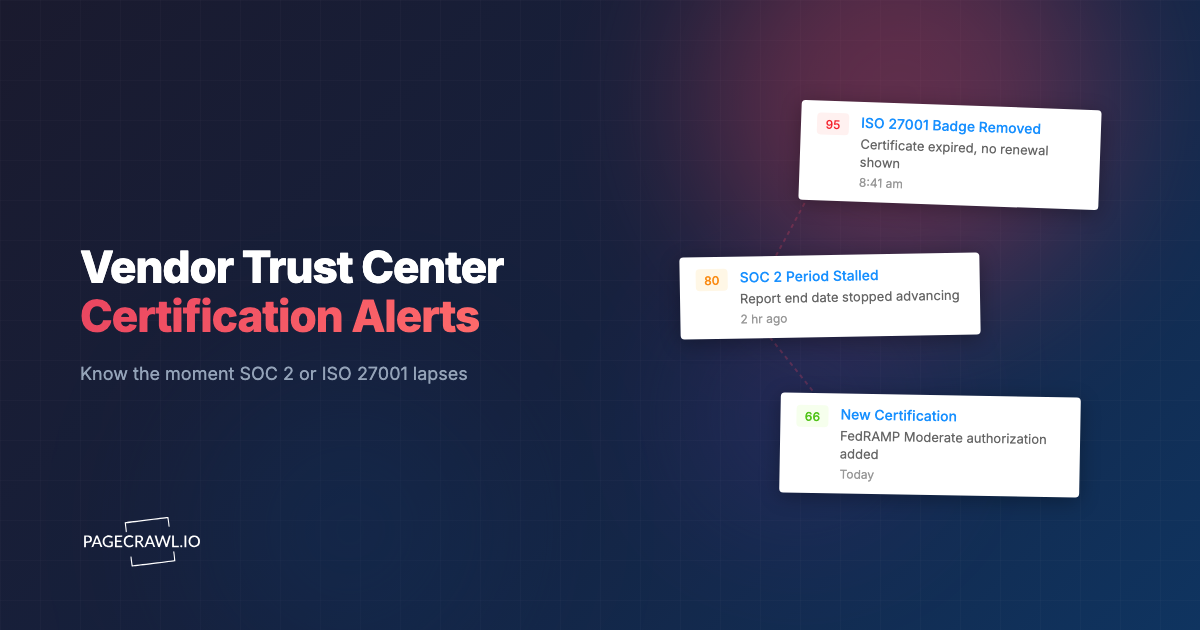
If your concern is specifically the badge disappearing (a certification lapsing outright or a new one being added), our companion guide to vendor trust center certification monitoring covers that presence-and-absence case in depth. This post is about the harder, quieter layer underneath: dates, scope, and disclosures.
What exactly should you track on a vendor trust center?
Track four things: the attestation dates (report periods and certificate expiry), the scope statement naming covered systems and locations, the security advisories or incident section, and the document-request area that lists which reports are currently available. Everything else on the page is styling and marketing copy that will generate noise.
Here is how those four map to the risk each one carries.
| What to watch | Typical location | What a change means |
|---|---|---|
| SOC 2 report period | Under the SOC 2 badge or in the document room listing | Evidence aging out, or a new report published |
| Certificate expiry and number | ISO 27001 badge detail, certificate viewer | Renewal completed, slipped, or the certificate body changed |
| Scope statement | Small text under the certificate, or a "scope" link | Systems, regions, or entities added or removed from coverage |
| Security advisories or incidents | A "security" or "advisories" tab, sometimes the status page | A disclosed vulnerability or breach you were never emailed about |
| Available documents list | Gated document room index | A report withdrawn, or a new framework added |
| Subprocessor link | Footer of the trust center | New data processors, covered in depth separately |
Attestation dates are the highest-value signal
Of those, the dates give you the most warning for the least noise. A certificate expiry date is a countdown you can see months ahead, and a SOC 2 report period end date tells you exactly when your evidence turns a year old. Both are printed as text on most trust centers, so a monitor on that region tells you the day the vendor updates it, and tells you nothing for months if the vendor lets it drift, which is itself the signal.
The independent check on a certificate is the accreditation registry, not the vendor's own page. IAF CertSearch is the global database for validating accredited management system certificates, including ISO/IEC 27001, covering certificates issued by bodies accredited under the International Accreditation Forum's mutual recognition arrangement. For US federal work, the FedRAMP Marketplace is the authoritative listing of cloud service offerings and their current authorization status. Watching a registry entry alongside the vendor's page catches the case where the two disagree.
How do you read a certification date so a monitor can flag it before it lapses?
Find the printed date on the page, then set a monitor on that text region so any edit to it fires an alert, and separately diary the expiry so you chase the vendor before it passes. The two techniques are complementary: the monitor catches the vendor's edits, the diary entry catches the vendor's silence.
Attestation dates come in three shapes, and each needs slightly different handling.
- A report period range. SOC 2 Type II evidence reads as a start and end date, for example "Observation period: 1 January 2026 to 31 December 2026." Watch the whole string. When the vendor publishes the next report, that string changes wholesale, which is a clean, unambiguous alert.
- A single expiry or valid-until date. ISO 27001 and PCI DSS attestations usually print one date. Watch the line containing it. A change means the recertification landed. No change as the date approaches means it did not.
- No date at all. Plenty of trust centers show a badge and nothing else. That absence is a finding in its own right. Request the certificate or report directly, record the dates in your vendor register, and monitor the badge block for any change that might indicate a renewal.
The most common failure is that third case combined with an assumption: a team sees a badge, files it, and never learns the certificate expired a year ago. Certification is a repeating cycle, not a permanent state, so treat any undated badge as unverified until you hold the document.
Building an expiry calendar from what you monitor
Once you have real dates, put them somewhere that generates action. A table in your vendor register with vendor, framework, evidence date, and a chase date sixty days before expiry converts passive monitoring into a workflow. The page monitor tells you when the vendor moves. The chase date tells you when to act if the vendor has not. Teams running a broader programme fold this into their continuous vendor monitoring routine for TPRM rather than keeping a separate spreadsheet.
Why do certification scope changes matter more than the badge itself?
A certification only covers what its scope statement says it covers. If a vendor's ISO 27001 scope names three data centres and your workload runs in a fourth, the badge is real and irrelevant to you. Scope text is edited at every recertification, rarely announced, and is the single most under-monitored line on a trust center.
A typical scope statement reads like "the information security management system supporting delivery of the platform from the Frankfurt and Dublin facilities, in accordance with the Statement of Applicability version 4.2." Three things in that sentence can change without the badge moving: the named service, the named facilities, and the Statement of Applicability version.
The four scope changes worth alerting on
- Locations removed. A region drops out of scope, often because the vendor consolidated infrastructure or the audit budget was trimmed. If your data lives there, your evidence no longer applies to it.
- Services narrowed. The certificate covers "the core platform" this year where it covered "the platform and managed services" last year. Anything you buy outside the narrowed wording is uncertified.
- Legal entity changed. After an acquisition or restructure, the certificate may be reissued to a different legal entity than the one on your contract. Your contractual counterparty and your certified counterparty stop being the same company.
- Statement of Applicability version bumped. A version change means controls were added or excluded. It is worth a question, not a panic, but you want to know it happened.
None of these produce a customer email. All of them produce a text diff on a public page, the same mechanic behind watching security framework revisions from NIST, ISO, and CIS: authoritative wording changes quietly, and whoever reads the diff first acts deliberately instead of reactively.
Scope and subprocessors are different questions
Scope tells you what the vendor's own certification covers. The subprocessor list tells you who else touches your data. A vendor can hold a broadly scoped ISO 27001 certificate and still add an analytics processor in a jurisdiction your DPA does not permit. Watch both. Our guide to subprocessor list monitoring for SaaS compliance covers that other half, including the contractual objection windows that make timing matter.
How should incident disclosures on a trust center be monitored?
Watch the security advisories, incident history, or "security notices" section of the trust center as its own monitor, separate from the certification block. Disclosures are appended as short entries, often without email notice, and they age out of view fast. A dedicated monitor on that section gives you a dated capture of the disclosure as published.
Vendors disclose incidents in several places: a security advisories tab, an engineering blog post, a status page history entry, or a footnote in a release note. The trust center version tends to be the most carefully worded and the most durable, which makes it the best single page to watch.
There is a regulatory reason these disclosures appear at all. In the United States, public companies must report material cybersecurity incidents on Form 8-K under the SEC's cybersecurity disclosure rules, generally within four business days of determining that an incident is material. That obligation often drives a parallel public statement on the vendor's own security page, and the trust center version usually carries the operational detail your security team needs.
What an incident alert should trigger on your side
Route trust center advisory changes to your security channel rather than procurement, because the first question is technical (are we affected, which product, which versions). Attach the dated capture to your incident record so you can show what the vendor said and when. Vendors do edit advisories after publication, and a monitor with history is the only practical way to notice.
How do you set up trust center monitoring in PageCrawl?
Add the trust center URL, narrow the tracking to the certification and advisories regions, check daily for most vendors, route alerts to the channel that will act on them, and add keyword rules for the words that signal a real change. Setup takes about ten minutes per vendor, and the same recipe repeats across your whole vendor list.
- Add the URL. Use the canonical trust center address, for example trust.anthropic.com, security.salesforce.com or atlassian.com/trust. If the vendor splits certifications and advisories across two pages, create two monitors rather than one, because the two need different alert routing and different urgency.
- Pick the tracking mode. Reader or content-only tracking works best for trust centers, because it extracts the substantive text and drops the navigation, cookie banner, and footer. If the certifications live in one clearly bounded block, narrow the monitor to that element so surrounding marketing copy cannot trigger alerts.
- Set the check frequency. Daily is right for most vendors. Certification and scope changes happen on audit cycles, not hourly, so faster checking mostly buys noise. Reserve higher frequency for your handful of critical vendors, where an advisory appearing hours earlier genuinely changes your response, and where higher-frequency plans check every 15, 5, or 2 minutes.
- Choose notification channels. PageCrawl delivers to email, Slack, Discord, Teams, Telegram, and webhooks. A practical split: certification and scope changes to a GRC channel, advisories to the security on-call channel, and a webhook into your ticketing system so every change opens a task instead of depending on someone reading a message.
- Add keyword and threshold rules. Alert when the extracted text gains or loses words like "scope," "expired," "suspended," "advisory," "CVE," or "withdrawn." Suppress changes below a small character threshold so a reworded marketing sentence stays silent. Keyword rules are what turn a page monitor into a compliance signal.
- Turn on screenshots and history. A timestamped capture of the page as it appeared is the artifact your auditor wants when you claim you checked. The visual alongside the text diff shows both the wording and the badge state on any given date.
- Organise by tier. Put critical vendors in one folder with a faster cadence and security-channel routing, everything else in a standard folder on a daily cadence. Framework tags (SOC 2, ISO 27001, FedRAMP) let you pull every affected vendor when a framework itself is revised.
Handling gated document rooms
Many trust centers put the actual reports behind an NDA click-through or a login. The public index listing which documents exist is usually still visible, and that index is worth monitoring on its own: a report appearing, disappearing, or changing its title is a meaningful event even when you cannot read the file. Watch the public index, then request the document when the index moves.
How do you keep a forty-vendor trust center program quiet and useful?
Tier your vendors, narrow every monitor to the text that carries meaning, use keyword rules so only compliance-relevant words break the silence, and review the whole set quarterly. A well-tuned program of forty vendors should produce a handful of alerts a month, each of which deserves a human response.
Tier by data sensitivity, not by spend
The instinct is to prioritise by contract value. The better axis is what the vendor can reach: a cheap tool with production database access outranks an expensive one that only sees marketing metadata. Tier 1 gets faster checks, security-channel routing, and both certification and advisory monitors. Tier 2 gets a daily certification check. Tier 3 gets a monthly sanity check on the badge block.
Kill noise at the source
Most alert fatigue comes from monitoring too much of the page rather than from checking too often. Every trust center has churn built in: rotating customer logos, a deploy timestamp, an uptime figure. Narrow the monitored region first and adjust frequency second. Our guide to reducing website monitoring false positives covers the practical steps for teaching a monitor to ignore the parts of a page that change without meaning anything.
Review quarterly, not annually
Trust centers get redesigned. A vendor migrates to a new hosted trust platform, the page structure changes, and a narrowly scoped monitor ends up watching an element that no longer exists. A quarterly pass over your monitor list, confirming each one still returns real content, catches silent breakage before an auditor does. Never read silence from a monitor as "nothing changed" until you have checked it can still see the page.
Choosing your PageCrawl plan
PageCrawl's Free plan lets you monitor 6 pages with 220 checks per month, which is enough to validate the approach on your most critical pages. Most teams graduate to a paid plan once they see the value.
| Plan | Price | Pages | Checks / month | Frequency |
|---|---|---|---|---|
| Free | $0 | 6 | 220 | every 60 min |
| Standard | $8/mo or $80/yr | 100 | 15,000 | every 15 min |
| Enterprise | $30/mo or $300/yr | 500 | 100,000 | every 5 min |
| Ultimate | $99/mo or $999/yr | 1,000 | 100,000 | every 2 min |
Annual billing saves two months across every paid tier. Enterprise and Ultimate scale up to 100x if you need thousands of pages or multi-team access.
Compliance monitoring is the cheapest insurance you can buy. A single missed regulatory change can trigger fines in the tens or hundreds of thousands, not to mention the audit overhead of proving you did not see it coming. Enterprise at $300/year covers 500 regulatory pages with unlimited history and timestamped screenshots, which is usually exactly what an assessor wants to see. All plans include the PageCrawl MCP Server, so your compliance team can ask Claude to summarize every change to a specific regulation over the last quarter and pull the exact diff, turning your monitoring history into a queryable audit trail. AI assistants can create monitors through conversation on every plan, including Free. Standard at $80/year is enough to cover 100 pages across your primary regulatory bodies if your program is smaller.
Getting Started
Start with the five vendors that can reach your production data. For each one, open the trust center, write down the SOC 2 report period and the certificate expiry date you find there, and note which ones show no date at all, because that list is your first set of questions to send.
Then create two monitors per vendor: one narrowed to the certification and scope block, one on the security advisories section. Set both to a daily check, route certification changes to your GRC channel and advisories to your security channel, and add keyword rules for "scope," "expired," "suspended," and "advisory" so ordinary copy edits stay quiet. Turn on screenshots so every alert arrives with a dated capture you can attach to a vendor file.
Give it a quarter. The first time a scope statement quietly loses a region and the diff lands in your channel with the old and new wording side by side, you will have caught the exact failure that annual reviews are structurally incapable of catching.
Stop trusting the badge. Watch the fine print underneath it.